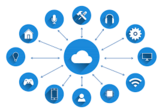
Cloud computing is the delivery of technology resources—compute, storage, networking, and software—to users from remote data centers over the internet. Rather than owning and operating physical hardware on-premises, organizations consume these resources on demand and pay only for what they use. For DevOps teams, understanding the three primary service models and the available deployment options is essential when designing scalable, cost-effective systems.
The Three Core Cloud Service Models
Cloud services are typically grouped into three categories based on the layer of the stack being delivered: Software as a Service (SaaS), Infrastructure as a Service (IaaS), and Platform as a Service (PaaS). Each model draws a different boundary between what the provider manages and what the customer is responsible for.
Software as a Service (SaaS)
SaaS is the most widely adopted cloud model. The provider delivers a fully functional, user-ready application over the internet. Users access the software through a browser or a thin client—no local installation or patching is required. The vendor handles infrastructure, runtime, middleware, data storage, and application maintenance entirely.
SaaS suits end users and business teams who need a polished product without managing the underlying technology. Common examples include:
- Collaboration and productivity: Google Workspace, Microsoft 365, Slack
- Customer relationship management: Salesforce
- File storage and sharing: Dropbox
- Accounting: QuickBooks Online
- Customer support: Zendesk
From a DevOps perspective, SaaS reduces operational overhead for internal tooling. The trade-off is limited customization depth and dependency on the vendor’s release cadence, uptime SLAs, and data governance policies.
Infrastructure as a Service (IaaS)
IaaS sits at the bottom of the cloud stack. The provider supplies virtualized compute (virtual machines or bare-metal servers), block and object storage, networking, and security primitives such as firewalls and load balancers. The customer retains control over the operating system, middleware, runtime, and applications that run on top of that infrastructure.
IaaS is the model of choice when teams need maximum flexibility—for example, when migrating a legacy application that requires a specific OS configuration, when building a custom CI/CD pipeline environment, or when running workloads that demand fine-grained resource control. Capacity scales on demand, eliminating large upfront capital expenditures on physical hardware.
Typical IaaS use cases include:
- Hosting virtual machines for development, staging, and production environments
- Provisioning ephemeral test infrastructure for new software builds
- Running high-performance computing workloads that require burst capacity
- Storing and archiving large datasets at scale
Users typically interact with IaaS through a web console, a command-line interface, or an API. Because the customer manages the OS and everything above it, IaaS requires more operational expertise than SaaS or PaaS but provides the greatest configurability.
Platform as a Service (PaaS)
PaaS occupies the middle layer. The provider manages the infrastructure, operating system, runtime, middleware, and data integration layer. Developers receive a pre-configured environment containing the tools, code libraries, build pipelines, and deployment mechanisms they need to write, test, and ship applications—without managing the underlying servers.
The main benefit of PaaS is developer velocity. Because the platform abstracts away infrastructure concerns—patching, scaling, networking, security hardening—engineering teams can focus on application logic. Multiple developers can collaborate on the same project simultaneously using shared environments and version-controlled pipelines.
PaaS is well suited to teams that want to:
- Standardize development environments across a team
- Accelerate the build-test-deploy cycle
- Reduce the operational cost of maintaining runtime infrastructure
- Enable non-engineers to build simple business applications through low-code or no-code tooling
Public, Private, and Hybrid Cloud Deployments
Each of the three service models can be deployed in different environments. Understanding these deployment options matters for compliance, data residency, latency, and cost optimization.
- Public cloud: Infrastructure is owned and operated by a third-party provider and shared across multiple customers (tenants). Resources are provisioned on demand over the public internet. This model offers the broadest range of services and the lowest barrier to entry.
- Private cloud: Infrastructure is dedicated to a single organization, hosted either on-premises in the organization’s own data center or in a colocation facility. Private cloud provides greater control over data and security configuration but requires more capital investment and operational overhead.
- Hybrid cloud: A combination of public and private environments connected through orchestration, networking, and APIs. Hybrid architectures allow organizations to run sensitive workloads in a private environment while bursting to public cloud resources for variable or lower-sensitivity workloads.
Choosing the Right Model for Your Team
The appropriate cloud model depends on where your team’s engineering effort should be focused and how much control you need over the underlying stack.
| Model | Managed by provider | Managed by customer | Best for |
|---|---|---|---|
| SaaS | Everything | Data and user configuration | End users, internal tooling, productivity apps |
| PaaS | Infrastructure, OS, runtime, middleware | Application code and data | Developers building and deploying applications |
| IaaS | Physical hardware, networking, virtualization | OS, middleware, runtime, applications | System administrators, custom workloads, migrations |
When evaluating a PaaS or IaaS solution specifically, consider the following criteria beyond deployment model:
- Integration: How well does the platform connect with your existing CI/CD pipelines, identity providers, monitoring tools, and data stores?
- Language and runtime support: Does it support the programming languages, frameworks, and container runtimes your teams already use?
- Scalability and pricing: Can the platform scale automatically with demand, and is the pricing model predictable for your workload patterns?
- Security and compliance: Does the provider offer the certifications and data residency guarantees your organization requires?
- Vendor support and SLAs: What uptime commitments does the provider make, and what support tiers are available?
Cloud computing continues to evolve rapidly, with managed Kubernetes services, serverless functions, and AI/ML platforms blurring the boundaries between IaaS, PaaS, and SaaS. DevOps teams that understand the foundational service models are better positioned to evaluate new offerings and make architecture decisions that balance agility, control, and cost.