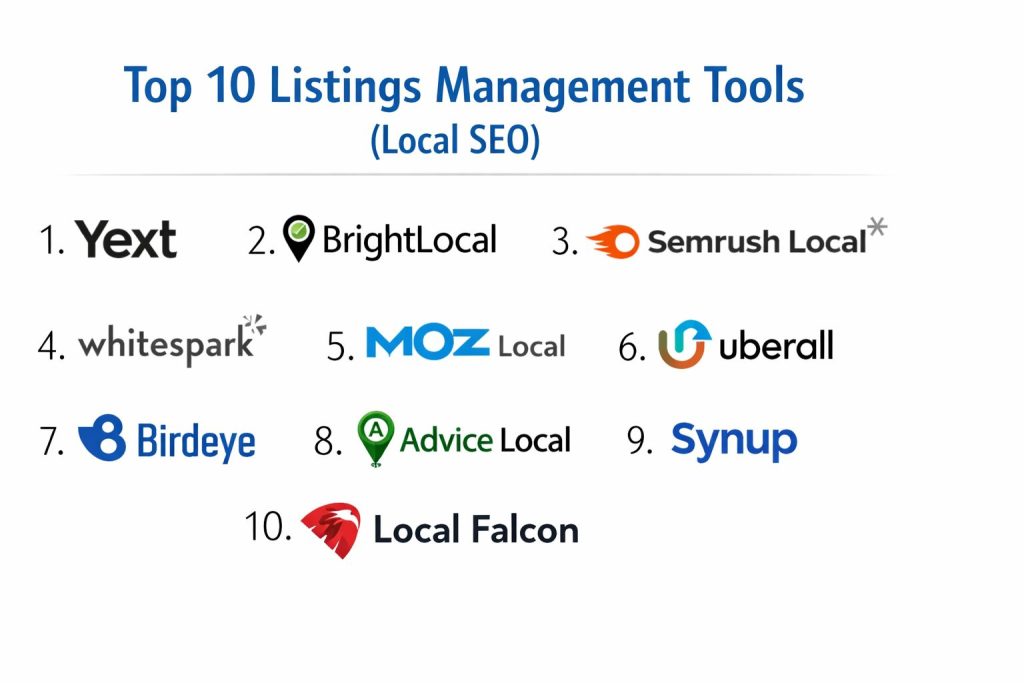
Introduction
Listings management tools are specialized software solutions designed to centralize and synchronize a business’s core identity across the vast landscape of digital directories, maps, and search engines. At their core, these platforms ensure that Name, Address, and Phone number (NAP) data remains consistent, which is a primary trust signal for search engine algorithms. By providing a single point of truth, these tools prevent the fragmentation of brand data that often occurs when manual updates are neglected or when data aggregators propagate outdated information. For modern enterprises and small businesses alike, maintaining this digital hygiene is no longer optional; it is a critical component of local discoverability and customer acquisition.
The necessity of these tools is driven by the complexity of the local search ecosystem, which consists of hundreds of interconnected nodes including Google, Apple Maps, Bing, and industry-specific vertical directories. Inaccurate data does more than just frustrate potential customers; it actively erodes a business’s ranking power. Search engines prioritize entities they can verify with high confidence across multiple authoritative sources. When a listing management tool automates the suppression of duplicate entries and corrects discrepancies in real-time, it directly enhances the business’s “Prominence” and “Relevance” scores. Furthermore, as voice search and AI-driven assistants become the primary interface for “near me” queries, the structured data provided by these platforms becomes the essential fuel for those systems to provide accurate answers.
Best for: Multi-location franchises, local service providers, retail chains, and marketing agencies that need to maintain high data integrity across hundreds of digital touchpoints simultaneously.
Not ideal for: Online-only businesses without a physical footprint, or brands that do not rely on local foot traffic or regional service areas for their primary revenue.
Key Trends in Listings Management
The integration of artificial intelligence is currently transforming how listings are managed, moving beyond simple data syncing to proactive optimization. AI models are now capable of analyzing customer sentiment within reviews across thousands of locations, identifying regional operational issues before they escalate. Another significant trend is the rise of “Zero-Click” searches, where users find all the information they need directly on the search results page. This has forced listing tools to support more rich media, such as real-time inventory updates, booking links, and high-resolution visual content, directly within the listing environment.
Direct API integrations are rapidly replacing the older method of submitting data to aggregators, which often resulted in long delays before changes became live. This shift toward real-time synchronization allows businesses to update emergency hours or promotional offers across the entire web in minutes. We are also seeing a convergence of listings management and reputation management, as search engines increasingly weigh review velocity and owner response times as ranking factors. Finally, there is a growing emphasis on hyperlocal analytics, providing businesses with heatmaps that show exactly how their visibility fluctuates block-by-block within a city.
How We Selected These Tools
The selection of these ten tools was based on their technical reliability and the breadth of their distribution networks. We prioritized platforms that offer direct API connections to major players like Google and Apple, as this ensures the fastest possible data propagation. Market reputation among SEO professionals played a significant role, as did the software’s ability to handle the specific needs of different business scales—from solo practitioners to global conglomerates.
Security and data governance were also key metrics in our evaluation. In an era of increasing data privacy regulations, we looked for tools that provide robust audit logs, role-based access controls, and compliance with international standards such as GDPR and SOC 2. The depth of the reporting suites was another critical factor; we favored tools that provide actionable insights rather than just raw data. Lastly, we considered the “value-to-feature” ratio, ensuring that the list includes a range of options that cater to different budget levels without sacrificing the core necessity of data accuracy.
1. Yext
Yext is the dominant enterprise solution in the listings space, positioning itself as a “Knowledge Engine” for brands. It utilizes a direct-API architecture to push data to over 200 global maps, apps, and search engines instantly. It is built for massive scale, allowing global organizations to manage millions of data points from a single, highly secure dashboard.
Key Features
The platform features a “Knowledge Graph” that stores every fact about a business, ensuring that any change made at the source is reflected everywhere in real-time. It includes a sophisticated duplicate suppression system that actively hunts down and merges conflicting listings. The tool also offers advanced local page generation, creating SEO-optimized landing pages for every location automatically. Its review management suite allows for enterprise-wide sentiment analysis and response workflows. Furthermore, it provides an AI-powered site search product that uses listing data to improve internal website navigation.
Pros
It offers the fastest data synchronization in the industry and provides unmatched control for large-scale organizations. The reporting is incredibly detailed, offering insights into how users interact with listings across the entire web.
Cons
The cost is significantly higher than most competitors, making it a “premium-only” option. Some users find that their listings may revert if they ever choose to cancel the subscription.
Platforms and Deployment
Cloud-based SaaS platform accessible via any modern web browser.
Security and Compliance
Industry-leading security including SOC 2 Type II, ISO 27001, and HIPAA compliance. It features advanced SAML-based Single Sign-On (SSO).
Integrations and Ecosystem
Extensive App Directory with pre-built connectors for Salesforce, HubSpot, and major social platforms. Its API is highly extensible for custom enterprise workflows.
Support and Community
Offers high-touch professional services, dedicated account managers for enterprise clients, and a comprehensive “Hitchhikers” training portal.
2. BrightLocal
BrightLocal is widely considered the gold standard for agencies and small-to-medium businesses. It provides a modular suite of tools that balances automated listing distribution with manual citation building services, making it highly flexible for different SEO strategies.
Key Features
The standout feature is the “Local Search Grid,” which provides a visual heatmap of rankings across a specific geographic area. It includes a comprehensive citation tracker that identifies where a business is listed and where it is missing. The platform offers a dedicated review generation tool to help businesses collect more feedback from customers. It also features a “Google Business Profile Audit” that compares a profile’s performance against local competitors. Additionally, it provides white-label reporting, which is essential for agencies presenting data to clients.
Pros
The pricing is very accessible and the interface is highly intuitive. The visual reporting makes it easy to demonstrate ROI to stakeholders who may not be technical.
Cons
The automated syncing isn’t as instantaneous as some API-first enterprise tools. Managing a very high volume of locations can become complex within its specific dashboard structure.
Platforms and Deployment
Web-based SaaS platform.
Security and Compliance
Standard data encryption and GDPR compliance. It offers secure multi-user access with different permission levels.
Integrations and Ecosystem
Integrates directly with Google Business Profile, Facebook, and Google Analytics. It also offers a public API for data export.
Support and Community
Known for excellent customer support and a rich library of educational content, including the “BrightLocal Academy.”
3. Semrush (Listing Management)
The Listing Management tool within the Semrush ecosystem is an ideal choice for marketers who already use the platform for broader SEO and PPC work. It provides a streamlined way to handle local visibility without leaving the primary marketing dashboard.
Key Features
The tool allows users to distribute business data to dozens of top-tier directories in the US, UK, Canada, and Australia with one click. It includes a “Local Ranking” report that tracks keyword performance at the city or zip code level. A unique feature is the “Map Tracker,” which monitors how a business appears in the Google Map Pack over time. It also alerts users to “toxic” or incorrect listings that might be harming their reputation. The platform includes basic review management, allowing users to monitor and respond to feedback across multiple sources.
Pros
It is incredibly easy to set up and provides a “set it and forget it” workflow for busy marketers. It leverages the power of the broader Semrush data ecosystem for keyword research.
Cons
It requires a standard Semrush subscription as a base, which can be expensive if you only need listings management. It has fewer niche directory options compared to specialized tools.
Platforms and Deployment
Web-based SaaS as part of the Semrush suite.
Security and Compliance
Standard enterprise-grade security, GDPR compliant, and secure account management features.
Integrations and Ecosystem
Perfectly integrated with the rest of the Semrush toolkit, including Position Tracking and Site Audit.
Support and Community
Backed by Semrush’s extensive global support team and a massive community of SEO professionals.
4. Whitespark
Whitespark is a favorite among local SEO specialists who prioritize high-quality, manual citation work over pure automation. It focuses on finding the highest-impact opportunities and cleaning up complex data issues that automated tools often miss.
Key Features
Its “Local Citation Finder” is a powerful tool for discovering where competitors are listed and finding gaps in your own profile. Unlike many automated tools, Whitespark offers a manual citation building service where a team of experts submits data to directories by hand. It includes a robust “Local Rank Tracker” that provides precise data for both organic and map results. The “Reputation Builder” helps businesses automate the process of asking for reviews via SMS or email. It also features a “Link Prospector” to help find local link-building opportunities.
Pros
The quality of citations is generally higher because of the manual verification process. It is excellent for “cleaning up” messy historical data that automated systems struggle to resolve.
Cons
Manual services take longer to complete than automated syncing. The interface for some of its standalone tools can feel a bit dated compared to modern all-in-one platforms.
Platforms and Deployment
Web-based SaaS tools.
Security and Compliance
Adheres to standard web security protocols and is fully GDPR compliant.
Integrations and Ecosystem
Focuses on deep integration with Google Business Profile. Data can be exported for use in external reporting tools.
Support and Community
The company is led by well-known local SEO experts, and their support is highly technical and specialized.
5. Moz Local
Moz Local is designed for businesses that want a reliable, automated solution for data distribution and duplicate deletion. It focuses on pushing high-quality data to the major aggregators and search engines that feed the rest of the web.
Key Features
The platform provides a “Presence Score” that gives an immediate overview of how accurate a business’s information is across the web. It features automated duplicate suppression, which is one of the most effective in the industry at removing confusing secondary listings. Users can manage their Google Business Profile and Facebook listings directly from the Moz dashboard. The tool also includes a “Review Management” suite with sentiment analysis to help identify trends in customer feedback. It offers a simple workflow for updating hours and photos across all connected platforms.
Pros
It is very affordable for small businesses and offers one of the cleanest, most user-friendly interfaces in the market. The duplicate deletion process is highly automated and effective.
Cons
Because it relies heavily on data aggregators, changes can sometimes take longer to appear on smaller directories. It lacks some of the hyper-local ranking visualizations found in other tools.
Platforms and Deployment
Web-based SaaS.
Security and Compliance
SOC 2 compliant and adheres to all major data privacy regulations like GDPR and CCPA.
Integrations and Ecosystem
Deeply integrated with the Moz Pro suite, though it can be purchased as a standalone product.
Support and Community
Backed by the legendary Moz community and an extensive library of “Beginner’s Guides” and technical documentation.
6. Uberall
Uberall is an enterprise-grade platform specifically designed for global brands with a massive physical footprint. Its “CoreX” platform focuses on creating a seamless “Near Me” experience for customers across multiple languages and regions.
Key Features
The platform offers “Global Listings” management, ensuring that localized data is accurate in dozens of different countries. It features an “Inventory” module that can show real-time product availability on local search pages. Its “Local Page” builder is highly scalable, allowing for the creation of thousands of brand-compliant store locators. The tool also includes a “Social Media” management component, allowing local managers to post updates to their specific branches. Its AI assistant helps identify which locations are underperforming and suggests specific optimizations.
Pros
It is the best choice for international franchises that need to manage multi-language listings. The platform is built for high-level brand governance while still allowing for local flexibility.
Cons
The setup process for global organizations can be very complex and requires significant onboarding time. Pricing is strictly at the enterprise level and is not transparent for smaller users.
Platforms and Deployment
Cloud-based SaaS with a focus on mobile-responsive management.
Security and Compliance
ISO 27001 and GDPR compliant, with robust enterprise security features like SSO and audit logging.
Integrations and Ecosystem
Strong API-first approach with deep integrations into enterprise ERP and CRM systems.
Support and Community
Provides professional service teams and dedicated strategic consultants for large-scale deployments.
7. Birdeye
Birdeye is a reputation-first platform that has expanded into a powerful listings management solution. It is ideal for businesses that view customer feedback as their primary driver for local SEO growth.
Key Features
The platform synchronizes business data across 50+ high-traffic sites to ensure NAP consistency. Its primary strength is a world-class review engine that automates the collection of feedback across 200+ review sites. It includes an “AI Everywhere” feature that can automatically draft personalized responses to customer reviews. The tool also features a “Social” module for managing local social media presence and an “Insights” tool that uses natural language processing to identify what customers like or dislike about specific locations. It even includes a web-chat feature to convert local searchers into leads.
Pros
It offers the most comprehensive review management and customer interaction tools on this list. It is very effective at boosting a business’s star rating, which is a major local ranking factor.
Cons
The listings management component is slightly less deep than specialized tools like Yext or BrightLocal. It can be expensive if you only need the listings feature.
Platforms and Deployment
Web-based SaaS with a highly rated mobile app for managing reviews on the go.
Security and Compliance
HIPAA, SOC 2, and ISO 27001 compliant, making it suitable for healthcare and financial services.
Integrations and Ecosystem
Integrates with over 3,000 different software platforms, including most major CRM and healthcare management systems.
Support and Community
Offers high-touch onboarding and 24/7 technical support for its customers.
8. Advice Local
Advice Local is a versatile platform that caters to both agencies and local businesses, offering a mix of automated distribution and manual citation building. It is known for its “data-first” approach and white-label capabilities.
Key Features
The platform provides a comprehensive “Local Visibility Report” that scores a business based on its presence, accuracy, and reputation. It uses a “Data Baseline” system to ensure that information is locked in across the most influential directories. A unique feature is its “Voice Search Optimization” tool, which checks how a business appears on smart assistants like Alexa and Siri. It offers a white-label dashboard for agencies to give their clients a branded experience. It also provides a manual submission service for high-authority niche and local directories.
Pros
It provides a very clear path for improving visibility on voice-controlled devices. The white-labeling is some of the most customizable in the industry.
Cons
The distribution network, while high-quality, is smaller than some of the enterprise giants. Some advanced features require additional fees on top of the base subscription.
Platforms and Deployment
Web-based SaaS.
Security and Compliance
Full GDPR compliance and secure data handling practices.
Integrations and Ecosystem
Offers direct integration with Google Business Profile and Bing Places, along with a robust API for agency workflows.
Support and Community
Known for a very responsive partner-led support team and regular educational webinars.
9. Synup
Synup is an all-in-one local marketing platform that simplifies listings, reviews, and local analytics. It is designed to be an accessible “command center” for growing businesses that need to manage their digital presence without a large team.
Key Features
The software automatically scans and syncs business data across a network of over 40 directories. It features a “Media Management” tool that allows users to upload and sync photos and videos across all listings from one place. The review management system includes automated alerts and a unified inbox for responding to feedback. It also provides a unique “Voice Search Audit” to see how business data is interpreted by mobile assistants. The reporting dashboard is designed to be “client-ready,” providing clear visualizations of search impressions and clicks.
Pros
It is one of the most cost-effective automated solutions for businesses with a moderate number of locations. The interface is very modern and requires almost no training to use.
Cons
It lacks some of the deep technical SEO tools, like heatmap rank tracking, found in more specialized platforms. Its directory network is not as extensive as Yext’s global reach.
Platforms and Deployment
Web-based SaaS.
Security and Compliance
Standard encryption and data privacy compliance including GDPR.
Integrations and Ecosystem
Integrates well with major search engines and social platforms. Offers a public API for connecting to internal business tools.
Support and Community
Provides a dedicated help center and email support, with good documentation for its various features.
10. Local Falcon
Local Falcon is a highly specialized tool that focuses almost entirely on hyper-local rank tracking and visualization. While it doesn’t distribute data like Yext, it is an essential “Listing Management” companion for understanding how your listings are actually performing in the real world.
Key Features
Its primary feature is the “Trend Report,” which shows how your Map Pack rankings change over time across a grid of points. The “Share of Local Voice” metric tells you what percentage of the time your business appears in the top 3 results for specific keywords. It allows for “Scan Scheduling,” so you can automatically track rankings at different times of the day or week. The platform provides a “Competitor Comparison” that shows exactly who is outranking you at specific geographic locations. It also integrates with Google Business Profile to provide insights alongside ranking data.
Pros
It provides the most accurate and visual representation of local ranking power available today. It is essential for verifying if your listing management efforts are actually moving the needle.
Cons
It is not a distribution tool; you still need another platform to actually push your data to directories. It operates on a credit-based system which can become expensive for high-frequency tracking.
Platforms and Deployment
Web-based SaaS tool.
Security and Compliance
Standard web security and GDPR compliance.
Integrations and Ecosystem
Directly integrates with Google Business Profile for enhanced data analysis.
Support and Community
Offers a specialized knowledge base focused on the nuances of local map rankings.
Comparison Table
| Tool Name | Best For | Platform(s) Supported | Deployment | Standout Feature | Public Rating |
| 1. Yext | Global Enterprise | Web | Cloud | Knowledge Graph Engine | 4.6/5 |
| 2. BrightLocal | Agencies & SMBs | Web | SaaS | Local Search Grid | 4.8/5 |
| 3. Semrush Local | All-in-one Marketers | Web | SaaS | Map Tracker Insights | 4.5/5 |
| 4. Whitespark | Technical SEOs | Web | SaaS | Manual Citation Service | 4.7/5 |
| 5. Moz Local | Budget Automation | Web | SaaS | Duplicate Suppression | 4.4/5 |
| 6. Uberall | Multi-national Brands | Web | Cloud | Global CoreX Platform | 4.3/5 |
| 7. Birdeye | Reputation Scaling | Web, iOS, Android | Cloud | AI Review Response | 4.8/5 |
| 8. Advice Local | Voice Search/Agencies | Web | SaaS | Voice Search Audit | 4.2/5 |
| 9. Synup | Growing SMBs | Web | SaaS | Multi-media Syncing | 4.1/5 |
| 10. Local Falcon | Hyper-local Tracking | Web | SaaS | Visual Geo-Grid Scans | 4.9/5 |
Evaluation & Scoring of Listings Management Tools (Local SEO)
The scoring below is a comparative model intended to help shortlisting. Each criterion is scored from 1–10, then a weighted total from 0–10 is calculated using the weights listed. These are analyst estimates based on typical fit and common workflow requirements, not public ratings.
Weights:
- Core features – 25%
- Ease of use – 15%
- Integrations & ecosystem – 15%
- Security & compliance – 10%
- Performance & reliability – 10%
- Support & community – 10%
- Price / value – 15%
| Tool Name | Core (25%) | Ease (15%) | Integrations (15%) | Security (10%) | Performance (10%) | Support (10%) | Value (15%) | Weighted Total |
| 1. Yext | 10 | 6 | 10 | 10 | 10 | 9 | 5 | 8.35 |
| 2. BrightLocal | 9 | 9 | 8 | 7 | 8 | 10 | 9 | 8.65 |
| 3. Semrush Local | 8 | 10 | 9 | 8 | 8 | 9 | 7 | 8.35 |
| 4. Whitespark | 10 | 5 | 6 | 7 | 7 | 9 | 8 | 7.70 |
| 5. Moz Local | 7 | 9 | 8 | 8 | 7 | 9 | 10 | 8.05 |
| 6. Uberall | 9 | 6 | 9 | 9 | 9 | 8 | 5 | 7.75 |
| 7. Birdeye | 8 | 8 | 10 | 9 | 9 | 10 | 6 | 8.30 |
| 8. Advice Local | 8 | 8 | 7 | 7 | 7 | 9 | 8 | 7.75 |
| 9. Synup | 7 | 9 | 8 | 7 | 8 | 8 | 9 | 7.90 |
| 10. Local Falcon | 6 | 9 | 7 | 7 | 10 | 8 | 8 | 7.55 |
How to interpret the scores:
- Use the weighted total to shortlist candidates, then validate with a pilot.
- A lower score can mean specialization, not weakness.
- Security and compliance scores reflect controllability and governance fit, because certifications are often not publicly stated.
- Actual outcomes vary with assembly size, team skills, templates, and process maturity
Which Listings Management Tool Is Right for You?
Solo / Freelancer
For those managing a single brand or a few small clients, a tool that offers the highest visual impact and ease of use is often the best. These users need to see results quickly without spending hours on technical configuration.
SMB
Small businesses should look for platforms that combine listings with reputation management. Since reviews are a massive part of local trust, a tool that can handle both data accuracy and customer feedback in one place provides the best return on time.
Mid-Market
As companies grow, the need for better reporting and multi-user permissions increases. Mid-market businesses need a tool that can scale with them, offering deeper integrations into their existing sales and marketing stacks.
Enterprise
For global organizations, the priority is data governance and real-time control. Enterprise users require a platform that can integrate with their internal systems via API and provide the highest levels of security and compliance.
Budget vs Premium
Budget options are excellent for maintaining baseline consistency, while premium tools offer the high-velocity updates and advanced AI features that can give a business a significant edge in highly competitive markets.
Feature Depth vs Ease of Use
Some specialized tools provide incredible depth for technical SEOs, while others are designed for generalists who want to manage their presence in a few minutes each week. The right choice depends on how much time you can realistically commit to local optimization.
Integrations & Scalability
A tool’s ability to “talk” to your other software—like your CRM or your website builder—is critical for long-term efficiency. Consider how well a platform will fit into your overall tech ecosystem before committing to a long-term plan.
Security & Compliance Needs
In industries like healthcare, finance, or law, security is not negotiable. Ensure that the tool you choose meets the specific regulatory requirements of your industry to protect both your data and your customers’ privacy.
Frequently Asked Questions (FAQs)
1. What happens if I stop paying for a listings management tool?
In most cases, the software will stop “locking” your data across the network. While your listings won’t immediately disappear, the various directories may eventually overwrite your correct information with inaccurate data from other sources.
2. How long does it take for changes to appear online?
Tools that use direct APIs can update major sites like Google and Apple Maps in minutes. However, updates for smaller directories that rely on aggregators or manual submissions can take several weeks to fully propagate.
3. Is NAP consistency still important for ranking?
Yes, NAP consistency is a fundamental trust signal. When search engines find the same information across many authoritative sites, they are more likely to rank that business higher because they are confident in the accuracy of the data.
4. Can these tools help me remove duplicate listings?
Yes, most top-tier tools include automated or semi-automated systems for identifying and suppressing duplicate listings, which is critical for preventing “ranking cannibalization” and customer confusion.
5. Do I still need a website if I have local listings?
Absolutely. Your listings are designed to drive traffic to your website or physical location. A well-optimized local landing page on your own domain is a key destination for users who find you through local search.
6. What is the difference between a citation and a listing?
A listing is a full entry on a directory (like Yelp), while a citation is any mention of your business’s name, address, or phone number online, even if it’s just a simple text mention on a blog or news site.
7. How do these tools help with voice search?
Voice assistants like Siri and Alexa pull their data from the same directories that these tools manage. By ensuring your data is structured and accurate in those directories, you increase the chances of being the “answer” to a voice query.
8. Can I manage multiple locations from one account?
Yes, all the tools on this list are designed to handle multiple locations. Higher-tier plans usually offer bulk editing features that allow you to update hours or photos for hundreds of locations at once.
9. Do I need to verify my Google Business Profile manually?
While listing management tools can help you manage and optimize your profile, Google still requires a verification process (usually via mail or phone) to prove that you are the rightful owner of the business.
10. Are free listing management tools available?
There are free tools for auditing your presence, and managing your Google Business Profile directly is always free. However, a tool that automates distribution across dozens of sites usually requires a paid subscription.
Conclusion
Effective listings management is the bedrock of a successful local search strategy, serving as the bridge between your physical location and the digital world. By centralizing your data and automating its distribution, you not only protect your brand’s reputation but also build the authority necessary to dominate the Map Pack. The selection of a tool should be guided by your specific operational scale—whether you require the manual precision of a specialized agency tool or the real-time, global reach of an enterprise API platform. Ultimately, the goal is to create a frictionless experience for your customers, ensuring that no matter where they find you, your information is accurate, trustworthy, and ready to convert their search into a visit.