Introduction
Device testing clouds have emerged as a critical infrastructure component in the modern software development lifecycle, providing remote access to thousands of real mobile devices, tablets, and desktop browsers. These platforms eliminate the logistical nightmare of maintaining a physical on-site device lab, which is often plagued by hardware depreciation, battery swelling, and limited geographic reach. By utilizing a centralized cloud environment, teams can execute manual and automated tests across a fragmented landscape of operating systems and screen resolutions. This technology ensures that an application’s user interface, performance, and functionality remain consistent for every global user, regardless of their specific hardware constraints.
For engineering leaders, integrating a device cloud is no longer optional but a strategic necessity for achieving rapid release cycles. These platforms provide the high degree of parallelization required to run extensive regression suites in minutes rather than hours. Beyond simple functional checks, modern device clouds offer sophisticated capabilities such as network throttling, biometric simulation, and geolocation testing to replicate real-world usage scenarios accurately. When selecting a provider, organizations must evaluate the depth of the device inventory, the latency of the remote connection, and the robustness of the security protocols protecting their pre-release intellectual property. A well-chosen testing cloud serves as the ultimate gatekeeper for digital quality, preventing costly post-release defects and protecting brand reputation.
Best for: Quality assurance teams, mobile developers, and enterprise organizations needing to validate applications across thousands of real hardware combinations without maintaining physical infrastructure.
Not ideal for: Simple applications targeting a single, controlled hardware environment or teams with extremely restricted internal networks that cannot connect to external cloud services.
Key Trends in Device Testing Clouds
The primary shift in the industry is the massive move toward AI-driven test orchestration and self-healing automation. Modern clouds now use machine learning to identify UI elements that have moved, automatically adjusting test scripts to prevent “flaky” failures. Another significant trend is the rise of virtual production and real-time performance monitoring, where the cloud doesn’t just host the device but also captures deep-level system metrics like CPU spikes and memory leaks during the test session. Geolocation testing has also become more granular, allowing developers to simulate not just a city, but specific moving paths to test navigation and delivery apps.
Interoperability is also reaching a new peak, with platforms offering “live-link” connections that sync a local development environment directly to a remote cloud device. This allows for an “edit-and-refresh” experience that feels local while running on hardware thousands of miles away. Additionally, there is an increased focus on specialized hardware, including foldable phones, wearables, and ruggedized industrial devices, ensuring that the testing cloud covers more than just standard consumer smartphones. Security compliance has also evolved, with “private device clouds” becoming the standard for regulated industries that require dedicated, air-gapped hardware for their testing needs.
How We Selected These Tools
Our selection process focused on identifying platforms that offer the most reliable “real device” experience versus simple software emulators. We prioritized providers that maintain a diverse and updated inventory of global hardware, including the latest flagship releases and older legacy models. Performance was a key criterion, specifically the latency between a user’s interaction and the device’s response, as high lag can significantly hinder manual debugging efforts. We also looked for deep integration with the modern DevOps ecosystem, specifically how easily these clouds plug into standard CI/CD pipelines.
Security was another non-negotiable factor; we only selected tools that demonstrate high-level compliance through certifications like SOC 2 and ISO 27001. We evaluated the breadth of supported frameworks—such as Appium, Selenium, and XCUITest—to ensure these tools fit into established automation strategies. Finally, we considered the scalability of the pricing models, favoring platforms that offer flexibility for both small startups and large-scale enterprise deployments. The resulting list represents the most stable, secure, and feature-rich options available for modern device testing.
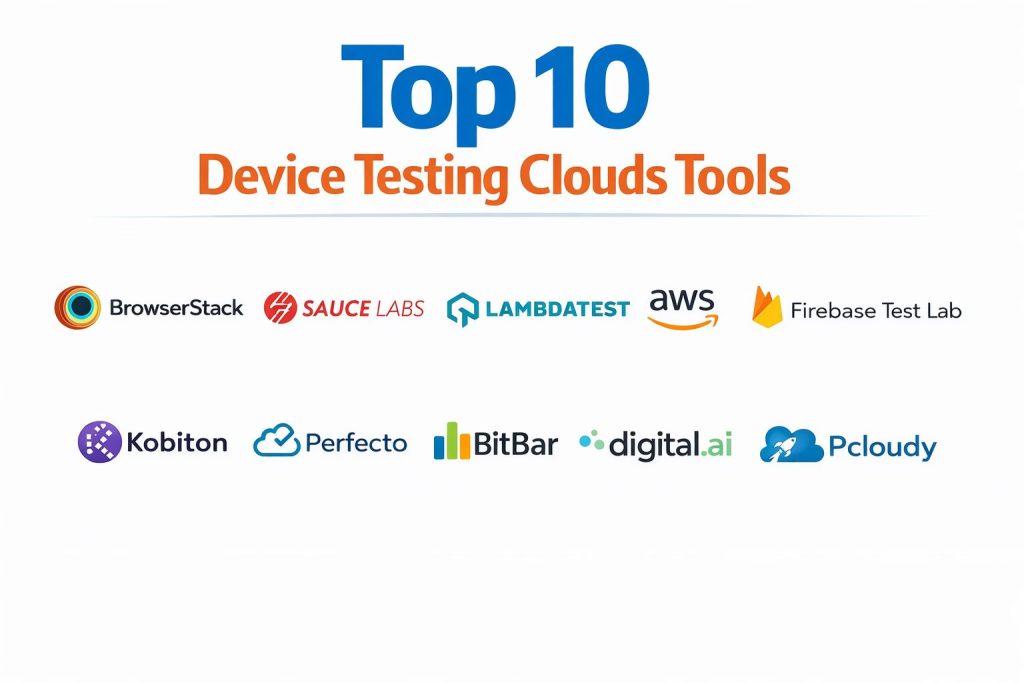
1. BrowserStack
BrowserStack is widely considered the industry leader, offering a massive cloud of over 30,000 real mobile devices and desktop browsers. It provides an “instant-on” experience where testers can access physical hardware within seconds of logging in. The platform is highly optimized for both manual interactive testing and massive automated parallel execution, making it a staple in the pipelines of global enterprises.
Key Features
The platform features a proprietary real-time streaming technology that reduces latency to near-zero, providing a responsive feel during manual sessions. It includes Percy for automated visual testing, allowing teams to catch UI regressions by comparing screenshots across thousands of devices. The “App Live” feature allows for the direct upload of IPA and APK files for immediate testing on physical hardware. It also offers a secure tunnel for testing local or staging environments that are not yet public. Furthermore, it provides detailed debugging logs, including video recordings, network captures, and device console outputs.
Pros
It boasts the largest and most diverse device inventory in the world, ensuring virtually 100% platform coverage. The integration ecosystem is second to none, supporting every major CI/CD tool and testing framework natively.
Cons
The cost can be significantly higher than newer competitors, particularly when scaling parallel test sessions. Some users find the interface slightly overwhelming due to the sheer number of features and options.
Platforms and Deployment
Cloud-based SaaS accessible via any modern web browser. Supports testing for Android, iOS, Windows, and macOS.
Security and Compliance
Fully SOC 2 Type 2 compliant with data encryption at rest and in transit. It offers physical device cleaning after every session to ensure no data persists.
Integrations and Ecosystem
Seamlessly integrates with Jira, Slack, GitHub, Jenkins, and all major automation frameworks including Selenium, Appium, and Playwright.
Support and Community
Offers 24/7 enterprise-grade support with an extensive documentation library and a massive global user community.
2. Sauce Labs
Sauce Labs is a pioneer in the cloud testing space, known for its robust focus on enterprise-scale automation and deep test analytics. It provides a comprehensive “Continuous Quality” platform that spans from early development to post-production monitoring. Sauce Labs is particularly favored by large organizations that rely on high-volume automated testing using open-source frameworks.
Key Features
The platform offers a unified view of both real devices and virtual emulators, allowing teams to balance cost and speed. Its “Sauce Insights” tool uses machine learning to analyze test trends and identify the root causes of failures across different environments. It supports advanced mobile features like camera injection, biometric authentication, and image injection for complex app workflows. The platform also includes a specialized performance testing module that establishes baselines for app responsiveness. Additionally, it offers private cloud options for companies requiring dedicated hardware and isolated networks.
Pros
The analytics and reporting capabilities are exceptionally deep, providing actionable data for technical directors. It is highly reliable for running massive parallel suites without the risk of environment instability.
Cons
The pricing structure can be complex and expensive for smaller teams. The real device cloud sometimes experiences longer queue times for popular hardware during peak hours compared to competitors.
Platforms and Deployment
Cloud-based SaaS. Supports Android, iOS, and all major desktop browsers.
Security and Compliance
Maintains ISO 27001 and SOC 2 Type 2 certifications. Provides secure tunneling through Sauce Connect for protected internal network access.
Integrations and Ecosystem
Deeply integrated with the Tricentis ecosystem and supports all major CI/CD pipelines and open-source testing libraries.
Support and Community
Provides dedicated account management for enterprise clients and has a long-standing reputation for technical support excellence.
3. LambdaTest
LambdaTest has rapidly become a top choice for teams seeking a modern, high-speed testing cloud at a competitive price point. It is built for the “real-time” era, offering a lightning-fast orchestration engine called HyperExecute that significantly reduces test execution times compared to traditional grids.
Key Features
The platform provides access to over 3,000 real browsers and devices for cross-platform validation. Its HyperExecute feature allows for the intelligent distribution of test cases across the cloud, minimizing the time spent in the “build-to-test” cycle. It includes “Kane AI,” a specialized agent that assists in generating and maintaining test scripts using natural language. The platform also features automated screenshot testing and a “Smart UI” tool for visual regression detection. It supports a wide range of mobile-specific tests, including geolocation and localized language settings.
Pros
It offers some of the fastest test execution speeds in the industry due to its modern architecture. The pricing is generally more accessible for startups and mid-market companies than the older legacy providers.
Cons
The real device inventory, while growing fast, is currently smaller than the massive pools offered by BrowserStack. Some newer features may still be in beta and require occasional troubleshooting.
Platforms and Deployment
Cloud-based SaaS with global data centers. Supports Android, iOS, and desktop web.
Security and Compliance
SOC 2 Type 2 compliant and GDPR ready. Uses enterprise-grade encryption for all test data and session recordings.
Integrations and Ecosystem
Integrates with over 120 tools, including Slack, Microsoft Teams, Jira, and major CI/CD providers like Azure DevOps and GitLab.
Support and Community
Offers 24/7 live chat support and is known for its highly responsive customer success team.
4. AWS Device Farm
AWS Device Farm is a specialized service from Amazon Web Services that allows developers to test their apps against a massive collection of physical devices in the AWS cloud. It is an ideal choice for organizations already deeply embedded in the AWS ecosystem, offering seamless billing and infrastructure integration.
Key Features
The service allows for both “Remote Access” for manual debugging and “Automated Testing” for massive parallel runs. It supports popular frameworks like Appium, Espresso, and XCUITest without requiring any modifications to the test code. Users can simulate different network conditions and locations to see how apps perform under stress. It provides high-definition video of the test run, along with detailed system logs and performance data. A unique feature is the “Private Device Lab,” where AWS hosts a dedicated fleet of devices specifically for one organization.
Pros
The pay-as-you-go pricing model is highly attractive for teams with variable testing needs, as there are no large upfront license fees. Integration with other AWS services like CodePipeline makes it a natural fit for cloud-native teams.
Cons
The user interface is less polished and more “technical” compared to specialized testing platforms. It is primarily focused on mobile devices, with less emphasis on desktop browser cross-testing.
Platforms and Deployment
Integrated into the AWS Management Console. Supports Android, iOS, and Fire OS.
Security and Compliance
Inherits the world-class security and compliance posture of Amazon Web Services, including HIPAA and PCI-DSS readiness.
Integrations and Ecosystem
Native integration with the entire AWS suite of developer tools and support for standard mobile automation frameworks.
Support and Community
Supported through standard AWS support plans with a vast amount of technical documentation available.
5. Firebase Test Lab
Firebase Test Lab is Google’s native mobile testing infrastructure, designed to provide a highly integrated experience for Android and iOS developers. It is particularly famous for its “Robo Test,” which uses an intelligent crawler to automatically explore and test an app without any script writing.
Key Features
The “Robo Test” feature is a standout, as it can navigate an app’s interface, fill in forms, and click buttons to find crashes automatically. It provides “Pre-launch Reports” for the Google Play Store, giving developers a look at how their app performs on real hardware before a public release. The platform uses real physical devices housed in Google data centers, ensuring high reliability. It integrates directly with Android Studio, allowing developers to trigger cloud tests with a single click. It also provides detailed screenshots, videos, and stack traces for every identified issue.
Pros
The “Robo Test” is an incredible time-saver for catching low-hanging bugs without writing code. The free tier for small projects and Google Play integration make it an essential tool for Android developers.
Cons
The platform is very mobile-centric and does not offer traditional desktop browser testing. The customization options for the test environment are more limited than in enterprise-focused clouds.
Platforms and Deployment
Part of the Google Firebase console. Supports Android and iOS.
Security and Compliance
Leverages Google’s secure infrastructure and complies with standard global data protection regulations.
Integrations and Ecosystem
Deeply connected to the Firebase suite and the Google Cloud Platform, providing a unified developer experience.
Support and Community
Excellent community support through Stack Overflow and Google’s official developer channels.
6. Kobiton
Kobiton is a mobile-first testing cloud that emphasizes a “hybrid” approach, allowing organizations to connect their own internal devices to the same cloud interface as Kobiton’s public devices. This makes it a powerful choice for teams that want to transition from a physical lab to the cloud gradually.
Key Features
The “Intelligent Test Automation” engine can convert a manual test session into an automated script that runs across multiple devices. It features a “Scriptless” automation tool that allows non-technical users to build complex test cases using a visual interface. The platform is highly optimized for performance testing, providing metrics on battery drain, memory usage, and frame rates. It also supports “Session Replay,” allowing developers to step through a recorded test to find the exact moment of failure. The hybrid deployment model is a unique standout, bridging the gap between local and cloud labs.
Pros
The ability to manage internal “on-prem” devices alongside cloud devices provides unmatched flexibility. Its scriptless automation tools are among the most advanced for mobile-specific workflows.
Cons
The platform is less focused on desktop web testing, making it a specialized mobile tool. The pricing for advanced AI features can be high for smaller organizations.
Platforms and Deployment
Cloud, on-premise, and hybrid deployment models. Supports Android and iOS.
Security and Compliance
Offers single-tenant private clouds for high-security environments and is SOC 2 compliant.
Integrations and Ecosystem
Integrates well with Jenkins, Jira, and GitHub, and supports standard mobile frameworks like Appium.
Support and Community
Known for providing highly personalized customer support and technical guidance for setting up hybrid labs.
7. Perfecto
Perfecto, a Perforce company, is an enterprise-grade testing cloud designed for high-velocity teams in regulated industries. It is known for its “Smart Reporting” and its ability to handle extremely complex test scenarios involving diverse hardware and network conditions.
Key Features
The platform provides a highly stable real-device cloud that supports massive parallel execution. Its “Quantum” framework allows for BDD-style testing that is easy for both developers and QA to understand. It offers advanced features for testing complex user journeys, such as image recognition, voice interaction, and biometric simulation. The reporting dashboard is one of the most sophisticated in the market, grouping failures by root cause to save time. It also features a “Private Cloud” option where devices are physically isolated and dedicated to a single customer.
Pros
The stability and reliability of the device connections are top-tier, which is critical for long-running automation suites. The failure analysis tools are excellent at reducing the time spent on manual debugging.
Cons
The user interface can feel more industrial and less modern than some of its newer competitors. It typically targets the higher end of the market, which may price out smaller teams.
Platforms and Deployment
Cloud-based SaaS with private and public cloud options. Supports mobile and desktop.
Security and Compliance
Strong emphasis on enterprise security, including SOC 2, ISO 27001, and specialized compliance for banking and healthcare.
Integrations and Ecosystem
Part of the broader Perforce DevOps portfolio, integrating with tools like BlazeMeter for a complete testing solution.
Support and Community
Provides robust enterprise support with dedicated engineers and comprehensive training programs.
8. BitBar
BitBar, part of the SmartBear family, is a highly flexible device cloud that prides itself on its “no-limit” approach. Unlike many other platforms, BitBar does not limit the number of users or testing minutes, making it a highly scalable choice for growing engineering teams.
Key Features
The platform supports any testing framework, allowing teams to use their preferred tools without vendor lock-in. It provides access to a large global fleet of real Android and iOS devices. The “Enterprise” version can be deployed behind a company’s firewall for maximum security. It features a high-performance video streaming engine that makes manual testing feel local. It also includes an automated “Explorer” tool that crawls apps to find basic bugs without scripts. The platform is designed to be highly extensible through a robust API.
Pros
The lack of limits on users and minutes provides great predictability for budgeting. It is one of the most “open” platforms, giving developers total control over their testing environment.
Cons
The interface is more developer-centric and may lack some of the “low-code” polish found in other tools. The public device cloud is slightly smaller than the top-tier market leaders.
Platforms and Deployment
Public Cloud, Private Cloud, and On-Site deployment. Supports mobile and desktop browsers.
Security and Compliance
Maintains standard enterprise security certifications and offers air-gapped on-site deployments for the most sensitive projects.
Integrations and Ecosystem
Integrates deeply with the SmartBear ecosystem and all major CI/CD pipelines through its open API.
Support and Community
Offers professional support backed by the established SmartBear infrastructure.
9. Digital.ai Continuous Testing
Digital.ai (formerly Experitest) offers a high-performance testing cloud that is deeply integrated into a larger value stream management platform. It is designed for large-scale digital transformation projects where testing is just one part of a much larger software delivery lifecycle.
Key Features
The platform provides a vast real-device lab distributed across global data centers. It features a unique “SeeTest” technology that ensures highly accurate object identification for automated scripts. It supports complex testing scenarios like face ID simulation, fingerprint scanning, and QR code reading. The platform also includes a powerful visual testing engine that catches pixel-level discrepancies. It offers a specialized “Performance Cloud” that monitors the impact of an app on the device’s physical resources in real-time.
Pros
It is one of the best tools for simulating complex hardware interactions like biometrics and peripherals. The integration into the Digital.ai platform provides a “big picture” view of software quality.
Cons
It can be complex to set up and manage, requiring a higher level of technical expertise. It is generally positioned as an enterprise solution with a matching price tag.
Platforms and Deployment
Cloud-based SaaS with private cloud and on-premise options. Supports mobile and desktop.
Security and Compliance
Extremely strong security focus, frequently used by government and financial institutions with the highest compliance needs.
Integrations and Ecosystem
Integrates with the full Digital.ai suite and all standard DevOps tools and frameworks.
Support and Community
Provides high-touch enterprise support and comprehensive professional services for large-scale deployments.
10. Pcloudy
Pcloudy is a comprehensive cloud testing platform that has gained popularity for its focus on AI-assisted testing and its very user-friendly interface. It offers a balanced set of features for both manual and automated testing, making it a versatile choice for mid-sized teams.
Key Features
The platform features an AI-powered engine called “Certifaya” that automatically tests apps across multiple devices and provides a detailed health report. It offers a “Progressive Web App” (PWA) testing feature to ensure hybrid apps function correctly across environments. The “Follow Me” feature allows a tester to perform an action on one device and have it mirrored across multiple other devices simultaneously. It also includes advanced network simulation and geolocation tools. The platform provides a unified dashboard for managing both manual sessions and automated grid runs.
Pros
The “Follow Me” and AI-assisted features are highly innovative and can significantly speed up manual validation. It offers a very intuitive user experience that is easy for new teams to adopt.
Cons
The documentation and community resources are not as extensive as those of the larger market leaders. The device connection stability can occasionally vary depending on the global region.
Platforms and Deployment
Cloud-based SaaS with private and on-premise options. Supports Android and iOS.
Security and Compliance
SOC 2 compliant and provides private cloud options for secure, single-tenant testing environments.
Integrations and Ecosystem
Supports popular tools like Jira, Appium, and Selenium, and integrates with major CI/CD pipelines.
Support and Community
Offers 24/7 support and is known for its helpful customer onboarding and training sessions.
Comparison Table
| Tool Name | Best For | Platform(s) Supported | Deployment | Standout Feature | Public Rating |
| 1. BrowserStack | Global Enterprises | Win, Mac, iOS, Android | SaaS | 30k+ Real Devices | 4.8/5 |
| 2. Sauce Labs | Automated Analytics | Win, Mac, iOS, Android | SaaS/Private | Sauce Insights AI | 4.6/5 |
| 3. LambdaTest | High-Speed Startups | Win, Mac, iOS, Android | SaaS | HyperExecute Grid | 4.7/5 |
| 4. AWS Device Farm | AWS-Native Teams | Android, iOS | AWS Console | Pay-per-minute | 4.2/5 |
| 5. Firebase Test Lab | Android Developers | Android, iOS | Google Cloud | Robo Test Crawler | 4.5/5 |
| 6. Kobiton | Hybrid Labs | Android, iOS | Hybrid/Cloud | Scriptless Capture | 4.4/5 |
| 7. Perfecto | Regulated Industries | Win, Mac, iOS, Android | SaaS/Private | Smart Reporting | 4.3/5 |
| 8. BitBar | Flexible Scaling | Win, Mac, iOS, Android | Hybrid/Cloud | Unlimited Users/Min | 4.4/5 |
| 9. Digital.ai | Complex Hardware Sim | Win, Mac, iOS, Android | SaaS/On-Prem | Biometric Simulation | 4.1/5 |
| 10. Pcloudy | AI-Assisted Testing | Android, iOS | SaaS/Private | Follow Me Sync | 4.2/5 |
Evaluation & Scoring of Device Testing Clouds
The scoring below is a comparative model intended to help shortlisting. Each criterion is scored from 1–10, then a weighted total from 0–10 is calculated using the weights listed. These are analyst estimates based on typical fit and common workflow requirements, not public ratings.
Weights:
- Core features – 25%
- Ease of use – 15%
- Integrations & ecosystem – 15%
- Security & compliance – 10%
- Performance & reliability – 10%
- Support & community – 10%
- Price / value – 15%
| Tool Name | Device Pool (25%) | Latency (15%) | Integrations (15%) | Security (10%) | AI/Automation (10%) | Support (10%) | Value (15%) | Weighted Total |
| 1. BrowserStack | 10 | 10 | 10 | 9 | 8 | 10 | 7 | 9.20 |
| 2. Sauce Labs | 9 | 8 | 10 | 10 | 9 | 9 | 6 | 8.65 |
| 3. LambdaTest | 8 | 10 | 9 | 8 | 10 | 9 | 9 | 8.80 |
| 4. AWS Device Farm | 7 | 7 | 8 | 10 | 6 | 8 | 10 | 7.90 |
| 5. Firebase Test Lab | 7 | 8 | 7 | 9 | 10 | 8 | 9 | 8.05 |
| 6. Kobiton | 8 | 8 | 8 | 9 | 9 | 9 | 8 | 8.35 |
| 7. Perfecto | 9 | 8 | 9 | 10 | 8 | 9 | 6 | 8.45 |
| 8. BitBar | 7 | 9 | 8 | 9 | 7 | 8 | 10 | 8.10 |
| 9. Digital.ai | 8 | 7 | 8 | 10 | 8 | 9 | 6 | 7.95 |
| 10. Pcloudy | 7 | 7 | 8 | 8 | 9 | 8 | 8 | 7.75 |
How to interpret the scores:
- Use the weighted total to shortlist candidates, then validate with a pilot.
- A lower score can mean specialization, not weakness.
- Security and compliance scores reflect controllability and governance fit, because certifications are often not publicly stated.
- Actual outcomes vary with assembly size, team skills, templates, and process maturity.
Which Device Testing Cloud Is Right for You?
Solo / Freelancer
For independent developers, cost and ease of setup are the primary factors. Tools that offer a generous free tier or a pay-as-you-go model are ideal, as they allow for thorough testing of a new app without the commitment of a high monthly subscription.
SMB
Small to medium businesses need a tool that balances a wide device pool with fast execution speeds. Platforms that offer automated screenshot testing and easy CI/CD integration help smaller teams maintain high quality with limited human resources.
Mid-Market
In the mid-market, the focus shifts to scalability and the ability to run multiple parallel sessions. Choosing a platform that offers a high-speed execution grid and robust technical support ensures that growing development teams don’t become bottlenecked by their testing infrastructure.
Enterprise
Enterprises prioritize security, compliance, and dedicated hardware. A private device cloud with single-tenant isolation and 24/7 account management is often a requirement to satisfy internal security audits and ensure constant availability for global teams.
Budget vs Premium
Budget-conscious organizations should look for tools with modern architectures that reduce the price of parallelization. Premium tools are justified when there is a need for hyper-specific hardware features, advanced AI failure analysis, or extensive legacy browser support.
Feature Depth vs Ease of Use
Some platforms offer “scriptless” tools that are easy for non-programmers, while others provide deep API access for technical teams. The right choice depends on the technical skill set of your QA department and the complexity of your automation strategy.
Integrations & Scalability
A testing cloud is only as good as its ability to fit into your existing workflow. Ensure the platform you choose supports your specific CI/CD pipeline and the automation frameworks your developers already know.
Security & Compliance Needs
For healthcare, finance, or government projects, security is the non-negotiable “kill switch.” Only consider providers that can prove their compliance with global standards and offer the option for dedicated, secure hardware.
Frequently Asked Questions (FAQs)
1. What is the difference between a real device cloud and an emulator?
A real device cloud provides access to the actual physical hardware, including the specific screen, battery, and CPU of a phone. An emulator is software that mimics an operating system, which is faster but often misses hardware-specific bugs and performance issues.
2. Why should I use a cloud instead of building my own lab?
Building a lab involves high costs for purchasing hardware, constant maintenance for battery health, and the need for a complex network setup. Cloud providers handle all this “undifferentiated heavy lifting” for you, providing instant access to global devices.
3. Is testing on the cloud secure for unreleased apps?
Yes, professional clouds use encrypted tunnels to connect to your private networks and ensure that every device is physically and digitally wiped clean after your session ends, removing any trace of your application.
4. How many devices should I test my app on?
It depends on your user base. Most teams aim for the “top 20” most popular devices in their target region, which typically covers about 80% of the market. Enterprise apps often require broader coverage for legacy hardware.
5. Can cloud devices test biometrics like Face ID?
Many premium device clouds offer “biometric injection,” where the software simulates a successful or failed face scan or fingerprint touch, allowing you to test these security flows remotely.
6. Does the cloud support testing for localized apps?
Absolutely. You can change the language, time zone, and GPS location of the remote device to verify that your app’s translations and region-specific features are working correctly.
7. What is parallel testing and why do I need it?
Parallel testing is the ability to run your entire test suite across multiple devices at the exact same time. This turns a five-hour test run into a five-minute run, which is essential for modern continuous delivery.
8. Can I test mobile web apps as well as native apps?
Yes, these clouds support mobile browsers (like Chrome on Android or Safari on iOS) for web testing, as well as native APK/IPA files for installed mobile applications.
9. How do I debug a failed test in the cloud?
Professional platforms provide video recordings of the test, network traffic logs, console outputs, and stack traces. Some even allow you to “jump in” to a failed automated session to take manual control.
10. What is a “Private Cloud” in device testing?
A private cloud is a set of physical devices that are dedicated solely to your company. They are not shared with other users, offering higher security and guaranteed availability for your team.
Conclusion
The transition to device testing clouds represents a fundamental shift in how digital quality is managed at scale. As mobile fragmentation continues to increase and user expectations for performance reach new heights, the ability to validate applications across a massive, diverse hardware landscape has become a cornerstone of the DevOps pipeline. By moving away from the limitations of physical labs and emulators, organizations can achieve a level of precision and speed that was previously impossible. The choice of a provider ultimately depends on finding the right intersection between technical depth, operational security, and fiscal scalability. Embracing these cloud-native infrastructure solutions allows engineering teams to focus on their core mission: building innovative software that works perfectly for every user, everywhere.