Introduction
Many professionals feel intimidated by modern software operations. It is widely assumed that breaking into this space requires a deep software engineering background, an advanced computer science degree, or years of complex coding experience. When people look at the vast ecosystem of modern infrastructure tools, they see a dizzying array of platforms and methodologies, which can feel incredibly overwhelming to anyone who does not come from a traditional technology sector. Fortunately, the technological landscape has evolved. Modern educational resources, comprehensive training programs, and interactive cloud playgrounds have made building core technical competencies far more accessible than ever before. In the modern technology market, your persistence, structured curiosity, and problem-solving mindset often matter far more than your prior academic background. Non-technical learners can gradually build immense confidence by breaking down complex architectures into small, manageable milestones.
By taking a systematic approach to technical execution, individuals from fields like administration, project management, technical support, or customer operations can successfully re-skill. Platforms such as DevOpsSchool provide structured pathways that bridge the gap between absolute beginner concepts and enterprise-grade deployment practices. With the right strategy, what initially looks like an insurmountable wall of code turns into a highly logical, learnable set of operational workflows.
Can You Learn DevOps Without a Technical Background?
The short answer is yes, you absolutely can. However, achieving this transition requires setting highly realistic expectations. You cannot master the intricacies of continuous integration, system automation, and cloud architecture overnight. It takes time, patience, and a willingness to feel comfortable with being confused initially.
Success in this field relies on three core pillars:
- Structured Learning: Avoid jumping randomly from one advanced tool to another. You must follow a linear path that builds on previous concepts.
- Continuous Practice: Theory alone will not get you a job. You need to get your hands dirty by configuring systems, breaking them, and fixing them.
- Growth Mindset: When an automated script fails or a cloud deployment throws an error, it is not a sign of personal failure. It is an invitation to debug and learn how the system works under the hood.
This journey requires a long-term commitment. If you can dedicate consistent hours every week to deliberate practice, the transition from a non-technical background to an engineering role becomes a completely achievable reality.
Common Misconceptions About Learning DevOps
You Must Know Advanced Programming First
Many beginners believe they need to be expert software developers before touching operations. This is false. While understanding how code runs is essential, you do not need to write complex application algorithms. You primarily need to understand scripting and configuration logic to automate operational tasks.
You Need a Computer Science Degree
Enterprise teams care about uptime, reliability, and automated efficiency. They care whether you can configure a secure, scalable system. A degree is a nice asset, but proven hands-on capability, public code repositories, and structural problem-solving skills carry immense weight in modern hiring processes.
DevOps is Only for Developers
Operations is an expansive cultural and technical philosophy. It bridges the gap between those who build software and those who maintain its stability. Individuals with backgrounds in project coordination, business analysis, or technical support often bring incredible communication and organizational skills that make them natural fits for operational environments.
Certifications Alone Are Enough
Earning a certificate proves you can study and pass an exam. It does not prove you can handle a high-pressure production outage. Certifications are fantastic tools for structuring your learning journey, but they must always be backed up by working portfolio projects.
Learning DevOps is Too Difficult
The sheer volume of tools makes the domain look terrifying. However, you do not need to learn every tool simultaneously. By focusing on core foundational concepts rather than memorizing every feature of fifty different tools, the learning process becomes logical and entirely manageable.
Understanding What DevOps Really Is
At its core, DevOps is not merely a collection of software applications like Git, Docker, or Jenkins. It is a cultural philosophy, a specific operational mindset, and a set of engineering practices designed to automate and improve the relationship between software development teams and system operations teams.
+-------------------------------------------------------+
|                       DEVOPS                          |
|  +---------------+  +---------------+  +---------------+  |
|  |    CULTURE    |  |  AUTOMATION   |  | MEASUREMENT   |  |
|  | Collaboration |  | Speed, Safety |  | Observability |  |
|  +---------------+  +---------------+  +---------------+  |
+-------------------------------------------------------+
To truly understand this domain, you must look at its core components:
- Culture and Collaboration: Historically, developers wrote code and threw it over a wall to operations teams, who struggled to run it. This philosophy breaks down those silos so both sides share responsibility for the software’s performance and health.
- Automation: Manual work is prone to human error. By automating repetitive tasks like software testing, server provisioning, and application deployment, organizations save time and drastically minimize mistakes.
- Continuous Improvement: Engineering teams consistently evaluate their systems to find bottlenecks, optimize performance, reduce software deployment times, and learn from operational failures.
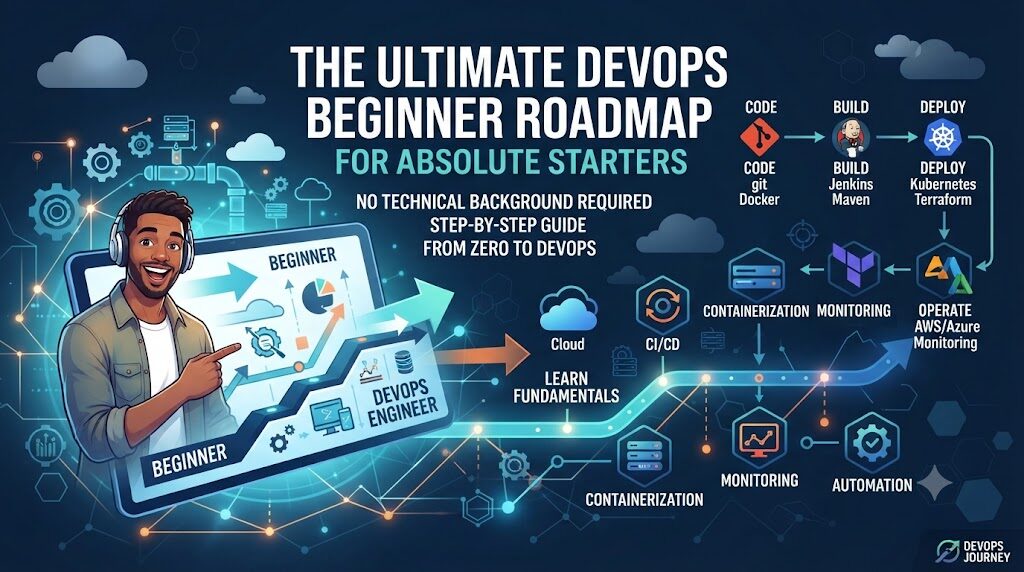
DevOps Learning Roadmap for Non-Technical Learners
To prevent information overload, you should follow this sequential learning progression. Focus on mastering the basic concepts of each tier before moving to the next.
[Computer Basics]
       ↓
[Linux Fundamentals]
       ↓
[Networking Basics]
       ↓
[Version Control (Git)]
       ↓
[Basic Scripting]
       ↓
[Cloud Fundamentals]
       ↓
[Containers (Docker)]
       ↓
[CI/CD Basics]
       ↓
[Infrastructure as Code]
       ↓
[Kubernetes]
       ↓
[Monitoring & Logging]
       ↓
[DevSecOps Fundamentals]
       ↓
[Portfolio Projects]
Code language: CSS (css)
Computer & Operating System Basics
Before managing enterprise servers, ensure you fully grasp how operating systems handle memory, CPU usage, file storage, and background processes on a standard computer.
Linux Fundamentals
The vast majority of internet infrastructure runs on Linux servers. You must learn how to navigate a operating system using only text commands, without a graphical user interface.
Networking Basics
Computers must talk to each other safely. You need to understand how data moves across local networks and the broader internet securely.
Version Control (Git)
Git is the standard tool used by engineering teams to track changes in code and configuration files. It acts as a detailed historical ledger for all modifications made to a project.
Basic Scripting
Learn how to write basic automated instructions using Bash or Python. Scripting allows you to tell an operating system to perform repetitive administrative tasks automatically.
Cloud Fundamentals
Modern enterprises host their applications on cloud infrastructure rather than maintaining physical servers in their own buildings. Understanding cloud ecosystems is essential for modern operations.
Containers (Docker)
Containers package an application and all its dependencies together so that it runs reliably on any computer or server environment without compatibility errors.
CI/CD Basics
Continuous Integration and Continuous Delivery focus on setting up automated pipelines that automatically test, build, and deploy new application code modifications.
Infrastructure as Code (IaC)
Instead of manually clicking through web dashboards to set up cloud servers, IaC allows you to write text configuration files that automatically define and deploy your entire infrastructure.
Kubernetes
Once an enterprise uses hundreds of separate containers, it needs a way to manage them. Kubernetes acts as a manager that automatically schedules, scales, and monitors containers across cloud environments.
Monitoring and Logging
You cannot fix a system error if you do not know it happened. Monitoring tools gather metrics on application health, while logging systems store diagnostic text to help you debug problems.
DevSecOps Fundamentals
Security should never be an afterthought. This phase teaches you how to embed automated vulnerability scans and security controls into every single step of your infrastructure pipeline.
Portfolio Projects
The final stage involves tying all these independent tools together into fully automated capstone architecture projects that demonstrate your true engineering capabilities to potential employers.
Foundational Skills You Should Learn First
| Skill Area | Why It Matters | Beginner Focus |
| Linux | Most servers run on Linux; you cannot automate what you cannot navigate via the terminal. | Command line navigation, file manipulation, understanding permissions. |
| Networking | Infrastructure components must securely communicate with each other without exposure. | IP addressing, DNS lookups, ports, HTTP status codes, routing rules. |
| Git | All configuration files and scripts are version-controlled and shared via repositories. | Cloning repositories, committing changes, pushing code, basic branching strategies. |
| Cloud | Eliminates physical hardware management; forms the base of modern software infrastructure. | Virtual instances, object storage, security groups, basic access management. |
| Scripting | Allows you to automate manual, repetitive server administration tasks. | Variables, simple loops, condition checks, running automated task scripts. |
| Security Awareness | Unprotected infrastructure leaves systems highly vulnerable to external exploits. | Managing secret passwords safely, restricting open network ports, managing access privileges. |
Learning Linux Without Prior Experience
Linux can feel intimidating because you interact with it entirely through a text terminal known as the Command Line Interface (CLI). There are no desktop icons, drag-and-drop folders, or visual menus. You must type commands to tell the computer exactly what to do.
To build a solid foundation, concentrate on these five critical areas:
- File System Basics: Learn the structural layout of a Linux operating system. Understand where system settings are stored, where user documents live, and where log files record system behavior.
- Core Commands: Master essential utility commands. Practice creating files, moving documents between directories, deleting outdated folders, and searching inside text files using tools like
grep. - User Management: Understand how to create new user profiles on a operating system, assign users to distinct operational groups, and switch between administrative access and standard user accounts.
- Permissions: Learn how to read and modify file access rules. You must know how to control exactly who can read a file, edit its contents, or execute it as a running program.
- Shell Navigation: Get completely comfortable using keyboard shortcuts to quickly navigate long lines of system text, view command history records, and redirect system output into saved files.
Networking Basics for DevOps
When an infrastructure system breaks, the root cause is frequently a small networking configuration mistake. You do not need to be a certified network architect, but you must understand how data packages travel safely from a user’s web browser to your back-end application servers.
- IP Addresses: Every device connected to a network needs a unique identifier. Think of an IP address as a physical mailing address for a computer system.
- DNS (Domain Name System): Humans cannot easily remember numerical IP addresses. DNS acts as the internet’s address book, instantly translating human-readable website names into machine-readable IP addresses.
- HTTP/HTTPS: These are the primary communication rules used to transmit web traffic. HTTPS adds a layer of encryption, ensuring that the data sent between a user and a server remains completely private.
- Ports: A server can run multiple services simultaneously. Ports act like numbered doors on a building, ensuring that web traffic goes to the web server, while database traffic goes directly to the database system.
- Load Balancing: When millions of users access a website at once, a single server will crash under the heavy workload. A load balancer acts as a traffic traffic cop, cleanly distributing incoming visitors across a pool of multiple healthy servers.
Cloud Computing Fundamentals
Before the widespread adoption of cloud environments, companies had to purchase expensive physical servers, place them inside secure server rooms, and manually plug in networking cables. Cloud computing completely changed this approach by allowing companies to rent computing power, storage space, and advanced databases over the internet from major providers.
As a beginner, focus heavily on understanding these core building blocks:
- Cloud Concepts: Learn the core differences between owning physical hardware and renting scalable digital resources on demand, paying only for the exact amount of computing power you use.
- Virtual Machines: These are digital computers running inside a cloud provider’s physical data centers. You can provision, launch, configure, reboot, or destroy these virtual servers in seconds with a few clicks or script commands.
- Cloud Storage: Understand how systems store files safely. Learn the difference between standard block storage, which acts like a standard hard drive attached to a server, and object storage, which acts like a massive file cabinet for saving unstructured files.
- Cloud Networking: Discover how to build isolated private networks in the cloud. You must learn how to configure virtual firewalls, known as security groups, to allow safe web traffic in while completely blocking malicious actors.
- Managed Services: Cloud providers offer pre-built databases and tools that they maintain for you. Learning how to leverage these services saves teams massive amounts of engineering time and maintenance effort.
Containers and Kubernetes
In the past, a piece of software might run perfectly on a developer’s personal laptop but completely break when deployed onto a production company server due to slight differences in background software versions or operating system settings. Containers solved this long-standing issue completely.
Why Containers Matter
A container isolates an application along with every single specific configuration file, language runtime, and library dependency it needs to run properly. This creates a completely portable package that performs identically on any computer or cloud server in the world.
Docker Basics
Docker is the industry-standard software tool used to create, manage, and run these isolated application containers. You will learn to write a simple text blueprint document called a Dockerfile that specifies exactly how an application package should be constructed.
Kubernetes Basics
While Docker manages individual containers, large companies often run thousands of separate containers across dozens of cloud servers. If one container crashes, it must be replaced instantly. Kubernetes acts as a management layer that monitors your containers, automatically replaces failed ones, scales them up when web traffic spikes, and handles complex container networking traffic smoothly.
CI/CD and Automation
In traditional software systems, releasing new updates was a slow, stressful process. Engineers had to manually compile application code, run software tests on their personal machines, and manually copy files onto live production servers late at night, hoping nothing would crash. Continuous Integration and Continuous Delivery (CI/CD) completely replaces this manual approach with automated delivery pipelines.
+-----------------------------------------------------------+
|                     CI/CD PIPELINE                        |
|  [Code Commit] -> [Auto Test] -> [Build] -> [Deploy Live]  |
|         ^                                         |       |
|         +------------ Automated Feedback ---------+       |
+-----------------------------------------------------------+
- Continuous Integration (CI): Every time a software developer modifies code, the updates are automatically uploaded to a central code repository. An automated system immediately compiles the code and runs a battery of quality checks to catch bugs early.
- Continuous Delivery (CI): Once the application passes all automated testing phases, the pipeline automatically packages the software and prepares it for deployment to live server environments cleanly.
- Automation Safety: By replacing human intervention with an automated, predictable checklist of steps, deployment errors drop drastically. If a deployment script encounters an unexpected error, it can instantly stop the process, protecting the company’s live services from unexpected downtime.
Learning Through Projects
To transform theoretical knowledge into real engineering capability, you must build hands-on infrastructure projects. The following project matrix outlines a structured path from basic system administration tasks to complex cloud deployments.
| Project Name | Core Skill Developed | Difficulty Level |
| Linux Server Hardening | System security, user management, shell configuration, access control. | Beginner |
| Containerized Web Application | Dockerfile creation, port mapping, isolated container communication. | Beginner |
| Automated Cloud Hosting | Virtual instance launch, security firewalls, cloud architecture design. | Intermediate |
| Complete CI/CD Pipeline | Automated code testing, build systems, automated code delivery workflows. | Intermediate |
| Kubernetes Application Cluster | Container orchestration, scaling controls, automated system self-healing. | Advanced |
| Centralized Observability Hub | Infrastructure metric collection, application logging, system alerts. | Advanced |
Linux Server Hardening Project
Secure a fresh Linux installation by creating restricted user permissions, changing default remote login ports, setting up an active system firewall, and writing a script to check for outdated software.
Containerized Web Application Project
Take a basic web page application and write a custom Dockerfile configuration. Build the application container image locally, configure network ports, and verify that the app runs flawlessly inside an isolated container environment.
Automated Cloud Hosting Project
Deploy a secure website architecture using a cloud provider. Set up an isolated network, launch a virtual server instance, install a web server program via command script, and restrict access using custom firewall rules.
Complete CI/CD Pipeline Project
Set up an automation system that monitors a Git code repository. Configure the pipeline to trigger automatically whenever a change is saved, run code validations, and deploy the updated application code to a staging server with zero human clicks.
Kubernetes Application Cluster Project
Deploy a multi-container web application into a local Kubernetes development environment. Write configuration files that tell the system to maintain multiple live copies of your application, and manually terminate a container to watch Kubernetes automatically launch a healthy replacement instantly.
Centralized Observability Hub Project
Configure a tracking setup that continually checks the CPU usage, memory consumption, and network performance of your cloud servers. Design a visual dashboard that displays these metrics in real time and sends an alert message if a system asset runs out of storage space.
Certifications and Structured Learning
Certifications are highly useful tools for structured study. For someone entering the technology sector from an entirely non-technical background, following an established certification path provides a clear, organized curriculum that prevents you from wandering aimlessly through advanced topics.
+------------------------------------------------------------+
|                     CERTIFICATION PATH                     |
|  [Linux Essentials] -> [Cloud Associate] -> [CKA / DevOps] |
+------------------------------------------------------------+
When structuring your education, focus on three primary tiers:
- Linux Essentials: Gives you a structured goal to validate that you truly understand operating system navigation, file access rules, and fundamental administrative command utilities.
- Cloud Associate Certifications: Validates your core understanding of cloud architectures, structural security permissions, virtual servers, and managed database services.
- Kubernetes and DevOps Certifications: Focuses heavily on real-world hands-on labs where you must actively configure and debug running systems under strict time constraints.
It is absolutely vital to maintain realistic expectations about certifications. Passing a multiple-choice cloud exam does not mean you instantly possess the deep troubleshooting skills of a veteran engineer. Use certifications as a mechanism to structure your personal curriculum, but always pair your study with deep, comprehensive ecosystem training like the programs found within the DevOpsSchool educational environment. True professional confidence comes from understanding how these systems operate when things go wrong in production.
Building a Portfolio Without Job Experience
When you apply for entry-level positions without previous engineering titles on your resume, your public technical portfolio acts as your primary proof of competency. It shows hiring managers exactly how you approach infrastructure design, automated scripting, and system troubleshooting.
- GitHub Repositories: Treat your code repository profile as your modern technical resume. Store all your infrastructure configuration files, custom automation scripts, and deployment instructions here. Ensure your code is organized neatly into logical, distinct folders.
- Comprehensive Documentation: A pile of unorganized code files is incredibly difficult for a recruiter to evaluate. Every single portfolio repository must contain a highly detailed text file explaining exactly what the project does, the technical architecture design chosen, how to run the project code step-by-step, and how to verify the deployment works correctly.
- Project Case Studies: Write short summaries detailing the structural challenges you ran into while building your infrastructure projects. Explain the error messages encountered, how you researched the problem, and the exact steps taken to fix the issue.
- Home Labs: Document the custom testing environments you set up on your personal computer. Showing that you created a local network environment to test new automation methodologies demonstrates immense drive and practical self-learning capability.
- Technical Blogging: Share your ongoing educational insights online. Explaining complex technical topics in simple, accessible language proves that you possess clear communication skills—a highly valued trait in engineering organizations.
Measuring Learning Progress
When teaching yourself complex engineering skills, it is very easy to lose motivation because you feel like you are not making progress fast enough. Utilizing a simple personal metrics framework allows you to track your skill development clearly and scientifically.
| Learning Metric | Why It Matters | Practical Learning Benefit |
| Hands-on Labs Completed | Measures active validation of architectural topics rather than passive video watching. | Proves you are building core muscle memory by executing actual commands. |
| Functional Projects Built | Evaluates your structural capability to tie distinct independent tools together. | Creates highly visible proof of your end-to-end infrastructure capabilities. |
| Dedicated Practice Hours | Tracks consistency of effort over extended periods of structural study. | Ensures you avoid long learning gaps that cause you to forget core technical skills. |
| Active Git Commits | Demonstrates consistent coding habits and mastery of team version control. | Validates that you understand how code modifications are tracked in corporate settings. |
| Documentation Written | Measures your professional ability to communicate clear technical steps. | Prepares you to write high-quality internal engineering guides for corporate teams. |
| Certifications Earned | Provides external validation of baseline technical knowledge structures. | Builds resume visibility to help your profile clear initial automated HR screens. |
Common Challenges
+-------------------------------------------------------------+
|                      OVERCOMING OBSTACLES                   |
|  [Challenge] -------------> [Practical Solution]            |
|  Information Overload ----> Focus on one concept at a time  |
|  Fear of Terminal --------> Run non-destructive local labs  |
|  Inconsistent Habits -----> Set a fixed 1-hour daily slot   |
+-------------------------------------------------------------+
Code language: JavaScript (javascript)
Fear of Complex Technical Topics
It is completely natural to feel overwhelmed when encountering raw code configurations for the first time.
- Impact: Beginners often stall, afraid to run commands because they worry they will break their computer system.
- Solution: Create safe, isolated local testing environments where mistakes have zero real-world consequences. Embrace errors as direct learning opportunities.
Information Overload
The vast ecosystem contains hundreds of advanced enterprise infrastructure platforms and tools.
- Impact: Learners try to study four different deployment tools simultaneously, leading to confusion and burnout.
- Solution: Strictly stick to one established roadmap. Master foundational core concepts before exploring alternative platforms.
Lack of Practical Confidence
Believing you cannot truly understand software infrastructure without an extensive technical background.
- Impact: Individuals delay applying for open positions because they feel they do not know enough yet.
- Solution: Build real portfolio projects that actively demonstrate your capabilities. Let your working code speak for your skills.
Inconsistent Learning Habits
Studying intensely for twelve hours on a single Sunday, then touching no technical material for the next three weeks.
- Impact: You forget previous concepts, forcing you to constantly re-learn the exact same basic material.
- Solution: Establish a sustainable daily routine. Committing to one hour of focused practice every single day is vastly superior to sporadic cramming.
Unrealistic Career Expectations
Expecting to move from zero technical knowledge to a senior cloud engineer position in a few weeks.
- Impact: Deep frustration sets in when complex topics take longer to master than expected.
- Solution: View this transition as a marathon. Focus on incremental daily improvements rather than immediate mastery.
Limited Professional Mentorship
Attempting to navigate the entire technology industry landscape without any guidance.
- Impact: Wasting months studying outdated deployment methodologies or non-essential enterprise platforms.
- Solution: Engage with collaborative communities, participate in user groups, and leverage structured educational platforms to keep your learning path aligned with modern industry needs.
Best Practices
To maximize your learning efficiency, integrate this structured action plan into your daily study routine. Consistency and deliberate practice are your greatest assets.
- Follow a Structured Roadmap: Do not deviate from your established learning path to chase every new tech trend. Keep your primary focus centered on the fundamentals.
- Learn Concepts Step by Step: Master the underlying principles of a domain before memorizing specific tool syntaxes. Tools change frequently, but core engineering concepts remain the same.
- Practice Every Single Day: Even if you only have thirty minutes, open your terminal and run commands. Daily repetition builds permanent muscle memory.
- Build Projects From Scratch: Avoid simply copying code from video tutorials word-for-word. Force yourself to build clean configurations without templates to develop real problem-solving skills.
- Join Engineering Communities: Engage with active learning groups online. Asking questions and helping others solve basic bugs accelerates your own technical growth.
- Track Your Daily Progress: Maintain a simple journal of what you learned and the bugs you fixed. Looking back at your progress builds immense confidence during tough learning stretches.
Real-World Example: A Learning Case Study
Let us explore a realistic journey of an individual transitioning into the operations space. Meet Sarah, a customer support representative who worked at a software company. She spent her days answering user tickets but wanted to transition into a highly technical, hands-on engineering career.
The Non-Technical Starting Point
Sarah had zero programming experience and had never used a command terminal. She was highly comfortable using standard web applications but had no idea how servers, networks, or cloud data storage functioned under the hood.
The Layered Learning Roadmap
Sarah decided to commit to a structured learning journey over a twelve-month period, allocating ten hours every week to deliberate study. She systematically progressed through the foundational steps:
- Spent month one learning to navigate the Linux command line, moving away from graphical desktop interfaces entirely.
- Devoted month two to basic networking concepts, learning how web data routing works.
- Mastered basic Git workflows to safely track and save her configuration files.
- Learned basic Python script logic to automate manual file backups on her machine.
Practical Project Execution
Instead of simply reading textbooks, Sarah built real infrastructure environments. She created a personal cloud account, launched a virtual server instance, manually secured the OS firewall configuration, and deployed a working open-source web application manually. Once she understood the manual steps, she recreated the entire architecture using automation scripts.
Portfolio Creation and Outcomes
Sarah documented every project on her GitHub profile, complete with clear setup instructions and architecture diagrams. She began applying for junior operational roles, using her portfolio to prove her skills. Because she could talk through her troubleshooting process clearly, a technology firm hired her as a Junior Site Reliability Engineer, kickstarting her career transition.
Common Beginner Mistakes
- Skipping the Basic Fundamentals: Attempting to learn complex container orchestration tools like Kubernetes before fully understanding basic Linux directory navigation or networking ports.
- Learning Too Many Tools at Once: Trying to learn three different configuration tools simultaneously. Focus on mastering one tool thoroughly before exploring alternatives.
- Avoiding Hands-on Terminal Practice: Spending months passively watching video courses without ever opening a real command terminal to type commands yourself.
- Focusing Only on Certifications: Collecting multiple cloud certificates without building a single functional portfolio project to prove you can apply the knowledge.
- Comparing Yourself with Experts: Looking at senior engineers with decades of experience and feeling discouraged. Focus entirely on your own incremental progress.
Career Transition Strategy
Transitioning fields requires a highly strategic approach. You must systematically replace your non-technical resume details with verifiable engineering capabilities while leveraging your past professional experiences.
+-----------------------------------------------------------------+
|                   CAREER TRANSITION TIMELINE                    |
|  [Months 1-3]  -> Learn Linux, basic networking, and Git       |
|  [Months 4-6]  -> Master cloud basics and containerization     |
|  [Months 7-9]  -> Build automated pipelines and IaC projects   |
|  [Months 10+]  -> Optimize portfolio, network, and apply       |
+-----------------------------------------------------------------+
1. Build Verifiable Technical Foundations
Focus your initial energy entirely on building high-quality, functional capabilities in Linux, cloud networks, and basic scripting. Ensure you can perform standard administrative tasks comfortably without relying on step-by-step tutorial videos.
2. Develop Multi-Tool Portfolio Projects
Create complex capstone projects that showcase how different tools integrate. Build an automated pipeline that takes a custom application code update, runs structural safety tests, packages it into a secure container, and deploys it onto a scalable cloud environment automatically.
3. Network and Engage with the Industry
Attend local technology meetups, participate in open-source projects, and connect with working engineers on professional networking platforms. Share your learning milestones publicly to build professional visibility.
4. Create an Engineering Focused Profile
Revamp your professional profile to highlight your technical capabilities prominently. Place your portfolio links at the very top of your resume. Frame your non-technical background as an asset, highlighting valuable soft skills like team communication, incident management, or structural project coordination.
5. Apply Strategically for Foundational Roles
Target entry-level positions such as Junior DevOps Engineer, Associate Cloud Engineer, or Cloud Support Specialist. Do not be discouraged by long job requirement lists. Focus on roles where you can demonstrate your core operational competencies, your passion for automation, and your strong structural problem-solving abilities.
Future of DevOps Learning
The operational landscape is continually evolving. To ensure your education remains highly valuable over the long term, you must understand where the modern technology industry is heading.
- AI-Assisted Operational Workflows: Artificial intelligence tools are increasingly helping engineers generate initial infrastructure blueprints and debug complex script errors. Modern learners must focus on understanding system architecture concepts so they can effectively evaluate and correct AI-generated code.
- The Rise of Platform Engineering: Organizations are moving toward building Internal Developer Platforms (IDPs). This practice focuses on designing curated, automated self-service portals that allow software developers to provision infrastructure safely without needing manual operations support.
- Cloud-Native Implementations: Modern systems are built directly inside cloud environments from day one, leveraging serverless computing and dynamic container deployments. Understanding cloud-native architectural patterns is becoming standard for entry-level engineering positions.
- Shifting Security Left (DevSecOps): Security is no longer checked right before an application is released. Modern engineering teams inject automated security vulnerability scans directly into every single phase of the continuous deployment lifecycle.
- Transition to Skills-Based Hiring: Enterprise technology organizations are increasingly looking past formal academic degrees. Hiring managers focus heavily on verifiable capabilities, performance in technical lab evaluations, and the clear structural execution demonstrated within your public project portfolios.
Certifications & Learning Paths
| Certification Area | Best For | Skill Level | Long-Term Career Value |
| Linux Foundations | Validating operating system navigation and command line administration. | Beginner | High; forms the foundation for all modern infrastructure automation tasks. |
| Cloud Practitioner | Understanding core cloud resource terminology and high-level platform services. | Beginner | Moderate; serves as an entry point before taking advanced certifications. |
| Cloud Associate | Designing secure virtual server network environments and data storage solutions. | Intermediate | Very High; highly sought after by corporate IT hiring managers. |
| Kubernetes Certified | Proving real-world capability to manage complex container clusters under time pressure. | Advanced | High; showcases elite modern infrastructure orchestration skills. |
| DevOps Professional | Validating end-to-end continuous code deployment pipeline configuration designs. | Advanced | Very High; proves comprehensive system lifecycle automation capabilities. |
| Security Specialist | Embedding structural access control compliance metrics into deployment systems. | Advanced | High; increasingly valuable as modern corporate security threats grow. |
When preparing for these milestones, leveraging a structured educational framework like the DevOpsSchool training ecosystem ensures you focus deeply on building practical engineering capabilities alongside your exam prep, giving you a competitive edge in the job market.
DevOps Readiness Checklist
- Master Linux Command Basics: Ensure you can confidently navigate directories, modify file permissions, and edit system files purely through the terminal line interface.
- Understand Core Network Routing: Verify you can explain how DNS lookups work, differentiate between common network ports, and describe the role of load balancers.
- Implement Version Control Habits: Use Git regularly to track your infrastructure scripts, handle basic branch merges, and maintain clean public code repositories.
- Deploy Basic Cloud Systems: Confirm you can configure a virtual network cloud environment, launch virtual servers, and restrict access with firewalls.
- Package Applications via Containers: Build custom container blueprints, run isolated applications locally, and manage basic container networking paths.
- Construct Automated Delivery Pipelines: Design an automation workflow that triggers automatically on code saves to test and deploy software code.
- Document Projects Thoroughly: Write clean, professional setup documentation for every portfolio project to guide recruiters through your technical builds.
- Maintain Consistent Practice Routines: Commit to daily hands-on practice sessions to keep your technical debugging skills sharp and up to date.
FAQs (Frequently Asked Questions)
1. Can a non-technical person truly learn DevOps from scratch?
Yes. The domain is built on logical, step-by-step processes. If you follow a structured learning path, focus heavily on the core fundamentals, and dedicate consistent hours to hands-on practice, you can successfully build the technical competencies required for a career in this field.
2. How long does it typically take to make the career transition?
For an absolute beginner dedicating ten to fifteen hours every week to structured study, it generally takes between nine to twelve months to build a sufficiently strong portfolio to comfortably apply for entry-level professional engineering roles.
3. Do I need to be an expert programmer to work in this field?
No. You do not need to build complex software applications or algorithms. You primarily need to understand fundamental programming logic, such as variables, loops, and conditional statements, to write automation and infrastructure scripts.
4. Which specific technical skill should I focus on learning first?
You should always start with Linux fundamentals. Because the vast majority of enterprise servers and cloud infrastructure environments run on Linux, you must be completely comfortable navigating a system via the command line terminal.
5. Is learning the Linux command line difficult for a complete beginner?
It feels strange initially because there are no visual icons or folders to click on. However, once you memorize the basic core navigation commands and practice using them daily, interacting with the terminal becomes highly intuitive.
6. Are professional cloud certifications absolutely necessary to get a job?
Certifications are highly useful tools for structuring your educational curriculum and clearing automated HR resume screens. However, they must always be paired with a functional project portfolio to prove you can apply the knowledge.
7. How can I gain real-world operational experience without an IT job?
You can build comprehensive home labs, participate in open-source development projects, contribute documentation to technology tools, and build fully automated infrastructure deployments inside free-tier cloud provider accounts.
8. What kind of projects should I include in my initial portfolio?
Include a secure Linux server hardening setup, a containerized application project, a fully automated infrastructure deployment created via code configuration files, and a functional continuous integration delivery pipeline.
9. What exactly is the difference between Docker and Kubernetes?
Docker is a software tool used to package and run an application inside an isolated container package. Kubernetes is a management system used to automatically coordinate, scale, and monitor thousands of separate containers across a cluster of servers.
10. How much math is required to work in infrastructure operations?
Very little. This domain does not require advanced mathematical calculations or complex calculus formulas. It focuses heavily on logical sequencing, step-by-step problem-solving, system design, and structural automation scripting.
11. What are the most common mistakes beginners make when starting out?
The most frequent errors are skipping foundational basics like Linux and networking to chase advanced tools, trying to learn too many competing platforms simultaneously, and watching video tutorials without practicing the steps.
12. How do I choose between AWS, Azure, and Google Cloud Platform?
Start by mastering one major provider, like AWS, as the core concepts of virtual servers, storage networks, and security boundaries transfer directly to other cloud platforms.
13. What soft skills from non-technical backgrounds are highly valuable?
Clear professional communication, collaborative conflict resolution, organized project management, and empathetic customer support experience are all incredibly valuable traits for engineering teams.
14. How can I stay up to date with changing technology tools?
Focus your attention on mastering core architectural concepts rather than specific tool brands. Read industry engineering blogs, listen to technology podcasts, and participate in active community forums regularly.
15. What entry-level job titles should I look for when applying?
Look for foundational positions such as Junior DevOps Engineer, Associate Cloud Engineer, Junior Infrastructure Analyst, site support associate, or Cloud Technical Support Specialist.
Final Thoughts
Embarking on a career transition into the software operations domain from an entirely non-technical background is a profound, life-changing undertaking. It requires you to step completely out of your comfort zone, embrace technical confusion as a natural part of growth, and dedicate significant personal time to regular study.
As an experienced mentor, my advice is simple: start small, learn consistently, and practice regularly. Do not worry about mastering the entire industry roadmap in your first few weeks. Focus your energy on winning the day by understanding one command, fixing one broken script error, or deploying one simple virtual server at a time. By building your confidence gradually through hands-on practice, you will discover that infrastructure automation is not a mystical art reserved for geniuses—it is a logical, learnable craft. Stay focused on your long-term progress, remain patient with your education, and let your working code prove your true engineering capabilities.