
Wistia is a capable video marketing platform, but two patterns drive teams to start looking elsewhere.
The first is pricing: the free tier is locked to a single user with Wistia branding on the player, and the next step up is the Business plan at $79 per month, with no mid-tier in between.
The second is page performance: Wistia’s embed loads JavaScript bundles, CSS, and font resources at page render, and for teams running high-traffic landing pages or product pages with aggressive Core Web Vitals targets, that initialization weight shows up directly in their Largest Contentful Paint scores.
The natural response is to search for a Wistia alternative. The problem is what happens next.
Most Wistia alternatives carry embed scripts just as heavy as Wistia’s. Swarmify’s own benchmarking, published in early 2026, explicitly acknowledges this: “most alternatives still rely on heavy scripts that can hurt Core Web Vitals.”
You can switch platforms and still end up with the same PageSpeed score six weeks later, because the comparison articles evaluate features, pricing, and marketing toolkits without telling you how heavy each platform’s embed script actually is.
What actually determines your embed’s page impact is the platform’s delivery architecture: how much JavaScript it loads at render, how many HTTP requests it fires before the first frame appears, and whether it lets you defer all of that until a viewer clicks.
This article breaks down six Wistia alternatives by exactly those dimensions, alongside pricing and security depth, so you can match the right platform to the specific page you are embedding on. By the end, you will have a concrete evaluation method and a clear decision path based on your actual use case.
Key Takeaways
- Choosing a video host is also a page speed decision. The embed script each platform loads at page render directly affects how fast your site feels to visitors and how Google scores it, often more than any other single factor on the page.
- Most Wistia alternatives carry embed scripts just as heavy as Wistia’s. Switching platforms without checking the right variables often trades a pricing problem for a speed problem instead of solving both.
- Three variables actually predict a platform’s embed impact: the total script weight it loads before the first frame, the number of HTTP requests it fires at page render, and whether it supports a facade pattern that defers loading until a viewer clicks play. Most roundups skip all three.
- Wistia has no DRM capability at any pricing tier. For course creators, EdTech platforms, and anyone selling access to video content, that is a material gap that most alternatives comparisons never flag.
- The right Wistia alternative depends on what you are embedding it on and what outcome you are measuring, not just which feature list looks closest to Wistia’s.
Why Wistia’s Embed Slows Sites Down (and Why Most Alternatives Don’t Solve it)
According to Google’s 2026 Core Web Vitals documentation, a page passes LCP if the largest visible element renders within 2.5 seconds.
Video poster images and player thumbnails are among the most frequent LCP candidates, which means the video hosting platform you choose directly affects your Google ranking signals, not just your viewer experience.
Wistia’s Business plan, at $79 per month billed annually, is the entry point for engagement analytics, lead capture forms, and heatmaps. Teams that only need hosting and basic playback without those marketing tools are, in effect, paying for a feature set they do not use.
Even Wistia’s own lazy-loading configuration does not eliminate the initial asset load of its player script entirely, and multiple independent performance tests from early 2026 confirm that its embed contributes measurable LCP delay relative to infrastructure-first alternatives.
The problem compounds on landing pages and product pages where conversion rates are tightly tied to load speed. Research published by Vodafone found that improving LCP by 31% corresponded to an 8% increase in sales conversions. A video embed that adds 400 to 600 milliseconds to your LCP on a high-converting page is not a minor aesthetic issue.
Switching video hosts won’t automatically fix your site speed. What determines your LCP impact is whether your chosen platform’s embed architecture is built for delivery first, or for marketing tooling first.
The platforms that actually perform better share two traits: their player scripts are smaller because they are built for delivery rather than marketing automation, and they support facade or lazy-load patterns that defer script initialization until the viewer actively clicks play.
Platforms built primarily as marketing tools tend to load their full analytics and CRM event tracking infrastructure on every page render, regardless of whether that viewer ever touches the video.
6 Wistia Alternatives Evaluated by Performance, Pricing, and Security
These platforms were evaluated across embed weight, pricing model, DRM and security depth, analytics capability, and use-case fit. They are ordered by embed weight, lightest first, which is the primary lens of this article.
Ranking criteria used:
- Embed weight class (script KB and HTTP requests)
- DRM availability (not just password protection)
- Pricing predictability (flat rate vs. per-video or per-seat)
- Analytics depth for marketing-grade use cases
- Best-fit embedding context
| Platform | Starting Price | DRM | Embed Weight | Analytics | Best For |
| Bunny.net Stream | No monthly fee. Storage from $0.01/GB, CDN from $0.005/GB. Transcoding, player, and basic DRM free. | Basic DRM free; MediaCage Enterprise from $99/month + per-license fees | Very light | Basic | Dev teams, CDN-priority deployments |
| Cloudflare Stream | Minutes Stored $5.00 / 1,000 minutes; Minutes Delivered $1.00 / 1,000 minutes | No | Light | Basic | Teams on Cloudflare stack |
| Gumlet | Free plan; $6/month (Creator plan); $19/month (Growth plan) | Yes (Add-on at $99/month) | Light | Full-stack | SaaS, EdTech, course creators |
| SproutVideo | $10/month (Seed plan) | No | Medium | Marketing | Wistia feature-parity migration |
| Vimeo | $12/month (Starter plan) | Available for Enterprise tier | Medium | Standard | Creative agencies, brand video |
| Vidyard | Free / $59/user (Starter plan) | No | Heavy | Sales CRM | B2B sales prospecting |
1. Bunny.net Stream
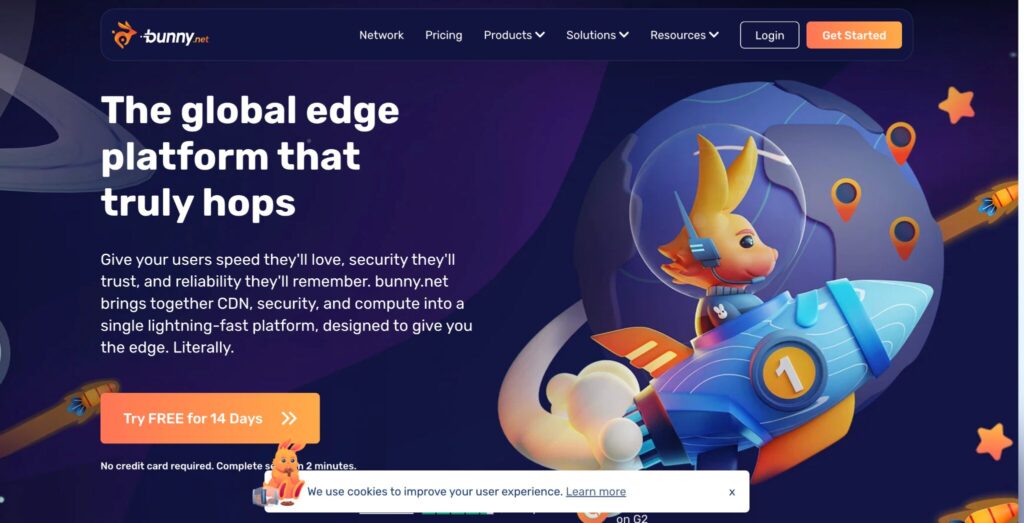
Bunny.net Stream runs on a pay-as-you-go model: approximately $0.01 per GB stored and $0.005 per GB of bandwidth delivered. The embed script is among the lightest available. There are no built-in marketing analytics, no in-player CTAs, and no lead capture forms.
Best for: Development teams and technical operators who want pure delivery infrastructure without a marketing layer. If your video sits on a product page and all you need is fast, reliable playback with no branding overhead, Bunny Stream handles it at near-zero cost.
Watch out for: If you need engagement heatmaps, form capture, or CRM event streaming, Bunny Stream provides none of that. You will be stitching together a separate analytics stack.
2. Cloudflare Stream
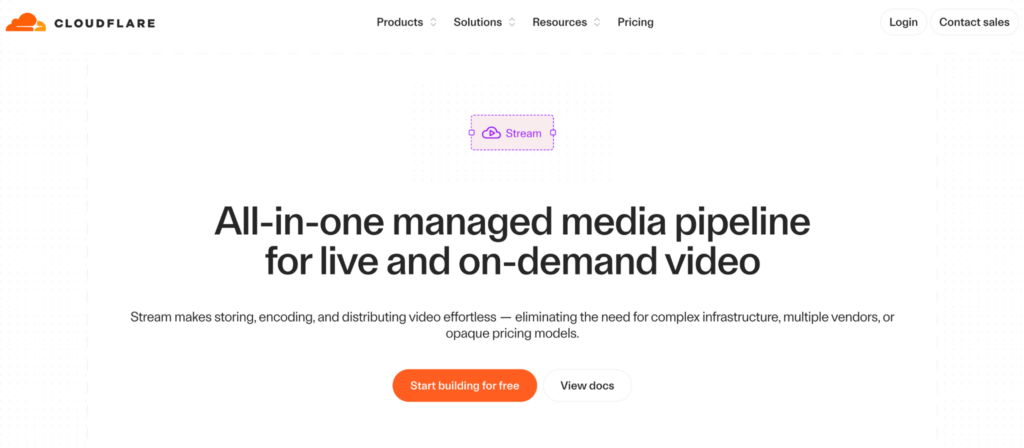
Cloudflare Stream prices at $5 per 1,000 minutes stored, and $1 per 1,000 minutes delivered. Delivery runs through Cloudflare’s global edge network, which means if your stack already runs on Cloudflare, latency behavior is predictable and well-integrated. The player is clean and lightweight.
Best for: Teams already running infrastructure on Cloudflare who want video delivery to sit inside the same network boundary. Ideal for developers who want a single vendor for CDN, security, and video.
Watch out for: No DRM, limited analytics compared to marketing-grade platforms, and no native facade support in the standard embed.
3. Gumlet
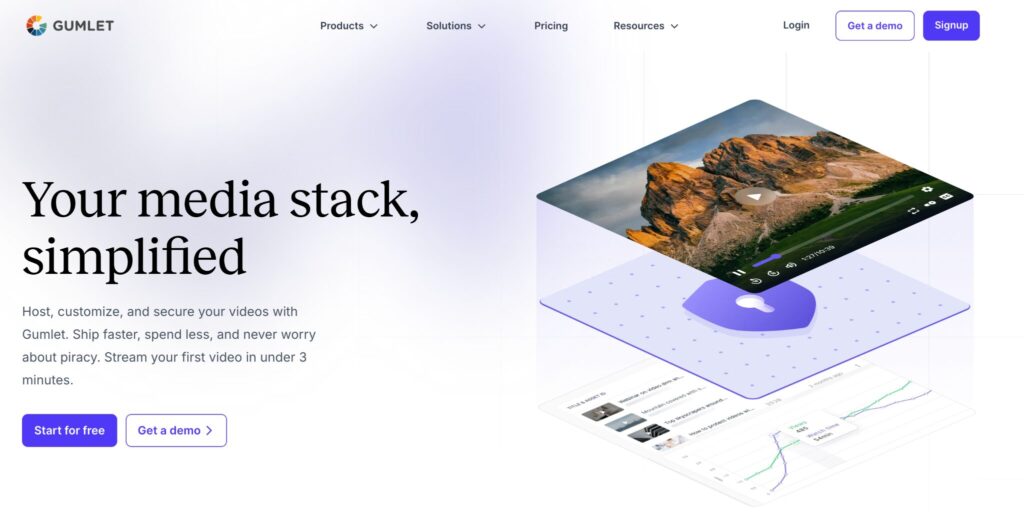
Gumlet is a video hosting and streaming platform built for developers, SaaS teams, course creators, and OTT platforms.
Its AI-powered transcoding engine reduces video file sizes by at least 40% compared to standard encoding pipelines before delivery begins, and the embed loads at 118 KB with 9 HTTP requests, placing it in the same lightweight tier as Cloudflare Stream while adding a full analytics layer on top.
Plans start at $6 per month for the Creator plan, with advanced analytics, workspaces, and 24/7 support included at every tier.
On DRM, Gumlet provides it for free for 5 videos for all new accounts, and a $99 per month add-on for full-scale protection.
Best for: SaaS teams, EdTech platforms, and course creators who need lightweight delivery, marketing-grade analytics, and content protection without paying separately for each. Unlike most platforms in this comparison, Gumlet includes advanced analytics, workspaces, and 24/7 human support on every plan, not just enterprise tiers.
Watch out for: Teams that only need delivery and no analytics will find lighter, cheaper options in Bunny Stream or Cloudflare Stream.
4. SproutVideo
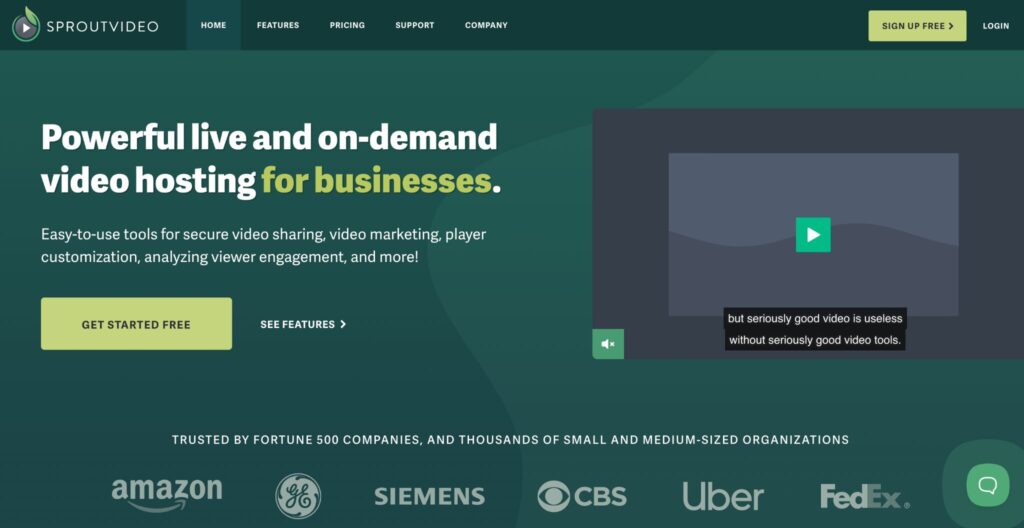
SproutVideo includes engagement heatmaps, in-player lead capture forms, and domain whitelisting for privacy control.
These features represent the closest functional match to Wistia’s marketing toolkit at a fraction of the price. Pricing starts at $10/month for the Seed plan.
On integrations, SproutVideo connects natively with HubSpot, Mailchimp, and Zapier, covering the core CRM and email automation workflows that Wistia users typically depend on.
Best for: Marketing teams migrating from Wistia whose primary reason for leaving is cost rather than performance, and who want to keep their existing analytics and lead capture workflows intact.
Watch out for: No DRM, and embed performance sits in the medium range. Teams targeting Core Web Vitals above 90 should test SproutVideo’s embed on their specific pages before committing.
5. Vimeo
Vimeo’s Starter plan runs at $12 per month and includes unlimited video storage, customizable privacy settings, and a clean, ad-free player.
The creative community has used Vimeo as a reliable Wistia alternative for years, and its player quality and review tooling remain strong. As of late 2025, Bending Spoons completed a $1.38 billion acquisition of Vimeo, and the company has already restructured its pricing plans and reduced its workforce.
For teams currently on Vimeo evaluating a move, the practical concern is not what the platform does today but whether its pricing trajectory and infrastructure investment will remain stable under an ownership model built around post-acquisition margin recovery.
Best for: Creative agencies and brand content teams who prioritize player aesthetics and familiarity, and who are not primarily optimizing for technical page performance.
Watch out for: Standard embeds add measurable page weight (342 KB, 18 HTTP requests). Teams with aggressive PageSpeed targets should test before deploying at scale.
6. Vidyard
Vidyard positions itself as a sales video platform: viewer-level analytics, CRM integrations with Salesforce, HubSpot, and Outreach, AI avatar video generation, and screen recording built in.
The free tier exists, and paid plans start at $59 per user per month. It appears on this list because teams evaluating Wistia alternatives frequently consider it, particularly those coming from Wistia’s CRM integration features.
The distinction worth understanding before shortlisting it is that Vidyard is optimized for one-to-one video delivery inside sales emails, not for embedding on public-facing web pages.
Best for: B2B sales teams who need to know exactly who watched a video, which parts they replayed, and when they dropped off. It integrates directly into outbound sequences and deals workflows in a way no other platform on this list does.
Watch out for: Its embed is heavy relative to every other platform here. Teams that embed Vidyard players on product or landing pages typically see LCP scores drop materially. It is built for inbox delivery, not website performance.
The 3 Variables That Predict Your Video Embed’s Page Speed Impact
Before running through the alternatives, here is the evaluation framework that most reviews skip entirely. Run this against any platform before committing.
To make the variables concrete from the start, here is how three platforms benchmark across all three dimensions in the same browser window, using the same test video, using Gumlet’s player speed test, which benchmarks multiple platforms in the same browser window using the same test video.
| Platform | Load Time (ms) | Player Size (KB) | HTTP Requests |
| Gumlet | 237 | 118 | 9 |
| Vimeo | 513 | 342 | 18 |
| Wistia | 784 | 476 | 24 |
Note: Benchmark figures above are drawn from Gumlet’s player speed test tool, tested in the same browser window using the same source video. Your results will vary based on network conditions, page payload, and CDN edge proximity. Run tests on your own pages using PageSpeed Insights for production-accurate numbers.
Each column maps to one of the three variables below.
Variable 1: Player Script Size (KB Loaded Before First Frame)
This is the total weight of JavaScript and CSS that the platform loads at page render, before the viewer presses play. Wistia’s player loads 476 KB before the first frame renders. Gumlet loads 118 KB. That 4x difference in script weight is what shows up in your PageSpeed Insights report as LCP delay, not anything about your hosting environment or CDN.
Variable 2: HTTP Requests Before Playback Starts
Every network request before the first frame is another round trip between your viewer’s browser and a remote server. Wistia fires 24 HTTP requests before playback starts. Google’s guidance on third-party embeds treats anything above 10 requests as a material latency contributor on mobile connections.
Platforms built primarily for marketing automation tend to load integrations, analytics beacons, and third-party tracking pixels as part of the base embed. Infrastructure-first platforms load only what is necessary to start the video.
Variable 3: Facade and Lazy-load Support
A facade pattern means the platform replaces the video player at initial load with a static thumbnail image. The full player script loads only when the viewer clicks the thumbnail. For pages where not every visitor watches the video (which is most pages), this eliminates the embed’s LCP impact entirely.
Ask any platform you are evaluating whether their standard embed supports a facade pattern natively, or whether you need to implement it yourself with a custom workaround.
The facade question is the single fastest way to filter a shortlist. If a vendor’s answer is “you can do it manually with a bit of JavaScript,” their embed architecture was not designed for performance-sensitive pages. Platforms where facade is a documented, supported feature in the standard embed are the ones worth testing.
What is a facade pattern?
A facade is a static placeholder (usually a thumbnail image or a low-resolution poster frame) that replaces a video player at initial page load. The actual player script, with all its JavaScript, tracking pixels, and CDN requests, only loads when the viewer clicks the thumbnail.
For pages where not every visitor plays the video, a facade eliminates the embed’s contribution to LCP entirely.
Which Alternative is Right for Your Setup?
What’s the best video hosting alternative to Wistia for embedding on a Webflow site?
If you are embedding video on a Webflow site with a PageSpeed score target above 85, the platform choice is a performance architecture decision first.
Bunny.net Stream and Gumlet both offer the lightest video embed footprints in this comparison, and both support CDN-optimized thumbnail delivery that prevents the poster image from becoming your LCP candidate.
Gumlet adds the analytics layer that Webflow product and marketing teams typically need. Cloudflare Stream works well if your Webflow project already routes through Cloudflare’s network.
The one move to make regardless of platform: configure the embed with a facade pattern so the player script defers until the viewer clicks. Most platforms on this list support this, though the implementation varies: some offer it as a native default, others require manual configuration.
Cloudflare Stream, for example, does not offer native facade support in its standard embed and requires a custom workaround.
Choosing for a course platform or EdTech product with paid content
DRM is not optional for platforms charging for access to video content. Password protection and domain restrictions slow down leakage; they do not stop a determined viewer from screen recording or resharing a link.
Multi-DRM protection using FairPlay (for Apple devices) and Widevine (for Android and desktop Chrome) makes recordings technically unusable for redistribution.
Wistia has no DRM at any tier. Of the six alternatives in this article, only Gumlet includes DRM for free in the industry and as a purchasable add-on at $99 per month, with FairPlay and Widevine provisioned automatically for every new account.
Bunny.net Stream, Cloudflare Stream, SproutVideo, Vimeo, and Vidyard do not offer native DRM. If you are running a paid course platform, that column in the comparison table above is the one that narrows your shortlist to one.
Choosing for a feature-parity migration away from Wistia
If the primary driver is cost and you want to keep the marketing features, SproutVideo is the most direct answer.
Heatmaps, lead capture, domain restrictions, and flat-rate pricing at $10 per month. For teams that also want to improve performance, Gumlet’s analytics suite includes heatmap-level engagement data and in-player lead forms, and its embed outperforms Wistia on load time, player size, and HTTP requests by a meaningful margin.
Before You Switch: How to Measure the Impact
Switching platforms without a baseline means you will not know whether the change actually moved the needle. This step takes approximately two hours and belongs before you commit to any platform, not after.
- Run a baseline PageSpeed Insights test on your three highest-traffic pages containing video embeds. Note the LCP score and check which element PageSpeed flags as the LCP candidate. If it is the video thumbnail or player, the platform is directly contributing to your score.
- After switching, configure the facade pattern before testing. The embed architecture matters more than the platform name. Even a lightweight embed without facade will still add player script weight to your initial load. Enable lazy loading or facade at the platform level first, then test.
- Re-run the PageSpeed test 48 hours after the embed swap to allow CDN cache warm-up across edge nodes. Compare LCP scores. According to Google’s published Chrome User Experience Report (CrUX) research, an improvement of 0.3 seconds or more in LCP corresponds to a measurable uplift in conversion rate on commercial pages.
Before running any migration, verify how your current embeds are implemented. If you used Wistia’s JavaScript embed rather than iframe, switching platforms requires updating embed code across every page.
Run an inventory of your Wistia video URLs before committing to any migration path.
Frequently Asked Questions
1. What is the best Wistia alternative for embedding on a Webflow site without slowing it down?
The best alternatives for Webflow performance are Gumlet and Bunny.net Stream, specifically because their embed scripts are the lightest in this comparison at 118 KB and under 50 KB respectively, and both support CDN-optimized poster image delivery.
For teams that need marketing analytics alongside performance, Gumlet is the practical choice since Bunny Stream provides only delivery infrastructure with no in-platform analytics. Configure any embed with a facade pattern on Webflow to defer the player script until the viewer clicks.
Before finalizing your choice, run a PageSpeed Insights test on your specific Webflow page with each embed in place, because real-world scores depend on what else the page loads, not just the video player alone.
2. Does switching from Wistia to a different video host actually improve Core Web Vitals scores?
Switching platforms improves Core Web Vitals only if the new platform has a lighter embed script and you configure lazy loading or a facade pattern correctly. Wistia’s embed loads 476 KB and fires 24 HTTP requests before first frame render, based on June 2026 benchmark data from Gumlet’s player speed test.
Platforms like Gumlet and Bunny Stream load substantially less. The platform change alone is not sufficient: the default embed from most platforms still loads synchronously, which means it contributes to LCP. Enabling facade or lazy load reduces the contribution to near zero.
Run a PageSpeed baseline before switching, then compare after configuring the embed correctly on the new platform.
3. Which Wistia alternatives support DRM for course creators and paid video content?
Among the six platforms evaluated here, only Gumlet supports DRM. As of Q2 2026, Gumlet provides free DRM for 5 videos for all new accounts, and charges $99 per month for teams that need full-scale DRM protection.
That is approximately one-fifth of the $500 per month industry average for multi-DRM implementation. Wistia offers no DRM capability at any pricing tier. If you are running a platform where viewers pay for access to video content, DRM is not an optional feature.
Ask any platform on your shortlist to confirm whether FairPlay and Widevine are auto-provisioned or require a manual Apple certification request before you can go live.
4. Is Bunny.net Stream good enough for a SaaS product page, or do I need something with more analytics?
Bunny.net Stream is good enough for delivery, but not for measurement. The platform is pure infrastructure: fast, lightweight, CDN-backed, and priced at near-zero cost. What it does not provide is any engagement data. You will not know play rates, watch depth, drop-off points, or which viewers clicked what.
For a SaaS product demo page where you want to know if viewers who reach the 70% mark in the demo video are converting to trials at a higher rate, Bunny Stream gives you no signal. For a page where the video is explanatory or decorative and you are not making product decisions based on how people engage with it, Bunny Stream is a clean, low-cost choice.
Decide whether video engagement is a measurement variable in your product or marketing team’s decision-making before choosing a delivery-only platform.
5. How do I migrate my video library from Wistia to a new platform without breaking embeds?
Start with a full inventory of your current Wistia embed URLs before making any platform change. If you use Wistia’s JavaScript embed, you will need to update embed code on each page. If you use iframe embeds, the process is the same.
Most platforms, including Gumlet and SproutVideo, support bulk video imports either via URL list or direct API transfer. After migrating, do not immediately delete videos from Wistia: keep both versions live for two to four weeks while you verify analytics are tracking correctly on the new platform and no pages are returning broken player states. Update your sitemap if you have video schema markup pointing to old Wistia URLs.
6. What is the cheapest Wistia alternative that still includes analytics and removes platform branding?
SproutVideo’ Seed plan starting at $10 per month is the most direct answer: flat pricing, no per-video fees, engagement heatmaps, lead capture, and domain whitelisting. Gumlet’s Creator plan at $6 per month removes Gumlet branding and adds referrer and domain restrictions with CTAs and pixel tracking included, though marketing CRM integration starts at the $19 Growth plan.
Both are a fraction of Wistia’s $79 Business plan, which is the entry point for analytics on Wistia’s pricing page as of June 2026. Avoid platforms where the analytics dashboard requires a plan upgrade to access anything beyond play count and watch time, since basic view tracking is not the same thing as engagement intelligence.
7. What is the biggest mistake teams make when switching video platforms for performance reasons?
The most common mistake is switching platforms without configuring the facade or lazy-load pattern on the new embed. Teams move from Wistia to a lighter platform, run a PageSpeed test, and see little improvement because the new player still loads synchronously at page render.
The platform change reduces the payload, but the embed still fires on page load. Enabling facade on the new embed, so the player only initializes when the viewer clicks, is the step that actually moves the LCP score.
Run your PageSpeed baseline before switching, configure the facade pattern after switching, then re-run the test 48 hours later to give CDN caches time to warm. Those two steps, in that order, are what separate teams who see measurable results from teams who switch and wonder why nothing changed.
8. What happened to Vimeo after the Bending Spoons acquisition, and should I be concerned?
Bending Spoons completed its $1.38 billion acquisition of Vimeo in November 2025, taking the company private. In January 2026, Vimeo announced sweeping global layoffs, with reports indicating a large portion of its engineering team was let go.
Bending Spoons has a documented pattern across prior acquisitions: Evernote saw its U.S. staff largely eliminated; WeTransfer lost 75% of its workforce within two months of its acquisition closing.
Vimeo has since restructured its pricing plans, and the company’s self-serve tiers now cap at Starter ($12/month) and Standard ($25/month), with businesses requiring higher-tier features routed to Enterprise sales.
For teams that have wired video into their product, the risk is not immediate shutdown; it is roadmap uncertainty, support degradation, and pricing trajectory under an ownership model built on post-acquisition margin recovery.
Choosing the Right Platform Starts With the Right Question
The useful question is not “what is the best Wistia alternative.” It is “what is the best platform for the specific page I am embedding on and the specific outcome I am measuring.”
For performance-sensitive product and landing pages, the embed architecture is the decision. Platforms with scripts under 120 KB, fewer than 10 HTTP requests, and native facade support will move your LCP scores.
Platforms built around marketing automation, including Wistia itself, load heavier payloads because they are tracking behavior at the session level, not just delivering video.
For paid content platforms and EdTech products, DRM is the disqualifying criterion. Five of the six platforms in this article have no DRM capability. That makes the decision straightforward.
What has changed most in 2026 is not the technology: it is the pricing. A year ago, the performance-and-security combination that Wistia’s pricing model priced out of reach for most growing teams was genuinely expensive to replicate elsewhere. That gap has closed.
The decision now turns on architecture and fit, not on whether a team can afford to do it properly.