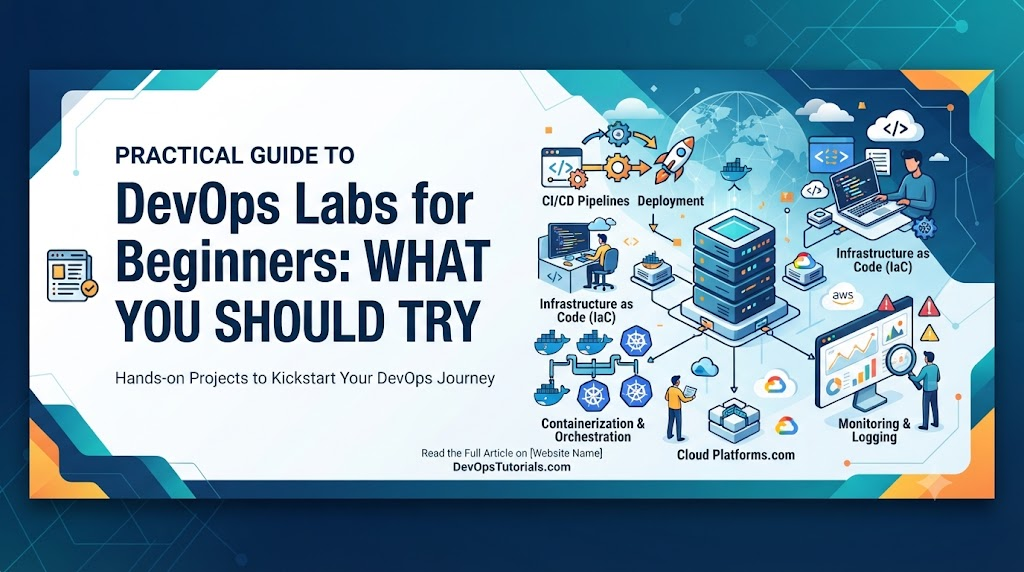
Imagine sitting through hours of video tutorials, taking extensive notes on continuous integration, Docker containers, and Kubernetes pods. You understand the architecture diagrams and can recite pipeline stages from memory. Then, you open a terminal, stare at a blinking cursor, and realize you have no idea how to configure a simple environment variable, fix a broken deployment, or troubleshoot a container that refuses to start.
This gap between passive reading and active execution is where many beginners stall. DevOps cannot be mastered through theory alone. It requires building, breaking, troubleshooting, and fixing systems in real environments. This comprehensive guide walks you through essential beginner DevOps labs, structured progression paths, and safe practices to transform conceptual knowledge into practical capability.
What Are DevOps Labs?
DevOps labs are controlled, isolated environments where learners can safely practice infrastructure management, software delivery, and system administration. Unlike production systems where mistakes carry high stakes, a lab is an experimental workspace where you can test commands, automate deployments, and intentionally break configurations to understand how systems respond.
There is a fundamental difference between watching a tutorial and performing a task:
- Watching a tutorial builds passive recognition, helping you understand what a tool does in theory.
- Performing a lab builds active muscle memory, helping you understand how configuration files interact, where logs are stored, and why errors occur when syntax is incorrect.
Applying the learning loop:
Learn → Practice → Break → Troubleshoot → Fix → Document → Improve
Why Hands-On Labs Matter for Beginners
Practical labs offer unique advantages that reading cannot replicate:
- Technical Muscle Memory: Repeatedly typing configuration blocks and command-line instructions builds intuitive familiarity.
- Troubleshooting Experience: Encountering syntax errors and missing dependencies teaches you how to read error messages and trace root causes.
- Realistic Problem-Solving: Labs simulate real-world challenges, such as mismatched ports or expired credentials, preparing you for actual engineering environments.
- Portfolio Development: Completed lab configurations form the foundation of professional portfolios and GitHub repositories.
- Interview Confidence: Practical execution grounds your interview answers in real experience rather than memorized definitions.
DevOps Lab Progression for Beginners
To avoid overwhelming yourself, follow a structured learning path. Jumping directly into complex Kubernetes clusters or multi-cloud infrastructure without understanding fundamentals leads to frustration.
Follow this progression:
Foundations → Version Control → Automation → CI/CD → Containers → Cloud → IaC → Kubernetes → Monitoring → Security
Lab 1 — Linux Fundamentals
Every modern cloud platform, container image, and CI/CD runner operates on Linux. This lab builds your command-line fluency.
- What to practice: File navigation (
cd,ls,pwd), file creation and editing (nano,vim), user management (useradd,chmod,chown), process monitoring (top,ps,kill), service control (systemctl), package installation (apt,yum), log inspection (journalctl,tail), and basic networking (ping,curl,netstat). - What you learn: How the operating system manages files, permissions, and active background services.
- Why it matters: When a container fails or a server runs out of disk space, you must rely on Linux command-line utilities to diagnose the issue.
Lab 2 — Git and Version Control
Code, configuration files, and infrastructure scripts must be tracked and managed collaboratively.
- What to practice: Repository initialization (
git init), cloning (git clone), staging (git add), committing (git commit), pushing and pulling (git push,git pull), branch creation (git checkout -b), merging, and basic conflict resolution. - Practical scenario: Create a small text-based project, branch off to add a feature, intentionally create a merge conflict, and resolve it manually.
- Why it matters: Version control is the backbone of all modern collaborative engineering and pipeline triggers.
Lab 3 — Bash or Scripting Automation
Manual repetition is inefficient and prone to human error. Scripting teaches you to automate repetitive operational tasks.
- Beginner tasks: Write a script that checks available disk space, verifies if a specific service is running, creates automated backups of a directory, or processes log files to find error counts.
- What you learn: Variables, conditional statements (
if/else), loops (for,while), and exit status codes. - Why it matters: Automation scripts form the glue between different tools in a deployment pipeline.
Lab 4 — Build a Simple CI Pipeline
Continuous Integration ensures that code changes are automatically tested and validated before merging.
- Practice: Set up a simple pipeline tool (such as GitHub Actions or Jenkins) to trigger on code push. Configure steps for source code checkout, dependency installation, running automated unit tests, and generating a build status report.
- The pipeline flow: Code → Build → Test → Result
- Why it matters: CI automates feedback, helping engineering teams catch bugs within minutes of writing code.
Lab 5 — Build a Simple CD Pipeline
Continuous Delivery takes verified build artifacts and deploys them to target environments.
- Practice: Extend your CI pipeline into a CD workflow. Package the build artifact, trigger a deployment step, configure target environment variables, perform basic health validation, and implement a manual rollback concept.
- The pipeline flow: Commit → Build → Test → Deploy → Validate
- Why it matters: Automated deployment pipelines eliminate manual release errors and accelerate delivery cycles.
Lab 6 — Docker Fundamentals
Containers package applications and dependencies together, ensuring consistency across development, testing, and production.
- Practice: Write a simple
Dockerfile, build a container image (docker build), run a container (docker run), inspect running containers (docker ps), view application logs (docker logs), map ports to your host machine (-p), and pass environment variables. - What you learn: Image layers, base images, container isolation, and port binding.
- Why it matters: Containerization removes the “it works on my machine” problem entirely.
Lab 7 — Docker Compose
Most applications consist of multiple services, such as a web server communicating with a database.
- Practice: Write a
docker-compose.ymlfile defining a multi-container application (for example, a Node.js web app connected to a PostgreSQL database). Configure internal networks, persistent volumes for data storage, and environment variables. - Why it matters: Docker Compose simplifies local multi-container orchestration, serving as a stepping stone to Kubernetes.
Lab 8 — Cloud Fundamentals
Understanding cloud computing concepts is essential for modern infrastructure management.
- Practice: Provision a virtual machine (EC2 or Compute Engine equivalent), configure security groups or firewall rules, attach persistent storage, set up basic networking, and explore cloud monitoring dashboards.
- What you learn: Virtualization, cloud resource pricing models, security boundaries, and remote access management via SSH.
Lab 9 — Infrastructure as Code (IaC)
Manual server configuration is difficult to scale and reproduce. IaC allows you to define infrastructure using declarative code.
- Practice: Use a tool like Terraform to define a cloud server or storage bucket. Run an initialization (
init), review execution plans (plan), apply the configuration (apply), and safely tear down the resources (destroy). - What you learn: State management, idempotency, and declarative resource provisioning.
Lab 10 — Kubernetes Basics
Kubernetes automates the deployment, scaling, and management of containerized applications across clusters of nodes.
- Step 1 — Core objects: Practice writing manifests for Pods, Deployments, Services, ConfigMaps, Secrets, and Namespaces.
- Step 2 — Operations: Deploy a simple application, expose it via a Service, inspect container logs, and scale the replica count up and down.
- Why it matters: Kubernetes is the industry standard for container orchestration, making core object understanding mandatory for platform engineers.
Lab 11 — Monitoring and Observability
You cannot manage what you cannot measure. Monitoring ensures you know when systems degrade or fail.
- Practice: Set up basic metrics collection (CPU, memory usage), ingest application logs, build a simple dashboard, and configure an alert for high resource consumption or service downtime.
- Understanding metrics vs. logs vs. traces: Metrics show what is happening (e.g., CPU is at 95%), logs show why it happened (e.g., out-of-memory exception), and traces show the path of a request across distributed services.
Lab 12 — DevSecOps Basics
Security must be integrated throughout the development lifecycle rather than treated as an afterthought.
- Practice: Integrate automated dependency vulnerability scanning, static code analysis, secret detection, and basic container image scanning into a CI pipeline.
- Why it matters: Finding security flaws early prevents costly vulnerabilities from reaching production environments.
Lab 13 — Troubleshooting a Failed Deployment
Real-world engineering involves diagnosing unexpected failures under pressure.
- Scenario: A deployment pipeline completes successfully, but the application returns an HTTP 502 error when accessed.
- Investigation steps: Inspect container logs, verify environment variable configurations, check network connectivity, examine resource availability, and validate application health check endpoints.
- The troubleshooting framework: Observe → Reproduce → Isolate → Investigate → Fix → Validate → Document
Lab 14 — Infrastructure Failure Simulation
Proactive engineers test their systems against failure to build resilience.
- Practice: Take an existing lab environment and intentionally break it—introduce a syntax error in a configuration file, misconfigure a firewall rule, or revoke file permissions.
- Why it matters: Recovering from self-inflicted failures builds the diagnostic resilience needed for high-pressure incident management.
Lab 15 — Backup and Recovery Practice
Data loss is catastrophic unless reliable backup and restore procedures are tested regularly.
- Practice: Create automated snapshots of database volumes or configuration files, store them securely, delete the primary data, and execute a complete recovery procedure.
- Why it matters: Having a backup is worthless if you have never verified that it can be restored successfully.
Beginner DevOps Lab Checklist
| Lab | Beginner Skill | What You Practice |
| Linux | System fundamentals | Commands, file navigation, and service control |
| Git | Version control | Branching, commits, and collaboration workflows |
| Scripting | Automation | Automating repetitive administrative tasks |
| CI | Continuous integration | Automated builds and testing pipelines |
| CD | Deployment | Release automation and artifact publishing |
| Docker | Containers | Creating Dockerfiles and managing containers |
| Compose | Multi-container apps | Services, networking, and volume mounting |
| Cloud | Infrastructure | Virtual machines, networking, and security groups |
| IaC | Automation | Repeatable, declarative infrastructure provisioning |
| Kubernetes | Orchestration | Deployments, services, and cluster scaling |
| Monitoring | Observability | Metrics collection, dashboards, and basic alerts |
| DevSecOps | Security | Automated vulnerability and secret scanning |
How to Choose Your First DevOps Lab
When starting out, evaluate potential labs based on your current background, available time, and learning objectives. Begin with small, self-contained exercises like Linux navigation or Git branching before attempting multi-container Docker Compose setups or Kubernetes clusters. Starting small prevents cognitive overload and builds steady confidence.
Free vs. Paid Labs
Both learning formats offer distinct advantages depending on your goals:
- Free Labs: Ideal for absolute beginners and experimentation. They feature zero financial barrier and are great for learning fundamentals, though they often lack structured guidance and dedicated support environments.
- Paid Labs: Offer structured progression paths, pre-configured sandbox environments, and guided troubleshooting scenarios. However, they require financial investment and quality can vary between providers.
Local Labs vs. Cloud Labs
| Factor | Local Lab | Cloud Lab |
| Cost | Free (runs on your machine) | Can incur usage charges |
| Control | High administrative control | Depends on provider limits |
| Realism | Simulates local development | Mirrors production cloud workflows |
| Resources | Limited by your computer specs | Highly scalable |
| Risk | Safe, but misconfigurations take local space | Misconfigurations can lead to unexpected cloud costs |
When using cloud environments, always configure budget alerts, clean up unused resources promptly, and practice cost awareness.
How to Practice DevOps Safely
- Use isolated personal lab environments or local virtual machines.
- Never experiment on production systems or unauthorized servers.
- Protect your credentials and API keys; never hardcode secrets into configuration files.
- Enable Multi-Factor Authentication (MFA) on all cloud provider accounts.
- Destroy unused cloud resources immediately after completing a lab.
Common Beginner Problems During DevOps Labs
Beginners frequently encounter predictable roadblocks, including permission denied errors, port conflicts, missing dependencies, incorrect YAML indentation, and authentication failures.
When you encounter an error, avoid blindly searching for a command to copy and paste. Instead, read the error message carefully to understand what the system is telling you.
Troubleshooting Instead of Copy-Pasting
Effective troubleshooting requires scientific reasoning. When a lab fails, ask yourself:
- What changed immediately before the failure occurred?
- What specific component or service is failing?
- Where in the execution path does the failure happen?
- What do the error logs explicitly state?
- Can I reproduce the error consistently?
- What underlying assumption about the configuration might be wrong?
Evidence-based troubleshooting builds long-term engineering capability much faster than memorizing quick fixes.
How to Turn DevOps Labs Into Portfolio Projects
To stand out to potential employers, transform simple lab exercises into documented portfolio projects. For every project, structure your documentation around the following framework:
Problem → Architecture → Tools → Implementation → Testing → Troubleshooting → Result → Lessons Learned
Include a clear README, architecture diagrams, sample configuration files, and troubleshooting notes in your repository.
Beginner DevOps Portfolio Projects From Labs
- Automated CI/CD Pipeline: A multi-stage pipeline that builds, tests, and deploys a simple web application automatically upon pushing code to GitHub.
- Containerized Web Application: A web app and database packaged using Docker and orchestrated locally with Docker Compose.
- Infrastructure as Code Environment: A repeatable cloud environment provisioned entirely using Terraform scripts.
- Kubernetes Application Deployment: A scalable web service deployed inside a local Kubernetes cluster with defined replica sets and service routing.
- Monitoring and Alerting Setup: A containerized application monitored with metrics dashboards and health check alerts.
- DevSecOps Pipeline: A CI pipeline integrated with automated vulnerability and secret scanning tools.
- Automated Backup and Recovery System: A scheduled script that backs up application data and successfully restores it in a test environment.
DevOps Labs for Interview Preparation
Practical labs prepare you for technical interviews by teaching you how to articulate your diagnostic reasoning. Interviewers frequently ask scenario-based questions such as:
- How would you troubleshoot a deployment that fails health checks?
- How would you investigate a container that enters a crash loop?
- How would you secure sensitive API keys within a CI/CD pipeline?
- How would you diagnose and resolve high CPU utilization on a server?
Answering these questions becomes natural when you have experienced and solved them firsthand in your labs.
30-Day DevOps Lab Practice Plan
- Week 1 — Foundations: Linux navigation, Git version control, basic networking, and Bash scripting.
- Week 2 — CI/CD and Automation: Building simple CI workflows, automated testing, and basic CD pipelines.
- Week 3 — Containers and Cloud: Docker fundamentals, Docker Compose multi-container apps, cloud basics, and Infrastructure as Code.
- Week 4 — Kubernetes, Monitoring, and Security: Kubernetes deployments, observability metrics, DevSecOps scanning, and a comprehensive troubleshooting project.
Adjust the pace according to your background and daily availability.
How Much Time Should Beginners Spend on Labs?
Consistency matters far more than marathon study sessions. Dedicate 30 to 60 minutes daily for small exercises, and 1 to 2 hours for project work or complex lab troubleshooting. Regular, repeated practice builds durable technical competence.
Role of DevOpsSchool
Mastering modern infrastructure requires navigating an extensive ecosystem of tools, methodologies, and operational practices. Structured DevOps education and guided training programs help beginners bridge the gap between abstract concepts and real-world execution.
Institutions like DevOpsSchool provide structured learning paths and professional training across DevOps fundamentals, CI/CD pipelines, cloud platforms, Docker, Kubernetes, Infrastructure as Code, monitoring, DevSecOps, and site reliability engineering. Combining structured instruction with independent hands-on practice accelerates your transition into professional DevOps engineering.
Frequently Asked Questions
What are DevOps labs?
DevOps labs are controlled sandbox environments where learners practice automation, infrastructure provisioning, deployments, and troubleshooting safely.
Are DevOps labs useful for beginners?
Yes. They bridge the gap between theoretical knowledge and practical execution by building technical muscle memory and troubleshooting skills.
Which DevOps lab should I try first?
Beginners should start with Linux fundamentals and basic Git version control before advancing to scripting, CI/CD, and containers.
Can I practice DevOps on my laptop?
Yes. Most foundational labs—including Linux, Git, Bash scripting, Docker, and local Kubernetes clusters—run efficiently on standard personal computers.
Do DevOps labs require cloud accounts?
Only for advanced cloud and Infrastructure as Code labs. Beginners can complete a large portion of core labs locally without incurring cloud costs.
What should I learn before Kubernetes?
You should understand Linux fundamentals, networking basics, and Docker containerization before attempting to learn Kubernetes orchestration.
How can I practice CI/CD as a beginner?
You can use free tier accounts on platforms like GitHub Actions to build simple automated build and test pipelines.
How can DevOps labs help with interviews?
Labs give you hands-on experience solving real operational problems, allowing you to speak confidently about troubleshooting and architecture in interviews.
Can lab projects be added to a DevOps portfolio?
Absolutely. Documented lab projects with clear README files, architecture notes, and configuration code make excellent portfolio additions.
How often should beginners practice DevOps labs?
Consistent daily practice of 30 to 60 minutes is far more effective than sporadic, multi-hour study sessions.
Final Thoughts
DevOps is best learned through an active combination of theory and hands-on practice. Beginners should start with foundational topics like Linux and version control, progressing steadily through automation, CI/CD, containers, cloud infrastructure, Kubernetes, monitoring, and security.
Encountering and troubleshooting broken environments is one of the most valuable learning experiences an engineer can have. Always perform labs in safe, isolated environments, document your solutions, and turn your completed exercises into portfolio projects.
The best DevOps lab is not the one with the most tools; it is the one that makes you think, build, troubleshoot, and understand why something works. Start small, practice consistently, break things safely, learn from failures, document your solutions, and gradually move toward real-world DevOps projects.