A product marketer at a mid-size SaaS company sets a 90-day expiry on a gated demo video, turns on domain restriction, and moves on, confident the video is locked down.
Three months later, the video still plays. Someone forwarded the link before it expired, and it’s been sitting on a competitor’s comparison page ever since, loading just fine from a domain nobody approved.
Two different failures could explain that, and most video hosting comparisons treat them as one problem. They aren’t. A signed URL controls when a link works. Domain restriction controls where it plays. Geo-restriction controls who can play it based on location. Three separate questions, three separate mechanisms, and a platform can nail one while quietly failing the other two.
Here’s what actually happens when teams get this wrong: a signed URL with no domain restriction can still be embedded anywhere during its active window. A domain-restricted video with no expiry can be watched indefinitely by anyone inside that approved domain, forwarded link included. And a video locked to one region can still be freely embedded on any site within that region, since geo-restriction and domain restriction check completely different things.
This article tests six platforms against all three controls: whether signed URLs are dashboard-configurable or require backend work, whether domain restriction holds across the embed types teams actually ship, whether geo-restriction is available and at what tier, and whether native DRM (Widevine or FairPlay) rounds out the stack.
Knowing which of these three controls you actually need, and confirming the platform you’re evaluating implements it the way its sales page implies, matters more than any feature checklist.
This comparison scores each of the six platforms on three questions: does a link stop working once its time runs out, does the video stop playing on a site nobody approved, and does it stop playing in a region nobody approved. A platform that answers ‘Yes’ to all three, without requiring an engineer to implement any of them, is what this article is actually testing for.
TL;DR
- Signed URLs, domain restriction, and geo-restriction are three separate controls. They govern when a link works, where it plays, and who can play it by location, and a platform can nail one while failing the other two.
- Domain restriction only works if it covers your embed type. Many platforms check JavaScript players but not iFrame embeds, the default for WordPress, Webflow, and most LMS tools. Test it yourself; the dashboard won’t tell you.
- Gumlet, VdoCipher, and SproutVideo offer signed URLs and domain restriction fully from a dashboard, no engineering required.
- Cloudflare Stream and Mux give engineering teams code-level control over both, but require API implementation with no dashboard UI.
- VdoCipher leads on DRM-first delivery: OTP-style links that expire on a timer and after one playback, plus Widevine, FairPlay, and mobile SDK depth.
- Wistia supports domain restriction but not signed URLs at any tier, fine for marketing content behind a separate login, risky for anything with direct commercial value.
- Geo-restriction access and pricing vary a lot by platform and tier, so confirm the exact plan before budgeting.
- Set link expiry to the full content length plus a buffer. Too short, and it just looks like a broken video to paying viewers.
- Domain and geo-restriction don’t cover for each other. A video can be domain-locked and playable from any country, or geo-locked and embeddable anywhere in that region.
- Before committing, ask about: embed-type coverage, CDN-edge vs. origin enforcement, the real tier geo-restriction required, a live signed-URL demo, and whether DRM is bundled or a paid add-on.
What Expiring Links and Domain Restrictions Actually Control
A signed URL (also called an expiring link or tokenized URL) is a video playback link with a cryptographic signature and an expiry timestamp built in. The hosting platform checks both before serving a single frame. Once the time-to-live window closes, the link returns an error, no matter who is holding it or how many times it worked before.
Domain restriction (also called referrer restriction or domain whitelisting) limits which websites are allowed to load your video player. Every embed request carries an HTTP referrer header identifying the domain making the request. The platform checks that header against an approved list before the player initializes. A request from a domain that isn’t on the list gets nothing, not even a broken frame.
This is a well-established use of the underlying mechanism: RFC 9110, the current HTTP semantics standard, notes that servers may use the Referer header specifically to deny requests from other sites, while cautioning that not every request will carry one. Domain restriction is built on that same header check, which is also why it’s a first layer of defense rather than a complete one.
Here’s the distinction that trips people up: a signed URL with no domain restriction can still be embedded anywhere during its active window. And a domain-restricted video with no expiry can still be watched indefinitely by anyone inside that approved domain, forwarded link included.
Neither control substitutes for the other. You need both, and you need to know exactly how each one is implemented on the platform you’re using.
A domain restriction that’s turned on isn’t the same as a domain restriction that’s enforced.
If a vendor’s sales page says “domain restriction supported” with no mention of embed type, ask directly whether the restriction covers iFrame embeds or only JavaScript players. Most CMS platforms, including WordPress and Webflow, default to iFrame snippets. If the answer is unclear, test it yourself before you commit a budget to that platform.
6 Video Hosting Platforms Compared on Expiring Links and Domain Restriction
Here’s the direct comparison. Every platform below was checked against four things: whether signed URLs are dashboard-configurable or require backend API work, whether domain restriction covers both JavaScript and iFrame embeds, whether native DRM (Widevine or FairPlay) is included, and current published pricing.
| Platform | Signed URLs | Domain Restriction (JS) | Domain Restriction (iFrame) | Configuration | Native DRM | Starting Price |
| Gumlet | Yes, dashboard-configurable, custom TTL | Yes | Yes | Dashboard, no API required | Yes (Widevine + FairPlay) | Free tier; paid plans start from $6/month (Creator tier) |
| VdoCipher | Yes, OTP-based, single-use | Yes | Yes | Dashboard, minimal setup | Yes (Widevine + FairPlay) | From $149/year (Starter tier; bandwidth credit model) |
| Cloudflare Stream | Yes, JWT tokens | Yes | Yes (standard iFrame embed) | API only, no dashboard UI | No (AES encryption only) | $5/1,000 min stored + $1/1,000 min delivered |
| Mux | Yes, signed JWT playback tokens | Yes | Depends on player implementation | API only, no dashboard UI | Yes (Widevine + FairPlay + PlayReady) | Usage-based, pay-as-you-go |
| SproutVideo | Yes, dashboard-configurable | Yes | Yes | Dashboard, no API required | No | $12/month (Seed); geo-restriction requires $195/month Forest tier |
| Wistia | Not supported | Yes (domain embed restrictions) | Yes | Dashboard | No | Free tier; paid plans from $79/month |
The verdict: if you need both controls available from a dashboard with no engineering sprint, Gumlet, VdoCipher, and SproutVideo are your three real options. If video DRM is a hard requirement on top of that, the field narrows to Gumlet and VdoCipher.
If your team has backend engineers who want to own the token logic directly, Cloudflare Stream and Mux hand you more raw control at the cost of a dashboard UI.
Wistia is the one honest exception here. It’s strong on domain restriction and genuinely excellent for marketing analytics, but it does not support signed URLs at all, so it’s disqualified the moment link expiry is a requirement rather than a nice-to-have.
1. Gumlet
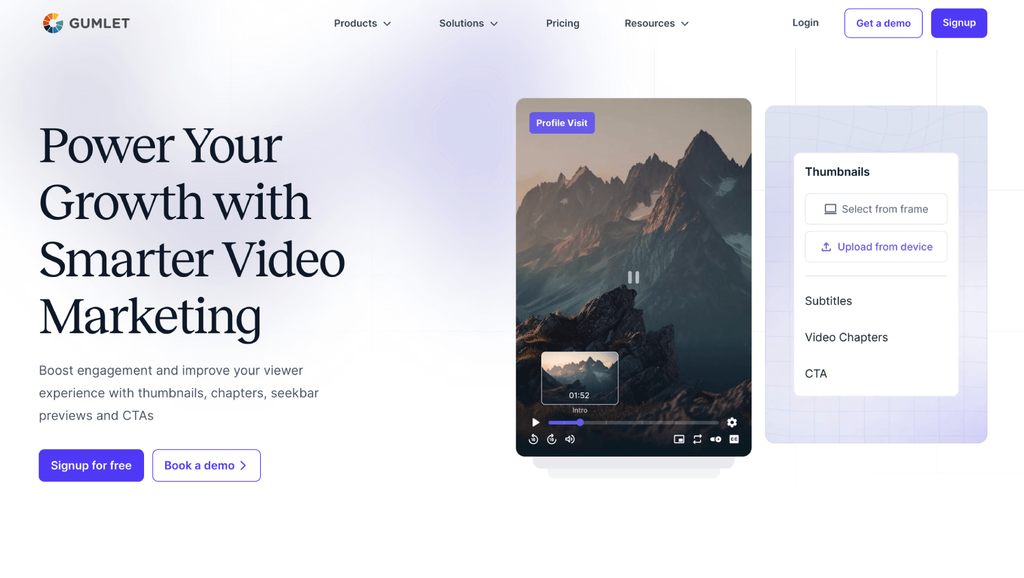
Gumlet is a secure video hosting platform built for SaaS, e-learning, and media teams that need controlled delivery without assembling access control from separate vendors. Its approach treats domain restriction, signed URLs, DRM, and dynamic watermarking as one configurable stack rather than four separate integrations.
The signed URL implementation generates HMAC-based tokens with a configurable expiry window, set entirely from the dashboard. No backend work is required to turn it on, though the same signing logic is exposed through an API for teams generating links programmatically as part of a login or membership flow.
Domain restriction is where Gumlet’s implementation stands apart from most of the field on this list. It enforces the referrer check across both JavaScript and iFrame embeds, which matters because WordPress, Webflow, and most learning management systems default to iFrame snippets that a JavaScript-only check would miss entirely.
The same allowlist logic extends to mobile app bundle IDs, and DRM runs through Widevine and FairPlay alongside dynamic watermarking. The full stack is documented in Gumlet’s video protection and access control documentation.
Best for: SaaS product teams, course platforms, and B2B content teams that need signed URLs and domain restriction covering both embed types, configurable without a backend sprint.
Honest limitation: Teams building a full white-label OTT app with broadcast-scale monetization will likely need a heavier enterprise stack than what a dashboard-first tool is built to handle.
2. VdoCipher
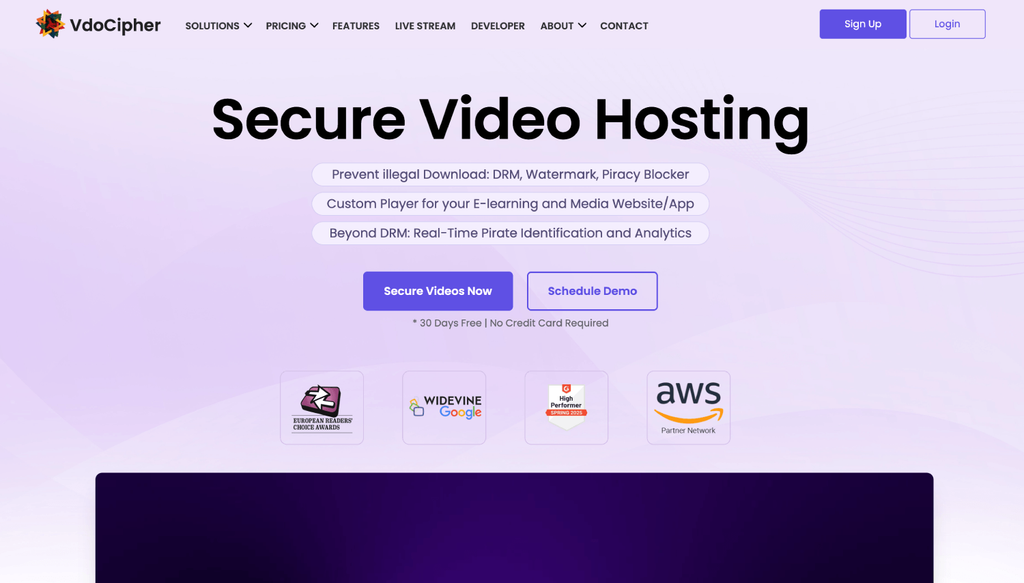
VdoCipher built its entire product around DRM-first delivery, and its signed link model reflects that priority.
Instead of a standard time-limited signed URL, it uses OTP-style links generated fresh per playback session, which expire on a set timer and cannot be reused outside the session that requested them, a stricter model than a typical TTL-based token
Domain restriction is dashboard-managed and blocks unauthorized referrers before the player loads. Combined with Widevine and FairPlay DRM, this gives VdoCipher one of the more layered setups in this comparison, particularly for teams shipping native mobile apps through its SDKs.
Best for: E-learning and course platforms that need DRM as a non-negotiable requirement alongside link expiry, especially teams already shipping iOS and Android apps.
Honest limitation: Pricing runs on an annual bandwidth-credit model rather than a flat monthly plan, and the platform’s focus stays narrow: teams that also need marketing attribution or CRM event streaming will need a separate tool for that layer.
3. Cloudflare Stream
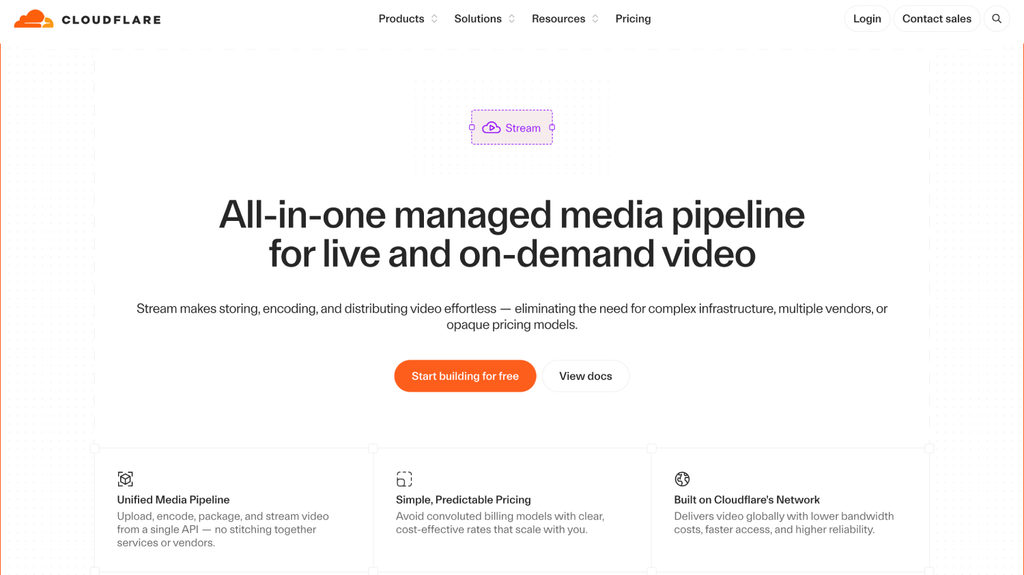
Cloudflare Stream sits inside Cloudflare’s global CDN, and that architecture is its real selling point. Token validation for signed URLs happens at the network edge, before any content leaves origin, which is a meaningfully different security posture than validating at the application layer.
Signed URLs use JWT tokens with configurable expiry, generated through the API. There is no dashboard toggle for creating a per-video link, which means someone on the engineering team owns this feature day-to-day.
Domain restriction works the same way, configured through allowed origins at the account or video level.
Best for: Engineering teams already running on Cloudflare infrastructure who want video access control that plugs into Workers and Zero Trust without adding a separate vendor relationship.
Honest limitation: No native DRM. Cloudflare Stream relies on AES encryption and signed tokens rather than Widevine or FairPlay, so teams protecting premium or licensed content will hit a ceiling here.
4. Mux
Mux is infrastructure for developers building video into a product, not a video CMS with a dashboard. Signed playback tokens use JWT signing, giving engineers control over exactly what each token encodes: viewer identity, playback scope, expiry window.
That precision comes with a tradeoff. There is no dashboard UI for generating a link. Every signed URL and every domain restriction rule gets built and maintained in code, which is the right fit for a team that wants to own the whole access layer but the wrong fit for a marketing or content team without engineering support on call.
Best for: Product engineering teams building a custom video player or in-app video experience where the access control logic needs to live inside the application itself.
Honest limitation: Marketing-facing analytics are minimal. Teams that need engagement data tied to CRM events will be bolting on a second tool regardless of which access control model they choose.
5. SproutVideo
SproutVideo’s whole design premise is that privacy controls shouldn’t require a developer. Expiring links are generated directly from the video settings panel, with the expiry window set at the time of sharing. No API call, no token logic to write.
Domain restriction works the same way: an allowlist managed entirely through the UI, blocking playback from any domain not on the list. For teams sharing time-sensitive client reviews or gated previews without backend support, this is one of the more frictionless setups on this list.
Best for: Marketing teams, agencies, and small businesses that need both controls available through a clean interface with zero engineering involvement.
Honest limitation: No DRM at any tier, and geo-restriction sits behind the $195/month Forest plan. Teams needing device-level protection or IP-based restriction will need to look elsewhere.
6. Wistia

Wistia earns its place in this comparison for one reason: it’s the platform most SaaS marketing teams already have, and it’s worth knowing exactly where it stops being sufficient for this specific requirement.
Domain restriction is supported and works reliably at the embed level. Signed URLs are not. Access control on Wistia relies on password protection and domain-level embed restriction rather than time-limited, cryptographically signed links.
For B2B teams gating a webinar replay behind a login page they manage separately, that’s often adequate. For anything with direct commercial value attached to the link itself, it’s a gap that no plan tier closes.
Best for: Marketing teams that need strong engagement analytics and CRM integrations for content gated by a separate authentication layer, not by the video platform itself.
Honest limitation: No signed URLs at any plan level and no DRM. If link expiry is a hard requirement, Wistia does not meet it regardless of budget.
How to Verify Domain Restriction Actually Holds on Your Embed Type
Domain restriction being enabled in a dashboard is not the same as domain restriction being enforced on the embed code you actually ship.
Several platforms only validate the referrer header on JavaScript-rendered players, and if your CMS defaults to an iFrame snippet, which WordPress, Webflow, and most LMS platforms do, that video can load on an unauthorized domain even though the setting shows as active.
The setting page never tells you which embed type it’s checking. You have to test it, and the test takes about two minutes:
- Copy your current video’s embed code from the platform’s dashboard, exactly as it’s provided.
- Check whether it’s an <iframe> tag or a JavaScript snippet. If you see <iframe src=…>, it’s an iFrame embed. If you see a <script> tag loading a player library, it’s JavaScript.
- Paste that embed code into a test page on a domain that is not on your allowlist. A free static site host works fine for this.
- Load the test page and watch what happens. If the video plays, your domain restriction is not covering that embed type, regardless of what the dashboard shows.
- Repeat with the other embed type if your platform offers both, since a platform can pass on one and fail on the other.
That five-step check costs less time than reading most vendor comparison pages, and it applies to whichever of the three controls in this article you’re testing, not just domain restriction.
Run the same logged-out, unauthorized-domain test against signed URL expiry and geo-restriction before trusting any of the three.
How Long Should an Expiring Link Stay Valid?
Set signed URL expiry to at least the full duration of the video plus a buffer for pausing and rewinding, not to the shortest window available.
A 20-minute token on a 90-minute course video doesn’t make the content more secure. It just means a paying customer hits a playback failure mid-session because the token expired while they were still watching, not because anyone was doing anything unauthorized.
The right window depends on what’s being delivered:
- On-demand video: Duration plus a reasonable buffer. A 90-minute course video needs a token valid for at least two hours to account for someone pausing to take notes or stepping away.
- Live streams: Shorter windows are correct here, since the session itself is time-bounded by nature. A 15 to 60-minute expiry works for most live events without adding friction.
- One-time review links: A client demo or contract review can run on a tight 15-minute to 24-hour window, since the use case has a hard deadline by design.
Setting a token expiry shorter than the content duration is one of the most common misconfigurations across the platforms in this comparison, and it’s also the one that support tickets trace back to most often when a “broken video” complaint turns out to be a security setting working exactly as configured, just against the wrong assumption.
Domain Restriction vs. Geo-Restriction: Different Controls, Different Threats
Domain restriction controls which websites can load your video player. Geo-restriction controls which countries can play it at all.
They get bundled together in most security checklists because both sit under “access control,” but they answer completely different questions and neither one covers the other’s gap.
Domain restriction checks the HTTP referrer header on every embed request. It stops someone from copying your embed code onto a site you never approved, regardless of where that person is physically located.
Geo-restriction checks the viewer’s IP address against a location database and blocks or allows playback by country or region, regardless of which domain the video is embedded on.
A course platform with regional pricing needs geo-restriction to stop someone in a lower-cost market from accessing content priced for a higher-cost region. That same platform still needs domain restriction to stop a student from copying the embed code and posting it on a public forum, since geo-restriction alone does nothing to prevent that.
Ask any platform whether both controls run at the CDN edge rather than at the origin server. Origin-level checks add the full round-trip time of a request reaching your server before a denial response comes back.
CDN-edge enforcement runs the check within milliseconds, closer to the viewer, and never lets a denied request touch your infrastructure at all. That architectural difference matters more at scale than most comparison tables let on.
How to Stop Hotlinking on Your Video Embeds
Video hotlinking works exactly like image hotlinking: someone embeds your hosted video directly on their site instead of uploading their own copy, which means every play pulls bandwidth from your account while the content displays on a domain you never approved.
The fix is the same control this entire article has been walking through: domain restriction, correctly enforced on the embed type you actually use.
The mechanism is straightforward once you see it from the attacker’s side. Every video embed, whether it’s a direct file link, an iFrame, or a JavaScript player, pulls the underlying video data from your hosting platform’s servers or CDN. If there’s no referrer check in place, that request succeeds no matter which domain sent it.
The hotlinking site gets a working video. Your account absorbs the delivery cost and the unauthorized distribution.
Three checks confirm whether your current setup is actually exposed:
- Check whether your platform allows public, unrestricted URLs by default on new video uploads. Many do, which means every new video is technically hotlinkable until someone remembers to configure the restriction.
- Confirm the restriction covers both embed types using the five-step test from earlier in this article, since a JavaScript-only check leaves iFrame embeds open.
- Review your bandwidth or delivery-minute reports for unexplained spikes tied to a single video, which is often the first visible sign that a video is being hotlinked from a domain you don’t recognize.
If you’re already seeing that kind of spike, the fastest fix is turning on domain restriction retroactively on the affected video and confirming, with the test above, that it actually holds on the embed type causing the spike.
Setting Up Signed URLs and Domain Locks Without an Engineering Sprint
Most teams assume access control requires backend work because that assumption held true for years on developer-first infrastructure platforms.
It’s less true in 2026 than it was a few years ago. Several platforms in this comparison, Gumlet and SproutVideo among them, now expose both signed URL generation and domain restriction directly from a settings panel.
The practical workflow on a dashboard-first platform looks like this: add each approved domain to an allowlist, including a wildcard entry for subdomains if your product runs on multiple environments, then set a default signed URL expiry window at the workspace level so every new video inherits sensible defaults without someone remembering to configure it per upload.
Mobile app bundle IDs, where supported, get added the same way as a domain, which closes the gap that a web-only allowlist would otherwise leave open for a native app.
Ask a candidate platform to walk you through generating a signed URL live, from the dashboard, on a call, not from a feature page.
If that request turns into “let me check with engineering” or “that requires our API,” you’ve just learned which team on your side will own this feature indefinitely.
Questions to Ask Before You Commit to a Platform
Feature pages answer these in marketing language. Get a straight answer to each one before you sign anything, ideally live on a call rather than from a pricing page.
1. Does domain restriction cover iFrame embeds, or only JavaScript players?
Most vendors don’t volunteer this distinction. WordPress, Webflow, and most LMS platforms default to iFrame snippets, so a JavaScript-only check leaves that embed type open even when the setting shows as active. Ask the vendor to confirm which embed types the referrer check actually covers, then test it yourself using the five-step check earlier in this article.
2. Does geo-restriction run at the CDN edge, or at your origin server?
Origin-level checks add the full round-trip time of a request reaching your infrastructure before a denial response comes back. CDN-edge enforcement blocks the request within milliseconds and never lets it touch your servers at all. This matters more as your traffic scales.
3. What tier does geo-restriction actually require?
Several platforms in this comparison gate geo-restriction behind a mid-tier or top-tier plan rather than including it at the entry level. Confirm the exact plan you’d need, not just whether the feature exists somewhere in the product.
4. Can someone generate a signed URL live, from the dashboard, on the call?
If the answer turns into “let me check with engineering” or “that requires our API,” you’ve learned which team on your side will own this feature indefinitely.
5. Is DRM bundled into the plan you’re evaluating, or a separate add-on?
DRM pricing and packaging changes often. Confirm current bundling directly rather than relying on a comparison table, including this one, since pricing pages update faster than any article can track.
Which Platform Should You Actually Choose?
Running through six platforms side-by-side makes the actual decision simpler than it looks on paper.
The question isn’t which platform has the longest feature list. It’s which platform closes the gaps the other five leave open, without requiring a developer to sit in the room every time someone needs to share a video.
Cloudflare Stream and Mux remain the right call for one specific team: engineers who’d rather own token logic and domain policy in code than hand it to a dashboard. That’s not a compromise pick, it’s the correct architecture when video access is one piece of a larger authentication system your team already runs.
If DRM is non-negotiable and your primary use case is course content or licensed media, VdoCipher earns its spot for the OTP-based link model and the mobile SDK depth built specifically for that market.
For most SaaS, EdTech, and content teams evaluating this from a practical, day-to-day operations standpoint, the calculation comes down to one thing: does the platform give you signed URLs, domain restriction, and geo-restriction where needed, all correctly enforced and all configurable without an engineer every time a new video goes live.
On the six platforms tested here, Gumlet and SproutVideo separate from the field on one axis: every control in this article configures from a dashboard, with no engineer in the room. Push one layer deeper and only Gumlet holds, pairing that same dashboard with native Widevine and FairPlay DRM, dynamic watermarking, and mobile app bundle whitelisting in a single stack, no separate integration required.
That’s less about any single feature and more about not needing to assemble your access control layer from three different vendors while hoping they don’t conflict with each other.
If you’re evaluating this for a paid course library, a gated SaaS demo library, or any video where a leaked link has a real dollar cost attached, it’s worth spending the 15 minutes to test signed URLs and domain locking on a free Gumlet account against your own actual embed type before committing budget anywhere.
Frequently Asked Questions
1. Why does my embed still play on a site I didn’t whitelist?
This almost always comes down to embed type. Your domain restriction setting is likely enforcing correctly on JavaScript-rendered players but not checking the referrer header on iFrame embeds, or the reverse, depending on the platform.
WordPress, Webflow, and most learning management systems default to iFrame snippets, so a JavaScript-only restriction leaves that embed type completely open even though the dashboard shows the setting as active.
Test your specific embed code on an unwhitelisted domain to confirm which type your platform is actually checking, since the settings page itself won’t tell you.
2. What’s the difference between a signed URL and DRM?
A signed URL controls who can start playback and for how long, using a cryptographic token with an expiry timestamp. DRM controls what happens to the video stream once playback has already started, binding the decryption key to a specific device so the content can’t be extracted and replayed elsewhere.
A signed link that expires stops an old link from working. DRM stops someone from downloading or screen-recording the content while it’s actively playing. Paid or licensed content needs both layers, since either one alone leaves the other attack vector open.
3. How long should an expiring video link stay active?
Set the expiry window to the full length of the video plus a buffer for pausing and rewinding, not to the shortest duration your platform allows.
A 90-minute course video needs a token valid for at least two hours, since a shorter window causes legitimate paying viewers to hit a playback failure mid-session rather than actually stopping unauthorized access.
Live streams are the exception, where a 15 to 60-minute window is both correct and sufficient because the event itself is time-bounded.
4. Is domain restriction the same as geo-restriction?
No. Domain restriction limits which websites can load your video player, checked through the HTTP referrer header on every embed request. Geo-restriction limits which countries or regions can play the video at all, checked through the viewer’s IP address against a geolocation database.
A video can be domain-restricted to your own site and still playable from any country, or geo-restricted to a single region and still embeddable on any website within that region. Run both controls together if either unauthorized embedding or unauthorized regional access is a real risk for the content in question.
5. Can someone still download my video if I password protect it?
Yes, and this is the most common gap teams miss. Password protection controls who can start watching, not what they can do with the stream once playback begins. A viewer who knows the password can often still capture the video through screen recording or, on platforms without DRM, through browser developer tools that expose the underlying video file.
For content with real commercial value, use password protection as a secondary layer at most, and rely on signed URLs plus DRM as the actual access control mechanism.
If a platform can’t demonstrate DRM working against a real screen-recording attempt on a call, treat the security claim as unproven until you’ve tested it yourself.
6. How do I make a video link expire?
Use a platform with signed URLs, set the expiry window when you generate the link, and the link stops resolving once the window closes, no matter who holds it.
On dashboard-first platforms like Gumlet and SproutVideo this is a settings field at the moment of sharing, with no code involved. On Cloudflare Stream and Mux, the same expiry gets written into a JWT token by your backend.
Either way, size the window to the video’s full length plus a buffer, because a link that expires mid-viewing punishes the paying viewer, not the leaker.