Ansible is both an automation language and the engine that runs it. For network engineers, it offers an unusually gentle on-ramp: the configuration syntax is human-readable YAML, the documentation is thorough, and the large community has produced a wealth of tutorials and modules that cover most major vendor platforms.
Why Ansible Works Well for Network Automation
Two properties make Ansible particularly attractive in a network context:
- Agentless operation. Ansible communicates with network devices over SSH (or a vendor API where available). There is nothing to install on the managed device — a major advantage when you are working with switches and routers that do not expose a general-purpose OS.
- Low barrier to entry. YAML playbooks read almost like plain English. Network engineers who are comfortable with incremental learning — picking up IOS features as needed, for example — adapt quickly to Ansible’s model.
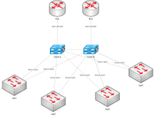
Ansible runs on a control node (a Linux host or WSL instance) and issues commands to one or many network devices simultaneously. Its behaviour is governed by plain-text configuration files, making it easy to version-control your automation alongside your other infrastructure code.
Key Concepts Before You Start
- Inventory — a list of the devices Ansible manages, organised into groups.
- Playbook — a YAML file describing one or more plays, each containing one or more tasks.
- Module — a reusable unit of work. Network modules such as
ios_command,eos_command, and the vendor-agnosticcli_commandhandle interaction with specific platforms. - Variables — stored in
group_varsandhost_varsdirectories and merged at run time, giving you fine-grained control over per-device or per-group settings.
Recommended Directory Structure
You can run Ansible with a single flat file, but that quickly becomes unmanageable. A structured layout separates concerns and scales cleanly as your device count grows. The following layout is used in the examples below:
.
├── ansible.cfg
├── group_vars
│   └── IOS_switches.yml
├── host_vars
│   └── test_sw.yml
├── inventory.yml
└── sh_arp.ymlCode language: CSS (css)
ansible.cfg
This INI-format file overrides Ansible defaults. The most important settings for network automation are disabling fact gathering (which is designed for Linux hosts, not network devices) and pointing Ansible at your inventory file.
[defaults]
gathering = explicit
inventory = inventory.yml
retry_files_enabled = FalseCode language: PHP (php)
group_vars/IOS_switches.yml
Variables in group_vars apply to every host in the named group. Here we set the connection type to network_cli, declare the OS as ios, and supply credentials. In production, use Ansible Vault or SSH keys rather than plain-text passwords.
---
# IOS_switches variables
ansible_connection: network_cli
ansible_network_os: ios
ansible_become: yes
ansible_become_method: enable
ansible_become_password: "foobar"

ansible_user: tester
ansible_ssh_pass: foobarCode language: PHP (php)
host_vars/test_sw.yml
Host-level variables override group variables for a specific device. A management IP address and hostname are the minimum useful entries.
---
# test_sw variables
ipaddr: 192.168.1.108
hostname: test_swCode language: CSS (css)
inventory.yml
The inventory file lists your devices and organises them into groups. A single device can belong to multiple groups, which is useful when you want to target switches by both vendor OS and network role.
---
all:
  children:
    IOS_switches:
      hosts:
        test_sw:
    IOS_routers:
      hosts:
        router1:
    access:
      hosts:
        test_sw:
    core:
      hosts:
        router1:
Writing Your First Playbook: Collecting the ARP Table
A good first automation task is read-only data collection — it is safe, immediately useful, and gives you a baseline to compare against. The playbook below, sh_arp.yml, issues show arp to every host in the IOS_switches group and prints the output.
---
- name: Gather ARP data
  hosts: IOS_switches
  tasks:
    - name: "Task 1: Get output of show arp on IOS"
      ios_command:
        commands: "show arp"
      register: cli_result

    - name: "Task 2: Display stdout_lines[0]"
      debug:
        msg: "{{ cli_result.stdout_lines[0] }}"Code language: JavaScript (javascript)
Key points about the playbook structure:
ios_commandsends a CLI command to an IOS device and returns the output as a string.register: cli_resultsaves the module’s return value into a variable for use in later tasks.- The
debugmodule prints the value ofcli_result.stdout_lines[0]— a list of output lines from the first (and only) command issued.
Running the Playbook
$ ansible-playbook sh_arp.ymlExpected output:
PLAY [Gather ARP data] ***************************************************

TASK [Task 1: Get output of show arp on IOS] *****************************
ok: [test_sw]

TASK [Task 2: Display stdout_lines[0]] ***********************************
ok: [test_sw] => {
    "msg": [
        "Protocol  Address     Age (min)  Hardware Addr   Type  Interface",
        "Internet  192.168.1.108       -  bcc4.933e.49c0  ARPA  Vlan1",
        "Internet  192.168.1.126       5  f894.c220.2177  ARPA  Vlan1",
        "Internet  192.168.1.133       1  88c2.55fb.9ce7  ARPA  Vlan1",
        "Internet  192.168.1.138       0  a860.b60a.7a3a  ARPA  Vlan1"
    ]
}

PLAY RECAP ***************************************************************
test_sw                    : ok=2    changed=0    unreachable=0    failed=0Code language: PHP (php)
The PLAY RECAP line confirms two tasks completed successfully with no changes and no failures — exactly what you want from a read-only operation.
Scaling Up: Running Across Many Devices
The real value of Ansible is not running a single command on one switch — it is running a set of tasks across dozens or hundreds of devices with a single command. Once your inventory is populated, the same playbook targets every matching host automatically.
Practical use cases that are well suited to this pattern include:
- Compliance auditing. Verify that device configurations match a known-good template — for example, that QoS policies or MPLS route targets are consistent across the fleet.
- Inventory and documentation. Collect
show versionoutput from every device and store it to disk. You immediately have a searchable record of firmware versions, model numbers, and serial numbers. - MAC and IP address tracking. Save
show arpandshow mac address-table dynamicoutput, then usegrepto locate any device on the network by its IP or MAC address across hundreds of output files. - Configuration generation and deployment. Combine Ansible with the Jinja2 templating language to dynamically render device configurations and push them across the network.
Beyond the Basics
The example above covers a small fraction of what Ansible can do for network teams:
- Ad hoc mode. Run a single module against an inventory group without writing a playbook — useful for quick checks during troubleshooting.
- Ansible Vault. Encrypt sensitive files such as credential variables so that secrets are never stored in plain text.
- Filters and plugins. Parse structured output, transform data, and extend Ansible’s capabilities beyond its built-in modules.
- Jinja2 templating. Generate device-specific configuration files from a single template, replacing manual copy-paste workflows.
- Roles. Package related tasks, variables, and templates into a reusable unit that can be shared across projects or published to Ansible Galaxy.
Nick Russo’s tutorial, Automating Networks with Ansible the Right Way, is frequently cited as a useful resource for engineers who want to move beyond basic playbooks into areas such as maintaining MPLS configurations with Ansible.
Getting Started: Recommended Approach
- Install Ansible on a Linux control node (or WSL on Windows).
- Build the directory structure shown above with a single test device in your inventory.
- Start with the read-only ARP collection playbook and confirm it works.
- Expand to additional
showcommands and save results to files using thecopyortemplatemodules. - Once comfortable, explore write operations — start with non-production devices and always test with
--checkmode where supported.
Ansible’s official Ansible for Network Automation documentation section is the authoritative starting point. It links to a getting-started guide, an advanced topics guide, and a full list of network modules organised by vendor and platform.
Summary
Ansible is a practical choice for network automation: it is agentless, uses SSH, and its YAML-based playbooks are no harder to learn than many networking concepts you already know. Starting with simple read-only tasks — collecting ARP tables, documenting firmware versions, auditing configurations — gives you immediate value with minimal risk. As your confidence grows, the same tool scales to configuration deployment, compliance enforcement, and full network lifecycle management.