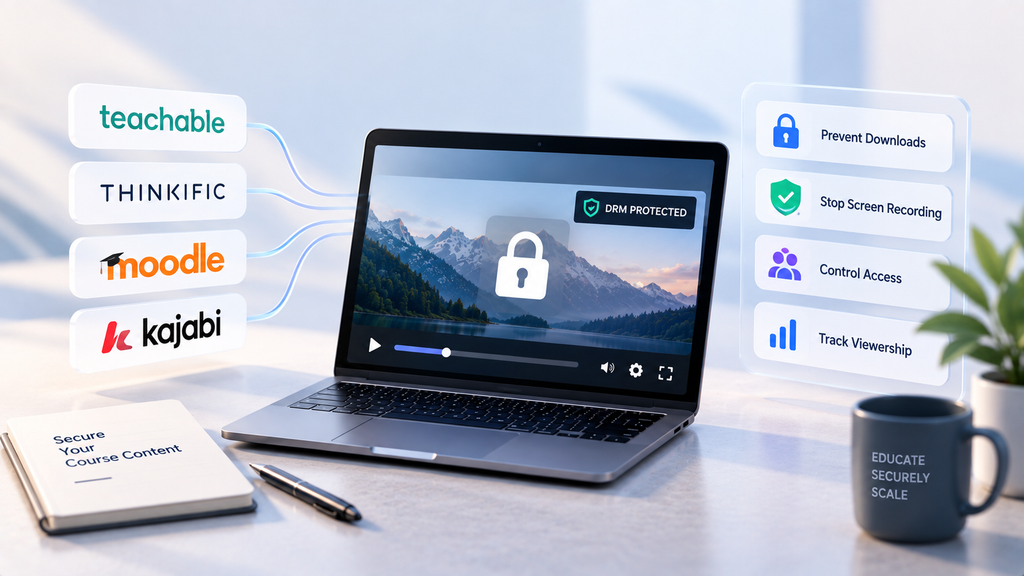
Teachable, Thinkific, and Kajabi route native video through Wistia, which has never shipped DRM at any price. Gumlet, VdoCipher, Mux, Vimeo, Bitmovin, DoveRunner, and Spotlightr are the seven platforms that add real Widevine and FairPlay protection to those LMS platforms and to Moodle, each through a different integration method.
Course creators on a tight budget and no engineering team get the closest fit from Gumlet or VdoCipher; teams with in-house engineering get more control from Mux or Bitmovin. None of the seven protects video that ships bundled inside a SCORM or xAPI package instead of as a hosted stream, a distinction most DRM comparisons skip entirely.
Upgrade your Teachable plan to Pro or Business and check the settings panel for a DRM toggle. It isn’t there, and it was never going to be.
Teachable, Thinkific, and Kajabi all deliver native video through Wistia’s infrastructure, and Wistia has never offered Widevine, FairPlay, or PlayReady at any price point, including its enterprise tier.
That’s not a criticism of any of these platforms. They were built to sell and manage courses: enrollment, checkout, drip scheduling, certificates.
They outsourced video delivery to a specialist because that’s the efficient move, and Wistia is genuinely good at adaptive streaming and clean playback. It was never built for content protection, so none of the three platforms it powers can offer something it doesn’t have.
This article walks through how to add DRM to Teachable, Thinkific, Moodle, and Kajabi without rebuilding your course, compares 7 platforms that do this well, and covers a blind spot almost nobody addresses: what happens to DRM when content is packaged as SCORM instead of streamed.
If you sell paid video and haven’t tested whether your platform’s video can be pulled with a five-minute command-line tool, that’s the first thing worth checking.
Key Takeaways
- Most course platforms do not include real DRM. Teachable, Thinkific, and Kajabi all route native video through Wistia, which has never shipped Widevine, FairPlay, or PlayReady at any pricing tier.
- Video DRM protects a stream, not a file. If a video is bundled inside a SCORM or xAPI package instead of called as a hosted stream, no DRM provider can reach it once the package lands on the learner’s machine.
- Seven platforms integrate cleanly with LMS video today: Gumlet, VdoCipher, Mux, Vimeo, Bitmovin, DoveRunner, and Spotlightr, each reaching an LMS through a different method, from one-click embeds to full API integration.
- Moodle is the outlier among the four named platforms, supporting a native DRM filter plugin and LTI 1.3 launch that closed SaaS platforms like Kajabi simply don’t offer.
- Signed URLs and domain restrictions stop unauthorized access. Only licensed DRM stops an already-enrolled, logged-in viewer from extracting the video once inside the lesson.
- DRM pricing spans a wide range, from a $49 one-time entry tier up to $99 to $300 a month add-ons and custom enterprise contracts, and the right tier depends on course price and volume, not company size.
Do LMS Platforms Include DRM?
Most LMS platforms do not include licensed DRM natively. Moodle is a partial exception: it has no DRM of its own, but its open architecture supports third-party DRM filter plugins that closed SaaS platforms can’t match.
This surprises people because “protection” language is everywhere in course platform marketing: password-protected lesson pages, domain restrictions, and HTTPS delivery. All real, but none of it is DRM.
Run this test on any platform claiming to protect paid video: ask what happens after a legitimate, logged-in student opens the lesson. Password protection, domain locks, and HTTPS all answer a different question, who gets through the door, not what they can do once they’re inside.
Spotlightr is a useful test case here, because it markets itself directly to course creators, but does not offer DRM on any of its tiers. It sells HLS encryption, which is a genuinely different protection tier. HLS encryption scrambles the stream in transit; DRM adds a licensed decryption module that governs what the authorized device can do with the video after it arrives.
Vendors rarely volunteer this distinction, because HLS encryption sounds like enough security to a buyer who hasn’t had a course pirated yet. It usually sounds like enough right up until it isn’t.
No plan upgrade, on any of the four platforms named here, closes that gap. The fix is a separate layer, not a bigger subscription, because access control and content protection are two different jobs, and no course platform in this comparison was built to do both.
Video DRM for LMS is the licensing and encryption system built for the second job. Google Widevine, Apple FairPlay, and Microsoft PlayReady each run through a hardware-backed decryption module built into the browser rather than the browser’s own memory space, which is the specific design choice that keeps a DRM-protected stream out of reach of ordinary screen-capture tools.
The practical test for evaluating any vendor’s claim: ask them to demonstrate DRM, tokenized delivery, and dynamic watermarking together on one real asset, live, on a call. A platform that can only show one of the three is describing the other two, not proving them.
The 7 Best Video DRM Platforms for LMS Use, Compared
Choose Gumlet when you want no-code video DRM with dynamic watermarking bundled at a fixed monthly price. Choose VdoCipher when you’re a solo creator on a tight budget who wants a plug-and-play Moodle or WordPress plugin. Choose Mux or Bitmovin when engineering wants full API control over the video stack.
None of the seven is right if your video is bundled inside a SCORM zip instead of being a hosted stream, a distinction covered later.
| Platform | Widevine | FairPlay | PlayReady | Dynamic Watermarking | Signed URLs | Integration Method | API/SDK | Best-Fit Use Case |
| Gumlet | Yes | Yes | No | Yes (Business tier+) | Yes | Iframe/embed, API | Yes | No-code DRM on Teachable, Thinkific, Kajabi |
| VdoCipher | Yes | Yes | No | Yes | Yes | Native Moodle/WordPress plugin, iframe, API | Yes | Solo educators on a tight budget |
| Mux | Yes | Yes | Yes | No | Yes | API/SDK | Yes | Engineering-led custom video stacks |
| Vimeo | Yes | Yes | Available on Enterprise and OTT plans | No | Partial | Native player embed | Limited | Brand-safe playback, Enterprise-only DRM |
| Bitmovin | Yes | Yes | Yes | No (partner) | Yes | API/SDK | Yes | Enterprise video infrastructure, in-house engineering |
| DoveRunner | Yes | Yes | Yes | Yes (add-on) | Yes | API, CPIX/SPEKE | Yes | Mid-market forensic watermarking plus multi-DRM |
| Spotlightr | No (HLS only) | No | No | Yes | Domain-level | Native WordPress/LearnDash plugin, iframe | Limited | Budget deterrence over licensed DRM |
Table verified against each platform’s published pricing and feature documentation as of September 2026.
Four of the seven platforms require an engineering team to get real value out of them. Mux, Bitmovin, and DoveRunner all expect you to manage packaging, licensing, or player integration yourself, the right trade for a team with headcount for it.
Gumlet, VdoCipher, and Spotlightr are built for a course creator who wants to upload a video, flip a setting, and move on.
1. Gumlet
Gumlet bundles Widevine and FairPlay DRM as a $99-per-month add-on on top of any paid plan, with dynamic watermarking and signed URLs included at that tier.
Setup is no-code: upload the video, toggle DRM on, copy the player embed into the LMS lesson.
Best for: Course creators on Teachable, Thinkific, or Kajabi who want DRM live without touching a codebase.
One disqualifier worth naming: Gumlet doesn’t support PlayReady, so an audience running mostly on Windows-native apps or smart TVs outside a browser context is better served elsewhere.
2. VdoCipher
VdoCipher built its business specifically around e-learning video protection, and it shows in the plugin ecosystem.
The moodle-filter_vdocipher plugin replaces video shortcodes with an embedded, DRM-protected player directly inside Moodle content, no iframe wrangling required.
Pricing starts at $149-per-year for its Starter tier, going up to $4,999-per-year for its Premium plan.
Best for: Solo educators and small course businesses that want the lowest entry price for real Widevine plus FairPlay DRM.
One disqualifier: VdoCipher’s annual, credit-based billing is rigid for teams that want usage-based monthly pricing, a trade-off one G2 reviewer flagged directly.
3. Mux
Mux handles multi-DRM orchestration for Widevine, FairPlay, and PlayReady through API-driven policies after an initial dashboard activation, securing streams by layering signed playback and DRM license tokens on top.
Base DRM pricing runs around $100 a month plus $0.003 per license request, scaling predictably but requiring engineering ownership.
Best for: Teams building a custom LMS or internal training tool where engineering already owns the video stack.
One disqualifier: While Mux natively supports static image overlays, it does not offer per-viewer dynamic or forensic watermarking out-of-the-box, requiring teams that need viewer-specific traceability to implement client-side player layers or integrate third-party security vendors
4. Vimeo
Vimeo’s self-serve plans, Starter through Advanced at $12 to $75 a month, include no DRM. DRM is Enterprise-only, requiring a custom contract typically priced into five figures annually. Best for: Teams already using Vimeo for brand-safe playback and analytics who are prepared to move to an Enterprise agreement specifically to get DRM.
One disqualifier: on a self-serve budget, Vimeo’s DRM path effectively doesn’t exist for you, regardless of which paid tier you’re on.
5. Bitmovin
Bitmovin is enterprise-grade infrastructure with full multi-DRM support (Widevine, FairPlay, PlayReady) for teams assembling their own player and packaging pipeline.
Best for: Platforms with dedicated video engineering that need granular control over encoding, packaging, and DRM policy.
One disqualifier: there’s no native LMS plugin path. Every integration is custom, the right call for a platform team and the wrong call for a solo creator on Kajabi.
6. DoveRunner
DoveRunner covers all three major DRM schemes plus its own proprietary NCG scheme, bundling forensic watermarking as an add-on inside the same contract.
Standard pricing starts around $299 a month for up to 1,000 monthly active users, or $499 a month for up to 20,000 monthly licenses.
Best for: Mid-market platforms that want multi-DRM and forensic watermarking under one vendor relationship instead of stitching two providers together.
One disqualifier: the pricing floor here is meaningfully higher than Gumlet or VdoCipher, a poor fit below a certain course-revenue threshold.
7. Spotlightr
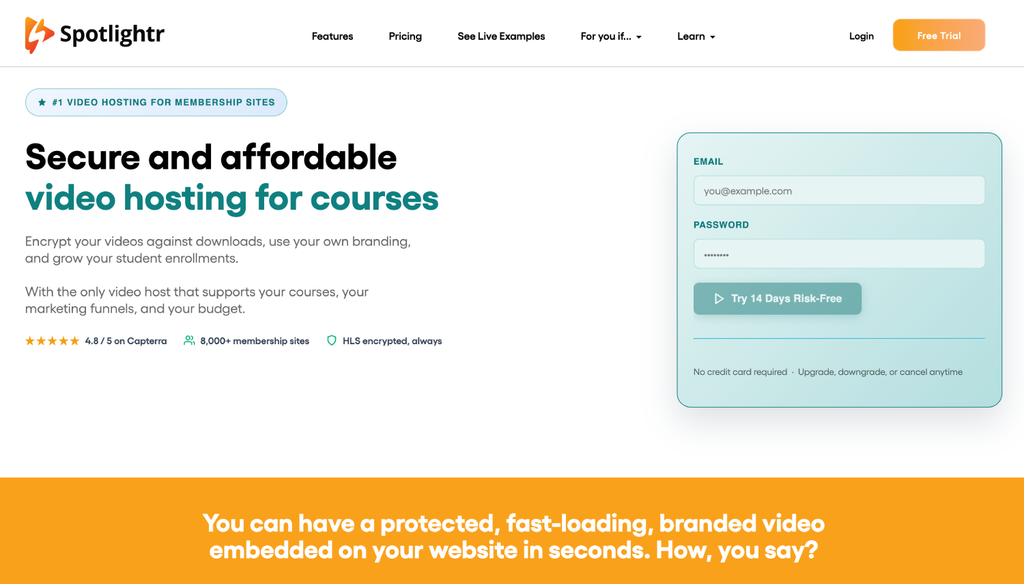
Spotlightr encrypts every video by default using HLS encryption and layers on dynamic watermarking, domain locking, and fast-forward prevention.
It integrates natively with WordPress, LearnDash, Kajabi, and Teachable, with an entry plan at $13 a month.
Best for: Budget-conscious creators who want meaningful deterrence against casual piracy without the setup overhead of licensed multi-DRM.
One disqualifier: HLS encryption is not the same protection tier as licensed Widevine or FairPlay DRM. It stops casual downloading well. It doesn’t add the device-level playback licensing that stops a determined, technically capable viewer.
Which Video DRM Platforms Work With Teachable, Thinkific, Moodle, and Kajabi?
The honest answer changes by platform, because “LMS integration” means something different depending on whether the DRM host offers a native plugin, an iframe embed, or a full API. Here’s how the seven platforms above actually map onto Teachable, Thinkific, Moodle, and Kajabi.
| DRM Platform | Teachable | Thinkific | Moodle | Kajabi |
| Gumlet | Iframe/HTML embed | Iframe/HTML embed | Iframe/HTML embed | HTML embed |
| VdoCipher | Iframe embed | Iframe embed (watch for stripped attributes) | Native filter plugin | Script/iframe embed |
| Mux | API/custom embed | API/custom embed | API/custom or LTI | API/custom embed |
| Vimeo | Native player embed | Native player embed | Native player embed | Native player embed |
| Bitmovin | API/custom integration | API/custom integration | API/custom integration | API/custom integration |
| DoveRunner | API/custom integration | API/custom integration | API/custom or plugin via packager | API/custom integration |
| Spotlightr | Native embed/custom code | Native embed/custom code | Unsupported (no native plugin) | Native embed/custom code |
Matrix verified against each vendor’s published integration documentation as of September 2026.
Moodle is the one platform on this list with a genuine native DRM plugin. VdoCipher’s moodle-filter_vdocipher plugin drops a DRM-protected player directly into Moodle content without an iframe, structurally different from what Teachable, Thinkific, or Kajabi offer.
That’s not a knock on the SaaS platforms, which trade integration depth for simplicity everywhere else in the product. It just means DRM on those three consistently comes down to one thing: copy an embed code into a lesson.
How to Add DRM-Protected Video to Teachable, Thinkific, and Kajabi
All three platforms accept HTML embeds or iframes directly inside their lesson builders, which is what makes the video-layer swap possible without touching enrollment, checkout, or course structure.
The setup differs slightly by platform once you’re past the DRM host itself:
- Upload your course videos to a DRM-capable host, not the platform’s native uploader. Apply Widevine and FairPlay encryption at that layer.
- Turn on dynamic watermarking, if the provider offers it, so a viewer’s email or session ID overlays the video during playback.
- Copy the DRM host’s player embed code.
- Paste it into the lesson builder as an HTML embed, iframe, or custom code block, depending on the platform.
- Confirm the video plays correctly after saving.
Enrollment, checkout, drip scheduling, and certificates stay exactly where they were. Only the video tag inside the lesson changes.
Two platform-specific quirks are worth knowing before troubleshooting anything else. On Thinkific, some lesson editors have been reported to strip attributes from pasted iframes, which can silently break DRM playback with no error message shown. If a video won’t load after saving, re-open the embed source in the lesson editor and confirm the full iframe code, including any allow attributes the provider specified, is still intact.
On Kajabi, the product builder accepts embed codes through its custom code or video embed block, and playback quality should match what the platform’s native video was delivering, since Kajabi still owns everything except the video stream itself.
How to Add DRM to Moodle
Moodle offers more integration depth than Teachable, Thinkific, or Kajabi: a native plugin architecture, LTI 1.3 launch, a custom-built plugin, and a web-services API for driving Moodle from outside. Two paths matter most for video.
- Install a native DRM filter plugin if one exists for your provider. VdoCipher’s moodle-filter_vdocipher plugin, for example, replaces video shortcodes with a fully DRM-protected embedded player, no iframe required.
- Enter your provider’s API key in the plugin’s configuration page after installation.
- Turn the filter on under Moodle’s Manage Filters settings so the shortcode renders correctly across your content.
- Alternatively, use LTI 1.3 if your provider offers an LTI launch endpoint, authenticating through Moodle’s own login session rather than a standalone embed.
Because Moodle is open-source and plugin-extensible, DRM providers can build first-party integrations instead of everyone converging on the same generic iframe workaround.
Does Moodle support DRM plugins?
Yes, but the distinction matters: a Moodle plugin handles embedding and authentication, while DRM licensing itself lives with the video host.
VdoCipher’s Moodle filter plugin replaces video shortcodes with a protected player, while Widevine and FairPlay licensing happen on VdoCipher’s own servers. The plugin is the bridge, not the DRM system itself.
Credential Sharing and Geo Restrictions: The Gap DRM Doesn’t Close
DRM stops an authenticated viewer from extracting the video file. It does nothing to stop that same viewer from handing their login to five friends.
This is a separate problem from the one this article has covered so far, and course creators often assume DRM solves it. It doesn’t. A shared password gets every one of those five friends a fully authorized, fully licensed, DRM-protected viewing session, because DRM only checks whether the session is legitimate, not whether the person behind it paid for their own seat.
Two controls close this gap, and neither is DRM:
- Token-based authentication issues a fresh, time-limited access token per session, so a shared login can’t run two simultaneous sessions on one credential set.
- Concurrent session limits cap how many active streams one account can hold at once, flagging or blocking the extras.
Geo restrictions solve a related but distinct problem: A course priced differently by region, or licensed only for certain territories, needs playback blocked outside its approved geography. VPN and proxy detection layered on top of geo restriction catches viewers routing around the geographic gate, something plain IP-based geo-blocking alone misses.
Choose credential-sharing controls when enrollment is growing faster than revenue, a common sign of shared logins.
Choose geo restrictions when a course is priced differently across markets or restricted by licensing terms.
Neither substitutes for DRM, and DRM doesn’t substitute for either of them: a full piracy defense needs all three layers working together, not just the one this article has focused on.
Which DRM Works With SCORM or xAPI Packages?
Here’s the distinction almost every DRM comparison in this category skips, and it changes the answer for a meaningful share of institutional buyers.
Video DRM protects a stream. It does not protect a file bundled inside a package. SCORM and xAPI packages ship as a zip file containing the course’s HTML, JavaScript, and media assets, including video, as static files that live directly inside that package.
When a learner’s LMS unpacks a SCORM zip, any video file inside it sits on the delivery server, or in some cases the learner’s own device, as a plain, unencrypted file the moment the package extracts.
DRM licensing has nothing to attach to at that point, because the content was never called as a protected stream in the first place.
Call this the Stream vs. Package Rule: If your video is called as a hosted stream, whether through an iframe, an API call, or an LTI launch, DRM applies exactly as described everywhere else here.
If it’s packaged inline inside a SCORM or xAPI zip, no DRM provider on this list, or anywhere else, can reach it after the package extracts.
The fix isn’t a DRM setting but an architecture change: the package should reference an external, DRM-protected stream URL and pull the video at runtime instead of embedding the raw file, which is exactly the pattern Moodle’s LTI 1.3 path supports natively.
Does DRM Protect Downloadable PDFs and Course Files Too?
No. Video DRM protects video playback specifically. PDFs, worksheets, and other downloadable course files need a separate protection layer, typically document DRM, expiring signed links, or access-controlled storage.
Treating DRM as a blanket protection for every file type in a course is one of the more common and costly assumptions course creators make.
Not every feature on a vendor’s spec sheet earns its place on your shortlist either.
PlayReady matters if a meaningful share of learners are on Windows-native apps, Edge, or smart TVs, skippable for browser-and-mobile-only audiences.
Dynamic watermarking overlays a viewer’s email or session identifier onto the video during playback, creating a traceable record if a copy leaks, which matters most where a single leak represents real revenue loss.
Domain restriction, stopping your embed from playing outside your approved LMS domain, is table stakes on every platform in this comparison.
Mobile SDK coverage needs a specific check if any part of delivery happens inside a mobile app, since in-app WebViews handle DRM differently than a full mobile browser.
Before committing to a video platform, run a real piracy test: Upload a protected asset, attempt an unauthorized download using a common extraction tool, and check whether a leaked copy carries a recoverable watermark trace.
If a vendor can’t walk you through this test on a call, the security they’re describing is theoretical.
What Does Video DRM for an LMS Actually Cost?
Pricing here splits cleanly into two bands, and which one applies to you has almost nothing to do with company size and everything to do with course price and volume.
For Solo Creators and Small Course Businesses
VdoCipher’s $149-per-year entry Starter tier is the lowest entry point for multi-DRM. Another affordable option is Gumlet’s $6-per-month entry Creator tier paired with its $99-per-month multi-DRM add-on.
Spotlightr’s entry plan starts at $13 a month for HLS encryption and watermarking rather than licensed multi-DRM.
For Growing Platforms and Institutional Buyers
The numbers move into monthly add-on territory. Gumlet’s DRM add-on runs $99 a month with 100,000 views included, then roughly $1 per additional 1,000 views. This can be added to either Gumlet’s $19-per-month Growth tier or $99-per-month Business tier, based on bandwidth and storage requirement.
Mux’s DRM pricing runs around $100 a month in base fees plus roughly $0.003 per license request. DoveRunner’s Standard plan starts at $299 a month for up to 1,000 monthly active users (MAU), or $499 a month for up to 20,000 licenses (MAL).
For Enterprise-Scale Usage
At the ceiling, Vimeo’s Enterprise-only DRM typically starts well into five figures annually, a jump one Reddit user described after Vimeo pushed them from an $800 annual plan toward a $20,000 quote just to get DRM turned on.
Which Platform Should You Actually Choose?
Filtered by what most course creators on Teachable, Thinkific, Moodle, or Kajabi actually need, real Widevine and FairPlay coverage, an integration path that doesn’t require a dedicated engineer, and dynamic watermarking included rather than bolted on, Gumlet and VdoCipher come out closest to the bar.
VdoCipher wins on price floor and its native Moodle plugin. Gumlet’s advantage shows up on the SaaS-platform side: DRM and dynamic watermarking bundle at one fixed monthly rate, and the same no-code embed pattern works identically across Teachable, Thinkific, and Kajabi.
Mux, Bitmovin, and DoveRunner earn their place only when engineering ownership is already a given, Vimeo only inside its own ecosystem with an Enterprise contract on the table, and Spotlightr only when deterrence, not licensed DRM, is genuinely enough for the content at stake.
None of this is permanent. DRM pricing, plugin support, and platform integrations shift often enough that a Moodle plugin or a Gumlet pricing tier confirmed here could look different in six months.
Re-check the vendor’s own pricing and documentation page before committing, especially on any platform where the number quoted here comes from a third-party source rather than the vendor directly.
Frequently Asked Questions
1. Do LMS platforms like Teachable, Thinkific, or Kajabi include DRM?
No. All three deliver native video through Wistia, and Wistia has never offered DRM at any pricing tier, including its most expensive plans. This is a shared infrastructure limitation across all three platforms, not a feature any of them chose to withhold. Adding real DRM requires embedding a separate video host into the existing lesson builder, which none of these platforms prevent.
2. How do I add DRM to Moodle?
Install a native DRM filter plugin from your chosen provider, such as VdoCipher’s moodle-filter_vdocipher, which replaces video shortcodes with a protected player. Alternatively, use an LTI 1.3 launch if your provider supports it, which authenticates through Moodle’s own login session. Moodle’s plugin architecture gives it deeper native integration options than closed SaaS platforms like Teachable or Kajabi offer.
3. Can DRM-protected videos play on mobile LMS apps?
Yes, but only if the DRM provider ships native SDKs for iOS and Android specifically. FairPlay needs a native SDK on iOS, and Widevine needs one on Android, since in-app WebViews don’t always handle DRM the same way a full native browser does. Confirm SDK-level mobile support before assuming a web-based DRM setup carries over automatically to your course’s mobile app.
4. What’s the difference between a signed URL and DRM?
A signed URL controls who can access a video link and for how long, expiring after a set window or number of uses. DRM controls what an already-authorized viewer can do with the video stream during playback, including blocking file extraction and limiting screen recording at the device level.
Use signed URLs for access control and DRM for content protection: only DRM stops an enrolled, authenticated viewer from extracting the video file, the most common piracy vector for paid course content.
5. Does DRM work with SCORM packages?
Not if the video is bundled directly inside the SCORM zip as a static file, because DRM licensing has nothing to attach to once that package extracts and the file sits unencrypted on the delivery server.
It does work if the SCORM or xAPI package references an external, DRM-protected stream URL and pulls the video at runtime instead of packaging it inline. Video DRM protects streams, not files, which is the entire reason the packaging method decides whether protection carries through.
6. Do I need a developer to add DRM to my LMS?
Not for Teachable, Thinkific, or Kajabi. All three accept HTML embeds or iframes directly in the lesson builder, so pasting in a DRM host’s player embed code is a no-code task.
Moodle can go either way: a native filter plugin is close to no-code, while LTI 1.3 or a custom API integration benefits from developer support.
If your provider requires custom packaging or a raw API integration just to play a video, budget for engineering time before committing.
7. Can a shared login bypass DRM protection?
Yes. DRM protects the video stream during playback, not the login itself. If a student shares their password, every person using it gets a fully licensed, DRM-protected session, because DRM has no way to know the credential is shared.
Token-based authentication and concurrent session limits are the controls that address credential sharing specifically. They cap how many active sessions one login can run at once, which DRM alone does not do.
For course creators specifically, Gumlet’s video hosting for course creator guide covers how DRM, watermarking, and adaptive delivery come together for paid video businesses running on the platforms covered above. Worth going through once before you arrive at a decision.