Introduction
Root Cause Analysis (RCA) tools are systematic methodologies and software applications designed to identify the underlying origins of a problem or incident. In complex technical environments, a “symptom” is often just the tip of the iceberg; without identifying the root cause, teams find themselves in a perpetual cycle of reactive troubleshooting. RCA tools facilitate a move from “firefighting” to strategic prevention by enabling engineers and analysts to peel back the layers of a failure—whether it be a software bug, a hardware failure, or a process breakdown. By utilizing structured data visualization and logical mapping, these tools help organizations build more resilient systems and more efficient workflows.
In the current landscape of high-availability digital services, the cost of downtime has reached an all-time high. Modern enterprises rely on RCA platforms to manage the massive influx of telemetry data generated by microservices, cloud infrastructure, and automated pipelines. Effective RCA is no longer just a post-mortem exercise; it is a critical component of continuous improvement and operational excellence. When evaluating these platforms, buyers must look for features that support collaborative investigation, automated data ingestion, and actionable reporting. A robust RCA tool should bridge the gap between technical metrics and human decision-making, ensuring that every failure becomes a documented opportunity for long-term system hardening.
Best for: SRE teams, DevOps engineers, quality assurance managers, and safety compliance officers in industries where system reliability and process integrity are mission-critical.
Not ideal for: Organizations with extremely simple, non-critical workflows where the cost of implementing a formal analysis tool outweighs the impact of occasional, easily identifiable errors.
Key Trends in Root Cause Analysis Tools
The most significant shift in the RCA space is the integration of artificial intelligence and machine learning, which allows tools to correlate thousands of disparate events and suggest potential root causes in real-time. There is a growing trend toward “Observability-Driven RCA,” where the analysis is integrated directly into the monitoring stack rather than being a separate, manual process. Automated incident timelines are becoming standard, utilizing metadata and timestamps to recreate the exact sequence of events leading to a failure without human bias.
We are also seeing a major push for collaborative workspace features, enabling cross-functional teams to contribute to a shared “investigation board” from different geographic locations. Standardized reporting formats, such as digital Fishbone diagrams and interactive “5 Whys” trees, are now being automated to satisfy regulatory compliance and internal auditing requirements. Furthermore, integration with version control systems allows RCA tools to pinpoint specific code changes or deployment events that align with the onset of an incident, creating a seamless link between the failure and the release cycle.
How We Selected These Tools
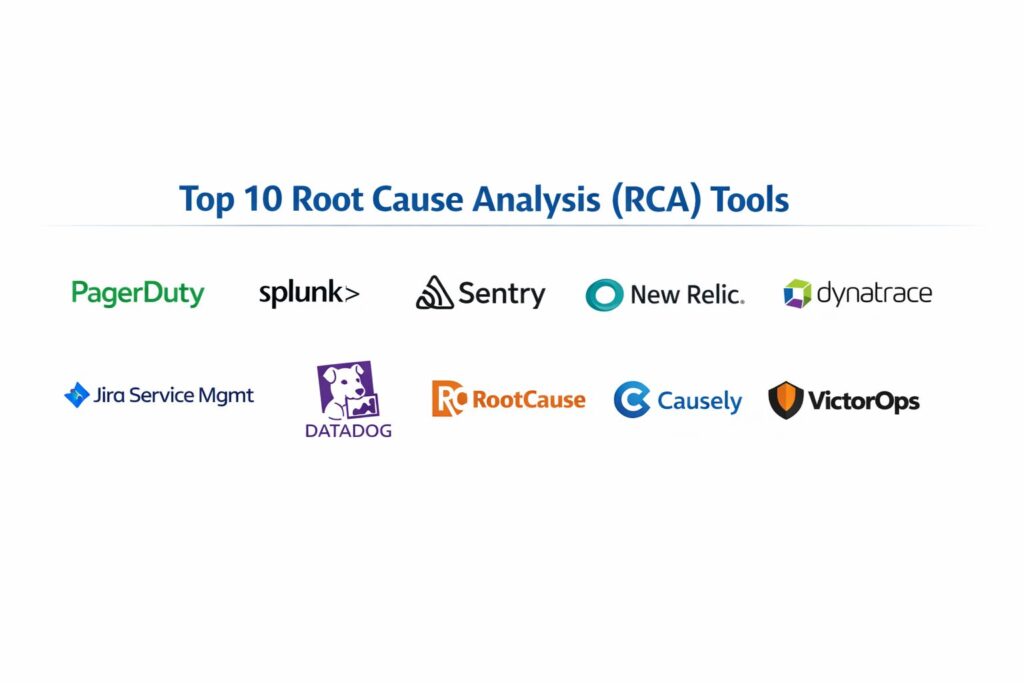
The selection of these top ten RCA tools was based on their ability to facilitate deep, structured investigations within modern technical and industrial environments. We prioritized software that offers a balance between traditional investigative methodologies—such as Ishikawa and Fault Tree Analysis—and modern, data-driven automated insights. Market adoption was a key signal, as tools with large user bases tend to offer better integration with the broader DevOps and ITIL ecosystems.
Technical performance was evaluated based on the tool’s ability to ingest and process large volumes of incident data without lag. Security and compliance were non-negotiable criteria; we focused on platforms that provide secure audit trails and role-based access to sensitive incident data. We also considered the “time-to-insight”—how quickly a team can move from an alert to a confirmed root cause. Finally, we looked for tools that offer strong reporting capabilities, ensuring that findings can be easily communicated to executive stakeholders and transformed into permanent preventative measures.
1. PagerDuty
PagerDuty has evolved from a simple alerting service into a sophisticated incident management and RCA platform. It leverages a vast amount of historical incident data to provide “Intelligence Applications” that help teams identify patterns and root causes across complex digital stacks. It excels at connecting the right people with the right data at the exact moment a failure occurs.
Key Features
The platform features an automated change intelligence engine that surface recent deployments or infrastructure changes related to an incident. It provides a centralized “Incident Post-Mortem” tool that automates the creation of timelines and reports. The system utilizes machine learning to group related alerts, reducing noise and highlighting the primary trigger. It includes a collaborative “War Room” for real-time investigation and documentation. Additionally, it offers deep visibility into service dependencies, helping teams understand the “blast radius” of a specific failure.
Pros
Exceptional at automating the administrative overhead of incident investigations. It integrates with almost every monitoring and deployment tool in the modern stack.
Cons
The advanced RCA and AIOps features are often locked behind higher-priced enterprise tiers. It can be complex to configure for organizations with very large, fragmented service maps.
Platforms and Deployment
Web-based platform with native mobile applications for iOS and Android.
Security and Compliance
Provides SSO/SAML integration, role-based access control, and is compliant with SOC 2, HIPAA, and GDPR standards.
Integrations and Ecosystem
Integrates natively with over 700 tools, including AWS, Datadog, Slack, Jira, and ServiceNow.
Support and Community
Offers 24/7 global support, a dedicated “Knowledge Base,” and a very active community of SRE and DevOps professionals.
2. Splunk Enterprise
Splunk is a powerhouse in the data analysis space, providing deep-visibility RCA by indexing and analyzing massive volumes of machine data. It allows investigators to search through logs, metrics, and traces to find the “needle in the haystack” that caused a system-wide failure.
Key Features
The platform utilizes a powerful search processing language for complex data querying. It features automated anomaly detection that flags deviations from normal system behavior before an incident escalates. It provides interactive dashboards that can visualize the sequence of events across multiple servers and applications. The system includes a dedicated “Service Intelligence” layer for mapping business impacts to technical failures. It also supports automated forensic investigations by preserving a high-fidelity audit trail of all system activities.
Pros
Unmatched capability for handling and searching through massive, unstructured datasets. Its flexibility allows it to be used for RCA in IT, security, and industrial IoT contexts.
Cons
The cost can escalate quickly as data ingestion volumes increase. It requires specialized knowledge to master the proprietary query language.
Platforms and Deployment
Cloud, On-premise, and Hybrid deployment options.
Security and Compliance
Highly secure with FIPS 140-2 compliance, SOC 2 Type 2, and ISO 27001 certifications.
Integrations and Ecosystem
Features a massive “Splunkbase” app store with thousands of pre-built integrations for nearly every enterprise technology.
Support and Community
Offers comprehensive professional services, extensive certification programs, and a massive global user community.
3. Sentry
Sentry is a developer-centric RCA tool that focuses specifically on application performance and error tracking. It provides the “context” behind software failures by capturing the exact state of the application—including the stack trace and variable values—at the moment of a crash.
Key Features
The tool features “Breadcrumbs,” which show the sequence of user actions leading up to an error. It provides “Suspect Commits,” which automatically identifies the specific code change likely responsible for a bug. It includes cross-project issue grouping to identify when a single root cause is affecting multiple services. The system supports distributed tracing to track requests as they move through a microservices architecture. It also features a “Release Health” dashboard to monitor the impact of new deployments in real-time.
Pros
Provides immediate, actionable insights for developers without requiring manual log digging. It is extremely effective at reducing the “Mean Time to Resolution” for software bugs.
Cons
Primarily focused on application errors; it is less suited for infrastructure or hardware-level RCA. High-volume applications can generate a significant amount of noise if not configured correctly.
Platforms and Deployment
Cloud-hosted and Self-hosted (Open-source) versions available.
Security and Compliance
SOC 2 Type 2 compliant, GDPR ready, and offers data scrubbing features to prevent PII from entering the system.
Integrations and Ecosystem
Deep integrations with GitHub, GitLab, Jira, Slack, and all major programming languages and frameworks.
Support and Community
Strong community support for the open-source version and dedicated account management for enterprise customers.
4. New Relic
New Relic is an all-in-one observability platform that provides a “full-stack” approach to RCA. By correlating traces, logs, and metrics in a single interface, it allows teams to see how an infrastructure failure cascades into application errors and degraded user experiences.
Key Features
The platform includes “Applied Intelligence” for automated correlation of related incidents. It features a “Service Maps” tool that visually displays dependencies and health status across the entire ecosystem. It provides a “NerdGraph” API for custom data querying and automation of RCA reports. The system includes “Errors Inbox,” a centralized place to manage and investigate errors across all projects. It also features high-fidelity distributed tracing that helps pinpoint bottlenecks in complex request chains.
Pros
Eliminates data silos by providing a single source of truth for all telemetry data. The automated correlation features significantly reduce “alert fatigue” during major incidents.
Cons
The pricing model, based on data ingest and user seats, can be difficult to predict for growing teams. The interface can be overwhelming due to the sheer volume of available data.
Platforms and Deployment
Cloud-native SaaS platform.
Security and Compliance
Compliant with HIPAA, SOC 2, and GDPR, featuring robust data encryption and access controls.
Integrations and Ecosystem
Extensive library of integrations for cloud providers, containers, and classic infrastructure components.
Support and Community
Provides a comprehensive “New Relic University” for training and 24/7 technical support for higher-tier customers.
5. Dynatrace
Dynatrace is an AI-driven monitoring platform designed for massive, enterprise-scale environments. Its core strength lies in its “Davis” AI engine, which performs automatic root cause analysis by processing billions of dependencies in real-time.
Key Features
The “Davis” AI engine automatically identifies the root cause of an incident, including the specific line of code or infrastructure component. It features “OneAgent” technology for automated discovery and instrumentation of all system components. It provides a “Smartscape” topology map that visualizes every relationship between users, apps, and infrastructure. The system includes automated quality gates for “Cloud Automation,” preventing faulty code from reaching production. It also features “Session Replay” to see exactly what a user experienced during a failure.
Pros
The automation level is industry-leading, often identifying root causes without any manual investigation. It is highly scalable and designed for the most complex multi-cloud environments.
Cons
One of the most expensive options on the market, making it less accessible for smaller startups. The automated nature can sometimes feel like a “black box” to highly technical users.
Platforms and Deployment
SaaS, Managed (On-premise), and Hybrid options.
Security and Compliance
FedRAMP authorized, SOC 2 Type 2, and ISO 27001 certified.
Integrations and Ecosystem
Strong support for Kubernetes, OpenTelemetry, and all major cloud platforms.
Support and Community
Offers premium “Guardians” support and a very active “Dynatrace Community” for sharing best practices.
6. Jira Service Management
While primarily an ITSM tool, Jira Service Management provides a structured framework for RCA through its specialized “Problem Management” modules. It is the tool of choice for organizations that follow ITIL best practices for incident and problem resolution.
Key Features
The platform features dedicated “Problem” issue types that link multiple “Incidents” to a single root cause investigation. It provides a collaborative environment for documenting “Post-Incident Reviews” (PIRs). It includes built-in reporting for “Major Incident” frequency and resolution trends. The system allows for the creation of automated workflows that trigger RCA tasks whenever a high-priority incident is closed. It also features a “Configuration Management Database” (CMDB) to visualize assets and their dependencies.
Pros
Seamlessly integrates the RCA process with the existing task management and developer workflows in Jira. Excellent for maintaining a long-term, searchable record of historical failures and solutions.
Cons
It is not an observability tool; it requires manual input or integration with monitoring tools to ingest technical data. The UI can be cumbersome for teams used to lightweight investigation tools.
Platforms and Deployment
Cloud, Data Center (Self-managed).
Security and Compliance
Adheres to strict enterprise standards, including SOC 2, ISO 27001, and HIPAA compliance.
Integrations and Ecosystem
Part of the massive Atlassian ecosystem, with thousands of Marketplace apps for extended functionality.
Support and Community
Extensive documentation, global support tiers, and an unmatched network of third-party consultants.
7. Datadog
Datadog is a modern observability platform that excels in cloud-scale RCA. It provides a “Watchdog” AI that surface outliers and anomalies across logs, metrics, and traces, helping teams identify root causes in dynamic, containerized environments.
Key Features
The “Watchdog” feature automatically detects performance anomalies and suggests potential causes. It features “Log Management” with high-speed indexing and long-term archive search for forensic RCA. It provides “APM” (Application Performance Monitoring) with distributed tracing to follow a single request across many services. The system includes “Cloud SIEM” for investigating security incidents as root causes of system failure. It also features “Notebooks” for creating collaborative, data-rich post-mortem reports.
Pros
Extremely easy to set up and provides immediate visibility into cloud-native infrastructure. The “Notebooks” feature is excellent for collaborative investigation and sharing findings.
Cons
The modular pricing (charging separately for logs, metrics, APM, etc.) can lead to unexpected costs as more features are enabled. Retention of high-fidelity data can become expensive over time.
Platforms and Deployment
Cloud-native SaaS.
Security and Compliance
SOC 2 Type 2, HIPAA, and GDPR compliant, with robust data masking and redaction capabilities.
Integrations and Ecosystem
Offers over 600 integrations, with a heavy focus on cloud, containers, and serverless technologies.
Support and Community
Provides 24/7 chat support and a wide array of learning paths through “Datadog Learning Center.”
8. RootCause (by SmartBear)
RootCause is a specialized tool designed specifically for front-end web application RCA. It captures a “video-like” recording of the user’s session along with the technical logs, making it easier to reproduce and solve complex UI/UX failures.
Key Features
The platform features “Session Recording” that syncs with JavaScript console logs and network requests. It provides automated “Snapshot” captures of the DOM (Document Object Model) at the moment of an error. It includes a “Timeline” view that correlates user interactions with technical background events. The system supports “Environment Mocking” to reproduce errors in a local environment. It also features automated error grouping to prevent duplicate investigations of the same front-end bug.
Pros
Uniquely effective at solving “it works on my machine” issues by showing exactly what the user saw and did. It drastically reduces the time needed for front-end developers to reproduce bugs.
Cons
Limited to web-based front-end applications; it does not provide visibility into backend infrastructure or database layers. It requires adding a script to the client-side code, which may impact page load times.
Platforms and Deployment
SaaS and On-premise options.
Security and Compliance
Features automated PII masking in session recordings and is compliant with standard data protection regulations.
Integrations and Ecosystem
Integrates with Jira, Slack, GitHub, and major front-end frameworks like React and Angular.
Support and Community
Strong technical documentation and direct support for enterprise-level customers.
9. Causely
Causely is an emerging “Causal AI” platform that goes beyond correlation to identify the actual cause-and-effect relationships in complex systems. It is designed to automate RCA by building a dynamic model of system behavior.
Key Features
The tool utilizes a “Causal Discovery” engine that understands the “why” behind system changes, not just the “what.” It features “Automatic Root Cause Identification” that eliminates the need for manual dashboard correlation. It provides “Impact Analysis” to predict how a failure in one component will affect the rest of the system. The system continuously learns system topology from existing observability data. It also features “Actionable Remediations,” suggesting the specific fix required to resolve the root cause.
Pros
Represents the next generation of RCA by moving from simple anomaly detection to true causal reasoning. It significantly reduces the manual effort required for complex microservices troubleshooting.
Cons
As a newer technology, it may have a smaller integration ecosystem compared to established players. Requires high-quality observability data to build its causal models.
Platforms and Deployment
Cloud-native SaaS.
Security and Compliance
Built with modern security standards; specific certifications are typically not publicly stated as it is in an early growth phase.
Integrations and Ecosystem
Integrates with major observability tools like Prometheus, Datadog, and New Relic.
Support and Community
Direct support from the engineering team and a growing user base focused on AIOps and automation.
10. VictorOps (Splunk On-Call)
Now part of the Splunk ecosystem, VictorOps (Splunk On-Call) provides a “collaborative incident response” environment that emphasizes the human element of RCA. It is designed to facilitate communication and knowledge sharing during high-pressure outages.
Key Features
The platform features a “Timeline” that records all chat communications alongside technical alerts. It provides a “Transmogrifier” tool to enrich alerts with links to RCA runbooks and documentation. It includes “Annotation” features that allow team members to tag specific alerts with investigative notes. The system features a “Post-Incident Report” builder that uses the collaborative timeline as its foundation. It also includes “On-Call Scheduling” to ensure the right subject matter experts are present for the analysis.
Pros
Excellent at capturing the “tribal knowledge” that is often lost during manual investigations. It turns the chaos of a live incident into a structured dataset for the final RCA report.
Cons
It is less automated than AIOps-focused tools like Dynatrace. To get the most out of it, teams must be disciplined in using the tool during the live incident.
Platforms and Deployment
Cloud-hosted SaaS.
Security and Compliance
SOC 2 Type 2 compliant and utilizes secure encryption for all in-transit and at-rest data.
Integrations and Ecosystem
Seamlessly integrates with the broader Splunk suite, as well as Slack, Microsoft Teams, and various monitoring tools.
Support and Community
Comprehensive support through the Splunk ecosystem and a dedicated user community.
Comparison Table
| Tool Name | Best For | Platform(s) Supported | Deployment | Standout Feature | Public Rating |
| 1. PagerDuty | Incident Orchestration | Web, iOS, Android | Cloud | Change Intelligence | 4.6/5 |
| 2. Splunk | Log/Unstructured Data | Win, Linux, Cloud | Hybrid | Search Processing (SPL) | 4.5/5 |
| 3. Sentry | Developer Error Tracking | Web, All Major OS | Hybrid | Suspect Commits | 4.7/5 |
| 4. New Relic | Full-Stack Observability | Web | Cloud | Applied Intelligence | 4.4/5 |
| 5. Dynatrace | Enterprise AIOps | Web, All Major OS | Hybrid | Davis AI Engine | 4.5/5 |
| 6. Jira Service Mgmt | ITIL/Process Compliance | Web, iOS, Android | Hybrid | Problem Linking | 4.2/5 |
| 7. Datadog | Cloud-Native Metrics | Web | Cloud | Watchdog AI | 4.6/5 |
| 8. RootCause | Front-End/UX Analysis | Web | Hybrid | Session Replay/Mocking | 4.3/5 |
| 9. Causely | Causal AI Automation | Web | Cloud | Causal Discovery | N/A |
| 10. VictorOps | Collaborative Response | Web, iOS, Android | Cloud | Timeline Annotation | 4.4/5 |
Evaluation & Scoring of Root Cause Analysis Tools
The scoring below is a comparative model intended to help shortlisting. Each criterion is scored from 1–10, then a weighted total from 0–10 is calculated using the weights listed. These are analyst estimates based on typical fit and common workflow requirements, not public ratings.
Weights:
- Core features – 25%
- Ease of use – 15%
- Integrations & ecosystem – 15%
- Security & compliance – 10%
- Performance & reliability – 10%
- Support & community – 10%
- Price / value – 15%
| Tool Name | Core (25%) | Ease (15%) | Integrations (15%) | Security (10%) | Performance (10%) | Support (10%) | Value (15%) | Weighted Total |
| 1. PagerDuty | 9 | 8 | 10 | 9 | 9 | 9 | 7 | 8.65 |
| 2. Splunk | 10 | 5 | 9 | 10 | 10 | 9 | 6 | 8.35 |
| 3. Sentry | 9 | 9 | 9 | 8 | 9 | 8 | 9 | 8.80 |
| 4. New Relic | 9 | 7 | 9 | 9 | 8 | 8 | 7 | 8.15 |
| 5. Dynatrace | 10 | 6 | 9 | 10 | 10 | 9 | 6 | 8.45 |
| 6. Jira Service Mgmt | 7 | 7 | 9 | 9 | 8 | 10 | 8 | 7.95 |
| 7. Datadog | 9 | 8 | 10 | 9 | 9 | 9 | 7 | 8.65 |
| 8. RootCause | 8 | 8 | 7 | 8 | 8 | 7 | 8 | 7.75 |
| 9. Causely | 9 | 7 | 6 | 7 | 8 | 7 | 7 | 7.45 |
| 10. VictorOps | 8 | 8 | 8 | 9 | 8 | 8 | 8 | 8.10 |
How to interpret the scores:
- Use the weighted total to shortlist candidates, then validate with a pilot.
- A lower score can mean specialization, not weakness.
- Security and compliance scores reflect controllability and governance fit, because certifications are often not publicly stated.
- Actual outcomes vary with assembly size, team skills, templates, and process maturity.
Which Root Cause Analysis Tool Is Right for You?
Solo / Freelancer
For independent developers, a tool that focuses on application errors and is easy to set up is ideal. A platform that provides deep context into code failures without requiring complex infrastructure monitoring will offer the most value for minimal effort.
SMB
Small to medium businesses should look for tools that offer “all-in-one” observability. Having a single platform that handles logs, metrics, and incident management prevents data silos and allows a smaller team to perform comprehensive RCA without switching between multiple interfaces.
Mid-Market
Organizations in this tier often need a balance between technical depth and process compliance. A solution that integrates well with task management systems while providing automated incident timelines is key for scaling operations and maintaining a searchable history of failures.
Enterprise
At the enterprise scale, automation and AI are non-negotiable. Tools that can automatically discover dependencies and suggest root causes across thousands of microservices are essential for preventing major outages and managing the sheer complexity of multi-cloud environments.
Budget vs Premium
Budget-conscious teams should explore open-source or developer-first tools that offer high functionality in their free tiers. Premium solutions are a significant investment but are justified by their advanced AIOps capabilities and enterprise-grade security and support.
Feature Depth vs Ease of Use
Highly technical teams may prefer “search-heavy” tools that allow them to query every possible metric, whereas teams focused on rapid resolution may prefer “AI-heavy” tools that do the heavy lifting of correlation and identification automatically.
Integrations & Scalability
The most effective RCA tool is one that fits perfectly into your existing ecosystem. Ensure the platform you choose has native support for your cloud providers, communication tools, and deployment pipelines to maximize the value of its insights.
Security & Compliance Needs
In regulated industries, the ability to maintain an immutable audit trail and mask sensitive data during an investigation is paramount. Choose a platform with documented compliance certifications and robust role-based access controls to satisfy legal and internal requirements.
Frequently Asked Questions (FAQs)
1. What is the difference between RCA and incident management?
Incident management is the process of restoring service as quickly as possible, while Root Cause Analysis is the subsequent investigation into why the service failed in the first place and how to prevent it from happening again.
2. Can AI-driven tools replace human investigators?
AI can significantly speed up the process by correlating data and identifying anomalies, but human judgment is still required to understand the broader business context and implement the final preventative changes.
3. Why is “Mean Time to Resolution” (MTTR) important in RCA?
MTTR is a key metric for measuring the efficiency of your RCA tools. A lower MTTR indicates that your tools and processes are effectively helping your team move from identifying a problem to implementing a permanent fix.
4. How does distributed tracing help in Root Cause Analysis?
Distributed tracing allows you to follow a single request as it travels through multiple microservices, helping you pinpoint exactly which service or component in the chain caused the failure or high latency.
5. What is the “5 Whys” method?
The “5 Whys” is a classic RCA technique where you ask “why” an event happened five times in a row. This iterative process helps move past the immediate symptoms to find the systemic failure at the core.
6. Should we perform an RCA for every single incident?
Generally, organizations perform a full RCA for high-priority incidents that impact customers or business revenue. However, smaller incidents should still be tracked to identify recurring patterns that might indicate a larger underlying problem.
7. How do version control integrations assist in RCA?
By linking your RCA tool to your code repository, you can automatically see if a specific code deployment or configuration change happened at the same time an incident began, which is a common source of system failures.
8. What is the role of a post-mortem in the RCA process?
A post-mortem is a collaborative meeting or document created after an incident is resolved. It uses the findings from the RCA tool to discuss what happened, why it happened, and what actions will be taken to prevent recurrence.
9. Can RCA tools be used for security incidents?
Yes, many RCA tools are highly effective for security forensics, allowing analysts to trace the path of an unauthorized intrusion or identify the configuration flaw that allowed a security breach to occur.
10. How often should we review historical RCA reports?
Teams should review historical reports quarterly to identify recurring themes in system failures. This “trend analysis” can inform long-term infrastructure investment and process improvements.
Conclusion
Selecting a Root Cause Analysis tool is a critical step in maturing from a reactive to a proactive technical organization. In an environment where infrastructure is increasingly dynamic and abstract, manual investigation is no longer sufficient. The tools featured here represent the pinnacle of modern investigative technology, offering a range of capabilities from deep log forensics to automated AI causal discovery. The ideal solution is one that not only identifies the “what” and “where” of a failure but also provides the “why” in a way that is actionable for your specific team. By investing in the right RCA platform, you are not just buying software; you are investing in the long-term reliability of your services and the continuous growth of your technical culture. The goal is to ensure that every failure is the last of its kind.