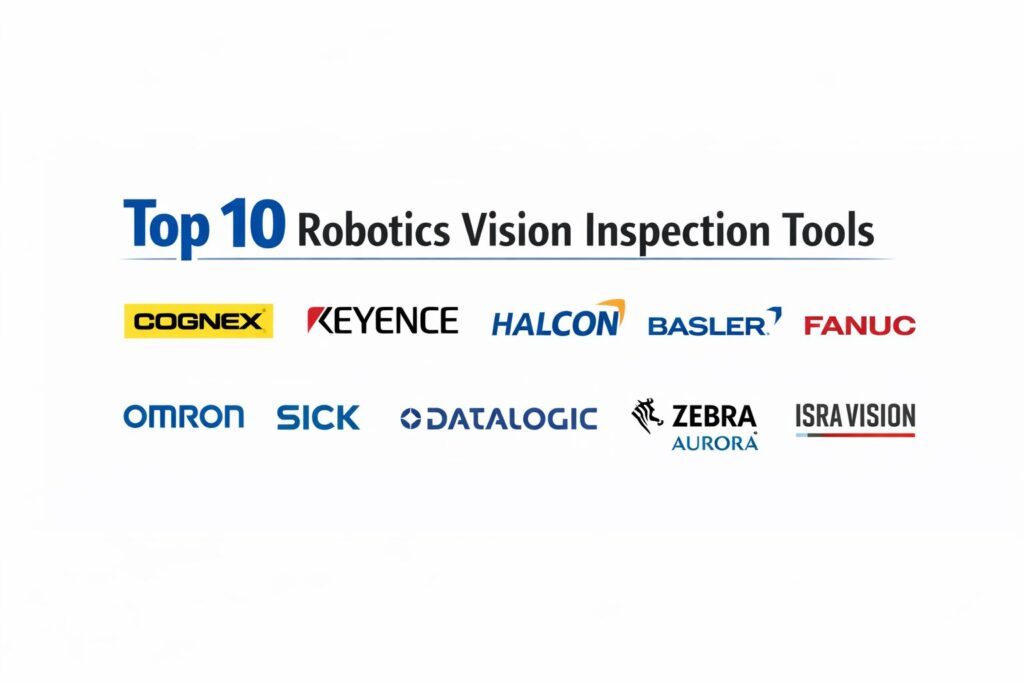
Introduction
Robotics vision inspection tools represent the sophisticated intersection of machine learning, high-speed imaging, and industrial automation. These systems act as the primary sensory organs for modern robotic cells, enabling machines to perceive, analyze, and react to physical objects with a degree of precision that often surpasses human capability. In a production environment, vision inspection is no longer a luxury but a critical component of a zero-defect manufacturing strategy. By integrating high-resolution cameras with specialized software algorithms, these tools can identify microscopic surface flaws, verify complex assembly steps, and ensure dimensional accuracy at speeds compatible with the fastest automated assembly lines.
The necessity of advanced vision tools is driven by the increasing complexity of modern products and the global demand for stringent quality assurance. Traditional manual inspection is prone to fatigue and inconsistency, whereas a robotics vision system provides a tireless, objective standard for every unit on the line. These systems are essential for industries ranging from semiconductor fabrication and pharmaceutical packaging to automotive assembly and aerospace engineering. When selecting an inspection toolset, organizations must evaluate the software’s ability to handle lighting variations, the ease of integration with existing robotic controllers, the robustness of the artificial intelligence models, and the scalability of the system across multiple production tiers.
Best for: Quality assurance engineers, automation integrators, plant managers, and manufacturing executives who require high-speed, non-destructive testing and precision guidance for robotic arms.
Not ideal for: Simple pick-and-place tasks that do not require visual verification, or low-volume artisanal workshops where the cost of high-end imaging hardware outweighs the production throughput.
Key Trends in Robotics Vision Inspection Tools
The most significant trend in the sector is the rapid migration from rule-based vision to deep learning and neural networks. This shift allows vision systems to handle “organic” variations in parts, such as identifying a defect on a textured surface where traditional contrast-based algorithms would fail. We are also seeing the rise of 3D vision as a standard requirement, utilizing structured light or time-of-flight sensors to provide depth perception, which is vital for bin-picking and complex spatial measurements. Edge computing is another dominant force, with more processing power being moved directly into the camera housing to reduce latency and eliminate the need for centralized industrial PCs.
Hyper-spectral imaging is moving into the mainstream, allowing robotic systems to “see” beyond the visible spectrum to detect chemical compositions or internal stresses in materials. There is also a strong push toward “no-code” or “low-code” vision programming, enabling floor technicians to train vision models through a graphical interface rather than writing complex C++ code. Furthermore, the integration of 5G connectivity is facilitating real-time data streaming from vision sensors to a central digital twin, allowing for remote quality monitoring and predictive maintenance of the entire robotic fleet.
How We Selected These Tools
Our selection process involved a comprehensive analysis of technical performance and industry adoption within the global automation ecosystem. We prioritized tools that offer a seamless interface between vision software and major robotic brands, ensuring that the integration process does not become a bottleneck. A key criterion was the “inference speed,” which measures how quickly the system can process an image and send a pass/fail signal to the robot. We looked for a balance between high-end systems designed for sub-micron precision and flexible, easy-to-deploy sensors for standard logistics and assembly tasks.
Environmental resilience was also a major factor; we selected tools that are proven to operate reliably in harsh industrial conditions, including high vibration, dust, and variable lighting. We scrutinized the depth of the built-in library of inspection tools, favoring those that provide a wide range of pre-built functions for barcode reading, OCR, and flaw detection. Security was evaluated through the lens of industrial networking, ensuring that the devices support secure communication protocols. Finally, we assessed the long-term support and availability of replacement components, which are vital for maintaining high uptime in a continuous manufacturing environment.
1. Cognex In-Sight Series
Cognex In-Sight is widely considered the gold standard in standalone vision systems, combining high-resolution imaging with a powerful library of vision tools in a compact, industrial-grade housing. It is designed for high-speed inspection tasks where reliability and ease of setup are paramount.
Key Features
The platform features “PatMax,” a legendary geometric pattern matching technology that locates parts even under extreme rotations or lighting changes. It includes a robust “EasyBuilder” interface that guides users through the setup process without requiring programming knowledge. The system offers integrated lighting and autofocus lenses, reducing the need for external accessories. It features deep learning capabilities through the In-Sight ViDi module for complex defect detection. Additionally, it supports a wide range of industrial protocols for direct communication with PLCs and robotic controllers.
Pros
The software library is exceptionally mature and can solve nearly any 2D vision challenge. Its rugged construction makes it ideal for the harshest factory floors.
Cons
The premium features come with a significant price tag compared to entry-level sensors. Some users find the advanced spreadsheet programming mode to have a steep learning curve.
Platforms and Deployment
Standalone hardware units with web-based and PC-based configuration software.
Security and Compliance
Features multi-level user access controls and supports secure industrial communication standards.
Integrations and Ecosystem
Seamlessly integrates with all major robot brands and supports common factory protocols like EtherNet/IP and PROFINET.
Support and Community
Offers a global network of certified integrators and a comprehensive online training portal.
2. Keyence CV-X Series
The Keyence CV-X is a high-performance, controller-based vision system known for its extreme processing speed and innovative lighting solutions. It is favored by engineers who need to solve complex 3D and 2D inspection challenges with a highly guided, intuitive interface.
Key Features
The system features “Multi-Spectrum Lighting,” which captures multiple images under different light wavelengths to highlight subtle defects. It includes an “Auto-Teaching” function that uses AI to learn acceptable part variations from a set of good samples. The platform offers high-speed CMOS sensors that can capture images at thousands of frames per second. It features a library of specialized 3D inspection tools for measuring height, volume, and tilt. It also provides a 1D/2D code reading engine that can handle damaged or poorly printed labels.
Pros
The setup menus are designed for non-experts, making complex inspections easy to configure. Keyence provides industry-leading technical support and on-site demonstrations.
Cons
The system is part of a closed ecosystem, meaning you must use Keyence-specific hardware and cables. It is often more expensive than standalone smart cameras.
Platforms and Deployment
Controller-based architecture with separate camera heads and a central processing unit.
Security and Compliance
Includes internal data logging and password protection for program modifications.
Integrations and Ecosystem
Directly connects to major PLC brands and offers dedicated communication modules for robotic integration.
Support and Community
Renowned for high-touch direct sales support and rapid onsite troubleshooting services.
3. MVTec HALCON
MVTec HALCON is a comprehensive library of vision software designed for developers and systems integrators who need to build custom, high-end inspection machines. It is the most flexible and powerful software-only solution in the robotics vision category.
Key Features
The software features over 2,100 operators for image processing, including advanced 3D vision and surface inspection algorithms. It includes a state-of-the-art “Deep Learning” toolset for classification, object detection, and semantic segmentation. The system offers “Shape-Based Matching” that can find objects regardless of scale or orientation. It features a unique sub-pixel precise measurement engine for metrology applications. It also provides an integrated development environment called HDevelop for rapid prototyping.
Pros
It offers unparalleled flexibility, allowing you to use almost any camera hardware or industrial PC. The performance is optimized for multi-core processors and GPU acceleration.
Cons
It requires significant programming expertise and is not a “turnkey” solution. The licensing model can be complex depending on the number of deployed systems.
Platforms and Deployment
Software library for Windows, Linux, and various embedded operating systems.
Security and Compliance
Supports secure dongle-based or software-based licensing and encrypted communication scripts.
Integrations and Ecosystem
Compatible with hundreds of industrial cameras through standard interfaces like GigE Vision and USB3 Vision.
Support and Community
Provides deep technical documentation and a global network of specialized engineering partners.
4. Basler pylon Suite
Basler is a leading manufacturer of industrial cameras, and their pylon software suite provides a robust foundation for building robotics vision systems. It is the preferred choice for organizations that want to build high-performance systems using standard hardware.
Key Features
The suite features a universal SDK that supports GigE, USB3, and CoaXPress camera interfaces. It includes a “Viewer” tool for rapid camera configuration and image optimization. The platform offers specialized features for “Real-Time Tracking” and high-speed image acquisition. It features a lightweight foot-print that can run on embedded systems like NVIDIA Jetson. It also provides a comprehensive set of sample code in multiple languages to accelerate development.
Pros
The software is free to use with Basler hardware, offering excellent value. It is highly stable and used in millions of installations worldwide.
Cons
It is a camera management suite rather than a full “inspection” library, so you may need additional software for flaw detection. It requires development effort to create a final UI.
Platforms and Deployment
Windows, Linux, and macOS compatible; supports ARM and x86 architectures.
Security and Compliance
Adheres to GenICam standards and provides secure firmware update capabilities.
Integrations and Ecosystem
Acts as the bridge between Basler cameras and higher-level software like HALCON or OpenCV.
Support and Community
Extensive documentation and a dedicated technical support team for hardware-software integration.
5. Fanuc iRVision
Fanuc iRVision is a fully integrated vision system designed specifically for Fanuc robots. Because it is built directly into the robot controller, it eliminates the need for an external PC and provides the tightest possible synchronization between vision and motion.
Key Features
The system features “Plug-and-Play” connectivity, where the camera plugs directly into the robot’s main CPU. It includes a 2D and 3D guidance system for part picking and placement. The platform offers a specialized “Visual Tracking” tool for picking items off a moving conveyor belt. It features an integrated “Error Proofing” module for checking assembly presence. It also provides a 3D Area Sensor for high-speed bin picking in unstructured environments.
Pros
Eliminates the complexity of third-party communication and data mapping. It is incredibly reliable because it runs on the robot’s own industrial operating system.
Cons
It is strictly limited to Fanuc robotics, making it unsuitable for multi-brand facilities. The vision tools are not as specialized as those from dedicated vision companies.
Platforms and Deployment
Embedded directly into the Fanuc R-30iB or newer robot controllers.
Security and Compliance
Inherits the robust security of the Fanuc industrial controller, including internal firewalls.
Integrations and Ecosystem
Fully native to the Fanuc ecosystem; no external communication setup required.
Support and Community
Supported by Fanuc’s massive global service network and specialized training academies.
6. Omron Microscan
Omron Microscan specializes in high-speed track-and-trace and precision inspection tools. Their systems are widely used in the pharmaceutical and electronics industries for verifying small components and complex labels.
Key Features
The platform features “AutoVISION” software, which is designed to be easily configurable for common inspection tasks. It includes a powerful “Visionscape” engine for more advanced, script-based vision challenges. The system offers specialized “Miniature Cameras” that can fit into tight spaces inside robotic work cells. It features advanced OCR and OCV tools for verifying printed dates and lot codes. It also provides high-speed liquid lens technology for instant autofocus.
Pros
The hardware is exceptionally compact, making it ideal for high-precision electronics assembly. The software scaling from AutoVISION to Visionscape provides a good growth path.
Cons
The interface can feel a bit fragmented between the different software levels. It is less focused on broad robotic guidance than some competitors.
Platforms and Deployment
Smart cameras and PC-based vision systems.
Security and Compliance
Features audit trail capabilities, making it ideal for FDA-regulated pharmaceutical environments.
Integrations and Ecosystem
Strong integration with the Omron Sysmac platform and major robotic controllers.
Support and Community
Offers dedicated support for compliance-heavy industries and a comprehensive knowledge base.
7. Sick Inspector Series
Sick is a pioneer in industrial sensors, and their Inspector series provides a range of smart cameras designed for rugged, simple-to-configure robotic vision tasks. They are focused on high-speed “sorting” and “presence detection” in logistics and packaging.
Key Features
The system features an “All-in-One” design with integrated lighting, lens, and processing power. It includes a specialized tool for “Pattern Matching” that can handle objects with varying textures. The platform offers high-speed output for direct sorting on conveyor systems. It features a rugged IP67-rated housing for use in wet or dusty environments. It also provides a web-based interface for remote monitoring and adjustment without stopping the line.
Pros
One of the easiest systems to set up for basic inspection and sorting. It offers high reliability and long-term durability in industrial environments.
Cons
The toolset is not as deep as high-end systems like Cognex or HALCON. It is best suited for 2D tasks rather than complex 3D metrology.
Platforms and Deployment
Standalone smart cameras.
Security and Compliance
Adheres to standard industrial security protocols for Ethernet-based devices.
Integrations and Ecosystem
Integrates well with a wide range of PLCs through the Sick SOPAS configuration environment.
Support and Community
Provides extensive global support and a large library of application-specific examples.
8. Datalogic IMPACT
Datalogic is a leader in data capture and automation, and their IMPACT software suite provides a flexible environment for solving diverse robotics vision challenges. It is particularly strong in the food and beverage and retail logistics sectors.
Key Features
The software features “Vision Program Manager,” which offers over 100 different inspection tools. It includes a drag-and-drop interface for building complex logic without coding. The system offers high-speed “Pattern Finding” and “Blob Analysis” for identifying irregular shapes. It features integrated OCR for reading high-speed labels. It also provides a “Control Panel Manager” for creating custom operator interfaces on the factory floor.
Pros
The software is very flexible and can run on both smart cameras and high-end industrial PCs. It offers a good balance of power and ease of use for mid-market applications.
Cons
The community and third-party plugin ecosystem are smaller than those of the top-tier players. Initial setup can be more complex than “plug-and-play” sensors.
Platforms and Deployment
Compatible with Datalogic smart cameras and industrial vision processors.
Security and Compliance
Features standard password protection and user-level permissions.
Integrations and Ecosystem
Supports a wide range of industrial communication protocols for robotic and PLC connectivity.
Support and Community
Offers professional technical support and a library of online webinars and training videos.
9. Zebra Aurora (formerly Matrox Imaging)
Zebra Aurora combines the industrial imaging heritage of Matrox with Zebra’s expertise in tracking and logistics. It is a powerful software suite designed for deep learning and high-precision industrial inspection.
Key Features
The platform features a unified software environment for both deep learning and traditional rule-based vision. It includes a “Flowchart-Based” programming model that makes complex logic easy to visualize. The system offers advanced “Geometric Stitching” for inspecting large objects with multiple cameras. It features a robust OCR engine trained on millions of industrial fonts. It also provides a “Web Dashboard” for real-time quality monitoring from any device.
Pros
The deep learning tools are exceptionally well-integrated and easy to train. It offers high performance for complex, multi-camera inspection cells.
Cons
The transition from Matrox to Zebra has led to some changes in the product lineup and branding. It is a high-end system with a corresponding price point.
Platforms and Deployment
Available as both a software library and integrated into Zebra smart cameras.
Security and Compliance
Maintains high standards for data encryption and secure network communication.
Integrations and Ecosystem
Compatible with a wide range of third-party cameras and industrial hardware through the Aurora SDK.
Support and Community
Backed by Zebra’s massive global support infrastructure and professional services.
10. ISRA VISION
ISRA VISION is a specialized provider of high-end 3D vision systems for the automotive and heavy machinery industries. They are the experts in “robot guidance” for complex tasks like windshield insertion and car body assembly.
Key Features
The system features “3D Shape Matching” for precise part localization in three dimensions. It includes specialized sensors for “Surface Inspection” of high-gloss or reflective materials. The platform offers a unique “Multi-Camera” setup for measuring large, complex assemblies. It features high-speed data processing for real-time robot path correction. It also provides an integrated “Quality Monitoring” system that tracks defects across the entire production history.
Pros
The absolute leader in high-precision 3D guidance for large-scale industrial robots. The systems are designed for 24/7 operation in the most demanding automotive plants.
Cons
The systems are highly specialized and typically require professional installation and calibration. It is generally not suited for small-scale or simple 2D tasks.
Platforms and Deployment
Custom-engineered sensor systems and dedicated vision controllers.
Security and Compliance
Adheres to the highest automotive and industrial security standards.
Integrations and Ecosystem
Deeply integrated with the major robotic systems used in the automotive sector, such as Kuka and ABB.
Support and Community
Provides high-touch engineering support and long-term maintenance contracts for enterprise clients.
Comparison Table
| Tool Name | Best For | Platform(s) Supported | Deployment | Standout Feature | Public Rating |
| 1. Cognex | High-Speed / Generalist | Web, PC | Standalone | PatMax Pattern Matching | 4.8/5 |
| 2. Keyence | Precision / Guidance | Dedicated UI | Controller | Multi-Spectrum Lighting | 4.7/5 |
| 3. HALCON | Custom Integrators | Win, Linux | Software | 2100+ Vision Operators | 4.9/5 |
| 4. Basler | Hardware Focused | Win, Linux, Mac | Software/SDK | High-Stability SDK | 4.6/5 |
| 5. Fanuc | Fanuc Environments | Fanuc OS | Embedded | Native Robot Sync | 4.5/5 |
| 6. Omron | Pharma / Electronics | Web, PC | Standalone | Miniature Form Factor | 4.5/5 |
| 7. Sick | Simple / Logistics | Web Interface | Standalone | IP67 Rugged Design | 4.4/5 |
| 8. Datalogic | Food / Beverage | Windows | Hybrid | IMPACT Logic Builder | 4.3/5 |
| 9. Zebra Aurora | Deep Learning | Web, Windows | Hybrid | Flowchart Programming | 4.6/5 |
| 10. ISRA VISION | Automotive / 3D | Dedicated UI | Custom Sensor | High-Gloss Inspection | 4.7/5 |
Evaluation & Scoring of Robotics Vision Inspection Tools
The scoring below is a comparative model intended to help shortlisting. Each criterion is scored from 1–10, then a weighted total from 0–10 is calculated using the weights listed. These are analyst estimates based on typical fit and common workflow requirements, not public ratings.
Weights:
- Core features – 25%
- Ease of use – 15%
- Integrations & ecosystem – 15%
- Security & compliance – 10%
- Performance & reliability – 10%
- Support & community – 10%
- Price / value – 15%
| Tool Name | Core (25%) | Ease (15%) | Integrations (15%) | Security (10%) | Performance (10%) | Support (10%) | Value (15%) | Weighted Total |
| 1. Cognex | 10 | 8 | 9 | 9 | 9 | 9 | 7 | 8.85 |
| 2. Keyence | 9 | 10 | 8 | 8 | 10 | 10 | 6 | 8.70 |
| 3. HALCON | 10 | 3 | 10 | 9 | 10 | 9 | 8 | 8.55 |
| 4. Basler | 7 | 7 | 9 | 8 | 9 | 8 | 10 | 7.95 |
| 5. Fanuc | 8 | 9 | 10 | 9 | 8 | 8 | 7 | 8.30 |
| 6. Omron | 8 | 8 | 8 | 9 | 8 | 8 | 8 | 8.10 |
| 7. Sick | 6 | 10 | 8 | 8 | 7 | 9 | 9 | 7.95 |
| 8. Datalogic | 8 | 7 | 8 | 8 | 8 | 8 | 8 | 7.85 |
| 9. Zebra Aurora | 9 | 7 | 9 | 9 | 9 | 8 | 7 | 8.20 |
| 10. ISRA VISION | 10 | 4 | 8 | 9 | 10 | 9 | 5 | 7.90 |
How to interpret the scores:
- Use the weighted total to shortlist candidates, then validate with a pilot.
- A lower score can mean specialization, not weakness.
- Security and compliance scores reflect controllability and governance fit, because certifications are often not publicly stated.
- Actual outcomes vary with assembly size, team skills, templates, and process maturity.
Which Robotics Vision Inspection Tool Tool Is Right for You?
Solo / Freelancer
For independent automation consultants or startup founders, the priority is flexibility and a low barrier to entry. You should look for software-based libraries or open-ecosystem cameras that allow you to experiment with different hardware configurations. Choosing a system with a broad community and extensive free documentation will allow you to solve diverse customer problems without needing a massive inventory of proprietary components.
SMB
Organizations focused on humanitarian aid or small-scale recycling initiatives should prioritize ruggedness and cost-effectiveness. A standalone smart camera with a simple web interface is often the best choice, as it doesn’t require a permanent IT infrastructure or specialized programming skills. These systems can be used for basic sorting or quality checks with minimal ongoing maintenance costs.
Mid-Market
Mid-sized manufacturing firms need a balance of power and ease of use. You should look for “all-in-one” smart cameras from reputable vendors that offer a wide range of pre-built inspection tools. At this scale, the ability to quickly reconfigure a vision system for different product runs is essential for maintaining agility in a competitive market.
Enterprise
For global manufacturers, the decision is driven by standardization, security, and high-volume performance. You need a system that can be deployed across dozens of plants with centralized management and robust data logging. Deep learning capabilities are a priority here to handle the subtle variations found in large-scale production, along with high-touch support contracts to ensure zero downtime.
Budget vs Premium
If the budget is the primary constraint, look for camera-focused SDKs where the software is included for free with the hardware purchase. These require more development time but have a lower upfront cost. Premium systems, however, provide “black-box” solutions that are faster to deploy and come with advanced geometric and AI tools that can solve problems that basic sensors simply cannot.
Feature Depth vs Ease of Use
If your team includes specialized vision engineers, a deep, library-based system offers the most potential. However, if the vision system must be managed by general maintenance staff, a graphical, guided interface is a much better choice to ensure the system is actually utilized and correctly maintained over its lifecycle.
Integrations & Scalability
Your vision system must speak the same language as your robots and PLCs. Ensure the tool supports the specific industrial Ethernet protocols used in your plant. As your operations expand, the ability to add 3D sensors or deep learning modules to the same software environment will save significant time in retraining and re-integration.
Security & Compliance Needs
In industries like aerospace or pharmaceuticals, your vision system is part of a regulated quality process. You must choose a tool that provides secure audit trails, password protection, and the ability to operate within an air-gapped network. The vendor’s ability to provide long-term firmware support and security patches is a critical legal and operational requirement.
Frequently Asked Questions (FAQs)
1. What is the difference between a smart camera and a PC-based vision system?
A smart camera contains the lens, sensor, and processor in a single housing, making it easy to deploy but limited in power. A PC-based system uses a separate camera connected to an industrial computer, offering much higher processing speeds for complex AI tasks.
2. Can robotics vision work in low-light environments?
Vision systems require light to see, so industrial installations almost always include specialized LED lighting. Infrared lighting can be used for applications where visible light would be distracting to human workers.
3. What is “liquid lens” technology?
A liquid lens uses a small cell of optical-grade fluid that changes shape when an electrical current is applied. This allows the camera to refocus almost instantly, which is vital for robots picking items of different heights.
4. How does deep learning differ from traditional vision tools?
Traditional tools look for specific geometric patterns or contrast changes based on human-written rules. Deep learning allows the software to “learn” what a good part looks like by analyzing thousands of examples, making it much better at handling organic variations.
5. Is 3D vision always better than 2D?
Not necessarily. 2D vision is faster and cheaper for tasks like barcode reading or label inspection. 3D vision is only required when you need to measure height, volume, or the exact spatial orientation of a part in bin-picking.
6. Do these tools work with all robotic brands?
Most high-end vision systems are “brand-agnostic” and communicate via standard industrial protocols like EtherNet/IP. However, some systems (like Fanuc iRVision) are proprietary and only work with their own brand.
7. What is “sub-pixel” accuracy?
Sub-pixel accuracy is a mathematical technique that allows a vision system to measure features smaller than a single pixel on the sensor. This is essential for high-precision metrology in electronics manufacturing.
8. Can vision systems detect internal cracks in materials?
Standard visual light cameras can only see surface defects. Detecting internal flaws requires specialized imaging like X-ray, thermography, or hyper-spectral cameras, which some advanced vision libraries can support.
9. How do you protect vision cameras from dust and oil?
Industrial cameras are typically placed in IP67-rated housings that are sealed against liquid and dust. In very dirty environments, “air knives” can be used to blow a constant stream of air across the lens to keep it clean.
10. What is the typical ROI for a robotics vision system?
Most organizations see an ROI within 12 to 18 months through reduced scrap rates, fewer product recalls, and the ability to reallocate human inspectors to more complex tasks.
Conclusion
The implementation of robotics vision inspection is a transformative step toward a fully autonomous and self-correcting manufacturing environment. In the current landscape, the ability to marry high-speed imaging with adaptive artificial intelligence is what separates world-class production facilities from their competitors. By selecting a toolset that aligns with your technical maturity and industry-specific requirements, you create a foundation for continuous quality improvement and operational transparency. Whether you are deploying a single smart camera or an enterprise-wide deep learning network, the goal remains the same: to give your robotic systems the sight they need to ensure every product meets the highest standards of excellence.