Introduction
Subtitle and captioning tools have evolved from niche broadcast utilities into essential infrastructure for the global digital landscape. In a professional context, these platforms provide the bridge between raw video data and accessible, searchable, and localized content. By converting speech to text with high precision, they ensure that information is consumable in sound-sensitive environments, by the hearing-impaired, and across linguistic borders. The underlying technology typically involves sophisticated Automatic Speech Recognition (ASR) engines, often augmented by Large Language Models (LLMs) to improve grammatical context and speaker diarization. For enterprises and large-scale creators, these tools are no longer optional but are critical for meeting regulatory compliance, such as ADA and WCAG standards, and for maximizing the reach of their intellectual property.
The necessity of these tools is driven by the sheer volume of video content produced daily across corporate, educational, and entertainment sectors. Without accurate captioning, a significant portion of the global audience is excluded, and the SEO potential of the video remains untapped. When evaluating professional-grade captioning software, decision-makers must look beyond simple transcription. Critical factors include timestamp accuracy, the ability to handle technical jargon, support for various frame rates, and the robustness of the collaborative editing environment. Furthermore, as data privacy becomes a paramount concern, the security posture of the platform—including encryption standards and compliance certifications—is a deciding factor for organizational adoption.
Best for: Corporate communications teams, educational institutions, professional filmmakers, digital marketing agencies, and legal departments requiring high-fidelity transcription and multi-language support.
Not ideal for: Basic personal video clips where manual typing is feasible, or for users without a stable internet connection if the tool is purely cloud-based. If your workflow does not require synchronization or multi-language exports, standard text editors may suffice.
Key Trends in Subtitle & Captioning Software
The integration of generative AI is the most significant trend, allowing for “smart” captions that can automatically summarize dialogue or translate it with cultural nuance rather than literal word-for-word conversion. Real-time captioning for live events has seen a massive leap in accuracy, reaching near-human levels of precision with lower latency than ever before. We are also seeing a shift toward “burnt-in” or “open” captions that are stylized to match the brand’s visual identity, moving away from the generic white-on-black aesthetic.
Interoperability has become a standard requirement, with tools now offering direct exports to major video editing suites and hosting platforms via specialized plugins. There is an increasing focus on accessibility compliance automation, where software can flag potential violations of captioning laws, such as poor contrast or excessive characters per line. Finally, collaborative “living” transcripts are becoming a hub for production teams, allowing multiple stakeholders to leave comments and edits on a single timeline in real-time.
How We Selected These Tools
Our selection process prioritized platforms that demonstrate a balance between technical accuracy and workflow efficiency. We evaluated the error rates of the primary ASR engines used by each tool, specifically looking at how they handle diverse accents and background noise. We also weighed the importance of human-in-the-loop options, as high-stakes professional work often requires a final layer of manual verification that AI cannot yet fully replicate.
Security and enterprise readiness were heavily weighted, favoring tools that offer Single Sign-On (SSO) and SOC 2 Type II compliance for protecting sensitive corporate data. The depth of the editing interface was scrutinized to ensure it supports professional subtitle formats like SRT, VTT, and STL. Lastly, we considered the scalability of the pricing models and the quality of the developer’s API, ensuring that these tools can be integrated into high-volume automated pipelines.
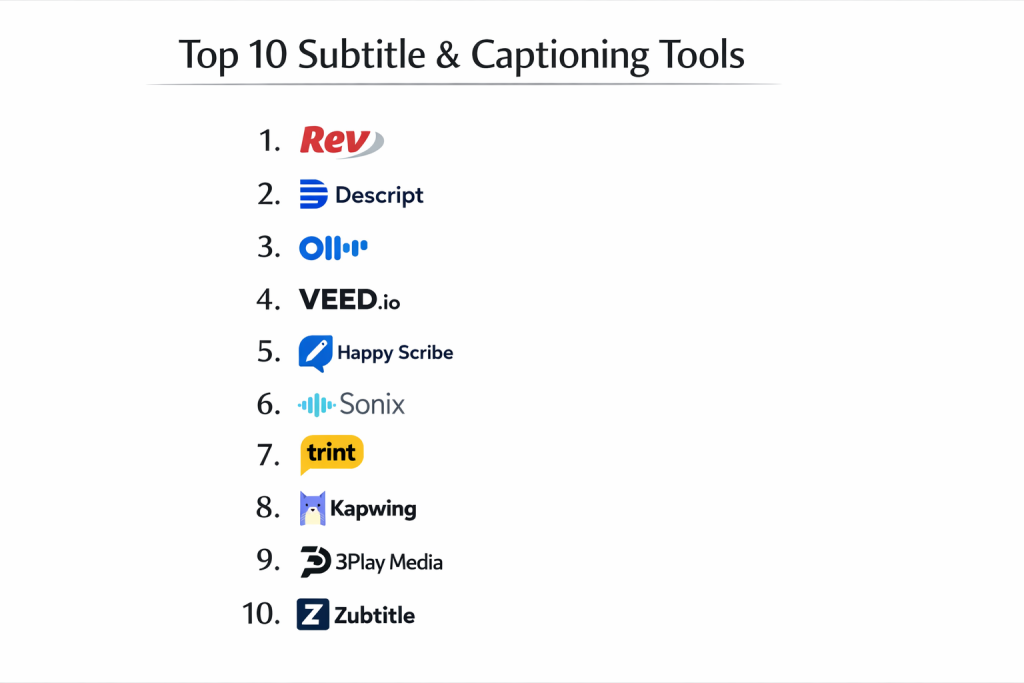
1. Rev
Rev is widely considered the industry leader for high-accuracy captioning, offering a hybrid model of advanced AI and a vast network of professional human transcribers. It is built for reliability and speed, catering specifically to enterprises that cannot afford errors in their public-facing or legal content. The platform provides a seamless workflow from file upload to final export, including an interactive editor for fine-tuning results.
Key Features
The platform offers 99% accuracy through its human services and rapid turnaround for AI-generated drafts. It includes a robust editor that allows users to sync text with video frames perfectly. Security is a major focus, with enterprise-grade data protection and compliance with industry standards. It also features an extensive API for developers to automate captioning workflows at scale. Additionally, it supports foreign language subtitling in over 15 languages, handled by native speakers.
Pros
It provides the highest level of accuracy available in the market today. The interface is clean and professional, making it easy to manage large volumes of orders.
Cons
Human-verified services carry a significantly higher cost per minute compared to pure AI tools. The subscription model can be complex for occasional users.
Platforms and Deployment
Web-based platform accessible via any browser, with dedicated mobile apps for recording and order management.
Security and Compliance
SOC 2 Type II compliant, with end-to-end encryption and strict confidentiality agreements for all human transcribers.
Integrations and Ecosystem
Direct integrations with YouTube, Vimeo, Zoom, and Adobe Premiere Pro, as well as a comprehensive developer API.
Support and Community
Offers dedicated account management for enterprise clients and 24/7 technical support for all users.
2. Descript
Descript has revolutionized the field by introducing text-based video editing. It treats the transcript as the primary interface, allowing users to edit the video simply by deleting or moving text. This makes it an incredibly powerful tool for podcasters and social media creators who need to generate and style captions quickly while refining their content.
Key Features
The “edit by text” feature is its standout innovation, enabling rapid content iteration. It includes “Overdub,” an AI voice cloning tool that can correct audio mistakes without re-recording. The captioning system is fully automated and offers highly customizable visual styles for social media. It also features advanced studio-quality audio processing and multi-track editing. The collaboration tools allow teams to comment and edit on the same project timeline.
Pros
The workflow is exceptionally fast for content that requires heavy editing. It combines multiple tools—recorder, editor, and captioner—into one cohesive package.
Cons
The unique interface has a learning curve for those used to traditional video editing. It can be resource-intensive on older hardware.
Platforms and Deployment
Available as a desktop application for Windows and macOS, with a complementary web version.
Security and Compliance
Maintains SOC 2 Type II compliance and uses secure cloud storage for all project data.
Integrations and Ecosystem
Integrates with major podcast hosting platforms, YouTube, and traditional video editors like Final Cut Pro.
Support and Community
A highly active user community and an extensive library of video tutorials and documentation.
3. Otter.ai
Otter.ai is specialized for real-time transcription and captioning, particularly in the context of meetings, interviews, and lectures. It excels at speaker identification and generating searchable notes, making it a favorite for business professionals and educators who need immediate access to spoken information.
Key Features
The real-time transcription feature is its core strength, showing text as it is spoken. It automatically identifies different speakers and assigns names to the transcript. Users can highlight key points, add images to the notes, and generate automated summaries. It integrates directly with calendar systems to join and record meetings automatically. The “Otter Assistant” can even attend meetings on your behalf to capture the dialogue.
Pros
The real-time capabilities are unmatched for live productivity. It offers a generous free tier for individuals and small teams.
Cons
Its accuracy can struggle with heavy accents or technical jargon compared to more specialized tools. It is primarily focused on English-language transcription.
Platforms and Deployment
Web-based with high-quality mobile applications for iOS and Android.
Security and Compliance
Adheres to GDPR and CCPA standards, with options for encrypted data storage and role-based access.
Integrations and Ecosystem
Deep integrations with Zoom, Microsoft Teams, Google Meet, and various cloud storage providers like Dropbox.
Support and Community
Strong online help center and a large user base that provides community-driven solutions.
4. VEED.io
VEED.io is a cloud-based video editor that prioritizes speed and modern aesthetics for social media captioning. It is designed for creators and marketers who need to turn around high-quality video content with “burnt-in” captions and visual effects in minutes.
Key Features
The auto-subtitle generator is highly efficient and supports a wide range of visual presets. It offers one-click translation into over 100 languages. The editor includes tools for resizing videos for different platforms, adding progress bars, and incorporating stock media. It also features a “clean audio” tool to remove background noise. The collaborative workspaces allow teams to manage and brand their video assets centrally.
Pros
The interface is extremely intuitive, requiring no prior video editing experience. The styling options for captions are modern and highly engaging.
Cons
Being browser-based means performance is dependent on your internet connection. Large video files can sometimes experience slow upload and processing times.
Platforms and Deployment
Entirely browser-based, making it accessible from any device without installation.
Security and Compliance
Uses industry-standard encryption and is compliant with general data privacy regulations.
Integrations and Ecosystem
Integrates with popular social media platforms for direct publishing and cloud storage for asset management.
Support and Community
Excellent customer support via chat and a rapidly growing library of creative templates and guides.
5. Happy Scribe
Happy Scribe is a dedicated transcription and subtitling platform that prides itself on its multilingual support and high-quality AI. It is built for professionals who need a focused, distraction-free environment for converting long-form audio and video into accurate text.
Key Features
The platform supports over 120 languages and dialects with impressive accuracy. It offers both AI-generated and human-verified services. The subtitle editor is designed for professional precision, allowing for frame-by-frame timing adjustments. It includes a dedicated “Interactive Editor” that links text directly to the audio source. Users can export captions in a variety of industry-standard formats, including SRT, VTT, and STL.
Pros
The language support is among the best in the industry. The interface is clean, fast, and focuses purely on the task of transcription and subtitling.
Cons
It lacks the broader video editing features found in all-in-one platforms. The pay-as-you-go pricing can get expensive for high-volume users.
Platforms and Deployment
Web-based platform designed for desktop browsers.
Security and Compliance
Fully GDPR compliant with secure file handling and the ability to delete data permanently.
Integrations and Ecosystem
Integrates with Zapier, allowing for connections to hundreds of other apps, as well as YouTube and Vimeo.
Support and Community
Responsive email support and a detailed knowledge base for technical troubleshooting.
6. Sonix
Sonix is an automated transcription service that focuses on accuracy and data-driven insights. It is a preferred choice for researchers and journalists who need to organize and search through large amounts of recorded speech.
Key Features
The AI engine is optimized for high accuracy and provides word-by-word timestamps. It includes a powerful “In-Browser Editor” that lets you polish the text while listening to the audio. The platform offers automated translation in over 40 languages. It features sophisticated organization tools, such as folders and labels, for managing hundreds of files. It also provides a unique “Media Player” that can be embedded on websites to show captions alongside the video.
Pros
The accuracy for technical and academic content is exceptionally high. The organizational features make it ideal for long-term research projects.
Cons
The interface is more functional than creative, lacking the “flashy” styling of social media tools. It does not offer human-verified transcription services.
Platforms and Deployment
Browser-based web application.
Security and Compliance
Offers enterprise-level security features, including SSL encryption and multi-factor authentication.
Integrations and Ecosystem
Strong integrations with Adobe Premiere, Final Cut Pro, and cloud platforms like Google Drive and OneDrive.
Support and Community
Comprehensive help center and direct support for enterprise-level troubleshooting.
7. Trint
Trint is designed for newsrooms and high-pressure media environments where speed and collaboration are critical. It allows journalists to quickly turn field recordings into editable stories and social-ready clips with captions.
Key Features
The “Story” feature allows users to pull segments from multiple transcripts into a single document. It offers real-time collaboration where multiple users can edit the same transcript simultaneously. The mobile app is built for recording and transcribing on the go. It includes professional captioning tools with support for various broadcast standards. It also features an automated translation engine for rapid global reporting.
Pros
The workflow is optimized for professional storytelling and journalism. It is highly reliable for collaborative team environments.
Cons
The pricing is geared toward professional organizations and may be high for individual creators. The mobile transcription is heavily dependent on audio quality.
Platforms and Deployment
Web platform with a mobile app for iOS and Android.
Security and Compliance
Enterprise-grade security, including ISO 27001 certification and secure data centers.
Integrations and Ecosystem
Integrates with professional editing suites and media asset management systems.
Support and Community
Dedicated enterprise support and a professional network of media industry users.
8. Kapwing
Kapwing is a versatile, all-in-one creative suite that offers powerful, accessible captioning tools for the modern web. It is particularly popular among marketing teams and agencies that need to produce high volumes of branded video content across different social formats.
Key Features
The auto-subtitle feature is fast and supports a wide array of visual styles. It includes a full-featured video editor for trimming, layering, and adding animations. The platform supports collaborative editing with real-time updates for all team members. It offers a “Brand Kit” feature to ensure consistent fonts and colors across all captions. Users can also utilize the “Smart Cut” feature to automatically remove silences from their videos.
Pros
It is extremely accessible, allowing for quick edits without any software installation. The collaborative features are excellent for remote teams.
Cons
The free tier has significant limitations on video length and includes watermarks. The browser environment can struggle with very long or high-resolution files.
Platforms and Deployment
Entirely browser-based.
Security and Compliance
Standard web security protocols with options for team-level data management.
Integrations and Ecosystem
Integrates with popular social media platforms and cloud storage services.
Support and Community
A massive library of creative tutorials and a highly engaged community of digital creators.
9. 3Play Media
3Play Media is an enterprise-grade solution that specializes in accessibility and compliance. It is the gold standard for organizations that must adhere to strict legal requirements for captioning, such as universities and government agencies.
Key Features
The platform offers a range of services, including closed captioning, live captioning, and audio description. It guarantees 99% accuracy through a multi-step process involving AI and professional editors. It features a robust management system for high-volume captioning workflows. The platform includes an interactive transcripts feature that makes videos searchable. It also provides specialized tools for legal and educational compliance.
Pros
It is the most reliable option for meeting legal accessibility standards. The scale at which it can handle files is unmatched for large institutions.
Cons
The cost is reflective of its enterprise nature, making it less suitable for small creators. The setup and onboarding process can be more involved than simpler tools.
Platforms and Deployment
Cloud-based enterprise platform with various integration options.
Security and Compliance
Highest level of compliance, including HIPAA, SOC 2, and various accessibility certifications.
Integrations and Ecosystem
Deep integrations with video players (Brightcove, JW Player), LMS platforms (Canvas, Blackboard), and conferencing tools.
Support and Community
Dedicated account managers and comprehensive professional training resources.
10. Zubtitle
Zubtitle is a niche tool specifically designed to automate the process of adding “open” captions (text that is permanently part of the video) for social media. It focuses on taking the friction out of creating engaging, vertical video content for platforms like Instagram and TikTok.
Key Features
The platform automatically transcribes video and adds captions in a vertical-friendly format. It includes a variety of high-engagement templates that include headlines and progress bars. Users can easily adjust the timing and style of the captions. It offers a simple resizing tool to fit different social media aspect ratios. It also features a “Video Headline” tool to capture attention in social feeds.
Pros
It is incredibly simple to use, requiring almost zero technical knowledge. It is the fastest way to make a video social-ready.
Cons
It is a specialized tool, meaning it lacks the depth of a full transcription suite or a traditional video editor. It is not suitable for creating closed caption files for broadcast.
Platforms and Deployment
Web-based platform.
Security and Compliance
Standard cloud security measures suitable for independent creators and small businesses.
Integrations and Ecosystem
Focuses on direct workflows for social media distribution.
Support and Community
Support is provided through a detailed help center and email.
Comparison Table
| Tool Name | Best For | Platform(s) Supported | Deployment | Standout Feature | Public Rating |
| 1. Rev | Enterprise Compliance | Web, Mobile | Cloud | 99% Human Accuracy | 4.7/5 |
| 2. Descript | Podcasters/Creators | Win, Mac, Web | Hybrid | Text-based Editing | 4.8/5 |
| 3. Otter.ai | Meeting Productivity | Web, Mobile | Cloud | Real-time Transcription | 4.5/5 |
| 4. VEED.io | Social Media Ads | Web | Cloud | Modern Caption Styling | 4.6/5 |
| 5. Happy Scribe | Multilingual Needs | Web | Cloud | 120+ Language Support | 4.6/5 |
| 6. Sonix | Researchers/Archivists | Web | Cloud | Data-driven Indexing | 4.4/5 |
| 7. Trint | Journalism/Newsrooms | Web, Mobile | Cloud | Narrative Story Building | 4.5/5 |
| 8. Kapwing | Agency Collaboration | Web | Cloud | Brand Kit Integration | 4.3/5 |
| 9. 3Play Media | Higher Ed/Gov | Web | Cloud | Legal Accessibility | 4.8/5 |
| 10. Zubtitle | Mobile Content | Web | Cloud | Social-ready Templates | 4.2/5 |
Evaluation & Scoring of Subtitle & Captioning Tools
The scoring below is a comparative model intended to help shortlisting. Each criterion is scored from 1–10, then a weighted total from 0–10 is calculated using the weights listed. These are analyst estimates based on typical fit and common workflow requirements, not public ratings.
Weights:
- Core features – 25%
- Ease of use – 15%
- Integrations & ecosystem – 15%
- Security & compliance – 10%
- Performance & reliability – 10%
- Support & community – 10%
- Price / value – 15%
| Tool Name | Core (25%) | Ease (15%) | Integrations (15%) | Security (10%) | Performance (10%) | Support (10%) | Value (15%) | Weighted Total |
| 1. Rev | 10 | 8 | 10 | 10 | 9 | 10 | 7 | 9.15 |
| 2. Descript | 10 | 7 | 9 | 9 | 8 | 9 | 9 | 8.85 |
| 3. Otter.ai | 8 | 9 | 10 | 8 | 10 | 8 | 9 | 8.70 |
| 4. VEED.io | 7 | 10 | 8 | 7 | 8 | 9 | 8 | 8.00 |
| 5. Happy Scribe | 9 | 8 | 8 | 9 | 9 | 8 | 8 | 8.55 |
| 6. Sonix | 8 | 8 | 9 | 9 | 9 | 8 | 8 | 8.35 |
| 7. Trint | 9 | 7 | 8 | 10 | 8 | 9 | 7 | 8.25 |
| 8. Kapwing | 7 | 9 | 8 | 7 | 7 | 8 | 8 | 7.60 |
| 9. 3Play Media | 10 | 6 | 10 | 10 | 9 | 10 | 6 | 8.65 |
| 10. Zubtitle | 6 | 10 | 6 | 6 | 8 | 7 | 8 | 7.30 |
How to interpret the scores:
- Use the weighted total to shortlist candidates, then validate with a pilot.
- A lower score can mean specialization, not weakness.
- Security and compliance scores reflect controllability and governance fit, because certifications are often not publicly stated.
- Actual outcomes vary with assembly size, team skills, templates, and process maturity.
Which Subtitle & Captioning Tool Is Right for You?
Solo / Freelancer
For individual creators, a tool that minimizes editing time while providing high visual engagement is key. Platforms that offer all-in-one features like editing and captioning in a single interface are usually the most cost-effective and efficient for a one-person team.
SMB
Small businesses should prioritize tools with intuitive interfaces to avoid long training periods. A balance of automated accuracy and social-friendly styling allows a lean team to produce professional-quality content that competes with larger organizations.
Mid-Market
Mid-market companies benefit most from platforms that offer collaborative workspaces and reliable API integrations. As production volume increases, the ability for multiple team members to review and approve captions in a shared environment becomes vital for quality control.
Enterprise
Enterprises require a “zero-failure” approach, prioritizing tools with guaranteed accuracy and robust legal compliance. Security features like SSO and SOC 2 certification are non-negotiable at this level, as is the availability of dedicated professional support.
Budget vs Premium
Budget-conscious users will find great value in AI-first platforms with competitive pay-as-you-go pricing. Premium tools are justified when the cost of an error—either legally or in terms of brand reputation—outweighs the subscription fee.
Feature Depth vs Ease of Use
Some platforms offer a “set it and forget it” approach, perfect for rapid content creation. Others provide deep, frame-level control, which is necessary for professional cinematography and broadcast where subtitle placement and timing are art forms in themselves.
Integrations & Scalability
A tool is only as good as its place in your pipeline. Look for software that connects directly to your hosting platforms or video editors to eliminate the manual work of exporting and importing various file types.
Security & Compliance Needs
If your content involves proprietary technology or private data, focus on tools that prioritize data sovereignty and offer encrypted cloud environments. For legal or educational work, ensure the platform specifically mentions WCAG or ADA compliance.
Frequently Asked Questions (FAQs)
1. What is the difference between closed captions and subtitles?
Subtitles are primarily intended for viewers who can hear the audio but don’t understand the language, focusing only on spoken dialogue. Closed captions also include descriptions of background noises, speaker changes, and other audio cues for viewers who cannot hear at all.
2. How accurate are AI-generated captions?
Modern AI can reach between 90% and 95% accuracy under ideal conditions, such as clear audio and a single speaker. However, accuracy can drop significantly with overlapping voices, background music, or strong regional accents.
3. Why do my captions sometimes get cut off on mobile?
This often happens if the captions were designed for a horizontal screen but the video is being viewed vertically. Professional tools allow you to adjust the “safe zone” for captions to ensure they remain visible across all device types.
4. Can I translate my captions into multiple languages automatically?
Yes, most of the tools on this list offer automated translation services. While AI translation has improved, it is always recommended to have a native speaker review the output for cultural nuances and specialized terminology.
5. What is an SRT file?
An SRT (SubRip Subtitle) file is a simple text file that contains the caption text and the start/end timestamps. It is the most widely supported format for uploading captions to platforms like YouTube, LinkedIn, and Facebook.
6. Do captions improve my video’s SEO?
Absolutely. Search engines cannot “watch” your video, but they can index the text within your caption files. This makes your content discoverable for keywords spoken during the video.
7. Can I style my captions to match my brand?
Many modern tools allow you to customize fonts, colors, background boxes, and even animations. This is particularly useful for “open captions” that are permanently visible on the screen.
8. Are there legal requirements for captioning?
Yes, depending on your industry and location. In many regions, government, educational, and broadcast content must follow strict accessibility laws like the ADA (Americans with Disabilities Act) to ensure everyone has equal access to information.
9. How long does it take to caption a 30-minute video?
With AI, a 30-minute video can be transcribed in about 5 to 10 minutes. However, the manual review and styling process can take an additional 30 to 60 minutes depending on the desired quality.
10. What is “speaker diarization” in transcription?
Diarization is the process where the software automatically identifies that there are multiple people speaking and labels them (e.g., Speaker 1, Speaker 2) throughout the transcript.
Conclusion
The landscape of subtitle and captioning software has reached a level of maturity where there is a specialized tool for every conceivable production need. Whether you are an independent creator looking for flashy social media templates or a multinational corporation requiring legally compliant, human-verified accuracy, the current market offers robust solutions. The most effective strategy for any organization is to view captioning not as a final, tedious task, but as a core part of the content development lifecycle. By choosing a tool that integrates deeply with your existing workflow and prioritizes both accuracy and security, you ensure that your message remains accessible, professional, and globally reachable in an increasingly video-centric world.