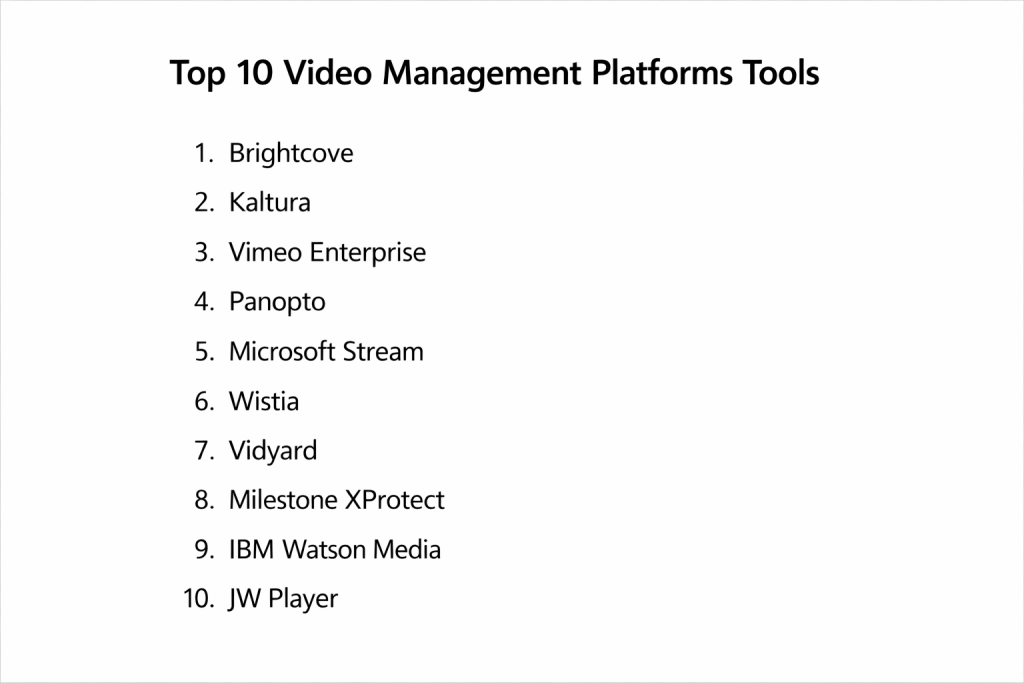
Introduction
A Video Management Platform (VMP) or Video Management Software (VMS) serves as the centralized nervous system for an organization’s video assets, providing a unified interface to capture, store, analyze, and distribute video content. In a professional landscape where video has become the primary medium for both internal communication and external marketing, these platforms are no longer optional. They offer the necessary infrastructure to handle massive files, ensure secure access through encrypted protocols, and provide the computational power required for real-time AI analytics. By abstracting the complexity of video codecs, bandwidth management, and storage tiering, a VMP allows teams to focus on extracting value from their visual data.
The strategic importance of a VMP lies in its ability to transform raw footage into searchable, actionable intelligence. For an enterprise, this means having a single source of truth for corporate training, executive broadcasts, and security surveillance. These systems integrate deeply with existing identity providers and productivity suites, ensuring that video content is as accessible and secure as any other corporate document. When evaluating a platform, decision-makers must prioritize scalability, the robustness of the application programming interface, and the platform’s adherence to global data privacy regulations. A well-implemented VMP not only reduces operational overhead but also significantly enhances the organization’s ability to engage with its audience and protect its physical and digital assets.
Best for: Large-scale enterprises requiring secure internal communication, educational institutions managing vast lecture libraries, media companies monetizing content, and security-conscious organizations needing unified surveillance.
Not ideal for: Simple personal social media uploads, basic one-to-one video calls, or small businesses with minimal video storage needs who can rely on standard consumer-grade cloud storage.
Key Trends in Video Management Platforms
The primary trend in the industry is the shift toward AI-native architectures that automate content discovery through natural language processing and computer vision. These systems can now automatically generate transcriptions, translate content into dozens of languages, and index objects or individuals within a video for instant retrieval. Real-time rendering and low-latency streaming have also become standard requirements, particularly for virtual events and live surveillance monitoring where every second is critical.
Another significant shift is the move toward hybrid-cloud deployments, which balance the security of on-premise storage with the infinite scalability and remote accessibility of the cloud. This architecture is particularly vital for organizations in regulated industries that must comply with strict data residency laws. Furthermore, we are seeing a convergence of corporate video management and physical security VMS, where a single platform handles both marketing webinars and facility surveillance, providing a truly unified view of the organization’s video ecosystem.
How We Selected These Tools
The selection of these platforms was based on a rigorous assessment of their technical maturity, security frameworks, and market adoption. We prioritized tools that offer enterprise-grade governance, including granular role-based access control and comprehensive audit trails. The ability to scale to hundreds of thousands of concurrent viewers or manage thousands of camera feeds without performance degradation was a primary filter for inclusion.
We also evaluated the depth of the integration ecosystem for each tool, ensuring they can seamlessly connect with Learning Management Systems (LMS), Customer Relationship Management (CRM) platforms, and existing IT infrastructure. Data security was a non-negotiable criterion, with a focus on end-to-end encryption, multi-factor authentication, and compliance with standards such as GDPR, HIPAA, and SOC 2. Finally, we considered the user experience for both administrators and end-users, favoring platforms that simplify the complex workflows of video ingestion and distribution.
1. Brightcove
Brightcove is a premier enterprise video platform designed for high-performance streaming, video marketing, and corporate communications. It is built on a massive global content delivery network, ensuring that video playback is reliable and of the highest quality regardless of the viewer’s location. The platform is particularly strong in its marketing automation capabilities, allowing businesses to track viewer engagement and push that data directly into their lead generation funnels.
Key Features
The platform features a highly customizable, ad-free video player that can be branded to match any corporate identity. It offers advanced server-side ad insertion and monetization tools for media companies. The security suite includes tokenized access, domain restrictions, and deep integration with enterprise single sign-on providers. It also provides a comprehensive set of APIs and mobile SDKs, enabling developers to build custom video experiences within native applications. Detailed analytics provide heatmaps of viewer engagement, showing exactly where audiences drop off.
Pros
It offers unmatched reliability for large-scale global broadcasts and high-stakes marketing events. The integration with major marketing and CRM platforms is the most robust in the industry.
Cons
The pricing structure is geared toward large organizations and can be prohibitive for smaller teams. The interface and feature set present a steeper learning curve than simpler SaaS alternatives.
Platforms and Deployment
Web-based management with delivery support for all modern browsers, mobile devices, and smart TVs.
Security and Compliance
Features enterprise-grade security including DRM, geo-filtering, and IP restriction. It is fully compliant with global data protection standards.
Integrations and Ecosystem
Deep connections with Salesforce, HubSpot, Adobe, and Marketo. Its extensive API allows for virtually any third-party tool integration.
Support and Community
Offers dedicated account management and 24/7 technical support for enterprise clients, backed by a professional knowledge base.
2. Kaltura
Kaltura is an open-source-based video platform that offers a unique level of flexibility and customization. It serves a wide range of use cases, from corporate training and internal communication to media streaming and education. Because of its open architecture, it is the preferred choice for organizations that need to build bespoke video workflows or integrate video deeply into their own proprietary applications.
Key Features
The platform includes a specialized “Video Portal” that functions like a private, secure version of a public video sharing site. It offers interactive video features such as in-video quizzes, polls, and hotspots to drive engagement. The “Kaltura Pitch” tool allows sales teams to create personalized video messages with tracking. It also features a robust lecture capture system and deep integration with all major Learning Management Systems. Its AI engine handles automated captioning, translation, and metadata enrichment for massive libraries.
Pros
The open-source core provides ultimate flexibility for developers and technical teams. It is highly versatile, supporting everything from simple hosting to complex interactive learning environments.
Cons
The sheer number of features and the complexity of the modular architecture can make it difficult to manage without a dedicated technical team. The user interface can sometimes feel less polished than more focused competitors.
Platforms and Deployment
Available as a SaaS offering, on-premise installation, or a hybrid deployment.
Security and Compliance
Offers robust security including end-to-end encryption and detailed user permissions. It is widely used in highly regulated sectors like healthcare and government.
Integrations and Ecosystem
Seamlessly integrates with Microsoft Teams, Zoom, Canvas, Blackboard, and Moodle. It boasts one of the largest integration marketplaces in the VMP space.
Support and Community
Supported by a massive open-source community as well as professional enterprise support tiers and consulting services.
3. Vimeo Enterprise
Vimeo Enterprise takes the high-quality, creative-focused features of the standard platform and scales them for large organizations. It is designed for ease of use, making it ideal for teams that want to manage professional-grade video without needing an army of technical specialists. It excels in delivering a polished, branded experience for both internal audiences and external customers.
Key Features
The enterprise version includes unlimited live streaming with no caps on viewer numbers and high-fidelity 4K output. It features advanced privacy controls, including the ability to restrict videos to specific email domains or single sign-on users. Collaboration tools allow teams to leave time-coded notes directly on the video during the review process. It also offers customizable branded galleries and hubs to organize content. The platform includes built-in lead generation tools and email capture directly within the video player.
Pros
The user interface is exceptionally intuitive, requiring almost no training for new users. It provides one of the best balances of high-end visual quality and ease of deployment.
Cons
It lacks the deep procedural and metadata customization found in more technical platforms like Kaltura or Brightcove. Some enterprise governance features are not as granular as those offered by specialized VMS tools.
Platforms and Deployment
Cloud-based SaaS accessible via web browsers and dedicated mobile applications.
Security and Compliance
Includes SSO integration, password protection, and private link sharing. It meets standard corporate security requirements for data handling.
Integrations and Ecosystem
Integrates with Slack, Zoom, and the Adobe Creative Cloud, making it a natural fit for creative and marketing workflows.
Support and Community
Enterprise customers receive priority support and a dedicated account manager to assist with onboarding and technical setup.
4. Panopto
Panopto is specifically engineered for knowledge management, education, and corporate training. It specializes in capturing and organizing searchable video content, making it easy for employees or students to find specific information within hours of recorded lectures or meetings. Its “Smart Search” technology is a standout, indexing every word spoken or shown on screen.
Key Features
The platform includes a powerful multi-source recording tool that can capture a speaker, their screen, and multiple camera angles simultaneously. Its search engine allows users to jump to the exact moment a specific term was mentioned in a video. It automatically generates table of contents and thumbnails for every upload. It features a lightweight, web-based video editor for quick trimmings and edits. The platform also offers extensive analytics to track which parts of a video are being watched most frequently.
Pros
It is the industry leader for “inside-video” search, making it an invaluable tool for organizations with large amounts of instructional content. The multi-camera capture capability is unmatched for lecture and presentation recording.
Cons
The player design and overall interface are functional but lack the high-end “cinematic” feel of platforms focused on marketing. It is less suited for public-facing media distribution.
Platforms and Deployment
Cloud-based or on-premise deployment, with desktop applications for recording and web access for viewing.
Security and Compliance
Deeply integrated with enterprise identity providers (SSO) and offers strict control over content viewing rights. It is highly compliant with educational and data privacy laws.
Integrations and Ecosystem
Strongest in the education sector with deep links to LMS platforms like Canvas and Moodle. It also integrates well with video conferencing tools like Zoom and Webex.
Support and Community
Provides extensive documentation and dedicated support for large-scale institutional rollouts.
5. Microsoft Stream
Microsoft Stream is the native video service for the Microsoft 365 ecosystem, designed to make video sharing as easy as sharing a document. It is built directly into the tools that most enterprises use daily, such as Teams, SharePoint, and Viva. It is primarily an internal communication tool, focusing on security and seamless integration with the existing corporate directory.
Key Features
Stream allows users to record and share videos directly from Microsoft Teams meetings. It features automatic transcription and closed captioning driven by Microsoft’s advanced AI. The platform integrates video directly into SharePoint pages, allowing organizations to build custom internal news portals. It supports high-quality live events for thousands of attendees. Because it uses the same governance framework as the rest of Microsoft 365, it inherits the same compliance and security settings automatically.
Pros
There is no additional cost for organizations already using Microsoft 365, making it the most cost-effective solution for internal video. The integration with the existing corporate ecosystem is unparalleled.
Cons
It is not designed for public-facing video hosting or marketing purposes. The feature set is more limited compared to specialized, standalone video platforms.
Platforms and Deployment
Part of the Microsoft 365 cloud environment, accessible via web, mobile, and integrated apps.
Security and Compliance
Inherits the world-class security of Microsoft 365, including Azure Active Directory integration, eDiscovery, and legal hold.
Integrations and Ecosystem
Perfectly integrated with Teams, SharePoint, OneDrive, and PowerPoint.
Support and Community
Backed by Microsoft’s global enterprise support network and a vast library of public documentation.
6. Wistia
Wistia is a video marketing platform built specifically for businesses that want to use video to drive growth. It prioritizes the viewer experience and the data that comes from it, providing marketers with the tools they need to convert viewers into customers. Its clean, customizable player is designed to keep viewers on the company’s website rather than distracting them with related content.
Key Features
The platform features “Turnstile” email capture forms that can be placed at any point in a video. It offers A/B testing for video thumbnails and content to determine what performs best. Detailed “heatmaps” show exactly how individual viewers interact with a video. It includes SEO tools that automatically inject video metadata into the website’s code to improve search rankings. It also features a built-in screen recorder and basic editing tools for quick content creation.
Pros
The marketing analytics are the most detailed in the industry, providing actionable insights into viewer behavior. It is designed to maximize the lead-generation potential of every video.
Cons
It is not intended for internal communication or large-scale corporate training. The pricing can scale quickly as video views and subscriber numbers grow.
Platforms and Deployment
Fully cloud-based SaaS platform.
Security and Compliance
Offers password protection and domain whitelisting, though it is less focused on high-level enterprise governance than some competitors.
Integrations and Ecosystem
Exceptional integrations with marketing stacks like HubSpot, Marketo, and Pardot, as well as analytics tools like Google Analytics.
Support and Community
Offers a wealth of educational content on video marketing and high-quality customer support.
7. Vidyard
Vidyard is a video platform built for virtual sales and marketing teams. It focuses on personalizing the video experience, allowing sales reps to send custom video messages to prospects and track exactly when they are watched. It is designed to humanize the sales process in a digital-first world.
Key Features
The platform includes a browser extension that allows for one-click screen and webcam recording. It offers a “Video Hub” feature to create organized, branded collections of sales content. Automated “video personalization” can insert a viewer’s name or company directly into a video. It provides real-time notifications when a prospect watches a video, allowing for perfectly timed follow-up. Detailed analytics integrate directly into CRM systems to show the ROI of video efforts.
Pros
It is the most powerful tool for sales enablement, making video a seamless part of the sales pipeline. The personalized video features are a unique differentiator for high-touch businesses.
Cons
It is highly specialized for sales and marketing and lacks the broad video management features needed for other departments. The interface is optimized for individual use rather than massive library management.
Platforms and Deployment
Cloud-based SaaS with extensive browser extensions and mobile apps.
Security and Compliance
Includes standard enterprise security features and is compliant with major data privacy regulations.
Integrations and Ecosystem
Industry-leading integrations with Salesforce, SalesLoft, and Outreach.
Support and Community
Provides extensive training for sales teams on how to use video effectively, backed by strong technical support.
8. Milestone XProtect
Milestone XProtect is an open-platform video management software specifically for physical security and surveillance. It unifies camera feeds, sensors, and access control into a single, highly scalable interface. It is the global leader for organizations that need to manage hundreds or thousands of security cameras across multiple sites.
Key Features
The software features a powerful “Smart Map” that visualizes the entire security environment with real-world imagery. Its “Alarm Manager” provides a consolidated view of security incidents and technical issues. It supports an almost unlimited number of cameras from thousands of different manufacturers. Advanced AI analytics can detect specific behaviors, recognize faces, or identify license plates. It also features “Evidence Lock” to ensure the integrity of video footage for legal investigations.
Pros
It is the most scalable and flexible VMS for physical security, supporting an unmatched range of hardware. The open architecture allows for the integration of almost any third-party security technology.
Cons
It is a highly specialized tool for security and cannot be used for marketing or general corporate video management. The initial setup and maintenance require specialized technical knowledge.
Platforms and Deployment
Typically deployed on-premise or in a private cloud environment, with web and mobile clients for remote viewing.
Security and Compliance
Designed for high-security environments, featuring end-to-end encryption, digital signing of video, and strict user authentication.
Integrations and Ecosystem
Integrates with thousands of camera models, access control systems, and environmental sensors.
Support and Community
Supported by a global network of certified partners and a comprehensive professional training program.
9. IBM Watson Media
IBM Watson Media combines enterprise video streaming with the cognitive power of Watson AI. It is designed for large-scale corporate events, executive communications, and media distribution where high-quality delivery and automated content intelligence are paramount. It excels at managing live broadcasts for global audiences.
Key Features
The platform features AI-driven automated closed captioning and real-time speech-to-text. Watson AI can analyze video content to automatically generate metadata and improve searchability. It includes a robust “Multi-CDN” delivery system to ensure maximum uptime and quality for live events. It offers sophisticated monetization tools and ad-integration for media organizations. The platform also provides a secure “Enterprise Video Portal” for internal content sharing with SSO.
Pros
The AI integration is among the most sophisticated in the market, particularly for automated metadata and captioning. It offers extreme reliability for high-concurrency live events.
Cons
The platform can be complex and expensive, making it best suited for large enterprises and media conglomerates. It lacks the creative-focused collaboration tools found in other VMPs.
Platforms and Deployment
A fully managed cloud platform on IBM’s global infrastructure.
Security and Compliance
Leverages IBM’s extensive security portfolio, offering top-tier data protection and compliance for the most demanding industries.
Integrations and Ecosystem
Integrates with IBM’s broader cloud and AI suite, as well as standard enterprise single sign-on providers.
Support and Community
Provides high-level enterprise support and professional services for large-scale event management.
10. JW Player
JW Player has evolved from a popular web video player into a comprehensive video management and streaming platform. It is known for its speed, reliability, and its ability to deliver video to any device with minimal latency. It is a favorite for media companies and developers who want a high-performance, flexible video infrastructure.
Key Features
The platform offers a state-of-the-art video player that is optimized for speed and engagement. It includes a “Video Recommendation” engine that uses data to suggest relevant content to viewers. It supports both live and on-demand streaming with integrated monetization tools. The management dashboard provides detailed analytics on player performance and viewer behavior. It also offers a full set of APIs and SDKs, giving developers complete control over the video experience.
Pros
The player performance is world-class, ensuring fast load times even on slower networks. It is highly flexible and can be used for a vast range of web-based video applications.
Cons
The platform is more focused on the delivery and playback side than on the internal knowledge management features needed by some corporations. It requires some technical expertise to fully leverage its advanced capabilities.
Platforms and Deployment
A cloud-based platform with delivery to web, mobile, and OTT devices.
Security and Compliance
Includes DRM support, geo-blocking, and secure link sharing to protect premium content.
Integrations and Ecosystem
Strong integrations with ad networks and analytics platforms, as well as a robust API for custom builds.
Support and Community
Offers a wide range of developer resources and professional support for its commercial clients.
Comparison Table
| Tool Name | Best For | Platform(s) Supported | Deployment | Standout Feature | Public Rating |
| 1. Brightcove | Enterprise Marketing | Web, Mobile, OTT | Cloud | Global CDN & Analytics | 4.6/5 |
| 2. Kaltura | Custom Enterprise | Web, Mobile | Hybrid | Open-Source Flexibility | 4.4/5 |
| 3. Vimeo Enterprise | Creative/Corporate | Web, Mobile | Cloud | High-Fidelity UI | 4.7/5 |
| 4. Panopto | Education/Training | Web, Mobile, Desktop | Hybrid | Inside-Video Search | 4.5/5 |
| 5. Microsoft Stream | Internal M365 Users | Web, Teams | Cloud | Native 365 Integration | 4.3/5 |
| 6. Wistia | Video Marketing | Web | Cloud | Marketing Heatmaps | 4.8/5 |
| 7. Vidyard | Personalized Sales | Web, Mobile | Cloud | Sales Personalization | 4.5/5 |
| 8. Milestone XProtect | Physical Security | Web, Mobile, Desktop | On-Prem/Cloud | Open-Platform VMS | 4.7/5 |
| 9. IBM Watson Media | Global Live Events | Web, OTT | Cloud | Watson AI Intelligence | 4.2/5 |
| 10. JW Player | High-Performance Web | Web, Mobile, OTT | Cloud | Fast Player Speed | 4.6/5 |
Evaluation & Scoring of Video Management Platforms
The scoring below is a comparative model intended to help shortlisting. Each criterion is scored from 1–10, then a weighted total from 0–10 is calculated using the weights listed. These are analyst estimates based on typical fit and common workflow requirements, not public ratings.
Weights:
- Core features – 25%
- Ease of use – 15%
- Integrations & ecosystem – 15%
- Security & compliance – 10%
- Performance & reliability – 10%
- Support & community – 10%
- Price / value – 15%
| Tool Name | Core (25%) | Ease (15%) | Integrations (15%) | Security (10%) | Performance (10%) | Support (10%) | Value (15%) | Weighted Total |
| 1. Brightcove | 10 | 6 | 9 | 10 | 10 | 9 | 6 | 8.65 |
| 2. Kaltura | 9 | 4 | 10 | 9 | 8 | 8 | 8 | 8.00 |
| 3. Vimeo Ent. | 8 | 10 | 8 | 8 | 9 | 9 | 9 | 8.65 |
| 4. Panopto | 10 | 7 | 9 | 9 | 8 | 9 | 8 | 8.70 |
| 5. MS Stream | 6 | 9 | 10 | 10 | 8 | 10 | 10 | 8.35 |
| 6. Wistia | 7 | 10 | 9 | 7 | 9 | 8 | 7 | 8.00 |
| 7. Vidyard | 7 | 9 | 10 | 8 | 8 | 8 | 8 | 8.15 |
| 8. Milestone | 10 | 5 | 10 | 10 | 10 | 9 | 7 | 8.65 |
| 9. IBM Watson | 9 | 6 | 8 | 10 | 10 | 9 | 6 | 8.20 |
| 10. JW Player | 8 | 8 | 8 | 8 | 10 | 8 | 9 | 8.35 |
How to interpret the scores:
- Use the weighted total to shortlist candidates, then validate with a pilot.
- A lower score can mean specialization, not weakness.
- Security and compliance scores reflect controllability and governance fit, because certifications are often not publicly stated.
- Actual outcomes vary with assembly size, team skills, templates, and process maturity.
Which Video Management Platform Is Right for You?
Solo / Freelancer
For independent professionals, a platform that prioritizes ease of use and visual quality is the best choice. At this scale, you need a tool that lets you upload, brand, and share videos quickly without needing to manage complex backend settings.
SMB
Small businesses should look for tools that offer strong marketing integrations and lead-generation features. The goal is often to use video as a growth engine, so having a platform that can talk to your email marketing or CRM software is the highest priority.
Mid-Market
Mid-market companies often start to feel the need for better internal organization and knowledge management. A platform that can handle both public-facing marketing and secure internal training, while remaining accessible to non-technical staff, offers the best long-term utility.
Enterprise
For the enterprise, the decision centers on governance, security, and global scalability. You need a platform that can integrate with your existing single sign-on system, handle massive bursts of traffic during global meetings, and provide detailed audit logs for compliance.
Budget vs Premium
Budget-conscious organizations can find excellent value in integrated ecosystems like Microsoft 365 or open-source solutions like Kaltura’s community edition. Premium platforms like Brightcove or IBM Watson Media are an investment in high-end reliability and advanced AI capabilities.
Feature Depth vs Ease of Use
If your team includes technical administrators and you need a highly custom workflow, feature depth is paramount. However, for most corporate teams, a more intuitive, “turnkey” platform will lead to higher adoption and faster results.
Integrations & Scalability
Scalability is about more than just viewer numbers; it’s about how many sites, departments, and third-party tools the system can manage. Always prioritize platforms that support open standards and provide a robust API to future-proof your investment.
Security & Compliance Needs
In sectors like finance, legal, and healthcare, security is the primary driver. Ensure your chosen platform provides end-to-end encryption and holds the specific compliance certifications required for your region and industry.
Frequently Asked Questions (FAQs)
1. What is the difference between a video host and a video management platform?
A video host simply provides a place to upload and play back files. A management platform provides the tools to organize, secure, analyze, and integrate those videos into complex business workflows and external applications.
2. Can these platforms handle live streaming?
Yes, most enterprise-level platforms offer robust live streaming capabilities, including the ability to broadcast to thousands of concurrent viewers with features like live chat, polls, and real-time recording.
3. Why should I pay for a VMP instead of using a free social platform?
Public social platforms are designed for discovery and ad revenue, often at the expense of your data privacy and branding. A professional VMP gives you complete ownership of the viewer experience, ad-free playback, and secure access controls.
4. How does AI improve video management?
AI is used to automatically generate captions, translate audio, index faces and objects for search, and provide deep analytics on viewer sentiment and engagement, saving thousands of hours of manual work.
5. What is a CDN and why is it important for video?
A Content Delivery Network is a global network of servers that store copies of your video. When a viewer hits play, the video is served from the location closest to them, reducing buffering and ensuring a high-quality experience.
6. Do these tools integrate with Learning Management Systems?
Many of the leading platforms, especially those focused on education and training, have pre-built “LTI” (Learning Tools Interoperability) integrations that allow them to plug directly into systems like Canvas and Moodle.
7. Is on-premise or cloud deployment better for video?
Cloud deployment offers the best scalability and ease of use. However, organizations with very high security requirements or limited external bandwidth often prefer on-premise or hybrid models to keep data within their own network.
8. Can I manage my physical security cameras with these tools?
Only specialized VMS platforms like Milestone are designed for physical security surveillance. Standard corporate video platforms are generally not built to handle the constant, multi-feed recording required for CCTV.
9. How do these platforms handle video security?
They use a combination of end-to-end encryption, digital rights management (DRM), single sign-on (SSO) integration, and domain/IP restrictions to ensure that only authorized viewers can see specific content.
10. What is “Inside-Video” search?
This is a technology that allows users to search for a specific word or phrase. The system then identifies every moment that word was spoken or appeared in a slide, allowing the user to jump directly to that point in the video.
Conclusion
The successful implementation of a video management platform is a transformative step for any organization, bridging the gap between raw media and strategic business value. As video continues to dominate as the primary language of the modern enterprise, the ability to store, secure, and intelligently search these assets becomes a core competitive advantage. Whether you are aiming to revolutionize your corporate training, scale your global marketing efforts, or unify your facility’s security, the right platform acts as the bedrock for your visual intelligence strategy. By prioritizing interoperability and long-term scalability, you ensure that your video ecosystem can grow and adapt as quickly as the technology itself.