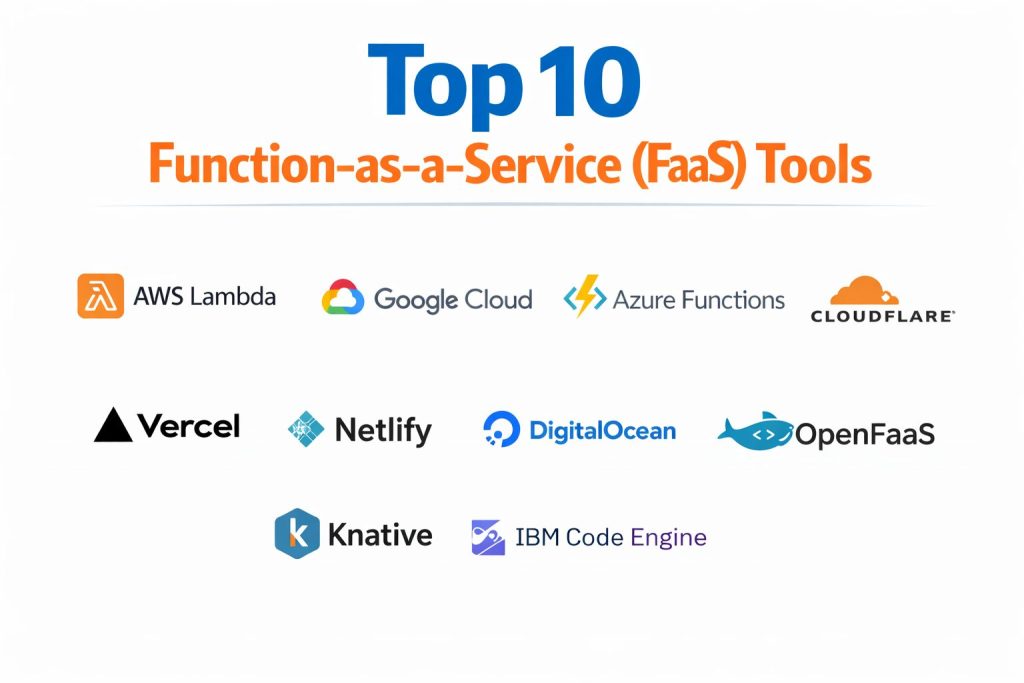
Introduction
Function-as-a-Service represents the pinnacle of the serverless evolution, abstracting the entire infrastructure layer so developers can execute code in response to specific events. In a standard cloud environment, managing servers involves constant patching, scaling, and provisioning, which drains engineering resources. FaaS eliminates this by providing an ephemeral execution environment that triggers only when needed. This allows organizations to move from a “server-centric” mindset to a “logic-centric” one, where the focus remains entirely on building features rather than maintaining the underlying plumbing. As the demand for microservices and real-time data processing grows, these event-driven platforms have become essential for modernizing legacy applications and building new, highly responsive digital products.
The primary value proposition of these tools lies in their cost efficiency and operational agility. By utilizing a “pay-per-execution” model, businesses can avoid the high costs of idle resources, paying only for the precise duration and memory consumed by a function. This is particularly transformative for workloads with unpredictable traffic patterns, such as user-uploaded file processing, webhook handling, or scheduled background tasks. When evaluating the right platform, architects must look beyond simple pricing and consider execution timeouts, cold-start latency, and the depth of the integration ecosystem. Choosing the right tool ensures that an application can scale from zero to millions of requests without the need for manual intervention, effectively future-proofing the technical infrastructure.
Best for: Developers looking for rapid deployment, organizations with fluctuating traffic, and engineering teams focused on building modular, event-driven microservices without infrastructure management.
Not ideal for: Long-running computational tasks that exceed standard timeout limits, legacy monolithic applications that require persistent local state, or workloads requiring highly customized operating system kernels.
Key Trends in FaaS
The convergence of FaaS and Artificial Intelligence is perhaps the most significant trend, with many providers now offering specialized runtimes that support GPU-accelerated functions for AI inference. This allows developers to run large language models and computer vision tasks in a serverless environment, drastically reducing the cost of entry for AI-powered features. Additionally, “Edge Functions” are moving compute power closer to the user by running code at global content delivery points, which virtually eliminates latency for front-end interactions. There is also a strong push toward improving cold-start times through innovative technologies like WebAssembly and specialized micro-VM snapshots.
Another major shift is the rise of stateful serverless functions, which solve the traditional limitation of FaaS being purely stateless. By incorporating built-in state management, these tools now support complex workflows like long-running order processing or user session management. Multi-cloud and hybrid deployments are also gaining traction, as open-source frameworks allow developers to run the same function logic on-premises or across different cloud providers. Finally, “FinOps” integration is becoming standard, providing granular visibility into the cost of every individual function execution, which helps organizations optimize their cloud spend with unprecedented precision.
How We Selected These Tools
Our selection process for the top FaaS platforms focused on technical maturity, developer experience, and the robustness of the supporting ecosystem. We prioritized platforms that provide seamless integration with other cloud services, such as databases and object storage, as these are the most common triggers for serverless functions. Reliability and uptime were critical metrics, as FaaS is often used for mission-critical glue code and APIs. We also looked at the diversity of supported programming languages and the availability of local development tools, which are essential for a smooth engineering workflow.
Scalability was tested by looking at how effectively each tool handles sudden spikes in traffic and how gracefully it scales back to zero during idle periods. We scrutinized the security frameworks of each provider, ensuring they offer strong identity management and isolated execution environments. The availability of community resources and professional support was also factored into the final scoring. By balancing these criteria, we have identified a list of tools that represent the full spectrum of the market, from massive enterprise cloud providers to specialized edge-computing platforms and open-source alternatives.
1. AWS Lambda
AWS Lambda is the industry pioneer and remains the dominant force in the FaaS market. It offers the deepest integration with other cloud services, making it the natural choice for organizations already invested in the Amazon ecosystem. It is designed to handle everything from simple file transformations to complex, distributed microservices.
Key Features
The platform supports native integration with over 200 cloud services, allowing functions to be triggered by database changes, file uploads, or API calls. It features “Provisioned Concurrency,” which keeps functions ready to execute and avoids the latency of a cold start. The environment supports multiple standard languages and allows for custom runtimes through container images. It also includes integrated monitoring and observability tools that provide deep insights into function performance and error rates.
Pros
It has the most mature ecosystem and the widest range of triggers in the market. The massive community and extensive documentation make it easy to find solutions to any technical challenge.
Cons
The pricing and configuration can become complex as the scale increases. There is also a significant degree of vendor lock-in due to the deep integration with other AWS-specific services.
Platforms and Deployment
Global AWS regions; localized deployment through edge locations.
Security and Compliance
Fully integrated with IAM for granular access control; compliant with SOC, ISO, HIPAA, and PCI standards.
Integrations and Ecosystem
Extensive native connections with S3, DynamoDB, Kinesis, and SQS; supported by a vast array of third-party monitoring and deployment tools.
Support and Community
Offers world-class enterprise support and is backed by a global network of certified developers and extensive online resources.
2. Google Cloud Functions
Google Cloud Functions (recently evolving under the Cloud Run Functions brand) is highly optimized for event-driven computing within the Google ecosystem. It is particularly strong in data-heavy environments where it can act as the glue between data pipelines, AI models, and storage buckets.
Key Features
The software provides automatic scaling that reacts instantly to traffic changes without manual tuning. It is built on an open-source framework, which allows for local development and testing before moving code to the cloud. It features direct triggers from Firebase and Pub/Sub, making it ideal for mobile and real-time application backends. The platform also offers a “pay-for-use” model that is metered to the nearest 100 milliseconds, ensuring zero cost during idle periods.
Pros
It is arguably the best platform for data processing and AI-driven tasks due to its proximity to Google’s advanced analytics tools. The developer experience is streamlined and focused on rapid iteration.
Cons
The library of native triggers is not quite as extensive as its primary competitor. Monitoring tools can sometimes be less intuitive for those used to other platforms.
Platforms and Deployment
Google Cloud Platform regions globally.
Security and Compliance
Utilizes Google’s Identity and Access Management; holds all major global compliance certifications including GDPR and SOC 2.
Integrations and Ecosystem
Strongest integration with BigQuery, Firestore, and Vertex AI; supports a wide range of open-source CI/CD tools.
Support and Community
Highly technical support is available, supported by a strong community focus on data science and cloud-native development.
3. Azure Functions
Azure Functions is Microsoft’s serverless solution, designed to provide a flexible and powerful environment for enterprise-level applications. It is particularly well-suited for organizations that rely on the .NET framework and require sophisticated state management for complex workflows.
Key Features
The platform offers “Durable Functions,” a unique feature that allows developers to write stateful functions in a stateless environment, perfect for long-running processes. It supports a wide variety of programming languages and provides an excellent local development experience through its core tools. It features automatic scaling that can handle massive throughput and integrates deeply with Microsoft’s DevOps pipelines. The software also allows for flexible hosting options, including consumption-based and dedicated plans.
Pros
The state management capabilities are industry-leading, allowing for complex orchestration that other platforms struggle with. It is the best choice for teams deeply integrated into the Microsoft software stack.
Cons
Cold-start latency can be more noticeable in the consumption plan than on some other platforms. The management console can be overwhelming due to its many features.
Platforms and Deployment
Azure global regions, with options for hybrid deployment through Azure Arc.
Security and Compliance
Integrated with Microsoft Entra ID (formerly Active Directory); adheres to the most stringent enterprise security and regulatory requirements.
Integrations and Ecosystem
Seamlessly connects with Cosmos DB, Service Bus, and Office 365; offers first-class integration with GitHub Actions and Visual Studio.
Support and Community
Backed by Microsoft’s global support network and a massive community of enterprise developers.
4. Cloudflare Workers
Cloudflare Workers has revolutionized the FaaS space by running code at the “edge,” directly on the global network that sits between the user and the server. This approach virtually eliminates latency and provides a unique environment for high-performance web applications.
Key Features
The platform uses an isolate-based architecture that provides near-zero cold starts, which is a significant advantage over traditional container-based FaaS. It allows developers to deploy JavaScript, Rust, or C++ code across hundreds of global data centers in seconds. It includes a built-in KV (Key-Value) store and a distributed database for managing data at the edge. The software also features an AI gateway that makes it easy to run inference tasks close to the end-user.
Pros
Performance is the standout feature, offering the lowest latency for web-facing applications. The pricing model is very competitive, especially for high-traffic projects.
Cons
The execution environment is more restricted than traditional cloud platforms, lacking access to some standard libraries and file systems. It is not designed for heavy background processing.
Platforms and Deployment
Global edge network across over 300 cities worldwide.
Security and Compliance
Features built-in DDoS protection and integrates with Cloudflare’s robust security suite; compliant with SOC 2 and PCI DSS.
Integrations and Ecosystem
Integrates with popular front-end frameworks and offers a growing marketplace of specialized edge-compatible tools.
Support and Community
Fast-growing community of web developers with high-quality documentation and active Discord support.
5. Vercel Functions
Vercel Functions provides a “zero-configuration” serverless experience specifically tailored for front-end developers. It is designed to work seamlessly with modern web frameworks, allowing for the deployment of backend logic without ever touching a cloud console.
Key Features
The platform features an automatic deployment pipeline that triggers on every code push, providing instant preview environments. It supports both traditional serverless functions and ultra-fast edge functions within a single project. The software includes built-in image optimization and global caching to ensure the fastest possible page loads. It also offers a unified dashboard for managing environment variables, secrets, and analytics across all stages of development.
Pros
It offers the best developer experience for web teams, removing all infrastructure-related friction. The integration with the Next.js framework is unparalleled.
Cons
It is more specialized for web development and may not be the right choice for general-purpose backend tasks or heavy data processing. Enterprise pricing can be high.
Platforms and Deployment
Global network built on top of major cloud providers like AWS.
Security and Compliance
Provides managed security rules and bot protection; compliant with SOC 2 Type 2 and GDPR.
Integrations and Ecosystem
Native support for over 30 web frameworks; integrates with a wide variety of headless CMS and database providers.
Support and Community
Excellent support for Pro and Enterprise plans; a very active community of modern web developers.
6. Netlify Functions
Netlify Functions is another developer-focused platform that simplifies the process of adding backend capabilities to static websites. It focuses on accessibility and ease of use, making it a popular choice for marketing sites and small-to-medium web applications.
Key Features
The software allows developers to write functions as simple files within their project, which Netlify then builds and deploys automatically. It supports background functions that can run for up to 15 minutes, which is longer than many other web-centric platforms. It features an intuitive management interface for handling form submissions, user authentication, and split testing. The platform also provides a local development environment that mimics the production cloud perfectly.
Pros
The “all-in-one” nature of the platform makes it incredibly easy to manage a complete web project in one place. Its free tier is very generous for small projects.
Cons
While easy to use, it lacks some of the deep technical configuration options found in enterprise cloud platforms. Performance for complex data tasks may be lower than specialized alternatives.
Platforms and Deployment
Global CDN and serverless compute regions.
Security and Compliance
Includes automatic SSL, custom headers, and role-based access control; holds SOC 2 and ISO 27001 certifications.
Integrations and Ecosystem
Deep connections with Git providers and a large marketplace of “Build Plugins” to extend the platform’s capabilities.
Support and Community
Strong community forums and technical documentation, with dedicated support available for business tiers.
7. DigitalOcean Functions
DigitalOcean Functions is designed for developers and startups who want the simplicity and predictable pricing that DigitalOcean is known for. It provides a clean, focused environment for building event-driven components without the complexity of larger cloud providers.
Key Features
The platform is fully integrated into the DigitalOcean App Platform, allowing functions to be managed alongside databases and virtual machines. It provides a simple command-line tool for deploying and testing code, and it supports automatic scaling out of the box. The environment includes built-in monitoring that tracks execution time, memory usage, and errors. It also offers unified billing, so all cloud resources appear on a single, easy-to-understand invoice.
Pros
The user interface and overall experience are remarkably straightforward, making it ideal for teams without a dedicated DevOps department. Pricing is transparent and highly competitive.
Cons
The feature set is more limited compared to the “Big Three” cloud providers. It may not have the niche compliance certifications required by certain highly regulated industries.
Platforms and Deployment
Available in DigitalOcean’s global data center regions.
Security and Compliance
Offers data encryption at rest and in transit; compliant with GDPR and SOC 2 standards.
Integrations and Ecosystem
Seamlessly integrates with DigitalOcean Managed Databases and Spaces (object storage); works well with industry-standard CI/CD tools.
Support and Community
Well-known for its high-quality community tutorials and active developer forums; premium support plans are available.
8. OpenFaaS
OpenFaaS is an open-source framework that allows organizations to run serverless functions on any infrastructure, whether it is a local data center or a public cloud. It is designed to make Kubernetes usable for developers by providing a simple, function-based abstraction.
Key Features
The software allows any code to be packaged as a function using standard container images. It includes a sophisticated auto-scaling engine that can scale functions to zero when not in use and scale them up based on traffic or CPU load. It features a built-in dashboard and a powerful command-line interface for managing functions. The platform also supports an event-driven model that can be triggered by Kafka, RabbitMQ, or AWS SQS, providing great flexibility for complex system architectures.
Pros
It provides total portability, preventing vendor lock-in and allowing for consistent deployments across hybrid environments. It is the best choice for organizations that want to leverage their existing Kubernetes investments.
Cons
Since it is self-hosted, the organization is responsible for managing the underlying infrastructure and Kubernetes clusters. This requires a higher level of technical expertise.
Platforms and Deployment
Any Kubernetes-compatible environment, including on-premises and all major public clouds.
Security and Compliance
Inherits the security model of the underlying Kubernetes cluster; Pro version adds OIDC and RBAC for enterprise needs.
Integrations and Ecosystem
Deeply integrated with the Kubernetes ecosystem; supports a wide range of event sources through its “event-connector” architecture.
Support and Community
A highly active open-source community provides the core support, while the Pro version offers direct enterprise-grade engineering support.
9. Knative
Knative is another powerful open-source platform that enriches Kubernetes with serverless capabilities. It focuses on providing a standardized set of components for building and running serverless, cloud-native applications that are portable and scalable.
Key Features
The platform is split into two main components: “Serving,” which handles the deployment and automatic scaling of containers, and “Eventing,” which provides a system for consuming and producing events. It allows for “scale-to-zero” functionality, ensuring that resources are only used when requests are active. It supports sophisticated traffic management features like blue-green deployments and canary releases. The software also utilizes open standards for event delivery, ensuring compatibility across different systems.
Pros
It is the standard for building serverless platforms on top of Kubernetes, with massive industry backing. It offers incredible flexibility for those who need fine-grained control over their execution environment.
Cons
The complexity of Knative can be significant, especially for those not already familiar with the Kubernetes ecosystem. The setup and maintenance require substantial DevOps effort.
Platforms and Deployment
Any Kubernetes cluster, including managed services like GKE, EKS, and AKS.
Security and Compliance
Relies on Kubernetes RBAC and network policies; integrates with service mesh technologies for secure communication.
Integrations and Ecosystem
Part of the Cloud Native Computing Foundation (CNCF); integrates with all major container-related tools and cloud services.
Support and Community
Broad community support from companies like Google, Red Hat, and IBM; extensively documented and used in many enterprise environments.
10. IBM Cloud Code Engine
IBM Cloud Code Engine is a fully managed serverless platform that allows users to run functions, containerized web apps, and batch jobs all in one place. It is designed to provide a simplified experience that hides the complexity of the underlying Kubernetes infrastructure.
Key Features
The software automatically handles the sizing, scaling, and networking of your workloads, allowing you to focus purely on the code. It supports “Serverless Fleets” for parallel jobs, making it an excellent choice for AI simulations and compute-intensive tasks. It features a seamless developer workflow that can build container images directly from your source code. The platform also provides isolated environments for each workload, ensuring high levels of security and performance.
Pros
It is extremely versatile, handling functions and batch jobs equally well within a single environment. It offers strong support for hybrid and multi-cloud strategies through IBM’s broader cloud portfolio.
Cons
It may not have as large a community as some of the more web-focused FaaS platforms. The interface is geared more toward enterprise users than independent developers.
Platforms and Deployment
IBM Cloud global regions.
Security and Compliance
Features encrypted traffic and tight access controls; adheres to a wide range of global industry standards and regulations.
Integrations and Ecosystem
Deeply connected with IBM’s data and AI services; built on open standards like Knative and Kubernetes for maximum portability.
Support and Community
Offers professional enterprise support and is backed by IBM’s extensive history of technical research and development.
Comparison Table
| Tool Name | Best For | Platform(s) Supported | Deployment | Standout Feature | Public Rating |
| 1. AWS Lambda | Complex Cloud Apps | AWS Regions | SaaS | Deepest Ecosystem | 4.8/5 |
| 2. Google Cloud | AI & Data Workloads | GCP Regions | SaaS | Data Integration | 4.7/5 |
| 3. Azure Functions | Enterprise .NET | Azure Regions | SaaS | Durable Functions | 4.6/5 |
| 4. Cloudflare Workers | Global Low Latency | Edge Network | SaaS | Isolate Architecture | 4.9/5 |
| 5. Vercel Functions | Front-end Devs | Global CDN | SaaS | Zero-Config Setup | 4.8/5 |
| 6. Netlify Functions | Static Site Logic | Global CDN | SaaS | Build Integration | 4.5/5 |
| 7. DigitalOcean | Startups / SMBs | DO Regions | SaaS | Pricing Simplicity | 4.4/5 |
| 8. OpenFaaS | Hybrid / On-Prem | Kubernetes | Self-hosted | Multi-Cloud Portability | 4.6/5 |
| 9. Knative | Platform Builders | Kubernetes | Self-hosted | CNCF Standard | 4.3/5 |
| 10. IBM Code Engine | Batch & AI Jobs | IBM Cloud | SaaS | Serverless Fleets | 4.2/5 |
Evaluation & Scoring of FaaS Tools
The scoring below is a comparative model intended to help shortlisting. Each criterion is scored from 1–10, then a weighted total from 0–10 is calculated using the weights listed. These are analyst estimates based on typical fit and common workflow requirements, not public ratings.
Weights:
- Core features – 25%
- Ease of use – 15%
- Integrations & ecosystem – 15%
- Security & compliance – 10%
- Performance & reliability – 10%
- Support & community – 10%
- Price / value – 15%
| Tool Name | Core (25%) | Ease (15%) | Integrations (15%) | Security (10%) | Performance (10%) | Support (10%) | Value (15%) | Weighted Total |
| 1. AWS Lambda | 10 | 6 | 10 | 10 | 8 | 10 | 7 | 8.85 |
| 2. Google Cloud | 9 | 7 | 9 | 9 | 9 | 9 | 8 | 8.65 |
| 3. Azure Functions | 9 | 6 | 9 | 10 | 7 | 9 | 7 | 8.15 |
| 4. Cloudflare | 8 | 9 | 7 | 9 | 10 | 8 | 9 | 8.35 |
| 5. Vercel | 7 | 10 | 8 | 9 | 10 | 8 | 7 | 8.15 |
| 6. Netlify | 6 | 10 | 8 | 8 | 8 | 8 | 8 | 7.90 |
| 7. DigitalOcean | 7 | 9 | 7 | 8 | 8 | 8 | 9 | 7.85 |
| 8. OpenFaaS | 9 | 4 | 9 | 7 | 9 | 9 | 8 | 8.00 |
| 9. Knative | 9 | 3 | 9 | 8 | 9 | 8 | 7 | 7.55 |
| 10. IBM Code Engine | 8 | 6 | 8 | 9 | 8 | 8 | 7 | 7.70 |
How to interpret the scores:
- Use the weighted total to shortlist candidates, then validate with a pilot.
- A lower score can mean specialization, not weakness.
- Security and compliance scores reflect controllability and governance fit, because certifications are often not publicly stated.
- Actual outcomes vary with assembly size, team skills, templates, and process maturity.
Which Function-as-a-Service (FaaS) Tool Is Right for You?
Solo / Freelancer
For individuals, a platform that manages all the technical details and offers a generous free tier is the best path. Tools like Vercel or Netlify allow you to launch a professional backend with almost no setup time, letting you focus on the creative aspects of your project.
SMB
Small businesses should look for tools that offer predictable costs and high reliability. DigitalOcean and Cloudflare are often ideal here, as they provide powerful features without the complexity and hidden fees that sometimes come with the larger enterprise clouds.
Mid-Market
Organizations in this stage are usually scaling quickly and need a platform that can grow with them. Google Cloud or AWS provide the necessary depth and a wide pool of available talent to ensure that as the application grows, the infrastructure remains solid.
Enterprise
Large enterprises require the highest levels of security, compliance, and multi-team management. AWS, Azure, and IBM are the top contenders, providing the granular control and dedicated support networks needed to manage complex, distributed global operations.
Budget vs Premium
If cost is the primary concern, open-source solutions like OpenFaaS can be highly effective, provided the team has the skills to manage them. For those who can afford a premium, a managed service like AWS Lambda offers a higher level of convenience and integrated features.
Feature Depth vs Ease of Use
If you need complex stateful workflows or deep data integration, you must choose a feature-heavy tool like Azure or Google. If you simply need to run a piece of code quickly at the edge, an easy-to-use tool like Cloudflare is the superior choice.
Integrations & Scalability
Scalability is built into all these tools, but the depth of integration varies. Teams that need their functions to talk to many different services should stick with the major cloud providers, while web-focused teams will find better integration with modern frontend platforms.
Security & Compliance Needs
Highly regulated industries like finance or healthcare must prioritize platforms with specific certifications. AWS, Azure, and Google lead the market in this regard, offering the detailed auditing and security features required by global regulators.
Frequently Asked Questions (FAQs)
1. What is a “Cold Start” in FaaS?
A cold start occurs when a function is triggered after being idle for a period. The cloud provider must spin up a new execution environment, which adds a small delay to the first request. Most modern providers have significantly reduced this delay.
2. Is FaaS the same as Serverless?
Not exactly. Serverless is a broad category that includes FaaS (for compute) as well as serverless databases and storage. FaaS is specifically the part where you run individual pieces of code without managing a server.
3. How does FaaS billing work?
Billing is typically based on two factors: the number of times a function is invoked and the duration of the execution, often measured in hundred-millisecond increments and multiplied by the amount of memory allocated to the function.
4. Can I run long-running tasks in a function?
Generally, no. Most FaaS platforms have execution limits, usually ranging from a few seconds to 15 minutes. For longer tasks, you should consider using a serverless batch processing service or a container-based platform.
5. What is the benefit of Edge Functions?
Edge functions run code closer to the user’s physical location. This reduces the time data has to travel over the internet, resulting in much faster response times for web applications and better user experiences.
6. Is vendor lock-in a real concern with FaaS?
It can be, especially if you rely on triggers and services unique to one cloud provider. Using open-source frameworks like Knative or keeping your code modular can help mitigate this risk and allow for easier migration.
7. Which language is best for FaaS?
Node.js and Python are the most popular due to their fast startup times and extensive libraries. However, languages like Go and Rust are gaining popularity for their high performance and efficient resource usage.
8. Can functions access a traditional SQL database?
Yes, functions can connect to traditional databases, but you must be careful about connection limits. Many cloud providers offer specialized proxies or “serverless-friendly” databases to handle the high volume of connections functions can create.
9. Is FaaS more secure than traditional hosting?
In many ways, yes. The execution environment is ephemeral and isolated, which reduces the attack surface. However, you are still responsible for securing your code and managing the permissions of the function through identity management tools.
10. Can I test functions locally before deploying?
Absolutely. Most major providers offer command-line tools and local runtimes that allow you to simulate the cloud environment on your own computer, which is essential for efficient development and debugging.
Conclusion
The shift toward Function-as-a-Service is not just a change in infrastructure; it is a fundamental shift in how we approach the entire software development lifecycle. By adopting FaaS, organizations empower their engineering teams to move faster, reduce operational overhead, and align their costs directly with the value they deliver to users. Whether you choose the massive ecosystem of a hyperscale cloud provider or the blistering speed of an edge-computing network, the goal remains the same: to build resilient, scalable applications that can adapt to any demand. As an experienced technical leader, I have seen that the most successful transitions to serverless are those that prioritize architectural flexibility and developer happiness. The tools listed here represent the best available options to help you achieve that balance and drive your technical strategy forward.