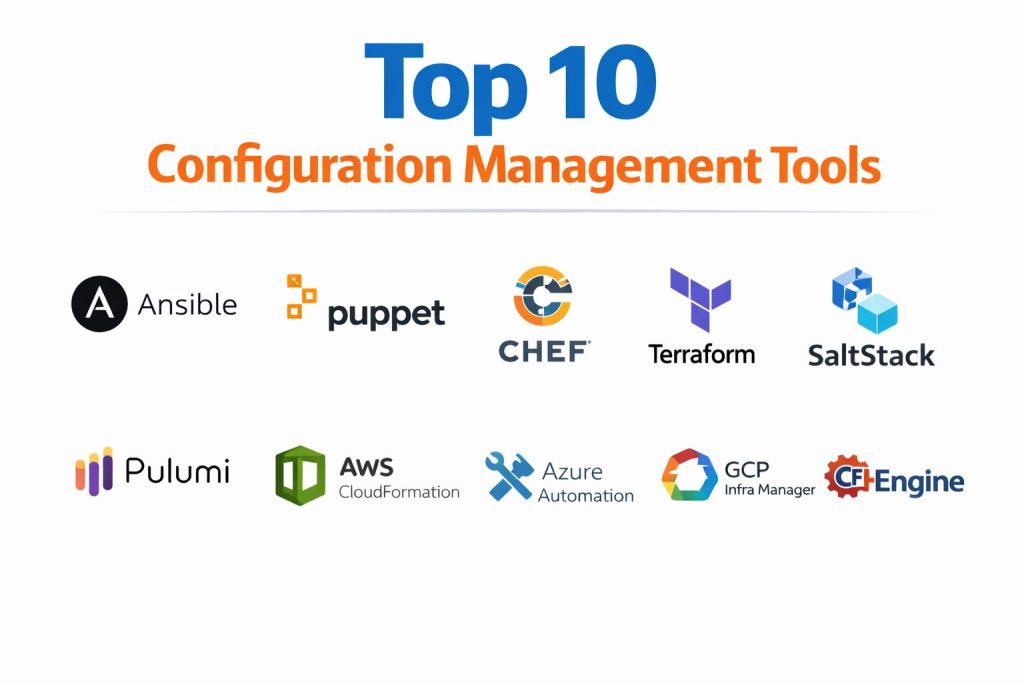
Introduction
Configuration management tools represent the operational foundation of modern infrastructure, ensuring that servers, networks, and applications remain in a known, consistent, and reliable state. These platforms automate the repetitive tasks of installing software, managing system settings, and enforcing security policies across thousands of nodes simultaneously. By treating infrastructure as code, they allow engineering teams to version control their environments, making every change auditable and reproducible. In the high-stakes world of enterprise IT, these tools are no longer optional; they are the primary defense against “configuration drift,” where manual, untracked changes lead to catastrophic system failures and security vulnerabilities.
The necessity for these tools arises from the sheer scale and complexity of hybrid cloud environments. Managing a few dozen servers manually might be possible, but managing a global fleet of virtual machines, containers, and serverless functions requires a programmatic approach. Modern configuration management goes beyond simple scripting; it incorporates intelligent logic, such as idempotency, which ensures that an automation script only makes changes if the system is not already in the desired state. This precision allows organizations to maintain compliance with industry standards and recover from outages in minutes rather than hours. When selecting a tool, decision-makers must evaluate the trade-offs between agent-based and agentless architectures, the learning curve of the configuration language, and the depth of the integration ecosystem.
Best for: DevOps engineers, site reliability engineers, and system administrators tasked with managing large-scale server fleets, ensuring compliance, and accelerating deployment cycles.
Not ideal for: Small projects with only one or two static servers where the overhead of setting up an automation framework outweighs the benefits. It is also not a replacement for basic manual troubleshooting in local development environments.
Key Trends in Configuration Management Tools
The industry is moving rapidly toward “GitOps,” where the entire configuration of a data center is defined in a Git repository and automatically synchronized to the live environment. There is also a significant rise in AI-driven automation, where intelligent assistants help engineers write more secure and efficient playbooks by predicting the necessary parameters and catching syntax errors in real-time. Event-driven automation is another major trend, allowing tools to respond instantly to system triggers—such as a service failing or a disk reaching capacity—and automatically apply a fix without human intervention.
Compliance-as-code is becoming a standard requirement, with tools now offering built-in scanning to ensure that every server meets specific regulatory benchmarks like HIPAA or PCI-DSS at all times. We are also seeing a shift toward unified control planes that can manage configuration across on-premises hardware, multiple public clouds, and edge devices from a single interface. Finally, the distinction between infrastructure provisioning and configuration is blurring, as modern platforms increasingly handle both the creation of the hardware and the fine-tuning of the software in a single, seamless workflow.
How We Selected These Tools
Our selection process focused on identifying tools that offer the highest levels of reliability and scalability for professional environments. We prioritized platforms that have a massive community presence, as a large user base ensures a wealth of pre-built modules and faster resolution of bugs. Technical robustness was a primary criterion, specifically evaluating how each tool handles state management and its ability to maintain idempotency under varied conditions.
We also looked for tools that provide enterprise-grade security features, such as encrypted secret management and role-based access controls. The versatility of the configuration language—whether it uses a simple declarative format like YAML or a more powerful programming language—was also weighed against the typical skill sets of operations teams. Integration capabilities were scrutinized to ensure these tools can plug into existing CI/CD pipelines, monitoring suites, and cloud provider APIs. Ultimately, the tools on this list represent the most trusted and future-proof solutions available for modern infrastructure automation.
1. Ansible
Ansible is the industry leader for simple, agentless automation, prized for its use of human-readable YAML and its ability to connect to remote systems over standard SSH. It allows teams to get started quickly without installing any special software on the target nodes, making it the most accessible tool for rapid deployment.
Key Features
The platform uses “Playbooks” to describe automation tasks in a plain-English format that is easy for both developers and operators to understand. It is entirely agentless, meaning it doesn’t leave any footprint on the managed systems. Its massive library of modules covers everything from cloud resource management to network device configuration. It features a built-in secret management system for encrypting sensitive data like passwords. Additionally, it supports “Ad-hoc” mode for running quick, one-off commands across the entire fleet instantly.
Pros
The lack of a management agent simplifies initial setup and reduces maintenance overhead significantly. Its YAML-based syntax is widely considered the easiest to learn among all major automation tools.
Cons
While it is excellent for task execution, its lack of a persistent state file can make it more challenging to manage highly complex, long-term infrastructure dependencies.
Platforms and Deployment
Windows, macOS, and Linux. It is primarily run from a local control node or a centralized automation platform.
Security and Compliance
It offers robust encryption for variables and integrated support for multi-factor authentication in its enterprise editions.
Integrations and Ecosystem
Ansible has one of the largest ecosystems in the world, with certified content for nearly every major cloud provider, hardware vendor, and security platform.
Support and Community
It is backed by a massive open-source community and offers professional enterprise support through its parent company.
2. Puppet
Puppet is a mature, model-driven tool that excels at maintaining the long-term state of a system. It uses a declarative language to define how a server should look, and it continuously monitors those servers to pull them back into compliance if they ever drift.
Key Features
The software relies on a persistent agent that runs on every managed node, checking for configuration changes every few minutes. It uses its own specialized language that is designed specifically for describing system resources like users, files, and packages. It includes a powerful reporting engine that provides a clear history of every change made to the infrastructure. The platform also offers a “Puppet Forge” marketplace with thousands of ready-to-use modules. It features advanced certificate management to ensure secure communication between the master server and its agents.
Pros
It is arguably the best tool for preventing configuration drift in large, static environments. Its reporting and auditing capabilities are world-class, making it a favorite for compliance-heavy industries.
Cons
The requirement to install and manage an agent on every server adds a layer of operational complexity. The learning curve for its custom DSL is steeper than for YAML-based tools.
Platforms and Deployment
Windows, macOS, and Linux. Typically deployed in a master-agent architecture.
Security and Compliance
Features built-in security auditing and integrates with enterprise identity management systems for strict access control.
Integrations and Ecosystem
It has deep integrations with major virtualization platforms and cloud providers, along with a robust community-driven module repository.
Support and Community
Provides extensive documentation and enterprise-level support plans, supported by a long-standing professional community.
3. Chef
Chef treats infrastructure like a true software project, using the Ruby programming language to create highly customizable and testable configurations. It is the preferred choice for teams with a strong development background who need maximum flexibility.
Key Features
Configurations are written in “Recipes” which are then grouped into “Cookbooks,” allowing for highly modular and reusable code. It features a unique tool for writing and running compliance tests against your infrastructure in real-time. The “Test Kitchen” feature allows developers to test their configuration code in isolated virtual environments before deploying to production. It supports a “pull” model where each node periodically asks the server for its instructions. The platform also includes a comprehensive dashboard for visualizing the health and status of the entire fleet.
Pros
The use of a full programming language allows for the creation of incredibly complex and dynamic configurations that simple declarative tools cannot handle. It has a very strong focus on the full lifecycle of infrastructure, from development to compliance.
Cons
Requires a working knowledge of Ruby, which may be a barrier for traditional system administrators. Its architecture is more complex than agentless alternatives.
Platforms and Deployment
Windows, macOS, and Linux. Deployed using a workstation, a central server, and client nodes.
Security and Compliance
Includes a dedicated compliance-as-code framework that automates the auditing of security policies.
Integrations and Ecosystem
Integrates perfectly with modern CI/CD tools and has a well-established marketplace for shared cookbooks.
Support and Community
Offers various levels of commercial support and has a professional community focused on DevOps and infrastructure-as-code best practices.
4. Terraform
While primarily known for infrastructure provisioning, Terraform has become an essential part of the configuration management landscape. It focuses on the “what” rather than the “how,” allowing users to define the desired final state of their cloud resources across multiple providers.
Key Features
It uses a specialized configuration language that is highly readable and designed for defining cloud infrastructure. The tool maintains a “State File” that acts as a single source of truth for what has been deployed. It features a “Plan” command that shows you exactly what changes will be made before you apply them. It supports thousands of providers, covering everything from AWS and Azure to DNS and SaaS platforms. Its modular architecture allows teams to build standardized building blocks for entire environments.
Pros
It is the gold standard for multi-cloud environments, allowing you to manage different vendors with a single tool. Its ability to track the current state of infrastructure is more advanced than almost any other platform.
Cons
It is not designed for fine-grained, internal server configuration (like managing a config file inside a Linux server), meaning it is often used alongside tools like Ansible.
Platforms and Deployment
Windows, macOS, and Linux. Usually run from a local machine, a CI/CD pipeline, or a dedicated cloud platform.
Security and Compliance
Supports remote state locking and encryption, along with policy-as-code guardrails to prevent non-compliant deployments.
Integrations and Ecosystem
Boasts the largest provider ecosystem in the industry, with support for virtually every modern technology service.
Support and Community
Backed by a massive global community and comprehensive enterprise support options.
5. SaltStack
SaltStack is built for speed and massive scale, utilizing a unique communication system that allows it to manage tens of thousands of servers in near real-time. It is particularly strong in environments where both configuration and remote execution are needed.
Key Features
The tool uses a high-speed messaging bus to send commands to “Minions,” resulting in execution speeds that are significantly faster than SSH-based tools. It supports an event-driven automation system that can trigger a fix as soon as a problem is detected. Users can write configurations in YAML or use a variety of other formats, including Python. It offers both agent-based and agentless modes for maximum flexibility. The platform also includes powerful orchestration features for managing complex, multi-server workflows.
Pros
Its performance at scale is unmatched, making it the top choice for massive data centers. The event-driven system provides a proactive way to manage infrastructure health.
Cons
The initial setup can be more complex than Ansible, and the range of pre-built community modules is not as large as the top competitors.
Platforms and Deployment
Windows, macOS, and Linux. Deployed in a master-minion architecture with high-speed communication.
Security and Compliance
Includes features for vulnerability scanning and automated remediation to maintain a secure environment.
Integrations and Ecosystem
Integrates with all major cloud providers and has a strong focus on security and network automation.
Support and Community
Offers commercial support through its parent organization and has a dedicated following of technical operations professionals.
6. Pulumi
Pulumi represents the evolution of infrastructure as code by allowing engineers to use standard programming languages like Python, JavaScript, and Go to define their configurations. It treats your infrastructure exactly like your application code.
Key Features
By using general-purpose languages, users can leverage existing software engineering tools like IDEs, linters, and testing frameworks. It provides a managed cloud service to handle state, secrets, and team collaboration. The platform supports a wide range of cloud providers, Kubernetes, and even on-premises systems. It includes a “Preview” mode that shows detailed changes before they are applied. It also features a cross-language component system that allows experts to build libraries for other teams to use.
Pros
It eliminates the need to learn a specialized, limited language for infrastructure. This makes it a favorite for developers who want to manage their own cloud resources without leaving their preferred environment.
Cons
Using a full programming language can lead to over-engineered solutions that are difficult for traditional operations teams to understand.
Platforms and Deployment
Windows, macOS, and Linux. Typically run through a CLI and managed via a central web console.
Security and Compliance
Offers enterprise-grade secret management and integrates with existing security and compliance tools.
Integrations and Ecosystem
Integrates with all major cloud providers and supports the full range of standard package managers.
Support and Community
Provides professional support and has a rapidly growing community of modern software and DevOps engineers.
7. AWS CloudFormation
For organizations that operate exclusively within the Amazon ecosystem, CloudFormation provides a deeply integrated and fully managed way to automate the configuration of all AWS services.
Key Features
It uses JSON or YAML templates to describe the entire stack of resources needed for an application. Because it is a native service, it supports new AWS features as soon as they are released. It includes a “StackSet” feature for deploying configurations across multiple AWS accounts and regions simultaneously. The service automatically handles the dependencies between resources, ensuring they are created in the correct order. It also offers a “Drift Detection” tool to identify manual changes made through the AWS console.
Pros
There is no infrastructure to manage, as the service is fully hosted by AWS. It is incredibly stable and offers a “Rollback” feature that automatically reverts changes if a deployment fails.
Cons
It is strictly limited to the AWS cloud, making it a poor choice for hybrid or multi-cloud strategies.
Platforms and Deployment
Fully managed cloud service accessible via the AWS Console, CLI, or API.
Security and Compliance
Deeply integrated with AWS Identity and Access Management for granular control and is compliant with all major international security standards.
Integrations and Ecosystem
Works seamlessly with every other AWS service, from EC2 to Lambda and SageMaker.
Support and Community
Backed by the full weight of AWS technical support and a vast amount of official documentation and community templates.
8. Azure Automation
Azure Automation is the primary configuration and process automation service for the Microsoft cloud, providing a unified way to manage both Windows and Linux environments across hybrid setups.
Key Features
The service uses PowerShell and Python runbooks to automate repetitive cloud management tasks. It includes a feature for tracking changes to files, registry keys, and software across all managed machines. Its configuration management is based on the industry-standard Desired State Configuration (DSC) protocol. It offers a centralized portal for managing updates and patches across hybrid environments. The service also features “Hybrid Runbook Workers” that allow you to run automation scripts on-premises behind a firewall.
Pros
It is the most natural choice for organizations with a heavy investment in the Microsoft ecosystem and PowerShell. The ability to manage on-premises and cloud servers from one place is a major advantage.
Cons
The interface and logic can be complex for users who are not already familiar with Azure and PowerShell.
Platforms and Deployment
Fully managed cloud service with support for Windows and Linux agents.
Security and Compliance
Offers high-level security through Azure’s identity services and holds numerous certifications for enterprise compliance.
Integrations and Ecosystem
Integrates perfectly with Azure Monitor, Azure DevOps, and other Microsoft enterprise services.
Support and Community
Enterprise-grade support is available through Microsoft, with a large community of IT professionals sharing scripts and runbooks.
9. Google Cloud Infrastructure Manager
As the successor to Deployment Manager, this service allows Google Cloud users to manage their infrastructure using the industry-standard Terraform engine in a fully managed environment.
Key Features
It automates the deployment and management of Terraform configurations, providing a streamlined workflow for Google Cloud resources. The service handles the storage and locking of state files automatically, removing a major headache for teams. It integrates with Google’s identity system to control who can create or modify deployments. Users can preview changes before they are applied, and the service provides a clear history of all deployment revisions. It is designed to scale effortlessly as your cloud footprint grows.
Pros
It combines the power of Terraform with the simplicity of a managed service. It ensures that teams are using consistent, version-controlled patterns for all their Google Cloud projects.
Cons
It is a Google-specific service, meaning while it uses an open language, the management features are tied to one cloud provider.
Platforms and Deployment
Fully managed service within the Google Cloud Platform.
Security and Compliance
Leverages Google’s global security infrastructure and provides detailed audit logs for every deployment action.
Integrations and Ecosystem
Integrates with the broader Google Cloud suite and supports any standard Terraform provider for GCP.
Support and Community
Standard Google Cloud support applies, and users benefit from the massive global Terraform community.
10. CFEngine
CFEngine is one of the original configuration management tools, built for extreme efficiency and security in massive, high-performance environments. It is known for its tiny footprint and its ability to run on almost any type of hardware.
Key Features
The tool uses a lightweight agent that consumes very few system resources, making it ideal for edge devices and legacy systems. It operates on a decentralized model where each node is responsible for enforcing its own state, even if it loses its connection to the network. It features a highly secure, mathematically proven approach to automation. The platform includes a centralized hub for monitoring the health and compliance of the entire fleet. It is capable of checking and correcting system states every few seconds.
Pros
It is the fastest and most resource-efficient tool on this list. Its ability to function autonomously makes it perfect for environments with unstable network connections.
Cons
The configuration language is very different from modern alternatives and can be difficult for new users to grasp. It lacks the massive library of pre-built integrations found in tools like Ansible.
Platforms and Deployment
Linux, Windows, and macOS. Deployed as a distributed agent-based system.
Security and Compliance
Known for its extreme security focus, it is used by government and military organizations for mission-critical infrastructure.
Integrations and Ecosystem
Focused primarily on system-level configuration, with some integrations for modern cloud monitoring tools.
Support and Community
Offers commercial support and has a specialized community of experts in high-scale infrastructure.
Comparison Table
| Tool Name | Best For | Platform(s) Supported | Deployment | Standout Feature | Public Rating |
| 1. Ansible | Rapid Automation | Win, Mac, Linux | Agentless | YAML Playbooks | 4.8/5 |
| 2. Puppet | State Enforcement | Win, Mac, Linux | Agent-based | Model-driven DSC | 4.7/5 |
| 3. Chef | Dev-heavy Teams | Win, Mac, Linux | Agent-based | Ruby-based Recipes | 4.6/5 |
| 4. Terraform | Multi-Cloud IaC | Win, Mac, Linux | Managed/Local | State Management | 4.9/5 |
| 5. SaltStack | High-speed Scale | Win, Mac, Linux | Hybrid | Event-driven Bus | 4.6/5 |
| 6. Pulumi | Programming-centric | Win, Mac, Linux | Managed/Local | General-purpose Lang | 4.7/5 |
| 7. AWS CloudFormation | AWS-only Shops | AWS Cloud | Fully Managed | Native AWS Sync | 4.5/5 |
| 8. Azure Automation | Hybrid MS Shops | Azure Cloud | Fully Managed | PowerShell Runbooks | 4.4/5 |
| 9. GCP Infra Manager | Google Cloud Teams | Google Cloud | Fully Managed | Managed Terraform | 4.5/5 |
| 10. CFEngine | Edge/Scale | Win, Mac, Linux | Decentralized | Lightweight Agent | 4.3/5 |
Evaluation & Scoring of Configuration Management Tools
The scoring below is a comparative model intended to help shortlisting. Each criterion is scored from 1–10, then a weighted total from 0–10 is calculated using the weights listed. These are analyst estimates based on typical fit and common workflow requirements, not public ratings.
Weights:
- Core features – 25%
- Ease of use – 15%
- Integrations & ecosystem – 15%
- Security & compliance – 10%
- Performance & reliability – 10%
- Support & community – 10%
- Price / value – 15%
| Tool Name | Scalability (25%) | Ease (15%) | Ecosystem (15%) | Security (10%) | Performance (10%) | Support (10%) | Value (15%) | Weighted Total |
| 1. Ansible | 8 | 10 | 10 | 8 | 7 | 9 | 10 | 8.85 |
| 2. Puppet | 9 | 5 | 9 | 9 | 8 | 9 | 7 | 8.05 |
| 3. Chef | 8 | 4 | 8 | 8 | 8 | 8 | 7 | 7.30 |
| 4. Terraform | 10 | 8 | 10 | 9 | 9 | 10 | 9 | 9.30 |
| 5. SaltStack | 10 | 6 | 7 | 8 | 10 | 8 | 8 | 8.25 |
| 6. Pulumi | 9 | 7 | 8 | 9 | 9 | 9 | 8 | 8.40 |
| 7. AWS CloudFormation | 9 | 8 | 7 | 10 | 8 | 10 | 9 | 8.70 |
| 8. Azure Automation | 8 | 7 | 8 | 10 | 7 | 9 | 8 | 8.15 |
| 9. GCP Infra Manager | 9 | 8 | 8 | 10 | 9 | 9 | 8 | 8.70 |
| 10. CFEngine | 10 | 3 | 5 | 10 | 10 | 7 | 8 | 7.45 |
How to interpret the scores:
- Use the weighted total to shortlist candidates, then validate with a pilot.
- A lower score can mean specialization, not weakness.
- Security and compliance scores reflect controllability and governance fit, because certifications are often not publicly stated.
- Actual outcomes vary with assembly size, team skills, templates, and process maturity.
Which Configuration Management Tool Is Right for You?
Solo / Freelancer
For individuals, Ansible is often the best starting point due to its zero-install requirement and easy syntax. It allows you to automate your tasks immediately without managing a complex server architecture.
SMB
Small businesses should look for tools that offer a balance of speed and reliability. Managed cloud services like those from AWS, Azure, or Google are often ideal because they remove the need for a dedicated operations team to manage the automation tool itself.
Mid-Market
In the mid-market, flexibility and community support become crucial. Terraform combined with Ansible provides a powerful stack that can handle both the infrastructure and the application configuration as the company grows.
Enterprise
Enterprises require absolute consistency and deep auditing. Puppet and SaltStack are excellent choices for these environments because they focus heavily on maintaining a compliant state and can scale to tens of thousands of servers across different regions.
Budget vs Premium
Open-source versions of Ansible and Terraform provide immense power for free. However, premium versions or managed cloud services offer advanced features like graphical dashboards, team collaboration tools, and 24/7 technical support that are often worth the investment for critical projects.
Feature Depth vs Ease of Use
If you need to perform complex logic with loops and conditions, Chef or Pulumi provide the most power. If you want something that your entire team can read and contribute to within a week, Ansible’s YAML format is the superior choice.
Integrations & Scalability
Scale is the primary factor for tools like SaltStack and CFEngine. If your environment is dynamic and multi-cloud, Terraform’s massive provider ecosystem is essential for keeping all your different services in sync.
Security & Compliance Needs
For highly regulated industries, the continuous auditing features of Puppet and the “policy-as-code” features of CloudFormation and Terraform are vital. These tools ensure that security is not just an afterthought but is baked into the code itself.
Frequently Asked Questions (FAQs)
1. What is the difference between provisioning and configuration management?
Provisioning is the act of creating the physical or virtual hardware, like launching a server. Configuration management is the act of setting up that server once it exists, such as installing a web server or creating a user account.
2. Should I use an agent-based or agentless tool?
Agentless tools like Ansible are easier to set up initially, but agent-based tools like Puppet can be more reliable for enforcing a specific state over a long period, especially when the network connection to the central server is not constant.
3. Can I use more than one tool at the same time?
Yes, many teams use a “best of breed” approach. For example, they might use Terraform to create the cloud infrastructure and then use Ansible to configure the software running inside that infrastructure.
4. What does “Idempotency” mean in automation?
Idempotency means that if you run a command once, it makes a change, but if you run it again, it realizes the change has already been made and does nothing. This prevents errors and ensures your system remains in the correct state.
5. Is YAML better than a full programming language for configuration?
YAML is better for simplicity and team-wide readability. A full programming language like Python or Ruby is better for complex scenarios that require advanced logic, but it requires more specialized coding skills from the operations team.
6. Do these tools work with Windows servers?
Yes, almost all the major tools now have robust support for Windows through PowerShell and WinRM, though their heritage is often in Linux-based environments.
7. How do these tools handle passwords and secrets?
Professional tools include specialized secret management systems that encrypt sensitive data. They ensure that passwords and API keys are never stored in plain text within your version control system.
8. Can configuration management tools manage network devices?
Yes, many modern platforms like Ansible and SaltStack have dedicated modules for managing firewalls, switches, and load balancers from manufacturers like Cisco, Juniper, and F5.
9. What is “Configuration Drift”?
Configuration drift occurs when a system’s settings slowly move away from the original intended state due to manual updates, small errors, or untracked changes. Automation tools prevent this by constantly enforcing the correct state.
10. Do I need a high-performance server to run these tools?
Generally, the control nodes for these tools are very lightweight. However, the performance of the tool at scale depends on its architecture; for example, SaltStack is designed to use very little CPU even when managing thousands of nodes.
Conclusion
The selection of a configuration management tool is a strategic decision that fundamentally dictates the stability and agility of your technical operations. As we move further into a cloud-native future, the focus has shifted from simple server maintenance to the holistic orchestration of complex, interconnected services. The most successful organizations are those that don’t just pick a tool based on its current popularity, but rather on its ability to integrate into a long-term vision of automated, secure, and self-healing infrastructure. By choosing a platform that matches your team’s skills and your environment’s complexity, you create a foundation for continuous innovation. In the end, the true value of these tools is not just in the time they save, but in the confidence they provide that your systems are exactly where they should be, at every moment of every day.