INTRODUCTION
Data migration tools are specialized software solutions designed to move digital information from one storage system, format, or environment to another. In the modern enterprise landscape, these tools are essential for organizations transitioning from legacy on-premises infrastructure to cloud-based ecosystems or consolidating disparate databases after corporate mergers. The process involves more than just copying files; it requires complex extraction, transformation, and loading (ETL) procedures to ensure that data remains consistent, secure, and usable in the new destination. As data volumes grow into the petabyte scale, the manual movement of information has become practically impossible, necessitating automated solutions that can handle high-speed transfers without disrupting business operations.
The choice of a migration tool significantly impacts the success of digital transformation initiatives. Professionals evaluate these platforms based on their ability to preserve data integrity, minimize downtime through “lift-and-shift” or “live migration” techniques, and provide robust encryption throughout the journey. Beyond simple movement, modern tools often include features for data cleansing and deduplication, ensuring that only high-quality, relevant information is migrated. For industries such as finance, healthcare, and government, these tools must also adhere to strict compliance frameworks, making security a primary driver in the selection process.
Best for: Cloud architects, database administrators, IT modernization teams, and enterprise data engineers managing large-scale infrastructure transitions.
Not ideal for: Simple one-off file copies between personal devices, basic spreadsheet updates, or small-scale organizations with no more than a few gigabytes of static data.
KEY TRENDS IN DATA MIGRATION TOOLS
The industry is rapidly shifting toward automated, “zero-downtime” migration strategies that allow businesses to remain operational while their data moves in the background. AI-driven discovery tools are now commonly used to map complex application dependencies before a migration begins, significantly reducing the risk of broken links or lost data. Multi-cloud and hybrid-cloud migrations have become the standard, leading to the development of tools that can move data seamlessly between different providers like AWS, Azure, and Google Cloud. There is also an increasing focus on “Active-Active” synchronization, where data is kept current across both the source and destination until the final cutover. Security trends emphasize end-to-end encryption and the use of private network links to bypass the public internet, while serverless migration architectures are gaining popularity for their ability to scale resources automatically based on the volume of data being moved.
METHODOLOGY
Our evaluation of the top ten data migration tools is based on a rigorous analysis of technical performance, enterprise reliability, and market adoption. We assessed each tool’s capability to handle diverse data types, ranging from unstructured files to complex relational databases and virtual machine images. Security was a major factor, with a focus on encryption standards, identity management integration, and compliance with global data protection regulations. We also examined the “time-to-value” metric, measuring how quickly a team can deploy the tool and begin a successful migration. The selection represents a mix of cloud-native services from major providers and specialized third-party platforms that offer unique features like high-speed proprietary protocols or AI-enhanced data cleansing. Reliability was verified through large-scale case studies and the presence of guaranteed Service Level Agreements (SLAs) for data freshness and uptime.
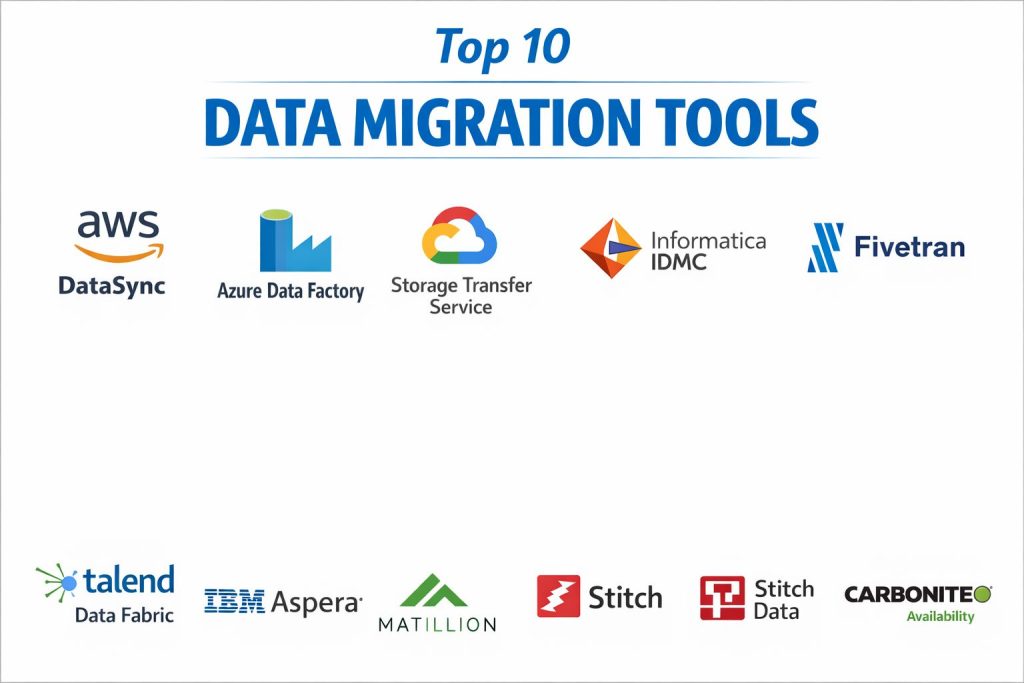
TOP 10 DATA MIGRATION TOOLS
1. AWS DataSync
AWS DataSync is an online data transfer service that simplifies and accelerates moving data between on-premises storage and AWS services. It is designed to handle massive scales of data, supporting protocols like NFS, SMB, and HDFS. The service automates many of the manual tasks associated with migrations, including scripting, scheduling, and monitoring.
The tool utilizes a purpose-built network protocol to maximize bandwidth usage, often performing transfers up to ten times faster than traditional open-source tools. It includes built-in security features such as encryption in transit and at rest, along with automated data integrity verification to ensure that the data written to the destination matches the source.
Pros:
It offers exceptional speed and deep integration with the entire AWS ecosystem, making it the most efficient choice for Amazon-centric migrations. The pay-per-use pricing model ensures cost-effectiveness for varying data volumes.
Cons:
The tool is primarily locked into the AWS environment, making it less suitable for organizations looking to migrate data to other cloud providers. Some users may find the setup of on-premises agents complex in highly restricted network environments.
Platforms / Deployment:
Windows / Linux / VMware
Cloud / Hybrid
Security & Compliance:
TLS Encryption, IAM, KMS
SOC, HIPAA, PCI DSS
Integrations & Ecosystem:
Directly integrates with Amazon S3, EFS, and FSx. It also supports migration from Google Cloud Storage and Azure Blob Storage into the AWS environment.
Support & Community:
Provides extensive technical documentation and 24/7 enterprise support through AWS Support plans.
2. Azure Data Factory
Azure Data Factory is a cloud-based data integration service that allows users to create, schedule, and orchestrate data pipelines. It is highly effective for migrating and transforming data from diverse sources, including on-premises databases and other cloud platforms, into the Microsoft Azure environment.
A standout feature is its visual “no-code” interface, which enables users to build complex ETL processes without extensive programming knowledge. It supports over 90 built-in connectors, allowing for seamless data ingestion from sources like SQL Server, SAP, and various SaaS applications.
Pros:
The scalability is virtually limitless, and the deep integration with Microsoft Fabric and Power BI provides a smooth path from migration to analytics. Its flexibility in handling both structured and unstructured data is a major advantage.
Cons:
The pricing structure can be complex to navigate, as it is based on multiple factors like activity runs and data volume. The learning curve for optimizing pipeline performance can be steep for beginners.
Platforms / Deployment:
Web-Based / Cloud-Native
Cloud / Hybrid
Security & Compliance:
Entra ID (SSO), RBAC, Managed Identities
HIPAA, GDPR, ISO 27001
Integrations & Ecosystem:
Highly integrated with the Microsoft ecosystem, including Azure Synapse, SQL Database, and OneLake. It also offers connectors for major third-party platforms like Salesforce and Amazon Redshift.
Support & Community:
Backed by the Microsoft Learn portal and a vast global community of certified Azure professionals.
3. Google Cloud Storage Transfer Service
Google’s Storage Transfer Service is designed for high-speed data movement into Google Cloud Storage. It excels at cloud-to-cloud migrations, particularly from AWS S3 or Azure Blob Storage, as well as moving large volumes of data from on-premises environments.
The service is highly automated, requiring no-code for most transfer jobs. It features incremental transfer capabilities, which only move new or changed files, significantly reducing the time and cost of recurring data synchronization tasks.
Pros:
It is extremely easy to use for cloud-to-cloud transfers and is often offered free of charge for moving data between cloud providers. The ability to handle petabytes of data with minimal manual intervention is a key strength.
Cons:
It has fewer data transformation capabilities compared to full ETL tools like Azure Data Factory. The on-premises transfer option requires the installation of local agents, which may require specific hardware configurations.
Platforms / Deployment:
Web-Based / Google Cloud Console
Cloud / Hybrid
Security & Compliance:
VPC Service Controls, Checksums
SOC 2, ISO 27017
Integrations & Ecosystem:
Native integration with Google Cloud Storage and BigQuery. Supports direct transfers from AWS S3, Azure Blob, and HTTP/HTTPS sources.
Support & Community:
Supported by Google Cloud’s global technical team and extensive online documentation.
4. Informatica Intelligent Data Management Cloud (IDMC)
Informatica IDMC is an enterprise-grade platform that offers a comprehensive suite of data migration, integration, and quality tools. It is widely regarded as one of the most powerful third-party solutions for organizations with complex, heterogeneous data environments.
The platform uses AI-powered automation to assist with data discovery and mapping, which helps in identifying sensitive data and ensuring compliance during the migration process. It provides a unified view of data across multi-cloud and on-premises systems, focusing heavily on data governance.
Pros:
It offers the most robust set of data quality and governance features in the market, making it ideal for highly regulated industries. The platform is truly cloud-neutral, supporting all major cloud providers equally.
Cons:
The licensing costs are among the highest in the industry, which may be prohibitive for smaller companies. The breadth of features creates a complex interface that requires specialized training to master.
Platforms / Deployment:
Windows / Linux / Cloud
Multi-Cloud / Hybrid
Security & Compliance:
SSO, Advanced Encryption, Masking
GDPR, HIPAA, SOC 2 Type II
Integrations & Ecosystem:
Maintains thousands of connectors for virtually every database, ERP system, and cloud application in existence.
Support & Community:
Offers premium enterprise support, a dedicated success manager, and a professional certification program.
5. Fivetran
Fivetran is a fully managed data integration tool that focuses on automated data replication. It is specifically designed to sync data from various SaaS applications and databases into cloud data warehouses with almost zero configuration.
The tool stands out for its “set-and-forget” approach, where it automatically manages schema changes and data updates. It provides over 700 pre-built connectors, making it one of the fastest ways to start a data migration project for analytics purposes.
Pros:
The setup time is incredibly fast, often taking only minutes to connect a source to a destination. The automation of schema management significantly reduces the maintenance burden on data engineering teams.
Cons:
The consumption-based pricing can become very expensive as data volumes increase. It offers limited options for complex data transformations during the migration process itself.
Platforms / Deployment:
SaaS / Web-Based
Cloud-Native
Security & Compliance:
Column Blocking, Hashing, Private Link
ISO 27001, SOC 2, HIPAA
Integrations & Ecosystem:
Deeply integrated with modern cloud warehouses like Snowflake, BigQuery, and Databricks.
Support & Community:
Provides 24/7 global support and an extensive library of documentation and quick-start guides.
6. Talend Data Fabric
Talend Data Fabric is a versatile platform that combines data integration, integrity, and governance. It is known for its open-source roots, which have evolved into a sophisticated enterprise solution capable of handling complex multi-cloud migrations.
The platform offers a GUI-based environment for designing data pipelines, making it accessible to both technical and non-technical users. It includes strong data masking and anonymization features, which are vital for migrating sensitive personal information.
Pros:
It provides a high level of customization, allowing developers to write custom code within the migration pipelines when needed. The ability to orchestrate data across different clouds without specialized cloud tools is a major plus.
Cons:
The architecture can be complex to set up initially, involving multiple components. Frequent updates and patches may require regular maintenance from the technical team.
Platforms / Deployment:
Windows / macOS / Linux
Multi-Cloud / Hybrid
Security & Compliance:
SSO, Role-Based Access, Data Masking
SOC 2, GDPR
Integrations & Ecosystem:
Supports an extensive range of software types, including cloud-native storage and complex legacy systems like SAP.
Support & Community:
Strong community support from its open-source heritage, supplemented by professional enterprise support tiers.
7. IBM Aspera
IBM Aspera is a specialized high-speed file transfer solution designed to move massive datasets over long distances. It is powered by the proprietary FASP protocol, which overcomes the limitations of traditional TCP-based transfers.
This tool is the industry standard for industries that need to move giant files, such as high-resolution video for media companies or genomic data for life sciences. It ensures maximum bandwidth utilization regardless of network conditions or geographic distance.
Pros:
It offers unmatched speed for large-scale file transfers, often moving data hundreds of times faster than standard methods. The reliability over unreliable or high-latency networks is exceptional.
Cons:
It is primarily a file transfer tool and lacks the database-specific migration and transformation features of ETL-focused software. The cost of implementation is high, targeted at enterprise-level users.
Platforms / Deployment:
Windows / Linux / macOS / Mobile
Cloud / Hybrid / On-Prem
Security & Compliance:
AES-256 Encryption, Blockchain Integrity
HIPAA, SOC 2
Integrations & Ecosystem:
Integrates with major cloud object storage providers and offers robust APIs for embedding high-speed transfer capabilities into custom applications.
Support & Community:
Professional enterprise support provided by IBM, including dedicated technical account managers for large deployments.
8. Matillion
Matillion is a cloud-native ETL platform built specifically for modern data warehouses. It leverages the power of the target warehouse to perform data transformations, a process known as ELT (Extract, Load, Transform).
The platform provides a low-code/no-code interface for building sophisticated data pipelines. It is particularly noted for its ability to integrate Large Language Models (LLMs) directly into data workflows, allowing for advanced data processing during the migration.
Pros:
The performance is highly optimized for cloud environments like Snowflake and Databricks. It offers a great balance between ease of use for beginners and deep technical control for advanced engineers.
Cons:
It is strictly a cloud-based tool and is not suitable for organizations needing to migrate data between purely on-premises systems. Pricing is based on credits, which can be difficult to forecast accurately.
Platforms / Deployment:
SaaS / Web-Based
Cloud-Native
Security & Compliance:
VPC Deployment, Encryption, MFA
SOC 2, ISO 27001
Integrations & Ecosystem:
Purpose-built to work with Amazon Redshift, Google BigQuery, Snowflake, and Microsoft Azure Synapse.
Support & Community:
Offers the Matillion Academy for training and a robust community forum for user-to-user assistance.
9. Stitch Data
Stitch Data is a simple, developer-focused ETL service that excels at moving data from SaaS applications and databases into data warehouses. It is owned by Talend and serves as a more streamlined, “light-duty” alternative to more complex suites.
The platform focuses on transparency and control, providing users with detailed logs and error reporting. It is designed to be approachable, with a straightforward pricing model based on the number of rows moved each month.
Pros:
The interface is very clean and easy to navigate, making it a good choice for smaller teams or projects. It includes a generous free tier for low-volume data needs.
Cons:
It lacks support for some major platforms like SQL Server and Azure in certain configurations. It is not designed for heavy-duty enterprise migrations involving complex logic.
Platforms / Deployment:
SaaS / Web-Based
Cloud-Native
Security & Compliance:
HSTS, SOC 2, HIPAA
Not publicly stated
Integrations & Ecosystem:
Supports over 130 data sources, including popular marketing tools and relational databases like MySQL and PostgreSQL.
Support & Community:
Standard support includes chat and forum access, with premium support available for higher-tier plans.
10. Carbonite Availability
Carbonite Availability (formerly DoubleTake) is a specialized tool focused on real-time replication and high availability. It is used for migrating critical server workloads with near-zero downtime, ensuring that business applications remain online during the transition.
The software uses asynchronous, byte-level replication to keep a secondary target server in sync with a primary source server. When the migration is ready, a “push-button” failover process completes the move in minutes.
Pros:
It is one of the best tools for migrating entire server states (OS, applications, and data) with minimal risk. Its cross-platform support for both Windows and Linux provides great flexibility.
Cons:
Managing the software in large, complex environments with hundreds of servers can be technically demanding. It is more of a disaster recovery and server migration tool than a data integration platform.
Platforms / Deployment:
Windows / Linux / VMware
Hybrid / On-Prem
Security & Compliance:
AES-256 Encryption, Secure Failover
HIPAA, GDPR
Integrations & Ecosystem:
Works across physical, virtual, and cloud environments, making it ideal for moving workloads from local data centers to the cloud.
Support & Community:
Provides professional technical support and extensive documentation for IT administrators.
COMPARISON TABLE
| Tool Name | Best For | Platform(s) Supported | Deployment | Standout Feature | Public Rating |
| 1. AWS DataSync | AWS Migrations | Windows, Linux, VMware | Hybrid | 10x Speed Protocol | 4.5/5 |
| 2. Azure Data Factory | Azure Ecosystem | Web, Cloud-Native | Hybrid | No-Code Orchestration | 4.4/5 |
| 3. Google Cloud STS | Cloud-to-Cloud | Web, Google Cloud | Cloud | Free Cloud Transfers | 4.3/5 |
| 4. Informatica IDMC | Enterprise Governance | Windows, Linux, Cloud | Multi-Cloud | AI Discovery (CLAIRE) | 4.4/5 |
| 5. Fivetran | Automated SaaS Sync | SaaS, Web | Cloud | Auto-Schema Management | 4.2/5 |
| 6. Talend Data Fabric | Custom Multi-Cloud | Windows, Mac, Linux | Hybrid | Open-Source Roots | 4.3/5 |
| 7. IBM Aspera | Massive File Speed | Win, Mac, Linux, Mobile | Hybrid | FASP Protocol | N/A |
| 8. Matillion | Cloud ELT | SaaS, Web | Cloud | LLM Integration | 4.5/5 |
| 9. Stitch Data | SMB Data Ingestion | SaaS, Web | Cloud | Approachable UI | 4.1/5 |
| 10. Carbonite Availability | Server Workloads | Windows, Linux | Hybrid | Byte-Level Replication | 4.4/5 |
EVALUATION & SCORING OF DATA MIGRATION TOOLS
The scoring below is a comparative model intended to help shortlisting. Each criterion is scored from 1–10, then a weighted total from 0–10 is calculated using the weights listed. These are analyst estimates based on typical fit and common workflow requirements, not public ratings.
Weights:
- Core features – 25%
- Ease of use – 15%
- Integrations & ecosystem – 15%
- Security & compliance – 10%
- Performance & reliability – 10%
- Support & community – 10%
- Price / value – 15%
| Tool Name | Core (25%) | Ease (15%) | Integrations (15%) | Security (10%) | Performance (10%) | Support (10%) | Value (15%) | Weighted Total |
| 1. AWS DataSync | 9 | 7 | 8 | 9 | 10 | 9 | 8 | 8.50 |
| 2. Azure Data Factory | 9 | 8 | 10 | 9 | 9 | 9 | 7 | 8.65 |
| 3. Google Cloud STS | 8 | 9 | 7 | 8 | 9 | 8 | 10 | 8.35 |
| 4. Informatica IDMC | 10 | 5 | 10 | 10 | 9 | 9 | 5 | 8.30 |
| 5. Fivetran | 8 | 10 | 9 | 9 | 8 | 8 | 6 | 8.15 |
| 6. Talend Data Fabric | 9 | 7 | 9 | 9 | 8 | 8 | 7 | 8.20 |
| 7. IBM Aspera | 7 | 6 | 7 | 9 | 10 | 9 | 5 | 7.35 |
| 8. Matillion | 9 | 8 | 8 | 8 | 9 | 8 | 8 | 8.45 |
| 9. Stitch Data | 7 | 9 | 8 | 7 | 7 | 7 | 9 | 7.60 |
| 10. Carbonite Availability | 8 | 7 | 7 | 9 | 9 | 8 | 7 | 7.80 |
How to interpret the scores:
- Use the weighted total to shortlist candidates, then validate with a pilot.
- A lower score can mean specialization, not weakness.
- Security and compliance scores reflect controllability and governance fit, because certifications are often not publicly stated.
- Actual outcomes vary with assembly size, team skills, templates, and process maturity.
WHICH DATA MIGRATION TOOL IS RIGHT FOR YOU?
Solo / Freelancer
For individual consultants or very small projects, Stitch Data or the free tier of Fivetran offers the best balance of simplicity and functionality. These tools allow you to sync data without needing a dedicated infrastructure.
SMB
Small to medium businesses should look toward Matillion or Google Cloud Transfer Service. These provide professional-grade power with a focus on ease of use, allowing smaller teams to achieve high-quality results.
Mid-Market
Talend Data Fabric and Azure Data Factory are excellent for companies with growing data needs that require a mix of cloud and on-premises support along with some level of data transformation.
Enterprise
Large organizations with complex regulatory requirements and massive data estates should choose Informatica IDMC or AWS DataSync. These platforms provide the necessary security, governance, and sheer speed for global operations.
Budget vs Premium
Google Cloud STS and Stitch are the most budget-friendly, while Informatica and IBM Aspera are premium solutions designed for specialized, high-stakes enterprise use cases.
Feature Depth vs Ease of Use
Informatica offers the most feature depth but is difficult to learn. Fivetran is the easiest to use but offers less control over complex data transformations.
Integrations & Scalability
Azure Data Factory and Fivetran lead in the number of native integrations, making them ideal for companies that pull data from a wide variety of SaaS applications.
Security & Compliance Needs
For the highest security requirements, AWS DataSync and Carbonite Availability provide the most robust frameworks for protecting data in transit and ensuring business continuity.
FREQUENTLY ASKED QUESTIONS (FAQS)
What is the difference between ETL and data migration?
Data migration is the broad process of moving data between systems, while ETL (Extract, Transform, Load) is a specific method used within that process to clean and format data for its new destination.
How do I avoid data loss during a migration?
Using tools with built-in checksums and automated validation, such as AWS DataSync, ensures that every byte of data written to the destination exactly matches the source.
Can I migrate data while my systems are still running?
Yes, tools like Carbonite Availability use real-time replication to sync data in the background, allowing for a near-instant cutover with minimal downtime for users.
Is cloud-to-cloud migration easier than on-premises to cloud?
Generally, yes. Cloud-to-cloud migrations often use high-speed backbone networks and require no local hardware agents, as seen with Google Cloud Storage Transfer Service.
What are the hidden costs of data migration?
Beyond the tool’s license, you must account for cloud egress fees (charged by the source provider), storage costs at the destination, and the labor hours required for mapping and testing.
How does bandwidth throttling help?
Throttling allows you to limit the amount of network speed a migration tool uses during business hours, ensuring that data movement doesn’t slow down critical office tasks or customer-facing apps.
Do I need a special tool for moving huge video files?
Standard migration tools may struggle with very large individual files. A specialized solution like IBM Aspera is recommended for high-speed transfer of massive media assets over long distances.
What is a “No-Code” migration tool?
No-code tools like Fivetran or Azure Data Factory provide a visual interface where you can drag and drop components to build a migration path without writing any scripts or code.
How do migration tools handle sensitive data like SSNs or credit cards?
Professional tools like Informatica include data masking and discovery features that automatically identify and encrypt or redact sensitive information before it is moved to a new environment.
What happens if a migration fails halfway through?
Most modern tools use checkpoints. If a transfer is interrupted, the tool will resume from where it left off rather than starting over, saving time and bandwidth.
CONCLUSION
Selecting the right data migration tool is a foundational step in ensuring the long-term agility and reliability of your organization’s digital infrastructure. Whether you are performing a simple cloud-to-cloud sync or a massive enterprise-wide data center relocation, the priority must always be on data integrity, security, and minimal operational impact. The tools highlighted in this guide represent the pinnacle of modern data movement technology, offering a range of solutions from automated SaaS integration to high-speed proprietary protocols. By carefully matching your specific volume, velocity, and compliance needs to the strengths of these platforms, you can transform a high-risk technical challenge into a streamlined, successful transition. We recommend starting with a small-scale pilot migration to verify the performance of your chosen tool within your unique network environment before committing to a full-scale deployment.