INTRODUCTION
Application modernization is the process of taking existing legacy applications and aligning them with modern cloud-native infrastructures, architectures, and release patterns. This typically involves transitioning from monolithic designs to microservices, adopting containerization, and implementing automated DevOps pipelines. As organizations face increasing pressure to deliver features faster, legacy systems often become bottlenecks due to high maintenance costs, security vulnerabilities, and a lack of scalability. Modernization tools provide the automated analysis, refactoring, and deployment capabilities necessary to transform these aging assets into agile, resilient digital products.
The primary objective of using these tools is to reduce technical debt while maximizing the value of existing software investments. Modernization is not a one-size-fits-all approach; it can range from simple “lift-and-shift” rehosting to a complete “refactoring” of the application’s core code. Professionals in this space evaluate tools based on their ability to discover hidden dependencies, automate code conversion, and ensure that the newly modernized application remains secure and performant in a distributed cloud environment.
Best for: Enterprise IT departments, cloud architects, and software engineering teams tasked with migrating legacy Java, .NET, or mainframe workloads to modern cloud platforms like AWS, Azure, or Google Cloud.
Not ideal for: Organizations with purely “greenfield” projects (new development) or those using simple, off-the-shelf SaaS products that require no underlying infrastructure management or architectural changes.
KEY TRENDS IN APPLICATION MODERNIZATION TOOLS
The landscape is currently dominated by AI-driven refactoring, where machine learning models analyze execution traces to suggest optimal service boundaries for microservices. There is a significant shift toward “platform engineering,” where modernization tools are integrated into internal developer platforms to provide self-service capabilities for containerization. Another major trend is the rise of FinOps integration within these tools, allowing teams to estimate the cost-savings of moving from virtual machines to serverless or containerized environments before the migration begins. Security has also moved “left,” with modern tools automatically scanning legacy code for vulnerabilities and license compliance issues during the initial assessment phase. Finally, the industry is seeing a move toward “standardized portability” using Universal Scene Description-like concepts for cloud infrastructure, primarily driven by the maturation of Kubernetes-based management layers that work across multi-cloud environments.
METHODOLOGY
The selection of these top ten modernization tools is based on a rigorous analysis of their ability to handle complex enterprise ecosystems. We prioritized tools that offer deep automated discovery, as manual dependency mapping is the leading cause of modernization failure. Each tool was evaluated on its support for industry-standard frameworks, the robustness of its security and compliance features, and its integration with the broader DevOps toolchain. We measured reliability through case studies involving large-scale legacy migrations and the level of corporate backing each tool receives. Ease of use was balanced against technical depth, ensuring that the list includes both “one-click” replatforming tools and sophisticated refactoring engines. Finally, the scoring reflects a weighted average of performance, cost-efficiency, and the quality of post-migration support.
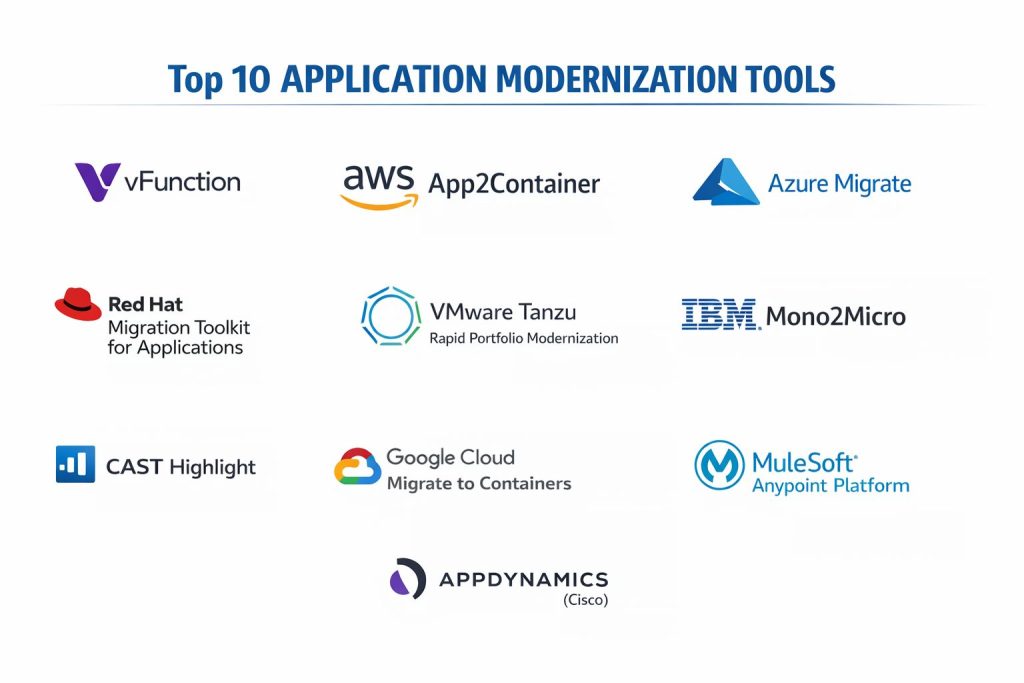
TOP 10 APPLICATION MODERNIZATION TOOLS
1. vFunction
vFunction is an AI-driven architectural observability and automation platform designed specifically for the refactoring of monolithic Java and .NET applications into microservices. It uses a combination of dynamic and static analysis to identify architectural debt and pinpoint the best “seams” for service decomposition.
The platform provides a clear visualization of a monolith’s internal complexities, showing how classes and beans interact during runtime. By automating the extraction of these services, it significantly reduces the time and risk associated with manual re-architecting projects.
Pros:
Uses advanced machine learning to eliminate human bias in microservice design. It offers continuous architectural observability, ensuring that new services do not drift back into a monolithic state over time.
Cons:
The initial setup requires deep integration into the application runtime, which can be complex for very old legacy systems. It is primarily focused on Java and .NET, offering less support for other languages.
Platforms / Deployment:
Windows / Linux / Cloud
On-Premises / SaaS
Security & Compliance:
RBAC, MFA, Encryption at rest
SOC 2 Type II
Integrations & Ecosystem:
Integrates with major IDEs and CI/CD tools like Jenkins and GitLab. It also exports service definitions directly to Kubernetes manifests.
Support & Community:
Provides dedicated technical account managers for enterprise clients and extensive documentation.
2. AWS App2Container
AWS App2Container (A2C) is a command-line tool that automates the containerization of Java and .NET applications. it scans applications running on virtual machines, identifies dependencies, and generates the necessary artifacts to deploy them as containers on AWS.
The tool simplifies the “replatforming” journey by creating Dockerfiles, task definitions for Amazon ECS, and deployment manifests for Amazon EKS. It is an ideal starting point for organizations looking to move to the cloud without rewriting their entire codebase.
Pros:
It is offered at no additional cost for AWS customers. The automation of container image creation and CI/CD pipeline generation reduces manual configuration errors.
Cons:
The tool is strictly tied to the AWS ecosystem, offering no direct support for other cloud providers. It is a replatforming tool, not a refactoring tool, so it doesn’t solve underlying architectural issues.
Platforms / Deployment:
Windows / Linux
CLI / AWS Cloud
Security & Compliance:
IAM Integration, VPC Security
AWS Compliance Standards
Integrations & Ecosystem:
Deeply integrated with Amazon ECR, ECS, EKS, and AWS CodePipeline. It provides a seamless path from on-premises servers to managed cloud services.
Support & Community:
Supported through standard AWS support plans and a vast library of tutorials and community forums.
3. Azure Migrate
Azure Migrate serves as a central hub for discovering, assessing, and migrating on-premises workloads to Microsoft Azure. It includes specialized tools for modernizing web applications and databases, providing a unified view of the entire migration estate.
The tool provides “Cloud Readiness” reports that identify potential compatibility issues before the migration begins. For application modernization, it offers automated “App Service” and “Container” migration paths that simplify the transition from IIS or Tomcat servers to Azure PaaS.
Pros:
Provides a comprehensive, end-to-end dashboard for tracking large-scale migrations. Its tight integration with Windows Server and SQL Server makes it the most efficient choice for Microsoft-heavy environments.
Cons:
The broad nature of the tool can make it feel overwhelming for teams only looking to modernize a single application. Some advanced refactoring features require the use of additional partner tools.
Platforms / Deployment:
Windows / Linux
Azure Cloud
Security & Compliance:
Azure Active Directory, Defender for Cloud
ISO, HIPAA, SOC 1/2/3
Integrations & Ecosystem:
Seamlessly connects with Azure DevOps and GitHub. It also supports a wide range of third-party assessment tools within its interface.
Support & Community:
Offers world-class enterprise support and extensive free training through Microsoft Learn.
4. Red Hat Migration Toolkit for Applications
The Red Hat Migration Toolkit for Applications (MTA) is an assembly of open-source tools that assist in the modernization of large-scale portfolios. It uses a rule-based engine to analyze application artifacts and source code to provide high-level migration reports.
MTA is particularly strong at identifying “cloud-ready” components and flagging libraries that may not work in a containerized environment. It helps teams plan “migration waves” by grouping applications based on their complexity and technical requirements.
Pros:
The open-source nature allows for significant customization of analysis rules. It is specifically optimized for moving workloads to Red Hat OpenShift, providing a consistent experience across hybrid clouds.
Cons:
The interface is more technical and less “polished” than some commercial competitors. It requires a good understanding of the OpenShift ecosystem to realize its full value.
Platforms / Deployment:
Linux / Windows / macOS
Kubernetes / OpenShift
Security & Compliance:
RBAC, Audit Logging
Apache License 2.0
Integrations & Ecosystem:
Integrates with Jira for task tracking and includes a Visual Studio Code extension for developers to see migration issues directly in their IDE.
Support & Community:
Supported by Red Hat’s professional services and a robust open-source community.
5. VMware Tanzu (Rapid Portfolio Modernization)
VMware Tanzu provides a suite of services and tools designed to simplify the management of Kubernetes and the modernization of existing apps. Its Rapid Portfolio Modernization service uses intelligent tooling to assess which apps to rehost, replatform, or refactor.
Tanzu focuses on creating a “standardized supply chain” for software, ensuring that modernized applications are built and deployed with consistent security policies regardless of the underlying cloud.
Pros:
Excellent for hybrid cloud strategies where applications must run both on-premises and in the public cloud. It offers deep expertise in Spring framework modernization for Java applications.
Cons:
The full Tanzu suite can be expensive and complex to license. It represents a significant shift in operational philosophy that may require organizational retraining.
Platforms / Deployment:
Multi-Cloud / On-Premises
SaaS / Hybrid
Security & Compliance:
Tanzu Service Mesh, Carbon Black Integration
SOC 2, ISO 27001
Integrations & Ecosystem:
Strong ties to the Broadcom/VMware ecosystem and native support for most major public cloud providers.
Support & Community:
Provides high-touch enterprise support and a large global network of certified partners.
6. IBM Mono2Micro
IBM Mono2Micro is an AI-driven tool specifically designed to help architects transform Java monoliths into microservices. Part of the WebSphere ecosystem, it uses machine learning to analyze the relationships between classes and suggest natural “seams” for decomposition.
The tool provides an intuitive workbench where architects can fine-tune the AI’s suggestions, ensuring that the resulting microservices align with business logic and domain-driven design principles.
Pros:
The AI is specifically tuned for complex Java Enterprise Edition (EE) environments. It provides non-invasive refactoring recommendations that minimize the risk of breaking existing functionality.
Cons:
Limited to Java applications, making it unsuitable for organizations with polyglot environments. It is most effective when used within the broader IBM Cloud or WebSphere ecosystem.
Platforms / Deployment:
Windows / Linux / AIX
IBM Cloud / On-Premises
Security & Compliance:
Standard IBM Security Frameworks
Not publicly stated
Integrations & Ecosystem:
Works seamlessly with IBM Cloud Pak for Applications and WebSphere Liberty. It is designed to facilitate a smooth transition to OpenShift.
Support & Community:
Backed by IBM’s extensive professional services and technical documentation.
7. CAST Highlight
CAST Highlight is a SaaS-based “control tower” that provides rapid insights into a large portfolio of applications. It uses static code analysis to measure software health, cloud readiness, and open-source risks across hundreds of applications simultaneously.
The tool is unique in its ability to provide a “Green Impact” score, helping organizations modernize their applications to be more energy-efficient while moving to the cloud.
Pros:
Extremely fast at analyzing large portfolios, often providing results for hundreds of apps in a matter of days. It provides a unique “Resiliency” score that helps prioritize which apps need modernization first.
Cons:
As a high-level portfolio tool, it doesn’t provide the same deep “code-fix” automation as some refactoring-specific tools. It can be expensive for very large application estates.
Platforms / Deployment:
SaaS
Cloud-based analysis
Security & Compliance:
Encryption, MFA, SSO
SOC 2, ISO 27001
Integrations & Ecosystem:
Integrates with Jira, Azure DevOps, and various EA (Enterprise Architecture) tools via a REST API.
Support & Community:
Provides professional support and a community platform for sharing custom analysis patterns.
8. Google Cloud Migrate to Containers
Google Cloud’s migration tool focuses on intelligently extracting applications from VMs and converting them to run natively on Google Kubernetes Engine (GKE). It is designed to strip away the overhead of the OS, making the application more lightweight.
The tool allows for “Day 2” operations by automatically setting up logging, monitoring, and RBAC for the newly containerized application, ensuring it fits into a modern GKE environment immediately.
Pros:
Automates the conversion process without requiring access to the original source code. It is highly efficient for “low-touch” modernization projects where speed is the primary goal.
Cons:
Optimized specifically for GKE, which may lead to vendor lock-in if the organization wants to move to a different Kubernetes distribution later. It does not perform deep code-level refactoring.
Platforms / Deployment:
Linux / Windows
Google Cloud / GKE
Security & Compliance:
GCP IAM, Workload Identity
Google Cloud Compliance Standards
Integrations & Ecosystem:
Deeply integrated with the Google Cloud ecosystem, including Cloud Build and Google Cloud Observability.
Support & Community:
Supported by Google Cloud’s standard support tiers and extensive online documentation.
9. MuleSoft Anypoint Platform
MuleSoft provides a unique approach to modernization through “API-led connectivity.” Instead of rewriting legacy code, organizations use MuleSoft to wrap legacy systems in modern APIs, making their data and functions accessible to modern applications.
This “composability” approach allows for an incremental modernization strategy where legacy systems are gradually replaced by microservices behind a stable API gateway.
Pros:
Allows organizations to gain value from legacy data quickly without the risk of a “big bang” migration. It offers an extensive library of pre-built connectors for older mainframe and ERP systems.
Cons:
The platform is expensive and requires specialized “MuleSoft” skills to manage effectively. It can introduce additional latency if the API layers are not designed efficiently.
Platforms / Deployment:
Multi-Cloud / On-Premises
SaaS / Hybrid / Runtime Fabric
Security & Compliance:
Anypoint Security, OAuth 2.0, SAML
SOC 2, PCI DSS, HIPAA
Integrations & Ecosystem:
As part of Salesforce, it has unparalleled integration with the Salesforce ecosystem and almost every major enterprise system.
Support & Community:
Features a very large community of developers and a comprehensive training certification program.
10. AppDynamics (Cisco)
While primarily known for performance monitoring, AppDynamics plays a critical role in modernization by providing “before and after” visibility. It maps application dependencies and business transactions, helping teams understand exactly what needs to be modernized and validating the success of the move.
The platform’s “Cognitive Engine” uses AI to identify performance bottlenecks in modernized microservices, ensuring that the transition to the cloud does not degrade the user experience.
Pros:
Provides the best visibility into how modernization affects business KPIs like conversion rates and checkout times. It excels at troubleshooting complex distributed environments.
Cons:
It is an observability tool, so it doesn’t perform the actual migration or refactoring. The licensing cost can be high for large, distributed microservice environments.
Platforms / Deployment:
SaaS / On-Premises
Multi-Cloud support
Security & Compliance:
RBAC, MFA, Encryption
SOC 2, FedRAMP
Integrations & Ecosystem:
Deep integration with Cisco’s infrastructure tools and various cloud platforms. It also integrates with Splunk for advanced log analysis.
Support & Community:
Offers professional enterprise support and a large user community with extensive online resources.
COMPARISON TABLE
| Tool Name | Best For | Platform(s) Supported | Deployment | Standout Feature | Public Rating |
| 1. vFunction | Refactoring to Microservices | Windows, Linux, Cloud | Hybrid | AI Architectural Observability | 4.7/5 |
| 2. AWS App2Container | AWS-Specific Replatforming | Windows, Linux | Cloud | Automated Image Generation | N/A |
| 3. Azure Migrate | Azure-Centric Portfolio | Windows, Linux | Cloud | Unified Migration Dashboard | N/A |
| 4. Red Hat MTA | OpenShift/Hybrid Cloud | Linux, Windows, macOS | Hybrid | Customizable Rule Engine | 4.4/5 |
| 5. VMware Tanzu | Hybrid App Supply Chain | Multi-Cloud | Hybrid | Spring Framework Expertise | N/A |
| 6. IBM Mono2Micro | Java EE Modernization | Windows, Linux, AIX | Hybrid | AI-Driven Partitioning | N/A |
| 7. CAST Highlight | Portfolio Analysis | SaaS | SaaS | Green Impact Scoring | 4.3/5 |
| 8. Google Migrate | GKE Migration | Linux, Windows | Cloud | Source-less Containerization | N/A |
| 9. MuleSoft Anypoint | API-Led Integration | Multi-Cloud, On-Prem | Hybrid | Pre-built Legacy Connectors | 4.5/5 |
| 10. AppDynamics | Validation & Observability | SaaS, On-Premises | Hybrid | Business Transaction Mapping | 4.6/5 |
EVALUATION & SCORING OF APPLICATION MODERNIZATION TOOLS
The scoring below is a comparative model intended to help shortlisting. Each criterion is scored from 1–10, then a weighted total from 0–10 is calculated using the weights listed. These are analyst estimates based on typical fit and common workflow requirements, not public ratings.
Weights:
- Core features – 25%
- Ease of use – 15%
- Integrations & ecosystem – 15%
- Security & compliance – 10%
- Performance & reliability – 10%
- Support & community – 10%
- Price / value – 15%
| Tool Name | Core (25%) | Ease (15%) | Integrations (15%) | Security (10%) | Performance (10%) | Support (10%) | Value (15%) | Weighted Total |
| 1. vFunction | 10 | 5 | 8 | 9 | 10 | 8 | 7 | 8.25 |
| 2. AWS App2Container | 7 | 8 | 10 | 9 | 8 | 8 | 10 | 8.45 |
| 3. Azure Migrate | 8 | 7 | 10 | 10 | 8 | 9 | 8 | 8.40 |
| 4. Red Hat MTA | 8 | 6 | 8 | 8 | 8 | 7 | 9 | 7.75 |
| 5. VMware Tanzu | 9 | 5 | 9 | 9 | 9 | 9 | 6 | 8.00 |
| 6. IBM Mono2Micro | 9 | 6 | 7 | 8 | 8 | 8 | 7 | 7.70 |
| 7. CAST Highlight | 7 | 9 | 7 | 9 | 9 | 8 | 6 | 7.80 |
| 8. Google Migrate | 7 | 9 | 9 | 9 | 9 | 8 | 9 | 8.30 |
| 9. MuleSoft Anypoint | 9 | 4 | 10 | 9 | 8 | 9 | 5 | 7.70 |
| 10. AppDynamics | 6 | 7 | 9 | 9 | 10 | 8 | 6 | 7.70 |
How to interpret the scores:
- Use the weighted total to shortlist candidates, then validate with a pilot.
- A lower score can mean specialization, not weakness.
- Security and compliance scores reflect controllability and governance fit, because certifications are often not publicly stated.
- Actual outcomes vary with assembly size, team skills, templates, and process maturity.
WHICH APPLICATION MODERNIZATION TOOL IS RIGHT FOR YOU?
Solo / Freelancer
Independent consultants helping small clients migrate to the cloud should start with the cloud-native tools provided by the provider they are moving to, such as AWS App2Container or Google Cloud Migrate to Containers. These tools have the lowest barrier to entry and require no additional licensing.
SMB
Small to medium businesses with a handful of critical applications should look at CAST Highlight for a quick assessment and then use a replatforming tool to move to a PaaS environment. This approach minimizes complexity while still providing the benefits of the cloud.
Mid-Market
Mid-sized companies looking to modernize their Java or .NET stacks should consider vFunction. It provides the automation needed to handle complex architectures without the massive overhead of hiring a team of specialized consultants.
Enterprise
Large organizations with thousands of applications and complex compliance needs require a multi-faceted approach. They should use CAST Highlight for portfolio-level decisions and then deploy specialized tools like IBM Mono2Micro for Java EE workloads or MuleSoft for integrating mainframes into the modern ecosystem.
Budget vs Premium
The free tools from AWS, Azure, and Google are excellent for budget-conscious “rehosting” or “replatforming.” Premium tools like vFunction and MuleSoft are justified for projects where the cost of manual refactoring or the risk of downtime far outweighs the licensing fees.
Feature Depth vs Ease of Use
Tools like Google Migrate to Containers are incredibly easy to use but offer less depth in architectural change. In contrast, vFunction offers extreme depth in refactoring but requires more oversight to ensure the AI’s recommendations align with business goals.
Integrations & Scalability
Red Hat MTA and VMware Tanzu are the clear leaders for organizations that need to scale their modernization efforts across a hybrid or multi-cloud environment while maintaining a consistent operational model.
Security & Compliance Needs
For highly regulated industries, the cloud-provider tools (AWS, Azure) and enterprise stalwarts (VMware, IBM) provide the most robust compliance certifications and integration with existing corporate security identity systems.
FREQUENTLY ASKED QUESTIONS (FAQS)
What is the difference between rehosting and refactoring?
Rehosting (lift-and-shift) moves an application to the cloud with minimal changes, while refactoring involves modifying the code to take full advantage of cloud-native features like microservices.
Does modernization always require rewriting code?
No, many tools like AWS App2Container or Google Migrate to Containers allow you to containerize applications without changing the underlying source code.
How long does a typical modernization project take?
The timeline varies wildly; a simple replatforming can take weeks, while a full refactoring of a large enterprise monolith can take months or even years.
Which language is best supported by these tools?
Java and .NET are the most widely supported languages, as they represent the majority of enterprise legacy workloads today.
Are these tools suitable for mainframes?
Most of these tools target mid-range systems, but MuleSoft is often used to create API layers for mainframes, and specialized tools from IBM can assist in mainframe modernization.
Can modernization reduce cloud costs?
Yes, by moving from virtual machines to containers or serverless, organizations can significantly improve resource utilization and reduce their infrastructure bill.
Do I need to be a Kubernetes expert to use these tools?
Many modernization tools automate the creation of Kubernetes manifests, making it easier for teams that are still learning the platform to get started.
Is it safe to use AI for refactoring?
AI is used to provide recommendations, but a human architect should always review and validate the proposed microservice boundaries before implementation.
What is “Day 2” management?It refers to the ongoing operations, monitoring, and maintenance of an application after it has been migrated and modernized in the cloud.
How do I measure the success of a modernization project?
Success is typically measured by improvements in deployment frequency, reduced lead time for changes, lower infrastructure costs, and improved application performance.
CONCLUSION
Selecting the right application modernization tool is a strategic decision that hinges on the complexity of your current infrastructure and your long-term architectural goals. While cloud-provider tools offer a fast and cost-effective path to rehosting, advanced AI-driven platforms like vFunction and IBM Mono2Micro are essential for organizations seeking to truly decompose monoliths and eliminate technical debt. Modernization is not merely a technical migration; it is a fundamental shift toward an agile, service-oriented mindset. By leveraging the automated discovery and refactoring capabilities of these tools, enterprise teams can transform their legacy liabilities into scalable, high-performance assets that drive business innovation. It is highly recommended to start with a portfolio assessment to prioritize applications that will yield the highest ROI before committing to a specific toolset for the entire estate.