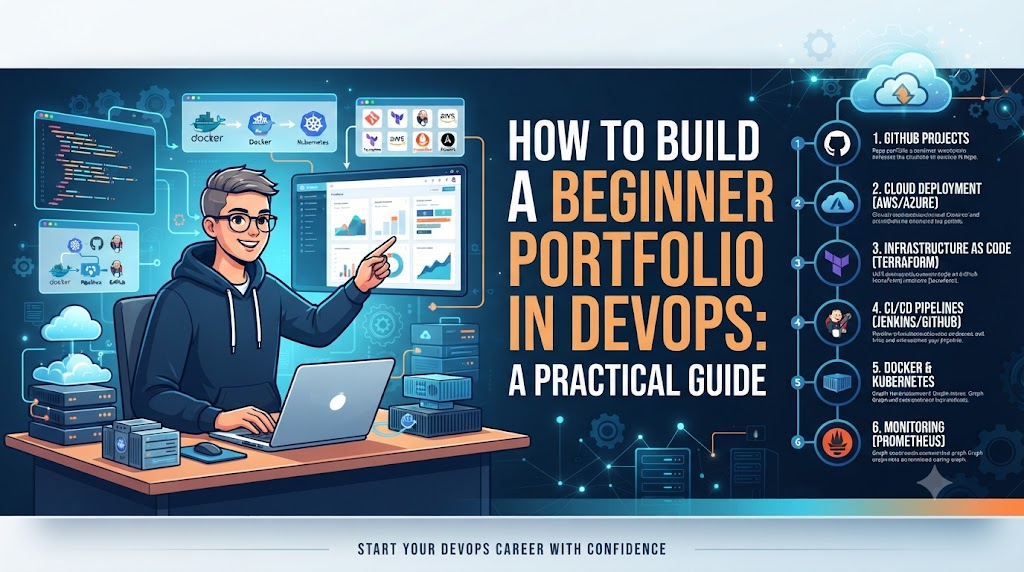
A computer science graduate stares at a blinking terminal cursor, having recently finished a handful of online courses in Docker, Kubernetes, and Terraform. They understand the concepts theoretically, but when an application recruiter asks, “Can you show me a system you automated and deployed?”, the cursor feels heavy.
Many beginners struggle to demonstrate DevOps skills without professional experience. There is a wide gap between saying, “I know DevOps tools,” and proving, “I can demonstrate how I used DevOps practices to solve a real technical problem.”
A well-crafted DevOps portfolio bridges that gap. It provides tangible evidence of your practical knowledge, problem-solving abilities, automation skills, thorough documentation, troubleshooting methodology, and technical communication. While it is not a magic key that guarantees instant employment or interviews, it serves as undeniable proof of what you can actually build, configure, test, secure, and operate.
What Is a DevOps Portfolio?
A DevOps portfolio is a curated collection of practical projects, source code, infrastructure code, CI/CD pipelines, documentation, architecture diagrams, automation scripts, and monitoring configurations that show how you apply engineering practices.
It is concrete evidence of practical learning. Conversely, a portfolio is not:
- A mere list of tools or certificates.
- A collection of copied tutorials.
- A folder of screenshots without context or explanations.
- A public repository filled with undocumented code.
Why Beginners Need a DevOps Portfolio
For someone breaking into the field, a portfolio acts as a technical handshake. It allows you to:
- Show hands-on experience: Move beyond multiple-choice exams to show functional configurations.
- Explain technical decisions: Articulate why you chose a specific tool or architectural pattern.
- Demonstrate problem-solving and automation: Prove that you can eliminate manual toil through scripting or pipelines.
- Exhibit documentation ability: Show that you write clearly enough for another engineer to understand and run your code.
- Support technical interviews: Give interviewers concrete talking points during technical screens.
What to Learn Before Building a Portfolio
Before jumping straight into complex enterprise architectures, establish a solid foundation across these core areas:
- Linux: Master the file system, processes, file permissions, basic networking commands, shell commands, and system troubleshooting.
- Git: Understand repositories, commits, branching strategies, pull requests, handling merge conflicts, and version control hygiene.
- Networking Basics: Grasp HTTP/HTTPS, DNS resolution, TCP/IP, common ports, load balancing concepts, and firewalls.
- Scripting: Learn Bash and Python (or another scripting language) to understand automation fundamentals.
Beginners do not need expert-level mastery in every discipline before starting their first project; rather, learning happens iteratively as you build.
Ideal Beginner DevOps Portfolio Structure
Keep your portfolio homepage clean, professional, and easy to navigate. A recommended layout includes:
- Portfolio Homepage: A brief introduction to who you are and your career focus.
- About: Background context and learning journey.
- Skills: Core technologies you are comfortable using.
- Projects: Deep dives into your individual labs and configurations.
- Infrastructure: Examples of infrastructure code.
- CI/CD: Pipelines you have designed and executed.
- Monitoring: Dashboards and observability setups.
- Documentation: README guides and architecture notes.
- Contact / Professional Profile: Links to your GitHub profile and professional networks.
Beginner DevOps Project Ideas
Instead of building dozens of shallow projects, focus on 3 to 5 comprehensive projects that tell a cohesive technical story.
Project 1: Basic CI/CD Pipeline
- What to build: Take a simple web application, store it in version control, and build an automated pipeline using GitHub Actions or GitLab CI.
- Key steps: Write unit tests, package the application into a build artifact, run automated checks, and deploy it to a staging environment. Document every phase.
Project 2: Dockerized Application
- What to build: Containerize a multi-tier application (such as a Node.js app with a backend database) using Docker and Docker Compose.
- Key steps: Write an optimized Dockerfile, manage environment variables safely, handle persistent volumes, and incorporate basic security scanning for base images.
Project 3: Infrastructure as Code (IaC)
- What to build: Provision reproducible cloud infrastructure or local virtualized environments using Terraform.
- Key steps: Define networking components, compute instances, and security groups as code. Emphasize version control, modularity, and repeatable deployments.
Project 4: Cloud Deployment
- What to build: Deploy a containerized application to a cloud environment (AWS, Azure, or GCP using free tiers or local emulators).
- Key steps: Configure compute resources, setup networking subnets, apply security group rules, automate the deployment, and configure basic health checks.
Project 5: Kubernetes Deployment
- What to build: Deploy a simple application onto a local Kubernetes cluster (like Minikube or Kind).
- Key steps: Write deployment manifests, services, configmaps, secrets, and horizontal pod autoscalers. Practice basic cluster troubleshooting when pods fail to start.
Project 6: Monitoring and Observability
- What to build: Add observability to one of your existing project deployments using open-source tools like Prometheus and Grafana.
- Key steps: Scrape system metrics, configure custom dashboards, and set up simulated alert notifications.
Project 7: DevSecOps Pipeline
- What to build: Integrate security checks into a CI/CD pipeline.
- Key steps: Run static code analysis (SAST), dependency vulnerability checks, and container image scanning before allowing deployment. Never store real secrets or API keys in the repository.
How to Choose the Right Projects
Select projects based on your learning goals, current skill depth, available time, financial cost, and technical complexity. Depth outweighs quantity. Three well-documented projects with robust troubleshooting logs are vastly superior to ten copied repositories with default README files.
How to Structure Every DevOps Portfolio Project
Apply a repeatable framework to each project in your portfolio:
- Project Title: What was built.
- Problem Statement: The technical challenge addressed.
- Objective: Desired outcomes.
- Architecture: System layout.
- Technologies Used: Toolchain inventory.
- Implementation: Major step-by-step actions.
- Automation: What was automated.
- Testing: Validation methods.
- Security: Precautions taken.
- Monitoring: Observability hooks.
- Challenges: Obstacles encountered.
- Solution: How hurdles were cleared.
- Results: Observable outcomes.
- Lessons Learned: Key technical takeaways.
How to Write a Strong README
Your project README is often the first thing a technical reviewer reads. It must allow another engineer to understand and reproduce your work. Include a project overview, architecture description, prerequisites, setup instructions, configuration steps, usage guide, CI/CD workflow, testing instructions, troubleshooting guides, security notes, screenshots, and lessons learned.
Architecture Diagrams for a DevOps Portfolio
Visual aids clarify complex interactions. Include simple, accurate architecture diagrams showing users, applications, load balancers, container boundaries, CI/CD workflows, cloud components, and monitoring agents. Avoid decorative graphics that do not match your actual configuration code.
Show the DevOps Process, Not Just the Final Application
True DevOps thinking revolves around the lifecycle. Demonstrate the complete workflow:
$$\text{Code} \rightarrow \text{Commit} \rightarrow \text{Build} \rightarrow \text{Test} \rightarrow \text{Security} \rightarrow \text{Package} \rightarrow \text{Deploy} \rightarrow \text{Monitor} \rightarrow \text{Feedback}$$
Showing this loop proves you understand continuous delivery and feedback integration rather than just writing code.
Demonstrating Automation and Troubleshooting Skills
- Automation: Highlight how you replaced manual toil with shell scripts, CI/CD triggers, IaC modules, or automated configuration playbooks.
- Troubleshooting: Documenting failures makes a portfolio exceptional. Use this format:
$$\text{Problem} \rightarrow \text{Investigation} \rightarrow \text{Root Cause} \rightarrow \text{Fix} \rightarrow \text{Prevention}$$
Highlighting container startup failures, permission errors, or broken networking routes shows resilience and analytical grit.
Security Best Practices for Beginner Portfolios
Protecting sensitive data is non-negotiable.
- Never commit passwords, private SSH keys, or API tokens.
- Use environment variables and proper secret management tools.
- Sanitize screenshots to remove confidential data or internal IP ranges.
- Apply the principle of least privilege across your configuration files.
Making the Portfolio Professional and Organized
Presentation should support technical substance. Use clean repository structures with intuitive names like devops-ci-cd-pipeline or k8s-microservices-lab. Write descriptive commit messages, ensure uniform formatting, and strip out unnecessary temporary log files.
Common Portfolio Mistakes to Avoid
- Copying tutorials line-by-line without understanding the underlying logic.
- Leaving repositories empty or half-finished.
- Omitting the README or architecture explanation.
- Listing dozens of buzzword tools you cannot configure from scratch.
- Exposing live credentials or API secrets.
- Claiming personal learning projects are enterprise-grade production systems.
How to Explain Personal Contribution
Be transparent about your work. Clearly state what you built, configured, automated, and troubleshot. If a project started from a tutorial framework, state what modifications, automation scripts, or monitoring layers you added independently.
Building a Portfolio Without Professional Experience
If you have never held a DevOps title, build your experience through personal home labs, local container environments, cloud provider free tiers, open-source contributions, and simulated outage scenarios. Always label learning projects transparently as personal engineering labs.
Step-by-Step Portfolio Roadmap
- Learn Fundamentals: Master Linux, Git, networking, and scripting.
- Choose a Small Project: Pick an application to containerize.
- Define the Problem: Write down what you aim to automate.
- Build the Environment: Set up local or cloud infrastructure.
- Add Version Control: Structure your code cleanly in Git.
- Add CI/CD: Automate build and test stages.
- Add Automation: Implement IaC or shell automation.
- Add Monitoring: Hook up basic metrics.
- Add Security: Scan dependencies and secure configurations.
- Document: Write a comprehensive README and draw diagrams.
- Test Everything: Tear down and rebuild your environment from scratch to verify reproducibility.
- Publish: Push your organized repositories to GitHub.
Portfolio Checklist
- Clear project objective defined
- Clean source code included
- Comprehensive README provided
- Accurate architecture diagram attached
- Functional CI/CD pipeline integrated
- Infrastructure configuration included
- Automation demonstrated
- Basic testing documented
- Security considerations addressed
- Monitoring or logging configured
- Troubleshooting notes included
- Lessons learned articulated
- Zero exposed credentials or secrets
- Personal contributions clearly stated
Role of DevOpsSchool
Structured learning paths help beginners build the technical discipline required to develop meaningful portfolio projects. Programs focusing on DevOps fundamentals, Linux, Git, CI/CD, cloud orchestration, Docker, Kubernetes, Infrastructure as Code, monitoring, and DevSecOps can provide the foundational rigor needed to turn abstract concepts into working systems. For structured training and professional skill development, learners often explore programs through DevOpsSchool.
Using the Portfolio for Job Applications
A portfolio acts as a conversation starter during interviews. When hiring managers ask questions such as “Why did you choose this architecture?” or “What failed during your build and how did you troubleshoot it?”, your portfolio provides real, verifiable reference points. It anchors your resume claims in practical reality.
Future of DevOps Portfolios
As the industry shifts toward platform engineering, AI-assisted DevOps, GitOps, and internal developer platforms, future portfolios will increasingly emphasize engineering judgment, system reliability, security mindfulness, and automation design over basic tool installation.
Frequently Asked Questions
What should a beginner include in a DevOps portfolio?
A beginner portfolio should include source code, infrastructure configuration files, CI/CD pipeline definitions, architecture diagrams, monitoring configurations, and detailed documentation explaining how the system was built and tested.
How many projects should a beginner have?
Focus on 3 to 5 strong, end-to-end projects rather than a dozen incomplete repositories. Depth and thorough documentation matter much more than volume.
Can I build a DevOps portfolio without work experience?
Yes. You can build robust portfolios using local virtualization, container environments, personal labs, and cloud free-tier resources to simulate real-world workflows.
Should DevOps beginners include certifications in their portfolio?
Certifications can validate theoretical knowledge, but they should complement—not replace—practical, code-backed projects that demonstrate hands-on capability.
Should I publish my DevOps projects publicly?
Yes, publishing repositories publicly on platforms like GitHub allows recruiters and technical teams to review your code, provided you ensure no sensitive API keys or credentials are exposed.
What should a project README contain?
A strong README should feature an overview, architecture details, prerequisites, step-by-step setup instructions, CI/CD workflows, testing guidelines, troubleshooting notes, and lessons learned.
Final Thoughts
Building a DevOps portfolio is less about collecting tools and more about proving your ability to solve problems systematically. Practical evidence matters because it demonstrates how you approach automation, handle infrastructure, secure deployments, and troubleshoot failures under pressure. By focusing on quality over quantity, writing thorough documentation, and showing a willingness to learn from broken builds, you can create a portfolio that speaks volumes about your engineering potential. Stay curious, build consistently, and treat every troubleshooting hurdle as part of the learning process.