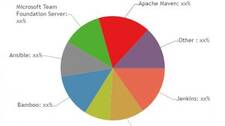
Build automation has moved from a nice-to-have to a core engineering discipline. Whether you are running a startup on a single CI pipeline or coordinating releases across dozens of microservices, the tool you choose to compile, test, package and deploy your software shapes how fast and reliably your team can ship. This article cuts through the market-report noise to give DevOps engineers a clear, practical overview of the major build automation platforms and what actually differentiates them.
What Is Build Automation?
Build automation is the process of scripting and tooling every step between a developer pushing code and a deployable artifact reaching an environment. A complete build automation system typically handles:
- Source code compilation and dependency resolution
- Unit, integration and end-to-end test execution
- Static analysis and security scanning
- Artifact packaging (JAR, Docker image, Helm chart, etc.)
- Artifact publication to a registry or repository
- Deployment triggering or orchestration
The tools covered below operate at different layers of this stack. Some (Gradle, Apache Maven) focus on the build and dependency layer. Others (Jenkins, CircleCI, TeamCity) are full CI/CD orchestration platforms. A few (Ansible, Chef) are primarily configuration management and deployment tools that are also used inside pipelines.
The Major Build Automation Tools
Jenkins
Jenkins is the most widely adopted open-source CI/CD server. Written in Java and backed by a plugin ecosystem of over 1,800 community plugins, Jenkins can integrate with virtually any version control system, build tool, test framework or cloud provider. Its Jenkinsfile (Pipeline-as-Code) lets teams version their entire CI/CD workflow alongside application code.
Best for: Teams that need maximum flexibility and are comfortable managing their own infrastructure. The operational overhead of running Jenkins at scale is real—plugin compatibility, Java heap tuning and distributed agent management all require attention.
TeamCity
JetBrains’ TeamCity is a commercial CI/CD server with a generous free tier. It offers first-class support for .NET, Java, and Kotlin build chains, deep IDE integration (particularly with JetBrains IDEs), and intelligent test-impact analysis that runs only the tests affected by a given change. TeamCity stores build configuration in Kotlin DSL, making it version-controllable.
Best for: JetBrains-heavy shops, .NET teams, and organizations that want a polished self-hosted CI server with strong out-of-the-box support without heavy plugin management.
CircleCI
CircleCI is a cloud-native CI/CD platform (with a self-hosted server option). Pipelines are defined in YAML (.circleci/config.yml), and the platform emphasizes speed through parallelism, caching layers and Docker Layer Caching. Its Orbs are reusable, shareable pipeline packages that reduce boilerplate for common integrations.
Best for: Teams wanting a managed, scalable CI/CD service without the overhead of running their own servers. Pricing is resource-minute based, which can become expensive for large build volumes.
Bamboo
Atlassian’s Bamboo is a CI/CD server designed to integrate tightly with Jira, Bitbucket and Confluence. Build plans can automatically link to Jira issues and deployments are tracked through Bamboo’s deployment projects, giving teams visibility from ticket to production. Bamboo is a commercial, self-hosted product.
Best for: Atlassian-stack organizations that want native Jira and Bitbucket integration without relying on third-party plugins. Note that Atlassian has been investing more heavily in its cloud-native Bitbucket Pipelines product; evaluate both before committing.
Ansible
Ansible is an agentless automation platform that uses SSH and YAML playbooks to configure systems, deploy applications and orchestrate multi-tier workflows. It is not a CI server—it does not poll repositories or run test suites natively—but it is commonly used as the deployment step inside a CI/CD pipeline triggered by Jenkins, GitLab CI or another orchestrator.
Best for: Infrastructure provisioning, configuration management and application deployment automation. Red Hat’s Ansible Automation Platform adds enterprise features including Ansible Tower/AWX for a web UI, RBAC and audit logging.
Microsoft Azure DevOps (formerly TFS)
Microsoft Team Foundation Server has evolved into Azure DevOps, a SaaS suite covering boards, repos, pipelines, artifacts and test plans. Azure Pipelines supports YAML-based pipelines, multi-platform agents (Linux, macOS, Windows) and has a generous free tier for open-source projects. It integrates natively with Azure cloud services but works equally well with AWS and GCP.
Best for: Microsoft-ecosystem shops, .NET workloads, and teams wanting an integrated project management and CI/CD platform within a single vendor.
Apache Maven and Gradle
Maven and Gradle are build tools, not CI servers. They handle dependency resolution, compilation, testing and packaging for JVM-based projects. Maven uses an XML-based pom.xml with a convention-over-configuration philosophy. Gradle uses a Groovy or Kotlin DSL and offers an incremental build engine that skips tasks whose inputs have not changed—often dramatically reducing local and CI build times. These tools run inside a CI pipeline, not instead of one.
Travis CI
Travis CI was one of the first cloud-hosted CI services to popularize the .travis.yml pipeline-as-code pattern. It remains in use but has lost ground to CircleCI, GitHub Actions and GitLab CI following changes to its free-tier policy. It supports a wide range of languages and operating systems.
Chef
Like Ansible, Chef is a configuration management tool rather than a CI server. It uses Ruby-based recipes and cookbooks to define desired system state. Chef Infra enforces that state continuously via a client-server model. It is used within DevOps pipelines to provision and configure the infrastructure that builds and runs applications.
Codeship
Codeship (now part of CloudBees) is a hosted CI/CD service offering two products: Codeship Basic (simple, UI-configured pipelines) and Codeship Pro (Docker-based, fully scripted pipelines). It targets teams wanting a straightforward hosted CI experience without deep configuration overhead.
Cloud-Based vs. Self-Hosted Build Automation
One of the most consequential decisions when selecting a build automation platform is the deployment model:
| Factor | Cloud-Based (SaaS) | Self-Hosted |
|---|---|---|
| Operational overhead | Low — vendor manages infrastructure | High — your team manages upgrades, scaling, HA |
| Cost model | Per-minute or per-seat, scales with usage | License + infrastructure + engineering time |
| Data sovereignty | Source and artifacts leave your network | Full control; required for air-gapped environments |
| Customisation | Limited to vendor’s plugin/integration ecosystem | Full — any tool, any network resource |
| Startup speed | Minutes to first pipeline | Hours to days for initial setup |
Regulated industries (finance, healthcare, defence) frequently mandate self-hosted solutions to satisfy data residency and audit requirements. SaaS platforms are generally the faster path for startups and teams without dedicated platform engineering capacity.
Key Features to Evaluate
When comparing build automation tools, assess the following dimensions against your team’s actual requirements:
- Pipeline-as-Code support: Can pipeline definitions live in version control alongside application code? (Jenkinsfile,
.circleci/config.yml,azure-pipelines.yml, etc.) - Parallelism and test splitting: Can the tool distribute test suites across multiple agents or containers to reduce wall-clock time?
- Caching: Does the platform cache dependencies and intermediate build outputs between runs?
- Artifact management: Is there a built-in artifact repository, or do you need to integrate with Nexus, Artifactory or a cloud registry?
- Security and secrets management: How are credentials injected into pipelines? Is there integration with Vault, AWS Secrets Manager or similar?
- Observability: What visibility do you have into build trends, flaky tests and queue times?
- Access control: Can you enforce role-based permissions on pipelines and environments?
- Scalability: How does the platform handle a spike in concurrent builds?
Market Landscape and Trends
The build automation market has shifted significantly over the past five years. Several trends are worth tracking:
- GitHub Actions and GitLab CI/CD have become dominant forces by embedding CI/CD directly into source control platforms, reducing the friction of third-party integrations.
- Container-native pipelines are now the norm. Every major platform runs pipeline steps inside Docker containers, improving reproducibility and isolation.
- Developer experience is a differentiator. Faster feedback loops, local pipeline testing (e.g.,
actfor GitHub Actions,circleci local execute) and better observability dashboards are competitive battlegrounds. - Consolidation continues: CloudBees has acquired multiple smaller players including Codeship and Electric Cloud. Broadcom’s acquisition of VMware brought Tanzu (and indirectly Concourse CI) into a large portfolio.
- AI-assisted pipelines are emerging, with vendors beginning to offer suggestions for build optimisation, flaky test detection and security remediation inside the CI feedback loop.
Choosing the Right Tool
No single tool wins across every context. A practical decision framework:
- Start with your source control platform. If you are on GitHub, GitHub Actions is the lowest-friction choice. On GitLab, GitLab CI/CD. On Bitbucket Cloud, Bitbucket Pipelines.
- Assess your compliance requirements. If you cannot send code or artifacts outside your network, self-hosted Jenkins, TeamCity or GitLab Self-Managed are your primary options.
- Consider your team’s existing skills. A team fluent in Python and YAML will find a YAML-native platform easier to adopt than one requiring Groovy (Jenkins Declarative Pipeline) or Kotlin DSL (TeamCity).
- Model the total cost. SaaS platforms have transparent per-minute pricing; self-hosted platforms have hidden costs in engineering time and infrastructure. Build a realistic 12-month cost model for your expected build volume.
- Prototype before committing. Most platforms offer free tiers or trials. Build your most complex pipeline in two or three candidate tools before making a decision.
Summary
Build automation is a crowded market with mature tooling at every level of the stack—from low-level build tools like Gradle and Maven through full-featured CI/CD platforms like Jenkins and CircleCI to configuration management systems like Ansible and Chef. The right choice depends on your team size, compliance posture, language ecosystem, existing toolchain and operational capacity. The tools listed here have each earned a place in production environments; the differentiator is fit, not absolute quality.