Introduction
Digital Forensics and Incident Response (DFIR) suites represent the specialized technological front line in the battle against sophisticated cyber threats and digital malfeasance. These platforms are designed to systematically collect, preserve, and analyze digital evidence while providing the necessary frameworks to mitigate active security breaches. In a landscape where data is the most valuable asset, DFIR tools enable investigators to reconstruct timelines, identify the root cause of an intrusion, and maintain a chain of custody that is defensible in a court of law. Unlike general security tools, these suites are built for deep-dive analysis, allowing practitioners to peer into volatile memory, examine unallocated disk space, and decrypt complex communication channels.
The modern relevance of DFIR suites is driven by the professionalization of cybercrime and the increasing complexity of regulatory compliance. Organizations now operate under a “when, not if” mindset regarding security incidents, making a robust response capability a business necessity. These tools allow for the rapid identification of indicators of compromise across globally distributed networks, reducing the mean time to respond and remediate. When evaluating a suite, senior investigators prioritize technical accuracy, the ability to ingest diverse data formats, and the speed of processing large-scale evidence. A high-tier DFIR platform must balance the power of deep forensic artifacts with the agility required for real-time incident response in hybrid and multi-cloud environments.
Best for: Security Operations Center (SOC) teams, federal and local law enforcement agencies, private forensic consultants, and enterprise legal departments requiring forensically sound data preservation and analysis.
Not ideal for: Basic IT troubleshooting, general network monitoring without an investigative focus, or organizations looking for simple automated antivirus solutions without human-led analysis capabilities.
Key Trends in DFIR Suites
The industry is seeing a massive shift toward cloud-native forensics, where suites are optimized to pull data directly from cloud service provider APIs and analyze ephemeral instances without needing physical access. Automation and orchestration are becoming core features, allowing for “triage-at-scale” where initial evidence collection happens across thousands of endpoints simultaneously to identify anomalies. Artificial intelligence is being integrated to assist with pattern recognition in vast datasets, helping investigators find “the needle in the haystack” by automatically flagging suspicious lateral movement or rare execution artifacts.
There is an increasing emphasis on remote forensic acquisition, necessitated by the rise of distributed workforces where physical access to hardware is rare. Modern suites are also focusing on memory forensics as a primary defense against fileless malware and living-off-the-land attacks. Interoperability through open-source forensic formats is gaining traction, allowing teams to move evidence between specialized tools without corrupting the integrity of the data. Furthermore, the integration of threat intelligence feeds directly into the forensic workbench allows for real-time correlation between discovered artifacts and known global adversary behaviors.
How We Selected These Tools
The selection of these top ten suites was conducted through a lens of technical rigor and operational stability in high-pressure environments. We prioritized platforms that have earned the trust of the global investigative community through years of proven performance in both criminal investigations and corporate breach responses. Market adoption was analyzed not just by sales volume, but by the frequency of the tools’ use in high-profile forensic reports and judicial proceedings. We looked for software that demonstrates a commitment to the “forensic standard,” ensuring that every action taken by the tool is logged and repeatable.
Technical performance was measured by the software’s ability to handle massive image files and its efficiency in parsing complex file systems like APFS, NTFS, and EXT4. We also scrutinized the depth of the artifact libraries—the pre-built “parsers” that understand specific application behaviors and system logs. Security of the suites themselves was a critical factor, ensuring that the tools used to investigate breaches do not themselves become a point of vulnerability. Finally, we assessed the ecosystem surrounding each tool, including the availability of certified training and the strength of the user community in sharing custom scripts and analysis plugins.
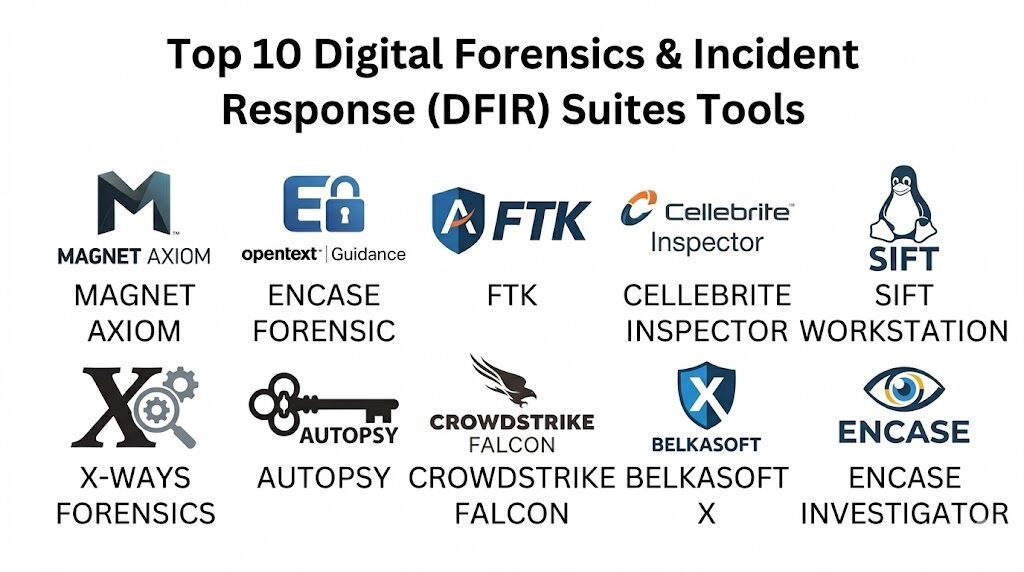
1. Magnet AXIOM
Magnet AXIOM has become a cornerstone of modern digital investigations by offering a unified platform that analyzes evidence from mobile, computer, cloud, and IoT sources simultaneously. It is renowned for its user-friendly interface that does not sacrifice the technical depth required for deep-dive forensics. The suite is built to recover deleted data and parse thousands of artifacts automatically, allowing investigators to focus on the “why” rather than the “how” of data recovery.
Key Features
The platform features powerful “artifacts-first” processing, which prioritizes the most relevant user data like chat logs, browser history, and social media activity. It includes integrated memory analysis capabilities through Volatility, enabling the detection of fileless malware. The “Connections” feature visually maps the relationships between different pieces of evidence, showing how a file moved from a cloud drive to a USB stick. It also offers advanced carving techniques for unallocated space and supports a wide range of mobile device extractions. The suite includes built-in case management and robust reporting tools for legal presentation.
Pros
Exceptional at parsing modern application data that traditional tools often miss. The interface is intuitive, significantly reducing the time required to train new forensic examiners.
Cons
The resource requirements for processing can be very high, necessitating powerful workstation hardware. The cost of licensing is at the premium end of the market.
Platforms and Deployment
Windows-based analysis workstation. It supports remote acquisition and cloud data ingestion.
Security and Compliance
Features robust logging of all investigator actions to maintain the chain of custody. Adheres to standard enterprise security protocols for data handling.
Integrations and Ecosystem
Integrates with various third-party tools via its API and supports the ingestion of images from other forensic software. It has a massive library of community-supported artifacts.
Support and Community
Offers world-class technical support and an extensive “Magnet Forensics Academy” for professional certification.
2. EnCase Forensic
EnCase is one of the most established names in the industry, often cited as the pioneer of the digital forensic standard. It is built for the rigorous needs of law enforcement and large-scale enterprise investigations, where the integrity of the evidence is the absolute priority. It provides a deep, granular look at the disk level, offering unparalleled control over the investigative process.
Key Features
The suite is known for its “Evidence File” format, which has become an industry standard for data preservation. It provides comprehensive bit-stream acquisition of disks, including encrypted volumes. The platform includes a powerful scripting language called EnScript, which allows investigators to automate complex or repetitive tasks. It offers deep integration with enterprise networks for remote live triage and memory collection. The software features advanced optical character recognition (OCR) to index text within images and PDFs for searchability.
Pros
Unrivaled legal standing; EnCase evidence is widely accepted in courts globally. The scripting engine allows for infinite customization for specific investigative needs.
Cons
The user interface is technical and has a significantly steeper learning curve than more modern competitors. Processing speeds can be slower when dealing with modern, high-capacity drives.
Platforms and Deployment
Windows-based local installation with enterprise-grade remote agents for network-wide acquisition.
Security and Compliance
Maintains rigorous standards for data integrity and hashing. Used extensively in government and highly regulated sectors.
Integrations and Ecosystem
A vast ecosystem of EnScripts is available through the developer’s marketplace, and it integrates with most major endpoint detection platforms.
Support and Community
Professional support is backed by decades of experience, with a global network of EnCE-certified professionals.
3. FTK (Forensic Toolkit)
FTK is built for speed and stability, utilizing a centralized database architecture that allows multiple investigators to collaborate on the same case simultaneously. It is particularly effective at handling extremely large datasets without the stability issues that can plague other forensic software.
Key Features
The suite uses a unique indexing system that allows for instantaneous searching of terabytes of data once the initial processing is complete. It includes specialized tools for password cracking and decryption of over 100 different applications. The database-driven approach ensures that work is not lost if a system crashes during a long processing session. It features advanced visualization tools for social mapping and timeline analysis. The platform also includes native support for parsing internet browser artifacts and volatile memory images.
Pros
Superior processing speed and search performance on large cases. The collaboration features make it the best choice for large teams working on high-priority incidents.
Cons
The database setup (PostgreSQL or Oracle) adds a layer of complexity to the initial installation and maintenance. The interface can feel dated compared to newer “artifact-centric” tools.
Platforms and Deployment
Windows-based, supporting distributed processing across multiple servers to increase speed.
Security and Compliance
Offers granular role-based access control within the database to ensure only authorized investigators can see specific case data.
Integrations and Ecosystem
Integrates with various malware analysis and threat intelligence platforms to enhance incident response workflows.
Support and Community
Provides extensive documentation and a structured certification path for professional examiners.
4. Cellebrite Inspector
Cellebrite Inspector (formerly BlackLight) is a high-end forensic suite designed for the rapid analysis of computer systems, with a historic specialty in macOS and iOS forensics. It has evolved into a comprehensive cross-platform tool that excels at revealing user actions through a highly visual and interactive interface.
Key Features
The software is exceptional at parsing macOS-specific artifacts like Time Machine backups, APFS snapshots, and Keychain data. It provides a “Media View” that allows for the rapid triaging of thousands of images and videos using AI-based categorization. The “Actionable Intel” view summarizes the most critical evidence, such as recently accessed files and network connections, in a single pane. It includes robust timeline capabilities that allow for the correlation of events across multiple devices. The suite also handles Windows artifacts with high precision, including Registry and Jump List analysis.
Pros
The most advanced tool for Apple-related forensics, making it essential for any lab. The interface is clean and allows for very fast movement from acquisition to report.
Cons
The cost of the suite is high, especially when bundled with other mobile forensic tools. Some advanced deep-disk features are less granular than EnCase or FTK.
Platforms and Deployment
Windows and macOS local installations.
Security and Compliance
Adheres to strict forensic standards for data immutability and provides detailed audit trails.
Integrations and Ecosystem
Perfectly integrated with the broader Cellebrite ecosystem for mobile data ingestion and analysis.
Support and Community
Offers dedicated professional support and specialized training focused on cross-platform investigations.
5. SANS SIFT Workstation
The SIFT Workstation is a free, open-source collection of the world’s most powerful forensic tools, pre-configured in a Linux environment. It is the gold standard for investigators who prefer a command-line-driven, highly customizable, and cost-effective approach to DFIR.
Key Features
The suite includes industry-leading tools like The Sleuth Kit for disk analysis, Volatility for memory forensics, and log2timeline for automated timeline generation. It supports nearly every forensic image format, including those generated by commercial tools. The environment is built on Ubuntu and can be easily updated with the latest open-source scripts. It includes specialized tools for network forensics, malware analysis, and file carving. Because it is open-source, the underlying code for every tool is available for peer review, ensuring total transparency in investigative methods.
Pros
Completely free to use, making it the most accessible high-end forensic tool in the world. It provides the ultimate flexibility for technical investigators who want to build custom automated workflows.
Cons
Requires a high level of Linux expertise and command-line proficiency. There is no centralized graphical interface, which can slow down certain types of visual analysis.
Platforms and Deployment
Linux (Ubuntu-based). Can be deployed as a virtual machine or installed directly on hardware.
Security and Compliance
Security is managed at the OS level. The transparency of open-source tools is often a major plus for scientific validation in court.
Integrations and Ecosystem
Designed to be the “Swiss Army Knife” of forensics, it can integrate with almost any tool through its command-line interface.
Support and Community
Supported by the massive SANS Institute community, with endless free documentation and community-driven updates.
6. X-Ways Forensics
X-Ways is a high-performance, resource-efficient forensic suite that is favored by experienced examiners for its speed and lack of hardware overhead. It is a portable tool that can run from a USB drive, making it a favorite for on-site triage and field investigations.
Key Features
The software is incredibly lightweight, often outperforming much “heavier” suites on the same hardware. It provides a deep, hex-level view of the data while offering automated parsing for common file system artifacts. It includes advanced features for disk cloning, imaging, and reconstruction of RAID arrays. The tool features powerful filtering and searching capabilities that operate directly on the disk data. It also includes a specialized viewer for hundreds of file formats, allowing for quick evidence review without altering the original files.
Pros
Extremely fast and does not require a complex database or high-end server to run. It is highly portable, making it ideal for rapid response in the field.
Cons
The user interface is dense and can be intimidating for beginners. It follows a different logic than most other suites, requiring specific training to use effectively.
Platforms and Deployment
Windows-only. Portable and can be run without installation.
Security and Compliance
Features strict write-protection and detailed logging to ensure forensic integrity.
Integrations and Ecosystem
Supports a wide range of external scripts and can ingest almost any forensic image format.
Support and Community
Provides direct developer support and has a very active community of highly technical forensic experts.
7. Autopsy
Autopsy is the graphical interface for The Sleuth Kit and has become the most popular free forensic suite for those who prefer a GUI over the command line. It is designed to be an easy-to-use, “plug-and-play” solution that still provides the power of professional forensic analysis.
Key Features
The platform features automated ingest modules that handle everything from hash lookups to web artifact parsing. it includes a robust keyword search engine and a timeline visualization tool. The software supports multi-user cases, allowing teams to collaborate over a shared network drive. It includes a unique “Central Repository” that allows investigators to see if a specific artifact (like an email or a hash) has appeared in previous cases. The tool also supports specialized modules for Android and iOS analysis.
Pros
Free and open-source, providing a very low barrier to entry for new investigators. The modular architecture allows users to add new features through Python or Java plugins.
Cons
It can be slower than commercial tools when processing very large datasets. The artifact parsing is excellent but may not be as exhaustive as high-end suites like AXIOM or Cellebrite.
Platforms and Deployment
Windows, macOS, and Linux.
Security and Compliance
Provides a clear audit trail and uses the industry-standard Sleuth Kit engine for disk analysis.
Integrations and Ecosystem
A growing marketplace of community-developed plugins allows for the addition of specialized forensic capabilities.
Support and Community
Excellent community support and a dedicated “Autopsy Training” program for professional certification.
8. CrowdStrike Falcon Forensics
CrowdStrike Falcon Forensics is a modern, cloud-native suite designed specifically for rapid incident response at the enterprise level. It leverages the power of the CrowdStrike agent to collect and analyze forensic data across thousands of endpoints in real-time.
Key Features
The suite allows for the instantaneous collection of historical data (artifacts) from live systems without requiring a full disk image. It provides a centralized cloud console where investigators can analyze data from across the entire global organization. The platform is deeply integrated with threat intelligence, automatically flagging artifacts associated with known threat actors. It features a “Timeline” view that correlates system events with network activity and process executions. The tool is designed for speed, allowing for a “triage-first” approach that identifies the scope of a breach in minutes.
Pros
The fastest tool for responding to enterprise-wide incidents. It eliminates the need to physically collect hardware or wait for massive images to transfer over the network.
Cons
It is a subscription-based enterprise service and is not suitable for individual or law enforcement “dead-box” forensics. It requires the CrowdStrike agent to be deployed.
Platforms and Deployment
Cloud-based management console with lightweight agents on Windows, macOS, and Linux.
Security and Compliance
Enterprise-grade security with full encryption and rigorous access controls. Meets all major global compliance standards.
Integrations and Ecosystem
Perfectly integrated with the broader CrowdStrike Falcon platform for endpoint protection and threat hunting.
Support and Community
Provides dedicated 24/7 enterprise support and access to the CrowdStrike intelligence community.
9. Belkasoft X
Belkasoft X is a comprehensive forensic suite that specializes in the simultaneous acquisition and analysis of all types of digital devices. It is known for its ability to automate the discovery of hundreds of different artifact types, making it a very efficient “one-stop shop” for busy investigators.
Key Features
The software provides a unified workflow for computer, mobile, cloud, and memory forensics. It includes specialized modules for analyzing SQLite databases, which are common in modern mobile and desktop applications. The tool features advanced “remote acquisition” capabilities, allowing for the collection of data from computers and mobile devices over a network. It includes a powerful file carver that can recover hundreds of different file types from unallocated space. The suite also provides robust reporting in various formats, including specialized reports for legal teams.
Pros
Very high level of automation, allowing for “set it and forget it” processing. Excellent at handling mobile device data alongside traditional computer forensics.
Cons
The automated nature can sometimes lead to “noise” in the results that requires manual filtering. The interface can become slow when dealing with multiple large cases simultaneously.
Platforms and Deployment
Windows-based local and network installation.
Security and Compliance
Adheres to all major forensic standards and provides detailed verification of evidence integrity.
Integrations and Ecosystem
Supports a wide range of external tools and provides an API for custom automation.
Support and Community
Offers responsive technical support and a structured training program for investigators.
10. OpenText EnCase Endpoint Investigator
While related to the forensic edition, the Endpoint Investigator is a specialized suite designed specifically for corporate internal investigations and incident response. It allows for discreet, network-wide searching and collection without alerting the user or disrupting business operations.
Key Features
The platform features a highly optimized remote agent that can acquire data from any connected device, regardless of whether it is on the corporate network or the public internet. It allows for “targeted collection,” where only specific files or artifacts are gathered, drastically reducing the time and bandwidth required. It includes powerful “sweep” capabilities that can search for specific indicators of compromise across the entire enterprise. The tool provides a centralized dashboard for managing multiple simultaneous investigations. It also supports the collection of data from cloud repositories like Office 365 and Google Workspace.
Pros
The most robust tool for discreet corporate investigations. The ability to collect data over the internet from remote employees is a significant advantage in the modern workplace.
Cons
High cost and complex deployment compared to simpler triage tools. It requires a significant infrastructure to manage at scale.
Platforms and Deployment
Windows-based management server with agents for Windows, macOS, and Linux.
Security and Compliance
Features enterprise-grade security with encrypted communication and strict access controls.
Integrations and Ecosystem
Integrates deeply with enterprise IT management and security operations tools.
Support and Community
Backed by the extensive OpenText professional services team and a global user base in the corporate sector.
Comparison Table
| Tool Name | Best For | Platform(s) Supported | Deployment | Standout Feature | Public Rating |
| 1. Magnet AXIOM | Artifact-focused analysis | Win, Cloud | Local/Remote | Cross-device Correlation | 4.8/5 |
| 2. EnCase Forensic | Legal/Court Admissibility | Windows | Local/Remote | EnScript Customization | 4.6/5 |
| 3. FTK | Large-scale Team Collab | Windows | Distributed | Centralized Database | 4.5/5 |
| 4. Cellebrite Inspector | macOS/iOS Forensics | Win, Mac | Local | Actionable Intel View | 4.7/5 |
| 5. SIFT Workstation | Advanced Technical DFIR | Linux | VM/Local | Open-Source Flexibility | 4.9/5 |
| 6. X-Ways Forensics | On-site/Portable Triage | Windows | Portable | High Resource Efficiency | 4.7/5 |
| 7. Autopsy | Entry-level/Free GUI | Win, Mac, Linux | Local | Modular Plugin System | 4.4/5 |
| 8. CrowdStrike Falcon | Enterprise IR | Win, Mac, Linux | Cloud-native | Real-time Triage | 4.8/5 |
| 9. Belkasoft X | Automated Multi-device | Windows | Local/Remote | SQLite Deep Parsing | 4.5/5 |
| 10. EnCase Investigator | Corporate Internal Inv | Win, Mac, Linux | Network-wide | Discreet Remote Acquisition | 4.6/5 |
Evaluation & Scoring of DFIR Suites
The scoring below is a comparative model intended to help shortlisting. Each criterion is scored from 1–10, then a weighted total from 0–10 is calculated using the weights listed. These are analyst estimates based on typical fit and common workflow requirements, not public ratings.
Weights:
- Core features – 25%
- Ease of use – 15%
- Integrations & ecosystem – 15%
- Security & compliance – 10%
- Performance & reliability – 10%
- Support & community – 10%
- Price / value – 15%
| Tool Name | Core (25%) | Ease (15%) | Integrations (15%) | Security (10%) | Performance (10%) | Support (10%) | Value (15%) | Weighted Total |
| 1. Magnet AXIOM | 10 | 9 | 9 | 9 | 8 | 10 | 7 | 8.85 |
| 2. EnCase Forensic | 10 | 5 | 9 | 10 | 8 | 9 | 6 | 8.15 |
| 3. FTK | 9 | 6 | 8 | 9 | 10 | 9 | 7 | 8.30 |
| 4. Cellebrite Inspector | 10 | 8 | 8 | 9 | 9 | 9 | 7 | 8.65 |
| 5. SIFT Workstation | 9 | 3 | 10 | 9 | 10 | 8 | 10 | 8.35 |
| 6. X-Ways Forensics | 9 | 4 | 8 | 10 | 10 | 8 | 9 | 8.35 |
| 7. Autopsy | 7 | 9 | 8 | 8 | 7 | 8 | 10 | 8.00 |
| 8. CrowdStrike Falcon | 8 | 9 | 10 | 10 | 10 | 9 | 8 | 8.95 |
| 9. Belkasoft X | 9 | 8 | 8 | 9 | 8 | 8 | 8 | 8.35 |
| 10. EnCase Investigator | 9 | 6 | 10 | 10 | 9 | 9 | 7 | 8.55 |
How to interpret the scores:
- Use the weighted total to shortlist candidates, then validate with a pilot.
- A lower score can mean specialization, not weakness.
- Security and compliance scores reflect controllability and governance fit, because certifications are often not publicly stated.
- Actual outcomes vary with assembly size, team skills, templates, and process maturity.
Which DFIR Suite Is Right for You?
Solo / Freelancer
For the independent consultant, a combination of Magnet AXIOM for its broad artifact support and the SIFT Workstation for deep technical tasks offers the best balance. This pair provides the capability to handle almost any device while keeping overhead manageable.
SMB
Small businesses dealing with occasional incidents should look at Autopsy or Magnet AXIOM. Autopsy provides a no-cost entry point for simple investigations, while AXIOM offers a more comprehensive, automated approach for teams with limited forensic time.
Mid-Market
Organizations in this tier often benefit from Belkasoft X or Cellebrite Inspector. These tools offer a high level of automation and ease of use, allowing security generalists to perform high-quality investigations without requiring a dedicated, full-time forensic scientist.
Enterprise
For global organizations, CrowdStrike Falcon Forensics or EnCase Endpoint Investigator are the top choices. The ability to perform rapid, remote triage across thousands of endpoints is essential for managing the scale and speed of modern enterprise threats.
Budget vs Premium
Autopsy and SIFT Workstation are the clear winners for those on a tight budget. For those who can invest, Magnet AXIOM and Cellebrite Inspector provide premium features and support that significantly reduce investigation time.
Feature Depth vs Ease of Use
X-Ways and EnCase Forensic offer the most depth for technical purists but are difficult to master. Magnet AXIOM and Belkasoft X prioritize ease of use and automation, making them more accessible for broader security teams.
Integrations & Scalability
CrowdStrike and FTK are built for scale, offering cloud-native or database-driven architectures that can grow with the organization. They integrate deeply with other enterprise security tools to create a unified response ecosystem.
Security & Compliance Needs
In highly regulated environments or criminal law, EnCase Forensic and Magnet AXIOM are the safest choices. Their long history of legal acceptance and rigorous commitment to evidence integrity ensure that findings will stand up to the highest scrutiny.
Frequently Asked Questions (FAQs)
1. What is the difference between Digital Forensics and Incident Response?
Digital Forensics focuses on the meticulous preservation and analysis of data to answer legal or investigative questions. Incident Response is more about the immediate actions taken to contain a breach, though it relies heavily on forensic data to understand the threat.
2. Can I perform a forensic investigation on a live system?
Yes, most modern tools allow for live memory acquisition and “triage” collection. However, investigators must be careful as interacting with a live system inherently changes some data, such as access timestamps or volatile memory.
3. Why is “Chain of Custody” so important in DFIR?
The chain of custody is a chronological record showing who handled the evidence and when. If this chain is broken, the evidence can be challenged in court as it is no longer certain that the data was not tampered with.
4. Can these tools recover data from encrypted drives?
Some tools like FTK and EnCase have specialized modules for cracking or bypassing encryption if a recovery key or password can be found. However, modern full-disk encryption like BitLocker or FileVault is extremely difficult to break without the correct credentials.
5. Do I need specialized hardware to run forensic software?
While many tools run on standard PCs, professional forensic workstations often feature high-speed write-blockers, massive NVMe storage arrays, and high-core-count processors to handle the intensive data parsing and indexing tasks.
6. What is a “Write-Blocker”?
A write-blocker is a hardware device or software driver that prevents the computer from writing any data to the evidence drive. This is essential to ensure that the investigator does not accidentally modify the original evidence during analysis.
7. Can forensic tools recover deleted files?
Yes, most suites can “carve” unallocated space on a disk to find file headers and footers that haven’t been overwritten yet. However, on modern SSDs with TRIM enabled, recovering deleted data is significantly more difficult than on old mechanical drives.
8. How do these tools handle cloud data?
Tools like Magnet AXIOM and EnCase can use provided credentials or session tokens to pull data directly from cloud providers like Google, Microsoft, and Amazon via their APIs, preserving the metadata in a forensically sound way.
9. Is a certification necessary to use these tools?
While not strictly required for the software to work, certifications (like GCFE, EnCE, or MCFE) are highly valued. They prove that the investigator understands the forensic principles and can testify accurately about their findings in a legal setting.
10. What is an “Artifact” in a digital investigation?
An artifact is any piece of data left behind by a user or system activity. This includes browser history, registry keys, log files, or even the small “thumbnails” of images created by the operating system for the file explorer.
Conclusion
The selection of a Digital Forensics and Incident Response suite is one of the most consequential decisions a security leader can make. As we navigate an era of persistent threats and complex data landscapes, the ability to reconstruct events with total accuracy is the only way to move from a reactive posture to a resilient one. The choice between these top ten tools ultimately depends on your specific operational requirements—whether that is the legal rigor of EnCase, the artifact-centric speed of Magnet AXIOM, or the cloud-native agility of CrowdStrike. A mature DFIR capability often involves a “multi-tool” approach, combining the deep forensic analysis of a primary suite with specialized open-source tools to ensure no stone is left unturned. The goal is to provide a clear, evidence-based narrative that allows the organization to recover, learn, and defend against the next generation of digital adversaries.
I find that this deep dive into DFIR Suites perfectly highlights the critical need for technical rigor and forensic soundness in modern Incident Response. I learned from this blog that the shift toward “artifacts-first” processing, seen in tools like Magnet AXIOM, is essential for reconstructing complex timelines and identifying the root cause of an intrusion. In my real-world work as a Forensic Examiner, using these suites ensures that I maintain a defensible chain of custody while performing deep-dive memory analysis to catch fileless malware that standard tools miss. For others, mastering platforms like EnCase or the open-source SIFT Workstation means moving beyond basic troubleshooting into the specialized field of legal-grade data preservation and remote acquisition. My advice for anyone looking to excel in DFIR is to prioritize understanding file systems and artifact parsing over just learning a tool’s UI; when you understand the underlying system behavior, you can defend your findings in any boardroom or courtroom.