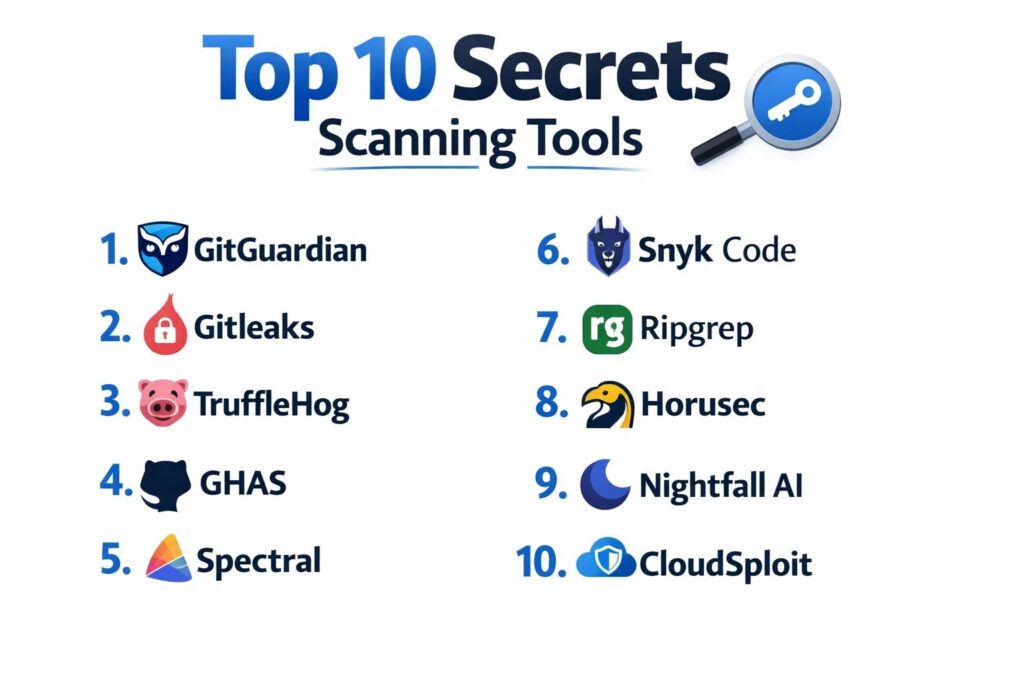
Introduction
Secrets scanning software represents a critical vertical in the modern cybersecurity stack, specifically designed to detect and remediate the accidental exposure of sensitive credentials. As organizations shift toward infrastructure-as-code and automated deployment pipelines, the risk of “secrets sprawl”—where API keys, database passwords, and encryption tokens are inadvertently committed to version control—has increased exponentially. These tools act as a continuous sentinel, scanning repositories, containers, and communication channels to identify leaked secrets before they can be exploited by malicious actors. In a cloud-native environment, a single exposed credential can provide an entry point for massive data breaches, making proactive scanning a non-negotiable requirement for digital integrity.
The integration of secrets scanning is a primary component of the DevSecOps movement, ensuring that security is not a final checkpoint but a continuous thread throughout the development lifecycle. Modern platforms utilize sophisticated entropy checks and high-precision regex patterns to differentiate between actual credentials and benign strings of code. As the complexity of multi-cloud architectures grows, the necessity for a centralized view of exposed secrets across all environments becomes paramount. When selecting a scanning solution, engineering leaders must evaluate the tool’s false-positive rate, its ability to scan historical git data, the depth of its integration into existing developer workflows, and the automation of its remediation paths.
Best for: Security engineers, DevOps teams, software developers, and enterprise IT managers who need to prevent data breaches caused by hardcoded credentials in source code and cloud configurations.
Not ideal for: Simple static websites with no backend integrations, or small local projects that do not utilize API keys, passwords, or external service authentications.
Key Trends in Secrets Scanning Tools
The move toward “Shift-Left” security has made pre-commit hooks a standard feature, allowing developers to catch exposed secrets on their local machines before they ever reach a shared repository. We are seeing a significant increase in the use of machine learning to reduce false positives, as tools become better at understanding the context surrounding a string to determine if it is a high-risk secret or a harmless test variable. Real-time remediation is also becoming more common, with platforms now capable of automatically revoking leaked keys through API integrations with major cloud providers the moment an exposure is detected.
There is a noticeable trend toward “Universal Secrets Management,” where scanning tools are being merged with secrets vaults to provide a holistic lifecycle for credentials—from generation and storage to rotation and revocation. Compliance requirements are also driving the adoption of scanning across non-code platforms, such as Slack, Jira, and Confluence, where sensitive data is often shared casually. Furthermore, the industry is moving toward more collaborative remediation workflows, where security teams and developers can communicate directly within the scanning platform to resolve alerts without disrupting the development velocity.
How We Selected These Tools
Our selection process involved a comprehensive audit of detection accuracy and the breadth of supported secret types across the global DevSecOps landscape. We prioritized tools that demonstrate a high degree of precision in identifying diverse credential formats, ranging from cloud-specific IAM keys to generic database connection strings. A core criterion was “developer experience,” evaluating how well each tool integrates into popular IDEs and CI/CD pipelines without introducing significant latency or friction into the build process.
Scalability was a major consideration; we selected platforms capable of scanning thousands of repositories and millions of lines of code in real-time. We looked for tools that provide deep historical scanning capabilities, ensuring that secrets buried in old git commits are identified and remediated. Security and compliance signals were scrutinized to ensure alignment with international standards such as SOC 2 and GDPR, which are critical for enterprise-grade deployments. Finally, we assessed the maturity of the remediation workflows, favoring tools that provide clear, actionable guidance to developers on how to rotate and secure leaked credentials effectively.
1. GitGuardian
GitGuardian is an enterprise-grade secrets detection platform that provides real-time monitoring of public and private repositories. It is widely recognized for its high-precision detection engine and its ability to handle massive scale for global engineering teams.
Key Features
The platform features a proprietary detection engine that covers over 350 different types of secrets including API keys, certificates, and database credentials. It includes a comprehensive “Remediation Dashboard” that allows security teams to track the status of leaks and collaborate with developers on resolution. The system offers deep integration with GitHub, GitLab, and Bitbucket for automated scanning of every commit. It features historical scanning capabilities to find secrets hidden in the deep git history of an organization. Additionally, it provides automated alerting through Slack, PagerDuty, and Microsoft Teams.
Pros
It has one of the lowest false-positive rates in the industry due to its sophisticated context-aware algorithms. The platform provides a very high degree of visibility across the entire development organization.
Cons
The enterprise pricing tier can be significant for mid-sized organizations. Some users may find the sheer volume of alerts overwhelming if not properly filtered.
Platforms and Deployment
Web-based SaaS and self-hosted options for high-security environments.
Security and Compliance
SOC 2 Type II compliant and adheres strictly to GDPR and global data privacy standards.
Integrations and Ecosystem
Seamlessly integrates with the major CI/CD providers and offers a robust API for custom security workflows.
Support and Community
Offers dedicated technical account management for enterprise clients and a wealth of educational content on secrets management.
2. Gitleaks
Gitleaks is a highly popular open-source tool designed for scanning git repositories for secrets. It is favored by individual developers and DevOps teams for its simplicity, speed, and highly customizable scanning rules.
Key Features
The tool features a high-performance scanning engine written in Go, capable of processing large repositories very quickly. It includes a flexible configuration system that allows users to define custom regex patterns for proprietary secret types. The system can be used as a pre-commit hook to prevent secrets from being committed in the first place. It features the ability to output results in various formats including JSON and CSV for integration with other security tools. It also supports scanning of both local and remote repositories.
Pros
Being open-source, it is completely free to use and offers total transparency in its detection logic. It is extremely lightweight and easy to integrate into automated scripts.
Cons
It lacks a centralized management UI, making it difficult to track remediation across a large organization. Maintenance and rule updates are the responsibility of the user.
Platforms and Deployment
Windows, macOS, and Linux as a command-line interface (CLI) tool.
Security and Compliance
Security depends on the environment in which it is run; no formal enterprise certifications are publicly stated.
Integrations and Ecosystem
Integrates well with various CI/CD pipelines through its CLI and has a strong community-driven plugin ecosystem.
Support and Community
Supported by a vibrant open-source community on GitHub with extensive documentation and user-contributed rules.
3. TruffleHog
TruffleHog is a powerful secrets scanning tool known for its ability to search through git repositories for high-entropy strings and secrets, specifically focusing on finding credentials that are buried deep in commit history.
Key Features
The platform features an entropy-based detection engine that finds secrets by identifying strings that look like random data. It includes “Verified Scanning” which attempts to check if a detected secret is still active by making a safe request to the associated service. The system supports scanning of various sources including S3 buckets, Docker images, and Slack channels. It features a modern CLI that is easy to automate within CI pipelines. It also offers an enterprise version with a centralized management dashboard.
Pros
The “active verification” feature significantly reduces false positives by confirming if a secret is actually live. It is exceptionally good at finding secrets in the most obscure parts of a repository.
Cons
The entropy-based approach can occasionally flag non-sensitive random strings as secrets. The open-source version lacks advanced collaboration and reporting features.
Platforms and Deployment
Windows, macOS, and Linux. Available as an open-source tool and an enterprise SaaS.
Security and Compliance
Enterprise version provides SOC 2 compliance and secure data handling protocols.
Integrations and Ecosystem
Integrates with major cloud providers and version control systems through its extensible scanning architecture.
Support and Community
Maintains a strong presence in the cybersecurity community with regular updates and technical support for enterprise users.
4. GitHub Advanced Security
GitHub Advanced Security (GHAS) is an integrated suite of security tools built directly into the GitHub platform. It provides native secrets scanning that is seamless for teams already using GitHub for their source code management.
Key Features
The platform features “Secret Scanning” that automatically runs on every push to a repository. It includes “Push Protection” which blocks a commit if it contains a detected secret from a known service provider. The system offers a centralized view of all security alerts across an organization’s repositories. It features deep integration with the GitHub “Dependabot” and code scanning features. Additionally, it partners with over 100 service providers to automatically notify them when their keys are leaked.
Pros
The integration is perfect for GitHub users, requiring no additional software or configuration. The “Push Protection” feature is one of the most effective ways to prevent leaks before they occur.
Cons
It is only available for GitHub Enterprise users, making it inaccessible for teams on other platforms. The customization of scanning rules is not as deep as some specialized tools.
Platforms and Deployment
Integrated directly into the GitHub Web and Enterprise Server interfaces.
Security and Compliance
Maintains the highest security standards including SOC 1, SOC 2, and ISO 27001.
Integrations and Ecosystem
Part of the broader GitHub ecosystem, connecting naturally with GitHub Actions and third-party security partners.
Support and Community
Backed by GitHub’s massive enterprise support structure and an unparalleled community of developers.
5. Spectral (by Check Point)
Spectral is a “developer-first” security tool that focuses on secrets scanning and misconfiguration detection. It is designed to be lightning-fast and highly customizable for modern, fast-paced engineering teams.
Key Features
The platform features a proprietary scanning engine that is built for speed, capable of scanning large codebases in seconds. It includes a massive library of pre-defined “detectors” for secrets, sensitive data, and cloud misconfigurations. The system offers a “SpectralOps” interface for managing security policies across the organization. It features advanced data masking to protect PII within scanning reports. It also provides a unique “Machine Learning” layer that adapts to the specific coding style of a team to improve accuracy.
Pros
It is one of the fastest tools on the market, making it ideal for large CI/CD pipelines. The ability to detect more than just secrets (like PII and misconfigurations) provides broader value.
Cons
The depth of secret-specific logic may not be as extensive as tools solely focused on credentials. The initial setup for custom detectors can be complex.
Platforms and Deployment
Web-based SaaS with local CLI for developer machines.
Security and Compliance
Adheres to Check Point’s enterprise-grade security standards and is GDPR compliant.
Integrations and Ecosystem
Integrates with all major version control systems, CI/CD tools, and cloud providers.
Support and Community
Provides professional support through Check Point’s global security infrastructure and extensive technical documentation.
6. Snyk Code
Snyk Code is a static application security testing (SAST) tool that includes robust secrets scanning capabilities. It is built to help developers find and fix vulnerabilities, including hardcoded secrets, within their familiar workflow.
Key Features
The platform features an AI-powered engine that identifies secrets by understanding the context of the code. It includes “Real-time Fix Suggestions” that provide developers with clear instructions on how to remediate an exposed secret. The system offers integration directly into popular IDEs like VS Code and IntelliJ. It features a “Developer Portal” that tracks security posture across all projects. It also provides automated scanning for container images and infrastructure-as-code files.
Pros
The “fix-first” approach makes it very popular with developers who want to resolve issues quickly. It provides a unified view of both code vulnerabilities and exposed secrets.
Cons
It is a broader security tool, so it may lack some of the niche secrets-specific features found in dedicated scanners. The pricing scales with the number of developers, which can become expensive.
Platforms and Deployment
Web-based SaaS and IDE plugins.
Security and Compliance
SOC 2 Type II and ISO 27001 certified, ensuring high standards for data and code security.
Integrations and Ecosystem
Extensive integrations with GitHub, GitLab, Bitbucket, and most major CI/CD and IDE tools.
Support and Community
Offers a massive learning platform called “Snyk Learn” and a large community of security-conscious developers.
7. Ripgrep-regex (Custom implementation)
While not a standalone “product,” the use of high-performance search tools like Ripgrep combined with custom regex patterns is a common “secret scanning” strategy for highly technical teams who want total control.
Key Features
The tool features the world’s fastest search engine, capable of scanning millions of lines of code in milliseconds. It includes full support for PCRE2 regular expressions, allowing for the creation of extremely specific detection patterns. The system can be easily integrated into custom bash scripts or CI pipelines. It features a “negative lookahead” capability to reduce false positives by ignoring known test strings. It also supports various output formats for processing by other internal tools.
Pros
It is completely free and faster than almost any commercial tool for simple search tasks. It gives the organization total control over exactly what is being searched for.
Cons
It requires significant manual effort to maintain the regex patterns as secret formats change. It lacks any centralized reporting, alerting, or remediation tracking.
Platforms and Deployment
Windows, macOS, and Linux as a CLI tool.
Security and Compliance
Security is entirely dependent on the host environment and the quality of the custom patterns created.
Integrations and Ecosystem
Can be integrated into any script or tool that supports CLI interaction, but offers no native “integrations.”
Support and Community
Supported by a large open-source community for the search engine itself, but research for regex patterns must be done independently.
8. Horusec
Horusec is an open-source security tool that performs static analysis to find vulnerabilities and secrets in source code. it is designed to be a comprehensive “security orchestration” tool for modern developers.
Key Features
The tool features an integrated “Secrets” scanner that looks for dozens of hardcoded credential types. It includes a centralized dashboard (in the self-hosted version) for viewing vulnerabilities across multiple projects. The system supports over 30 different languages and frameworks. It features a “severity” ranking for alerts, helping teams prioritize the most critical leaks. It also provides a CLI that can be used in local development or CI/CD pipelines.
Pros
It provides a broad range of security checks in addition to secrets scanning for free. The centralized dashboard is a significant advantage over other open-source CLI tools.
Cons
The detection engine for secrets is not as specialized as those found in premium tools like GitGuardian. The community and update frequency are smaller than some competitors.
Platforms and Deployment
Web-based (self-hosted) and CLI for various operating systems.
Security and Compliance
Open-source; security and compliance are the responsibility of the organization hosting the software.
Integrations and Ecosystem
Integrates with popular CI/CD tools through its CLI and has its own web UI for management.
Support and Community
Maintained by a dedicated group of contributors with documentation available on their official project site.
9. Nightfall AI
Nightfall AI is a specialized data loss prevention (DLP) platform that uses machine learning to find sensitive data, including secrets, across diverse cloud applications. It is built for the modern “SaaS-heavy” enterprise.
Key Features
The platform features an AI-driven “Detection Engine” that understands the context of data to identify secrets and PII. It includes native integrations for Slack, Jira, Confluence, and GitHub. The system offers automated remediation workflows, such as notifying users or deleting sensitive messages in real-time. It features a “Confidence Score” for every alert, helping security teams focus on high-risk exposures. It also provides detailed compliance reporting for frameworks like HIPAA and PCI-DSS.
Pros
It is excellent at finding secrets in non-code platforms like Slack and Jira, where traditional scanners don’t reach. The AI-driven approach significantly reduces the manual work of filtering alerts.
Cons
It is less focused on deep git history and code-specific workflows than tools like TruffleHog. The cost is reflective of its enterprise AI capabilities.
Platforms and Deployment
Cloud-native SaaS.
Security and Compliance
SOC 2 Type II compliant and designed specifically to help organizations meet HIPAA and GDPR requirements.
Integrations and Ecosystem
Integrates with a wide array of SaaS applications and offers a robust developer API.
Support and Community
Provides professional enterprise support and a comprehensive knowledge base for cloud DLP.
10. CloudSploit (by Aqua Security)
CloudSploit is a cloud security posture management (CSPM) tool that includes automated scanning for exposed secrets within cloud configurations and infrastructure-as-code.
Key Features
The platform features automated “Configuration Audits” that look for hardcoded secrets in cloud environment variables and metadata. It includes a massive library of security checks for AWS, Azure, Google Cloud, and Oracle Cloud. The system offers “Remediation Scripts” to help fix identified security gaps instantly. It features a “Real-time Monitoring” engine that alerts teams to new exposures the moment they occur. It also provides comprehensive compliance reports for various international standards.
Pros
It catches the secrets that are often missed by source-code scanners, such as those stored in cloud console settings. It provides a holistic view of the security of the entire cloud environment.
Cons
It is not a primary “source code” scanner; its secrets detection is a feature of a broader CSPM tool. It requires deep access permissions to your cloud environments.
Platforms and Deployment
Web-based SaaS and open-source versions available.
Security and Compliance
Maintained by Aqua Security, a leader in cloud-native security, with all necessary enterprise certifications.
Integrations and Ecosystem
Deeply integrated with all major cloud providers and various incident response tools.
Support and Community
Backed by Aqua Security’s professional support and a large community of cloud security experts.
Comparison Table
| Tool Name | Best For | Platform(s) Supported | Deployment | Standout Feature | Public Rating |
| 1. GitGuardian | Enterprise Scale | Web, Linux | SaaS / Hybrid | 350+ Detector Types | 4.8/5 |
| 2. Gitleaks | Local / Open-Source | Win, Mac, Linux | Self-hosted | Lightweight CLI | 4.7/5 |
| 3. TruffleHog | Deep Git History | Win, Mac, Linux | SaaS / Self-hosted | Active Secret Verification | 4.6/5 |
| 4. GHAS | GitHub Users | Web-Based | Integrated | Native Push Protection | 4.5/5 |
| 5. Spectral | Fast Dev Teams | Web, Win, Mac, Linux | SaaS / Local | AI Misconfig Detection | 4.7/5 |
| 6. Snyk Code | Developer Workflow | Web, IDE-based | Cloud SaaS | Real-time Fix Advice | 4.6/5 |
| 7. Ripgrep-regex | Technical Power Users | Win, Mac, Linux | Self-hosted | Maximum Search Speed | N/A |
| 8. Horusec | Security Orchestration | Web (Self-hosted), CLI | Self-hosted | Multi-Security Engine | 4.3/5 |
| 9. Nightfall AI | SaaS / Slack / Jira | Cloud-Native | Cloud SaaS | Machine Learning DLP | 4.7/5 |
| 10. CloudSploit | Cloud Config / IaC | Web-Based | Cloud SaaS | Infrastructure Secrets | 4.4/5 |
Evaluation & Scoring of Secrets Scanning Tools
The scoring below is a comparative model intended to help shortlisting. Each criterion is scored from 1–10, then a weighted total from 0–10 is calculated using the weights listed. These are analyst estimates based on typical fit and common workflow requirements, not public ratings.
Weights:
- Core features – 25%
- Ease of use – 15%
- Integrations & ecosystem – 15%
- Security & compliance – 10%
- Performance & reliability – 10%
- Support & community – 10%
- Price / value – 15%
| Tool Name | Core (25%) | Ease (15%) | Integrations (15%) | Security (10%) | Performance (10%) | Support (10%) | Value (15%) | Weighted Total |
| 1. GitGuardian | 10 | 8 | 9 | 10 | 9 | 9 | 7 | 8.85 |
| 2. Gitleaks | 8 | 7 | 7 | 7 | 10 | 5 | 10 | 7.75 |
| 3. TruffleHog | 9 | 8 | 8 | 9 | 8 | 8 | 9 | 8.55 |
| 4. GHAS | 8 | 10 | 10 | 10 | 9 | 9 | 6 | 8.50 |
| 5. Spectral | 8 | 9 | 8 | 9 | 10 | 8 | 8 | 8.55 |
| 6. Snyk Code | 8 | 9 | 10 | 9 | 9 | 9 | 7 | 8.60 |
| 7. Ripgrep | 6 | 4 | 5 | 6 | 10 | 3 | 10 | 6.25 |
| 8. Horusec | 7 | 7 | 7 | 8 | 8 | 6 | 9 | 7.25 |
| 9. Nightfall AI | 8 | 9 | 9 | 9 | 9 | 8 | 7 | 8.35 |
| 10. CloudSploit | 7 | 8 | 9 | 10 | 8 | 8 | 8 | 8.10 |
How to interpret the scores:
- Use the weighted total to shortlist candidates, then validate with a pilot.
- A lower score can mean specialization, not weakness.
- Security and compliance scores reflect controllability and governance fit, because certifications are often not publicly stated.
- Actual outcomes vary with assembly size, team skills, templates, and process maturity.
Which Secrets Scanning Tool Tool Is Right for You?
Solo / Freelancer
If you are a solo developer or leading a small startup, your goal should be prevention without cost. Using an open-source tool like Gitleaks as a pre-commit hook is an excellent way to ensure you never push a secret to a repository. It requires minimal setup and provides immediate protection at zero cost, which is ideal for early-stage development.
SMB
Organizations with limited IT staff should look for tools that are easy to manage and offer a free tier for small teams. Snyk Code or the free tier of GitGuardian can provide professional-grade protection without a high administrative burden. These tools offer automated suggestions that help small teams fix issues without needing a dedicated security expert.
Mid-Market
Mid-sized companies with growing engineering teams need a centralized way to track and remediate leaks. TruffleHog or Spectral are excellent choices here, as they provide the necessary visibility for a security lead to manage multiple repositories while maintaining a developer-friendly workflow.
Enterprise
Large-scale organizations require a tool that can integrate with complex identity systems and provide high-level reporting. GitGuardian or GitHub Advanced Security are the primary choices for this segment. These platforms offer the security certifications, dedicated support, and administrative controls required to manage thousands of developers and global data privacy requirements.
Budget vs Premium
If budget is the primary concern, open-source tools like Gitleaks or Horusec provide excellent scanning capabilities for free. However, premium tools like Nightfall AI or GitGuardian justify their cost through advanced AI features, active secret verification, and automated remediation workflows that save hundreds of hours of manual security work.
Feature Depth vs Ease of Use
Highly specialized tools like TruffleHog offer incredible depth in finding active secrets across diverse platforms but may require more technical skill to configure. Conversely, GitHub Advanced Security offers ultimate ease of use through its native integration, though it may not have the same breadth of “detector” types as a specialized scanner.
Integrations & Scalability
If your organization uses a wide variety of tools beyond just git (like Slack, Jira, or AWS S3), you need a scanner like Nightfall AI that can reach into those platforms. For teams that live entirely in GitHub, the native scalability of GHAS is difficult to beat.
Security & Compliance Needs
Organizations in highly regulated sectors (Finance, Healthcare, Defense) must prioritize tools with SOC 2 and ISO certifications. Using a tool that is part of a larger, certified security ecosystem—like Snyk or Check Point Spectral—ensures that your secrets scanning is aligned with your broader compliance and audit requirements.
Frequently Asked Questions (FAQs)
1. What exactly is a “secret” in software development?
A secret is any piece of sensitive information that acts as a credential, such as API keys, database passwords, OAuth tokens, or private encryption keys. If these are leaked, an unauthorized person can gain access to your systems or data.
2. How does a scanner know what is a secret and what is just code?
Scanners use a combination of regular expressions (regex) to match known key formats, entropy checks to find random-looking strings, and context analysis to see if the string is assigned to a variable like “API_KEY.”
3. What is a false positive in secrets scanning?
A false positive occurs when the tool flags a piece of code as a secret when it is actually harmless, such as a test variable or a public placeholder. High-quality tools use AI and context to keep these to a minimum.
4. Can these tools scan my entire git history?
Yes, tools like TruffleHog and GitGuardian are specifically designed to scan every commit ever made in a repository’s history. This is important because a secret deleted in the “current” version of a file still exists in the git history.
5. What should I do if a secret is detected?
You must immediately rotate the secret (generate a new one and revoke the old one). Simply deleting the secret from your code is not enough because it will still remain in your git history and could have already been compromised.
6. Is it enough to just use a secrets vault?
No. While vaults like HashiCorp Vault are great for storing secrets, they don’t prevent a developer from accidentally hardcoding a secret in a file. Scanning is the safety net that catches those human errors.
7. Do I need to scan my public repositories?
Absolutely. Public repositories are the highest risk because they are constantly monitored by malicious bots looking for leaked keys. Scanning your public presence is a critical part of external attack surface management.
8. Can these tools scan Slack and Jira too?
Specialized platforms like Nightfall AI are designed to scan non-code SaaS tools. This is important because employees often share sensitive credentials in chat or tickets for troubleshooting, creating a major security hole.
9. What is “Push Protection”?
Push protection is a feature that stops a developer from pushing code to a repository if a secret is detected. It is the most effective way to prevent a leak from ever happening in the first place.
10. How much do these tools usually cost?
Open-source tools are free. Commercial enterprise tools usually charge based on the number of developers or the number of repositories being scanned, with prices ranging from a few hundred to several thousand dollars per year.
Conclusion
Secrets scanning is a vital pillar of a modern security strategy, acting as the final line of defense against the accidental exposure of sensitive credentials. In an automated world where a single leaked API key can lead to a catastrophic breach, the ability to detect and remediate exposures in real-time is an operational necessity. By choosing a tool that balances high-precision detection with a seamless developer experience, organizations can secure their innovation pipelines without sacrificing speed. The best approach combines local pre-commit prevention with continuous repository monitoring to create a comprehensive safety net for the entire digital ecosystem.
I find that this expert review of Secrets Scanning Tools perfectly captures the “secrets sprawl” crisis that I see as a Security Operations Center (SOC) Lead. I learned from this blog that the shift toward automated deployment pipelines has made tools like GitGuardian and TruffleHog essential sentinels for identifying leaked API keys and database credentials buried deep in our git history. In my real-world work, implementing these scanners helps me move beyond manual code reviews into a world of Shift-Left security, where pre-commit hooks and Push Protection block sensitive credentials from ever reaching a shared repository. For others, the transition toward Active Secret Verification and AI-driven false positive reduction means that security teams and developers can collaborate in real-time to rotate exposed keys without disrupting development velocity. My advice for anyone looking to excel in secrets management is to prioritize historical scanning; a credential leaked in a commit three years ago is just as dangerous as one leaked today, and choosing a tool that provides clear remediation paths is the only way to maintain a truly resilient security posture.