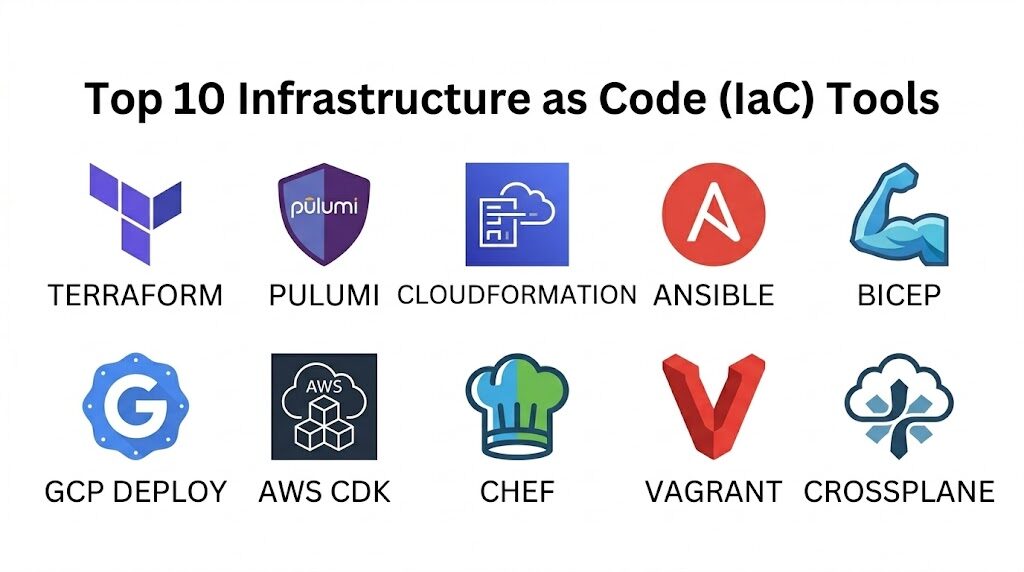
Introduction
Infrastructure as Code (IaC) is the foundational practice of managing and provisioning computing infrastructure through machine-readable definition files rather than physical hardware configuration or interactive configuration tools. By treating servers, networks, and databases as software, organizations can apply the same rigor to operations as they do to application development. This paradigm shift allows for version control, automated testing, and rapid replication of environments, effectively eliminating the “it works on my machine” problem at a data center scale. In the modern cloud-native era, IaC is not merely an efficiency gain; it is a prerequisite for security, compliance, and the high-frequency deployment cycles required by global enterprises.
The strategic implementation of IaC enables teams to achieve “Environmental Idempotency,” ensuring that the same deployment script produces the exact same result every time it is executed, regardless of the starting state. This consistency is vital for disaster recovery and multi-cloud strategies. When evaluating the landscape of available tools, technical leaders must look beyond simple syntax. Key evaluation criteria include the choice between declarative and imperative approaches, the robustness of state management, the maturity of the provider ecosystem, and how well the tool integrates into existing CI/CD pipelines. A mature IaC strategy transforms infrastructure from a static constraint into a dynamic, versioned asset that scales at the speed of code.
Best for: DevOps engineers, Site Reliability Engineers (SREs), cloud architects, and platform teams operating in cloud-native or hybrid-cloud environments who require repeatable and scalable infrastructure.
Not ideal for: Organizations with very small, static footprints where the overhead of maintaining code outweighs the benefits of automation, or legacy environments that lack modern API-driven interfaces.
Key Trends in Infrastructure as Code Tools
The industry is currently moving toward “Infrastructure Software Development Kits” (SDKs), where developers use familiar general-purpose programming languages like Python, TypeScript, or Go to define resources instead of proprietary domain-specific languages. There is also a significant rise in “GitOps” workflows, where the git repository acts as the single source of truth, and automated controllers ensure the live environment always matches the state defined in code. Security has shifted significantly to the “left,” with tools now providing automated policy-as-code checks to catch misconfigurations before they are ever deployed.
Another major trend is the focus on “Cloud-Native Infrastructure Composition,” where tools are becoming more intelligent about managing complex dependencies across serverless and containerized workloads. We are also seeing a push toward cross-plane orchestration, allowing a single tool to manage resources across multiple cloud providers and on-premises hardware simultaneously. Finally, the rise of “Self-healing Infrastructure” is becoming a reality, as IaC tools increasingly integrate with observability platforms to automatically correct configuration drift without human intervention.
How We Selected These Tools
The selection of these top 10 platforms was based on a rigorous assessment of their technical maturity and industry adoption. We prioritized tools that offer high levels of extensibility through a robust provider or plugin ecosystem, as the ability to manage diverse resources is paramount. Market mindshare was a significant factor, as tools with larger communities offer better-vetted modules, faster bug fixes, and a deeper pool of professional talent. We also evaluated each tool’s approach to state management, looking for reliable ways to track and protect the “current” view of the infrastructure.
Technical performance was measured by the speed of execution and the clarity of the “plan” or “preview” phase, which is essential for safe deployments. Security features were scrutinized, specifically looking for how the tools handle sensitive secrets and integrate with enterprise identity providers. We also considered the learning curve versus the long-term flexibility, ensuring a mix of approachable declarative tools and powerful imperative frameworks. Finally, we ensured the list represents a balance of cloud-agnostic pioneers and specialized, cloud-native champions.
1. Terraform
Terraform is the industry standard for cloud-agnostic infrastructure provisioning. It uses a declarative configuration language that allows users to define the desired end-state of their infrastructure, which the tool then achieves by communicating with various cloud provider APIs. Its primary strength lies in its massive provider ecosystem, allowing it to manage everything from low-level compute instances to high-level DNS entries and SaaS accounts.
Key Features
The tool utilizes a state file to map real-world resources to your configuration, allowing for precise tracking of changes. It features a “Plan” command that shows exactly what will be added, modified, or destroyed before any changes are applied. Its modular architecture encourages code reuse across different environments and teams. The registry provides thousands of pre-built modules for common infrastructure patterns. It supports a wide range of backends for secure, encrypted state storage and collaboration.
Pros
It is truly cloud-agnostic, supporting AWS, Azure, Google Cloud, and hundreds of other providers. The massive community ensures that almost any technical problem has a documented solution or a pre-existing module.
Cons
State management can become complex in large organizations, requiring careful locking and backup strategies. The proprietary language (HCL) requires a learning curve for those used to standard programming languages.
Platforms and Deployment
Windows, macOS, and Linux. It is typically deployed as a CLI tool or through a managed enterprise cloud platform.
Security and Compliance
Supports encrypted state files, integration with secret management vaults, and role-based access control in its enterprise versions.
Integrations and Ecosystem
Integrates with all major CI/CD platforms, version control systems, and monitoring tools. It has the largest ecosystem of providers in the IaC space.
Support and Community
Extensive official documentation, a vast open-source community, and professional enterprise support tiers are available.
2. Pulumi
Pulumi represents the next generation of IaC by allowing engineers to use general-purpose programming languages to define infrastructure. This approach brings the power of software engineering—including loops, functions, and object-oriented patterns—to the world of operations. It is highly favored by developer-centric teams who want to use the same tools for infrastructure that they use for application code.
Key Features
It supports Python, JavaScript, TypeScript, Go, and C#, allowing teams to use familiar IDEs and testing frameworks. The platform provides a unified view of infrastructure and application code, simplifying the deployment of complex microservices. It features a robust “State” backend that can be self-hosted or managed through their service. It includes a native policy-as-code engine to enforce compliance during the deployment process. It also offers a “Crosswalk” library that provides well-architected patterns for common cloud tasks.
Pros
Allows for more complex logic and better abstraction than traditional declarative languages. It fits perfectly into standard developer workflows, including unit testing and package management.
Cons
The imperative nature of the code can lead to overly complex configurations if not managed with discipline. It requires a higher level of programming knowledge compared to simpler declarative tools.
Platforms and Deployment
Windows, macOS, and Linux. Deployed via CLI with a cloud-based or self-hosted state management backend.
Security and Compliance
Built-in secret encryption, support for enterprise SSO, and advanced policy enforcement capabilities.
Integrations and Ecosystem
Strong support for major cloud providers and Kubernetes, with a focus on integrating with standard software development lifecycles.
Support and Community
Offers a growing community and a highly responsive professional support team for enterprise customers.
3. AWS CloudFormation
AWS CloudFormation is the native IaC service for Amazon Web Services. It allows users to model and set up their Amazon resources using JSON or YAML templates. Because it is built directly into the AWS fabric, it offers the most seamless integration with new AWS features and provides a highly reliable management layer for the world’s most popular cloud.
Key Features
The service uses “Stacks” to manage groups of related resources as a single unit. It features “Drift Detection,” which identifies when actual resource configurations differ from the template. “StackSets” allow for the deployment of infrastructure across multiple AWS accounts and regions simultaneously. It includes a visual designer for those who prefer a drag-and-drop interface for building templates. It also integrates natively with AWS Identity and Access Management (IAM) for granular security control.
Pros
No additional software or state management is required, as the state is managed entirely by AWS. It offers immediate support for nearly all new AWS services upon their release.
Cons
It is strictly limited to the AWS ecosystem, making it unsuitable for multi-cloud strategies. Large YAML or JSON templates can become unwieldy and difficult to read without external abstraction tools.
Platforms and Deployment
Cloud-based service managed through the AWS Management Console, CLI, or SDKs.
Security and Compliance
Native integration with AWS IAM, CloudTrail for auditing, and support for various compliance standards like SOC 2 and HIPAA.
Integrations and Ecosystem
Deeply integrated with all other AWS services, including CodePipeline, Service Catalog, and Systems Manager.
Support and Community
Backed by the extensive AWS support network and a massive global community of AWS professionals.
4. Ansible
Ansible is primarily known as a configuration management tool, but it has evolved into a powerful imperative IaC tool, especially for hybrid and on-premises environments. It uses a simple, human-readable YAML syntax and is “agentless,” meaning it connects to servers via standard protocols like SSH or WinRM without needing pre-installed software on the target.
Key Features
It uses “Playbooks” to describe the steps required to reach a desired configuration. The tool is highly efficient for managing both cloud resources and the traditional server OS configurations that run on them. It features an extensive library of “Modules” for everything from database management to networking gear. “Ansible Tower” or “AWX” provides an enterprise-grade web interface for managing jobs and schedules. It is highly effective for “Day 2” operations, such as patching and application updates.
Pros
The lack of an agent makes it very easy to deploy across diverse environments. Its human-readable syntax is accessible to both developers and traditional system administrators.
Cons
It does not track state in the same way that Terraform or Pulumi does, making it less effective for complex resource lifecycle management. It is often slower than native cloud tools for initial provisioning.
Platforms and Deployment
Linux-based control node; can manage Windows, Linux, and networking hardware.
Security and Compliance
Includes “Ansible Vault” for managing secrets and integrates with enterprise directory services for access control.
Integrations and Ecosystem
Excellent integration with virtualization platforms like VMware and nearly all major cloud providers and Linux distributions.
Support and Community
Maintained by Red Hat, offering professional enterprise support and a massive community-driven collection of roles.
5. Azure Resource Manager (ARM) & Bicep
Azure Resource Manager is the native orchestration layer for Microsoft Azure. While traditional ARM templates use complex JSON, Microsoft introduced “Bicep,” a domain-specific language that provides a much cleaner and more readable syntax for defining Azure infrastructure while maintaining the power of the native platform.
Key Features
Bicep provides a transparent abstraction over ARM, ensuring that any resource available in the API is immediately available in the code. It features deep integration with Visual Studio Code, providing rich IntelliSense and validation. The service uses “Resource Groups” to provide a lifecycle boundary for related assets. It supports “What-If” operations to preview changes before deployment. Deployment scripts allow for the execution of custom logic as part of the infrastructure rollout.
Pros
Offers the best possible integration for Azure-centric organizations with zero-day support for new features. Bicep drastically simplifies the complexity of traditional JSON-based templates.
Cons
Like CloudFormation, it is locked into a single cloud provider. It has a smaller community compared to cloud-agnostic tools like Terraform.
Platforms and Deployment
Cloud-native service; Bicep CLI is available for Windows, macOS, and Linux.
Security and Compliance
Native integration with Azure Active Directory, Azure Policy, and Microsoft Defender for Cloud.
Integrations and Ecosystem
Seamlessly integrates with Azure DevOps, GitHub Actions, and all native Azure management tools.
Support and Community
Fully supported by Microsoft with a strong and growing community of Azure-focused engineers.
6. Google Cloud Deployment Manager
Google Cloud Deployment Manager is the native IaC service for Google Cloud Platform (GCP). It allows users to specify all the resources needed for an application in a declarative format using YAML, or more dynamic templates using Python or Jinja2.
Key Features
It allows for the creation of reusable templates that can be parameterized for different environments (Dev, Test, Prod). It supports a “Preview” mode to visualize the impact of changes. The service is integrated with the GCP Console, providing a visual representation of deployments. It can manage complex dependencies between resources to ensure they are created in the correct order. It also provides a robust API for programmatic management of infrastructure deployments.
Pros
No management of state files or installation of software is required, as it is a fully managed GCP service. It handles Google’s unique resource types more natively than some third-party tools.
Cons
It is limited to the Google Cloud ecosystem. It has seen less community growth compared to Terraform, which many GCP users prefer for its broader feature set.
Platforms and Deployment
Fully managed GCP service accessed via Console, gcloud CLI, or API.
Security and Compliance
Natively integrates with Google Cloud IAM and audit logging for comprehensive security and compliance tracking.
Integrations and Ecosystem
Deeply integrated with GCP services like Cloud Build and Monitoring.
Support and Community
Supported by Google’s professional services and documentation, with a focused community of GCP architects.
7. CDK (Cloud Development Kit)
The AWS Cloud Development Kit (CDK) is a high-level framework that allows developers to define cloud infrastructure using familiar programming languages like TypeScript, Python, and Java. Unlike Pulumi, which is a standalone engine, the AWS CDK acts as a pre-processor that “synthesizes” your code into standard CloudFormation templates.
Key Features
It uses “Constructs,” which are pre-configured, well-architected components that simplify the creation of complex services. This allows for high-level abstractions, such as creating a complete VPC with a single line of code. It supports the full power of standard programming languages for logic and branching. Because it outputs CloudFormation, it benefits from all the safety and reliability of the native AWS engine. It also includes a powerful CLI for diffing and deploying stacks.
Pros
It bridges the gap between application development and infrastructure, allowing for true “Infrastructure as Software.” It provides a much faster development experience than writing raw YAML or JSON.
Cons
It is limited to AWS and requires a compilation/synthesis step. The high level of abstraction can sometimes make it harder to debug the underlying CloudFormation errors.
Platforms and Deployment
Windows, macOS, and Linux. Synthesizes code into AWS CloudFormation stacks.
Security and Compliance
Inherits the security posture of CloudFormation and IAM, with constructs that often default to secure configurations.
Integrations and Ecosystem
Integrates perfectly with the AWS developer toolchain and has a growing library of community constructs.
Support and Community
Strongly backed by AWS and a very active community of developers on GitHub and Slack.
8. Chef
Chef is a veteran in the automation space, primarily focusing on the “Configuration as Code” aspect of IaC. It uses a Ruby-based domain-specific language to define “Recipes” and “Cookbooks” that describe how a system should be configured. It is particularly powerful for maintaining the long-term state of complex server environments.
Key Features
It uses a client-server architecture where a “Chef Client” runs on each node to ensure it remains in the desired state. “Chef InSpec” provides a powerful framework for defining compliance as code, allowing for automated security audits. It excels at managing deep OS-level configurations across large, heterogeneous server fleets. The “Chef Supermarket” offers thousands of community-maintained cookbooks. It also provides a robust dashboard for visualizing the state of all managed nodes.
Pros
Extremely powerful for managing complex, long-lived server configurations. The focus on compliance-as-code makes it a favorite for highly regulated industries.
Cons
Requires the installation and management of an agent on every target node. The Ruby-based DSL has a steeper learning curve for those without a programming background.
Platforms and Deployment
Client runs on Windows, Linux, and Unix; managed via a central Chef Server or Automate dashboard.
Security and Compliance
Industry-leading focus on security through InSpec and integration with enterprise identity and secret management tools.
Integrations and Ecosystem
Excellent support for VMware, major cloud providers, and enterprise Linux distributions.
Support and Community
Maintained by Progress, offering professional support and a long-standing, mature community of automation experts.
9. Vagrant
While many IaC tools focus on the cloud, Vagrant focuses on the “Development Environment as Code.” It allows developers to define a complete, reproducible virtual machine environment in a single “Vagrantfile,” ensuring that every developer on a team is working in an identical setup.
Key Features
It acts as a wrapper around virtualization providers like VirtualBox, VMware, and Docker. It allows for the automated provisioning of the VM using other IaC tools like Ansible, Chef, or simple shell scripts. It supports “Synced Folders,” allowing developers to edit code on their host machine while it runs inside the guest environment. It makes it incredibly easy to “destroy and rebuild” a clean environment in seconds. It also supports “Boxes,” which are pre-packaged base images to speed up the setup process.
Pros
Eliminates the “it works on my machine” problem for development teams. It is remarkably simple to use and has been a staple of the industry for over a decade.
Cons
It is primarily for local development and is not designed for managing production cloud infrastructure. Virtual machines have higher overhead compared to modern container-based workflows.
Platforms and Deployment
Windows, macOS, and Linux. Manages local virtualized environments.
Security and Compliance
Security is focused on local dev environment isolation; standard OS-level security applies within the guest.
Integrations and Ecosystem
Integrates with all major virtualization providers and configuration management tools.
Support and Community
Maintained by HashiCorp, with a massive community and a decade’s worth of troubleshooting resources.
10. Crossplane
Crossplane is an open-source Kubernetes add-on that transforms a Kubernetes cluster into a universal control plane. It allows you to manage cloud services and infrastructure directly using Kubernetes-style YAML, effectively treating your cloud provider just like another set of Kubernetes resources.
Key Features
It uses “Custom Resource Definitions” (CRDs) to represent cloud services like RDS databases or S3 buckets. This allows infrastructure to be managed using standard Kubernetes tools like kubectl and GitOps controllers. It features a “Composition” engine that allows platform teams to create their own higher-level infrastructure abstractions. It continuously monitors the live environment and automatically corrects any drift back to the state defined in Kubernetes. It enables a “platform-as-a-service” experience for developers within an organization.
Pros
It is the ultimate tool for GitOps-centric organizations. It allows teams to consolidate all their automation (apps and infrastructure) into a single Kubernetes-based workflow.
Cons
Requires a running Kubernetes cluster to operate. It is a more complex conceptual shift than traditional CLI-based IaC tools.
Platforms and Deployment
Runs as a set of controllers inside a Kubernetes cluster.
Security and Compliance
Inherits the security model of Kubernetes, including RBAC, namespaces, and integration with Kubernetes-native security tools.
Integrations and Ecosystem
Natively integrates with ArgoCD, Flux, and the entire CNCF cloud-native ecosystem.
Support and Community
A rapidly growing CNCF project with strong backing from cloud-native companies and a highly active community.
Comparison Table
| Tool Name | Best For | Platform(s) Supported | Deployment | Standout Feature | Public Rating |
| 1. Terraform | Multi-cloud Provisioning | Win, Mac, Linux | CLI / Cloud | Massive Provider Ecosystem | 4.8/5 |
| 2. Pulumi | Developer-centric IaC | Win, Mac, Linux | CLI / Cloud | General-purpose Languages | 4.7/5 |
| 3. CloudFormation | Native AWS Management | Cloud Service | AWS Native | No-state Management | 4.4/5 |
| 4. Ansible | Config Management | Linux Node | Agentless | Simple YAML Playbooks | 4.6/5 |
| 5. Bicep / ARM | Native Azure Management | Win, Mac, Linux | Azure Native | Transparent Azure Abstraction | 4.5/5 |
| 6. GCP Deployment | Native GCP Management | Cloud Service | GCP Native | Python/Jinja2 Templates | 4.1/5 |
| 7. AWS CDK | AWS App Development | Win, Mac, Linux | Synthesized | High-level Constructs | 4.7/5 |
| 8. Chef | OS Configuration | Win, Linux, Unix | Client-Server | Compliance as Code | 4.3/5 |
| 9. Vagrant | Local Dev Environments | Win, Mac, Linux | Local | Reproducible Dev VMs | 4.6/5 |
| 10. Crossplane | Kubernetes GitOps | Kubernetes | K8s Cluster | Cloud as K8s Resources | 4.5/5 |
Evaluation & Scoring of IaC Tools
The scoring below is a comparative model intended to help shortlisting. Each criterion is scored from 1–10, then a weighted total from 0–10 is calculated using the weights listed. These are analyst estimates based on typical fit and common workflow requirements, not public ratings.
Weights:
- Core features – 25%
- Ease of use – 15%
- Integrations & ecosystem – 15%
- Security & compliance – 10%
- Performance & reliability – 10%
- Support & community – 10%
- Price / value – 15%
| Tool Name | Core (25%) | Ease (15%) | Integrations (15%) | Security (10%) | Performance (10%) | Support (10%) | Value (15%) | Weighted Total |
| 1. Terraform | 10 | 7 | 10 | 9 | 9 | 10 | 9 | 9.15 |
| 2. Pulumi | 9 | 6 | 9 | 9 | 9 | 9 | 8 | 8.35 |
| 3. CloudFormation | 8 | 7 | 8 | 10 | 8 | 10 | 9 | 8.35 |
| 4. Ansible | 7 | 9 | 9 | 8 | 7 | 9 | 9 | 8.10 |
| 5. Bicep | 8 | 8 | 7 | 10 | 9 | 9 | 9 | 8.40 |
| 6. GCP Deploy | 7 | 7 | 7 | 9 | 8 | 8 | 8 | 7.35 |
| 7. AWS CDK | 9 | 7 | 8 | 10 | 8 | 9 | 9 | 8.65 |
| 8. Chef | 8 | 5 | 8 | 10 | 8 | 9 | 7 | 7.80 |
| 9. Vagrant | 6 | 10 | 7 | 7 | 8 | 9 | 9 | 7.85 |
| 10. Crossplane | 9 | 5 | 9 | 9 | 8 | 8 | 8 | 8.00 |
How to interpret the scores:
- Use the weighted total to shortlist candidates, then validate with a pilot.
- A lower score can mean specialization, not weakness.
- Security and compliance scores reflect controllability and governance fit, because certifications are often not publicly stated.
- Actual outcomes vary with assembly size, team skills, templates, and process maturity.
Which IaC Tool Is Right for You?
Solo / Freelancer
If you are managing projects across different clients and clouds, Terraform is the most versatile skill you can acquire. If you are focused entirely on development, Vagrant or Docker Compose will provide the most immediate value for your local workflow.
SMB
Small businesses should look for tools that minimize the “management of the manager.” AWS CloudFormation or Azure Bicep are excellent because they require no infrastructure to run. Ansible is also great for small teams due to its simple setup and lack of agents.
Mid-Market
Organizations in this tier often begin to experience “cloud sprawl.” Terraform or Pulumi provide the cross-cloud visibility and modularity needed to manage a growing infrastructure footprint without a massive increase in operations headcount.
Enterprise
Enterprises require rigorous security and compliance. Chef (with InSpec) or Terraform Enterprise are favored for their ability to enforce policies at scale. For organizations heavily invested in Kubernetes, Crossplane offers a future-proof path to a unified control plane.
Budget vs Premium
Almost all these tools have powerful open-source versions that are free to use. “Premium” in this space refers to managed services like Terraform Cloud, Pulumi Service, or Ansible Automation Platform, which provide the collaboration and audit features necessary for large teams.
Feature Depth vs Ease of Use
Ansible and Vagrant represent the ease-of-use end of the spectrum, prioritizing quick results. Houdini-like technical depth is found in Terraform and Pulumi, which offer a higher ceiling for complex, multi-provider orchestration.
Integrations & Scalability
If your primary goal is to integrate infrastructure into a modern software delivery pipeline, Pulumi or the AWS CDK offer the best experience. For pure scalability and ecosystem depth, Terraform remains the undisputed leader.
Security & Compliance Needs
If you operate in a highly regulated industry (finance, healthcare), focus on tools that treat security as code. Chef and Terraform have the most mature ecosystems for automated compliance scanning and identity integration.
Frequently Asked Questions (FAQs)
1. What is the difference between Declarative and Imperative IaC?
Declarative IaC (like Terraform) defines “what” the final state should look like, leaving the tool to figure out how to get there. Imperative IaC (like Ansible) defines “how” to perform the changes through a specific sequence of steps.
2. Why is “State” management so important in IaC?
State acts as the source of truth that connects your code to the actual resources in the cloud. Without it, the tool wouldn’t know if a resource needs to be created, updated, or destroyed when you change your code.
3. Is IaC better than using the Cloud Console?
Yes, for anything beyond a simple test. The Console is prone to human error and “Configuration Drift,” whereas IaC provides a versioned, auditable, and repeatable history of every change made to your environment.
4. Can I use IaC for on-premises hardware?
Yes, tools like Ansible, Chef, and Terraform (via providers for VMware or OpenStack) are frequently used to bring cloud-like automation to traditional data centers and private clouds.
5. What is “Idempotency” in the context of infrastructure?
Idempotency means that running the same code multiple times will result in the same state without causing unnecessary changes. This is a critical safety feature that prevents accidental duplication or destruction of resources.
6. Should developers or operations teams write the IaC?
Ideally, both. Modern DevOps practices encourage a collaborative approach where platform teams provide secure, reusable modules (IaC), and developers consume them to provision the resources their applications need.
7. How does IaC help with security?
IaC allows you to codify security best practices, such as ensuring all databases are encrypted or that no public S3 buckets exist. These rules can then be automatically enforced every time a deployment occurs.
8. What is “Configuration Drift”?
Drift occurs when someone makes manual changes to the infrastructure outside of the IaC tool. This makes the code out of sync with reality, which can lead to failed deployments or unexpected outages during the next automated run.
9. Is IaC only for the cloud?
No. While it is most popular in the cloud, IaC principles are increasingly applied to networking gear, security firewalls, SaaS application configurations, and even local developer workstations.
10. How do I choose between Terraform and Pulumi?
Choose Terraform if you want a battle-tested, declarative tool with the largest possible community. Choose Pulumi if your team consists of strong programmers who want to use standard software development practices and languages.
Conclusion
The transition to Infrastructure as Code is the single most impactful step an organization can take toward operational maturity. By shifting from manual, error-prone configurations to a versioned, automated pipeline, teams unlock the ability to innovate faster while simultaneously reducing risk. Whether you opt for the cloud-agnostic dominance of Terraform, the developer-first approach of Pulumi, or the native depth of AWS CloudFormation, the goal remains the same: treat your infrastructure as a first-class software citizen. The most successful organizations do not view IaC as a one-time project, but as a continuous practice of refining their automation to ensure that their digital foundations are as resilient and scalable as the applications they support.
I find that this comprehensive guide to Infrastructure as Code (IaC) Tools perfectly highlights the critical shift toward “Environmental Idempotency” that I see as a Cloud Architect. I learned from this blog that the true power of platforms like Terraform and Pulumi lies in their ability to treat servers and databases as versioned software, allowing us to provision complex, multi-cloud architectures through machine-readable definition files. In my real-world work, implementing these tools helps me eliminate the “it works on my machine” problem at a data center scale, using declarative syntax to define the desired end-state and GitOps workflows to ensure our live environments always match our code. For others, the transition toward using general-purpose languages like Python or TypeScript in Pulumi or AWS CDK means that infrastructure can finally be managed with the same rigor as application development—complete with unit tests and package managers. My advice for anyone looking to excel in IaC is to prioritize the study of state management and provider ecosystems; once you understand how your tool tracks real-world resources and communicates with cloud APIs, you’ve essentially mastered the foundation of modern digital operations.