Introduction
Cloud cost allocation tools represent a specialized segment of FinOps technology designed to solve the “black box” problem of aggregate cloud billing. As organizations migrate from centralized data centers to distributed, elastic cloud environments, the ability to trace every cent of expenditure back to a specific business unit, project, or individual developer becomes a logistical necessity. These platforms ingest massive streams of billing data from providers like AWS, Azure, and Google Cloud, applying complex logic to assign shared costs—such as support fees or network data transfer—to the appropriate internal cost centers. For modern enterprise leaders, this technology is the primary driver of financial accountability and unit economic clarity.
In the current landscape of digital business, the shift toward containerization and serverless architectures has made cost allocation significantly more difficult. A single Kubernetes cluster might host dozens of microservices belonging to different departments, making traditional tag-based billing insufficient. Professional allocation tools use advanced telemetry to “split” these shared resources with mathematical precision, ensuring that the finance team is not left with a massive pool of unallocated “idle” costs. When evaluating these systems, organizations must prioritize the granularity of data ingestion, the robustness of the rule engine for handling multi-cloud environments, and the ability to surface insights in a language that both engineers and CFOs can understand.
Best for: Finance teams (FinOps), cloud architects, and engineering managers at mid-market to enterprise-level organizations who need to implement showback or chargeback models for complex cloud environments.
Not ideal for: Startups with a single-cloud footprint and minimal shared resources, or organizations with static infrastructure where basic native billing alerts are sufficient for budget tracking.
Key Trends in Cloud Cost Allocation Tools
The rise of AI-driven anomaly detection has transformed allocation from a reactive reporting task into a proactive governance strategy. Modern tools now use machine learning to predict budget overruns before they occur and suggest the most equitable ways to distribute shared costs based on historical usage patterns. We are also seeing a deep focus on Kubernetes cost visibility, with platforms now offering pod-level granularity to ensure that containerized workloads are not hidden within a single aggregate compute bill. This “unit-cost” approach allows companies to understand the exact cloud margin of every customer or transaction.
There is a significant move toward “FinOps-as-Code,” where allocation rules are integrated directly into the CI/CD pipeline, ensuring that every new resource is tagged and categorized at the moment of creation. Real-time data processing is replacing the traditional end-of-month billing cycle, allowing teams to see the financial impact of their architectural decisions within hours rather than weeks. Furthermore, as sustainability becomes a corporate mandate, allocation tools are beginning to include carbon footprint metrics alongside dollar amounts, allowing departments to take ownership of their environmental impact alongside their fiscal responsibility.
How We Selected These Tools
Our selection process involved a rigorous assessment of technical compatibility and the ability to handle multi-cloud complexity at scale. We prioritized platforms that have demonstrated high reliability in ingesting billions of billing records without data loss or significant latency. A key criterion was the “logic flexibility” of the tool, specifically how well it handles the “unallocated bucket”—the shared costs that often lead to friction between finance and engineering departments. We looked for platforms that offer a balance between automated, “out-of-the-box” reporting and highly customizable query engines.
Scalability was a major factor; we selected tools that can seamlessly handle the growth from a few thousand dollars in monthly spend to multi-million dollar global budgets. Security and data privacy were scrutinized to ensure that sensitive financial data is handled according to international standards such as SOC 2. We also assessed the quality of the user interface, favoring tools that provide distinct views for different stakeholders, from high-level executive dashboards to granular resource-level views for developers. Finally, we evaluated the strength of the integration ecosystem, ensuring these tools can push data into popular ITSM and business intelligence platforms.
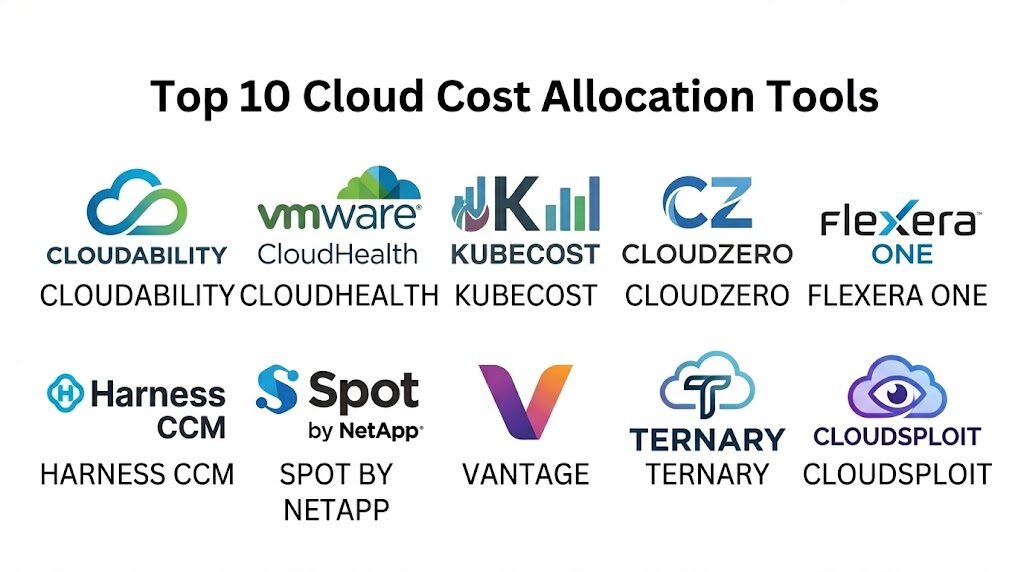
1. Apptio Cloudability
Apptio Cloudability is an enterprise-grade FinOps platform designed for massive, multi-cloud environments. It is a market leader known for its sophisticated data engine that translates complex technical metadata into clear business language for financial reporting and budget management.
Key Features
The platform features an advanced “Business Mapping” engine that allows users to create complex rules for cost allocation without changing cloud tags. It includes specialized views for Kubernetes cost visibility, breaking down cluster spend by namespace and label. The system offers automated rightsizing recommendations across all major cloud providers to ensure optimal resource utilization. It features a robust “Reserved Instance” and “Savings Plan” planner to maximize discount coverage. Additionally, its reporting suite supports high-level executive showback and granular developer-level chargeback.
Pros
The tool provides unparalleled depth for large-scale multi-cloud environments with complex organizational hierarchies. Its “True Cost” feature captures every hidden fee, including support and tax, for perfect reconciliation.
Cons
The platform is highly complex and typically requires a dedicated FinOps practitioner to manage effectively. The implementation process can be lengthy due to the depth of configuration required.
Platforms and Deployment
Web-based SaaS platform that integrates via API with AWS, Azure, and Google Cloud.
Security and Compliance
Maintains high-level certifications including SOC 2 Type II and is compliant with major global data privacy regulations.
Integrations and Ecosystem
Deeply integrated with the broader Apptio TBM suite and popular tools like Jira, Slack, and various BI platforms.
Support and Community
Offers professional consulting services, a comprehensive knowledge base, and a dedicated customer success model for enterprise clients.
2. CloudHealth (by VMware by Broadcom)
CloudHealth is a long-standing leader in the cloud management space, offering a robust suite of tools for cost allocation, governance, and security. It is particularly strong in helping organizations build automated policies to maintain financial guardrails.
Key Features
The platform features “Perspectives,” a powerful categorization tool that allows users to view data by department, project, or line of business regardless of the cloud provider. It includes an automated policy engine that can trigger alerts or actions when spending exceeds specific thresholds. The system offers detailed rightsizing reports for compute, storage, and database services. It features a specialized module for managing multi-cloud amortized costs and committed use discounts. The reporting engine allows for highly customized dashboards that can be scheduled for automatic delivery.
Pros
The “Perspectives” feature offers a highly flexible way to re-categorize costs without needing to re-tag resources. It provides a very strong governance framework for large, distributed teams.
Cons
Some users find the user interface to be less modern compared to newer, “born-in-the-cloud” competitors. Pricing can be high for organizations with rapidly scaling cloud spend.
Platforms and Deployment
Web-based SaaS platform with support for major public and private cloud environments.
Security and Compliance
Adheres to rigorous enterprise security standards and offers detailed audit logs for all user actions.
Integrations and Ecosystem
Integrates with a wide range of third-party tools for monitoring, alerting, and IT service management.
Support and Community
Provides extensive documentation, regular training webinars, and a global network of certified partners.
3. Kubecost
Kubecost provides specialized, real-time cost visibility and allocation specifically for Kubernetes environments. It is the go-to tool for organizations that heavily utilize containers and need to understand the unit economics of their microservices.
Key Features
The platform features real-time cost monitoring that breaks down spend by cluster, namespace, controller, and pod. It includes a specialized “Unified View” that combines Kubernetes costs with external cloud services like S3 or RDS. The system offers an “Allocation API” that can be used to pull financial data into custom internal dashboards. It features “Savings Recommendations” specifically for container resource requests and limits. It also provides a “Network Monitoring” module to track and allocate expensive cross-zone data transfer costs.
Pros
It offers the most granular visibility available for Kubernetes, solving the “shared cluster” allocation problem. It is open-source at its core, allowing for high transparency and community-driven innovation.
Cons
Its focus is primarily on Kubernetes, meaning it may not serve as a total multi-cloud financial suite for non-containerized resources. The setup requires more technical expertise than generalist tools.
Platforms and Deployment
Deployed as a set of services within a Kubernetes cluster; available as self-hosted or managed SaaS.
Security and Compliance
Security is managed within the cluster environment; supports RBAC and secure data handling practices.
Integrations and Ecosystem
Integrates natively with Prometheus, Grafana, and all major Kubernetes distributions (EKS, GKE, AKS).
Support and Community
Offers a vibrant open-source community and dedicated professional support for its commercial enterprise tier.
4. CloudZero
CloudZero is a modern “cloud cost intelligence” platform that focuses on connecting technical cloud spend to business outcomes. It is designed to empower engineering teams to take ownership of their financial impact through real-time feedback.
Key Features
The platform features an “Intelligence Engine” that automatically organizes cloud spend into business dimensions without relying on perfect tagging. It includes “Cost Anomalies” detection that alerts engineers to unexpected spikes in real-time. The system offers “Unit Cost” tracking, allowing businesses to see the cost per customer, per feature, or per transaction. It features a “CloudZero Explorer” for deep-dive root cause analysis of billing changes. The platform also provides a “FinOps-as-a-Service” model to help teams build their internal practices.
Pros
It requires very little manual tagging to get started, making it ideal for fast-moving startups. The focus on unit economics provides immediate value for SaaS business modeling.
Cons
The “dimension” based approach can take some time for traditional finance teams to get used to. It is primarily focused on public cloud providers rather than hybrid on-premise environments.
Platforms and Deployment
Cloud-native SaaS platform.
Security and Compliance
SOC 2 Type II compliant and utilizes secure, read-only access to cloud billing APIs.
Integrations and Ecosystem
Integrates with Slack for alerting and provides a robust API for exporting data to other business systems.
Support and Community
Provides dedicated “Cost Intelligence Teams” to help customers interpret data and optimize their spend.
5. Flexera One (formerly RightScale)
Flexera One is a comprehensive IT asset management and cloud optimization platform. It is built for the largest enterprises that need to manage not just cloud spend, but their entire portfolio of SaaS, on-premise software, and hardware.
Key Features
The platform features a “Cloud Cost Optimization” module that provides multi-cloud visibility with deep historical analysis. It includes a “Policy Engine” that can automatically shut down unauthorized or expensive resources. The system offers advanced tools for managing “Bring Your Own License” (BYOL) scenarios to reduce cloud costs. It features a “Common Data Model” that standardizes billing data from different providers into a single view. Additionally, it provides specialized tools for managing the complexities of cloud-based enterprise software agreements.
Pros
It is the best choice for organizations that need a “single pane of glass” for all IT expenditures, not just cloud. Its license optimization features can save millions for heavy users of Microsoft or Oracle.
Cons
The platform is massive and can be overwhelming for smaller teams that only need cloud billing tools. It requires a significant investment in both time and money to implement fully.
Platforms and Deployment
Web-based SaaS platform.
Security and Compliance
Maintains the highest levels of enterprise security and compliance required for Fortune 500 organizations.
Integrations and Ecosystem
Broad integrations with ITAM, ITSM, and financial systems across the entire enterprise.
Support and Community
Offers global professional services and a structured training program for all modules.
6. Harness Cloud Cost Management
Harness Cloud Cost Management is a developer-centric tool that integrates FinOps directly into the software delivery pipeline. It is part of the larger Harness CI/CD platform, making it ideal for teams that practice “Shift Left” for cost management.
Key Features
The platform features “Auto-Stopping,” which automatically shuts down non-production resources when they are not in use. It includes “Cloud Cost Perspectives” for allocating spend by application, microservice, or environment. The system offers “Continuous Efficiency” tools that provide real-time cost data to developers within their deployment workflows. It features a “Deep Analysis” tool for investigating costs in Kubernetes and other modern architectures. It also provides automated budget alerts and forecasting based on deployment history.
Pros
The “Auto-Stopping” feature provides immediate ROI by eliminating waste in dev/test environments. It bridges the gap between DevOps and FinOps by making costs visible during the deployment process.
Cons
It is most effective when used as part of the broader Harness platform. Teams not using Harness for CI/CD may find less value in the integration features.
Platforms and Deployment
Cloud-native SaaS.
Security and Compliance
Adheres to modern cloud security standards including SOC 2 and encrypted data management.
Integrations and Ecosystem
Natively integrated with the Harness CI/CD suite and supports all major public cloud providers.
Support and Community
Provides a dedicated support portal, community forums, and professional onboarding services.
7. Spot by NetApp (CloudCheckr)
Spot by NetApp, which incorporated the CloudCheckr platform, is designed to automate cloud cost optimization and allocation. It focuses on using “Spot Instances” and other deep discount models to reduce the baseline cost of cloud computing.
Key Features
The platform features “Eco,” a tool for managing and automating Reserved Instance and Savings Plan portfolios. It includes “Ocean,” which automates the scaling and cost management of Kubernetes clusters using spot instances. The system offers “CloudCheckr” for deep billing analysis and multi-cloud cost allocation reporting. It features a “Cost Intelligence” dashboard that provides a clear view of spending across multiple accounts and regions. It also offers automated security and compliance “best practice” checks.
Pros
It goes beyond simple reporting by actually automating the purchase of discounted cloud capacity. The platform is excellent for managing complex, multi-account structures in large enterprises.
Cons
The focus on “Spot” and automation might be more than what teams looking for simple “showback” reporting need. Some users find the combined interface of multiple acquired tools to be inconsistent.
Platforms and Deployment
Web-based SaaS platform.
Security and Compliance
Features over 600 built-in security and compliance checks and is SOC 2 compliant.
Integrations and Ecosystem
Integrates with major cloud providers and various IT automation tools.
Support and Community
Provides 24/7 technical support and a wealth of educational resources on cloud automation.
8. Vantage
Vantage is a modern, user-friendly cloud cost management platform that emphasizes ease of use and rapid setup. It is designed to provide high-level visibility to finance teams while giving engineers the data they need to optimize.
Key Features
The platform features “Cost Report Folders” for organizing spend by team or product with simple drag-and-drop logic. It includes “Autopilot,” a tool for automatically managing AWS Reserved Instances to maximize savings. The system offers a “Kubernetes Integration” that provides cost visibility down to the individual pod level. It features “Anomaly Detection” that uses historical data to flag unusual spending patterns. It also provides a “Cloud Costs API” for building custom internal financial tools.
Pros
The interface is remarkably clean and requires almost no training to navigate. It offers a very fast “time-to-value” with a simple connection process for cloud accounts.
Cons
It may lack some of the deep “policy-as-code” features found in enterprise giants like Flexera. Its feature set is currently most advanced for AWS compared to other clouds.
Platforms and Deployment
Cloud-native SaaS.
Security and Compliance
Utilizes read-only access and is SOC 2 Type II compliant.
Integrations and Ecosystem
Integrates with Slack, Microsoft Teams, and Datadog for unified visibility.
Support and Community
Provides a modern support experience via chat and email with a clear, public roadmap.
9. Ternary
Ternary is a FinOps platform built specifically for Google Cloud, though it has expanded to support other providers. It is designed to foster collaboration between finance and engineering teams through shared data and automated workflows.
Key Features
The platform features a “Labels & Tags” manager that helps teams identify and fix missing metadata in their cloud resources. It includes a “Workflow Engine” for managing the lifecycle of cost-saving recommendations. The system offers “Committed Use Discount” (CUD) optimization specifically tailored for Google Cloud users. It features “Departmental Showback” reports that handle complex shared-cost splits. It also provides a “Unit Metric” dashboard for connecting cloud spend to business KPIs.
Pros
It offers perhaps the deepest support for Google Cloud’s unique billing structures and discount models. The workflow-driven approach ensures that optimization recommendations are actually acted upon.
Cons
While it supports AWS and Azure, it is not as mature for those platforms as it is for GCP. Smaller teams might find the workflow features more complex than they need.
Platforms and Deployment
Web-based SaaS.
Security and Compliance
Maintains high security standards and is SOC 2 compliant.
Integrations and Ecosystem
Integrates with Jira and Slack to push tasks directly into engineering workflows.
Support and Community
Provides dedicated FinOps expertise to help customers build their cloud financial management practices.
10. CloudSploit (by Aqua Security)
While primarily a security and compliance tool, CloudSploit provides specialized cost allocation and “waste detection” features that are essential for security-conscious organizations. It is ideal for teams that want to manage cost and risk in a single interface.
Key Features
The platform features “Cost Optimization Plugins” that identify unused or orphaned resources across multi-cloud environments. It includes “Account-Level Allocation” reporting for large organizations with hundreds of cloud subscriptions. The system offers “Governance Checks” to ensure that resources are properly tagged for billing purposes. It features automated “Audit Reports” that combine security posture with financial risk. It also provides a “Cloud Inventory” view to see every active resource across all regions.
Pros
It allows teams to find “hidden” costs associated with security misconfigurations (like unused elastic IPs). It provides excellent value by combining security auditing with cost management.
Cons
The cost allocation reporting is not as deep as specialized FinOps tools like Apptio. It lacks advanced “unit cost” or “shared cost splitting” features for Kubernetes.
Platforms and Deployment
Web-based SaaS and open-source versions available.
Security and Compliance
Focused on security compliance (HIPAA, PCI, etc.) and is a leader in cloud security posture management.
Integrations and Ecosystem
Integrates with major CI/CD pipelines and security orchestration tools.
Support and Community
Backed by Aqua Security with a strong professional support model and a large open-source community.
Comparison Table
| Tool Name | Best For | Platform(s) Supported | Deployment | Standout Feature | Public Rating |
| 1. Cloudability | Enterprise FinOps | AWS, Azure, GCP | Cloud SaaS | Business Mapping | 4.7/5 |
| 2. CloudHealth | Governance & Policy | Multi-Cloud | Cloud SaaS | Perspectives Tool | 4.5/5 |
| 3. Kubecost | Kubernetes Visibility | K8s / Multi-Cloud | Self-Hosted | Pod-Level Splits | 4.8/5 |
| 4. CloudZero | Unit Economics | AWS, Snowflake | Cloud SaaS | Intelligence Engine | 4.6/5 |
| 5. Flexera One | Total IT Asset Mgmt | Multi-Cloud / SaaS | Cloud SaaS | License Optimization | 4.2/5 |
| 6. Harness CCM | Developer Showback | Multi-Cloud / K8s | Cloud SaaS | Auto-Stopping | 4.7/5 |
| 7. Spot by NetApp | Automated Savings | Multi-Cloud | Cloud SaaS | Spot Instance Mgmt | 4.5/5 |
| 8. Vantage | Fast Time-to-Value | AWS, Azure, GCP | Cloud SaaS | Autopilot Savings | 4.8/5 |
| 9. Ternary | Google Cloud / FinOps | GCP / Multi-Cloud | Cloud SaaS | Workflow Engine | 4.6/5 |
| 10. CloudSploit | Security & Cost | Multi-Cloud | Cloud SaaS | Waste Detection | 4.3/5 |
Evaluation & Scoring of Cloud Cost Allocation Tools
The scoring below is a comparative model intended to help shortlisting. Each criterion is scored from 1–10, then a weighted total from 0–10 is calculated using the weights listed. These are analyst estimates based on typical fit and common workflow requirements, not public ratings.
Weights:
- Core features – 25%
- Ease of use – 15%
- Integrations & ecosystem – 15%
- Security & compliance – 10%
- Performance & reliability – 10%
- Support & community – 10%
- Price / value – 15%
| Tool Name | Core (25%) | Ease (15%) | Integrations (15%) | Security (10%) | Performance (10%) | Support (10%) | Value (15%) | Weighted Total |
| 1. Cloudability | 10 | 4 | 9 | 10 | 9 | 9 | 6 | 8.25 |
| 2. CloudHealth | 9 | 6 | 9 | 9 | 8 | 8 | 7 | 8.05 |
| 3. Kubecost | 8 | 7 | 10 | 8 | 9 | 8 | 9 | 8.30 |
| 4. CloudZero | 9 | 8 | 8 | 9 | 9 | 9 | 7 | 8.45 |
| 5. Flexera One | 10 | 3 | 10 | 10 | 8 | 8 | 5 | 7.70 |
| 6. Harness CCM | 8 | 8 | 9 | 9 | 9 | 8 | 8 | 8.35 |
| 7. Spot by NetApp | 9 | 6 | 8 | 9 | 9 | 8 | 8 | 8.15 |
| 8. Vantage | 7 | 10 | 8 | 9 | 9 | 9 | 9 | 8.50 |
| 9. Ternary | 8 | 8 | 8 | 9 | 8 | 9 | 8 | 8.15 |
| 10. CloudSploit | 6 | 8 | 7 | 10 | 8 | 7 | 8 | 7.45 |
How to interpret the scores:
- Use the weighted total to shortlist candidates, then validate with a pilot.
- A lower score can mean specialization, not weakness.
- Security and compliance scores reflect controllability and governance fit, because certifications are often not publicly stated.
- Actual outcomes vary with assembly size, team skills, templates, and process maturity.
Which Cloud Cost Allocation Tool Is Right for You?
Solo / Freelancer
For startups or solo founders, the goal is to avoid billing surprises without spending hours in spreadsheets. You need a tool that connects in minutes and provides immediate visibility into your major cost drivers. A platform with a strong “free tier” or a focus on rapid setup allows you to focus on building your product while maintaining basic fiscal hygiene.
SMB
Organizations with limited technical resources should prioritize tools that offer automated “waste detection.” Identifying unattached storage or oversized instances provides immediate savings that can be redirected to the mission. Look for a platform that provides clear, non-technical reports that can be easily shared with boards or donors to demonstrate operational efficiency.
Mid-Market
Mid-sized companies need to move beyond simple alerts and toward a structured showback model. You should look for a tool that can handle “shared cost” logic—allowing you to split the bill for common resources across multiple product teams. A platform that integrates with Slack or Jira will help build a culture of cost-awareness among your developers.
Enterprise
Large organizations with multi-cloud and hybrid footprints require a comprehensive “Business Mapping” strategy. Your priority is perfect reconciliation and the ability to integrate cloud financial data with your broader enterprise resource planning (ERP) systems. Security, auditability, and dedicated professional support are non-negotiable at this scale.
Budget vs Premium
If budget is the primary concern, open-source tools or those integrated into your CI/CD pipeline provide excellent value for specialized use cases like Kubernetes. Premium enterprise suites, however, offer “concierge” FinOps support and advanced license optimization features that can often save an organization much more than the cost of the software license.
Feature Depth vs Ease of Use
Highly specialized tools offer the most granular data but require significant time to master. If your team is already stretched thin, an “easy-to-use” platform with automated insights is often more valuable than a deep statistical tool that no one has the time to configure.
Integrations & Scalability
Your allocation tool must be able to grow with your infrastructure. Ensure the platform can handle the ingestion of billions of lines of billing data and can push insights into the tools your team already uses. A tool that lives in a silo is rarely effective at driving long-term behavioral change.
Security & Compliance Needs
In regulated industries like finance or healthcare, the security of your billing data is as important as the data itself. You must ensure the platform has the necessary certifications and uses read-only, least-privileged access to your cloud environments to minimize the risk of accidental exposure.
Frequently Asked Questions (FAQs)
1. What is the difference between showback and chargeback?
Showback is a reporting model where teams are shown their cloud costs to encourage accountability without actual funds moving. Chargeback is a financial process where the cloud bill is actually debited from the budget of the department or project that consumed the resources.
2. Why is tagging so important for cost allocation?
Tags are the primary metadata used to categorize cloud resources. Without consistent tags (e.g., Environment, Owner, Project), it is nearly impossible to automate the allocation of costs to the correct business unit or cost center.
3. How do these tools handle “unallocated” costs?
Unallocated costs are shared expenses like network data transfer or enterprise support fees. Professional tools use “splitting rules” to distribute these costs across active projects based on their percentage of total spend or specific resource usage.
4. Can these tools help with Kubernetes cost management?
Yes, specialized tools like Kubecost and modern enterprise suites can look inside a Kubernetes cluster to see how much CPU and memory each specific pod or namespace is using, allowing for precise allocation of shared cluster costs.
5. Do I need a dedicated FinOps team to use these tools?
While smaller teams can use automated features, large enterprises typically benefit from a dedicated FinOps practitioner who can manage the complex rule engines and collaborate with engineering to implement optimization recommendations.
6. Can these tools predict future cloud spending?
Most modern allocation tools use machine learning and historical trends to provide budget forecasting. This helps finance teams anticipate end-of-month bills and identify potential overruns before they happen.
7. How do these tools save money?
They save money by identifying “zombie” resources, suggesting cheaper instance types (rightsizing), and automating the purchase of discounted capacity like Reserved Instances or Spot Instances.
8. Is it safe to give these tools access to my cloud account?
Yes, professional tools use “read-only” IAM roles and least-privileged access via secure APIs. They only ingest billing and metadata, and they do not have access to the actual data stored within your databases or applications.
9. Can I manage multi-cloud spend in a single dashboard?
Yes, the primary value of these platforms is the “single pane of glass” view, which standardizes disparate billing data from AWS, Azure, and Google Cloud into a unified financial report.
10. How long does it take to see ROI from these tools?
Many organizations see immediate ROI within the first 30 days by identifying and shutting down unused resources. The long-term ROI comes from improved architectural decisions and the consistent use of discounted cloud pricing.
Conclusion
Effective cloud cost allocation is the bridge between technical agility and financial discipline. In a modern era where cloud spend is often the second largest line item after payroll, the ability to account for every dollar is a requirement for sustainable growth. These tools empower organizations to move past the era of “billing surprises” and toward a mature FinOps culture where engineering and finance are aligned. By implementing a robust allocation strategy, you ensure that your cloud investment is directly measurable against your business outcomes. The ideal tool is one that not only provides perfect visibility but also fosters the collaboration needed to optimize your digital future.