Introduction
Infrastructure as Code (IaC) is the foundational practice of managing and provisioning computing infrastructure through machine-readable definition files, rather than physical hardware configuration or interactive configuration tools. By treating infrastructure the same way a developer treats application code, organizations can apply version control, continuous integration, and automated testing to their underlying environments. This shift from manual, imperative steps to automated, declarative or imperative scripts allows for the rapid deployment of consistent environments across development, staging, and production. In modern architectural patterns, IaC is not just a luxury; it is a critical requirement for managing the ephemeral and distributed nature of cloud-native systems, serverless functions, and containerized microservices.
The strategic adoption of IaC solves the persistent problem of “environment drift,” where discrepancies between staging and production lead to unforeseen deployment failures. By utilizing code as the source of truth, teams can ensure that every deployment is repeatable and documented. Evaluation of these tools requires a deep look at their support for multi-cloud strategies, their handling of state management, and the robustness of their security policy integration. Furthermore, as organizations scale, the ability to implement governance through “Policy as Code” becomes a primary differentiator. A well-implemented IaC strategy reduces the lead time for infrastructure changes from weeks to minutes, providing the agility necessary to compete in a digital-first economy while maintaining a high posture of reliability and security.
Best for: DevOps engineers, Site Reliability Engineers (SREs), cloud architects, and platform teams working in automated, high-scale cloud environments that require high degrees of compliance and repeatability.
Not ideal for: Small-scale projects with a single server, non-technical teams without version control experience, or legacy environments where the hardware does not support API-driven configuration.
Key Trends in Infrastructure as Code Tools
One of the most significant shifts in the industry is the move toward “Cross-Plane” and multi-cloud orchestration, where a single control plane can manage resources across multiple cloud providers and on-premises data centers simultaneously. There is also a growing trend of using general-purpose programming languages like Python, TypeScript, and Go to define infrastructure, moving away from specialized domain-specific languages to leverage existing developer skills and testing frameworks. Security integration has evolved into “GitOps,” where any change to the infrastructure code automatically triggers a security scan and a deployment pipeline, ensuring that the live environment is always in sync with the repository.
Automated drift detection has become a standard feature, with tools now capable of not only identifying when the live environment has changed but also automatically remediating those changes back to the desired state. We are also seeing the rise of “AI-assisted IaC,” where machine learning models help suggest optimized configurations, detect potential security vulnerabilities in scripts before they are executed, and estimate the cost impact of a code change. Finally, the focus on “FinOps” integration is increasing, with IaC tools providing real-time cost projections during the pull request process, allowing teams to see the financial implications of their infrastructure decisions before a single resource is provisioned.
How We Selected These Tools
The selection of these top IaC platforms was based on an extensive analysis of their operational maturity and their ability to handle complex, enterprise-grade deployments. We prioritized tools that offer high degrees of idempotency—the ability to run the same script multiple times and achieve the exact same result without errors. Market adoption and community ecosystems were critical factors, as tools with large user bases provide more shared modules, third-party providers, and easier talent acquisition. We also looked at the flexibility of the tools regarding declarative versus imperative execution models to cater to different engineering philosophies.
Technical evaluation focused on the robustness of state management and the ability to handle secrets securely within the code lifecycle. Security posture was scrutinized through the lens of built-in policy engines and integration with compliance frameworks. We evaluated how well these tools integrate into modern CI/CD pipelines and their support for advanced deployment patterns like blue-green or canary releases. Finally, we considered the extensibility of each tool, prioritizing those that offer robust APIs and the ability to manage a wide variety of resource types, from low-level networking and compute to high-level SaaS configurations.
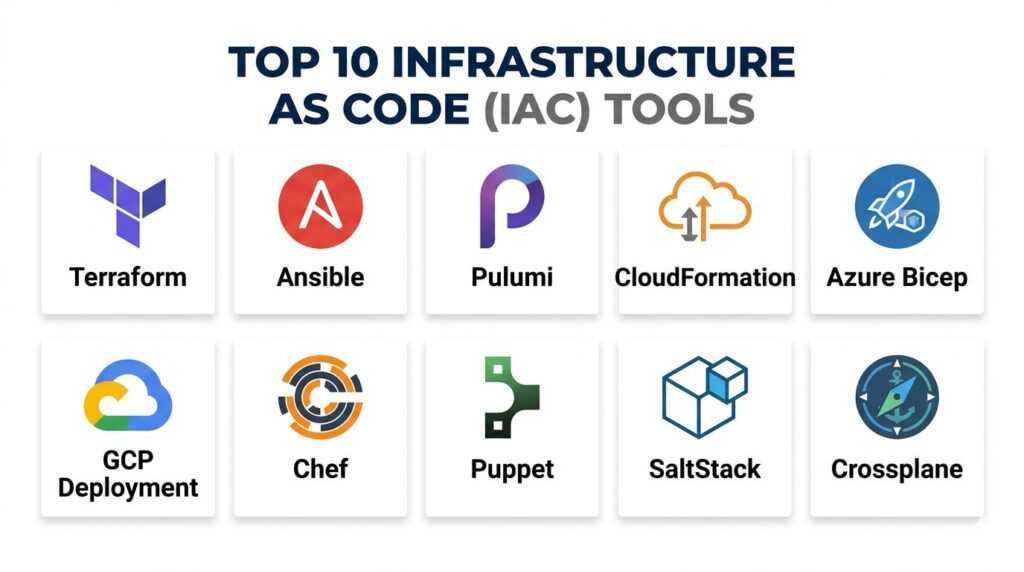
1. Terraform (HashiCorp)
Terraform remains the industry standard for multi-cloud infrastructure provisioning. It uses its own declarative language, HCL, to define resources across hundreds of different providers. Its primary strength lies in its ability to manage the entire lifecycle of infrastructure, from the initial creation to updates and eventual destruction, all while maintaining a state file that acts as the source of truth for the environment.
Key Features
The platform utilizes a provider-based architecture, allowing it to interface with almost any cloud or SaaS service. It features a robust state management system that tracks the metadata of all provisioned resources. A built-in “plan” command allows users to preview exactly what changes will occur before they are applied. It supports the creation of reusable modules, enabling teams to standardize infrastructure patterns across the organization. The ecosystem includes a massive public registry of pre-built modules and providers. It also offers enterprise-grade features like private module registries and advanced policy enforcement.
Pros
Exceptional multi-cloud support makes it the best choice for organizations avoiding vendor lock-in. The large community ensures that almost any infrastructure problem has an existing documented solution or module.
Cons
State management can become complex in large team environments, often requiring external backends. The HCL language, while powerful, is a specialized skill that developers must learn.
Platforms and Deployment
Windows, macOS, Linux, and FreeBSD. Deployed as a CLI or via the Terraform Cloud/Enterprise platforms.
Security and Compliance
Supports RBAC, SSO, and MFA through Terraform Cloud. Integrates with Sentinel for policy-as-code and provides secure secrets management.
Integrations and Ecosystem
Integrates with all major cloud providers (AWS, Azure, GCP) and hundreds of SaaS tools like Datadog, Cloudflare, and PagerDuty.
Support and Community
Extensive documentation and a massive global community, with professional enterprise support available through HashiCorp.
2. Ansible (Red Hat)
Ansible is a versatile, agentless automation tool that excels at configuration management and application deployment. Unlike many other tools, it uses an imperative approach and connects via SSH or WinRM, making it incredibly easy to start using without installing specialized software on target machines. It uses YAML for its “Playbooks,” which are readable and easy to version control.
Key Features
The platform is completely agentless, requiring no software installation on the remote nodes it manages. It uses a push-based architecture to execute tasks sequentially across a defined inventory of servers. It features thousands of modules for managing everything from Linux packages to cloud networking. It supports “Roles” for organizing complex automation into manageable and reusable units. The system is highly extensible through custom modules written in Python. It also includes a vault for encrypting sensitive data like passwords and keys within the automation scripts.
Pros
The low barrier to entry and human-readable YAML syntax make it very accessible to system administrators. It is arguably the best tool for post-provisioning configuration and day-two operations.
Cons
It can be slower for large-scale infrastructure provisioning compared to declarative, state-aware tools. Managing large inventories and complex logic in YAML can sometimes lead to “spaghetti” scripts.
Platforms and Deployment
Control node runs on Linux/Unix; can manage Windows, Linux, and network devices.
Security and Compliance
Ansible Vault provides encryption for secrets. Red Hat Ansible Automation Platform offers RBAC, audit logs, and enterprise security features.
Integrations and Ecosystem
Strong support for cloud providers, virtualization platforms (VMware, KVM), and a massive library of community content via Ansible Galaxy.
Support and Community
Professional support is provided by Red Hat, and the tool has one of the largest open-source communities in the automation space.
3. Pulumi
Pulumi is a modern IaC platform that allows engineers to use general-purpose programming languages like TypeScript, Python, Go, and C# to define their infrastructure. This approach allows teams to use existing software engineering practices, such as loops, conditionals, and standard testing libraries, within their infrastructure scripts.
Key Features
The platform supports infrastructure definition using standard IDEs, complete with auto-completion and type checking. It maintains a state file similar to Terraform but offers a cloud-hosted service to manage it automatically. It features a “Cross-Guard” system for enforcing security and compliance policies using code. It supports “Automation API,” which allows IaC to be embedded directly into application code. It offers seamless integration with Kubernetes, allowing for the management of both the cluster and the applications inside it. The system is designed for high-speed execution and granular resource tracking.
Pros
Allows developers to use familiar languages, reducing the need to learn specialized DSLs. Enables much more complex logic and unit testing for infrastructure than traditional YAML or HCL-based tools.
Cons
Using full programming languages can make it easier for teams to write overly complex or hard-to-maintain infrastructure code. The community, while growing rapidly, is still smaller than the Terraform ecosystem.
Platforms and Deployment
Windows, macOS, and Linux. Managed via CLI and the Pulumi Cloud service.
Security and Compliance
Offers SSO, RBAC, and secret encryption at rest. Compliance is handled through policy-as-code frameworks that run during deployment.
Integrations and Ecosystem
Native support for AWS, Azure, GCP, and Kubernetes, along with many of the same providers available in the Terraform ecosystem.
Support and Community
Offers professional support tiers and a very active community of developers focused on modern cloud-native patterns.
4. AWS CloudFormation
CloudFormation is the native IaC service for Amazon Web Services. It allows users to model and set up their AWS resources using JSON or YAML templates. Because it is a built-in service, it requires no external state management and provides the most comprehensive support for new AWS features.
Key Features
The service is completely managed, meaning AWS handles the underlying infrastructure required to run the templates. It features “StackSets,” which allow for the deployment of infrastructure across multiple AWS accounts and regions simultaneously. It includes a drift detection feature to identify when resources have been manually changed outside of the template. It supports “Custom Resources,” enabling the management of non-AWS resources via Lambda functions. It provides a visual designer for creating templates and a robust validation engine. “Deletion policies” help protect critical data by preventing the accidental removal of databases or storage.
Pros
Provides the deepest and most immediate support for all AWS services. There is no need to manage state files or backend infrastructure, as everything is handled natively by the cloud provider.
Cons
It is strictly tied to the AWS ecosystem, making it unsuitable for multi-cloud or on-premises environments. Large YAML/JSON templates can become unwieldy and difficult to debug.
Platforms and Deployment
Web-based AWS Console and AWS CLI.
Security and Compliance
Fully integrated with AWS IAM for granular permissions. Supports AWS Config for compliance and CloudTrail for auditing all infrastructure changes.
Integrations and Ecosystem
Deeply integrated with all AWS services, including CodePipeline for CI/CD and Service Catalog for internal resource governance.
Support and Community
Supported directly by AWS as a core service, with vast amounts of official documentation and community templates.
5. Azure Resource Manager (ARM) & Bicep
ARM Templates and Bicep are the native IaC solutions for Microsoft Azure. Bicep is a newer, domain-specific language that provides a much more concise and readable syntax than the original JSON-based ARM templates, while still compiling down to ARM for execution.
Key Features
Bicep offers a clean, modular syntax that significantly reduces the complexity of Azure infrastructure definitions. It provides immediate “Day 0” support for every Azure resource and API. The service is state-aware but stores that state natively within Azure, eliminating the need for external storage. It features “Deployment Stacks” for managing the lifecycle of a group of resources as a single unit. It provides deep integration with VS Code, offering real-time validation and intellisense. It also supports “What-If” operations to preview changes before they are committed to the environment.
Pros
The best and most performant choice for organizations exclusively using the Azure cloud. Bicep is much easier to read and write than traditional JSON templates, improving developer productivity.
Cons
Like CloudFormation, it is a vendor-locked tool that cannot manage resources on other cloud platforms. It lacks the cross-platform module ecosystem found in tools like Terraform.
Platforms and Deployment
Azure Portal, Azure CLI, and PowerShell.
Security and Compliance
Integrated with Azure Active Directory and Azure RBAC. Works seamlessly with Azure Policy to ensure that all provisioned resources meet corporate standards.
Integrations and Ecosystem
Native integration with Azure DevOps, GitHub Actions, and Microsoft’s full suite of enterprise management tools.
Support and Community
Official support from Microsoft and a strong community of Azure-focused engineers.
6. Google Cloud Deployment Manager
Google Cloud Deployment Manager is the native orchestration service for Google Cloud Platform. It allows users to specify all the resources needed for an application in a declarative format using YAML, Python, or Jinja2 templates.
Key Features
The service allows for the creation of complex, parameterizable templates using Python, providing significant flexibility for logic. It supports a “parallel deployment” model that speeds up the provisioning of large resource sets. It includes a preview mode to see what the service will create before the deployment is finalized. It allows for the management of the entire resource lifecycle, including updates and deletions. The tool is fully integrated into the GCP Console, providing a visual representation of deployed stacks. It also supports the creation of composite types to simplify the reuse of common patterns.
Pros
Offers the most native experience for GCP users, with no additional infrastructure to manage. The ability to use Python for templates is a major advantage for teams needing complex logic.
Cons
The tool has seen slower feature updates compared to Terraform or Google’s support for other IaC tools. It is locked into the GCP environment and does not support multi-cloud.
Platforms and Deployment
GCP Console and gcloud CLI.
Security and Compliance
Uses GCP Identity and Access Management (IAM) for security. Integrates with Cloud Audit Logs to track every infrastructure change.
Integrations and Ecosystem
Deeply integrated with GCP services and Google Cloud Build for automated deployment pipelines.
Support and Community
Supported by Google Cloud as a core service, with specialized documentation for GCP architects.
7. Chef
Chef is a powerful configuration management tool that treats infrastructure as a set of “Recipes” and “Cookbooks.” It uses a Ruby-based DSL and a client-server architecture to ensure that every node in the fleet remains in the desired state. It is particularly strong in complex, hybrid environments with a mix of cloud and legacy on-premises servers.
Key Features
The platform uses a “pull” model where agents on the target nodes periodically check the server for configuration updates. It features a robust testing framework called Kitchen for validating infrastructure code before deployment. It includes “InSpec” for compliance-as-code, allowing teams to test their infrastructure against security standards. The “Knife” tool provides a command-line interface for managing the Chef server and its nodes. It supports a wide variety of operating systems, from modern Linux to legacy Windows versions. The system is designed for high-scale environments managing tens of thousands of nodes.
Pros
Exceptional for long-term configuration management and ensuring compliance on persistent servers. The use of Ruby allows for extremely complex and customizable automation logic.
Cons
The client-server architecture and agent installation add complexity compared to agentless tools. The learning curve is high for those who are not familiar with Ruby or the Chef ecosystem.
Platforms and Deployment
Chef Server runs on Linux; Chef Client runs on Windows, Linux, macOS, and various Unix versions.
Security and Compliance
Chef InSpec provides industry-leading compliance-as-code. The Chef Automate platform offers RBAC, audit logs, and a central dashboard for security posture.
Integrations and Ecosystem
Extensive library of community-contributed Cookbooks via the Chef Supermarket. Supports all major cloud providers and virtualization platforms.
Support and Community
Professional support is available through Progress Software, with a mature community and many specialized consultants.
8. Puppet
Puppet is one of the oldest and most mature IaC tools, focusing on a declarative approach to configuration management. It uses its own specialized language and a client-server model to enforce the desired state of infrastructure, making it highly effective for large-scale enterprise environments.
Key Features
The platform features a “Report” mode that allows users to see what changes would be made without actually applying them. It uses a centralized “Puppet Primary” to manage the configurations of “Puppet Agents” on target nodes. It includes a robust module system for packaging and sharing automation code. The “Puppet Forge” marketplace contains thousands of pre-built modules for common tasks. It features a powerful resource abstraction layer that allows the same code to manage different operating systems. It also provides an enterprise dashboard for monitoring the compliance status of the entire fleet.
Pros
Extremely stable and proven in the largest enterprise data centers in the world. Its declarative model is excellent for preventing drift and ensuring long-term consistency.
Cons
Requires an agent to be installed on all managed nodes, which can be a hurdle in some secure environments. The specialized DSL has a learning curve and is less flexible than general-purpose programming languages.
Platforms and Deployment
Puppet Server runs on Linux; Agents run on Windows, Linux, macOS, and many Unix variants.
Security and Compliance
Offers robust RBAC and auditing features. Puppet Comply helps organizations automate the checking of their infrastructure against CIS benchmarks.
Integrations and Ecosystem
Integrates with all major cloud providers and has a massive ecosystem of modules available on the Puppet Forge.
Support and Community
Professional enterprise support is available, and the community is highly mature with decades of shared knowledge.
9. SaltStack (Salt)
SaltStack is a high-performance configuration management and orchestration tool known for its speed and its ability to handle massive scale. It uses a master-minion architecture but also supports an agentless mode, providing flexibility for different security and architectural needs.
Key Features
The platform uses a high-speed communication bus that allows it to execute commands on thousands of servers in seconds. It uses YAML for configuration but supports Python for more complex logic. It features a “Reactor” system that can trigger automated actions based on events in the infrastructure. The “Salt Cloud” module allows for the provisioning of resources across various cloud providers. It supports a unique “Beacons” system that monitors the health of minion nodes and reports changes back to the master. It is highly modular, allowing for custom execution and state modules.
Pros
Unbeatable performance and speed for large-scale orchestration tasks. The event-driven automation system allows for “self-healing” infrastructure that reacts to environmental changes in real-time.
Cons
The configuration can be complex, and the documentation is often considered more technical and harder to navigate for beginners. Managing the Master-Minion relationship at scale requires careful design.
Platforms and Deployment
Salt Master runs on Linux; Minions run on Windows, Linux, macOS, and Unix.
Security and Compliance
Offers encrypted communication and granular access control. SaltStack SecOps provides automated vulnerability scanning and remediation.
Integrations and Ecosystem
Strong support for cloud providers and container orchestration. The community provides a wealth of “Formulas” for common automation tasks.
Support and Community
Owned and supported by VMware, with a strong community focus on high-performance automation.
10. Crossplane
Crossplane is an open-source Kubernetes add-on that transforms your cluster into a universal control plane. It allows you to manage cloud services and infrastructure using the same Kubernetes API and YAML manifests that you use for your applications, enabling a true GitOps workflow for everything.
Key Features
The platform extends the Kubernetes API with “Custom Resource Definitions” (CRDs) for cloud resources. it uses “Compositions” to package multiple cloud resources into a single, high-level abstraction for developers. It features continuous reconciliation, ensuring that the live cloud environment always matches the Kubernetes manifest. It is completely cloud-agnostic, supporting AWS, Azure, GCP, and more. It allows platform teams to create their own “Internal Developer Platforms” by exposing simplified infrastructure APIs to their dev teams. It operates natively within the Kubernetes ecosystem, leveraging existing security and RBAC models.
Pros
Enables a unified workflow where applications and their required infrastructure are managed in the same way. It is the ultimate tool for organizations looking to build a self-service platform for their developers.
Cons
Requires a running Kubernetes cluster to operate, which adds infrastructure overhead. The mental shift of managing cloud resources as Kubernetes objects can be challenging for traditional infrastructure teams.
Platforms and Deployment
Any Kubernetes-compliant cluster (EKS, GKE, AKS, or self-hosted).
Security and Compliance
Leverages Kubernetes RBAC and Namespace isolation for security. Can be integrated with OPA (Open Policy Agent) for advanced compliance-as-code.
Integrations and Ecosystem
Strong and growing support for major cloud providers through the “Upbound” provider ecosystem.
Support and Community
Maintained by the CNCF with professional support available through Upbound; popular among advanced cloud-native engineering teams.
Comparison Table
| Tool Name | Best For | Platform(s) Supported | Deployment | Standout Feature | Public Rating |
| 1. Terraform | Multi-cloud IaC | Win, Mac, Linux | Hybrid | Massive Provider Ecosystem | 4.8/5 |
| 2. Ansible | Config Management | Linux Control Node | Agentless | Agentless YAML Automation | 4.7/5 |
| 3. Pulumi | Developer-centric IaC | Win, Mac, Linux | Cloud/Local | General-purpose Languages | 4.6/5 |
| 4. AWS CloudFormation | AWS-only Environments | AWS Web/CLI | Native Cloud | Deepest AWS Integration | 4.4/5 |
| 5. Azure Bicep | Azure-only Environments | Azure CLI/Portal | Native Cloud | Azure Day 0 Support | 4.5/5 |
| 6. GCP Deployment Mgr | GCP-only Environments | GCP Console/CLI | Native Cloud | Python-based Templates | 4.1/5 |
| 7. Chef | Complex Compliance | Linux Server | Agent-based | InSpec Compliance-as-Code | 4.3/5 |
| 8. Puppet | Enterprise Scale | Linux Server | Agent-based | Declarative State Model | 4.4/5 |
| 9. SaltStack | High-speed Orchestration | Linux Master | Hybrid | Event-driven Self-healing | 4.5/5 |
| 10. Crossplane | Kubernetes GitOps | Kubernetes | Native K8s | Cloud Service Composition | 4.6/5 |
Evaluation & Scoring of Infrastructure as Code Tools
The scoring below is a comparative model intended to help shortlisting. Each criterion is scored from 1–10, then a weighted total from 0–10 is calculated using the weights listed. These are analyst estimates based on typical fit and common workflow requirements, not public ratings.
Weights:
- Core features – 25%
- Ease of use – 15%
- Integrations & ecosystem – 15%
- Security & compliance – 10%
- Performance & reliability – 10%
- Support & community – 10%
- Price / value – 15%
| Tool Name | Core (25%) | Ease (15%) | Integrations (15%) | Security (10%) | Performance (10%) | Support (10%) | Value (15%) | Weighted Total |
| 1. Terraform | 10 | 7 | 10 | 9 | 9 | 10 | 9 | 9.20 |
| 2. Ansible | 8 | 10 | 9 | 8 | 8 | 9 | 10 | 8.85 |
| 3. Pulumi | 9 | 8 | 9 | 9 | 9 | 8 | 8 | 8.65 |
| 4. CloudFormation | 8 | 7 | 10 | 9 | 8 | 10 | 9 | 8.55 |
| 5. Azure Bicep | 8 | 8 | 10 | 9 | 9 | 10 | 9 | 8.80 |
| 6. GCP Deployment | 7 | 7 | 9 | 9 | 8 | 9 | 8 | 7.80 |
| 7. Chef | 9 | 5 | 8 | 10 | 8 | 9 | 7 | 8.00 |
| 8. Puppet | 9 | 6 | 8 | 9 | 8 | 10 | 8 | 8.20 |
| 9. SaltStack | 9 | 6 | 9 | 9 | 10 | 8 | 8 | 8.35 |
| 10. Crossplane | 9 | 5 | 8 | 9 | 9 | 8 | 8 | 8.10 |
How to interpret the scores:
- Use the weighted total to shortlist candidates, then validate with a pilot.
- A lower score can mean specialization, not weakness.
- Security and compliance scores reflect controllability and governance fit, because certifications are often not publicly stated.
- Actual outcomes vary with assembly size, team skills, templates, and process maturity.
Which Infrastructure as Code Tool Is Right for You?
Solo / Freelancer
For individuals managing smaller projects, Ansible or Terraform are the best choices. Ansible provides immediate results for server configuration with no overhead, while Terraform’s free tier for its cloud service makes it easy to manage small cloud footprints with a professional state-aware workflow.
SMB
Small to medium businesses should look at Terraform or Pulumi. Terraform offers the stability and talent pool that helps a growing company, while Pulumi allows a team of developers to manage their own infrastructure using the languages they already know, reducing the need for a dedicated DevOps silo.
Mid-Market
Organizations in this tier often have a mix of cloud and legacy systems. Ansible paired with Terraform is a common and highly effective strategy. For those moving quickly into containerization, Crossplane offers a forward-looking way to manage cloud resources directly from their Kubernetes clusters.
Enterprise
At the enterprise scale, governance and compliance are paramount. Terraform Enterprise, Puppet, or Chef are the strongest contenders. These tools provide the RBAC, audit trails, and specialized compliance-as-code features (like Chef InSpec) required to manage thousands of servers across global regions securely.
Budget vs Premium
Budget: Blender is free (Open Source), as are the base versions of Terraform, Ansible, and Pulumi. The native cloud tools (CloudFormation, Bicep) are also free to use, though you pay for the underlying resources.
Premium: Terraform Enterprise, Ansible Automation Platform, and Chef/Puppet enterprise editions carry significant costs but provide the support and governance features large companies need.
Feature Depth vs Ease of Use
Depth: Houdini-like depth is found in Terraform and Pulumi, which can manage almost any API-driven service.
Ease of Use: Ansible is widely considered the easiest to start with due to its human-readable YAML syntax and agentless nature.
Integrations & Scalability
If your strategy is multi-cloud, Terraform is the undisputed leader. If you are deep in the Kubernetes ecosystem and want to manage everything via GitOps, Crossplane provides the most native integration.
Security & Compliance Needs
For strictly regulated industries (Finance, Healthcare), Chef and HashiCorp Terraform offer the most robust “Policy as Code” engines to ensure that no infrastructure is ever deployed that violates security standards.
Frequently Asked Questions (FAQs)
1. What is the difference between declarative and imperative IaC?
Declarative tools (like Terraform) define the “what”—the final desired state—and the tool figures out how to get there. Imperative tools (like Ansible) define the “how”—the specific sequence of steps to be followed to configure a resource.
2. Why is state management important in IaC?
State management allows a tool to remember what it has created. Without a state file, the tool wouldn’t know if a resource already exists or if it has changed, making it impossible to perform safe updates or deletions without manual intervention.
3. Can I use multiple IaC tools together?
Yes, it is very common. Many teams use a tool like Terraform to provision the “base” infrastructure (VPCs, databases, servers) and then use a tool like Ansible to configure the software and applications inside those servers.
4. What is GitOps?
GitOps is a practice where Git is used as the single source of truth for infrastructure. When code is pushed to a repository, an automated process (like a Crossplane controller or a CI/CD pipeline) ensures the live environment matches the code.
5. How do I handle passwords and secrets in IaC?
You should never hard-code secrets in your templates. Use specialized secrets management tools (like HashiCorp Vault, AWS Secrets Manager, or Ansible Vault) and reference them as variables that are injected at runtime.
6. What is “Environment Drift”?
Drift occurs when someone manually changes a setting in the cloud console without updating the IaC code. This makes the code an inaccurate representation of the environment, often leading to failures during the next automated deployment.
7. Does IaC make infrastructure more secure?
Yes, because it allows for automated security testing. You can run “Policy as Code” scans on your templates to catch open security groups, unencrypted databases, or non-compliant configurations before they are ever deployed.
8. Is IaC only for the cloud?
No. While it is most popular in the cloud, tools like Ansible, Chef, and Puppet have been used for years to manage on-premises data centers, networking gear, and even bare-metal servers.
9. What is “Idempotency”?
Idempotency is the property of a tool where running the same operation multiple times has the same result as running it once. This is critical for reliability, ensuring that re-running a script doesn’t create duplicate resources or cause errors.
10. How do I start migrating manual infrastructure to code?
Most modern tools offer an “import” feature that can bring existing resources into a state file. It is best to start small—import a single network or storage bucket—and gradually build your code base from there.
Conclusion
Navigating the Infrastructure as Code landscape requires a clear understanding of your organization’s technical maturity and long-term cloud strategy. As we move further into a world of distributed systems, the ability to manage complexity through code is the only sustainable way to maintain both speed and stability. Whether you choose the universal flexibility of Terraform, the developer-friendly approach of Pulumi, or the native depth of AWS CloudFormation, the goal remains the same: transforming infrastructure into a reliable, versioned asset. Success in IaC is not found in the tool alone, but in the cultural shift toward automation, rigorous testing, and treating every piece of the environment as a first-class citizen in the software development lifecycle.
I find this comparison of Infrastructure as Code (IaC) tools to be a perfect roadmap for my current transition into a Cloud Architect role. I learned from this breakdown that the choice between declarative tools like Terraform and imperative approaches or language-specific frameworks like Pulumi isn’t just about syntax—it’s about how we manage state and long-term maintainability.
In my real-world projects, moving to these tools has been a game-changer; I can now spin up entire environments in minutes rather than days, ensuring that “dev,” “staging,” and “prod” are always identical. For others, adopting IaC means moving away from the “manual click” errors of the past and embracing a world where infrastructure is versioned, peer-reviewed, and fully auditable.