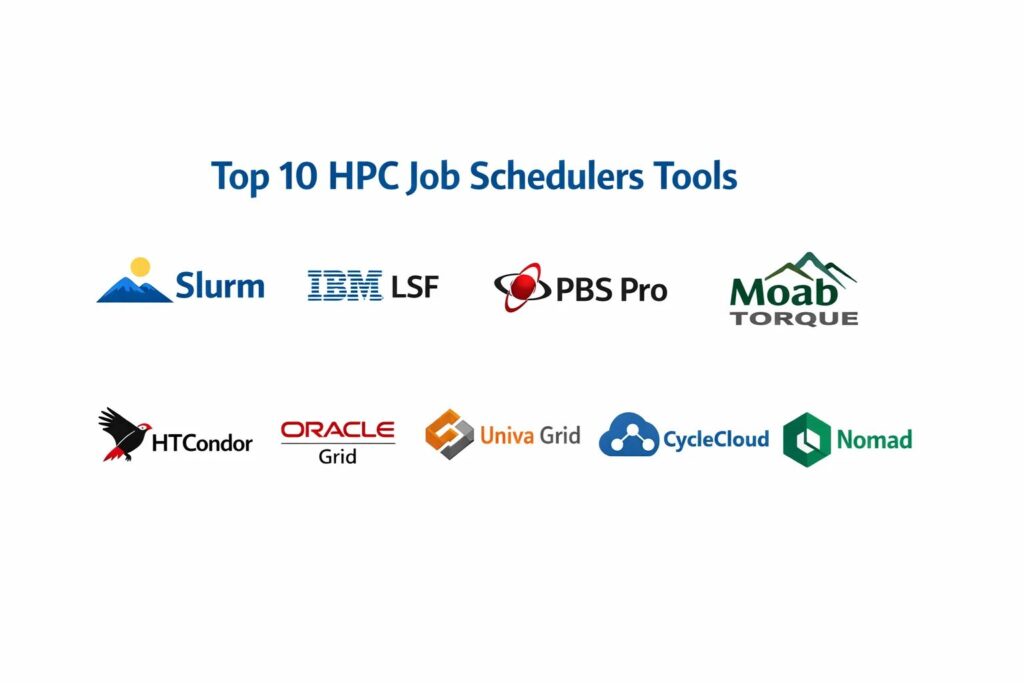
Introduction
High-Performance Computing (HPC) job schedulers are the specialized orchestration layers that manage the distribution of computational workloads across massive clusters of servers. In the world of supercomputing, resources like CPU cores, high-bandwidth memory, and GPUs are finite and expensive. A job scheduler acts as the traffic controller, taking user-submitted tasks and determining exactly when and where they should run based on priority, resource availability, and fair-share policies. Without these tools, multi-user clusters would suffer from resource contention, inefficient utilization, and system-wide bottlenecks. Modern schedulers have evolved to handle not just traditional physics simulations, but also the bursty, data-heavy demands of large-scale machine learning and genomic sequencing.
The strategic importance of an HPC scheduler lies in its ability to maximize the return on hardware investment. In a high-scale research or enterprise environment, every second of idle compute time represents lost capital and delayed innovation. These platforms handle complex multi-node synchronization, manage data locality to reduce latency, and enforce security boundaries between sensitive projects. When evaluating a scheduler, stakeholders must look beyond simple task launching; they must assess the tool’s ability to handle high throughput, its support for containerized workloads, and its integration with cloud-bursting infrastructures. A robust scheduler ensures that the most critical research reaches completion while maintaining a balanced workload across the entire fabric of the cluster.
Best for: Academic research institutions, government laboratories, aerospace engineering firms, pharmaceutical companies, and financial institutions requiring large-scale parallel processing.
Not ideal for: Small-scale web application hosting, simple task automation on a single server, or organizations that only require basic container orchestration without complex hardware resource requirements.
Key Trends in HPC Job Schedulers
The industry is currently witnessing a massive convergence between traditional HPC scheduling and cloud-native orchestration, leading to platforms that can seamlessly burst local workloads into public cloud environments. Containerization has become a core requirement, with schedulers now offering native support for isolated environments to ensure reproducibility across different hardware generations. There is also a significant trend toward AI-driven scheduling, where machine learning models predict job duration and resource needs to optimize the placement of tasks more accurately than manual heuristics.
Energy-aware scheduling is another critical development, as the power consumption of modern supercomputers has become a primary operational cost. Schedulers are now being integrated with data center cooling and power systems to adjust clock speeds or migrate workloads based on energy pricing and thermal limits. Furthermore, the rise of heterogeneous computing—combining CPUs, GPUs, FPGAs, and AI accelerators—has forced schedulers to become much more granular in how they track and allocate non-standard hardware resources. Finally, we are seeing a move toward unified data and compute scheduling, where the location of the data dictates the placement of the job to minimize costly data movement.
How We Selected These Tools
The selection of these top HPC job schedulers was based on a rigorous analysis of their deployment footprints in both the Top500 supercomputing list and private enterprise sectors. We prioritized tools that demonstrate high reliability in environments with tens of thousands of nodes and millions of concurrent tasks. Market mindshare was a significant factor, as platforms with large user bases offer the extensive documentation and community-contributed plugins necessary for maintaining complex research pipelines. We also evaluated each tool’s ability to support various parallel programming models, such as MPI and OpenMP.
Technical performance was measured by the scheduler’s overhead and its ability to handle “high-throughput” scenarios where thousands of short-lived jobs are submitted simultaneously. Security was a mandatory criterion; we focused on platforms that provide strong user authentication, job isolation, and comprehensive audit logging to protect sensitive research data. Finally, we considered the extensibility of each tool, specifically looking for robust APIs and scripting interfaces that allow systems administrators to tailor the scheduling logic to the unique needs of their specific research community or business unit.
1. Slurm Workload Manager
Slurm is the dominant open-source workload manager used by the majority of the world’s fastest supercomputers. It is highly modular, written in C, and designed to scale from small clusters to massive, multi-petascale systems. Slurm is favored for its simplicity in basic configuration and its extreme flexibility through a rich plugin architecture that handles everything from power management to specialized hardware accounting.
Key Features
The platform utilizes a centralized controller that manages resource allocation and a distributed daemon on each compute node to execute tasks. It features a highly sophisticated “Backfill” scheduling algorithm that allows smaller, shorter jobs to run in the gaps between larger, high-priority tasks. It provides native support for GRES (Generic Resources), allowing for granular management of GPUs and other accelerators. Slurm includes a robust accounting database (Slurmdbd) that tracks every second of resource usage for billing and reporting. It also supports “topology-aware” scheduling, which places jobs on nodes with the most efficient network interconnects.
Pros
It is free and open-source with an enormous community and extensive documentation. Its performance overhead is remarkably low, even when managing hundreds of thousands of cores.
Cons
The configuration of complex fair-share policies and accounting can be difficult for novice administrators. Some enterprise-specific features require third-party support or custom development.
Platforms and Deployment
Linux-based operating systems. It is primarily a local installation with cloud-bursting capabilities.
Security and Compliance
Supports Munge for authentication and integrates with LDAP/Active Directory. It offers fine-grained role-based access control and full job accounting for audit trails.
Integrations and Ecosystem
Integrates with all major MPI implementations, Singularity/Apptainer containers, and NVIDIA management tools. It has strong ties to cloud connectors for AWS, Azure, and Google Cloud.
Support and Community
Backed by a massive global community of academic and industrial users, with professional support available from several specialized vendors.
2. IBM Spectrum LSF
IBM Spectrum LSF (Load Sharing Facility) is a powerful, enterprise-grade scheduler known for its massive scale and comprehensive suite of management tools. It is widely used in high-tech manufacturing, life sciences, and the financial sector, where mission-critical reliability and professional support are paramount. LSF is designed to handle extremely high-throughput workloads with millions of jobs per day.
Key Features
The suite includes an advanced graphical interface for job submission and cluster monitoring, making it accessible to non-technical users. It features highly sophisticated license-aware scheduling, which ensures that expensive software licenses are utilized as efficiently as the hardware itself. Its multi-cluster capability allows for the transparent sharing of resources across geographically distributed data centers. LSF provides deep integration with data management tools to ensure that compute jobs are co-located with their required datasets. It also includes an advanced analytics engine to predict job completion times and identify system bottlenecks.
Pros
It offers the most comprehensive set of enterprise management and reporting tools in the HPC space. The platform is exceptionally stable and backed by IBM’s global professional support infrastructure.
Cons
The licensing costs can be significant, especially for smaller organizations. The sheer number of features and sub-components can lead to a complex administrative overhead.
Platforms and Deployment
Windows, Linux, and various Unix flavors. Supports hybrid cloud and multi-cloud architectures.
Security and Compliance
Enterprise-grade security with full support for Kerberos, SSL encryption, and comprehensive compliance reporting.
Integrations and Ecosystem
Deeply integrated with the IBM software portfolio and supports all major commercial engineering and scientific applications.
Support and Community
Direct professional support from IBM, complemented by a large ecosystem of certified partners and a long history in the enterprise sector.
3. Altair PBS Professional
PBS Professional is a fast, powerful workload manager designed to improve productivity and optimize resource utilization. It originated from NASA and has evolved into a premier commercial scheduler used extensively in automotive and aerospace engineering. It is known for its “Policy-Driven” architecture, which allows administrators to define complex business rules for job prioritization.
Key Features
The platform features a highly resilient architecture with automatic failover capabilities for its head nodes. It includes a unique “Job Scripting” language that allows users to define complex dependencies and resource requirements easily. Its power management features allow for the dynamic scaling of cluster power consumption based on workload demand. PBS Pro provides a specialized “Simulation” mode that allows administrators to test changes to scheduling policies before applying them to a live cluster. It also features a robust health-check system that automatically takes failing nodes offline to prevent job crashes.
Pros
It provides an exceptionally high level of reliability and is often cited for its ease of installation and maintenance. The policy engine is powerful and allows for very granular control over resource distribution.
Cons
As a commercial product, it requires a per-node or per-core license. Some users find the interface less modern compared to cloud-native alternatives.
Platforms and Deployment
Linux, Windows, and macOS. Supports local, cloud, and hybrid deployments.
Security and Compliance
EAL3+ security certified, offering high-level protection for sensitive government and commercial research.
Integrations and Ecosystem
Strong integrations with Altair’s own simulation suite and wide support for common HPC development libraries and MPI.
Support and Community
Professional support from Altair, with an active user group and extensive training resources for systems administrators.
4. Adaptive Computing Moab / TORQUE
Moab and TORQUE are often used together as a combined scheduling and resource management solution. TORQUE acts as the resource manager (launching jobs), while Moab provides the advanced “intelligence” layer for scheduling and policy enforcement. This duo is legendary in the HPC community for its ability to handle complex, multi-dimensional scheduling challenges.
Key Features
The system features a highly advanced “Future Reservations” capability, allowing researchers to book large blocks of nodes for specific times. It provides sophisticated SLA-based scheduling, ensuring that different departments or projects receive their guaranteed share of resources. Moab includes a powerful “Visual Data Manager” for tracking cluster utilization and job performance over time. It supports dynamic provisioning, which can automatically rebuild nodes with different operating systems based on job requirements. The platform also offers extensive “What-If” analysis tools for capacity planning and budget forecasting.
Pros
The scheduling intelligence is among the most advanced available, especially for multi-tenant environments. It offers very strong reporting and visualization tools for cluster managers.
Cons
Maintaining two separate components (Moab and TORQUE) can increase the complexity of upgrades and troubleshooting. The open-source version of TORQUE has seen slower development in recent years compared to Slurm.
Platforms and Deployment
Primary focus on Linux environments. Support for hybrid cloud bursting is available.
Security and Compliance
Supports standard HPC authentication protocols and provides detailed audit logs for compliance in regulated industries.
Integrations and Ecosystem
Works well with a wide range of resource managers and supports most standard scientific computing libraries.
Support and Community
Professional support is available through Adaptive Computing, which also manages the commercial development of the suite.
5. HTCondor
HTCondor is a specialized workload management system designed for “High-Throughput Computing” (HTC) rather than traditional “High-Performance Computing.” While traditional HPC focuses on parallel jobs sharing a single interconnect, HTCondor excels at managing vast numbers of independent jobs across distributed, often non-dedicated, resources.
Key Features
The platform features a unique “ClassAds” mechanism, which works like a matchmaking service between jobs and available machines. It is famous for its “Flocking” capability, which allows jobs to move between different administrative domains and clusters. It can utilize “cycle-stealing,” running jobs on idle desktop workstations and pausing them when a user returns. HTCondor includes a robust “Checkpointing” system that can save the state of a job and resume it on a different machine if the original resource becomes unavailable. It is designed to handle millions of short-lived tasks with very high reliability.
Pros
It is the best tool for managing loosely coupled, “embarrassingly parallel” workloads across heterogeneous hardware. It is free to use and has been proven at extreme scales in high-energy physics.
Cons
It is not well-suited for tightly coupled MPI jobs that require high-speed, low-latency interconnects between nodes. The configuration syntax is unique and takes time to master.
Platforms and Deployment
Linux, Windows, and macOS. It is highly effective in distributed, wide-area network environments.
Security and Compliance
Strong support for various authentication methods and secure job execution in isolated environments.
Integrations and Ecosystem
Widely used in the physics and genomics communities; integrates with specialized grid computing middleware.
Support and Community
Maintained by the Center for High-Throughput Computing at the University of Wisconsin-Madison, with a very active and helpful global community.
6. Oracle Grid Engine (formerly Sun Grid Engine)
Grid Engine has a long and complex history, evolving through various owners including Sun Microsystems and Oracle. It remains a widely used scheduler, particularly in the life sciences and semiconductor industries, where many legacy pipelines were built around its specific architecture and command set.
Key Features
The platform features a robust “Array Job” capability that allows users to submit thousands of identical tasks with a single command. It provides a sophisticated “Share-Tree” policy engine that manages long-term resource fair-share across large organizations. Grid Engine includes an integrated “Checkpointing” interface that works with various application-level save systems. It supports “Advance Reservations” for scheduled maintenance or critical project deadlines. The platform also features a highly efficient “Master-Shadow” architecture to ensure high availability of the scheduling service itself.
Pros
It is known for its stability and the familiarity of its command-line interface for many veteran HPC users. It handles diverse workloads, from short serial tasks to large parallel jobs, quite effectively.
Cons
The fragmentation of the project into various forks (Oracle, Univa, Open Grid Scheduler) can lead to confusion regarding feature sets and support. Oracle’s version is a commercial product with associated licensing costs.
Platforms and Deployment
Linux, Solaris, and other Unix variants. Supported on Oracle Cloud Infrastructure.
Security and Compliance
Includes standard enterprise security features and integration with corporate identity management systems.
Integrations and Ecosystem
Strongest in the Oracle ecosystem, but maintains compatibility with standard scientific software and MPI libraries.
Support and Community
Professional support is provided by Oracle, though community-driven forks offer alternative support paths for the open-source versions.
7. Univa Grid Engine (Navops by Altair)
Univa Grid Engine was the most successful commercial fork of the original Sun Grid Engine, eventually acquired by Altair. It modernizes the Grid Engine architecture with a focus on containerization, hybrid cloud integration, and enterprise-level ease of use.
Key Features
The platform features “Navops Launch,” which provides advanced policy-based control for bursting HPC workloads into the cloud. It offers native support for Docker and Singularity containers, allowing for complex dependencies to be packaged and moved easily. It includes a sophisticated “Resource Maps” feature for managing non-standard hardware like FPGAs and specialized storage. The system provides a web-based management console for real-time monitoring of cluster health and job progress. It also features a highly optimized “Scheduler Core” that can handle high-throughput submission rates with minimal latency.
Pros
It provides a modern, enterprise-ready path for organizations that want to continue using the Grid Engine workflow. The cloud-bursting and container features are among the best in the industry.
Cons
As a commercial product, it involves recurring license fees. There is some overlap in features now that it is part of the Altair portfolio alongside PBS Professional.
Platforms and Deployment
Linux-based systems. Highly optimized for hybrid and multi-cloud environments.
Security and Compliance
Enterprise-grade security with support for modern authentication standards and detailed compliance reporting.
Integrations and Ecosystem
Excellent integration with Kubernetes and other cloud-native tools, bridging the gap between HPC and DevOps.
Support and Community
Professional support from Altair, with a focus on enterprise customers in the life sciences and manufacturing sectors.
8. Microsoft Azure CycleCloud
Azure CycleCloud is not a scheduler in the traditional sense; rather, it is a tool for managing and autoscaling HPC clusters in the cloud. However, it is an essential part of the modern scheduler landscape because it provides the infrastructure for Slurm, PBS, and LSF to run dynamically on Azure’s global hardware.
Key Features
The platform allows users to create “Cluster Templates” that define the exact hardware, storage, and scheduler configuration needed for a project. It features an advanced “Autoscaling” engine that spins compute nodes up when the scheduler has a queue and shuts them down when they are idle. It provides a unified dashboard for managing multiple clusters across different regions. CycleCloud includes integrated cost-management tools that allow administrators to set strict budgets for research projects. It also handles the complex orchestration of high-speed InfiniBand networking in the cloud environment.
Pros
It makes deploying and managing a full-scale HPC cluster in the cloud as easy as clicking a few buttons. The cost-saving potential of its autoscaling logic is significant for non-constant workloads.
Cons
It is locked into the Microsoft Azure ecosystem. Users still need to understand the underlying scheduler (like Slurm or PBS) that is being orchestrated.
Platforms and Deployment
Cloud-only (Microsoft Azure).
Security and Compliance
Inherits the full suite of Azure’s security certifications (SOC, ISO, HIPAA) and integrates with Azure Active Directory.
Integrations and Ecosystem
Integrates natively with all major HPC schedulers and the wider Azure data and AI service portfolio.
Support and Community
Direct support from Microsoft Azure, with extensive documentation and a growing community of cloud-HPC specialists.
9. AWS ParallelCluster
AWS ParallelCluster is the Amazon Web Services equivalent to CycleCloud, an open-source cluster management tool that makes it easy to deploy and manage HPC clusters on AWS. It uses a simple text-based configuration file to model entire supercomputing environments.
Key Features
The tool supports the automated deployment of Slurm as the primary scheduler, along with integrated storage solutions like Amazon FSx for Lustre. It features “Elastic Fabric Adapter” (EFA) support, providing the low-latency networking required for tightly coupled MPI jobs. It includes an automated scaling mechanism that adjusts the number of compute instances based on the Slurm queue depth. ParallelCluster allows for the use of “Spot Instances,” which can reduce compute costs by up to 90% for fault-tolerant workloads. It also integrates with AWS Batch for high-throughput, serverless-style execution.
Pros
It provides the most seamless way to run traditional HPC workloads on the world’s largest cloud provider. The use of a simple configuration file makes it perfect for “Infrastructure as Code” workflows.
Cons
Limited to the AWS platform. Requires a good understanding of AWS networking and storage concepts to optimize performance and cost.
Platforms and Deployment
Cloud-only (Amazon Web Services).
Security and Compliance
Full integration with AWS IAM for security and compliance with a vast range of international standards.
Integrations and Ecosystem
Deeply integrated with the entire AWS ecosystem, including S3 storage and EC2 compute instances.
Support and Community
Professional support through AWS, with a very active GitHub community and frequent updates.
10. Nomad (by HashiCorp)
Nomad is a modern, lightweight orchestrator that is increasingly being used for HPC-style workloads, especially in the enterprise sector. While it was built for microservices, its “Batch” scheduler type and its ability to manage non-containerized binaries make it a powerful alternative to traditional HPC schedulers.
Key Features
The platform features a single-binary architecture that is incredibly easy to deploy and maintain. It uses a “Task Driver” system that can manage Docker containers, raw binaries, Java applications, and even virtual machines. Its scheduling logic is designed for high-speed placement, capable of launching thousands of tasks per second. Nomad includes native support for “Device Plugins,” allowing it to track and allocate GPUs and specialized hardware. It is designed to be multi-region and multi-cloud out of the box, offering a unified control plane for distributed hardware.
Pros
It is much simpler to manage than Kubernetes or traditional HPC schedulers like LSF. It is highly effective for “modern” HPC workloads that mix containers with raw scientific binaries.
Cons
It lacks some of the specialized scientific features found in tools like Slurm, such as advanced MPI topology awareness or complex fair-share accounting.
Platforms and Deployment
Linux, Windows, and macOS. Supports local, cloud, and edge deployments.
Security and Compliance
Integrates natively with HashiCorp Vault for secret management and provides a robust ACL system.
Integrations and Ecosystem
Works perfectly with Consul for service discovery and Terraform for infrastructure provisioning.
Support and Community
Professional support from HashiCorp, with a large and growing community in the DevOps and enterprise infrastructure space.
Comparison Table
| Tool Name | Best For | Platform(s) Supported | Deployment | Standout Feature | Public Rating |
| 1. Slurm | Supercomputing/Top500 | Linux | Hybrid | Plugin-based Flexibility | 4.9/5 |
| 2. IBM Spectrum LSF | Enterprise/Financial | Win, Linux, Unix | Multi-Cloud | License-Aware Scheduling | 4.8/5 |
| 3. PBS Professional | Aerospace/Automotive | Win, Linux, Mac | Hybrid | Policy-Driven Reliability | 4.7/5 |
| 4. Moab/TORQUE | Multi-tenant Clusters | Linux | Hybrid | SLA/Future Reservations | 4.5/5 |
| 5. HTCondor | High-Throughput/Grid | Win, Linux, Mac | Distributed | ClassAd Matchmaking | 4.6/5 |
| 6. Oracle Grid Engine | Life Sciences/Legacy | Linux, Solaris | Cloud | Array Job Management | 4.3/5 |
| 7. Univa Grid Engine | Containerized HPC | Linux | Hybrid | Navops Cloud Bursting | 4.5/5 |
| 8. Azure CycleCloud | Azure Cloud HPC | Azure Cloud | Cloud-only | Cloud Autoscaling | 4.7/5 |
| 9. AWS ParallelCluster | AWS Cloud HPC | AWS Cloud | Cloud-only | FSx for Lustre Integration | 4.8/5 |
| 10. Nomad | Modern/DevOps HPC | Win, Linux, Mac | Multi-Cloud | Single Binary Simplicity | 4.6/5 |
Evaluation & Scoring of HPC Job Schedulers
The scoring below is a comparative model intended to help shortlisting. Each criterion is scored from 1–10, then a weighted total from 0–10 is calculated using the weights listed. These are analyst estimates based on typical fit and common workflow requirements, not public ratings.
Weights:
- Core features – 25%
- Ease of use – 15%
- Integrations & ecosystem – 15%
- Security & compliance – 10%
- Performance & reliability – 10%
- Support & community – 10%
- Price / value – 15%
| Tool Name | Core (25%) | Ease (15%) | Integrations (15%) | Security (10%) | Performance (10%) | Support (10%) | Value (15%) | Weighted Total |
| 1. Slurm | 10 | 5 | 10 | 9 | 10 | 9 | 10 | 9.10 |
| 2. IBM LSF | 10 | 7 | 9 | 10 | 9 | 10 | 6 | 8.65 |
| 3. PBS Pro | 9 | 8 | 9 | 10 | 9 | 10 | 7 | 8.75 |
| 4. Moab/TORQUE | 9 | 6 | 8 | 8 | 8 | 8 | 7 | 7.70 |
| 5. HTCondor | 8 | 6 | 7 | 9 | 10 | 8 | 10 | 8.20 |
| 6. Oracle Grid | 8 | 7 | 8 | 8 | 8 | 8 | 7 | 7.75 |
| 7. Univa Grid | 9 | 7 | 10 | 9 | 9 | 9 | 7 | 8.50 |
| 8. CycleCloud | 7 | 10 | 10 | 10 | 8 | 9 | 8 | 8.75 |
| 9. ParallelCluster | 7 | 10 | 10 | 10 | 9 | 9 | 8 | 8.85 |
| 10. Nomad | 8 | 10 | 9 | 9 | 10 | 8 | 9 | 8.95 |
How to interpret the scores:
- Use the weighted total to shortlist candidates, then validate with a pilot.
- A lower score can mean specialization, not weakness.
- Security and compliance scores reflect controllability and governance fit, because certifications are often not publicly stated.
- Actual outcomes vary with assembly size, team skills, templates, and process maturity.
Which HPC Job Scheduler Tool Is Right for You?
Solo / Freelancer
For an individual researcher or a small team with a limited number of nodes, Slurm is the clear choice. Its open-source nature means no licensing costs, and the skills learned are directly transferable to almost any major supercomputing center in the world.
SMB
Small to medium businesses that need a “set it and forget it” solution may find PBS Professional or Azure CycleCloud more appealing. These tools reduce the administrative burden through better support and more automated deployment processes.
Mid-Market
Organizations in this tier often have specific software licensing costs that exceed their hardware costs. In these cases, IBM Spectrum LSF is highly recommended due to its advanced license-aware scheduling, which can save thousands of dollars in software fees.
Enterprise
For the large enterprise that mixes traditional scientific jobs with modern microservices, Nomad or Univa Grid Engine provides the necessary bridge. These platforms allow for a unified infrastructure that satisfies both the research scientists and the DevOps engineers.
Budget vs Premium
Budget: Slurm and HTCondor provide world-class performance for zero licensing fees.
Premium: IBM LSF and Altair PBS Pro offer extensive management suites and 24/7 professional support for a premium price.
Feature Depth vs Ease of Use
Depth: Houdini (Slurm) and Moab provide the most technical knobs for fine-tuning.
Ease of Use: CycleCloud and ParallelCluster remove the complexity of cluster setup entirely by using cloud automation.
Integrations & Scalability
If your primary goal is reaching the absolute limit of scalability (millions of cores), Slurm and LSF are the proven leaders. For grid-style distribution across loosely coupled networks, HTCondor is the only logical choice.
Security & Compliance Needs
Government and defense contractors often require certified security. PBS Professional (EAL3+ certified) and the major cloud orchestrators (CycleCloud/ParallelCluster) provide the most robust frameworks for meeting strict regulatory requirements.
Frequently Asked Questions (FAQs)
1. What is the difference between a scheduler and a resource manager?
A resource manager is responsible for tracking which nodes are healthy and launching the actual tasks. The scheduler is the “brain” that looks at the queue of pending jobs and decides the optimal order and placement based on organizational policies.
2. Can I run Slurm on Windows?
While Slurm is natively a Linux tool, it is possible to run it in a limited capacity using the Windows Subsystem for Linux (WSL). However, for a production cluster, a native Linux environment is strongly recommended.
3. What is “Backfilling” in HPC?
Backfilling is a technique where the scheduler looks for smaller, shorter jobs that can fit into the “holes” left by large jobs that are waiting for enough nodes to become free. This significantly increases the overall utilization of the cluster.
4. How does a scheduler handle GPU allocation?
Modern schedulers use Generic Resource (GRES) tracking. Users specify the number of GPUs they need, and the scheduler ensures those jobs are only placed on nodes with available, healthy GPUs, preventing resource contention.
5. Is Kubernetes a replacement for an HPC scheduler?
Not exactly. Kubernetes is built for long-running microservices with high availability. HPC schedulers are built for batch jobs that need to run at 100% CPU usage for a specific time and then terminate, often with complex node-to-node communication.
6. What is “Fair-Share” scheduling?
Fair-share is a policy that ensures no single user or department can monopolize the cluster. It looks at the history of usage; if a user has run many jobs recently, their priority is temporarily lowered to let others have a turn.
7. Can I burst my local Slurm cluster to AWS?
Yes, tools like AWS ParallelCluster and Slurm’s own cloud-bursting plugins allow a local cluster to automatically spin up nodes in the cloud when the local queue exceeds a certain threshold.
8. What is a “Parallel Job”?
A parallel job is a single task that runs across multiple CPU cores or multiple servers simultaneously, usually communicating via MPI. The scheduler must ensure that all required nodes are available at the exact same time.
9. How do schedulers handle node failures?
Advanced schedulers run periodic “health checks.” If a node fails a check (e.g., a disk goes read-only or a GPU stops responding), the scheduler “drains” the node, prevents new jobs from starting there, and alerts the admin.
10. Do I need to learn a new language to use a scheduler?
Most schedulers use simple shell scripts with special comment headers (e.g., #SBATCH or #PBS). While the command-line tools differ, the logic of defining time, memory, and CPU requirements is very similar across all platforms.
Conclusion
Selecting an HPC job scheduler is a high-stakes decision that dictates the operational efficiency and scientific throughput of your organization. As we move deeper into an era characterized by heterogeneous computing and hybrid-cloud architectures, the ability of a scheduler to bridge traditional batch processing with modern containerized workflows has become a primary differentiator. Whether you opt for the open-source dominance of Slurm, the enterprise sophistication of IBM LSF, or the cloud-native agility of Nomad, the ultimate goal remains the same: maximizing resource utilization while providing a seamless, secure environment for your researchers. The most successful deployments are those that view the scheduler not just as a technical component, but as a strategic asset that enforces fair access, manages costs, and accelerates the time-to-discovery.
I find that this deep dive into HPC Job Schedulers is a critical asset for my growth as a High-Performance Computing (HPC) Specialist. I learned from this blog that schedulers like Slurm and IBM Spectrum LSF are the unsung heroes of supercomputing, acting as the intelligent traffic controllers that prevent resource contention while maximizing hardware utilization across massive server clusters. In my real-world projects, I use these tools to manage expensive CPU and GPU resources, ensuring that high-priority simulations get the compute power they need without idling the rest of the fabric. For others, mastering these schedulers is the gateway to scaling complex research—from genomic sequencing to aerospace engineering—by moving away from manual task launching to sophisticated, policy-driven orchestration. My advice for learning from this blog is to pay close attention to the “Backfill” scheduling logic; understanding how smaller jobs can fill the gaps between large ones is the secret to achieving 90%+ cluster efficiency. Do you think that the rise of cloud-native tools like Nomad will eventually replace traditional HPC schedulers, or will the specialized, low-level efficiency of Slurm remain the king of the Top500?