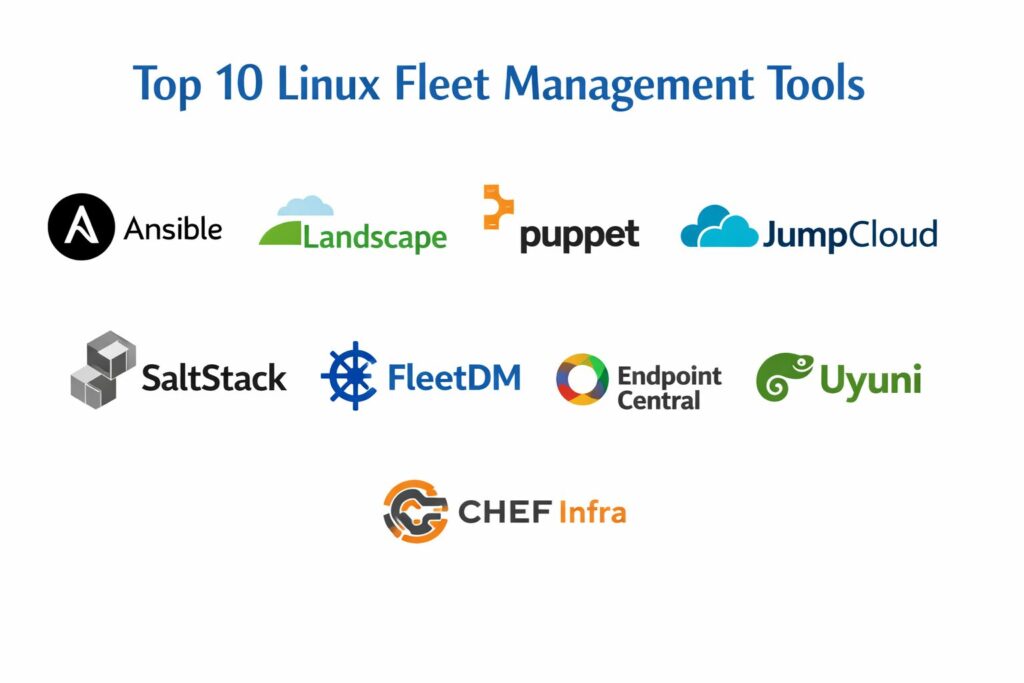
Introduction
Linux fleet management has transitioned from a niche requirement for data centers into a cornerstone of global IT operations, encompassing everything from high-performance server clusters to distributed edge devices and remote developer laptops. In the modern enterprise, “fleet management” refers to the centralized control of heterogeneous Linux environments, ensuring that every node—whether it is a virtual machine in the cloud or a ruggedized IoT gateway in the field—is secure, compliant, and performing optimally. Unlike traditional manual administration, modern fleet tools leverage automation to handle the sheer volume of security patches, configuration drifts, and software deployments that define today’s rapid release cycles. For organizations scaling their infrastructure, these platforms are no longer just productivity boosters; they are essential safeguards against the systemic risks of unpatched vulnerabilities and inconsistent system states.
The complexity of managing a Linux fleet is compounded by the variety of distributions (distros) and the differing needs of server-side versus endpoint management. While servers require high-uptime orchestration and deep kernel-level visibility, employee laptops and specialized hardware demand robust identity-centric access controls and remote troubleshooting capabilities. The rise of “Infrastructure as Code” (IaC) and declarative configuration has fundamentally changed how admins interact with their fleets, shifting the focus from individual machine management to the enforcement of global policies. As we navigate a landscape of increasing regulatory scrutiny and sophisticated cyber threats, the ability to audit an entire Linux fleet in seconds has become a non-negotiable requirement for any modern IT department.
Best for: System administrators, DevOps engineers, security operations (SecOps) teams, and IT managers who need to oversee hundreds or thousands of Linux instances across diverse environments.
Not ideal for: Individual hobbyists managing a single home server or organizations that rely exclusively on monolithic Windows environments without any Linux presence.
Key Trends in Linux Fleet Management Tools
The most significant shift is the integration of “Agentic AI” within management consoles. Rather than just alerting an admin to a failed update, modern tools now feature AI agents that can autonomously investigate the cause of a failure, test a rollback on a small subset of the fleet, and present a suggested fix for human approval. We are also seeing a major move toward “Unified Endpoint Management” (UEM) for Linux, where the same policies used for Windows and macOS are finally being extended to Linux desktops with comparable depth. This includes full-disk encryption enforcement, secure boot monitoring, and biometric authentication integration, which were historically difficult to manage at scale on Linux.
Security is also moving toward a “Continuous Compliance” model rather than periodic audits. Tools are now capable of real-time drift detection, where any manual change to a critical system file is immediately overwritten by the central policy, or “sanitized” to prevent unauthorized configuration. Furthermore, “Zero-Trust” architecture is being baked into the fleet management layer. This ensures that a managed Linux device is only granted access to internal resources if it passes a real-time health and posture check. The expansion of “Live Patching” technology—which allows for kernel security updates without a system reboot—is also becoming a standard feature, drastically reducing maintenance windows for mission-critical infrastructure.
How We Selected These Tools
Our selection process for these top 10 tools focused on the balance between “Enterprise Depth” and “Operational Agility.” We prioritized platforms that support a wide range of Linux distributions, including RHEL, Ubuntu, Debian, Fedora, and emerging cloud-native distros. A critical factor was the platform’s ability to handle hybrid environments, managing on-premises hardware alongside cloud-based instances through a single pane of glass. We looked for tools that offer both “agent-based” and “agentless” deployment models to provide flexibility depending on the security constraints of the network.
We also weighted “Time-to-Value” heavily, assessing how quickly an organization could enroll a fleet and begin seeing compliance data. Security certifications and the robustness of the audit trail were essential for inclusion, as many Linux fleets operate in highly regulated sectors. Finally, we evaluated the community and commercial support ecosystems, ensuring that each tool has a proven track record of timely updates and a rich library of pre-built automation scripts or “playbooks.” The result is a diverse list that ranges from heavy-duty configuration managers to lightweight, security-focused endpoint monitors.
1. Red Hat Ansible Automation Platform
Ansible remains the industry benchmark for agentless Linux automation. It uses a human-readable YAML-based language to define “playbooks” that can configure thousands of servers simultaneously. It is favored by enterprise teams who need a powerful, yet simple, way to orchestrate complex deployments without installing software on every target machine.
Key Features
The platform features “Agentless Architecture,” communicating over standard SSH to execute tasks on remote nodes. It includes “Ansible Lightspeed,” an AI-driven assistant that helps admins generate scientifically sound automation code from natural language prompts. The system offers “Event-Driven Ansible,” which can automatically trigger remediation workflows based on system alerts. It features a robust “Automation Controller” for centralized role-based access and job scheduling. It also provides “Execution Environments” to ensure that automation runs consistently regardless of where the controller is hosted.
Pros
It is exceptionally easy to get started with since it requires no client-side installation. The massive “Ansible Galaxy” community provides thousands of ready-made roles for almost any Linux task.
Cons
Performance can lag on extremely large fleets compared to agent-based systems. Managing complex state over long periods can be more challenging than with declarative tools like Puppet.
Platforms and Deployment
Self-hosted or managed cloud; controls all major Linux distros via SSH.
Security and Compliance
Features FIPS-compliant encryption and deep integration with Red Hat Insights for vulnerability scanning.
Integrations and Ecosystem
Seamlessly integrates with ServiceNow, Jira, and all major cloud providers (AWS, Azure, GCP).
Support and Community
Offers world-class enterprise support from Red Hat and a massive open-source community.
2. Canonical Landscape
Landscape is the dedicated management tool for Ubuntu environments, designed by the creators of the OS itself. It is the premier choice for organizations running large Ubuntu server farms or desktop fleets that require deep, native integration and optimized patching.
Key Features
The platform features “Livepatch Integration,” allowing for critical kernel security updates without rebooting the system. It includes “Autopilot” for automated OpenStack deployments and management. The system offers centralized “Package Management,” allowing admins to create custom repositories and control exactly which software versions are deployed. It features “Compliance Reporting” that specifically audits Ubuntu security standards. It also provides a “Remote Scripting” engine to execute arbitrary commands across thousands of machines simultaneously.
Pros
Provides the most seamless and “native” experience for Ubuntu, with zero-day support for new OS features. It is highly cost-effective for teams already invested in the Ubuntu Pro ecosystem.
Cons
It is strictly limited to Ubuntu and Debian-based systems, making it unsuitable for mixed RHEL/SUSE environments. The interface is functional but lacks some of the modern “flash” of newer SaaS tools.
Platforms and Deployment
Available as an on-premises server or a hosted SaaS solution.
Security and Compliance
Directly tied to Canonical’s security team, providing the fastest access to Ubuntu CVE fixes.
Integrations and Ecosystem
Deeply integrated with Juju for orchestration and MAAS (Metal as a Service) for bare-metal provisioning.
Support and Community
Professional support is included with Ubuntu Pro subscriptions, backed by Canonical engineers.
3. Puppet Enterprise
Puppet is a “model-driven” configuration management platform that excels at maintaining a specific “state” across a fleet. It is built for large-scale enterprises that need to ensure their Linux servers never deviate from security and operational baselines.
Key Features
The platform features a “Declarative Language,” where you describe the desired state of a machine rather than the steps to get there. It includes “Continuous Drift Detection,” automatically correcting any manual changes that violate the central policy. The system offers “Puppet Comply,” a specialized module for auditing against CIS benchmarks and other regulatory standards. It features “Role-Based Access Control” (RBAC) that is granular enough for the most complex global teams. It also provides a “Forge” marketplace with over 6,000 pre-built modules.
Pros
It is arguably the best tool for preventing “configuration drift” over long periods. Its reporting capabilities are extremely detailed, making it a favorite for audit-heavy industries.
Cons
The learning curve for its proprietary DSL (Domain Specific Language) is steeper than Ansible’s YAML. The agent-based architecture requires more initial setup and maintenance.
Platforms and Deployment
On-premises or cloud-native; supports all major Linux distributions and Unix variants.
Security and Compliance
Exceptional at enforcing hardening standards and providing audit-ready reports for HIPAA and PCI-DSS.
Integrations and Ecosystem
Strong integrations with VMware, Splunk, and various CI/CD pipelines.
Support and Community
Comprehensive enterprise support and a dedicated “Puppetize” community of practitioners.
4. JumpCloud
JumpCloud is a modern, identity-centric management platform that treats Linux devices as part of a “Zero-Trust” environment. It is the leading choice for managing remote Linux laptops and cloud instances alongside user identities in a single cloud directory.
Key Features
The platform features “Directory-as-a-Service,” unifying Linux login credentials with SSO and MFA. It includes “Policy Management” for Linux, allowing admins to enforce full-disk encryption and screen lock settings remotely. The system offers “Remote Assistance” for Linux, enabling IT to troubleshoot end-user machines via a secure browser-based terminal. It features “Patch Management” that automates OS and third-party app updates across the fleet. It also provides “Conditional Access” rules that block device access if the machine is out of compliance.
Pros
It is the only tool that perfectly bridges the gap between Identity (IAM) and Device Management (MDM). The cloud-native setup means no servers to maintain and immediate global scalability.
Cons
It is less focused on deep “server orchestration” than tools like Ansible or Chef. Some advanced Linux configuration tasks still require custom scripting within the platform.
Platforms and Deployment
Pure SaaS; managed via a lightweight agent on any Linux distro.
Security and Compliance
Strong focus on SOC 2 and GDPR, with built-in audit logs for every user and device action.
Integrations and Ecosystem
Directly syncs with Google Workspace, Microsoft 365, and Slack for automated onboarding.
Support and Community
Offers 24/7 premium support and a very active “JumpCloud Community” for IT professionals.
5. NinjaOne
NinjaOne is a high-speed Remote Monitoring and Management (RMM) platform that has rapidly expanded its Linux capabilities. It is designed for IT departments and MSPs who need a “single pane of glass” to monitor health, deploy patches, and provide remote support.
Key Features
The platform features a “Unified Dashboard” that shows Linux, Windows, and Mac devices in one view. It includes “Automated Patching” for all major Linux distros, with granular scheduling to avoid downtime. The system offers “Real-Time Monitoring” of CPU, memory, and disk health with customizable alerts. It features a “Cloud-Based Terminal” for secure, remote command-line access without a VPN. It also provides “Automated Inventory” that tracks hardware specs and software licenses across the entire fleet.
Pros
The user interface is widely considered the best in the RMM industry, offering extreme speed and clarity. It is exceptionally easy to deploy, often taking less than an hour to set up.
Cons
It lacks the “Infrastructure as Code” depth of tools like Chef or Puppet for complex server builds. Pricing can be higher for smaller fleets compared to open-source alternatives.
Platforms and Deployment
Multi-tenant SaaS platform; agent-based deployment for Linux.
Security and Compliance
Highly secure architecture with MFA, IP whitelisting, and SOC 2 Type II certification.
Integrations and Ecosystem
Strongest in the MSP space, with integrations for ITGlue, BrightGauge, and various PSA tools.
Support and Community
Consistently ranked #1 for customer support, with a very responsive account management team.
6. SaltStack (VMware Aria Automation Config)
SaltStack is known for its extreme speed and “event-driven” automation. It is built for massive fleets where managing tens of thousands of nodes in seconds is a requirement, often used in large-scale web operations and telecommunications.
Key Features
The platform features a “High-Speed Bus” architecture that can execute commands across 10,000+ nodes in near real-time. It includes “Salt Beacons” that watch for specific events (like a service crashing) and “Reactors” that take immediate action. The system offers “State Persistence,” ensuring that the fleet stays in its defined configuration. It features “Aria Automation” integration for cloud-scale provisioning and lifecycle management. It also provides a “Python-based” engine for advanced users to build custom modules.
Pros
It is significantly faster than almost any other management tool at scale. Its event-driven nature allows for “self-healing” infrastructure that fixes itself without human intervention.
Cons
The architecture is more complex to set up and maintain than agentless systems. Since being acquired by VMware/Broadcom, its future direction for smaller teams is less clear.
Platforms and Deployment
On-premises or hybrid cloud; supports all major Linux, Unix, and Windows versions.
Security and Compliance
Features “SaltStack Comply” for automated vulnerability remediation based on live system data.
Integrations and Ecosystem
Deeply integrated with the VMware ecosystem and highly extensible via its Python API.
Support and Community
Enterprise support through VMware/Broadcom and a dedicated open-source community.
7. Fleet Device Management (FleetDM)
Fleet is an open-source platform built on top of “osquery,” providing unparalleled security visibility into Linux fleets. It is the go-to tool for security-forward organizations that need to ask complex questions about their fleet in real-time.
Key Features
The platform features “osquery Orchestration,” allowing you to query your entire Linux fleet using standard SQL. It includes “Real-Time Policy Auditing,” checking for things like “is the SSH daemon configured correctly?” across every node. The system offers “Vulnerability Management” by cross-referencing software versions with the latest CVE databases. It features “GitOps Workflows,” where device configurations are managed via version control. It also provides a “Live MDM” layer for enforcing security settings on Linux desktops.
Pros
Provides the most granular “visibility” into what is actually happening inside your Linux nodes. Being open-source, it offers extreme transparency and no vendor lock-in.
Cons
It requires more technical expertise to manage and host than turnkey SaaS RMM tools. It is more of a “security and visibility” tool than a “configuration and deployment” tool.
Platforms and Deployment
Self-hosted or managed “Fleet Sandbox” cloud; works on all distros via the osquery agent.
Security and Compliance
The gold standard for “Security Observability,” used by teams at Uber and Palantir for compliance.
Integrations and Ecosystem
Integrates deeply with Snowflake, Splunk, and Elastic for long-term data analysis.
Support and Community
A vibrant open-source community and a commercial entity providing enterprise-grade support.
8. ManageEngine Endpoint Central
Endpoint Central is a comprehensive UEM solution that provides a robust suite of tools for Linux patch management, asset tracking, and remote desktop sharing. It is ideal for mid-market companies needing a traditional, reliable IT management suite.
Key Features
The platform features “Automated Patch Management” for over 800 third-party applications and all major Linux distros. It includes “Remote Control” capabilities with screen sharing and file transfer for Linux desktops. The system offers “Software Deployment” with a self-service portal for end-users. It features “USB Device Management” to prevent data exfiltration from Linux endpoints. It also provides “Power Management” policies to remotely shut down or wake up machines across the fleet.
Pros
Offers a very wide range of features in a single installation, reducing “tool sprawl.” It is very competitively priced for mid-sized organizations.
Cons
The user interface can feel a bit dated and “clunky” compared to modern SaaS-first competitors. Some advanced Linux server automation features are less mature than its Windows support.
Platforms and Deployment
Available as an on-premises server or a cloud-based SaaS.
Security and Compliance
Includes vulnerability assessment modules and automated compliance reports for major standards.
Integrations and Ecosystem
Seamlessly integrates with other ManageEngine products like ServiceDesk Plus and OpManager.
Support and Community
Provides extensive documentation and 24/7 technical support for enterprise customers.
9. Uyuni (and SUSE Manager)
Uyuni is the open-source foundation for SUSE Manager, providing a powerful lifecycle management platform for complex Linux environments. It is specialized in managing “distro-diverse” fleets with a heavy focus on stability and patching.
Key Features
The platform features “Multi-Distribution Support,” managing RHEL, Ubuntu, CentOS, and SUSE from one console. It includes “CVE Audit & Patching,” showing exactly which machines are vulnerable to a specific security threat. The system offers “Salt-based Configuration Management,” providing high-speed automation out of the box. It features “Virtual Host Management” for overseeing VMs on KVM or Xen. It also provides “Subscription Management” to track licenses across different Linux vendors.
Pros
It is arguably the best “lifecycle” tool for mixed-distro environments that include RHEL and SUSE. It is highly scalable and built for rock-solid stability in enterprise data centers.
Cons
The initial setup is complex and requires significant server resources. The UI is focused on utility and can have a steep learning curve for new admins.
Platforms and Deployment
On-premises server deployment; agent-based management of all major distros.
Security and Compliance
Strong focus on “Security Hardening” and providing a “Single Source of Truth” for patch status.
Integrations and Ecosystem
Deeply integrated with SaltStack and the broader open-source Linux ecosystem.
Support and Community
Uyuni is community-supported, while SUSE Manager provides 24/7 enterprise-grade backing.
10. Chef Infra
Chef is a “code-driven” configuration manager that treats infrastructure like software. It is the preferred tool for DevOps-heavy organizations that want to use a full programming language (Ruby) to define their Linux environments.
Key Features
The platform features “Chef Recipes,” which are Ruby scripts that define exactly how a system should be configured. It includes “Chef InSpec,” a powerful tool for defining “compliance as code” that can be tested like software. The system offers “Chef Automate,” a central dashboard for visibility into the entire fleet’s state. It features “Policyfiles” to ensure that the same code is used across development, testing, and production. It also provides “Test Kitchen” for safely testing infrastructure changes before rollout.
Pros
Provides the ultimate flexibility for developers, allowing for complex logic and integrations within the configuration code. It is world-class for managing cloud-native and “ephemeral” infrastructure.
Cons
Requires a high level of Ruby knowledge to use effectively, which can be a barrier for traditional sysadmins. The management of the “Chef Server” can be complex.
Platforms and Deployment
On-premises, cloud-hosted, or managed SaaS; agent-based management for all Linux/Unix.
Security and Compliance
“Chef InSpec” is a market leader for automated security auditing and continuous compliance.
Integrations and Ecosystem
Excellent integrations with AWS OpsWorks, Azure, and modern CI/CD tools like GitHub Actions.
Support and Community
Strong enterprise support from Progress Software and a dedicated community of “Chef practitioners.”
Comparison Table
| Tool Name | Best For | Platform(s) Supported | Deployment | Standout Feature | Public Rating |
| 1. Ansible | Enterprise Automation | All Linux, Unix | Agentless (SSH) | Lightspeed AI Code | 4.8/5 |
| 2. Landscape | Ubuntu/Debian Fleets | Ubuntu, Debian | On-Prem / SaaS | Native Livepatching | 4.5/5 |
| 3. Puppet | State Enforcement | All Linux, Unix | Agent-Based | Drift Detection | 4.6/5 |
| 4. JumpCloud | Remote/Identity MDM | All Major Distros | Pure SaaS | Identity-Device Sync | 4.7/5 |
| 5. NinjaOne | High-Speed RMM | All Major Distros | Pure SaaS | Best-in-Class UI | 4.8/5 |
| 6. SaltStack | Massive Scale Speed | All Linux, Windows | Agent-Based | Event-Driven Reactor | 4.4/5 |
| 7. FleetDM | Security Visibility | All Linux (osquery) | Self-Host / SaaS | SQL-Based Queries | 4.7/5 |
| 8. Endpoint Central | Mid-Market UEM | All Major Distros | On-Prem / SaaS | 3rd Party App Patch | 4.5/5 |
| 9. Uyuni | Mixed-Distro Lifecycle | RHEL, SUSE, Ubuntu | On-Prem Server | Cross-Distro Patch | 4.3/5 |
| 10. Chef Infra | DevOps / Ruby Teams | All Linux, Unix | Agent-Based | Compliance as Code | 4.4/5 |
Evaluation & Scoring of Linux Fleet Management Tools
The scoring below is a comparative model intended to help shortlisting. Each criterion is scored from 1–10, then a weighted total from 0–10 is calculated using the weights listed. These are analyst estimates based on typical fit and common workflow requirements, not public ratings.
Weights:
- Core features – 25%
- Ease of use – 15%
- Integrations & ecosystem – 15%
- Security & compliance – 10%
- Performance & reliability – 10%
- Support & community – 10%
- Price / value – 15%
| Tool Name | Core (25%) | Ease (15%) | Integrations (15%) | Security (10%) | Performance (10%) | Support (10%) | Value (15%) | Weighted Total |
| 1. Ansible | 10 | 9 | 10 | 9 | 8 | 9 | 8 | 9.15 |
| 2. Landscape | 8 | 8 | 7 | 10 | 9 | 8 | 9 | 8.30 |
| 3. Puppet | 10 | 6 | 9 | 10 | 9 | 9 | 7 | 8.65 |
| 4. JumpCloud | 8 | 10 | 9 | 9 | 9 | 9 | 8 | 8.75 |
| 5. NinjaOne | 8 | 10 | 9 | 9 | 9 | 10 | 8 | 8.85 |
| 6. SaltStack | 10 | 5 | 8 | 9 | 10 | 8 | 7 | 8.15 |
| 7. FleetDM | 7 | 8 | 9 | 10 | 9 | 8 | 9 | 8.40 |
| 8. Endpoint Central | 9 | 7 | 8 | 9 | 8 | 8 | 9 | 8.25 |
| 9. Uyuni | 9 | 5 | 7 | 9 | 9 | 7 | 10 | 8.00 |
| 10. Chef Infra | 10 | 6 | 9 | 9 | 9 | 8 | 7 | 8.30 |
How to interpret the scores:
- Use the weighted total to shortlist candidates, then validate with a pilot.
- A lower score can mean specialization, not weakness.
- Security and compliance scores reflect controllability and governance fit, because certifications are often not publicly stated.
- Actual outcomes vary with assembly size, team skills, templates, and process maturity.
Which Linux Fleet Management Tool Is Right for You?
Solo /Freelancer
For a small team or a solo founder, you need a tool that doesn’t require a dedicated “manager of the manager.” Look for SaaS-based RMM tools or lightweight identity-centric platforms that offer a free tier for your first few devices. The goal is to get “basic health and patching” with zero infrastructure overhead so you can focus on building your product rather than maintaining your management server.
SMB
If you are managing a few dozen Linux servers alongside a Windows environment, a unified tool that covers both is your best bet. Platforms that offer “easy-to-configure” policies and automated third-party patching will save you hours of manual work every week. Prioritize a tool with a clean dashboard so that even your generalist IT staff can handle basic Linux troubleshooting.
Mid-Market
For teams that live in the command line and value “Infrastructure as Code,” the choice should be between the heavy hitters like Ansible, Chef, or Puppet. Your priority is how well the tool integrates into your CI/CD pipeline and how easily you can version-control your server configurations. You likely want a tool that uses a standard language like YAML or Ruby to ensure your infrastructure is as testable as your application code.
Enterprise
If you work in finance, healthcare, or government, visibility and auditability are your top priorities. You should look for tools that offer real-time “SQL-like” querying of your fleet and built-in compliance modules for CIS or NIST standards. A tool that can provide a “provenance” for every file and process running across your fleet will make your next audit significantly less painful.
Budget vs Premium
Budget-conscious organizations should look toward mature open-source projects that offer high enterprise-grade power without the per-node licensing fees. However, be prepared to “pay” in terms of engineering time for setup and maintenance. Premium SaaS platforms justify their cost by eliminating infrastructure management, providing 24/7 support, and offering “pre-packaged” security content that keeps you safe without custom research.
Feature Depth vs Ease of Use
Choose agentless (SSH-based) tools if you have strict security policies against installing third-party software on your nodes or if you need to manage “immutable” infrastructure where nothing should be changed after deployment. Choose agent-based tools if you need real-time “self-healing,” high-speed execution at massive scale, or management of devices that aren’t always connected to the internal network.
Integrations & Scalability
For fleets that span continents and multiple cloud providers, you need a tool with a “distributed” architecture. Look for platforms that use a “hub-and-spoke” model or a high-performance messaging bus to ensure that a network lag in one region doesn’t slow down management in another. The ability to manage “offline” or “roaming” devices via a cloud-relay is essential for modern distributed workforces.
Security & Compliance Needs
Don’t just choose a tool for today; choose one that fits where your fleet is going. If you are moving toward containers and Kubernetes, ensure your fleet tool can also manage the underlying “worker nodes” and integrate with your orchestration layer. The “best” tool is the one that your team will actually use and maintain, so involve your senior admins in a hands-on “proof of concept” before committing.
Frequently Asked Questions (FAQs)
1. What is “configuration drift” and why is it dangerous?
Configuration drift occurs when a system’s settings change over time due to manual tweaks, ad-hoc patches, or software updates. It is dangerous because it creates “unique” servers that are hard to troubleshoot, may have hidden security holes, and often fail during automated updates because they no longer match the expected baseline.
2. Can I manage Linux desktops with these tools?
Yes, many modern “Unified” platforms now support Linux desktops with features like remote screen sharing, disk encryption enforcement, and Wi-Fi configuration. This is becoming essential as more developers and engineers choose Linux as their primary workstation OS.
3. Is agentless management always better than agent-based?
Not necessarily. Agentless (SSH) is easier to start with because it requires no installation, but agent-based management is often faster, more reliable on poor network connections, and better at “self-healing” because the agent can act even if it loses connection to the central server.
4. What does “Infrastructure as Code” (IaC) mean for my fleet?
IaC means you write code (like YAML or Ruby) to define what your servers should look like. This allows you to use professional software tools like Git for version control, peer reviews for changes, and automated testing to ensure a configuration works before you deploy it to your entire fleet.
5. How do I handle patching for Linux servers that can’t be rebooted?
You should look for a tool that supports “Live Patching.” This technology allows the platform to apply security fixes to the running Linux kernel in memory, closing the vulnerability immediately while delaying the actual reboot until a scheduled maintenance window.
6. Do these tools support ARM-based Linux devices (like Raspberry Pi)?
Most major fleet management agents are now cross-compiled for ARM, allowing you to manage edge devices and IoT gateways using the same tools and policies you use for your x86-based cloud servers.
7. Can I use these tools to manage cloud instances in AWS or Azure?
Absolutely. In fact, most of these tools have specific “cloud plugins” that can automatically discover new instances as they are spun up, tag them based on their cloud metadata, and enroll them into management policies instantly.
8. What is the difference between an RMM and a Configuration Manager?
An RMM (Remote Monitoring & Management) focuses on health alerts, remote support, and “turnkey” patching. A Configuration Manager (like Ansible or Chef) focuses on “building” and “maintaining” the exact internal state of the OS and applications using code.
9. How do these tools help with SOC 2 or HIPAA compliance?
They provide “Evidence of Control.” By using these tools, you can generate reports showing that every server in your fleet has encryption enabled, is fully patched, and that only authorized users have access, which is exactly what auditors look for.
10. Are open-source tools reliable enough for an enterprise fleet?
Yes, many of the world’s largest companies (including Facebook and Google) rely on open-source management tools. The key is ensuring your team has the expertise to manage the tool itself or choosing a “commercial version” of an open-source tool that includes 24/7 support.
Conclusion
Navigating the complexities of a modern Linux fleet requires a strategic shift from manual “firefighting” to automated orchestration. The tools we have explored represent the pinnacle of 20 years of evolution in systems administration, offering the speed, security, and visibility needed to manage infrastructure at any scale. Whether you choose the developer-centric flexibility of “Infrastructure as Code” or the streamlined efficiency of a “Unified Endpoint” platform, the goal remains the same: a fleet that is consistently secure, fully compliant, and effortlessly scalable. By investing in the right management layer today, you are not just simplifying your IT operations; you are building a resilient foundation that allows your organization to innovate with confidence in an increasingly Linux-driven world.