Introduction
Artifact and container signing has evolved from a niche security practice into a fundamental requirement for modern software supply chain integrity. As organizations increasingly adopt cloud-native architectures, the risk of “poisoned” images—where malicious code is injected into a container registry—has grown exponentially. Sigstore, a project under the Open Source Security Foundation (OpenSSF), has revolutionized this space by providing a standard for signing, verifying, and tracking software artifacts. This technology ensures that the container image running in your production Kubernetes cluster is exactly what was built and approved by your CI/CD pipeline.
Signing is no longer just about digital signatures; it is about provenance and attestation. Modern tools allow teams to attach metadata, such as vulnerability scan results or build logs, directly to an image. By using transparency logs and ephemeral keys, these tools remove the traditional burden of manual key management, making security “invisible” to the developer while remaining verifiable by the security auditor. This guide evaluates the top 10 tools within and surrounding the Sigstore ecosystem that enable end-to-end trust.
- Best for: DevSecOps engineers, Kubernetes administrators, security architects, and compliance officers.
- Not ideal for: Legacy on-premises applications that do not utilize OCI-compliant registries or container runtimes.
Key Trends in Artifact & Container Signing
- Keyless Signing: The move toward short-lived, ephemeral keys backed by OIDC (OpenID Connect) identities like GitHub Actions or Google accounts.
- Admission Control Integration: Automated blocking of unsigned or non-compliant containers at the Kubernetes cluster entry point.
- Software Bill of Materials (SBOM) Attestation: Signing not just the image, but the list of its components to ensure full transparency.
- Public Transparency Logs: Using immutable ledgers like Rekor to provide a publicly searchable audit trail of all signing events.
- Vulnerability Gating: Requiring a “clean” scan attestation signed by a trusted scanner before an image can be promoted.
- Cross-Registry Interoperability: Support for signing artifacts across diverse environments like AWS ECR, Azure ACR, and Google GCR.
How We Selected These Tools
- Sigstore Compatibility: Priority given to tools that natively support the Sigstore protocol (Cosign, Fulcio, Rekor).
- Policy Enforcement: Ability to define and enforce “Sign-off” rules within production environments.
- Automation Potential: Ease of integration into GitHub Actions, GitLab CI, and Jenkins.
- Developer Experience: Focus on tools that reduce the friction of key management and CLI complexity.
- Industry Adoption: Evaluation of market presence in high-security sectors like finance and government.
- Provenance Support: Tools that handle attestations and metadata beyond simple cryptographic signatures.
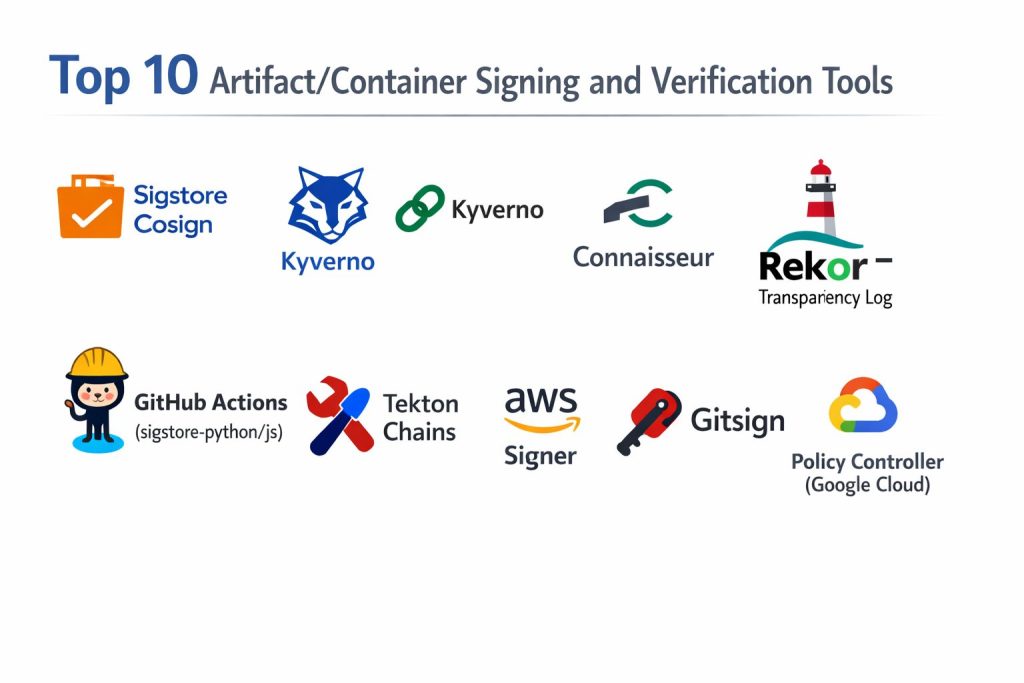
Top 10 Artifact/Container Signing & Verification Tools
1. Sigstore Cosign
Cosign is the flagship tool of the Sigstore project, designed specifically for signing and verifying OCI artifacts like container images.
Key Features
- Keyless Signing: Uses Fulcio and Rekor to sign artifacts using OIDC identities without managing private keys.
- OCI Registry Storage: Signatures are stored directly in the registry alongside the image, requiring no extra database.
- Attestation Support: Can sign and attach SBOMs, vulnerability scans, and custom metadata to images.
- Hardware Token Support: Works with Yubikeys and cloud KMS (AWS, GCP, Azure) for high-security key storage.
- Recursive Signing: Ability to sign multi-platform images and all associated child manifests.
Pros
- Eliminates the risk of lost or stolen long-lived private keys through its keyless flow.
- Lightweight CLI that integrates seamlessly into any CI/CD pipeline.
Cons
- Requires an OCI-compliant registry to store signatures and attestations.
- Documentation can be technical, requiring a solid grasp of PKI concepts.
Platforms / Deployment
- Linux / macOS / Windows
- Cloud-Native / CI-CD
Security & Compliance
- Native integration with Rekor transparency logs for public auditability.
Integrations & Ecosystem
The heart of the Sigstore ecosystem; integrates with almost every major cloud provider and CI platform.
Support & Community
Backed by the OpenSSF with a massive, active open-source community.
2. Kyverno
Kyverno is a Kubernetes-native policy engine that acts as a gatekeeper, verifying Sigstore signatures before pods are allowed to run.
Key Features
- Image Verification Policies: Automatically checks if an image is signed by a specific authority before deployment.
- Attestation Validation: Can verify if an image has a valid, signed vulnerability scan result.
- Mutation Capabilities: Can automatically add labels or sidecars to containers that pass verification.
- Kubernetes Native: Policies are written as standard YAML, requiring no new programming language (like Rego).
- Admission Control: Blocks non-compliant containers at the API level within the cluster.
Pros
- No specialized coding knowledge required; uses familiar Kubernetes syntax.
- Provides real-time enforcement and reporting within the cluster.
Cons
- Only works within Kubernetes environments.
- Can add slight latency to the pod startup process during verification checks.
Platforms / Deployment
- Kubernetes (Helm / YAML)
- Cluster-side
Security & Compliance
- Enforces “Zero Trust” by ensuring only verified artifacts enter production.
Integrations & Ecosystem
Native support for Cosign signatures and deep integration with the K8s ecosystem.
Support & Community
A CNCF incubated project with strong corporate backing and widespread adoption.
3. Notation (Notary v2)
The successor to the original Notary, Notation is a CNCF-backed project focused on cross-industry signing standards.
Key Features
- Registry Agnostic: Works across various registry implementations without requiring special server-side logic.
- Plugin Architecture: Supports various Key Management Systems (KMS) through a flexible plugin system.
- X.509 Certificate Support: Built to work with traditional enterprise PKI and certificate authorities.
- OCI Reference Types: Uses the latest OCI standards to link signatures to images.
- CLI-First Design: Focused on a simple, predictable developer experience.
Pros
- Excellent for enterprises that already have a heavy investment in traditional PKI.
- Strong focus on standards and cross-vendor compatibility.
Cons
- Less focus on the “keyless” innovations found in the Sigstore project.
- The ecosystem of admission controllers is still maturing compared to Cosign.
Platforms / Deployment
- Linux / macOS / Windows
- Desktop / CI-CD
Security & Compliance
- Supports high-assurance signing via hardware and cloud-based HSMs.
Integrations & Ecosystem
Strong support from Microsoft (Azure) and AWS, making it a standard in managed cloud environments.
Support & Community
Managed by the CNCF with contributions from major cloud providers.
4. Connaisseur
Connaisseur is an admission controller that integrates Sigstore verification into Kubernetes with a focus on ease of use.
Key Features
- Multi-Signature Support: Can verify signatures from both Cosign and Notary simultaneously.
- Trust Pinning: Allows you to define exactly which public keys are trusted for specific namespaces.
- Payload Verification: Ensures that the image digest has not changed since it was signed.
- Detection Mode: Allows you to monitor signature status without blocking deployments (dry-run).
- Helm-Based Install: Quickly deployable into any cluster with minimal configuration.
Pros
- Extremely simple to set up compared to general-purpose policy engines like OPA.
- Specifically built for image verification, reducing “tool bloat.”
Cons
- Less flexible than Kyverno for non-image-related cluster policies.
- Smaller community and contributor base than the larger CNCF projects.
Platforms / Deployment
- Kubernetes
- Cluster-side
Security & Compliance
- Provides clear audit logs for failed verification attempts.
Integrations & Ecosystem
Works well with various registries and supports both private and public signing authorities.
Support & Community
Open-source project maintained primarily by security researchers and the community.
5. Rekor (Sigstore Transparency Log)
While often used behind the scenes by Cosign, Rekor can be used directly to verify the history and timing of any artifact signature.
Key Features
- Immutable Ledger: A tamper-resistant log that stores signed metadata and timestamps.
- Public Searchability: Allows anyone to verify when and by whom an artifact was signed.
- Proof of Entry: Provides cryptographic proof that a signature was included in the log.
- Pluggable Backends: Can use various storage engines to maintain the ledger.
- API-Driven: Allows for automated auditing and monitoring of all signing activity.
Pros
- Provides the “Trust” in the “Trust but Verify” model by making all actions public.
- Essential for forensic analysis if a signing key is ever compromised.
Cons
- Managing a private Rekor instance is operationally complex.
- Public instance might not be suitable for strictly private corporate metadata.
Platforms / Deployment
- Linux / Containerized
- Server-side
Security & Compliance
- The gold standard for non-repudiation in the software supply chain.
Integrations & Ecosystem
The backbone of the Sigstore project, used by Cosign and Fulcio.
Support & Community
Core part of the OpenSSF Sigstore initiative.
6. GitHub Actions (sigstore-python/js)
GitHub has integrated Sigstore directly into its ecosystem, allowing for seamless signing of packages and containers.
Key Features
- OIDC Integration: Automatically provides a trust identity to GitHub runners for keyless signing.
- Workflow Attestations: Generates signed proof that an artifact was built in a specific GitHub repo.
- npm/PyPI Support: Native signing for language-specific packages using Sigstore.
- Policy Checkers: Actions that verify signatures as part of the PR or release process.
- Visual Trust Markers: Displays “Verified” badges on GitHub for signed artifacts.
Pros
- Zero configuration for keyless signing within the GitHub environment.
- Deeply integrated into the world’s most popular developer platform.
Cons
- Specific to the GitHub ecosystem; moving to GitLab or Bitbucket requires changes.
- Governance is managed by GitHub, offering less local control.
Platforms / Deployment
- SaaS (GitHub)
- CI-CD
Security & Compliance
- Uses short-lived certificates, minimizing the window of risk for key theft.
Integrations & Ecosystem
Perfectly tied into the GitHub marketplace and registry.
Support & Community
Supported by GitHub and the broader OpenSSF community.
7. Tekton Chains
A specialized tool for the Tekton CI/CD framework that automatically signs every task and pipeline output.
Key Features
- Automatic Signing: Observes Tekton task runs and signs the resulting artifacts automatically.
- Provenance Generation: Creates in-toto attestations for every step of the build process.
- Multiple Storage Backends: Can store signatures in OCI registries, GCS, or S3.
- Sigstore Native: Fully integrated with the Fulcio/Rekor/Cosign stack.
- Fine-Grained Control: Define exactly which pipeline steps require a signature.
Pros
- Provides total visibility into how an artifact was built, not just that it was signed.
- Removes the manual “signing step” from developer scripts.
Cons
- Requires the Tekton CI/CD platform to function.
- Complex setup compared to simple CLI tools.
Platforms / Deployment
- Kubernetes (Tekton)
- CI-CD
Security & Compliance
- Enables full SLSA (Supply-chain Levels for Software Artifacts) compliance.
Integrations & Ecosystem
Strongest for teams already utilizing the “Cloud Native CI/CD” stack.
Support & Community
CNCF project with strong ties to the Sigstore and Google Cloud teams.
8. AWS Signer
A managed code-signing service that provides a central place to sign container images and Lambda code within the AWS ecosystem.
Key Features
- Managed PKI: AWS handles the underlying certificate authority and hardware security modules.
- EKS Integration: Native verification for Amazon Elastic Kubernetes Service.
- Signature Validity Periods: Set expiration dates on signatures to force re-validation.
- Cross-Account Signing: Allows a central security account to sign images for multiple dev accounts.
- Audit Trails: Every signing event is logged in AWS CloudTrail for compliance.
Pros
- “Set and forget” security for teams already fully invested in AWS.
- No need to manage the infrastructure for transparency logs or CAs.
Cons
- Proprietary service; creates vendor lock-in.
- Less flexible for multi-cloud or hybrid environments.
Platforms / Deployment
- AWS (Cloud-Native)
- Managed Service
Security & Compliance
- FIPS 140-2 Level 3 HSM protection for signing keys.
Integrations & Ecosystem
Deeply integrated with Amazon ECR, EKS, and Lambda.
Support & Community
Full AWS enterprise support available.
9. Gitsign
A Sigstore tool that brings the power of keyless signing to the very beginning of the supply chain: Git commits.
Key Features
- Keyless Git Commits: Signs Git commits using your OIDC identity (e.g., your email/GitHub login).
- Rekor Logging: All signed commits are logged to the transparency log for verification.
- Developer Friendly: No need to distribute GPG keys to every developer on the team.
- Standard Verification: Works with standard
git verify-commitcommands. - Identity-Based: Proves who wrote the code, not just that someone had a key.
Pros
- Eliminates the “GPG Headache” for developers.
- Bridges the gap between source code and the final container image.
Cons
- Only signs the code, not the resulting artifact (requires Cosign for the image).
- Still a relatively new addition to many enterprise workflows.
Platforms / Deployment
- Local / CI-CD
- Git Repositories
Security & Compliance
- Provides a cryptographic link between a developer identity and the code.
Integrations & Ecosystem
Works with any Git provider (GitHub, GitLab, Bitbucket).
Support & Community
A core part of the Sigstore project family.
10. Policy Controller (Google Cloud)
The Google-managed version of the Sigstore admission controller, designed for GKE (Google Kubernetes Engine).
Key Features
- Fully Managed Admission Control: No need to manage the controller pods or updates.
- Constraint Library: Pre-built templates for image signature and attestation checks.
- Dashboard Integration: View non-compliant images across your entire fleet in the GCP console.
- Support for Cosign: Natively understands and verifies Sigstore-based signatures.
- Audit Mode: Continuously scans the cluster for images that were deployed without signatures.
Pros
- Ideal for enterprises needing a “managed” approach to Kubernetes security.
- Integrated into the broader Anthos/GCP security suite.
Cons
- Requires Google Cloud Platform and GKE.
- Higher cost than running open-source Kyverno on your own.
Platforms / Deployment
- Google Cloud (GKE)
- Managed Service
Security & Compliance
- Enables central governance and “Compliance as Code” at scale.
Integrations & Ecosystem
Deeply tied into Google Artifact Registry and Binary Authorization.
Support & Community
Full Google Cloud enterprise support.
Comparison Table
| Tool Name | Best For | Platform(s) Supported | Deployment | Standout Feature | Public Rating |
| 1. Sigstore Cosign | Universal Signing | Win, Mac, Lin | CI-CD | Keyless Workflow | N/A |
| 2. Kyverno | K8s Governance | Kubernetes | Cluster-side | YAML-based Policies | N/A |
| 3. Notation | Enterprise PKI | Win, Mac, Lin | Desktop/CI | X.509 Certificate Support | N/A |
| 4. Connaisseur | Simple K8s Verification | Kubernetes | Cluster-side | Multi-signature Support | N/A |
| 5. Rekor Log | Public Auditing | Linux / Containers | Server-side | Immutable Ledger | N/A |
| 6. GitHub Actions | GitHub Developers | SaaS | CI-CD | OIDC Identity Link | N/A |
| 7. Tekton Chains | Pipeline Provenance | Kubernetes | CI-CD | Auto-signing of tasks | N/A |
| 8. AWS Signer | AWS Ecosystem | AWS Cloud | Managed | Managed HSM storage | N/A |
| 9. Gitsign | Commit Integrity | Win, Mac, Lin | Local Git | Keyless Git Commits | N/A |
| 10. Policy Controller | GCP Enterprise | GKE / GCP | Managed | GKE Console Dashboard | N/A |
Evaluation & Scoring of Artifact Signing Tools
The scoring below is a comparative model intended to help shortlisting. Each criterion is scored from 1–10, then a weighted total from 0–10 is calculated using the weights listed. These are analyst estimates based on typical fit and common workflow requirements, not public ratings.
Weights:
- Core features – 25%
- Ease of use – 15%
- Integrations & ecosystem – 15%
- Security & compliance – 10%
- Performance & reliability – 10%
- Support & community – 10%
- Price / value – 15%
| Tool Name | Core (25%) | Ease (15%) | Integrations (15%) | Security (10%) | Performance (10%) | Support (10%) | Value (15%) | Total |
| 1. Cosign | 10 | 8 | 10 | 10 | 9 | 9 | 10 | 9.45 |
| 2. Kyverno | 9 | 9 | 9 | 9 | 8 | 9 | 9 | 8.95 |
| 3. Notation | 8 | 7 | 8 | 9 | 8 | 8 | 7 | 7.75 |
| 4. Connaisseur | 7 | 10 | 8 | 8 | 9 | 7 | 9 | 8.05 |
| 5. Rekor | 10 | 4 | 9 | 10 | 7 | 8 | 8 | 8.00 |
| 6. GH Actions | 8 | 10 | 10 | 8 | 9 | 9 | 10 | 9.15 |
| 7. Tekton Chains | 9 | 5 | 8 | 9 | 8 | 7 | 8 | 7.70 |
| 8. AWS Signer | 8 | 9 | 7 | 10 | 9 | 9 | 6 | 8.05 |
| 9. Gitsign | 7 | 9 | 7 | 9 | 9 | 8 | 9 | 8.05 |
| 10. Policy Controller | 8 | 8 | 7 | 9 | 9 | 9 | 6 | 7.80 |
How to interpret the scores:
- Use the weighted total to shortlist candidates, then validate with a pilot.
- A lower score can mean specialization, not weakness.
- Security and compliance scores reflect controllability and governance fit, because certifications are often not publicly stated.
- Actual outcomes vary with assembly size, team skills, templates, and process maturity.
Which Sigstore/Signing Tool Is Right for You?
Solo / Open Source Maintainer
Sigstore Cosign combined with Gitsign is the best path. It costs nothing, requires no key management, and provides immediate “Verified” badges on your artifacts, building instant trust with your users.
SMB / Growth Startup
Use GitHub Actions for your signing workflows and Connaisseur or Kyverno in your Kubernetes clusters. This setup provides a high level of security with very little operational overhead, allowing your team to focus on shipping code.
Mid-Market
At this scale, you likely have multi-cloud or hybrid requirements. Cosign remains the standard for signing, but Kyverno becomes essential for enforcing complex governance policies across multiple namespaces and clusters.
Enterprise
Large organizations should look toward managed solutions like AWS Signer or Policy Controller (if on GCP) to offload the burden of HSM management. However, integrating the Rekor transparency log into your internal audit process is critical for long-term compliance and forensic readiness.
Frequently Asked Questions
1. What is “Keyless” signing?
It is a process where a short-lived key is generated for a single signing event. Your identity (like a GitHub login) is used to authorize the key, and the event is logged publicly, removing the need to store long-term private keys.
2. Where are the signatures stored?
Tools like Cosign store signatures directly in your OCI container registry as a separate tag or object, so they travel with the image.
3. Do I need a special registry for Sigstore?
Most modern registries (DockerHub, Harbor, AWS ECR, GCR, Azure ACR) are OCI-compliant and work perfectly with Sigstore tools.
4. Can I sign things other than container images?
Yes, Cosign and other tools in the stack can sign blobs, binaries, SBOMs, and even Git commits.
5. How does verification happen in Kubernetes?
Verification is usually handled by an “Admission Controller” (like Kyverno) that intercepts the deployment request and checks the signature before the container starts.
6. Is Sigstore better than GPG?
For container workflows, yes. Sigstore is designed for automation and high-scale cloud environments, whereas GPG often suffers from complex key distribution and management issues.
7. What is an attestation?
An attestation is a signed statement about an artifact, such as “This image passed a vulnerability scan on Tuesday.”
8. Can I use these tools in an air-gapped environment?
Yes, but you will need to host your own instances of Fulcio and Rekor if you want to use the keyless workflow features.
9. Does signing slow down my CI/CD?
The signing process typically takes only a few seconds and has a negligible impact on overall pipeline speed.
10. What happens if I lose my signing key?
If using a keyless workflow, there is no key to lose. If using a traditional key, you must revoke the signature and re-sign your artifacts with a new key.
Conclusion
Securing the software supply chain has moved from a “nice-to-have” feature to a non-negotiable requirement for modern digital infrastructure. The Sigstore ecosystem, led by tools like Cosign and Rekor, has successfully democratized advanced cryptographic security, making it accessible to every developer regardless of their background in PKI. By shifting the focus from manual key management to identity-based, verifiable transparency, these tools provide a robust defense against the rising tide of supply chain attacks. Implementing a signing and verification strategy today is the single most effective step an organization can take toward achieving a true Zero Trust architecture in the cloud. I suggest beginning with a pilot of Cosign in your build pipeline and Kyverno in a test cluster to experience the power of automated artifact trust firsthand.