Introduction
AI code assistants help developers write, understand, refactor, test, and document code faster by predicting next lines, suggesting whole functions, generating unit tests, and explaining unfamiliar code. They work inside IDEs, code editors, and sometimes in browsers or chat-style interfaces. Their value is highest when you want to reduce repetitive coding tasks, speed up onboarding to new codebases, and catch common mistakes earlier. However, they are not magic. Output quality depends on prompts, context, repository patterns, and the guardrails your team sets.
Real-world use cases include writing boilerplate and scaffolding, creating tests and mocks, refactoring legacy code, generating documentation and code comments, and explaining errors or stack traces. When evaluating tools, focus on code quality, language support, IDE integration, context depth, privacy controls, security expectations, enterprise admin features, performance and latency, learning curve, pricing and licensing fit, and how well suggestions align with your team standards.
Best for: individual developers, product teams, DevOps teams, QA engineers, and enterprises that want faster delivery with consistent patterns.
Not ideal for: teams working with highly sensitive code where AI usage is restricted, or teams that do not want any generated code due to policy, audit, or compliance reasons.
Key Trends in AI Code Assistants
- Deeper codebase context handling using indexing and repository-aware suggestions.
- Stronger privacy modes such as local context controls and restricted data retention options.
- Shift from single-line autocomplete to multi-step agent-like workflows for tasks.
- More focus on test generation, refactoring, and code review assistance, not just new code.
- Integration into secure enterprise environments with admin policies and audit controls.
- Better support for infrastructure, scripting, and configuration workflows beyond application code.
- Improved prompt controls and guardrails to reduce risky or low-quality suggestions.
- Increased emphasis on speed and low-latency suggestions to keep developer flow intact.
How We Selected These Tools (Methodology)
- Picked tools with strong adoption and credibility among developers and teams.
- Included a mix of IDE-native assistants, editor-first tools, and workflow-focused options.
- Evaluated quality of suggestions, code understanding, and ability to handle real projects.
- Considered developer experience: setup time, speed, and day-to-day usability.
- Looked at ecosystem fit: integrations with popular editors and common workflows.
- Included options that serve both individual developers and enterprise teams.
- Prioritized tools that cover multiple languages and common engineering tasks.
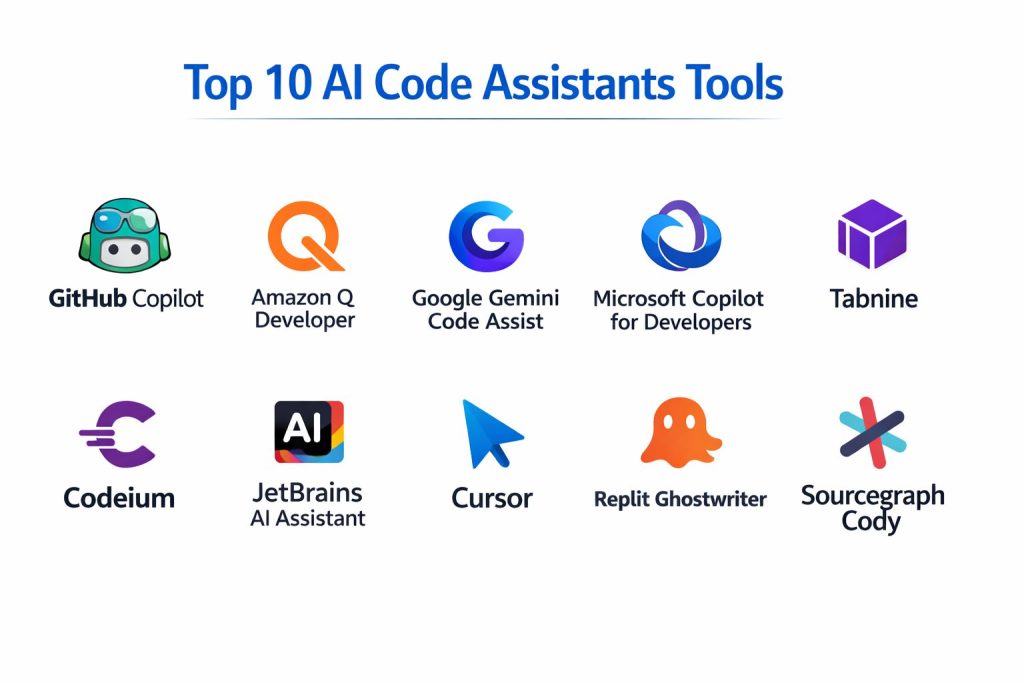
Top 10 AI Code Assistants Tools
1 — GitHub Copilot
A widely used AI assistant focused on fast code completion and code generation inside popular editors, suitable for individual developers and teams.
Key Features
- Autocomplete for lines, blocks, and functions
- Chat-style assistance for explanations and generation
- Helps generate tests, documentation, and refactors
- Supports many languages commonly used in industry
- Works inside multiple editors with consistent experience
Pros
- Strong productivity gains for common coding tasks
- Familiar workflow for many developers already using GitHub tools
Cons
- Output must be reviewed carefully to avoid subtle bugs
- Enterprise controls and privacy expectations vary by plan
Platforms / Deployment
Varies / N/A
Security and Compliance
Not publicly stated
Integrations and Ecosystem
Works best when paired with modern developer workflows and strong repository practices.
- Common editor integrations
- Works alongside standard version control workflows
- Strong fit for teams already using Git-based processes
Support and Community
Strong community visibility; support and admin features vary by plan.
2 — Amazon Q Developer
An AI coding assistant designed to support developers with code suggestions, explanations, and workflow help, especially for cloud and application development.
Key Features
- Code assistance for writing and explaining code
- Helps with debugging and error interpretation
- Supports common languages and developer workflows
- Can assist with cloud-related patterns and tasks
- Designed for developer productivity and speed
Pros
- Helpful for teams working heavily in cloud environments
- Practical for troubleshooting and guidance during development
Cons
- Quality depends on context and task clarity
- Some advanced enterprise needs may require validation
Platforms / Deployment
Varies / N/A
Security and Compliance
Not publicly stated
Integrations and Ecosystem
Often used where cloud development patterns are central and teams want integrated help.
- Works with common development workflows
- Useful for cloud-oriented development tasks
- Ecosystem fit depends on team toolchain
Support and Community
Support varies by plan; community presence is growing.
3 — Google Gemini Code Assist
An AI assistant aimed at improving coding speed and understanding, often positioned around developer productivity, explanations, and code generation.
Key Features
- Code generation and completion support
- Code explanation and summarization
- Assistance for refactoring and documentation
- Works across common programming languages
- Designed to reduce repetitive coding work
Pros
- Helpful for learning and code understanding
- Strong for generating drafts and structured code patterns
Cons
- Output may require extra review for correctness and security
- Enterprise admin features vary by offering
Platforms / Deployment
Varies / N/A
Security and Compliance
Not publicly stated
Integrations and Ecosystem
Works best when integrated into a consistent developer workflow with clear coding standards.
- Common editor and workflow integrations
- Useful for mixed-language projects
- Adoption depends on toolchain preferences
Support and Community
Varies / Not publicly stated.
4 — Microsoft Copilot for Developers
A developer-focused AI assistant that helps with code generation, explanations, and productivity tasks across common engineering workflows.
Key Features
- Code completion and generation support
- Helps explain errors and suggest fixes
- Useful for documentation and code comments
- Supports typical enterprise development patterns
- Designed to fit into modern developer tooling
Pros
- Familiar fit for teams already in Microsoft ecosystems
- Helpful for accelerating everyday coding tasks
Cons
- Controls and enterprise governance vary by plan
- Suggestions still need careful review
Platforms / Deployment
Varies / N/A
Security and Compliance
Not publicly stated
Integrations and Ecosystem
Often chosen by teams that want an assistant aligned with existing developer tooling and workflows.
- Works with common developer environments
- Useful for documentation and code explanation
- Ecosystem fit depends on org standards
Support and Community
Support varies by plan; adoption depends on organization policies.
5 — Tabnine
An AI code assistant focused on code completion and productivity, often favored by teams that want configurable behavior and coding assistance.
Key Features
- Code completion for multiple languages
- Team settings and suggestion consistency options
- Works in popular IDEs and editors
- Helps reduce repetitive coding tasks
- Focus on improving developer flow with low friction
Pros
- Useful for teams needing consistent suggestions
- Good IDE coverage for many developers
Cons
- Output quality depends on project context
- Advanced security posture details may be unclear publicly
Platforms / Deployment
Varies / N/A
Security and Compliance
Not publicly stated
Integrations and Ecosystem
Designed to fit into many IDE workflows without forcing a major process change.
- IDE integrations for common environments
- Works alongside standard code review practices
- Practical for organizations wanting predictable behavior
Support and Community
Varies by plan; documentation is available, community is moderate.
6 — Codeium
An AI code assistant designed to provide fast completions and chat-style help across multiple editors, aimed at broad developer adoption.
Key Features
- Code completion and multi-line suggestions
- Chat-style assistance for code understanding
- Supports many common languages
- Designed for fast iteration and accessibility
- Useful for generating boilerplate and patterns
Pros
- Strong for quick productivity boosts in daily coding
- Works across multiple editor environments
Cons
- Quality can vary across languages and complex tasks
- Governance and admin controls vary by plan
Platforms / Deployment
Varies / N/A
Security and Compliance
Not publicly stated
Integrations and Ecosystem
Fits best in teams that want an assistant inside the editor with minimal friction.
- Multiple editor integrations
- Helps across common workflows like refactor and tests
- Works best with strong review discipline
Support and Community
Community is growing; support depends on plan.
7 — JetBrains AI Assistant
An AI assistant integrated into JetBrains IDEs, designed to support coding, refactoring, explanations, and productivity within JetBrains workflows.
Key Features
- IDE-integrated chat and code assistance
- Helps with refactoring guidance and explanations
- Supports multiple languages via JetBrains IDE coverage
- Useful for documentation, comments, and code insights
- Designed to work within the IDE context
Pros
- Strong fit for teams standardized on JetBrains IDEs
- Good workflow continuity inside the IDE
Cons
- Best value depends on JetBrains IDE usage
- Features and policies may vary by product and plan
Platforms / Deployment
Varies / N/A
Security and Compliance
Not publicly stated
Integrations and Ecosystem
Designed to complement JetBrains tooling and the developer workflow patterns already in place.
- Deep IDE workflow integration
- Practical for refactor-heavy teams
- Best results with consistent project setup
Support and Community
JetBrains documentation is strong; support tiers vary.
8 — Cursor
An AI-first code editor experience designed to help developers edit and navigate code with AI assistance embedded in the workflow.
Key Features
- AI-powered editing and code transformations
- Repo-aware assistance for navigation and changes
- Useful for refactoring tasks and guided edits
- Designed for rapid iteration and developer focus
- Supports multi-file changes with guidance patterns
Pros
- Strong productivity for refactoring and multi-step changes
- Good fit for developers who want an AI-first workflow
Cons
- Adoption may require workflow change from existing editors
- Governance controls depend on plan and setup
Platforms / Deployment
Varies / N/A
Security and Compliance
Not publicly stated
Integrations and Ecosystem
Works best when teams treat it as a primary editor and establish usage rules.
- Supports common coding workflows
- Best results when repository structure is clean
- Works well with disciplined code review
Support and Community
Growing community; support varies by plan.
9 — Replit Ghostwriter
An AI coding assistant designed for fast prototyping and building inside an online coding environment, helpful for learning and quick development.
Key Features
- Code generation and completion for rapid builds
- Helpful for debugging and explanations
- Good for prototyping and small apps
- Works well in collaborative coding contexts
- Useful for learning and experimentation
Pros
- Great for rapid prototyping and iteration
- Helpful for beginners and quick project builds
Cons
- Not always the best fit for strict enterprise environments
- Deep integration needs depend on workflow
Platforms / Deployment
Varies / N/A
Security and Compliance
Not publicly stated
Integrations and Ecosystem
Best for teams and individuals who want quick build-test cycles in a simplified environment.
- Useful for collaborative coding workflows
- Strong for prototype-first development
- Works best for smaller scope projects
Support and Community
Community is active; support depends on plan.
10 — Sourcegraph Cody
An AI assistant focused on understanding larger codebases and helping developers navigate, explain, and modify code at scale.
Key Features
- Codebase-aware assistance for understanding and changes
- Helps with search, explanation, and refactoring workflows
- Useful for onboarding into large repositories
- Supports multi-step coding tasks and guidance
- Designed for scale and developer productivity
Pros
- Strong for large codebase navigation and understanding
- Helpful for onboarding and accelerating changes safely
Cons
- Best value depends on organization size and codebase complexity
- Policies and security posture details may vary
Platforms / Deployment
Varies / N/A
Security and Compliance
Not publicly stated
Integrations and Ecosystem
Works best when your team needs codebase-level understanding and consistent help across repositories.
- Useful for repo-wide navigation and context
- Complements code review and search workflows
- Strong fit for larger engineering teams
Support and Community
Varies by plan; community presence is steady.
Comparison Table
| Tool Name | Best For | Platform(s) Supported | Deployment | Standout Feature | Public Rating |
|---|---|---|---|---|---|
| GitHub Copilot | Fast in-editor code generation | Varies / N/A | Varies / N/A | High-speed code completion | N/A |
| Amazon Q Developer | Cloud-oriented coding help | Varies / N/A | Varies / N/A | Practical cloud development assistance | N/A |
| Google Gemini Code Assist | Code generation and understanding | Varies / N/A | Varies / N/A | Strong code explanation support | N/A |
| Microsoft Copilot for Developers | Enterprise-friendly developer assistance | Varies / N/A | Varies / N/A | Broad productivity features | N/A |
| Tabnine | Consistent suggestions for teams | Varies / N/A | Varies / N/A | Predictable completion workflows | N/A |
| Codeium | Fast completions across editors | Varies / N/A | Varies / N/A | Accessible multi-editor experience | N/A |
| JetBrains AI Assistant | JetBrains IDE users | Varies / N/A | Varies / N/A | Deep IDE workflow integration | N/A |
| Cursor | AI-first coding workflow | Varies / N/A | Varies / N/A | Repo-aware guided edits | N/A |
| Replit Ghostwriter | Prototyping and learning | Varies / N/A | Varies / N/A | Fast build and iteration loops | N/A |
| Sourcegraph Cody | Large codebase understanding | Varies / N/A | Varies / N/A | Codebase-aware navigation help | N/A |
Evaluation and Scoring of AI Code Assistants
Weights
Core features 25 percent
Ease of use 15 percent
Integrations and ecosystem 15 percent
Security and compliance 10 percent
Performance and reliability 10 percent
Support and community 10 percent
Price and value 15 percent
| Tool Name | Core | Ease | Integrations | Security | Performance | Support | Value | Weighted Total |
|---|---|---|---|---|---|---|---|---|
| GitHub Copilot | 9.0 | 8.5 | 9.0 | 6.5 | 8.5 | 8.0 | 7.5 | 8.39 |
| Amazon Q Developer | 8.0 | 7.5 | 8.0 | 6.5 | 8.0 | 7.0 | 7.5 | 7.63 |
| Google Gemini Code Assist | 8.0 | 7.5 | 7.5 | 6.5 | 7.5 | 7.0 | 7.0 | 7.39 |
| Microsoft Copilot for Developers | 8.0 | 7.5 | 8.0 | 6.5 | 7.5 | 7.5 | 7.0 | 7.54 |
| Tabnine | 7.5 | 7.5 | 7.5 | 6.5 | 7.5 | 7.0 | 7.5 | 7.42 |
| Codeium | 7.5 | 8.0 | 7.5 | 6.0 | 7.5 | 7.0 | 8.0 | 7.53 |
| JetBrains AI Assistant | 7.5 | 8.0 | 7.0 | 6.0 | 7.5 | 7.5 | 7.0 | 7.31 |
| Cursor | 7.5 | 7.5 | 7.0 | 6.0 | 7.5 | 7.0 | 7.5 | 7.28 |
| Replit Ghostwriter | 7.0 | 8.0 | 6.5 | 5.5 | 7.0 | 7.0 | 7.5 | 7.03 |
| Sourcegraph Cody | 8.5 | 7.0 | 8.0 | 6.5 | 8.0 | 7.5 | 7.0 | 7.83 |
How to interpret the scores
These scores help shortlist options and compare trade-offs, not declare one universal winner. Core and integrations matter most for long-term fit, while ease matters for adoption speed. Security scores are conservative because public compliance details vary; validate with vendor documentation and policies. Value shifts based on team size and licensing. Use this table to narrow choices, then test with real repositories and typical tasks.
Which AI Code Assistant Tool Is Right for You
Solo or Freelancer
If you want quick productivity with minimal setup, GitHub Copilot or Codeium can be strong everyday companions. If you often prototype quickly, Replit Ghostwriter can support fast build cycles. If you prefer an AI-first editing flow, Cursor may fit your style, but it may require adjusting habits.
SMB
Small teams often want easy onboarding and consistent output. GitHub Copilot is a common pick due to wide familiarity and strong editor coverage. Tabnine can help when teams want predictable behavior and settings. If your team values codebase understanding for faster changes, Sourcegraph Cody can help.
Mid-Market
Mid-market teams often need deeper integrations, policy controls, and predictable workflows. Microsoft Copilot for Developers can fit well in standardized environments. Amazon Q Developer is attractive for cloud-heavy teams. JetBrains AI Assistant is strong if the team is heavily standardized on JetBrains IDEs.
Enterprise
Enterprises should prioritize governance, privacy modes, admin controls, and workflow standards. GitHub Copilot and Microsoft Copilot for Developers are often considered due to ecosystem fit. Sourcegraph Cody can provide strong value when large codebases and onboarding speed are major pain points. Always validate security and compliance based on your organization’s needs.
Budget vs Premium
Budget-focused teams may prioritize tools that deliver broad value with quick setup and predictable results. Premium choices are justified when governance, integration depth, and large codebase benefits outweigh cost. The best path is often to pilot two tools and compare productivity gains.
Feature Depth vs Ease of Use
If you want maximum coding help across many tasks, GitHub Copilot and Sourcegraph Cody are strong candidates. If you want the smoothest onboarding inside an IDE you already use, JetBrains AI Assistant can feel natural. Cursor can be great for AI-driven refactors, but it changes the editing experience.
Integrations and Scalability
Teams that rely on standardized editors and workflows should prioritize tools that integrate cleanly with their stack. For broad ecosystem coverage, GitHub Copilot is a common choice. For repo-level understanding and scalable onboarding, Sourcegraph Cody stands out.
Security and Compliance Needs
If your code is sensitive, treat security and compliance as a decision gate. Define what must be true: retention controls, privacy modes, access boundaries, admin policies, and audit requirements. If these details are not clearly known, treat them as not publicly stated and validate directly before rollout.
Frequently Asked Questions
1. Do AI code assistants replace developers
No. They speed up routine tasks and help with drafts, but developers still own correctness, architecture, testing, and security decisions.
2. Will the assistant generate wrong or insecure code
Yes, it can. Always review output, run tests, and follow secure coding standards. Treat suggestions as drafts, not final truth.
3. How do teams measure success after adopting one
Track cycle time, review rework, defect rates, and developer satisfaction. Also measure how quickly new engineers become productive.
4. Which tool is best for beginners
Tools that explain code and errors clearly are often best for beginners. Replit Ghostwriter and chat-style assistants can help learning, but review habits are still required.
5. What is the biggest mistake teams make
Rolling it out without guardrails. Teams should define where AI is allowed, how code is reviewed, and how secrets and sensitive data are handled.
6. Can AI assistants help with tests
Yes. Many can draft unit tests and edge cases, but teams must verify coverage, correctness, and alignment with real requirements.
7. How do these tools handle large codebases
Some tools rely on limited context, while others use indexing or repo-aware features. For large repositories, codebase-aware assistants often perform better.
8. Do they work with multiple languages
Most support many popular languages, but quality varies by language, framework, and project structure. Pilot on your real stack before committing.
9. Is it safe to use them on confidential code
It depends on policy and settings. If the privacy and retention details are not clearly known, treat them as not publicly stated and validate before use.
10. What is the best way to pilot an AI code assistant
Pick two tools, test them on the same repository tasks, compare speed and correctness, and ensure team review standards remain strong during the trial.
Conclusion
AI code assistants can meaningfully improve developer speed, reduce repetitive work, and help teams ship with more consistency, but only when used with clear guardrails. GitHub Copilot is often a strong general-purpose choice for fast in-editor productivity. Sourcegraph Cody can shine when large codebases and onboarding are key problems. JetBrains AI Assistant fits naturally for teams already living inside JetBrains IDEs. Amazon Q Developer and Microsoft Copilot for Developers can be attractive when cloud workflows or enterprise ecosystems are central. The right choice depends on your languages, editors, policies, and collaboration practices. Shortlist two or three tools, run a pilot using real tasks, verify output quality through code review, and confirm your privacy and security expectations before scaling adoption.