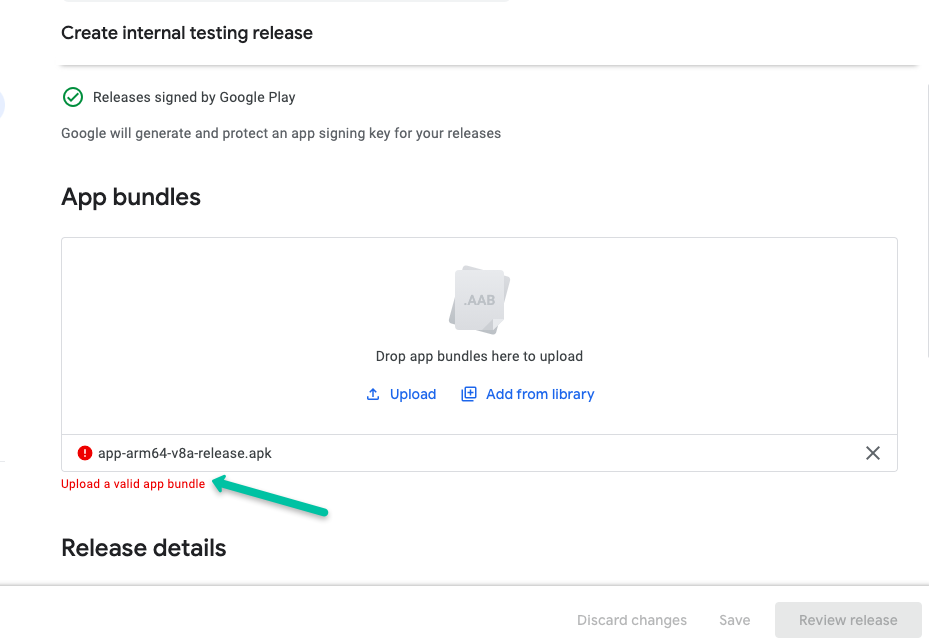
Generate an APK or App Bundle for your app: You can generate an APK or App Bundle using the following command in the terminal:
step 1: Run in terminal
flutter pub get Code language: JavaScript (javascript)step 2: Run in terminal
flutter clean step 3: run this command
flutter build apk --target-platform android-arm,android-arm64 --split-per-abistep 4:
Open your project in Android Studio. and wait for a while it will reload and you can see the top right corner
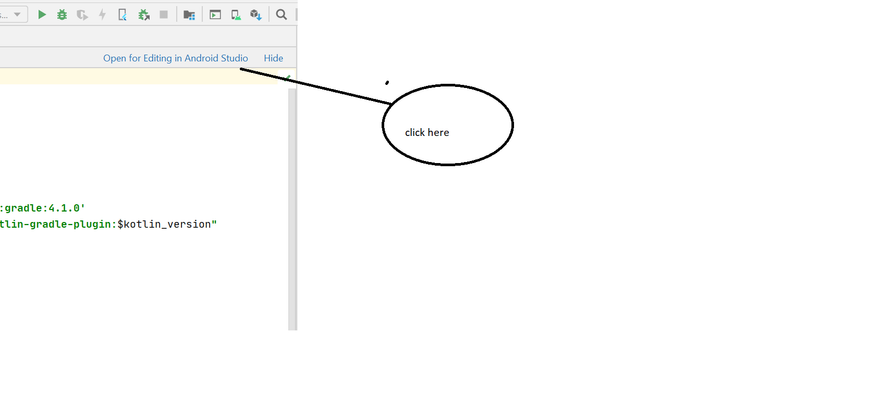
again wait some time it will be reloaded
step 5:
After that go to the build section on the navbar and select generate signed bundle/apk
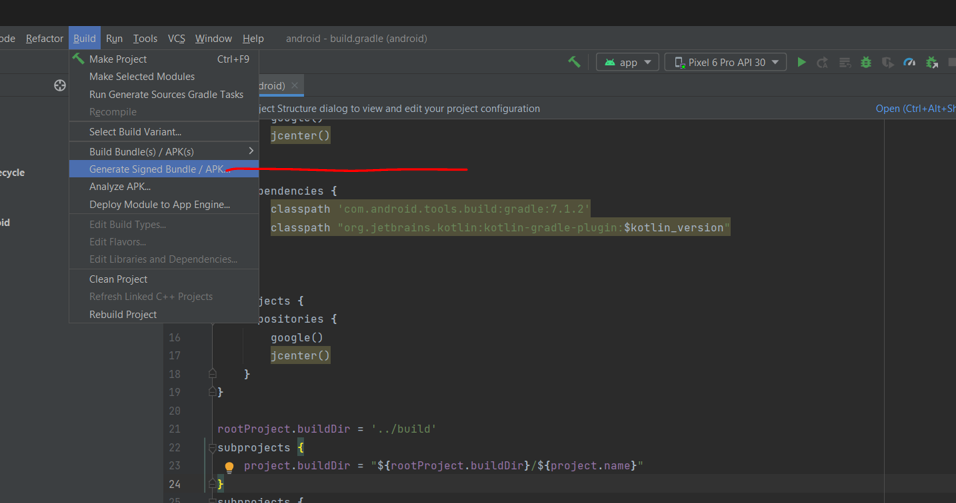
step 6:
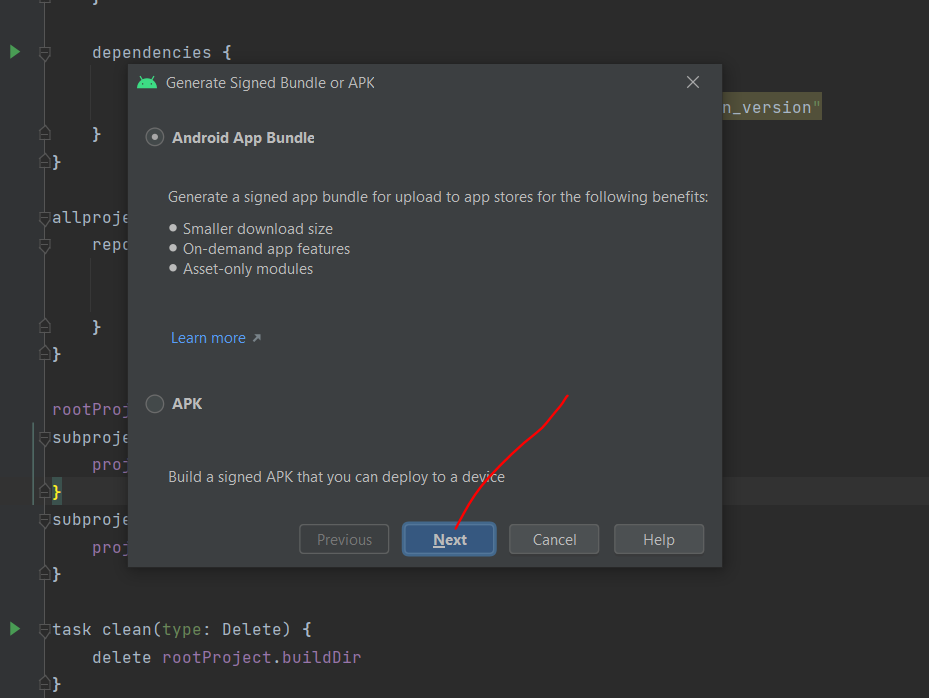
step 7:
If you created already the you have choose existing
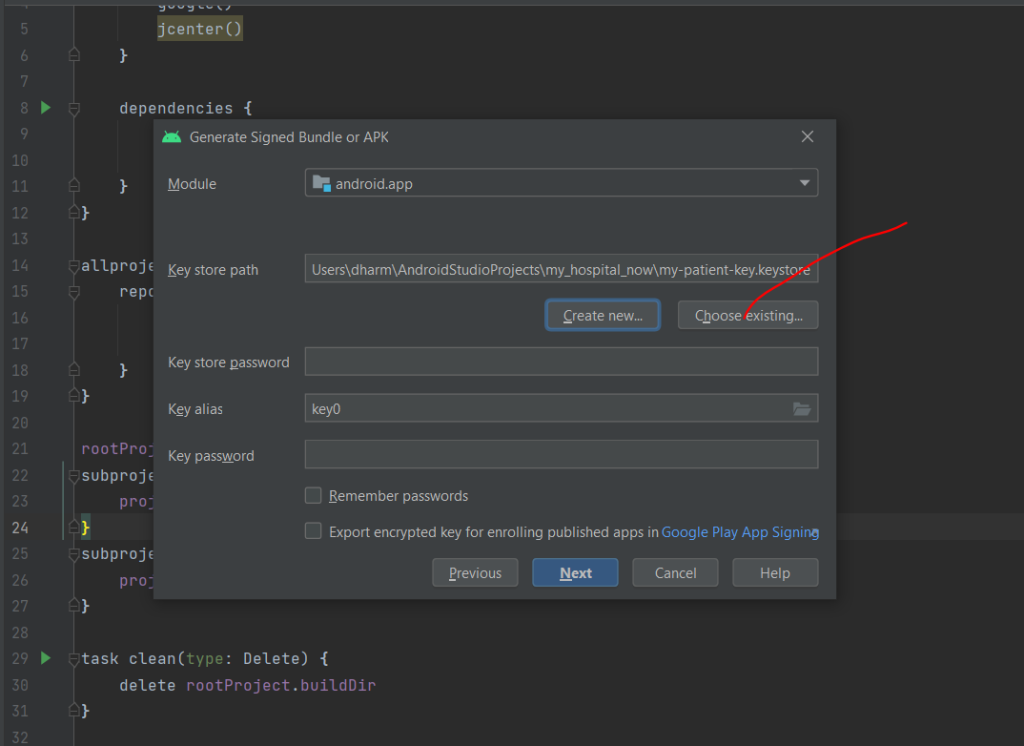
step 8
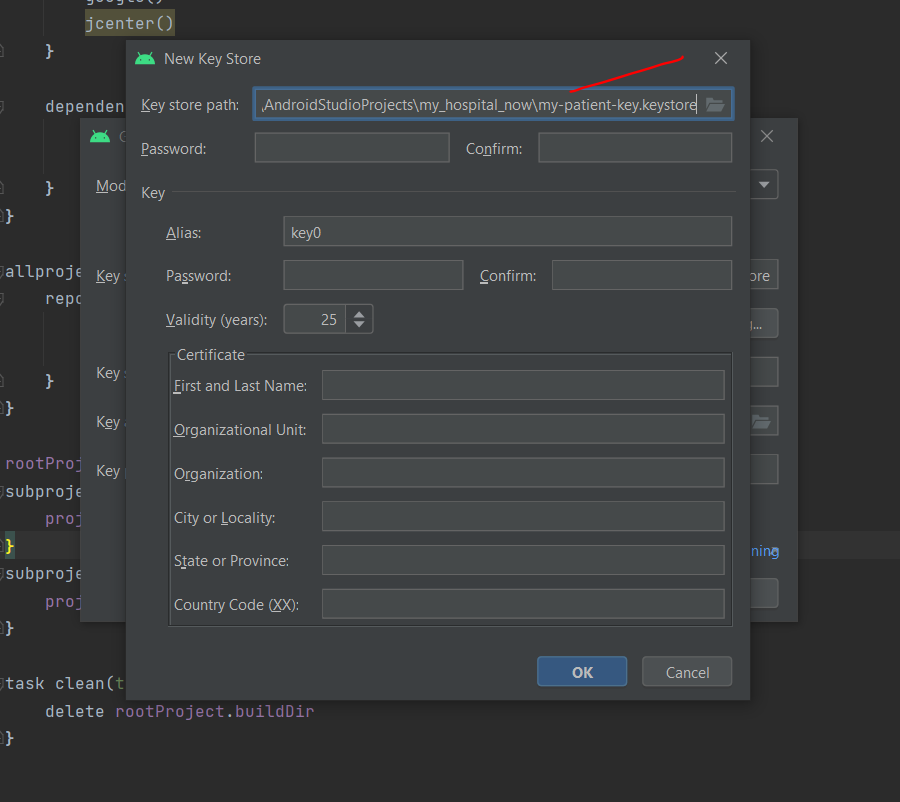
Choose your path where you want to store the key and set password
app-release.aab file created in this path C:\motoshare\android\app\release
step 9:
drag “app-release.aab” upload in play console