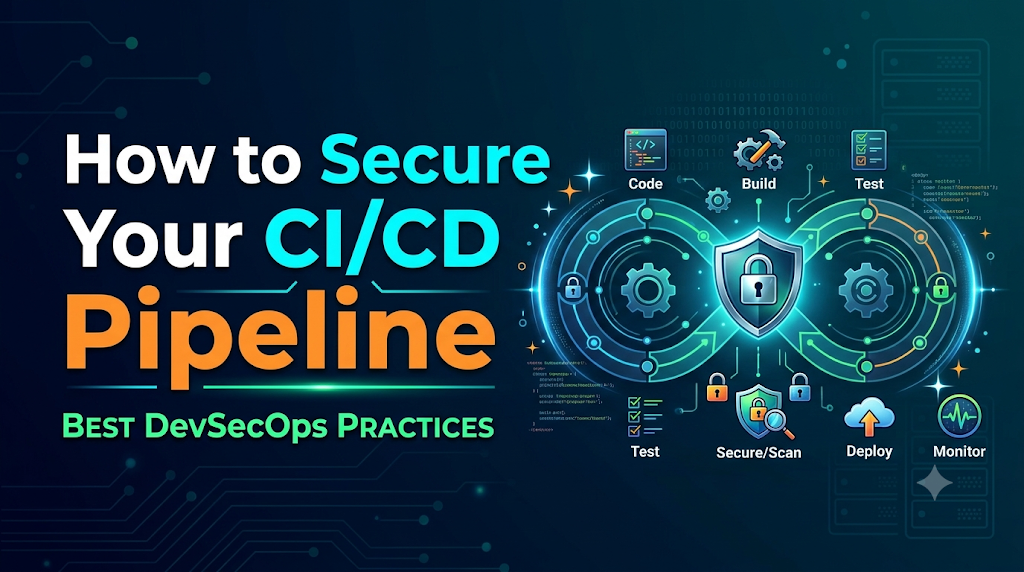
Modern software delivery thrives on speed and automation, yet this high-velocity machinery often expands the attack surface faster than security policies can adapt. When teams implement continuous integration and continuous deployment without proper safeguards, a single compromised credential, vulnerable dependency, or overprivileged build runner can give attackers a direct path to poison software artifacts and push malicious code straight to production. To protect your software delivery lifecycle from end to end, organizations must treat pipeline security as a critical engineering priority that defends every stage from code submission to live deployment.
1. Understand What Needs Protection
A secure delivery pipeline is only as strong as its weakest component. Before implementing defensive controls, teams must map out the entire CI/CD landscape. A typical environment encompasses several distinct layers:
- Source Code Repositories: Platforms like GitHub, GitLab, or Bitbucket where developers write and review code. These repositories store business logic, historical commits, and often internal documentation.
- Pipeline Configuration Files: YAML or JSON files (such as workflow definitions) that dictate how code is tested, built, and deployed. These files control execution flow and environment variables.
- Build Agents and Runners: The virtual machines, containers, or physical servers that execute the pipeline jobs. They process source code, compile binaries, and execute shell commands.
- Dependencies and Package registries: Internal and external package managers (such as npm, Maven, PyPI, or NuGet) that supply libraries and frameworks required by the application.
- Build Artifacts and Container Images: The compiled binaries, packages, and container images generated during the build process before they reach production.
- Deployment Credentials: API keys, cloud provider tokens, SSH keys, and certificates required to push code to staging and production environments.
- Staging and Production Environments: The runtime infrastructure where applications execute and serve live traffic.
Each of these components represents a potential attack surface. A weakness in a pipeline configuration file can allow unauthorized code execution; a compromised build runner can expose deployment credentials; and an unverified dependency can introduce backdoor logic into compiled artifacts. Securing the pipeline requires treating each of these layers as a discrete security domain that requires verification and isolation.
2. Identify the Threats Before Applying Controls
To defend a CI/CD pipeline effectively, engineering teams must understand common threat vectors and their potential impact. The table below outlines frequent pipeline vulnerabilities, their attack paths, and the corresponding security controls required to mitigate them.
| Threat Category | Attack Path & Impact | Recommended Security Control |
| Exposed Secrets | API keys or passwords hardcoded in code repositories or pipeline files are scraped by attackers, granting unauthorized infrastructure access. | Centralized secret management, short-lived tokens, and automated secret scanning. |
| Compromised Dependencies | Attackers publish malicious packages with names similar to popular open-source libraries (dependency confusion), leading to arbitrary code execution during builds. | Dependency pinning, private artifact registries, and Software Composition Analysis (SCA). |
| Pipeline Tampering | An attacker with write access to repository branches modifies pipeline configurations to exfiltrate environment variables during build execution. | Protected branches, mandatory pull request reviews, and code owners’ approval for workflow changes. |
| Insecure Build Runners | Shared, persistent build runners retain cached data, SSH keys, or overly permissive IAM roles from previous jobs, allowing lateral movement. | Ephemeral (ephemeral containers or VMs) runners destroyed after every job, with minimal IAM privileges. |
| Artifact Manipulation | Attackers intercept or replace legitimate build artifacts stored in insecure artifact repositories prior to deployment. | Cryptographic artifact signing, checksum verification, and strict registry access control. |
| Overprivileged Execution | CI/CD pipelines run with cluster-admin or root privileges, allowing a single command injection vulnerability to compromise entire cloud clusters. | Least-privilege access models, workload identity federation, and role segregation. |
3. Establish a Secure Pipeline Architecture
Securing a pipeline begins at the architectural level. A common anti-pattern is a flat pipeline architecture where a single build agent holds production credentials, runs untrusted tests, and has unrestricted network access to internal databases.
A secure pipeline architecture enforces strict trust boundaries between development, testing, staging, and production. Key architectural principles include:
- Separation of Environments: Development, staging, and production pipelines must operate within isolated networks and utilize separate credential sets. A compromise in a development sandbox must never grant network pathways into production.
- Isolated and Controlled Build Runners: Build execution environments must run in ephemeral containers or virtual machines that are provisioned fresh for every job and destroyed immediately afterward. Persistent runners accumulate state and configuration drift, creating security blind spots.
- Trusted Source Branches: Code destined for production must originate from protected main or release branches that require multi-party approval and automated test passage.
- Restricted Access to Sensitive Stages: Deployment stages that push code to production must be physically or logically segregated within the pipeline workflow, requiring explicit manual sign-offs or cryptographic proof of validation.
- Controlled Inter-Component Communication: Pipeline components should communicate over encrypted channels with mutual TLS (mTLS) where applicable, and outbound internet access from build runners should be restricted to trusted package repositories.
[Developer Push]
       │
       ▼
[Source Repository (Protected Branch)]
       │
       ▼ (Triggers Ephemeral Runner)
[Build & SAST/SCA Checks]
       │
       ▼
[Artifact Signing & Registry]
       │
       ▼ (Requires Security Gate & Approval)
[Staging Deployment & DAST]
       │
       ▼ (Strict Production IAM Role)
[Production Deployment]
Code language: CSS (css)
4. Protect Source Code and Repository Access
The source code repository is the root of trust for your software delivery lifecycle. If an attacker gains unauthorized access to your repository, they can alter application logic, inject malicious scripts into build scripts, or alter access rules.
To safeguard repositories, engineering teams should implement the following governance practices:
- Enforce Multi-Factor Authentication (MFA): Require hardware tokens or authenticator app-based MFA for all developer accounts, service accounts, and administrators accessing source code platforms.
- Implement Role-Based Access Control (RBAC): Grant developers only the minimum repository permissions necessary for their role. Restrict administrative rights to a small, audited group of engineering leaders.
- Protect Critical Branches: Configure branch protection rules on main, master, and release branches to prevent direct pushes, force pushes, and accidental repository deletions.
- Mandate Code Reviews: Require at least one independent peer review for all pull requests. For sensitive files—such as infrastructure-as-code scripts, security policies, and pipeline configuration files—use repository settings to require approval from designated security or platform engineering teams.
- Require Signed Commits: Enforce GPG or SSH commit signing to cryptographically verify the identity of developers committing code, preventing impersonation attacks.
- Monitor Repository Audit Logs: Regularly review repository audit logs for suspicious activity, such as unexpected permission changes, bulk downloads, or access from unfamiliar IP addresses.
5. Make Credential and Secret Management Safer
Hardcoded credentials remain one of the most common entry points for pipeline compromises. Passwords, database connection strings, and cloud API keys stored in plaintext within source code or configuration files can easily be exposed through public forks, log files, or compromised developer workstations.
Effective secret management in CI/CD pipelines requires a shift from static storage to dynamic, ephemeral retrieval:
- Use Centralized Secret Management: Store secrets in dedicated vaults (such as HashiCorp Vault, AWS Secrets Manager, Azure Key Vault, or GitHub/GitLab native secret stores) rather than plain-text environment files.
- Eliminate Hardcoded Credentials: Implement automated pre-commit hooks and repository scanning tools to block commits containing high-entropy strings, private keys, or known token formats before they enter version control.
- Enforce Environment-Specific Isolation: Ensure that development environments never share secret keys or database credentials with staging or production environments.
- Leverage Workload Identity and OIDC Federation: Modern cloud providers and CI/CD platforms support OpenID Connect (OIDC) federation. Instead of storing long-lived cloud access keys in pipeline settings, configure the pipeline to authenticate with the cloud provider dynamically using a short-lived, cryptographically signed token issued by the CI/CD platform.
- Apply Least-Privilege Access: Ensure that secrets fetched by a pipeline job are scoped strictly to the resources required by that specific job. A frontend build job should never have access to database root credentials.
- Mask Secrets in Logs: Configure your CI/CD platform to automatically detect and mask sensitive strings in build output logs, preventing accidental credential leakage when debugging commands fail.
6. Harden Build Runners and Execution Environments
Build runners execute arbitrary code, shell scripts, and build commands defined by developers. If a malicious pull request introduces a script that exploits the build runner, the attacker can harvest secrets, scan internal networks, or pivot to other cloud infrastructure.
Hardening build agents requires treating them with the same security rigor as production web servers:
- Prefer Ephemeral Over Persistent Runners: Whenever possible, spin up a fresh, isolated container or virtual machine for every individual build job and tear it down upon completion. This prevents artifacts, cached credentials, or malware from persisting across builds.
- Isolate Runner Networks: Place build runners in isolated Virtual Private Cloud (VPC) subnets with restricted egress rules. Runners should only be able to reach approved package repositories, artifact registries, and code hosting platforms.
- Limit Privileged Execution: Never run build jobs as the
rootuser inside containers unless absolutely necessary. Avoid mounting the Docker socket (/var/run/docker.sock) inside build containers (“Docker-in-Docker”), as this allows containerized jobs to gain root access to the host runner infrastructure. - Clean Temporary Workspaces: Ensure build workspaces are thoroughly wiped clean after every job execution to prevent sensitive source code or intermediate build files from being accessed by subsequent jobs.
- Keep Underlying Operating Systems Patched: Regularly update the host operating systems, container runtimes, and build tools (such as Node.js, Python, Java, and Maven) installed on self-hosted runners to patch known vulnerabilities.
7. Introduce Security Checks at Every Important Stage
Securing a pipeline is not just about perimeter defense; it requires continuous, automated inspection of code, dependencies, and infrastructure as they move through the delivery lifecycle. Automated security testing should be integrated directly into the CI/CD workflow:
- Static Application Security Testing (SAST): Run SAST tools early in the build phase to analyze source code for common vulnerability patterns (such as SQL injection, cross-site scripting, and insecure cryptographic practices) before code is merged.
- Software Composition Analysis (SCA): Scan third-party libraries and dependencies during the dependency resolution phase to detect known vulnerabilities (CVEs) and license compliance issues.
- Secret Scanning: Continuously scan code commits, pull requests, and build environments for accidentally exposed API keys, private keys, and passwords.
- Container Image Scanning: Inspect container images for OS-level vulnerabilities, outdated packages, and misconfigurations before pushing them to an artifact registry.
- Infrastructure as Code (IaC) Scanning: Analyze Terraform, CloudFormation, Kubernetes manifests, and Ansible playbooks for security misconfigurations (such as open S3 buckets, overly permissive security groups, or missing encryption) prior to deployment.
- Dynamic Application Security Testing (DAST): Run automated security scans against deployed applications in staging environments to identify runtime vulnerabilities and configuration flaws.
When security scans detect vulnerabilities, teams must establish clear response policies—categorizing findings by severity and failing the pipeline build when high or critical thresholds are breached.
8. Secure Dependencies, Artifacts and the Software Supply Chain
The software supply chain encompasses every external component, library, and tool used to build your application. Recent high-profile attacks targeting package registries demonstrate that compromising a widely used open-source library can give attackers widespread access to downstream applications.
To secure your software supply chain:
- Restrict Dependency Sources: Configure package managers to pull dependencies exclusively from trusted, internal mirror registries or verified public repositories using secure protocols (HTTPS).
- Pin Dependency Versions: Avoid using floating dependency tags (such as
latestor loose version ranges like^1.2.0). Pin exact version numbers or use cryptographic lockfiles (package-lock.json,poetry.lock,Cargo.lock) to ensure consistent, verifiable builds. - Generate a Software Bill of Materials (SBOM): Automatically generate an SBOM (in formats like CycloneDX or SPDX) during the build process to maintain a complete inventory of all open-source and proprietary components included in your software artifact.
- Sign Artifacts and Verify Provenance: Use cryptographic signing tools (such as Cosign or Sigstore) to sign container images and build binaries immediately after creation. Configure deployment stages to verify these signatures before allowing deployment.
- Promote Verified Artifacts: Build your application artifact once in the CI stage, and promote that exact immutable artifact through testing, staging, and production environments. Never recompile or rebuild code separately for production environments.
9. Apply Security Gates Without Blocking Delivery Unnecessarily
A common friction point between security and development teams is when security controls bring delivery speed to a grinding halt. If security gates generate excessive false positives or block deployments without actionable remediation guidance, developers will seek workarounds, defeating the purpose of DevSecOps.
To implement effective, balanced security gates:
- Establish Severity-Based Thresholds: Define clear policies stating that only critical or high-severity vulnerabilities block production deployments. Medium and low-severity findings should generate tickets for remediation without stopping the pipeline immediately.
- Utilize Policy as Code: Encode security and compliance requirements into automated policy engines (such as OPA/Rego). This ensures security rules are version-controlled, transparent, and consistently evaluated across all pipelines.
- Implement Risk-Based Exceptions: Create a formal, time-bound exception process for situations where a vulnerability cannot be immediately patched (e.g., a false positive or an unpatched upstream dependency with no exploit vector). Exceptions must expire automatically after a set period.
- Maintain Emergency Deployment Procedures: Establish a documented break-glass procedure for critical production hotfixes. Emergency deployments should bypass standard approval delays while maintaining a rigorous audit trail for post-incident review.
10. Control Deployment and Production Access
The final stage of the CI/CD pipeline bridges automated build systems and live production infrastructure. This transition point is high-risk and requires rigorous access controls.
- Use Dedicated Deployment Identities: Production deployments must be executed by dedicated service principals or machine identities with tightly scoped permissions, rather than personal developer credentials.
- Enforce Manual Approvals for Sensitive Releases: Configure pipeline stages leading to production to pause for manual sign-off by designated release managers or product owners after all automated security gates pass successfully.
- Secure Infrastructure Access: Ensure that production infrastructure (Kubernetes clusters, cloud management consoles, database servers) cannot be reached directly from the public internet. Access from pipeline runners should traverse secure, private networking tunnels.
- Maintain Deployment Audit Trails: Log all deployment events—including who initiated the deployment, what commit hash was deployed, which approval gates were passed, and when the release completed—to a centralized, immutable audit system.
- Enable Post-Deployment Validation: Implement automated health checks, smoke tests, and synthetic transactions immediately following a deployment to verify application stability and trigger automated rollbacks if anomalies are detected.
11. Implementing Pipeline Security With Popular CI/CD Platforms
Different CI/CD platforms provide distinct mechanisms for enforcing security controls. Below are practical implementation considerations for four widely used platforms.
Jenkins
- Access Control: Integrate Jenkins with enterprise identity providers (LDAP, SAML, OAuth) using role-based authorization plugins to restrict job execution and configuration access.
- Secret Management: Avoid storing secrets in global Jenkins credential stores accessible by all jobs. Use the Credentials Binding Plugin combined with folder-level permissions to scope secrets strictly to authorized projects.
- Runner Isolation: Utilize Jenkins agents running inside ephemeral Docker containers or Kubernetes pods (
kubernetes-plugin) rather than permanent, persistent build nodes.
GitHub Actions
- Access Control: Use GitHub repository settings, environment protection rules, and CODEOWNERS files to restrict who can trigger workflows or modify workflow YAML files in
.github/workflows/. - Secret Management: Leverage GitHub Encrypted Secrets scoped at the repository or environment level, and utilize OIDC federation with cloud providers to avoid long-lived cloud credentials.
- Runner Isolation: Use GitHub-hosted runners for standard workloads, or configure self-hosted runners within isolated ephemeral container orchestration environments. Avoid using third-party marketplace actions from unverified authors without pinning them to specific commit SHAs.
GitLab CI/CD
- Access Control: Utilize GitLab project permissions, protected branches, and protected environments to control which branches can access production deployment jobs and variables.
- Secret Management: Use GitLab CI/CD masked and protected variables, external secret manager integrations (such as HashiCorp Vault), and CI/CD job token scoping.
- Runner Isolation: Deploy GitLab Runner using the Kubernetes executor configured with restricted service accounts and ephemeral pods.
Azure DevOps
- Access Control: Use Azure DevOps service connections, project security groups, and pipeline approval gates to restrict deployment stages to authorized users and pipelines.
- Secret Management: Store sensitive information in Azure Key Vault and reference secrets securely within pipeline YAML files using variable groups linked to the key vault.
- Runner Isolation: Use Microsoft-hosted agent pools for secure, isolated builds, or deploy self-hosted agents within private Azure virtual machine scale sets.
12. A Practical Security Implementation Walkthrough
To illustrate how these principles apply in practice, consider an illustrative scenario where an engineering team at a mid-sized software company secures an existing, vulnerable CI/CD pipeline.
Scenario Background
The team operates a web application built with Node.js and deployed to AWS. Their existing pipeline uses GitHub Actions with shared self-hosted runners, stores AWS administrator credentials in repository settings as plaintext environment variables, and lacks automated security scanning.
Step-by-Step Remediation
- Review the Current Pipeline: The team audits the workflow file and discovers that AWS administrator keys are accessible by every pull request build, including external contributions.
- Assess Repository Permissions: Branch protection rules are enabled on the
mainbranch, requiring pull request reviews and status check success before merging. Workflow YAML files are added to a protected code owners list. - Migrate to OIDC Federation: The team removes the static AWS access keys from GitHub settings and configures AWS IAM to trust GitHub’s OIDC provider. The workflow is updated to assume a restricted IAM role dynamically:YAML
permissions: id-token: write contents: read steps: - name: Authenticate to AWS uses: aws-actions/configure-aws-credentials@v4 with: role-to-assume: arn:aws:iam::123456789012:role/CI-CD-Deployment-Role aws-region: us-east-1 - Harden the Build Runner: The team migrates from persistent self-hosted runners to GitHub-hosted ephemeral runners that spin up fresh for each job and terminate immediately afterward.
- Integrate Automated Security Scanning:
- SAST: Added semgrep to scan source code for security anti-patterns.
- SCA: Added npm audit and Trivy to scan package dependencies for known CVEs.
- Container Scanning: Configured Trivy to scan built container images before pushing to Amazon ECR.
- Introduce Artifact Verification and Security Gates: A security gate step is inserted into the pipeline: if Trivy reports any critical-severity vulnerabilities in the container image, the pipeline fails and halts the deployment.
- Restrict Production Deployment Permissions: Production deployment is moved to a separate GitHub Environment requiring manual approval from a release manager.
- Test and Validate: The team triggers a test build, verifies that secret retrieval succeeds via OIDC, confirms that security scans execute correctly, and validates that unauthorized users cannot trigger production deployments.
13. Monitoring, Auditing and Responding to Pipeline Incidents
Pipeline security does not end once initial configurations and automated scans are in place. Continuous monitoring and rapid incident response are essential for maintaining defense-in-depth.
- Centralized Pipeline Logging: Stream all CI/CD execution logs, build outputs, and authentication events to a centralized SIEM or logging platform (such as Amazon CloudWatch, Datadog, or Splunk).
- Monitor Access and Permission Anomalies: Set up real-time alerts for unusual pipeline activity, such as failed authentication spikes, unauthorized attempts to modify pipeline configurations, or unexpected API calls originating from build runners.
- Establish Incident Response Playbooks: Define clear procedures for responding to pipeline compromises. If a build runner is suspected of being compromised, the response plan must dictate immediate isolation of the runner, revocation of associated IAM tokens, and thorough forensic analysis of recent build artifacts.
- Compliance and Audit Reporting: Maintain automated audit trails of all pipeline executions, approval sign-offs, and vulnerability scan reports to satisfy regulatory and compliance frameworks (such as SOC 2, ISO 27001, or PCI-DSS).
14. A 30-Day Roadmap for Improving CI/CD Security
Transforming a vulnerable CI/CD pipeline into a secure, hardened delivery engine can feel overwhelming. Organizations can follow this practical 30-day adoption roadmap:
| Phase | Timeline | Focus Areas | Key Deliverables & Validation |
| Phase 1 | Days 1–7 | Inventory & Access Review | • Audit all repository permissions and remove overly broad access. • Identify all pipeline secrets and hardcoded credentials. |
| Phase 2 | Days 8–14 | Secrets & Runner Hardening | • Migrate static secrets to centralized vaults or OIDC federation. • Transition persistent runners to ephemeral, isolated build agents. |
| Phase 3 | Days 15–21 | Automated Security Testing | • Integrate SAST, SCA, and container image scanning into workflows. • Establish severity-based failure thresholds and security gates. |
| Phase 4 | Days 22–30 | Deployment Controls & Monitoring | • Implement manual approval gates and environment segregation. • Centralize pipeline logging and establish incident alerts. |
Conclusion: Make Security Part of Every Delivery Decision
Securing a CI/CD pipeline is not a one-time configuration task; it is an ongoing engineering responsibility that evolves alongside your software architecture. As delivery velocity increases, the security posture of your build and deployment pipelines must remain rigorous.
By protecting source code repositories, eliminating hardcoded credentials, hardening build runners, validating dependencies, and enforcing strict deployment gates, engineering teams can build resilient software delivery systems. Whether you are scaling an enterprise platform or developing cloud-native applications, mastering these practices is essential for modern engineering excellence. For professionals seeking to deepen their expertise in these disciplines, structured educational programs and training resources from DevOpsSchool offer practical pathways to mastering DevOps and DevSecOps engineering principles.