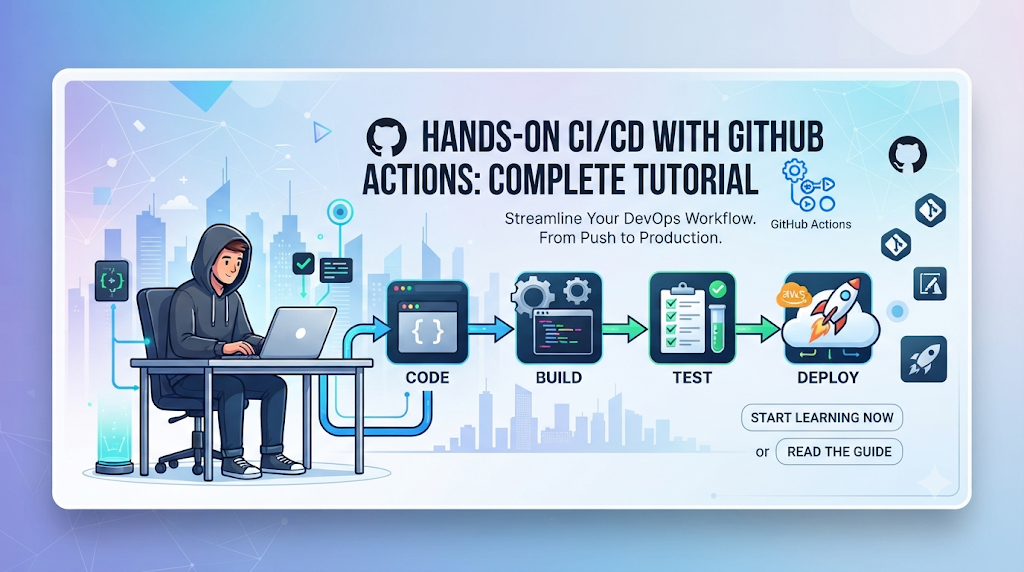
Software development moves at a rapid pace. In a traditional workflow, a developer writes code locally, runs tests by hand, packages the application binaries manually, and uploads the deployment files to a remote server using Secure Shell (SSH) or File Transfer Protocol (FTP). While this approach works for small, single-developer projects, it quickly breaks down as teams grow. Manual processes are inherently repetitive, prone to human error, and difficult to audit. A missed test or an incorrect file upload can easily break a production environment.
Continuous Integration and Continuous Delivery (CI/CD) solves these challenges by automating the software release lifecycle. Continuous Integration ensures that code changes submitted by multiple developers are automatically built and tested frequently, catching bugs early. Continuous Delivery takes verified code builds and automatically prepares them for release into development, staging, or production environments.
GitHub Actions integrates this automation directly into your source code hosting platform. Instead of maintaining external build servers or managing complex webhook integrations, you define workflows right inside your GitHub repositories. Whether you are an individual developer or looking to build structured expertise through professional DevOps training programs like those offered by DevOpsSchool, mastering GitHub Actions is an essential step toward reliable software engineering.
Understand the GitHub Actions Workflow Model
Before writing your first configuration file, it is important to understand the core structural components that make up the GitHub Actions ecosystem.
- Workflows: A configurable automated process made up of one or more jobs. Workflows are defined by YAML files stored in the
.github/workflows/directory of your repository. - Events and triggers: Specific activities that cause a workflow to run. Examples include pushing code to a branch, opening a pull request, or scheduling a time via a cron job.
- Jobs: A set of steps that execute on the same runner. Jobs run concurrently by default, but can be configured to execute sequentially using dependencies.
- Steps: Individual tasks executed within a job. A step can run shell commands or execute standalone actions.
- Actions: Reusable extension units packaged as code that perform complex or frequent tasks (such as checking out your repository or setting up a programming language runtime).
- Runners: Virtual machines (hosted by GitHub or self-hosted) that execute your workflow jobs when triggered.
- Environment variables: Key-value pairs used to pass configuration data into your jobs and steps.
- Secrets: Encrypted environment variables stored securely in your repository settings, used to handle sensitive credentials like API tokens and deployment keys.
When a developer pushes a code commit or creates a pull request, GitHub detects the event, reads the corresponding YAML workflow file, provisions a runner, and executes the defined jobs step-by-step.
Plaintext
[ Push / PR Event ]
       │
       ▼
 [ GitHub Runner ] ──► [ Job 1: Build & Test ] ──► [ Job 2: Docker & Deploy ]
Code language: CSS (css)
Prepare Your GitHub Actions Practice Environment
To follow along with this hands-on tutorial, ensure you have the following prerequisites ready:
- A free or paid GitHub account.
- A sample application repository (such as a simple Node.js, Python, or Go web application).
- Basic familiarity with Git commands (
git clone,git add,git commit,git push). - A supported programming language runtime installed locally for initial testing.
- A
.github/workflows/directory inside your repository root. - A target development environment or server if you wish to follow the deployment stages.
- Docker installed locally if you want to experiment with the containerization exercises.
Create your repository on GitHub, clone it to your local machine, and create the workflow folder structure:
Bash
mkdir -p .github/workflows
touch .github/workflows/ci-cd.yml
Your First Workflow: Automate a Basic Build
Let us build your first workflow file. This configuration will trigger whenever code is pushed to the main branch, check out the source code, set up a Node.js runtime, install dependencies, and run a build script.
Open .github/workflows/ci-cd.yml and add the following YAML configuration:
YAML
name: CI/CD Pipeline

on:
  push:
    branches: [ "main" ]
  pull_request:
    branches: [ "main" ]

jobs:
  build:
    runs-on: ubuntu-latest

    steps:
      - name: Checkout Repository
        uses: actions/checkout@v4

      - name: Set up Node.js Runtime
        uses: actions/setup-node@v4
        with:
          node-version: '20'

      - name: Install Dependencies
        run: npm ci

      - name: Build Application
        run: npm run build
Code language: JavaScript (javascript)
Explaining the Configuration Fields:
name: The display name of the workflow visible in the GitHub Actions dashboard.on: Defines the triggers. Here, the workflow listens forpushandpull_requestevents targeting themainbranch.jobs.build: Declares a single job namedbuild.runs-on: Specifies the runner environment.ubuntu-latestprovisions a clean Ubuntu virtual machine managed by GitHub.uses: Calls pre-built community actions (likeactions/checkout@v4to pull your code).run: Executes standard shell commands on the runner operating system.
Commit this file and push it to your repository:
Bash
git add .github/workflows/ci-cd.yml
git commit -m "feat: add initial CI build workflow"
git push origin main
Code language: JavaScript (javascript)
Navigate to your repository on GitHub, click on the Actions tab, and watch your workflow execute in real time.
Add Automated Testing to the Workflow
A robust CI pipeline does not just compile code; it validates quality. We will now extend our YAML configuration to run automated unit tests immediately after dependencies are installed and before the build step executes.
Update your workflow file to include a test step:
YAML
name: CI/CD Pipeline

on:
  push:
    branches: [ "main" ]
  pull_request:
    branches: [ "main" ]

jobs:
  build-and-test:
    runs-on: ubuntu-latest

    steps:
      - name: Checkout Repository
        uses: actions/checkout@v4

      - name: Set up Node.js Runtime
        uses: actions/setup-node@v4
        with:
          node-version: '20'

      - name: Install Dependencies
        run: npm ci

      - name: Run Unit Tests
        run: npm test

      - name: Build Application
        run: npm run build
Code language: JavaScript (javascript)
If your test suite passes, the workflow proceeds to the build step. If any test fails, GitHub Actions halts execution immediately, flags the run as failed, and prevents faulty code from moving forward. You can verify this behavior by temporarily altering an assertion in your application test suite to force a failure.
Manage Build Artifacts Between Jobs
Often, files generated during a build phase need to be preserved for subsequent jobs or downloaded for deployment. GitHub Actions provides artifact management actions to store these files securely.
Below is an example demonstrating how to save compiled build assets as an artifact:
YAML
      - name: Build Application
        run: npm run build

      - name: Upload Build Artifacts
        uses: actions/upload-artifact@v4
        with:
          name: compiled-app
          path: dist/
          retention-days: 7
To retrieve this artifact in a later job, you use the companion download action:
YAML
      - name: Download Build Artifacts
        uses: actions/download-artifact@v4
        with:
          name: compiled-app
          path: dist/
Artifacts help maintain clean boundaries between jobs while ensuring compiled binaries, test reports, and configuration bundles are easily shared.
Build and Publish a Docker Image
Containerization ensures your application runs consistently across different environments. We can extend our pipeline to build a Docker image and push it to a container registry like the GitHub Container Registry (GHCR).
Steps for Containerization:
- Prepare a Dockerfile: Ensure a valid
Dockerfileexists in your repository root. - Authenticate Securely: Use your GitHub token to authenticate with the container registry.
- Build and Tag: Create an image tag based on the Git commit SHA.
- Publish: Push the container image to the registry.
Add the container job to your workflow:
YAML
  docker-publish:
    needs: build-and-test
    runs-on: ubuntu-latest
    permissions:
      contents: read
      packages: write

    steps:
      - name: Checkout Repository
        uses: actions/checkout@v4

      - name: Log in to GitHub Container Registry
        uses: docker/login-action@v3
        with:
          registry: ghcr.io
          username: ${{ github.actor }}
          password: ${{ secrets.GITHUB_TOKEN }}

      - name: Build and Push Docker Image
        uses: docker/build-push-action@v5
        with:
          context: .
          push: true
          tags: ghcr.io/${{ github.repository }}:latest
Automate Application Deployment
Once your container image is successfully built and published, the next phase of CI/CD is continuous delivery: deploying the application to your development or staging environment.
A typical deployment stage involves connecting securely to a target server or cloud environment, pulling the latest container image, and restarting the service.
YAML
  deploy-dev:
    needs: docker-publish
    runs-on: ubuntu-latest

    steps:
      - name: Deploy to Development Server
        uses: appleboy/ssh-action@master
        with:
          host: ${{ secrets.DEV_SERVER_HOST }}
          username: ${{ secrets.DEV_SERVER_USER }}
          key: ${{ secrets.DEV_SSH_PRIVATE_KEY }}
          script: |
            docker pull ghcr.io/${{ github.repository }}:latest
            docker stop my-app || true
            docker rm my-app || true
            docker run -d --name my-app -p 80:3080 ghcr.io/${{ github.repository }}:latest
Ensure sensitive values such as server IP addresses and SSH keys are stored securely in your repository’s Settings > Secrets and variables > Actions tab rather than hardcoded into your YAML files.
Improve Workflow Design with Jobs and Dependencies
As projects expand, managing everything in a single job becomes difficult. Structuring your workflow into multiple independent jobs allows for parallel execution and cleaner dependency management.
Use the needs keyword to establish execution order:
YAML
jobs:
  lint:
    runs-on: ubuntu-latest
    steps:
      - uses: actions/checkout@v4
      - run: npm run lint

  test:
    needs: lint
    runs-on: ubuntu-latest
    steps:
      - uses: actions/checkout@v4
      - run: npm ci && npm test

  build:
    needs: test
    runs-on: ubuntu-latest
    steps:
      - uses: actions/checkout@v4
      - run: npm run build
In this setup, lint runs first. If successful, test runs. Only when tests pass does the build job execute. If any upstream job fails, dependent jobs are skipped automatically.
Secure Your GitHub Actions Pipeline
Security is critical when automating CI/CD pipelines. Compromised workflows can lead to exposed credentials or malicious code injections. Follow these core security practices:
- Least-Privilege Token Access: Configure
permissionsexplicitly at the job or workflow level to restrict what the defaultGITHUB_TOKENcan read or write. - Secret Management: Never hardcode passwords, tokens, or API keys in workflow files. Always use GitHub Encrypted Secrets.
- Third-Party Action Pinning: Reference external actions using specific commit SHAs or version tags (e.g.,
actions/checkout@v4.1.1) rather than moving branches like@main. - Branch Protection Rules: Require status checks to pass before merging pull requests into production branches.
- Untrusted Pull Request Handling: Be cautious when running workflows on pull requests from external forks, as they may attempt to exfiltrate secrets.
Troubleshooting Common GitHub Actions Failures
Even experienced engineers encounter workflow failures. Knowing how to diagnose errors quickly saves valuable time.
| Common Failure | Root Cause | Diagnosis & Resolution |
| YAML Syntax Errors | Incorrect indentation or invalid syntax. | Check the Actions runner output or use an online YAML linter. |
| Missing Dependencies | Lockfile mismatch or missing install command. | Ensure npm ci or equivalent package manager command runs before tests. |
| Permission Denied (GHCR) | Inadequate GITHUB_TOKEN write permissions. | Add explicit packages: write permissions under the job configuration. |
| Authentication Failures | Expired tokens or incorrect secret names. | Verify secret names match repository settings precisely. |
| Runner Environment Issues | Missing runtime version on runner image. | Explicitly add a setup action (e.g., actions/setup-node) before building. |
A Complete CI/CD Project: Commit to Deployment
Bringing all the pieces together, here is a complete, end-to-end CI/CD workflow that handles code checkout, testing, building, Docker container publishing, and development deployment:
YAML
name: End-to-End CI/CD Pipeline

on:
  push:
    branches: [ "main" ]

jobs:
  test-and-build:
    runs-on: ubuntu-latest
    steps:
      - name: Checkout Code
        uses: actions/checkout@v4

      - name: Set up Node.js
        uses: actions/setup-node@v4
        with:
          node-version: '20'

      - name: Install Dependencies
        run: npm ci

      - name: Run Tests
        run: npm test

      - name: Build Application
        run: npm run build

  publish-container:
    needs: test-and-build
    runs-on: ubuntu-latest
    permissions:
      contents: read
      packages: write
    steps:
      - name: Checkout Code
        uses: actions/checkout@v4

      - name: Login to Registry
        uses: docker/login-action@v3
        with:
          registry: ghcr.io
          username: ${{ github.actor }}
          password: ${{ secrets.GITHUB_TOKEN }}

      - name: Build and Push Image
        uses: docker/build-push-action@v5
        with:
          context: .
          push: true
          tags: ghcr.io/${{ github.repository }}:latest

  deploy:
    needs: publish-container
    runs-on: ubuntu-latest
    steps:
      - name: Deploy Application
        uses: appleboy/ssh-action@master
        with:
          host: ${{ secrets.DEV_SERVER_HOST }}
          username: ${{ secrets.DEV_SERVER_USER }}
          key: ${{ secrets.DEV_SSH_PRIVATE_KEY }}
          script: |
            docker pull ghcr.io/${{ github.repository }}:latest
            docker stop app || true
            docker rm app || true
            docker run -d --name app -p 80:3080 ghcr.io/${{ github.repository }}:latest
Code language: JavaScript (javascript)
Practical Improvements for Production-Ready Workflows
Once you have your basic pipeline running, consider introducing these production optimizations:
- Dependency Caching: Cache node modules or build dependencies to reduce pipeline execution time significantly.
- Concurrency Controls: Cancel obsolete workflow runs automatically when new commits are pushed to the same pull request.
- Matrix Builds: Test your application across multiple Node.js or operating system versions simultaneously.
- Scheduled Workflows: Use cron triggers to run automated security audits or health checks periodically.
Frequently Asked Questions
What is GitHub Actions in CI/CD?
GitHub Actions is a native CI/CD platform built directly into GitHub that allows developers to automate build, test, and deployment workflows using customizable configuration files.
How do I create my first GitHub Actions workflow?
Create a YAML configuration file inside the .github/workflows/ directory of your repository, define your triggers and jobs, and push the changes to GitHub.
What is the difference between a job and a step?
A workflow consists of multiple jobs that run on independent runners. Each job contains a sequence of individual steps that execute shell commands or actions sequentially.
Can GitHub Actions build and publish Docker images?
Yes. Using actions like docker/login-action and docker/build-push-action, workflows can easily build container images and push them to registries like GHCR or Docker Hub.
How can GitHub Actions deploy an application automatically?
Workflows can connect to remote servers via SSH, utilize cloud provider actions (AWS, Azure, GCP), or trigger webhooks to deploy validated application builds automatically.
How should secrets be managed in GitHub Actions?
Sensitive credentials, tokens, and private keys should always be stored securely in GitHub Encrypted Repository Secrets and referenced using ${{ secrets.SECRET_NAME }}.
Can GitHub Actions run multiple jobs in parallel?
Yes. Jobs run concurrently by default unless you explicitly establish execution order using the needs keyword.
Final Thoughts: Learn CI/CD by Building a Working Pipeline
Building reliable software requires consistent automation. Throughout this tutorial, you have learned how GitHub Actions bridges the gap between raw source code and automated production delivery. By understanding workflow models, writing clean YAML configurations, implementing automated testing, publishing container images, and securing deployment credentials, you have established a strong foundation in modern DevOps practices. Continue experimenting with your pipelines, explore advanced caching strategies, and refine your automation workflows to deliver software faster and more securely.