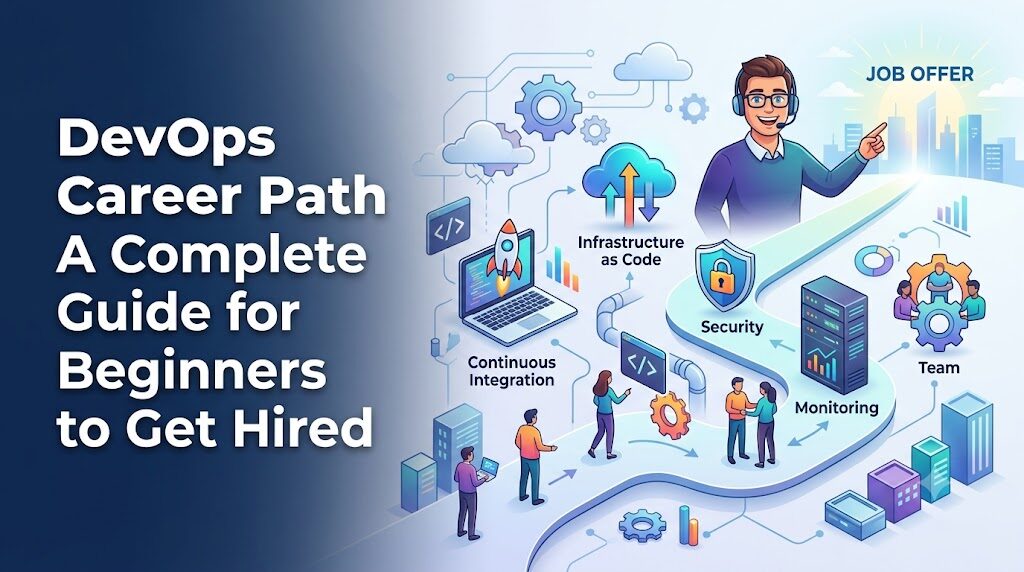
Introduction
The global shift toward digital transformation has fundamentally changed how businesses build, deploy, and maintain software, creating an unprecedented demand for skilled professionals who can bridge the gap between development and operations. For students, system administrators, and career changers looking to enter this lucrative field, establishing a structured approach focused on core cloud methodologies, automated testing, and hands-on practice is essential to avoid burnout and build long-term career stability. Navigating this transition smoothly becomes significantly more manageable when leveraging specialized training platforms like DevOpsSchool, which provides the structured mentorship, real-world labs, and curated guidance necessary to confidently master the complete software deployment lifecycle.
What Is DevOps?
DevOps is a combination of cultural philosophies, practices, and tools that increases an organization’s ability to deliver applications and services at high velocity. Instead of viewing software development and system operations as separate entities, DevOps unifies these roles into a single, collaborative framework. Traditionally, developers wrote code and handed it over to operations teams for deployment. If the deployment failed, the two teams spent days or weeks pointing fingers at one another. DevOps eliminates this friction by making everyone accountable for the entire lifecycle of an application.
The core principles of DevOps revolve around collaboration, automation, continuous improvement, and data-driven feedback. Collaboration means break down silos so that developers, testers, and system engineers work together from day one. Automation involves replacing manual, error-prone tasks with software-driven processes—such as automated testing, automated code deployment, and automated server provisioning. Continuous improvement ensures that teams learn from every production failure, optimizing their workflows to deliver better value to end-users over time.
To understand this in practical terms, imagine a traditional online retail company. When a developer creates a new checkout feature, they might send a text document with deployment instructions to the operations team. The operations engineer manually configures the server, types out the commands, and inadvertently misses a step, causing the website to crash. In a DevOps environment, that same developer writes the new feature, and an automated pipeline automatically tests the code, builds a secure package, and deploys it to a production server without human intervention. If an error occurs, the pipeline automatically halts the deployment, alerting the team immediately while keeping the live website perfectly safe.
Why DevOps Is a Popular Career Choice
The immense popularity of DevOps as a career path is driven by simple market economics: high demand and low supply. Because companies cannot remain competitive without cloud automation and fast software releases, they are willing to pay top tier compensation for professionals who can implement these strategies. This demand spans across the entire corporate spectrum, from early-stage startups trying to scale quickly to Fortune 500 enterprises modernizing their legacy applications.
Beyond financial compensation, a DevOps career path provides incredible professional diversity. You are not locked into a single repetitive task day after day. One week you might be optimizing cloud infrastructure costs, the next week you could be designing secure automated workflows, and the following week you might be debugging an application performance issue alongside software developers. This variety prevents career stagnation and ensures that your technical skills remain fresh and highly marketable.
Long-term career relevance is another critical factor. As technologies shift from physical hardware to cloud-native platforms, the need for infrastructure management does not disappear; it simply evolves. By mastering the core principles of automation and system architecture, you build an adaptable skill set that remains valuable even as specific programming languages or software tools change. You become an essential organizational asset who directly influences product quality, business efficiency, and customer satisfaction.
Understanding the DevOps Career Path
Navigating your professional progression requires understanding how roles evolve as you gain experience. DevOps is not a single job title; it is a spectrum of responsibilities that expands as your technical competence and leadership skills mature.
The following table outlines the typical progression across different career stages:
| Career Stage | Typical Role | Focus Area | Experience Level |
| Beginner | Associate/Junior DevOps Engineer | Learning fundamentals, basic scripting, monitoring systems | 0 – 2 Years |
| Junior | Cloud Support / Build Engineer | Managing CI/CD pipelines, basic cloud deployments, troubleshooting | 1 – 3 Years |
| Mid-Level | DevOps Engineer / Infrastructure Engineer | Infrastructure as Code (IaC), containerization, system optimization | 3 – 5 Years |
| Senior | Senior DevOps / Platform Engineer | Designing scalable architecture, security integration, mentoring teams | 5 – 8 Years |
| Leadership | DevOps Manager / Cloud Architect / Principal SRE | Strategic technology planning, cross-team alignment, budget control | 8+ Years |
In the beginner and junior phases, your primary objective is to absorb knowledge and execute well-defined tasks. You will spend time managing code repositories, updating deployment scripts, and responding to system monitoring alerts. As you move into mid-level and senior roles, your responsibilities shift from executing tasks to designing entire ecosystems. You will architect multi-cloud environments, implement comprehensive security protocols, and establish automated infrastructure templates that entire development departments rely upon. At the leadership level, the focus becomes strategic, aligning modern technical capabilities with broader business objectives and managing the cultural dynamics of engineering teams.
Skills Beginners Need to Learn
To build a strong foundation, beginners must avoid the temptation to learn every tool listed on internet forums. Instead, focus on a core set of competencies that form the backbone of modern operations engineering.
The table below breaks down the essential skill areas, their importance, and how you should prioritize them when starting out:
| Skill Area | Why It Matters | Beginner Priority |
| Linux Fundamentals | The vast majority of production cloud servers run on Linux systems. | High (Must master first) |
| Networking Basics | You cannot secure or debug cloud systems without understanding data flow. | High (Learn alongside Linux) |
| Cloud Computing | Modern infrastructure lives in the cloud, not in local data centers. | High (Focus on one platform) |
| Version Control (Git) | Code and infrastructure configurations must be tracked and shared. | High (Essential for everyday work) |
| Scripting / Programming | Automation requires writing clean, basic scripts to handle routine tasks. | Medium (Focus on Python or Bash) |
| CI/CD Fundamentals | Automated delivery is the core engine of any active DevOps culture. | Medium (Understand the workflow) |
| Containers (Docker) | Allows applications to run reliably across different computing environments. | Medium (Learn after cloud basics) |
| Kubernetes | Used for managing large clusters of containerized applications at scale. | Low (Learn after mastering Docker) |
| Monitoring & Logging | You must be able to see and measure the health of live applications. | Low (Learn during project builds) |
Linux Fundamentals for DevOps
Linux is the foundational operating system of the modern cloud computing era. Whether you are running software applications in AWS, deploying microservices inside containers, or configuring automated pipelines, you are almost always interacting with a Linux environment. Trying to learn automation tools without understanding the underlying operating system is like trying to learn how to fly an airplane without knowing how an engine works.
Beginners must start by getting entirely comfortable with the command-line interface (CLI). You need to move past relying on a graphical user interface (GUI) and learn how to navigate files, create directories, and modify configurations using terminal commands alone. Mastering text editors like Vim or Nano is essential, as you will frequently need to modify configuration files directly on remote cloud servers.
Beyond basic navigation, system administration skills are crucial. You must learn how to manage users, set file permissions, analyze system storage, and handle process management. Understanding how to check server memory usage, view running processes, and troubleshoot service failures using system logs will form a significant portion of your daily troubleshooting routines as an operational professional.
Networking Basics Every Beginner Should Understand
Infrastructure automation is fundamentally about connecting computers over networks. If you do not understand how data travels from an end-user’s web browser to a backend cloud database, you will struggle to configure secure, high-performing automated environments. Networking knowledge gives you the diagnostic tools required to identify why an application is slow, inaccessible, or insecure.
Start by mastering the basic components of the TCP/IP suite. You need to understand how IP addresses are assigned, what subnets are used for, and how routing tables direct internet traffic. Understanding the difference between public and private networks is vital for building secure infrastructure environments that protect sensitive data from malicious external threats.
Additionally, you must become deeply familiar with core application layer protocols. Learn how the Domain Name System (DNS) maps human-readable names to numerical IP addresses. Study how HTTP and HTTPS protocols handle web requests, analyze status codes, and manage secure data encryption. Finally, understand the operational role of load balancers, which distribute incoming user traffic across multiple backup servers to keep applications stable and highly available under heavy loads.
Learning Cloud Computing
The days of companies buying physical hardware servers, mounting them into metal racks, and running long cables across dedicated server rooms are rapidly disappearing. Modern software applications live on public cloud platforms. As an entry-level professional, you must understand how to navigate, provision, and maintain resources inside these major cloud environments.
When starting out, pick one major cloud provider and focus on it deeply rather than trying to learn all of them simultaneously. The market leaders are:
- Amazon Web Services (AWS)
- Microsoft Azure
- Google Cloud Platform (GCP)
AWS holds the largest market share, making it an excellent starting option for beginners due to the abundance of learning materials and available entry-level job openings.
Focus on understanding core cloud services such as virtual machines, managed storage volumes, virtual private networks, and identity management policies. Learn how cloud infrastructure allows businesses to scale resources up or down dynamically based on user demand, and explore how different deployment models affect application availability, system performance, and ongoing operational costs.
Version Control and Git
In a professional DevOps environment, everything is treated as code. This includes not only the software application source files but also the scripts used to provision infrastructure, build testing environments, and deploy live upgrades. To manage this massive collection of text files safely, teams rely on version control systems, with Git being the industry standard.
Git allows multiple engineers to work on the exact same codebase simultaneously without overwriting each other’s contributions. As a beginner, you must learn how to track file changes, commit updates with clear descriptions, and push your work to remote collaborative platforms like GitHub or GitLab.
Understanding branching strategies is another essential step. You need to know how to create a separate development branch to test new automation features without breaking the stable master branch that runs your live systems. Master the art of submitting pull requests, participating in code reviews, and resolving merge conflicts when two pieces of code modify the same system file.
CI/CD Fundamentals
Continuous Integration and Continuous Delivery (CI/CD) is the operational engine that powers a DevOps culture. It removes the manual effort from software releases by creating an automated software factory. Every time a software developer saves a piece of code, the CI/CD pipeline takes over, executing a pre-programmed sequence of validation steps to ensure the change is safe.
Continuous Integration focuses on the automated assembly and testing of code. When new code is submitted, automated systems pull the update, compile it, and run a battery of tests to find bugs early before they reach any customers. Continuous Delivery and Continuous Deployment take those validated builds and automatically prepare or deploy them to your staging and production environments, ensuring software updates roll out quickly and safely.
[Developer Commits Code] ➔ [Automated Build & Test] ➔ [Staging Deployment] ➔ [Production Rollout]
Code language: CSS (css)
As a beginner, start by understanding the logic behind these workflows before obsessing over specific tool brands. Focus on learning how to read pipeline configuration files, set up automated triggers, and evaluate build failure logs to help software developers fix implementation bugs quickly.
Containers and Kubernetes
Traditional virtual machines can be slow to start and use up significant hardware resources because each one requires a full copy of a guest operating system. Containers solve this issue by isolating individual applications while allowing them to share the host operating system’s underlying kernel. This makes containers incredibly lightweight, fast to boot, and highly portable.
Docker is the tool that popularized container technology. As a beginner, you should learn how to write a Dockerfile, build a custom container image, and run containers consistently on your local computer. This ensures that an application runs exactly the same way on a laptop as it does on a massive production cloud server, eliminating the classic excuse of “it worked fine on my machine.”
+---------------------------------------+
|  Container A  |  Container B  | ...   |  <-- Lightweight Applications
+---------------------------------------+
|          Docker Engine                |  <-- Containerization Layer
+---------------------------------------+
|        Host Operating System          |  <-- Linux Kernel
+---------------------------------------+
When an enterprise runs thousands of Docker containers across multiple cloud data centers, managing them manually becomes impossible. This is where Kubernetes comes in. Kubernetes is an orchestration engine that automatically schedules containers, monitors their health, scales them up during traffic spikes, and handles routing traffic to them. Because of its architectural complexity, focus on mastering basic Docker environments thoroughly before diving deep into Kubernetes configurations.
Infrastructure as Code (IaC)
Before the rise of Infrastructure as Code (IaC), setting up a new server environment required an engineer to log into a web console, click dozens of buttons, type manual commands, and configure system software by hand. This manual approach was incredibly slow, difficult to repeat, and prone to simple human errors.
Infrastructure as Code changes this completely by allowing engineers to define entire data centers using declarative configuration text files. Tools like Terraform and cloud-native solutions like CloudFormation allow you to write simple code files that describe the exact servers, databases, networks, and security walls you need. When you run the file, the cloud platform reads the instructions and automatically builds the exact environment you requested within minutes.
Configuration management tools like Ansible operate similarly for inside software systems, allowing you to automatically install packages, configure users, and update software across thousands of existing machines simultaneously. For a beginner, learning IaC helps you understand how to treat infrastructure with the same discipline, version tracking, and testing rigor that traditional developers apply to application software.
Monitoring and Observability
Building and deploying an automated cloud system is only half the battle. Once your software applications are live and serving real-world customers, you must have full visibility into how they are performing. Monitoring and observability practices ensure that you identify, isolate, and resolve unexpected infrastructure issues before your users notice an outage.
To achieve this, you must understand four core telemetry components:
- Metrics: Numeric data measured over intervals of time (such as CPU utilization percentages, server memory consumption, and network traffic volume).
- Logs: Immutable, time-stamped text records of events that occurred within an application or operating system (such as database error messages or failed login attempts).
- Alerts: Automated notifications sent to engineering teams when metrics cross dangerous thresholds (such as an alert firing if disk storage drops below 10 percent).
- Performance Monitoring: Tracing individual web transactions across distributed systems to identify specific database queries or application functions that are slowing down the user experience.
Mastering these visibility components allows you to transition from a reactive approach—where you only fix things after angry users report a system crash—to a proactive operations model, where you fix structural system bottlenecks before an actual crash happens.
Soft Skills for DevOps Success
While technical competence is undeniably vital, your career progression will stall if you ignore interpersonal soft skills. Because DevOps is fundamentally rooted in cultural collaboration, an engineer’s ability to communicate, empathize, and solve problems across different business departments is just as critical as their ability to write automation code.
Clear communication is essential because you will constantly act as a professional translator between software development teams, operational staff, security professionals, and project managers. You must be able to explain complex infrastructure limitations to developers and translate engineering requirements into clear business value for executive stakeholders.
Problem-solving and adaptability are equally important everyday traits. Systems will break down unexpectedly, pipelines will fail, and technologies will evolve rapidly over time. Maintaining a calm, analytical approach during high-stress system production outages, combined with a continuous willingness to learn from failures rather than placing blame on colleagues, distinguishes an elite platform engineer from an average technologist.
Certifications for Beginners
Professional certifications are an excellent way for beginners to structure their education and prove foundational competence to recruiters when practical on-the-job experience is still limited.
The following matrix highlights some of the most respected foundational certifications available in the modern industry:
| Certification | Best For | Skill Level | Focus Area |
| AWS Certified Cloud Practitioner | Absolute beginners to cloud concepts | Entry-Level | Core AWS services, cloud security, billing models |
| Linux Professional Institute LPIC-1 | Validating operating system navigation | Intermediate | Linux command line, maintenance, basic networking |
| AWS Certified SysOps Administrator | Validating practical operations skills | Associate | Cloud deployment, systems management, troubleshooting |
| Certified Kubernetes Administrator (CKA) | Proving hands-on orchestration skills | Advanced | Kubernetes cluster setup, logging, and security |
View certifications as a roadmap for your learning journey rather than a golden ticket that guarantees an immediate job offer. Passing an exam proves you can memorize concepts and understand fundamental architectural patterns. To stand out to hiring managers, you must back up these certifications by building real-world practical projects that display your actual engineering capabilities.
Building Hands-On Experience
The absolute best way to overcome a lack of formal professional experience is to build things. Employers in the tech sector care far more about what you can build and troubleshoot than what is listed on a piece of paper. Creating a structured portfolio of public projects gives you tangible evidence to show hiring managers exactly what you are capable of doing.
Start by setting up a personal sandbox lab environment. You can leverage the free-tier accounts provided by cloud vendors like AWS to build and experiment without spending significant money. Just ensure you set up automated cost alerts so you never get hit with unexpected usage fees.
Consider focusing on the following practical project ideas:
- Automate a static website deployment: Build a personal resume website, host it inside cloud storage containers, configure a secure custom domain name via DNS, and set up a basic GitHub Actions pipeline to automatically update the site content every time you push code changes.
- Build a containerized application stack: Take a simple open-source web application, write a Dockerfile to package it, use Docker Compose to run it alongside a local database, and deploy it onto a cloud virtual machine.
- Create Infrastructure as Code templates: Write Terraform scripts that automatically configure a secure virtual private cloud network containing a couple of test servers, ensuring you can build and destroy the entire ecosystem cleanly with a single terminal command.
- Contribute to open-source initiatives: Browse public GitHub repositories for automation scripts or documentation files, look for introductory issues labeled as beginner-friendly, and submit improvements to get real experience working inside distributed engineering teams.
Sample DevOps Learning Roadmap
Trying to learn everything at once is a recipe for failure. To make your journey sustainable, break your training down into clear, structured milestones across a full calendar year.
Here is a balanced 12-month learning roadmap designed to build your skills progressively from the ground up:
[Months 1-2: Fundamentals] ➔ [Months 3-4: Cloud & Git] ➔ [Months 5-6: Automation Engines] ➔ [Months 6-12: Advanced & Portfolio]
Code language: CSS (css)
Months 1–2: Operating System & Networking Fundamentals
Your primary objective during this initial phase is mastering the terminal. Install a Linux distribution on a local virtual machine or cloud instance. Spend your time navigating directories, configuring users, modifying file permissions, and practicing basic shell scripting with Bash. Simultaneously, study networking principles, focusing on how TCP/IP, subnets, DNS, and HTTP/HTTPS function.
Months 3–4: Cloud Foundations & Version Control
Transition into learning a major cloud ecosystem, preferably AWS. Learn how to launch virtual server instances, configure secure network security groups, and manage cloud object storage. While doing this, integrate Git into your everyday workflow. Start tracking all your local scripts on GitHub, and practice branching configurations and merging updates cleanly.
Months 5–6: Containers & Automation Engines
Dive into application packaging by mastering Docker. Learn how to write optimized Dockerfiles, manage image versions, and handle container data persistence. Once comfortable, introduce yourself to Infrastructure as Code using Terraform. Practice writing configuration files to build your cloud instances automatically rather than clicking around the cloud management web console.
Months 6–12: CI/CD, Basic Kubernetes, & Portfolio Building
Connect everything you have learned by constructing automated pipelines using tools like GitHub Actions or Jenkins. Build automated workflows that pull your containerized application code, run syntax tests, and deploy them straight to your cloud infrastructure. Spend the final months learning the basics of Kubernetes orchestration and assembling your best projects into a clean public portfolio to prepare for job interviews.
Entry-Level DevOps Jobs
When entering the job market for the first time, you do not always need to look for the exact title of “DevOps Engineer.” Many professionals break into the industry through adjacent entry-level roles that provide excellent avenues to gain real-world operations experience.
Keep an eye out for these accessible entry-level positions:
- Junior DevOps Engineer: Assisting senior infrastructure staff with maintaining code repositories, updating deployment scripts, and configuring simple CI/CD pathways.
- Cloud Support Engineer: Working directly with cloud customer systems to diagnose infrastructure connectivity issues, resolve platform access errors, and optimize cloud services.
- System Administrator: Focusing on core operating system maintenance, user permission setups, security patch updates, and local server reliability.
- Build and Release Engineer: Managing application software compilation packages, tracking code versions, and coordinating deployment schedules across development environments.
- Junior Site Reliability Engineer (SRE): Monitoring application health metrics, evaluating production log files, and assisting with basic root-cause analysis during unexpected system outages.
All of these roles get you close to real-world production infrastructure. They allow you to understand how development decisions impact live software applications, giving you the practical foundation required to transition into senior architectural positions later in your career.
Real-World Example: Beginner to DevOps Engineer
To see how this works in practice, let us examine a realistic case study of an individual named Sarah who successfully transitioned into the industry over a 12-month period.
Starting Background
Sarah graduated with a degree in business administration and worked as a customer service representative at a small logistics firm. She had zero formal coding experience but possessed a natural aptitude for logical problem-solving and a strong desire to transition into a technology career.
Learning Plan
Sarah committed 15 hours a week to structured learning outside her day job. She spent her first two months entirely in the Linux command line, forcing herself to perform everyday computer tasks using terminal commands rather than a desktop interface. She then picked up AWS cloud services and version control.
Certifications Completed
- AWS Certified Cloud Practitioner (Month 4)
- AWS Certified SysOps Administrator (Month 8)
Projects Built
Instead of just watching videos, Sarah built three core portfolio projects. First, she hosted a personal web app on AWS with automated deployment via GitHub Actions. Second, she created a reusable Terraform template that configured a highly available network environment. Third, she set up a Prometheus and Grafana monitoring stack to track performance metrics on a group of test servers.
Job Transition
Sarah published her project code configurations transparently on GitHub and documented her architectural decisions in detailed README files. A technical recruiter discovered her portfolio and invited her to interview. Thanks to her strong understanding of Linux fundamentals and practical cloud automation projects, she landed a role as an Associate Cloud Support Engineer, which served as her official entry point into a long-term engineering career.
Common Challenges Beginners Face
The path to mastering cloud operations comes with its own set of hurdles. Recognizing these challenges ahead of time allows you to prepare mentally and avoid common educational roadblocks.
- Information Overload: The vast landscape of cloud tools can feel overwhelming. Beginners often feel they need to memorize every single cloud service and parameter to be useful. Combat this by focusing on architectural concepts rather than trying to memorize every command syntax line.
- The “Too Many Tools” Trap: It is easy to waste weeks jumping from tool to tool without actually mastering anything. If you spend Monday on Terraform, Tuesday on Ansible, Wednesday on CloudFormation, and Thursday on Pulumi, you will end up confused. Stick to one core toolchain until you understand the underlying workflow logic perfectly.
- Lack of Production Context: Running simple scripts on a single personal laptop behaves differently than running applications across thousands of production servers with live customer traffic. You can overcome this limitation by purposely introducing chaos into your home labs—such as manually shutting down a cloud server to see if your automated infrastructure automatically recovers.
- Imposter Syndrome: Because this field changes constantly, it is completely normal to feel like you do not know enough. Accept that even senior cloud architects look up documentation and research solutions every single day. Success is defined by your ability to research problems and learn, not by knowing every answer off the top of your head.
- Time Management Issues: Balancing a full-time job or school while learning complex technical skills is difficult. Set realistic, sustainable goals. Dedicating a focused, high-quality 45 minutes to learning every single day is far more effective than trying to cram 8 hours of study into a single exhausted weekend.
Common Mistakes to Avoid
Avoiding strategic mistakes during your preparation can save you months of wasted effort and prevent unnecessary career frustration.
- Learning Tools Without the Fundamentals: Do not try to learn Kubernetes if you do not understand Docker. Do not try to learn Docker if you do not understand Linux permissions. Skipping the basics to learn high-level automation tools creates a weak technical foundation that collapses during technical job interviews.
- Ignoring Linux and Scripting: Many beginners try to rely entirely on modern cloud web consoles because command-line interfaces look intimidating. Real enterprise automation is driven entirely by code and terminal configurations. If you cannot navigate a Linux system via the command line, you cannot automate it.
- Skipping Networking Concepts: You can write the cleanest automation script in the world, but if your network subnets cannot communicate or your security firewalls block incoming web traffic, your application will remain entirely broken. Spend time mastering basic data routing.
- Focusing Only on Certifications: Collecting certifications without building matching practical projects is a major pitfall. If your resume shows five advanced cloud certifications but your GitHub profile is completely empty, hiring managers will worry that you only know how to pass multiple-choice exams without possessing actual deployment skills.
- Avoiding Real Failure Scenarios: Do not just build simple setups where everything works perfectly on the first try. The real value of an operational professional is proven when things break. Purposely delete a configuration file, misconfigure a network rule, or drop a database connection in your lab environments so you can practice diagnosing and repairing systems systematically.
Career Growth Beyond DevOps Engineer
The skills you develop on a DevOps career path serve as a powerful launching pad into several advanced technical specializations. As your industry experience grows, you can steer your career toward the domains that match your personal engineering strengths.
                  ┌──► Platform Engineer (Internal Developer Platforms)
                  ├──► Site Reliability Engineer (Scalability & Uptime)
Junior/Mid DevOps ┼──► DevSecOps Engineer (Automated Cloud Security)
                  ├──► Cloud Architect (High-Level Infrastructure Design)
                  └──► Engineering Manager (Team Leadership & Strategy)
If you enjoy building internal infrastructure frameworks that make life easier for other developers, you can specialize in Platform Engineering, focusing on constructing automated internal developer platforms. If you prefer deep software optimization, system scalability, and high-availability engineering under extreme scale, you can transition into a Site Reliability Engineering (SRE) track.
For individuals passionate about cybersecurity, the DevSecOps field offers immense opportunities, focusing on integrating automated security vulnerability scanning straight into active delivery pipelines. If you prefer high-level technology strategy, you can move toward a Cloud Architect role, designing complex multi-cloud infrastructure environments. Alternatively, if you discover a passion for guiding people, you can transition into Engineering Management, leading technical teams and driving organizational engineering culture.
Salary and Career Opportunities
Compensation within the cloud infrastructure domain remains among the highest in the global technology industry. Because a skilled professional directly impacts a company’s cloud operational costs, application uptime, and engineering velocity, organizations treat these positions as high-value investments rather than operational expenses.
Several factors will directly influence your earning potential over time:
- Depth of Core Fundamentals: True mastery of Linux system behavior and networking architecture always commands a premium over surface-level tool knowledge.
- Specialized Automation Capabilities: Proficiency with advanced infrastructure orchestration tools like Kubernetes and complex Infrastructure as Code designs increases your value.
- Cloud Cost Optimization Skills: Engineers who understand how to architect cloud setups to eliminate waste and save companies thousands of dollars in monthly cloud bills are highly prized.
- Strong Communication Skills: The ability to lead teams, cross-collaborate effectively, and manage organizational cultural changes smoothly accelerates your promotion path into lucrative senior leadership roles.
The rise of global remote work models has further expanded options for engineers. You are no longer restricted to tech jobs in your immediate geographical city. Skilled infrastructure professionals can work for global enterprises from anywhere in the world, enjoying excellent lifestyle flexibility alongside strong, stable long-term career growth.
Future of DevOps Careers
The tech industry is constantly evolving, and the cloud operations landscape is moving forward alongside it. Understanding where the market is heading ensures that you can future-proof your career and learn the skills that will be in highest demand tomorrow.
Platform Engineering is one of the most significant shifts currently happening. Instead of expecting every single software developer to master complex cloud tools, companies are tasking operations teams with building self-service internal developer platforms. This allows developers to provision the resources they need safely within pre-approved guidelines, speeding up development while maintaining strong infrastructure guardrails.
The integration of AI-assisted operations is another growing trend. Artificial intelligence is not replacing human engineers; instead, it is acting as a powerful administrative assistant. Modern professionals are leveraging AI tools to analyze massive log files, predict potential system resource shortages, and generate initial drafts of automation scripts. By learning to work alongside these smart systems, you can automate routine tasks faster and spend your energy solving more complex architectural challenges.
Finally, the continuous expansion of DevSecOps and cloud-native technologies ensures that security can no longer be an afterthought. Security protocols are being shifted directly into early automation workflows. As systems continue to move toward microservices and serverless environments, professionals who know how to protect cloud systems from modern cyber threats will continue to find themselves in high demand.
Training and Learning Ecosystems
While self-study through public videos and text documentation is entirely possible, it can often feel overwhelming for absolute beginners. Without a structured roadmap, it is easy to lose momentum, get stuck on complex technical errors, or spend months studying outdated methodologies that companies no longer use.
Using a comprehensive educational platform like the DevOpsSchool learning ecosystem can streamline your preparation. A structured learning approach balances theoretical cloud concepts with practical, hands-on lab environments that mimic real-world corporate infrastructures. This format ensures you spend less time guessing what to study next and more time building marketable technical skills.
+-------------------------------------------------------------+
|              DevOpsSchool Learning Ecosystem                |
+-------------------------------------------------------------+
|  [Structured Modules]  ➔  [Hands-On Labs]  ➔  [Mentorship]  |
+-------------------------------------------------------------+
Furthermore, access to experienced mentors and an active student community provides a valuable safety net when you run into difficult technical issues. Getting stuck on a broken pipeline or a networking error can be frustrating when you are learning completely alone. Having access to experienced guidance allows you to troubleshoot issues quickly, learn from mistakes, and build the practical confidence required to pass technical interviews.
Best Practices for Beginners
To maintain momentum and ensure long-term educational success, treat your learning journey as a marathon rather than a sprint. Adhering to a core set of daily practices will keep your progression structured, steady, and focused.
- Master the Fundamentals First: Never skip ahead to advanced orchestration platforms before you can comfortably navigate a Linux file system and configure simple cloud networks.
- Practice Consistent Hands-On Building: Dedicate the majority of your weekly study time to writing configurations, running terminal commands, and building real setups rather than just reading textbooks or watching tutorials passively.
- Document Your Technical Journey: Write simple, clear markdown documentation for every project you build, detailing how you set it up, the errors you faced, and how you resolved them.
- Maintain a Public Portfolio: Host your automation scripts openly on GitHub, making sure your repositories feature clean code structures and informative overview files for recruiters to review.
- Join Technology Communities: Engage with online forums, participate in local technical meetups, and connect with other learners to share knowledge and discover potential career openings.
- Stay Curiously Updated: Dedicate a small window of time each week to reading industry engineering blogs, keeping your mind open to new cloud deployment strategies and evolving technical methodologies.
Measuring Your Progress
When you are shifting into a brand new career field, it can sometimes be difficult to gauge how close you actually are to being ready for a professional job search. Tracking concrete operational metrics keeps your preparation grounded and helps you see your progress clearly.
The following table serves as a personal metric dashboard to evaluate your progress across your educational lifecycle:
| Metric | Why It Matters | Career Impact |
| Skills Learned | Tracks your practical familiarity with core technical areas. | Builds the foundation required to pass technical screening interviews. |
| Projects Completed | Proves you can apply theoretical knowledge to solve real problems. | Generates a portfolio that catches the eye of engineering managers. |
| Certifications Achieved | Shows dedication to structured learning goals. | Optimizes your resume to pass automated human resources screeners. |
| Interview Readiness | Measures your ability to explain technical concepts out loud clearly. | Transforms technical knowledge into actual job offers during discussions. |
| Portfolio Quality | Displays your attention to detail, documentation skills, and code neatness. | Separates you from applicants who only submit text resumes. |
FAQs
1. What is the best way to start a DevOps career path?
The most reliable approach is to focus on foundational core engineering concepts before worrying about specific tools. Start by learning the Linux operating system command line and understanding basic networking. Once comfortable, select a single major cloud provider like AWS to learn how infrastructure operates in cloud-native settings.
2. Do I need coding skills for DevOps?
Yes, you need foundational coding skills, but you do not need to be an expert software developer. You should focus on writing basic automation scripts and configuring infrastructure templates. Learning Python or Bash scripting is usually more than enough to handle everyday infrastructure tasks, configure pipelines, and manage cloud environments.
3. How long does it take to become a DevOps engineer?
For an absolute beginner dedicating 10 to 15 hours a week to structured study, it typically takes between 6 to 12 months to build a job-ready foundation. This timeline can vary based on your existing technical background, how consistently you practice hands-on building, and the structure of your learning environment.
4. Which cloud platform should I learn first?
Amazon Web Services (AWS) is generally the most recommended option for beginners. It holds the largest market share in the cloud industry, offers a comprehensive free-use tier for practice, and has an abundance of educational tutorials and entry-level career opportunities available worldwide.
5. Is Kubernetes required for entry-level roles?
Deep mastery of Kubernetes is rarely expected for true entry-level positions due to its architectural complexity. Beginners should focus on mastering Docker container basics first. Understanding how to containerize a single application is a prerequisite for Kubernetes anyway, which you can pick up as you transition into mid-level positions.
6. Can non-developers enter the DevOps field?
Absolutely. Many successful professionals transition from backgrounds in system administration, technical IT support, quality assurance testing, or entirely non-technical careers. The key requirement is a willingness to learn logical problem-solving, embrace automation methodologies, and build a strong grasp of systems infrastructure.
7. Are certifications necessary to get a job?
Certifications are not strictly mandatory, but they are incredibly helpful for beginners. They provide a structured path for your studies and help verify your foundational knowledge to recruiters when your professional experience is limited. Always pair your certifications with practical portfolio projects to maximize their impact.
8. How important is Linux knowledge in this career path?
Linux knowledge is absolutely non-negotiable. The vast majority of internet servers, cloud computing spaces, and container ecosystems run on top of Linux distributions. If you do not know how to configure and troubleshoot systems using a Linux terminal interface, you will find it difficult to automate modern infrastructure.
9. What is the difference between DevOps and traditional System Administration?
Traditional System Administration often focuses on manually configuring, maintaining, and repairing static servers. DevOps introduces a software engineering approach to operations—using code scripts, automated pipelines, and continuous delivery methods to manage infrastructure dynamically, reliably, and at scale.
10. What does a typical day look like for a Junior DevOps Engineer?
A typical day includes checking system monitoring dashboards for infrastructure alerts, reviewing failed CI/CD pipeline runs to help developers resolve code bugs, updating automation scripts, writing documentation for system setups, and participating in team status syncs.
11. What are the most common programming languages used in this field?
Python and Bash are the most widely used languages for writing automation scripts, handling data configurations, and managing system behaviors. As you progress into advanced cloud infrastructure development, learning Go (Golang) can also be highly beneficial, as many modern cloud-native tools are built with it.
12. How do I showcase my work to employers if I have no job experience?
The most effective approach is to maintain an organized public GitHub profile. Store all your infrastructure scripts, pipeline configurations, and project setups there. Make sure every project includes a clear, detailed README file explaining the architecture, the tools used, and how to deploy the environment.
13. What is the role of automation in this career path?
Automation is designed to eliminate repetitive, manual, and error-prone tasks. By writing scripts and setting up automated workflows to handle server provisioning, code testing, and software deployments, you save time, reduce human errors, and ensure software systems remain consistent and stable.
14. How does security fit into the engineering lifecycle?
Security is integrated directly into every stage of the lifecycle through a practice known as DevSecOps. Instead of checking for security vulnerabilities right before a software release, automated security scanning tools are built directly into the continuous integration pipeline to catch flaws early in development.
15. Is this career path safe from automation and AI displacement?
Yes. Because the role itself is focused on designing, monitoring, and managing automation and AI-driven platforms, infrastructure professionals are the ones who deploy and maintain these advanced systems. Learning to work alongside AI tools simply makes you a faster, more effective engineer.
Final Thoughts
Building a career in cloud infrastructure is a continuous, rewarding journey that requires patience, consistency, and a passion for problem-solving. It is a field where curiosity is highly valued, and your ability to adapt to new technological shifts will define your long-term success. Avoid the trap of trying to learn every new automation tool at once. Focus on building a deep, unshakable understanding of the core fundamentals: Linux systems, networking concepts, cloud architecture patterns, and the core philosophies of version control and continuous integration.
Remember that every senior cloud architect or site reliability engineer started exactly where you are today—looking at a terminal screen for the first time, trying to figure out why an automation script failed to run. Real expertise is built day by day, error message by error message. Embrace production failures in your test environments as valuable learning experiences rather than frustrating setbacks. With a structured approach to your education, a commitment to hands-on practice, and a steady focus on foundational concepts, you can build a highly successful, stable, and fulfilling career in this dynamic domain.