Originally reported by ADTmag (adtmag.com), July 2017.
AWS Extends .NET Core Support to CodeStar and CodeBuild
In July 2017, Amazon Web Services announced that two of its core developer tools — AWS CodeStar and AWS CodeBuild — would add support for .NET Core. The move came in direct response to developer demand for first-class .NET Core tooling on the AWS platform.
.NET Core is a lightweight, open-source, cross-platform runtime that enables developers to build web applications and services targeting Windows, Linux, and macOS. Its cross-platform nature made it a natural fit for AWS’s Linux-based infrastructure, and the addition of .NET Core templates brought parity with the JavaScript, Java, Python, Ruby, and PHP project types already supported.
What Is AWS CodeStar?
Launched in April 2017, AWS CodeStar is a unified service designed to simplify setting up a complete software development toolchain on AWS. Rather than manually wiring together individual services, CodeStar provides a pre-configured project environment that includes:
- A project management dashboard for tracking team activity and project status
- An automated continuous delivery (CD) pipeline built on AWS CodePipeline
- A Git code repository powered by AWS CodeCommit
- Automated build (AWS CodeBuild) and deployment (AWS CodeDeploy) stages
- Out-of-the-box integration with Atlassian JIRA Software for issue tracking and project management
CodeStar is also designed to integrate with existing IDEs, reducing friction for developers who want to use their existing local tooling while deploying to the AWS cloud.
What Is AWS CodeBuild?
AWS CodeBuild is a fully managed build service that compiles source code, runs tests, and produces deployment-ready software packages. Because it is fully managed, developers do not need to provision, configure, or scale their own build servers — AWS handles capacity automatically based on the workload.
With the July 2017 update, CodeBuild gained the ability to build and deploy .NET Core applications targeting both Amazon EC2 and AWS Lambda, expanding its supported runtime ecosystem significantly.
New .NET Core Project Templates in CodeStar
The CodeBuild .NET Core capability directly enabled the addition of new project templates in CodeStar. AWS engineer Tara Walker described the scope of the templates in an AWS blog post at the time:
“Each template provisions the underlying AWS Code Services and configures an end-to-end continuous delivery pipeline for the targeted application using AWS CodeCommit, AWS CodeBuild, AWS CodePipeline, and AWS CodeDeploy.”
— Tara Walker, AWS
The new .NET Core templates specifically support:
- Deploying .NET Core applications to Amazon EC2 Linux instances
- Deploying .NET Core applications to AWS Lambda
- Sample .NET Core starter code included out of the box
- A complete, pre-wired software development toolchain ready to use immediately
Walker also noted that the templates join the existing set targeting Amazon EC2, AWS Elastic Beanstalk, and AWS Lambda for JavaScript, Java, Python, Ruby, and PHP — making .NET Core a first-class citizen in the CodeStar ecosystem.
Why This Mattered for .NET Developers
Prior to this update, .NET developers working on AWS either had to rely on Windows-centric tooling or manually configure build pipelines without native CodeStar templates. The addition of .NET Core support meant that teams could:
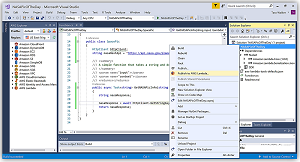
- Use Visual Studio 2017 as their local IDE while targeting AWS cloud infrastructure
- Run .NET Core workloads on Linux-based EC2 instances, reducing OS licensing costs compared to Windows Server
- Deploy lightweight, cross-platform microservices to AWS Lambda using the same CI/CD pipeline workflow available to other language runtimes
- Onboard new projects in minutes rather than manually configuring build infrastructure
This announcement reflected a broader industry trend: Microsoft’s embrace of open-source and cross-platform development with .NET Core, combined with cloud providers like AWS integrating that ecosystem into their managed tooling. For DevOps teams managing mixed-language environments on AWS, the update simplified governance by consolidating .NET workloads into the same CodeStar/CodeBuild/CodePipeline workflow used for other runtimes.
Key Takeaways
- AWS CodeStar and CodeBuild added .NET Core support in July 2017
- New CodeStar project templates cover EC2 Linux and Lambda deployment targets
- CodeBuild provides fully managed build infrastructure — no server provisioning required
- CodeStar integrates CodeCommit, CodeBuild, CodePipeline, CodeDeploy, and JIRA in a single dashboard
- The update brought .NET Core to parity with existing supported runtimes (JavaScript, Java, Python, Ruby, PHP)