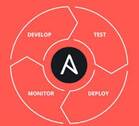
The adoption of DevOps tooling has grown steadily as organisations look to close the gap between development and operations teams, shorten release cycles, and standardise infrastructure management. Whether you are running a startup or a large enterprise, choosing the right automation tool can significantly affect your team’s velocity and operational reliability.
This article compares five commonly used DevOps automation tools — Ansible, Chef, Docker, Kubernetes, and Puppet — across their primary purpose, implementation language, complexity, and appropriate use cases. Understanding where each tool fits helps teams build a coherent, non-overlapping toolchain.
Why DevOps Automation Tools Matter
Modern software delivery demands a set of capabilities that manual processes cannot reliably sustain at scale. Teams typically need to address the following requirements:
- Automated, repeatable infrastructure provisioning and configuration
- Shorter development and release cycles
- Higher deployment frequency with lower failure rates
- Streamlined build, test, and release pipelines
- Consistent environments across development, staging, and production
The five tools discussed below are not direct competitors in every dimension. Some handle configuration management, others handle containerisation, and one specialises in container orchestration. Teams often use several of them together.
Ansible
Primary purpose: Configuration management, application deployment, and IT orchestration
Ansible is an agentless automation tool backed by Red Hat. It uses YAML-based playbooks to describe the desired state of infrastructure, making it approachable for teams without a deep programming background. Because it communicates with managed nodes over SSH and requires no agent installation on those nodes, the operational overhead of adopting Ansible is relatively low.
Ansible handles orchestration, cloud provisioning, and configuration deployment. Its main differentiator from Chef and Puppet is simplicity: playbooks are human-readable, and the learning curve is gentler. However, for very large or complex infrastructure, the lack of a persistent agent can make real-time state enforcement less immediate than agent-based alternatives.
Key characteristics
- Language: Python (core), YAML (playbooks)
- Architecture: Agentless; communicates via SSH
- Complexity: Low — often the first choice for teams new to configuration management
- Best fit: Configuration deployment, ad-hoc task automation, multi-tier orchestration
Chef
Primary purpose: Configuration management and infrastructure-as-code
Chef uses a code-centric approach to infrastructure management. Configuration logic is written as recipes (grouped into cookbooks), which describe how servers, web servers, load balancers, and other resources should be configured. The Chef client runs on each managed node and periodically converges the node to the desired state defined by those recipes.
Chef’s policy-driven model allows teams to define infrastructure as code, validate configuration changes before applying them, and maintain consistent environments. The trade-off is a steeper initial learning curve, particularly for practitioners who are not experienced Ruby developers.
Key characteristics
- Language: Ruby DSL (recipes and cookbooks); core components written in Ruby and Erlang
- Architecture: Agent-based (Chef Client on each node, Chef Server for coordination)
- Complexity: Medium to high — requires comfort with Ruby and a code-first mindset
- Best fit: Large teams with existing Ruby expertise, complex infrastructure-as-code workflows
Docker
Primary purpose: Application containerisation
Docker occupies a different category from Ansible, Chef, and Puppet. Rather than managing the configuration of existing servers, Docker packages applications and their dependencies into portable, self-contained containers. A container shares the host operating system kernel (using Linux namespaces and control groups) rather than requiring a full hypervisor, which makes containers lightweight and fast to start.
Docker’s value lies in environment consistency: an image built on a developer’s laptop runs identically in a CI pipeline, a staging server, or a cloud production environment. Its modular design also supports both on-premise and cloud-based deployment targets.
Key characteristics
- Language: Go
- Architecture: Daemon-based container runtime; image registry (Docker Hub or private) for distribution
- Complexity: Low to medium — Dockerfile syntax is straightforward; multi-container setups via Docker Compose add some complexity
- Best fit: Packaging and distributing applications; local development environments; CI/CD pipelines
Kubernetes
Primary purpose: Container orchestration at scale
Originally developed at Google and now maintained by the Cloud Native Computing Foundation (CNCF), Kubernetes automates the deployment, scaling, and management of containerised workloads across clusters of nodes. Where Docker handles packaging and running individual containers, Kubernetes manages large numbers of containers across many hosts, handling scheduling, load balancing, self-healing, and rolling updates.
Kubernetes introduces concepts such as Pods, Deployments, Services, ConfigMaps, and Namespaces. This abstraction layer is powerful but comes with a significant learning curve. Teams need to invest time in understanding the control plane, defining node resources, and setting up networking and storage correctly.
Key characteristics
- Language: Go
- Architecture: Control plane (API server, scheduler, controller manager, etcd) plus worker nodes running container runtimes
- Complexity: High — many moving parts; managed offerings (EKS, GKE, AKS) reduce operational burden
- Best fit: Running and scaling containerised applications in production; microservices architectures
Puppet
Primary purpose: Configuration management and compliance enforcement
Puppet is a mature, cross-platform configuration management tool written in Ruby DSL. Like Chef, it uses an agent-based architecture where the Puppet agent on each managed node periodically pulls its desired state from a Puppet Primary Server and enforces it locally. Puppet is particularly strong in compliance-driven environments where auditability and consistent policy enforcement across large server fleets are priorities.
Puppet’s declarative language describes what the system state should be rather than how to achieve it. This makes manifests relatively readable, though the Ruby DSL still carries a learning curve for newcomers. Puppet also provides built-in reporting and alerting, making it straightforward to monitor configuration drift and respond to changes.
Key characteristics
- Language: Puppet DSL (Ruby-based)
- Architecture: Agent-based; Puppet Primary Server coordinates node configuration
- Complexity: Medium to high — declarative model is powerful but requires familiarity with Puppet’s resource model
- Best fit: Large, heterogeneous server estates; compliance and audit-heavy environments; operations-focused teams
Side-by-Side Summary
| Tool | Category | Language | Agent Required | Relative Complexity |
|---|---|---|---|---|
| Ansible | Config management / Orchestration | Python / YAML | No | Low |
| Chef | Config management | Ruby / Erlang | Yes | Medium–High |
| Docker | Containerisation | Go | No (daemon) | Low–Medium |
| Kubernetes | Container orchestration | Go | Node agents | High |
| Puppet | Config management | Ruby DSL | Yes | Medium–High |
Choosing the Right Tool (or Combination)
These tools are not mutually exclusive. A common production stack might use Ansible to provision and configure cloud VMs, Docker to package application workloads, and Kubernetes to orchestrate those containers at scale. Puppet or Chef might replace or supplement Ansible in environments with stricter compliance requirements or larger ops teams already skilled in those tools.
Key questions to guide selection:
- Are you managing server configuration or packaging applications? Configuration management tools (Ansible, Chef, Puppet) and container tools (Docker, Kubernetes) serve different primary purposes.
- What is your team’s existing skill set? Ansible’s YAML playbooks have a lower barrier to entry than Chef’s Ruby cookbooks or Puppet’s DSL.
- How many nodes or containers are you managing? Kubernetes pays off at scale; for a handful of containers, Docker Compose may be sufficient.
- Do you need real-time drift correction? Agent-based tools (Chef, Puppet) enforce state on a schedule by default; Ansible requires a scheduled execution mechanism such as AWX or cron.
- What are your compliance and audit requirements? Puppet’s reporting features and Chef’s policy enforcement can simplify compliance workflows in regulated industries.
Conclusion
Ansible, Chef, Docker, Kubernetes, and Puppet each address a distinct problem in the DevOps toolchain. Ansible and Chef handle server configuration management from different angles of complexity. Docker standardises application packaging. Kubernetes orchestrates containerised workloads in production. Puppet provides robust, policy-driven configuration enforcement at scale.
Rather than treating these as competitors, teams benefit most from understanding the specific problem each tool solves and composing a toolchain that fits their infrastructure size, team skills, and operational requirements.