This article is based on a post originally published in 2017. While the core principles remain relevant, specific tooling recommendations and role boundaries have continued to evolve. See the review notes for caveats.
Why the Database Is Still DevOps’s Weak Link
Application code, infrastructure configuration, and deployment pipelines have all benefited enormously from DevOps practices: version control, automated testing, continuous integration, and continuous delivery are now table stakes for most engineering teams. Yet the database frequently lags behind. Schema changes, migration scripts, and data integrity concerns are harder to automate safely than stateless application code, which means the database can become a bottleneck that undermines the speed gains DevOps delivers everywhere else.
Understanding why this happens—and what to do about it—is essential for any organization that wants a genuinely end-to-end DevOps practice.
How Things Used to Work (and Why It Broke Down)
Before DevOps, development and operations teams worked in silos. Release cycles were long, handoffs were manual, and the database was one of the last things touched before go-live. DBAs were responsible for implementing, testing, and recording every schema change—often in a single, high-pressure window at the end of a release cycle.
When DevOps accelerated application delivery, the release cadence increased dramatically—but the database workflow did not keep pace. DBAs suddenly faced a much higher volume of changes arriving far more frequently. Because the database sits at the end of the delivery pipeline, any slowdown there blocked the entire release train. DBAs were unfairly blamed for delays that were really a symptom of the database being excluded from DevOps practices in the first place.
What “DevOps for the Database” Actually Means
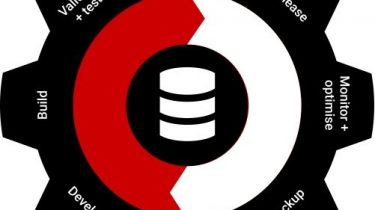
Incorporating the database into DevOps means applying the same disciplines used for application code to database changes:
- Database source control: All schema definitions, migration scripts, seed data, and stored procedures live in version control alongside application code. Every change is traceable, reviewable, and reversible.
- Automated build and migration: Tools execute database migrations as part of the CI/CD pipeline, the same way a build tool compiles and tests application code. No manual SQL scripts run directly against production without going through this pipeline.
- Automated verification: Integration tests validate that schema changes do not break application behaviour before code reaches a higher environment. This can include schema comparison checks, data integrity assertions, and performance regression tests.
- Environment parity: Development, staging, and production databases are kept in sync through the same migration process, reducing “works on my machine” failures caused by schema drift.
When these practices are in place, the DBA’s role shifts from being a manual gatekeeper to being an architect and guardian of database quality, with automation handling the repetitive execution work.
The Evolving Role of the DBA
DBAs occupy a unique position in a DevOps organisation. They understand both the internal mechanics of the database engine and the business implications of the data it holds. This makes them natural intermediaries between development teams (who need fast iteration) and operations teams (who need stability and compliance).
In a mature DevOps setup, the DBA typically:
- Defines and enforces database standards that development teams follow when writing migrations.
- Reviews pull requests that touch schema changes, just as a senior developer reviews application code.
- Designs and maintains the automated pipeline that validates and deploys those changes.
- Monitors database performance in production and feeds findings back into development practices.
- Manages compliance requirements (data retention, encryption at rest, access controls) that the operations team executes day-to-day.
Rather than being a bottleneck, the DBA becomes a force multiplier—enabling development teams to move quickly without sacrificing data safety.
Getting the Culture Right
Technology is only part of the answer. Organizational culture determines whether database DevOps succeeds or stalls.
Break Down Silos
DBAs, developers, and operations engineers must share responsibility for the health of the data tier. This means embedding database expertise in cross-functional product teams rather than keeping DBAs in a separate, centralized group that fields tickets from everyone else.
Leadership Alignment
Engineering leadership—whether that is a CTO, VP of Engineering, or CIO—needs to understand that database changes are code changes. Treating them differently (for example, requiring separate change-advisory-board approval for every migration while application code ships continuously) creates exactly the bottleneck DevOps is meant to eliminate. Leaders should invest in tooling and training that bring database changes into the standard pipeline.
Shared Ownership of Incidents
When a bad migration causes an outage, the post-mortem should involve the full team—not single out the DBA. Blameless retrospectives encourage teams to improve the pipeline rather than assign individual fault.
Embracing Database Automation Safely
A common objection to database automation is risk: databases hold live, stateful data, and a bad migration can cause data loss or corruption that is much harder to roll back than a bad application deployment. This concern is legitimate but manageable.
Safe database automation typically relies on several practices working together:
- Versioned, incremental migrations: Each migration script represents a single, small, forward-only change. Tools such as Flyway and Liquibase (widely used at the time of this article’s original publication and still actively maintained) track which migrations have been applied to each environment.
- Backward-compatible changes: Schema changes are designed so that both the old and new versions of application code can run against the database simultaneously. This enables blue/green and rolling deployments without downtime.
- Automated rollback procedures: Where possible, complementary rollback scripts are written and tested alongside the migration itself.
- Pre-production testing: Migrations are executed against a copy of production data (appropriately anonymized) in a staging environment before they are applied to production.
- Automated backups before migration: The pipeline triggers a verified backup immediately before applying changes to production, providing a recovery point if something goes wrong.
When these safeguards are in place, database automation reduces risk compared to manual processes—manual execution is where human error most often occurs.
Signs Your Organization Is Getting It Right
Use the following checklist as a quick diagnostic:
- Database schema and migration scripts are stored in the same version control repository as application code—or a closely integrated one.
- Every environment (development, CI, staging, production) is brought to its current state by running the same migration pipeline, not by manual scripts or restores.
- DBAs participate in sprint planning and pull-request reviews, not just in end-of-sprint release gates.
- A failed migration in CI blocks the build, the same way a failing unit test does.
- Database deployments can be triggered by the same CI/CD tooling used for application deployments, with appropriate approvals built into the pipeline.
- Performance baselines are tracked and regression alerts are automated.
- Compliance controls (access logging, encryption, retention policies) are enforced programmatically, not by manual checklists.
Conclusion
A slow or poorly managed database is a ceiling on the speed and reliability of your entire software delivery process. Bringing the database fully into DevOps—through version control, automated pipelines, cultural integration of the DBA role, and safe automation practices—removes that ceiling and turns the data tier into an asset rather than a liability.
The core principle is straightforward: treat database changes as first-class code changes, with all the same tooling, review, testing, and automation that entails. Organizations that do this consistently will find that their DBAs spend less time firefighting and more time on the higher-value work of schema design, query optimization, and data architecture—work that directly supports business outcomes.