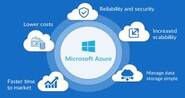
Cloud computing has shifted from a niche technology concept to a foundational pillar of modern IT infrastructure. Rather than maintaining on-premises servers and locally installed software, organizations can access compute power, storage, and applications on demand over the internet. Despite the clear momentum toward cloud adoption, some businesses remain hesitant. This article breaks down seven concrete advantages of cloud computing to help engineering and operations teams make an informed case for migration.
1. Lower Infrastructure and Server Costs
Traditional on-premises infrastructure requires significant upfront capital expenditure. Organizations must purchase servers, networking hardware, and licenses sized for peak load — meaning that capacity often sits idle during off-peak periods, wasting money.
Cloud computing flips this model. Most providers operate on a pay-as-you-go or subscription basis, so you pay only for the resources you consume. This shift from capital expenditure (CapEx) to operational expenditure (OpEx) makes budgeting more predictable and eliminates the cost of over-provisioning. Organizations can also reduce their physical data center footprint, lowering costs related to server hardware, on-site software licensing, power, cooling, and dedicated IT staff.
2. Improved Security Posture
Security is frequently cited as a concern about cloud adoption, but major cloud providers invest heavily in security controls that many individual organizations cannot replicate on their own. These typically include:
- Encryption of data in transit and at rest
- Role-based access controls (RBAC) and identity management
- Physical security at data centers (biometric access, 24/7 monitoring)
- Compliance certifications such as SOC 2, ISO 27001, and PCI DSS
- Automated threat detection and logging
That said, cloud security operates on a shared responsibility model. The provider secures the underlying infrastructure, but customers remain responsible for securing their applications, access credentials, and data configurations. Teams that understand this boundary and configure their environments correctly can achieve a significantly stronger security posture than a typical self-managed data center.
3. Automatic Software Updates and Patch Management
Keeping software patched and up to date is one of the most time-consuming and risk-prone responsibilities in IT operations. Missed patches are a leading cause of security breaches, yet applying them requires careful scheduling, testing, and coordination.
Cloud providers handle infrastructure-level patching — operating systems, hypervisors, and managed service runtimes — automatically and continuously. For Software-as-a-Service (SaaS) products, application updates are rolled out by the vendor without requiring any action from customers. This reduces the maintenance burden on internal teams and ensures that environments stay current with security fixes and feature improvements without scheduled downtime windows.
4. Data Insights and Built-in Analytics
Modern cloud platforms provide integrated analytics, monitoring, and observability tooling that makes it easier to extract actionable insights from your data. Services such as managed data warehouses, streaming analytics pipelines, and dashboarding tools are available as first-class offerings on major cloud platforms.
For engineering and operations teams, this means:
- Centralized logging and metrics across distributed services
- Custom dashboards and alerting without maintaining your own monitoring stack
- Usage and cost analytics to optimize resource allocation
- Business intelligence tools that connect directly to cloud data stores
The ability to analyze data at scale — without provisioning and maintaining your own analytics infrastructure — is a meaningful operational advantage, particularly for teams practicing data-driven decision making.
5. Enhanced Team Collaboration
Cloud-hosted tools and shared storage make real-time collaboration straightforward regardless of where team members are located. Engineers can work on shared codebases, pipelines, and documentation without VPN-dependent access to on-premises file servers.
For DevOps teams specifically, cloud-native CI/CD platforms, shared artifact registries, and infrastructure-as-code repositories hosted in the cloud make it easier to standardize workflows across distributed or remote teams. Changes are visible, version-controlled, and accessible to all authorized collaborators immediately.
6. Access to the Latest Software and Features
Cloud providers and SaaS vendors continuously roll out new features, performance improvements, and integrations. Because updates are delivered centrally, all customers gain access to new capabilities at the same time — without requiring in-house upgrade projects or compatibility testing against aging infrastructure.
This continuous delivery model keeps teams competitive and reduces the risk of running software versions that are no longer supported. For operations teams, it also means access to new automation, security, and cost-optimization features as soon as they become available.
7. Reliable Disaster Recovery and Business Continuity
Data loss or prolonged downtime — whether caused by hardware failure, human error, ransomware, or a natural disaster — can have severe consequences for any business. Building a robust disaster recovery (DR) solution on-premises has historically required significant investment in redundant hardware, off-site backup facilities, and complex failover procedures.
Cloud computing dramatically lowers the barrier to effective DR:
- Geo-redundant storage automatically replicates data across multiple physical locations
- Managed backup services provide point-in-time recovery with configurable retention policies
- Multi-region deployments allow workloads to failover to a healthy region with minimal manual intervention
- Recovery Time Objectives (RTO) and Recovery Point Objectives (RPO) that would be expensive to achieve on-premises become practical in the cloud
The result is a more resilient architecture that can recover quickly from a wide range of failure scenarios, often with lower cost and complexity than equivalent on-premises DR setups.
Additional Environmental Benefits
Beyond the direct operational benefits, cloud computing can contribute to an organization’s sustainability goals. Shared multi-tenant infrastructure allows providers to achieve higher server utilization rates than most individual data centers, improving overall energy efficiency. Consolidating workloads into well-run hyperscale facilities also reduces the total hardware footprint and associated electronic waste. Organizations reducing or eliminating their own data centers further cut energy consumption and associated emissions.
Conclusion
The case for cloud computing is well established, but the advantages are not automatic. Realizing the cost, security, and resilience benefits described above requires deliberate architecture decisions, proper access configuration, and ongoing governance. Teams that invest in understanding the shared responsibility model, optimize resource usage to avoid cloud sprawl, and treat cloud infrastructure as code will see the strongest returns. For most organizations, the question is no longer whether to adopt cloud computing, but how to do so effectively.