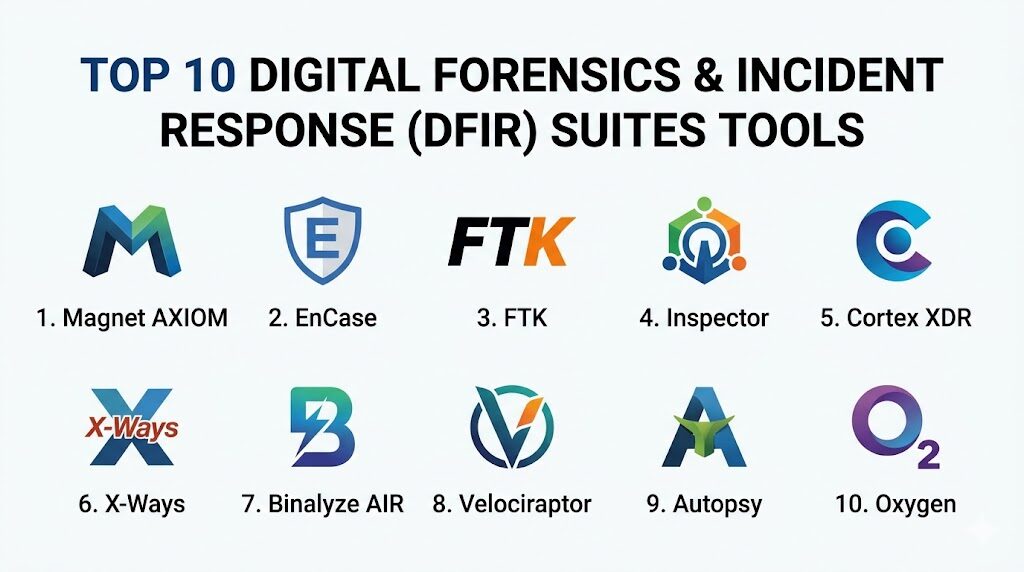
Introduction
Digital Forensics and Incident Response (DFIR) suites represent the specialized intersection of cybersecurity and legal investigations, providing the technical means to identify, preserve, and analyze digital evidence following a security breach or criminal act. These platforms are designed to handle “dead-box” forensics—analyzing static data from hard drives and mobile devices—as well as “live” incident response, which involves capturing volatile data from active memory and network traffic. By maintaining a rigorous chain of custody and utilizing cryptographic hashing, DFIR tools ensure that the data recovered is admissible in a court of law or suitable for high-stakes corporate audits. In the modern threat landscape, these suites have become indispensable for organizations needing to reconstruct the timeline of an attack and understand the root cause of unauthorized system access.
The strategic implementation of DFIR technology is critical for minimizing the “dwell time” of attackers within a network. Organizations utilize these tools to automate the collection of forensic artifacts across thousands of endpoints, allowing security teams to pivot quickly from detection to deep-dive investigation. As cyber threats become more sophisticated, featuring anti-forensic techniques and fileless malware, the demand for suites that can perform memory forensics and cloud-native evidence collection has surged. When evaluating a DFIR suite, professionals must prioritize the integrity of the data acquisition process, the depth of the artifact parsing engine, and the ability to correlate disparate data points into a cohesive narrative.
Best for: Security Operations Centers (SOCs), law enforcement agencies, corporate legal departments, and specialized digital forensic labs that require defensible, high-fidelity evidence collection and analysis.
Not ideal for: Basic IT troubleshooting, simple log management without forensic depth, or users who do not have formal training in forensic methodologies and the legal requirements of evidence preservation.
Key Trends in DFIR Suites
The industry is currently experiencing a rapid transition toward cloud-forensics and remote acquisition, driven by the shift to decentralized work and SaaS-heavy infrastructures. Modern DFIR suites are now incorporating “Agentic AI” to assist investigators in triaging massive datasets, helping to prioritize the most relevant artifacts and identify patterns that a human examiner might overlook. Another major trend is the move toward “Live Response” capabilities within traditional forensic tools, allowing for real-time memory dumping and process analysis without taking the affected system offline.
Interoperability through open standards, such as the Unified Scanning Framework and various JSON-based forensic formats, is becoming a standard requirement to ensure that evidence can be moved between different specialized tools. We are also seeing a significant focus on “Automation and Orchestration,” where forensic collection is triggered automatically by EDR or SIEM alerts, drastically reducing the time between a breach and the start of an investigation. Additionally, integrated wellness features for investigators are appearing in suites to help manage exposure to sensitive or traumatic visual content during large-scale data reviews.
How We Selected These Tools
The selection of these top 10 suites was based on their proven reliability in both judicial and corporate environments. We prioritized tools that offer a “full-stack” forensic capability, ranging from bit-stream imaging to advanced artifact analysis and reporting. Market reputation was a primary consideration, specifically looking for suites that have successfully stood up to scrutiny in legal proceedings. We also assessed the depth of their parsing engines, ensuring they can handle the latest versions of various operating systems and encrypted file systems.
Performance was evaluated by the software’s ability to index and search multi-terabyte datasets efficiently, as well as its stability during long-running processing tasks. Security and compliance were non-negotiable, with a focus on tools that implement strong internal audit logs and secure data handling to prevent evidence tampering. Finally, we looked at the ecosystem surrounding each tool, including the availability of professional certifications, community-developed plugins, and the quality of enterprise-level technical support.
1. Magnet AXIOM Cyber
Magnet AXIOM Cyber is an enterprise-grade platform specifically designed for organizations that need to perform remote investigations. It excels at acquiring and analyzing data from various sources, including computers, mobile devices, and cloud services like Office 365, Slack, and AWS.
Key Features
The suite features a powerful “Artifact-First” approach, which prioritizes the discovery of relevant data over traditional file system browsing. It includes robust remote acquisition tools that can bypass the need for physical access to an endpoint. The software also provides deep integration for cloud forensics, allowing for the direct acquisition of data from cloud storage and social media accounts. Its timeline view automatically correlates evidence from all sources into a single chronological sequence. Additionally, it offers advanced filtering and search capabilities to quickly isolate key communications or system changes.
Pros
The interface is highly intuitive, making it accessible for both technical experts and less-experienced investigators. Its ability to unify evidence from mobile, cloud, and computer sources into one case file is a significant time-saver.
Cons
The resource requirements for processing large datasets can be very high, necessitating powerful hardware. It is a premium product with a price point that reflects its enterprise focus.
Platforms and Deployment
Windows-based installation with agents available for Windows, macOS, and Linux remote acquisition.
Security and Compliance
Magnet Forensics is ISO 27001 and SOC 2 Type 2 compliant, ensuring high standards for data security and organizational controls.
Integrations and Ecosystem
Integrates with major EDR platforms to trigger automated forensic collections and supports a wide range of third-party forensic image formats.
Support and Community
Offers world-class enterprise support, an extensive training academy, and a very active user community that shares custom artifacts.
2. OpenText EnCase Endpoint Investigator
EnCase is a long-standing titan in the forensic world, often cited as the gold standard for legal defensibility. The Endpoint Investigator version is tailored for corporate environments, allowing for discreet, remote forensic data collection across a global network.
Key Features
It utilizes a secure “SAFE” (Secure Authentication for EnCase) server to manage permissions and ensure that only authorized investigators can access remote endpoints. The platform provides deep, low-level access to the file system, allowing for the recovery of deleted files and data in unallocated space. It features extensive automation via “EnScripts,” which can be used to customize the investigation process. The software supports a massive variety of file systems and encryption types. It also includes comprehensive reporting tools that are designed to meet the requirements of legal discovery.
Pros
Unrivaled legal standing; EnCase evidence is frequently accepted in courts worldwide without challenge. It is exceptionally powerful for large-scale enterprise deployments involving thousands of endpoints.
Cons
The user interface is known for its complexity and has a very steep learning curve. The software can be significantly more expensive than newer, more specialized tools.
Platforms and Deployment
Windows-based central server with lightweight “servlets” that can be deployed to Windows, macOS, and Linux endpoints.
Security and Compliance
Compliant with FIPS 140-2 standards for encryption and adheres to HIPAA and GDPR requirements for sensitive data handling.
Integrations and Ecosystem
Offers a deep ecosystem of “EnScripts” and third-party modules, plus integrations with major SIEM and SOAR platforms.
Support and Community
Supported by a global network of “EnCase Certified Examiners” (EnCE) and extensive professional support services from OpenText.
3. Exterro FTK (Forensic Toolkit)
FTK is renowned for its speed and its ability to handle massive amounts of data through a centralized database architecture. It is designed to get investigators into the data as quickly as possible, reducing the time wasted on slow indexing and searching.
Key Features
The platform uses a distributed processing engine that allows multiple computers to share the workload of indexing large evidence sets. It features a unique “Multimedia Thumbnail Review” that makes it easy to quickly scan through thousands of images and videos. The suite includes built-in decryption capabilities for hundreds of applications and file types. Its “Social Analyzer” tool helps visualize relationships and communication patterns between individuals. It also provides a portable case feature, allowing investigators to share evidence with stakeholders who don’t have the full software installed.
Pros
The processing speed is among the best in the industry, particularly for very large datasets. Its database-driven approach allows for high stability and multi-user collaboration on a single case.
Cons
The initial setup and database configuration can be complex and technical. The interface can feel dated compared to some modern, web-based competitors.
Platforms and Deployment
Windows-based installation with support for distributed processing across multiple Windows servers.
Security and Compliance
Adheres to strict chain-of-custody protocols and provides granular access controls within the software.
Integrations and Ecosystem
Integrates with mobile forensic tools and supports the ingestion of data from various third-party acquisition devices.
Support and Community
Provides comprehensive training and professional support, with a large user base in both law enforcement and the private sector.
4. Cellebrite Inspector (Enterprise)
While Cellebrite is famous for mobile forensics, their Inspector tool (formerly BlackLight) is a powerful suite for analyzing computer systems. It is particularly strong in its handling of macOS and iOS artifacts, making it essential for investigations involving Apple devices.
Key Features
It offers superior parsing for macOS-specific artifacts, such as Time Machine backups, Spotlight metadata, and APFS snapshots. The software includes a built-in “Actionable Intel” view that highlights the most common artifacts, such as recent files, web history, and connected devices. It provides advanced memory forensic capabilities, allowing for the analysis of RAM dumps for volatile evidence. The platform features an easy-to-use “Media View” for categorizing and reviewing images and videos. It also supports the analysis of Windows and Linux systems, making it a versatile cross-platform tool.
Pros
Arguably the best tool on the market for deep macOS forensic analysis. The user interface is clean and streamlined, focusing on the artifacts that matter most to investigators.
Cons
It lacks some of the deep remote-enterprise features found in EnCase or Magnet. Its mobile-centric heritage means it may feel less comprehensive for certain niche Windows server forensic tasks.
Platforms and Deployment
Available for Windows and macOS. It is primarily used for “dead-box” and local live-data analysis.
Security and Compliance
Cellebrite is ISO 27001 and SOC 2 Type II certified, with a strong focus on privacy and responsible data handling.
Integrations and Ecosystem
Seamlessly integrates with Cellebrite’s wider suite of mobile forensic tools, such as UFED and Physical Analyzer.
Support and Community
Backed by Cellebrite’s extensive training programs and a global support infrastructure.
5. Palo Alto Networks Cortex XDR (Forensics)
Cortex XDR isn’t just an endpoint protection tool; it includes a dedicated forensics module that automates the collection and analysis of evidence during an incident response. It is designed to bridge the gap between real-time threat detection and post-incident investigation.
Key Features
The forensics module automatically captures a comprehensive set of artifacts—such as MFT entries, event logs, and registry hives—whenever an alert is triggered. It uses “Data Stitching” to correlate logs from endpoints, networks, and cloud environments into a single attack narrative. The platform features a “Live Terminal” for direct interaction with endpoints to perform containment or targeted collection. Its AI-driven analysis helps identify anomalies and lateral movement that might be missed by manual review. It also includes “Behavioral Analytics” to detect insider threats and zero-day exploits.
Pros
The automated collection feature significantly reduces the risk of volatile data being lost after a breach. It provides incredible visibility across the entire enterprise stack, not just isolated endpoints.
Cons
It is a “live” response tool, meaning it is not designed for traditional “dead-box” forensics on offline hard drives. It requires a broader Palo Alto ecosystem to unlock its full potential.
Platforms and Deployment
Cloud-native platform with agents for Windows, macOS, Linux, and Android.
Security and Compliance
Cortex XDR is SOC 2 Type II compliant and meets a wide range of international security standards, including GDPR and HIPAA.
Integrations and Ecosystem
Deeply integrated with the Palo Alto Networks security suite, including Prisma Cloud and Cortex XSOAR.
Support and Community
Supported by Palo Alto’s Unit 42 threat intelligence team and extensive enterprise support services.
6. X-Ways Forensics
X-Ways is a highly efficient, lightweight, and powerful forensic environment that is a favorite among advanced investigators who prefer a fast, technical interface over “point-and-click” automation. It is known for its speed and its ability to run from a USB stick.
Key Features
The software is incredibly fast at imaging and indexing drives due to its highly optimized code. It provides deep hex-level access to data and allows for manual carving of file types. It features an “Internal Metadata” viewer that shows file system details that many other tools miss. The platform supports a vast range of file systems, including niche Linux and macOS formats. It also includes powerful search and filtering tools that operate directly on the raw data. The software is fully portable and does not require a complex installation process.
Pros
Extremely resource-efficient; it can run effectively on older hardware where other suites would struggle. It provides the most “honest” view of the data, without excessive layers of abstraction.
Cons
The user interface is very technical and can be intimidating for new or less-frequent users. It lacks the built-in “artifact-first” automation found in Magnet AXIOM.
Platforms and Deployment
Windows-only, but it can analyze images from any operating system. It is fully portable.
Security and Compliance
As a German-made product, it is built with high standards for data integrity and includes automated audit logging.
Integrations and Ecosystem
Can read almost all forensic image formats and allows for the export of data to other analysis tools.
Support and Community
Supported by a very technical community and direct developer support, though training is less “corporate” than its competitors.
7. Binalyze AIR
Binalyze AIR is a modern, automated DFIR platform designed for high-speed incident response in enterprise environments. It focuses on reducing the time between detection and remediation through rapid, automated forensic collection.
Key Features
The platform can perform a full forensic triage of an endpoint in under 10 minutes. It includes an “Interrogator” feature that uses YARA and Sigma rules to hunt for threats across the entire network. The software automatically generates “Timeline” and “Case Reports” as soon as collection is finished. It features a “Collaboration” environment where multiple investigators can work on a single incident simultaneously. Its “Compromise Assessment” module helps identify if an attacker is currently present in the environment. It also supports remote acquisition for cloud-hosted virtual machines.
Pros
Unbeatable speed for initial incident triage and evidence collection. The automation features allow even junior security analysts to perform high-quality forensic collections.
Cons
It is primarily a “triage” and “response” tool; it does not replace the deep, “dead-box” analysis capabilities of a tool like EnCase or X-Ways.
Platforms and Deployment
Cloud or on-premise management console with lightweight agents for Windows, macOS, and Linux.
Security and Compliance
Binalyze is ISO 27001, ISO 27017, and SOC 2 Type II certified, with a strong commitment to GDPR.
Integrations and Ecosystem
Features built-in integrations with most major EDR, SIEM, and SOAR platforms to automate the forensic workflow.
Support and Community
Offers proactive technical support and a growing community of incident response professionals.
8. Velociraptor (Open Source)
Velociraptor is a powerful, open-source endpoint visibility and collection tool that has become a staple for incident responders. It allows for “hunting” across thousands of endpoints using its own specialized query language.
Key Features
The platform uses “VQL” (Velociraptor Query Language) to perform highly customized searches for files, registry keys, or process information. It features “Artifacts”—pre-written VQL queries—that can be used to collect specific types of evidence, such as browser history or event logs. The software allows for the remote collection of files and memory dumps from any connected endpoint. It can be used for continuous monitoring of systems for specific changes or anomalies. Its “Server-Client” architecture is designed to scale to tens of thousands of machines without performance degradation.
Pros
Completely free and open-source, offering enterprise-grade power without licensing fees. The customizability provided by VQL is unmatched in the industry.
Cons
It requires a significant amount of technical knowledge to master VQL and manage the server infrastructure. There is no official “enterprise support” unless contracted through third parties.
Platforms and Deployment
Server runs on Linux or Windows; agents (clients) are available for Windows, macOS, and Linux.
Security and Compliance
As an open-source tool, security is dependent on the implementation. It supports encrypted communication and authenticated access.
Integrations and Ecosystem
A massive community-driven library of “Artifacts” is available, and it can be integrated with various open-source security stacks.
Support and Community
Extremely active community on GitHub and Discord, with frequent updates and new artifact contributions.
9. Autopsy (The Sleuth Kit)
Autopsy is the most widely used open-source digital forensics platform, providing a full-featured graphical interface for The Sleuth Kit. It is the go-to tool for students, independent investigators, and law enforcement agencies with limited budgets.
Key Features
It provides an end-to-end forensic workflow, including hash filtering, keyword search, and web artifact extraction. The software supports “Multi-User Cases,” allowing multiple investigators to work on the same case from different machines. It includes a “Timeline Analysis” tool that helps visualize events in a graphical format. The platform features an “Ingest Module” architecture that allows users to add custom functionality, such as image categorization or communication analysis. It also provides basic Android and iOS parsing capabilities.
Pros
Completely free and highly accessible for those new to digital forensics. The interface is clean and follows a logical investigation workflow.
Cons
It can be slower than commercial tools when processing very large datasets. Its artifact parsing, while good, is not as deep or as frequently updated as commercial alternatives.
Platforms and Deployment
Windows-based GUI, but it can analyze data from almost any operating system.
Security and Compliance
Security is handled at the user/OS level. It is a trusted tool but lacks the formal enterprise certifications of commercial suites.
Integrations and Ecosystem
A strong community of plugin developers on GitHub, with many modules available for specialized forensic tasks.
Support and Community
Extensive documentation and a large, helpful community forum. Professional training and support are available through Sleuth Kit Labs.
10. Oxygen Forensic Detective
Oxygen is a comprehensive suite that has evolved from a mobile forensics tool into a full-scale digital forensic platform. it is particularly known for its ability to extract data from cloud services and IoT devices.
Key Features
The “Cloud Extractor” module can acquire data from over 100 different cloud services, including many niche social media apps. It features advanced mobile extraction techniques, including physical bypass for many encrypted devices. The software includes a “KeyScout” tool for Windows and macOS that can find and extract credentials for cloud services directly from a machine. It provides a “Social Graph” view to visualize the connections between different people in a case. The suite also supports the analysis of data from drones and smart home devices.
Pros
Exceptional at extracting data from cloud services and mobile apps that other tools struggle with. Its “KeyScout” feature is a powerful shortcut for investigators.
Cons
The interface can be complex due to the sheer number of different modules and tools. It is a high-cost commercial product.
Platforms and Deployment
Windows-based installation with portable tools for field-based data collection.
Security and Compliance
Oxygen is a well-established company with standard professional security practices and secure data management.
Integrations and Ecosystem
Integrates with other forensic suites and provides a wide range of export formats for further analysis.
Support and Community
Offers extensive training and professional support services, with a strong presence in the global law enforcement community.
Comparison Table
| Tool Name | Best For | Platform(s) Supported | Deployment | Standout Feature | Public Rating |
| 1. Magnet AXIOM | Unified Remote DFIR | Win, Mac, Linux | Hybrid | Artifact-First View | 4.8/5 |
| 2. EnCase Investigator | Global Enterprise | Win, Mac, Linux | On-Prem | Legal Defensibility | 4.6/5 |
| 3. Exterro FTK | Large Scale Speed | Windows | Hybrid | Distributed Processing | 4.5/5 |
| 4. Cellebrite Inspector | macOS/iOS Analysis | Win, Mac | Local | APFS Snapshot Parsing | 4.7/5 |
| 5. Cortex XDR | Automated Incident IR | Win, Mac, Linux | Cloud | Data Stitching | 4.6/5 |
| 6. X-Ways Forensics | Technical Experts | Windows | Portable | Resource Efficiency | 4.8/5 |
| 7. Binalyze AIR | Rapid Triage | Win, Mac, Linux | Hybrid | 10-Min Forensic Triage | 4.7/5 |
| 8. Velociraptor | Advanced Hunting | Win, Mac, Linux | Self-Hosted | VQL Query Language | 4.9/5 |
| 9. Autopsy | Open Source/Students | Windows | Local | Multi-User Cases | 4.4/5 |
| 10. Oxygen Forensic | Cloud & Mobile | Windows | Hybrid | Cloud Extractor | 4.6/5 |
Evaluation & Scoring of DFIR Suites
The scoring below is a comparative model intended to help shortlisting. Each criterion is scored from 1–10, then a weighted total from 0–10 is calculated using the weights listed. These are analyst estimates based on typical fit and common workflow requirements, not public ratings.
Weights:
- Core features – 25%
- Ease of use – 15%
- Integrations & ecosystem – 15%
- Security & compliance – 10%
- Performance & reliability – 10%
- Support & community – 10%
- Price / value – 15%
| Tool Name | Core (25%) | Ease (15%) | Integrations (15%) | Security (10%) | Performance (10%) | Support (10%) | Value (15%) | Weighted Total |
| 1. Magnet AXIOM | 10 | 9 | 9 | 9 | 8 | 10 | 7 | 8.90 |
| 2. EnCase | 10 | 4 | 9 | 9 | 7 | 9 | 6 | 7.90 |
| 3. FTK | 9 | 6 | 8 | 9 | 10 | 8 | 7 | 8.10 |
| 4. Inspector | 9 | 9 | 8 | 9 | 8 | 9 | 7 | 8.45 |
| 5. Cortex XDR | 8 | 8 | 10 | 9 | 10 | 9 | 8 | 8.65 |
| 6. X-Ways | 10 | 3 | 7 | 9 | 10 | 7 | 8 | 7.85 |
| 7. Binalyze AIR | 8 | 9 | 10 | 9 | 9 | 8 | 8 | 8.60 |
| 8. Velociraptor | 9 | 5 | 8 | 8 | 10 | 5 | 10 | 7.95 |
| 9. Autopsy | 7 | 8 | 7 | 6 | 7 | 7 | 10 | 7.30 |
| 10. Oxygen | 9 | 7 | 8 | 9 | 8 | 9 | 7 | 8.15 |
How to interpret the scores:
- Use the weighted total to shortlist candidates, then validate with a pilot.
- A lower score can mean specialization, not weakness.
- Security and compliance scores reflect controllability and governance fit, because certifications are often not publicly stated.
- Actual outcomes vary with assembly size, team skills, templates, and process maturity.
Which DFIR Suite Tool Is Right for You?
Solo / Freelancer
For individuals or students entering the field, starting with Autopsy or Velociraptor is essential. These tools provide professional-grade power without the massive overhead of commercial licenses, allowing you to build foundational skills in forensic logic and query-based hunting.
SMB
Small businesses that may not have a dedicated forensic lab should lean toward Binalyze AIR or Magnet AXIOM Cyber. These tools prioritize ease of use and rapid triage, allowing a generalist security team to collect defensible evidence quickly without being forensic specialists.
Mid-Market
Mid-market organizations often find the “sweet spot” with Magnet AXIOM Cyber. Its ability to handle mobile, cloud, and computer data in a single interface simplifies the investigation process as the organization grows in complexity.
Enterprise
Large-scale enterprises with global networks generally require the industrial power of EnCase Endpoint Investigator or Exterro FTK. These tools are built to handle thousands of endpoints and offer the legal defensibility required for major corporate litigation.
Budget vs Premium
If the budget is zero, Velociraptor is the most powerful technical choice, while Autopsy is the best for a traditional GUI experience. For premium needs where cost is secondary to feature depth and legal standing, EnCase and Magnet AXIOM are the top contenders.
Feature Depth vs Ease of Use
X-Ways Forensics offers incredible technical depth but is difficult to learn. Conversely, Magnet AXIOM provides high feature depth while maintaining an exceptionally easy-to-use interface.
Integrations & Scalability
For organizations already using Palo Alto products, Cortex XDR offers unparalleled integration. For those needing a vendor-neutral tool that scales to massive data, FTK remains the strongest choice.
Security & Compliance Needs
All commercial tools on this list meet high professional standards, but Cellebrite and Magnet Forensics lead with clear, public-facing SOC 2 and ISO certifications, which can be a critical requirement for certain industries.
Frequently Asked Questions (FAQs)
1. What is the difference between EDR and DFIR?
EDR (Endpoint Detection and Response) is focused on real-time monitoring and blocking of threats. DFIR (Digital Forensics and Incident Response) is focused on the deep-dive investigation that happens after an alert, including evidence preservation and root cause analysis.
2. Can I use these tools on encrypted hard drives?
Most professional DFIR suites, such as EnCase and FTK, have built-in modules to handle encryption. However, you typically need the password, a recovery key, or a captured memory dump containing the encryption key to access the data.
3. Is mobile forensics different from computer forensics?
Yes, they involve different file systems and data structures. While many suites now handle both, mobile forensics often requires specialized hardware or software to bypass screen locks and perform physical extractions.
4. What is a “Chain of Custody”?
It is a chronological documentation that records the sequence of custody, control, transfer, and analysis of physical or digital evidence. It is vital for ensuring that the evidence has not been tampered with and is admissible in court.
5. How do these tools handle cloud data?
Tools like Magnet AXIOM and Oxygen use APIs or captured credentials to download data directly from service providers. This allows for the collection of data that never resided on a physical computer or mobile device.
6. What are “Artifacts” in digital forensics?
Artifacts are traces of activity left behind by the operating system or applications. Examples include browser history, registry keys, event logs, and the “MFT” (Master File Table) which records file creations and deletions.
7. Can digital forensics recover deleted files?
Often, yes. When a file is deleted, the data remains on the disk but is marked as “available space.” Forensic tools can “carve” the disk for these fragments until they are overwritten by new data.
8. Do I need a certification to use these tools?
While not legally required to use the software, professional certifications (like EnCE for EnCase or MCFE for Magnet) are highly valued and often required to testify as an expert witness in court.
9. What is “Memory Forensics”?
It is the analysis of a computer’s volatile RAM. It is critical for finding threats that don’t leave traces on the hard drive, such as fileless malware, or for capturing encryption keys while they are in use.
10. How long does a forensic investigation take?
It varies greatly depending on the amount of data. Imaging and indexing a 1TB drive can take several hours, while the actual analysis and report writing can take days or even weeks depending on the complexity of the case.
Conclusion
In the complex and high-stakes field of digital forensics, the selection of an investigation suite is a choice that affects both the speed of your response and the legal integrity of your findings. The convergence of AI assistance and cloud-native acquisition is making the role of the investigator more efficient, yet the underlying principles of data preservation remain as rigid as ever. Successful DFIR teams are those that don’t rely on a single “magic” tool, but rather build a modular toolkit that balances the industrial scale of legacy suites with the rapid automation of modern triage platforms. By choosing a partner that prioritizes data integrity, compliance, and cross-platform visibility, an organization can transform a devastating breach into a clear, actionable narrative that informs better security for the future.