Introduction
Web content filtering tools are specialized security solutions designed to control and monitor the internet traffic entering a network. By utilizing a combination of database-driven URL categorization, keyword analysis, and real-time content inspection, these tools prevent users from accessing malicious, unproductive, or inappropriate websites. In a professional environment, web filtering acts as a critical layer of the defense-in-depth strategy, shielding the organization from web-borne threats such as phishing, malware, and ransomware. These platforms operate either at the DNS level, as a secure web gateway, or through local agents, ensuring that security policies are enforced regardless of the user’s location or device.
In the current era of distributed work and sophisticated cyber threats, web content filtering has become indispensable for maintaining both security and regulatory compliance. Organizations rely on these tools to enforce acceptable use policies, prevent data exfiltration, and preserve network bandwidth for business-critical applications. Beyond simple site-blocking, modern filtering solutions provide deep visibility into shadow IT and application usage, allowing administrators to mitigate risks before they escalate into breaches. When evaluating a filtering solution, it is essential to consider the accuracy of its threat intelligence, the latency introduced by inspection, and the ease of managing policies across a diverse, multi-platform fleet of devices.
Best for: Managed service providers, educational institutions, government agencies, and enterprise security teams who need to enforce strict internet safety standards and protect users from cyber-attacks.
Not ideal for: Small home networks with minimal security needs or organizations that prioritize unrestricted internet access over security and productivity controls.
Key Trends in Web Content Filtering Tools
One of the most significant shifts in the industry is the move toward AI-driven real-time analysis, where tools use machine learning to identify and block “zero-day” malicious sites as they are created, rather than relying solely on static blacklists. The integration of filtering into a broader Secure Access Service Edge (SASE) framework is also accelerating, providing unified security for remote users and branch offices through the cloud. There is a growing focus on privacy-preserving inspection, allowing organizations to maintain security without infringing on the personal data of employees.
DNS-over-HTTPS (DoH) and DNS-over-TLS (DoT) support have become standard requirements, ensuring that filtering policies cannot be easily bypassed by savvy users or sophisticated malware. We are also seeing a rise in “identity-aware” filtering, where policies are automatically adjusted based on the user’s role, location, and device health status. Furthermore, many platforms are now offering deeper integration with data loss prevention (DLP) modules, scanning outgoing web traffic for sensitive information like credit card numbers or proprietary code to prevent accidental or intentional data leaks.
How We Selected These Tools
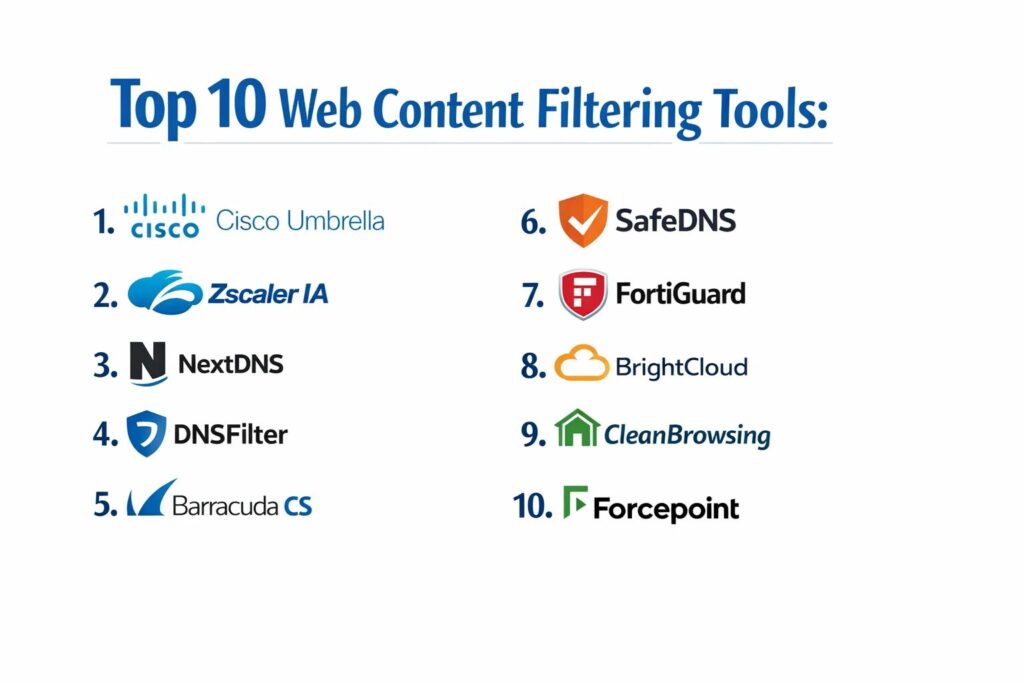
The selection of these top ten tools was based on a rigorous evaluation of their defensive capabilities and operational efficiency. We prioritized solutions that offer a cloud-native architecture, as this provides the best scalability and protection for modern, distributed workforces. Market leadership and proven efficacy in independent security testing were major factors in our decision-making process. We also looked for tools that provide a low-latency user experience, ensuring that security measures do not hinder employee productivity or network performance.
The robustness of the management interface and the depth of reporting were critical criteria, as administrators need clear visibility to make informed policy decisions. We analyzed the breadth of the URL categorization databases and the speed at which they are updated to reflect new threats. Security posture was assessed by looking at the availability of advanced features such as SSL/TLS inspection, sandboxing, and integration with wider security ecosystems. Finally, we considered the ease of deployment, favoring tools that offer flexible options for both on-premises and remote environments.
1. Cisco Umbrella
Cisco Umbrella is a cloud-delivered security service that provides the first line of defense against threats on the internet. By leveraging its global DNS infrastructure, it blocks requests to malicious domains and IPs before a connection is even established. It is built on a massive dataset of global internet activity, allowing it to identify and stop threats with high precision.
Key Features
The platform utilizes DNS-layer security to block malware, phishing, and command-and-control callbacks. It includes a secure web gateway that provides deep file inspection and URL filtering for high-risk traffic. The system offers a cloud-delivered firewall to control traffic across all ports and protocols. It provides visibility into shadow IT by identifying and blocking unsanctioned cloud applications. An interactive threat intelligence console allows security teams to research and respond to global cyber trends. Additionally, it features data loss prevention tools to protect sensitive information in web traffic.
Pros
Extremely fast deployment with immediate protection across all devices on and off the network. The global scale of Cisco’s threat intelligence provides a superior level of predictive security.
Cons
The pricing structure can be complex and expensive for smaller organizations. Deeper inspection features may require more technical configuration compared to basic DNS filtering.
Platforms and Deployment
Cloud-delivered service with lightweight roaming agents for Windows, macOS, iOS, and Android.
Security and Compliance
Holds numerous certifications including SOC 2 Type II and ISO 27001. It is designed to assist with GDPR and HIPAA compliance.
Integrations and Ecosystem
Seamlessly integrates with the Cisco security stack, including AnyConnect and Meraki, as well as third-party SIEM and SD-WAN solutions.
Support and Community
Offers global 24/7 technical support and an extensive knowledge base, backed by a large community of certified security professionals.
2. Zscaler Internet Access
Zscaler Internet Access is a comprehensive cloud-native security platform that acts as an intelligent “switchboard” for all internet traffic. It sits between the user and the web, inspecting every byte of traffic in real-time to ensure it is safe and compliant with corporate policy. It is designed for a world where applications have moved to the cloud and users are no longer confined to the office.
Key Features
The tool provides a full secure web gateway with high-performance SSL/TLS inspection. It features a sophisticated cloud sandbox to detect and block previously unknown threats. Advanced data loss prevention modules scan outgoing traffic for sensitive patterns and keywords. It includes a cloud firewall and an intrusion prevention system to protect against network-level attacks. The system offers granular control over thousands of web applications, allowing for precise policy enforcement. Real-time reporting provides instant visibility into security events across the entire organization.
Pros
Eliminates the need for traditional on-premises appliances, reducing complexity and hardware costs. Its global cloud architecture ensures low-latency security for users anywhere in the world.
Cons
Initial setup and policy configuration can be intensive for large, complex organizations. Some advanced features are locked behind higher-tier subscription plans.
Platforms and Deployment
100% cloud-based with lightweight agents for all major mobile and desktop operating systems.
Security and Compliance
Complies with FIPS 140-2, SOC 2, and various international privacy standards. It is a leader in zero-trust architecture.
Integrations and Ecosystem
Integrates with major identity providers like Okta and Azure AD, and feeds security logs into leading SIEM platforms.
Support and Community
Provides dedicated enterprise support and a robust training portal for security administrators.
3. NextDNS
NextDNS has gained rapid popularity as a modern, lightweight, and highly customizable DNS-based filtering service. It is designed for both individuals and small-to-medium businesses who want enterprise-grade protection with an interface that is extremely easy to manage. It allows for highly granular control over security, privacy, and productivity settings.
Key Features
The platform offers a one-click setup for blocking common categories like gambling, pornography, and social media. It includes specialized protection against trackers and invasive advertising networks. Users can enable advanced security features such as AI-driven threat detection and domain-squatting protection. It features a unique “parental control” mode with time-based scheduling for internet access. The system provides real-time analytics and logs, showing exactly which domains are being blocked and why. It also supports modern encrypted DNS protocols to prevent interception of traffic.
Pros
The user interface is exceptionally clean and intuitive, making it accessible to non-technical users. It offers a very generous free tier and affordable pricing for commercial use.
Cons
Lacks some of the deep-packet inspection and sandboxing capabilities of enterprise-level secure web gateways. Support is primarily self-service and forum-based for lower tiers.
Platforms and Deployment
Web-based configuration with native apps and configuration profiles for Windows, macOS, Linux, iOS, and Android.
Security and Compliance
Provides a transparent privacy policy with options for localized data storage.
Integrations and Ecosystem
Supports standard DNS integration and offers a CLI tool for advanced deployments on routers and servers.
Support and Community
Features a very active community forum and a detailed help center, with direct support available for business accounts.
4. DNSFilter
DNSFilter is a high-performance, AI-driven DNS security solution that focuses on speed and accuracy. It is particularly popular among managed service providers due to its multi-tenant architecture and ease of deployment. The tool uses machine learning to categorize websites in real-time, ensuring that newly registered malicious domains are blocked instantly.
Key Features
The system features “Webroot” threat intelligence for accurate and up-to-date URL categorization. It provides a global Anycast network for lightning-fast DNS resolution. Administrators can set up custom block pages and redirect users based on their network location. It includes comprehensive reporting on threat activity and network usage patterns. The platform supports white-labeling, allowing service providers to brand the interface for their clients. It also features a roaming client that enforces filtering policies even when users are on public Wi-Fi.
Pros
One of the fastest DNS resolution speeds in the market, reducing the impact on the user experience. The AI-based categorization is highly effective at catching new threats.
Cons
As a DNS-only solution, it cannot perform deep-packet inspection or look at specific file contents. Reporting can be less detailed than full secure web gateway solutions.
Platforms and Deployment
Cloud-managed service with roaming agents for Windows, macOS, iOS, and Android.
Security and Compliance
Adheres to standard data security practices and is a common choice for organizations needing to meet CIPA or HIPAA requirements.
Integrations and Ecosystem
Offers a robust API for integration with RMM and PSA tools, making it a favorite for the MSP community.
Support and Community
Known for responsive technical support and a library of clear, concise technical documentation.
5. Barracuda Content Shield
Barracuda Content Shield is a cloud-native web filtering and security solution that integrates with the broader Barracuda security ecosystem. It is designed to protect users from web-borne threats while providing administrators with a powerful set of tools to enforce acceptable use policies across the entire organization.
Key Features
The platform offers DNS-level filtering combined with a cloud-based URL filtering engine. It provides real-time protection against malicious websites, including those used for phishing and malware distribution. The system features an easy-to-use policy engine that allows for the creation of different rules for different user groups. It includes a roaming client that provides persistent protection for remote employees. Administrators can generate detailed reports on web activity and security incidents. It also features automated threat alerts to keep security teams informed of potential breaches.
Pros
Integrates seamlessly with Barracuda’s email and network security products for a unified defense strategy. It is straightforward to deploy and manage, even for smaller IT teams.
Cons
The interface can feel a bit more traditional compared to some of the newer cloud-native competitors. Some of the most advanced reporting features require additional licensing.
Platforms and Deployment
Cloud-managed with local agents for Windows and macOS.
Security and Compliance
Meets standard enterprise security requirements and assists with various regulatory compliance frameworks.
Integrations and Ecosystem
Deeply integrated with Barracuda’s firewall and email security products, providing a holistic security posture.
Support and Community
Offers 24/7 technical support and a wealth of online resources and training through Barracuda Campus.
6. SafeDNS
SafeDNS is a specialized web filtering service that caters to a wide range of industries, including education, hospitality, and corporate environments. It is known for its highly accurate URL database, which is manually verified to ensure that legitimate sites are not accidentally blocked.
Key Features
The tool uses a massive database of over 100 million categorized URLs to enforce filtering policies. It features a unique “Safe Search” enforcement that applies strict filters to major search engines and YouTube. Administrators can create up to 50 different filtering profiles for various user groups. The system includes a white-labeling option for service providers and resellers. It offers detailed statistics and reports on web usage that can be scheduled for automatic delivery. It also features a special protection layer against botnets and command-and-control servers.
Pros
The manual verification of the database leads to a very low false-positive rate. It is an extremely cost-effective solution for schools and non-profit organizations.
Cons
The web interface is functional but lacks the modern aesthetic and advanced features of some competitors. It does not provide deep-packet inspection.
Platforms and Deployment
Cloud-based DNS service with agents for Windows, macOS, Linux, and mobile devices.
Security and Compliance
Fully compliant with CIPA and GDPR, making it a safe choice for public and educational institutions.
Integrations and Ecosystem
Can be deployed at the router level or through agents, ensuring compatibility with almost any network infrastructure.
Support and Community
Provides reliable technical support and has a strong focus on serving the education and non-profit sectors.
7. FortiGuard Web Filtering (Fortinet)
FortiGuard Web Filtering is a key component of the Fortinet Security Fabric, providing comprehensive content control and threat protection. It leverages the global threat intelligence of FortiGuard Labs to block access to malicious sites and enforce organizational policies at the network edge.
Key Features
The system offers granular URL filtering with over 80 different categories and thousands of subcategories. It features deep SSL/TLS inspection to uncover threats hidden in encrypted traffic. The tool includes integrated protection against phishing, malware, and credential theft. Administrators can use a “rating override” feature to allow or block specific sites manually. It provides real-time visibility and reporting through the FortiAnalyzer platform. The solution is available as a cloud service or as a feature on FortiGate hardware firewalls.
Pros
Exceptional performance when used in conjunction with FortiGate hardware firewalls. The depth of the FortiGuard threat intelligence database is one of the best in the industry.
Cons
Best suited for organizations already invested in the Fortinet ecosystem. The management interface can be complex for those unfamiliar with FortiOS.
Platforms and Deployment
Available as a hardware-based service, a virtual appliance, or a cloud-delivered agent.
Security and Compliance
Adheres to the highest security standards and is regularly validated by third-party testing labs.
Integrations and Ecosystem
Fully integrated into the Fortinet Security Fabric, allowing for automated responses across the entire network.
Support and Community
Extensive professional support network and a massive community of certified engineers and partners.
8. Webroot BrightCloud
Webroot BrightCloud is a market-leading threat intelligence service that powers many of the world’s most popular security products. It also offers a standalone web filtering service that provides highly accurate and real-time content control for organizations of all sizes.
Key Features
The platform uses a sophisticated “reputation score” for every URL to help administrators make informed policy decisions. It features an automated system for identifying and blocking new phishing sites within seconds of their appearance. The tool includes visibility into over 40 billion URLs and IPs. It provides a developer-friendly API that allows for custom integration into existing security workflows. The system features a lightweight agent that minimizes the impact on the local device. It also offers detailed reporting on high-risk user behavior and potential security gaps.
Pros
The threat intelligence is world-class and is trusted by many other major security vendors. It is highly effective at catching zero-day threats through its predictive analysis.
Cons
The standalone interface is less “feature-rich” than some of the full-suite competitors. It is often seen more as a technical component than a consumer-ready platform.
Platforms and Deployment
Cloud-delivered service with lightweight agents for endpoint devices.
Security and Compliance
Maintains a strong focus on data privacy and professional security standards.
Integrations and Ecosystem
Designed to be highly integrated, it is the underlying engine for many firewalls and network appliances.
Support and Community
Provides professional technical support and a wealth of technical documentation for advanced users.
9. CleanBrowsing
CleanBrowsing is a security-focused DNS service that prioritizes privacy and family-safe content. It has expanded into the corporate and educational markets by offering a simple, effective, and transparent way to filter the web without the complexity of traditional enterprise tools.
Key Features
The platform offers three pre-configured “Filters” (Security, Adult, and Family) for instant deployment. It includes a custom filtering option that allows for the blocking of specific domains and categories. The system features built-in protection against phishing and malicious software. It provides an “Always-On” encrypted DNS service to prevent bypassing. Administrators can manage multiple locations and devices from a single web dashboard. It also features detailed logging that respects user privacy by not storing personally identifiable information.
Pros
Extremely simple to set up, often requiring only a DNS change at the router level. It is one of the most privacy-conscious services available in the market.
Cons
Lacks the advanced enterprise features like sandboxing, DLP, and deep-packet inspection. Reporting is basic compared to high-end security suites.
Platforms and Deployment
Cloud-based DNS with configuration profiles for all major desktop and mobile operating systems.
Security and Compliance
Highly compliant with privacy regulations and is a popular choice for COPPA and CIPA compliance in schools.
Integrations and Ecosystem
Works at the network layer, making it compatible with any device that uses standard DNS.
Support and Community
Offers direct support for paid accounts and a transparent development roadmap.
10. Forcepoint Web Security
Forcepoint Web Security is an enterprise-grade secure web gateway designed to protect organizations with complex security needs. It focuses on “human-centric” security, analyzing user behavior to identify and mitigate risks before they result in data loss or a breach.
Key Features
The system features a hybrid architecture that can be deployed in the cloud, on-premises, or as a combination of both. It provides deep SSL/TLS inspection with high-performance throughput. The tool includes an integrated “Advanced Malware Detection” sandbox for analyzing suspicious files. It features one of the most advanced data loss prevention modules in the industry. Administrators can use “behavior-based” analytics to identify users who may be accidentally or intentionally putting the organization at risk. It also offers a unified management console for all web and cloud security policies.
Pros
Unmatched capability for data loss prevention and behavioral analytics. Its hybrid deployment model is perfect for organizations transitioning from on-premises to the cloud.
Cons
Requires a significant investment in both time and budget to deploy and manage effectively. The complexity may be overkill for smaller organizations.
Platforms and Deployment
Available as a cloud service, a hardware appliance, or a hybrid solution.
Security and Compliance
Holds the most stringent government and industry certifications, making it suitable for highly regulated sectors.
Integrations and Ecosystem
Part of a broad security ecosystem that includes DLP, CASB, and insider threat protection.
Support and Community
Provides high-level enterprise support and a professional network of security architects and consultants.
Comparison Table
| Tool Name | Best For | Platform(s) Supported | Deployment | Standout Feature | Public Rating |
| 1. Cisco Umbrella | Enterprise Predictability | Win, Mac, iOS, Android | Cloud | Predictive DNS Intel | 4.6/5 |
| 2. Zscaler IA | Cloud-Native Enterprise | All Platforms | Cloud | Full Secure Web Gateway | 4.7/5 |
| 3. NextDNS | SMB & Privacy | All Platforms | Cloud | User-Friendly Interface | 4.8/5 |
| 4. DNSFilter | MSPs & Speed | Win, Mac, iOS, Android | Cloud | AI Real-Time Analysis | 4.5/5 |
| 5. Barracuda CS | SMB Unified Security | Win, Mac | Cloud | Ecosystem Integration | 4.3/5 |
| 6. SafeDNS | Education & Non-Profit | All Platforms | Cloud | Manual URL Verification | 4.4/5 |
| 7. FortiGuard | Fabric-Based Security | Hardware, Virtual, Cloud | Hybrid | Fortinet Fabric Intel | 4.6/5 |
| 8. BrightCloud | Technical Threat Intel | Endpoint Agents | Cloud | Reputation Scoring | 4.2/5 |
| 9. CleanBrowsing | Simple Privacy | All Platforms | Cloud | Privacy-First DNS | 4.7/5 |
| 10. Forcepoint | DLP & Behavioral Risk | Hardware, Virtual, Cloud | Hybrid | Human-Centric Analytics | 4.5/5 |
Evaluation & Scoring of Web Content Filtering Tools
The scoring below is a comparative model intended to help shortlisting. Each criterion is scored from 1–10, then a weighted total from 0–10 is calculated using the weights listed. These are analyst estimates based on typical fit and common workflow requirements, not public ratings.
Weights:
- Core features – 25%
- Ease of use – 15%
- Integrations & ecosystem – 15%
- Security & compliance – 10%
- Performance & reliability – 10%
- Support & community – 10%
- Price / value – 15%
| Tool Name | Core (25%) | Ease (15%) | Integrations (15%) | Security (10%) | Performance (10%) | Support (10%) | Value (15%) | Weighted Total |
| 1. Cisco Umbrella | 10 | 8 | 10 | 9 | 9 | 10 | 6 | 8.85 |
| 2. Zscaler IA | 10 | 6 | 9 | 10 | 9 | 9 | 7 | 8.55 |
| 3. NextDNS | 7 | 10 | 7 | 8 | 10 | 6 | 10 | 8.10 |
| 4. DNSFilter | 8 | 9 | 9 | 8 | 10 | 9 | 8 | 8.55 |
| 5. Barracuda CS | 8 | 8 | 9 | 8 | 8 | 8 | 8 | 8.15 |
| 6. SafeDNS | 7 | 8 | 7 | 8 | 8 | 8 | 9 | 7.65 |
| 7. FortiGuard | 9 | 6 | 10 | 10 | 9 | 9 | 7 | 8.45 |
| 8. BrightCloud | 9 | 6 | 8 | 9 | 9 | 7 | 7 | 7.95 |
| 9. CleanBrowsing | 6 | 10 | 6 | 8 | 10 | 7 | 9 | 7.80 |
| 10. Forcepoint | 10 | 5 | 9 | 10 | 8 | 9 | 6 | 8.25 |
How to interpret the scores:
- Use the weighted total to shortlist candidates, then validate with a pilot.
- A lower score can mean specialization, not weakness.
- Security and compliance scores reflect controllability and governance fit, because certifications are often not publicly stated.
- Actual outcomes vary with assembly size, team skills, templates, and process maturity.
Which Web Content Filtering Tool Is Right for You?
Solo / Freelancer
For individuals, a low-cost and easy-to-manage solution like NextDNS or CleanBrowsing is ideal. These tools offer high levels of protection and privacy with almost zero technical maintenance, ensuring your personal devices are secure without the need for complex enterprise hardware.
SMB
Small to medium businesses should look for a balance between power and simplicity. Barracuda Content Shield or DNSFilter are excellent choices, providing strong defense and easy-to-configure policies that don’t require a dedicated security team to manage.
Mid-Market
Organizations in this tier often need more visibility and integration. Cisco Umbrella or FortiGuard offer the robust reporting and ecosystem connections needed to protect a growing network and a diverse fleet of devices effectively.
Enterprise
At the enterprise level, the depth of security and compliance is paramount. Zscaler Internet Access or Forcepoint Web Security provide the advanced inspection, data loss prevention, and behavioral analytics required to protect large, globally distributed workforces.
Budget vs Premium
NextDNS and SafeDNS offer the best value for budget-conscious organizations. Zscaler and Cisco Umbrella are premium solutions that command a higher price but offer a more comprehensive suite of advanced security features.
Feature Depth vs Ease of Use
NextDNS wins on ease of use with its intuitive web interface. On the other end, Forcepoint and Houdini-level technical tools like Zscaler offer extreme depth but require trained professionals to master their complex configuration options.
Integrations & Scalability
Cisco Umbrella and FortiGuard excel in integration, especially for organizations already using their respective hardware. Zscaler is the gold standard for cloud scalability, allowing you to add thousands of users without worrying about appliance capacity.
Security & Compliance Needs
For the most stringent security and compliance requirements, Forcepoint and Zscaler are the top contenders. They offer the specific certifications and advanced features like DLP that are non-negotiable for government and highly regulated financial sectors.
Frequently Asked Questions (FAQs)
1. How does a DNS-based web filter differ from a Secure Web Gateway?
DNS filtering works by blocking the initial request to a domain, which is very fast but doesn’t allow for looking inside the specific page content. A Secure Web Gateway (SWG) inspects the actual data and files being transferred, providing much deeper protection at the cost of slight latency.
2. Can web filtering tools block access to specific apps like TikTok or Facebook?
Yes, most professional tools allow you to block specific categories of traffic or individual applications. Some can even provide “read-only” access, allowing employees to see social media but preventing them from posting or uploading files.
3. Will a web filter slow down my internet connection?
Modern cloud-based filters are designed to have a negligible impact on speed. DNS filters can actually speed up your perceived connection by resolving queries faster than your ISP. However, deep-packet inspection in an SWG can introduce a small amount of latency.
4. How do filtering tools handle remote employees?
Most modern tools use a lightweight “roaming agent” or a VPN-less connection that ensures filtering policies are enforced even when the employee is on their home network or a public coffee shop Wi-Fi.
5. Can users bypass web filtering with a personal VPN?
Some sophisticated users may try, but many enterprise-grade filtering tools can detect and block known VPN protocols and proxy servers, forcing the user to stay within the secure organizational perimeter.
6. Do these tools inspect encrypted (HTTPS) traffic?
Advanced solutions like Zscaler and Forcepoint can perform SSL/TLS inspection, where the traffic is decrypted, scanned for threats, and then re-encrypted. This is vital as over 90% of web traffic—including malware—is now encrypted.
7. Is web filtering a violation of employee privacy?
Most enterprise tools allow for “privacy-friendly” filtering where certain categories, like banking or healthcare, are bypassed and never inspected. It is important to communicate your acceptable use policy clearly to all employees.
8. Can web filtering prevent data leaks?
Yes, tools that include Data Loss Prevention (DLP) can scan outgoing web requests and block them if they contain sensitive patterns like social security numbers, API keys, or proprietary company data.
9. What is “Safe Search” enforcement?
This is a feature that forces search engines like Google and Bing, as well as video platforms like YouTube, to filter out explicit or inappropriate content regardless of the individual user’s account settings.
10. How often are the malicious domain databases updated?
In leading tools, updates happen in real-time. As soon as a new malicious domain is identified by the global threat intelligence network, it is blocked for all users on the platform within seconds.
Conclusion
The implementation of a robust web content filtering tool is no longer an optional security measure; it is a fundamental requirement for the modern, connected enterprise. As cyber threats evolve from simple viruses to sophisticated, web-based social engineering and data exfiltration campaigns, your filtering strategy must provide both breadth and depth. The choice of tool should be driven by the specific risk profile of your organization, balancing the need for deep technical inspection with the operational reality of your IT resources. A well-integrated filtering solution does more than block “bad” websites; it provides the visibility and control necessary to foster a secure, productive, and compliant digital workspace. By carefully selecting a partner from this list, you are not just checking a security box, but building a resilient foundation for your organization’s future growth in an increasingly hostile online environment.