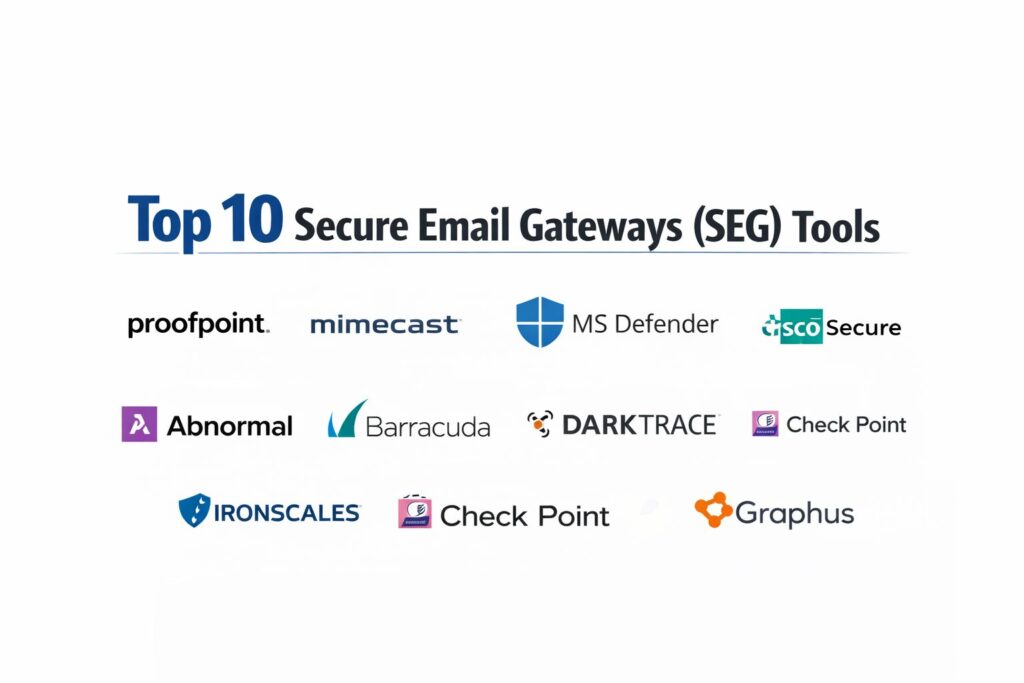
Introduction
The Secure Email Gateway (SEG) has evolved from a simple spam filter into a mission-critical cybersecurity perimeter. In today’s threat landscape, email remains the primary vector for over 90% of cyberattacks, ranging from sophisticated Business Email Compromise (BEC) to devastating ransomware. A modern SEG acts as a sophisticated checkpoint, inspecting every inbound, outbound, and internal communication to neutralize threats before they reach the end user. With the rise of remote work and cloud-based collaboration, these gateways have integrated advanced Artificial Intelligence and Behavioral Analytics to identify anomalies that traditional signature-based scanners would miss.
Beyond simple protection, these platforms provide essential business continuity, data loss prevention (DLP), and regulatory compliance. For organizations handling sensitive intellectual property or personal data, an SEG is not just a defensive layer but a regulatory requirement. The transition from on-premises appliances to cloud-native security has allowed these tools to scale dynamically, offering real-time protection across global networks. As we navigate an era of AI-generated phishing and deepfake-enhanced social engineering, the choice of a secure email gateway determines the resilience of an organization’s most utilized communication channel.
Best for: Security operations teams, IT directors, and compliance officers who need to safeguard corporate communications and prevent data exfiltration.
Not ideal for: Individual home users or very small businesses with basic consumer-grade email needs that do not involve sensitive data or high-volume traffic.
Key Trends in Secure Email Gateway (SEG)
The most significant trend in the SEG market is the move toward Integrated Cloud Email Security (ICES). These solutions leverage APIs to sit directly within the mailbox environment, such as Microsoft 365 or Google Workspace, providing deeper visibility into internal lateral movement and account takeover (ATO) attempts. We are also seeing the integration of “Autonomous Response” capabilities, where AI agents can instantly lock compromised accounts or pull malicious emails from every inbox in a global organization within seconds of detection.
Generative AI is a double-edged sword; while attackers use it to craft perfect, error-free phishing lures, SEGs are using Large Language Models (LLMs) to perform “linguistic analysis” to detect subtle shifts in tone or intent that signal a scam. Furthermore, there is a growing emphasis on “Deepfake Protection” within email and collaboration platforms like Teams and Slack, as attackers increasingly use synthetic audio and video to supplement email-based fraud. Convergence is another major theme, with SEGs now often bundled into broader Extended Detection and Response (XDR) platforms for holistic security visibility.
How We Selected These Tools
Our selection process focused on the efficacy of threat detection and the reliability of the underlying intelligence networks. We prioritized gateways that demonstrate high catch rates for non-malware threats, specifically BEC and impersonation attacks. We evaluated the “false positive” rates of each tool, as an overly aggressive filter can disrupt business operations just as much as a successful attack. A critical factor was the speed of remediation—how quickly a platform can identify and remove a “zero-day” threat that has already bypassed initial filters.
We also scrutinized the Data Loss Prevention (DLP) and encryption capabilities, favoring platforms that offer automated policy enforcement without requiring complex manual tagging. Integration with the broader security stack, particularly SIEM and XDR tools, was heavily weighted to ensure that email alerts contribute to a unified security narrative. Finally, we assessed the user experience for both administrators and end-users, looking for platforms that provide clear, actionable banners and intuitive quarantine management systems.
1. Proofpoint Email Protection
Proofpoint is widely regarded as the industry benchmark for enterprise email security, leveraging a massive global intelligence network to protect the world’s most targeted organizations. It is built for large-scale deployments that require granular control and advanced threat forensics.
Key Features
The platform features “Targeted Attack Protection” (TAP), which uses sandboxing and URL rewriting to detect and block malicious links and attachments. It includes a robust “Nexus AI” engine that identifies impersonation attempts and BEC by analyzing sender reputation and relationship patterns. The system offers “Email Continuity” features, ensuring mail delivery even if the primary mail server goes down. It features a sophisticated DLP module that uses automated scanning to prevent sensitive data from leaving the organization. Additionally, it provides “Very Attacked People” (VAP) reporting to help security teams prioritize protection for high-risk individuals.
Pros
Offers some of the highest threat catch rates in the industry, particularly for advanced phishing. The granular administrative controls allow for highly customized security policies.
Cons
The interface can be complex and overwhelming for smaller teams without dedicated security analysts. Pricing is generally at the premium end of the market.
Platforms and Deployment
Cloud-native SaaS, with hybrid and on-premises appliance options available.
Security and Compliance
Fully compliant with GDPR, HIPAA, and SOC 2, featuring high-grade encryption for data residency.
Integrations and Ecosystem
Extensive integrations with major SIEM/SOAR platforms and deep hooks into Microsoft 365 and Google Workspace.
Support and Community
Provides world-class 24/7 technical support and extensive professional training through “Proofpoint University.”
2. Mimecast Advanced Email Security
Mimecast is a comprehensive cloud-native platform that integrates email security, archiving, and continuity into a single unified console. It is known for its reliability and its ability to act as a complete “cyber resilience” suite for the modern enterprise.
Key Features
The platform features “Targeted Threat Protection,” which inspects URLs at the time of click to protect against delayed-activation malware. It includes “Internal Email Protect,” a specialized module that scans lateral traffic within the organization to stop the spread of internal threats. The system offers an integrated “Cloud Archive” that provides tamper-proof storage for compliance and e-discovery. It features automated “Brand Exploit Protect” to identify and neutralize fraudulent domains mimicking your brand. It also includes an “Awareness Training” module that uses humor-based video content to educate employees.
Pros
The “all-in-one” nature of the platform simplifies vendor management for security, archiving, and continuity. It offers excellent performance with very low latency in mail delivery.
Cons
Some users find the initial configuration of complex policies to be time-consuming. The reporting dashboard, while detailed, can sometimes feel fragmented across different modules.
Platforms and Deployment
Pure cloud-native SaaS deployment.
Security and Compliance
Holds various international certifications including ISO 27001, HIPAA, and FedRAMP.
Integrations and Ecosystem
Strong API-first architecture that integrates with a wide range of third-party security tools.
Support and Community
Offers a robust community portal and highly responsive technical support via chat and phone.
3. Microsoft Defender for Office 365
As the native security solution for the world’s most popular email platform, Microsoft Defender provides a seamless, highly integrated defense layer. It is the natural choice for organizations already deeply invested in the Microsoft 365 ecosystem.
Key Features
The platform features “Safe Attachments” and “Safe Links,” which provide real-time protection by sandboxing suspicious content. It includes “Mailbox Intelligence,” which learns the communication patterns of every user to detect impersonation and spoofing. The system offers “Automated Investigation and Response” (AIR) to automatically remediate common threats without human intervention. It features “Attack Simulation Training” to test and educate users on phishing techniques. The platform also provides cross-workload protection, securing Teams, SharePoint, and OneDrive alongside email.
Pros
The integration is unparalleled, requiring no MX record changes and offering a “single pane of glass” for all Microsoft security. It benefits from the massive scale of Microsoft’s global threat signal.
Cons
Some advanced features are locked behind higher-tier (E5) licensing, which can be expensive. Detection of certain non-malware BEC attacks can sometimes lag behind specialized third-party vendors.
Platforms and Deployment
Cloud-native, built directly into the Microsoft 365 environment.
Security and Compliance
Adheres to the highest global standards, including SOC 2, HIPAA, and GDPR, with regional data residency options.
Integrations and Ecosystem
Natively integrated with the entire Microsoft Defender suite and Microsoft Sentinel SIEM.
Support and Community
Backed by Microsoft’s global support infrastructure and a vast network of certified partners.
4. Cisco Secure Email (formerly ESA)
Cisco Secure Email leverages the power of Talos, one of the world’s largest commercial threat intelligence teams. It is a robust solution for organizations that require deep visibility and integration with their network infrastructure.
Key Features
The platform features “Advanced Malware Protection” (AMP), which tracks file behavior over time to catch threats that initially appear benign. It includes “Domain Protection,” an automated system for managing DMARC, SPF, and DKIM to prevent brand spoofing. The system offers “Cisco SecureX” integration, providing a unified view across email, endpoint, and network security. It features advanced “Senderbase” reputation filtering to block known malicious sources at the connection level. It also includes high-performance encryption and DLP features for sensitive outbound communications.
Pros
The intelligence provided by Cisco Talos is industry-leading, particularly for blocking large-scale volumetric attacks. It offers flexible deployment models, including hardware, virtual, and cloud.
Cons
The user interface has historically been seen as less modern compared to newer cloud-native competitors. Managing on-premises appliances adds administrative overhead.
Platforms and Deployment
Available as an on-premises appliance, virtual appliance, and cloud-based SaaS.
Security and Compliance
Enterprise-grade compliance including FIPS 140-2 and SOC 2.
Integrations and Ecosystem
Natively integrates with the Cisco Secure portfolio and supports standard API integrations for third-party tools.
Support and Community
Supported by Cisco TAC (Technical Assistance Center), renowned for high-level engineering support.
5. Abnormal Security
Abnormal Security is a leader in the “Integrated Cloud Email Security” (ICES) space, focusing specifically on using behavioral AI to stop the most sophisticated social engineering and BEC attacks that bypass gateways.
Key Features
The platform features an “API-Based Architecture” that allows it to integrate with Microsoft 365 or Google Workspace in minutes. It includes a “Behavioral AI” engine that builds a unique profile for every employee and vendor to identify “abnormal” communication. The system offers “Vendor Email Compromise” (VEC) protection, monitoring the security posture of your entire supply chain. It features automated “Account Takeover Protection,” identifying compromised accounts by analyzing login signals and mailbox activity. It also provides an “AI-Powered SOC” that automates the triage of user-reported phishing.
Pros
The setup is exceptionally fast and does not require changing MX records. It is arguably the best platform for detecting “text-only” phishing and executive impersonation.
Cons
It is primarily designed as a supplement to or replacement for native cloud security, rather than a traditional gateway. It lacks some of the legacy archiving features of older platforms.
Platforms and Deployment
Cloud-native API-based deployment.
Security and Compliance
SOC 2 Type II compliant and adheres to GDPR and CCPA privacy standards.
Integrations and Ecosystem
Deeply integrated with Microsoft 365, Google Workspace, and major SIEM platforms.
Support and Community
Provides high-touch customer success and a modern, fast-responding technical support team.
6. Barracuda Email Protection
Barracuda offers a versatile and easy-to-use email security platform that is particularly popular among mid-market organizations. It provides a comprehensive set of features, including gateway filtering, AI-driven defense, and backup.
Key Features
The platform features “AI-Powered Impersonation Protection” that stops BEC and account takeover by learning unique communication patterns. It includes “Cloud-to-Cloud Backup,” providing an essential recovery layer for Microsoft 365 data. The system offers “Incident Response” tools that allow admins to delete malicious emails from all inboxes with a single click. It features “Domain Fraud Protection” to simplify DMARC enforcement. It also includes “Security Awareness Training” with automated phishing simulations and educational content.
Pros
The platform is known for its simplicity and ease of management, making it ideal for teams with limited IT staff. It offers great value by bundling security, backup, and training.
Cons
The detection rates for the most advanced, targeted attacks can sometimes be lower than premium enterprise solutions. The reporting interface is functional but lacks some of the depth of top-tier competitors.
Platforms and Deployment
Cloud-native SaaS, with virtual and hardware appliance options.
Security and Compliance
Fully compliant with GDPR and SOC 2, featuring integrated encryption and archiving for regulatory needs.
Integrations and Ecosystem
Integrates cleanly with Microsoft 365 and provides APIs for broader security ecosystem connectivity.
Support and Community
Renowned for having “live person” support available on-call without long automated queues.
7. Darktrace / EMAIL
Darktrace brings its “Self-Learning AI” to the email environment, treating every communication as a potential risk. It doesn’t rely on blacklists or threat intelligence, but rather on its internal understanding of what “normal” looks like for your business.
Key Features
The platform features “Self-Learning AI” that autonomously learns the “pattern of life” for every user and relationship in the organization. It includes “Autonomous Response,” which can neutralize threats in real-time by slowing down or stopping suspicious communication. The system offers “Cyber AI Analyst,” which automatically investigates and prioritizes email threats for the security team. It features “Outbound DLP” that uses behavioral analysis to detect sensitive data leaks without rigid rules. It also provides a mobile app for security teams to manage incidents on the go.
Pros
It is exceptionally good at finding “novel” or “zero-day” threats that have never been seen before. The autonomous response capability significantly reduces the “mean time to respond” (MTTR) for incidents.
Cons
The “black box” nature of its AI can sometimes make it difficult for admins to understand exactly why a specific action was taken. It requires a “learning period” to become fully effective.
Platforms and Deployment
Cloud-native SaaS with API integration.
Security and Compliance
Adheres to global privacy standards and provides robust data encryption and anonymization features.
Integrations and Ecosystem
Integrates with the broader Darktrace “Cyber AI Loop” and standard SIEM/SOAR platforms.
Support and Community
Offers dedicated “Cyber Technologists” to assist with deployment and ongoing optimization.
8. Check Point Harmony Email & Collaboration
Check Point Harmony (formerly Avanan) pioneered the API-based approach to email security. It is a high-performance platform that blocks threats before they reach the inbox, while securing all collaboration tools in a single interface.
Key Features
The platform features “Inline API Protection,” allowing it to block malicious emails after they pass through the cloud provider’s filter but before the user sees them. It includes comprehensive protection for Slack, Teams, Google Drive, and Dropbox. The system offers “Shadow IT Discovery,” identifying unauthorized apps connected to the corporate email environment. It features advanced “Anti-Phishing AI” that analyzes over 300 indicators to detect fraud. It also provides automated “Post-Delivery Remediation” to claw back threats that are identified after initial delivery.
Pros
The “invisible” deployment means there is no change to MX records and zero impact on mail delivery speed. It offers one of the best user interfaces in the ICES market.
Cons
Because it sits “behind” the native cloud filter, it relies on that first layer to catch volumetric spam. Pricing can be high for organizations requiring full collaboration suite coverage.
Platforms and Deployment
Cloud-native API-based deployment.
Security and Compliance
SOC 2 Type II compliant and meets high standards for GDPR and HIPAA data protection.
Integrations and Ecosystem
Natively integrates with the Check Point Infinity architecture and all major cloud collaboration suites.
Support and Community
Offers a global support network and extensive online documentation through the Check Point “CheckMates” community.
9. Ironscales
Ironscales is an “Adaptive AI” platform that focuses on the human element of email security. It combines machine learning with human intelligence (crowdsourced from its user base) to provide a decentralized defense against phishing.
Key Features
The platform features “Themis AI,” a virtual security analyst that helps triage suspicious emails. It includes “Community-Powered Intelligence,” where a threat identified in one Ironscales customer environment is instantly blocked for all others. The system offers “Integrated Phishing Simulations” that automatically trigger training for users who fail a test. It features “Deepfake Live Protection” to detect synthetic media in real-time communications. It also provides a “One-Click Resolve” button that allows users to report and admins to remediate threats instantly.
Pros
The “community” aspect provides a unique advantage in rapidly stopping viral phishing campaigns. It is very easy to deploy and manage, even for non-specialists.
Cons
It is primarily focused on phishing and BEC, so it may need to be paired with other tools for heavy-duty archiving or legacy encryption. Some users want more advanced custom reporting options.
Platforms and Deployment
Cloud-native SaaS with API integration for Microsoft 365 and Google Workspace.
Security and Compliance
Adheres to SOC 2 and GDPR standards, with a focus on data privacy and user anonymity.
Integrations and Ecosystem
Strong integrations with major security vendors and a channel-friendly architecture for MSPs.
Support and Community
Features a very active user community and responsive technical support with a focus on ease of use.
10. Graphus (a Kaseya Company)
Graphus is an automated, AI-driven email security solution designed specifically for small to mid-sized businesses and MSPs. It focuses on removing the complexity of email security through high levels of automation.
Key Features
The platform features “TrustGraph,” which creates a unique fingerprint of your organization’s trusted relationships to detect impersonation. It includes “Employee Shield,” which adds interactive warning banners to suspicious emails to alert users in real-time. The system offers “Phish911,” an automated tool for users to report suspicious mail directly from their inbox. It features a “Self-Service Portal” for end-users to manage their own safe and block lists. It also provides automated “Threat Intelligence” updates without requiring manual policy adjustments.
Pros
It is one of the most affordable and easy-to-install solutions for smaller organizations. The automation levels are high, requiring very little “daily driving” from an IT administrator.
Cons
The analytical tools are not as deep as those found in enterprise-grade platforms like Proofpoint or Mimecast. It is less suitable for organizations with highly complex, custom routing requirements.
Platforms and Deployment
Cloud-native API-based deployment.
Security and Compliance
Standard compliance for mid-market business needs, including GDPR and standard encryption protocols.
Integrations and Ecosystem
Deeply integrated with other Kaseya IT management products, making it ideal for MSP-led environments.
Support and Community
Provides standard technical support and is backed by Kaseya’s extensive global partner network.
Comparison Table
| Tool Name | Best For | Platform(s) Supported | Deployment | Standout Feature | Public Rating |
| 1. Proofpoint | Global Enterprise | M365, Google, On-Prem | Hybrid/Cloud | VAP (Very Attacked People) | 4.8/5 |
| 2. Mimecast | Cyber Resilience | M365, Google Workspace | Cloud SaaS | Integrated Archiving | 4.7/5 |
| 3. MS Defender | M365 Ecosystem | Microsoft 365 | Native Cloud | Seamless Stack Integration | 4.6/5 |
| 4. Cisco Secure | Network Integration | M365, Google, Hybrid | Appliance/Cloud | Talos Threat Intel | 4.5/5 |
| 5. Abnormal | BEC/Social Eng. | M365, Google Workspace | API-Based | Behavioral AI Engine | 4.9/5 |
| 6. Barracuda | Mid-Market / MSP | M365, Google Workspace | Cloud/Hybrid | Integrated Backup | 4.7/5 |
| 7. Darktrace | Zero-Day/Novel | M365, Google Workspace | Cloud API | Self-Learning AI | 4.7/5 |
| 8. Check Point | Collaboration Sec. | M365, Google, Slack | Cloud API | Inline API Protection | 4.8/5 |
| 9. Ironscales | Phishing / Community | M365, Google Workspace | Cloud API | Crowdsourced Intel | 4.7/5 |
| 10. Graphus | SMB Automation | M365, Google Workspace | Cloud API | TrustGraph Relationship | 4.4/5 |
Evaluation & Scoring of Secure Email Gateways (SEG)
The scoring below is a comparative model intended to help shortlisting. Each criterion is scored from 1–10, then a weighted total from 0–10 is calculated using the weights listed. These are analyst estimates based on typical fit and common workflow requirements, not public ratings.
Weights:
- Core features – 25%
- Ease of use – 15%
- Integrations & ecosystem – 15%
- Security & compliance – 10%
- Performance & reliability – 10%
- Support & community – 10%
- Price / value – 15%
| Tool Name | Core (25%) | Ease (15%) | Integrations (15%) | Security (10%) | Performance (10%) | Support (10%) | Value (15%) | Weighted Total |
| 1. Proofpoint | 10 | 5 | 9 | 10 | 9 | 9 | 7 | 8.60 |
| 2. Mimecast | 9 | 7 | 8 | 10 | 9 | 9 | 8 | 8.50 |
| 3. MS Defender | 8 | 9 | 10 | 9 | 9 | 8 | 9 | 8.75 |
| 4. Cisco Secure | 9 | 6 | 9 | 9 | 8 | 9 | 7 | 8.15 |
| 5. Abnormal | 9 | 10 | 9 | 9 | 9 | 8 | 8 | 8.95 |
| 6. Barracuda | 8 | 9 | 8 | 9 | 9 | 10 | 9 | 8.65 |
| 7. Darktrace | 9 | 7 | 8 | 9 | 8 | 8 | 7 | 8.05 |
| 8. Check Point | 9 | 9 | 9 | 9 | 9 | 8 | 8 | 8.75 |
| 9. Ironscales | 8 | 9 | 8 | 8 | 9 | 9 | 9 | 8.50 |
| 10. Graphus | 7 | 9 | 7 | 8 | 9 | 8 | 10 | 7.95 |
How to interpret the scores:
- Use the weighted total to shortlist candidates, then validate with a pilot.
- A lower score can mean specialization, not weakness.
- Security and compliance scores reflect controllability and governance fit, because certifications are often not publicly stated.
- Actual outcomes vary with assembly size, team skills, templates, and process maturity.
Which Secure Email Gateway (SEG) Tool Is Right for You?
Solo / Freelancer
For a single founder, a full enterprise SEG is likely overkill. Your best approach is to fully utilize the advanced security settings within your existing cloud provider (like Microsoft 365 Business Premium). If you handle high-value transactions, consider a simple API-based “inbox shield” like Ironscales or Graphus that provides a visual warning banner for suspicious emails without requiring complex IT management.
SMB
Nonprofits are often targeted for wire fraud and donor data. You should prioritize a solution that offers high value and ease of use. A bundled product like Barracuda, which includes both security and backup, can be highly effective. Look for vendors that offer special nonprofit pricing to maximize your limited security budget while still obtaining enterprise-grade protection for your donor database.
Mid-Market
Mid-sized companies need to balance sophistication with administrative overhead. API-based solutions like Check Point Harmony or Abnormal Security are excellent choices as they provide deep AI-driven protection without the need for a dedicated email security engineer. These platforms allow your generalist IT team to manage a high level of security with automated remediation features.
Enterprise
For global enterprises, the priority is risk management and granular control. Proofpoint or Mimecast are the standard choices here, offering the depth of reporting and policy customization required for complex legal and regulatory environments. These organizations should look for platforms that offer “Very Attacked People” (VAP) insights to proactively secure the individuals most likely to be targeted by state-sponsored actors.
Budget vs Premium
If budget is the primary driver, a native solution like Microsoft Defender is often the most cost-effective, as it may already be included in your software licensing. However, the premium charged for a specialist vendor like Proofpoint or Abnormal is often justified by their higher catch rates for the specific types of fraud (like BEC) that can cost an organization millions in a single incident.
Feature Depth vs Ease of Use
If you have a large SOC team that wants to perform deep forensic analysis on every phishing lure, Proofpoint is unbeatable. If your goal is to “set it and forget it,” then the AI-driven automation of Abnormal or the community-sourced intelligence of Ironscales will provide better results with far less daily manual intervention.
Integrations & Scalability
A modern SEG must scale with your cloud footprint. Ensure that the tool you choose supports your future roadmap, whether that includes moving to a multi-cloud environment or integrating with an XDR platform. The ability of the gateway to share signals with your endpoint and identity providers is a critical factor for long-term cyber resilience.
Security & Compliance Needs
Financial, healthcare, and government organizations must choose a gateway with specific security certifications (like FedRAMP or HIPAA compliance). In these sectors, automated encryption and tamper-proof archiving are not just “features” but essential requirements for operating legally and maintaining the trust of your clients.
Frequently Asked Questions (FAQs)
1. What is the difference between a traditional SEG and an API-based ICES?
A traditional SEG requires changing your MX records to route mail through their servers first. An ICES (Integrated Cloud Email Security) connects directly to your mailbox via API, allowing it to see internal mail and provide a more “invisible” layer of security without disrupting mail flow.
2. Why isn’t the built-in security in M365 or Google enough?
While native security is good for volumetric spam, third-party specialists often provide better protection against highly targeted “text-only” phishing and BEC. Many enterprises use a “defense-in-depth” strategy by layering a specialized tool on top of their native cloud security.
3. Does an SEG slow down the delivery of my emails?
Modern cloud gateways are extremely fast, but they do add a few seconds of latency for scanning. However, high-quality platforms ensure this is imperceptible to the user. Some API-based tools have zero impact on delivery speed because they scan the mail after it has reached the provider’s server.
4. Can an SEG protect me from phishing on mobile devices?
Yes, because the SEG protects the email at the server or gateway level, any email you open on your mobile device has already been scanned and sanitized (or blocked) before it even reaches your mobile mail app.
5. What is “URL Rewriting” and how does it help?
URL rewriting changes the links in an email so that when a user clicks them, they are first routed through the SEG’s scanner. This protects against “time-of-click” threats where an attacker turns a benign website into a malicious one after the email has already been delivered.
6. How does an SEG detect Business Email Compromise (BEC)?
SEGs use AI to analyze “identity signals,” such as whether a sender’s name matches their email address, if they are using a newly registered domain, or if their writing style has suddenly changed compared to historical communications.
7. Is an email archive the same as a backup?
No. An archive is a tamper-proof, searchable record of all communications for legal and compliance reasons. A backup is a point-in-time copy of your mailbox data used for disaster recovery. Many SEGs offer both, but they serve different purposes.
8. Can an SEG block malicious emails that have already been delivered?
Yes, modern platforms have a “clawback” or “remediation” feature. If a threat is identified globally after it has landed in your users’ inboxes, the admin can use the platform to search and delete that specific email from every mailbox instantly.
9. What is DMARC and how does an SEG help with it?
DMARC is a protocol that helps prevent others from spoofing your domain. Many SEGs include “DMARC management” tools that simplify the complex process of setting up and monitoring these records to protect your brand’s reputation.
10. Do I still need an SEG if I use a VPN?
Yes. A VPN secures your connection to the internet, but it does not scan the content of your emails for phishing, malware, or social engineering. An SEG is a content-level security layer that is independent of how you connect to the network.
Conclusion
Securing the email perimeter has become a sophisticated battle of algorithms, where the traditional “blacklists” of the past have been replaced by real-time behavioral AI and global threat intelligence. A secure email gateway is no longer just a luxury for the security-conscious; it is a fundamental requirement for business continuity in a landscape where human error remains the greatest vulnerability. By implementing a modern SEG, organizations can effectively shift from a reactive posture—cleaning up after a breach—to a proactive defense that neutralizes threats at the point of entry. Ultimately, the right gateway empowers your workforce to communicate with confidence, knowing that the “connective tissue” of the digital enterprise is protected by world-class intelligence and autonomous defense systems.