Introduction
Risk-Based Authentication (RBA) has emerged as the definitive solution for the “security vs. convenience” paradox. As identity-based attacks—such as credential stuffing and sophisticated phishing—become more frequent, static login processes are no longer sufficient. RBA, often referred to as adaptive or contextual authentication, operates on the principle of dynamic friction. Instead of challenging every user with the same hurdles, these platforms silently monitor hundreds of contextual signals to calculate a real-time risk score. If a login appears typical, the user experiences a frictionless “silent” authentication; if anomalies are detected, the system automatically triggers step-up verification or blocks the attempt entirely.
The integration of RBA into an enterprise security stack represents a shift toward “Zero Trust” maturity. By analyzing variables such as geovelocity (impossible travel), device fingerprints, IP reputation, and even behavioral biometrics (like typing cadence), RBA tools provide a layered defense that is nearly impossible for automated bots to replicate. For organizations, the benefits are two-fold: a significant reduction in successful account takeovers (ATO) and a measurable increase in user productivity due to fewer unnecessary multi-factor authentication (MFA) prompts. In a digital landscape where the “identity perimeter” is the only perimeter that matters, choosing the right risk-based engine is a critical strategic decision.
Best for: Security-conscious enterprises, financial institutions, and e-commerce platforms that need to secure remote workforces and customer portals without degrading the user experience.
Not ideal for: Small businesses with extremely limited user bases or static internal environments where advanced machine learning and contextual signal analysis would be overkill compared to standard MFA.
Key Trends in Risk-Based Authentication Tools
The most significant trend in the RBA space is the move toward “Continuous Authentication.” Traditional RBA evaluated the risk only at the moment of login, but modern platforms now monitor the entire user session for “post-login” anomalies, such as a sudden change in network or suspicious file access patterns. This allows security teams to revoke access in real-time if a session is hijacked. Additionally, the rise of Behavioral Biometrics is replacing static device fingerprinting; systems can now identify a user by the way they hold their mobile device or navigate a touchscreen, providing a unique digital “DNA” that is far more difficult to forge than an IP address.
We are also seeing a rapid convergence of Identity and Access Management (IAM) with Fraud Detection and Prevention (FDP) suites. Enterprises are no longer viewing “employee login” and “customer fraud” as separate silos; instead, they are adopting unified risk engines that share threat intelligence across all touchpoints. AI and Machine Learning have also moved from being “buzzwords” to being the core infrastructure of these tools, enabling “Explainable AI” (XAI) features that tell security admins exactly why a specific user was flagged. Finally, the “Passwordless” movement is gaining massive momentum, with RBA serving as the invisible layer that makes passwordless entry secure enough for enterprise-grade applications.
How We Selected These Tools
Our selection process focused on the technical sophistication of the underlying risk engines and the breadth of the signal intelligence networks they utilize. We prioritized platforms that go beyond basic geolocation and IP checks, favoring those that incorporate advanced behavioral analytics and global threat data to minimize false positives. A critical factor was “Orchestration Capability”—the ease with which a security administrator can design complex “if-then” logic trees to handle different risk levels across various user groups.
Scalability and integration were also heavily weighted; we looked for tools that could seamlessly plug into existing identity providers, cloud environments, and legacy on-premises applications. We evaluated the robustness of the administrative dashboards, specifically looking for detailed forensic reporting and the ability to perform “silent” pilot tests to see how policies would impact users before they are enforced. Security and privacy compliance were mandatory, ensuring that the collection of behavioral and contextual data adheres to global standards like GDPR and CCPA. Finally, we assessed the end-user experience, favoring tools that offer a wide variety of “step-up” options, from biometric pushes to physical security keys.
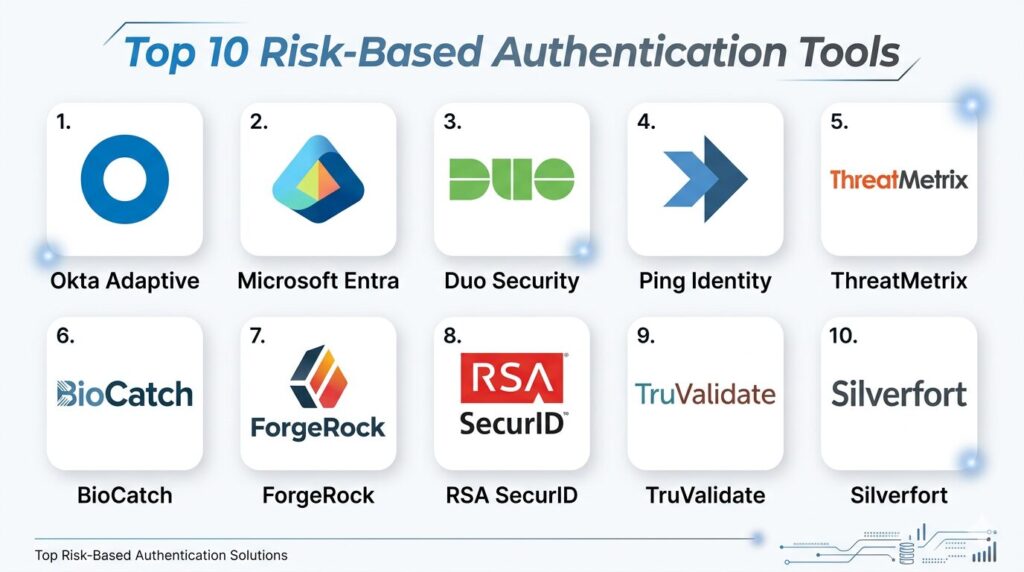
1. Okta Adaptive MFA
Okta is a dominant leader in the identity space, and its Adaptive MFA product is the gold standard for modern, cloud-first enterprises. It leverages the massive “Okta Identity Cloud” to identify threats across thousands of global customers simultaneously.
Key Features
The platform features a powerful “Risk Engine” that uses machine learning to assign a risk score (Low, Medium, or High) to every login attempt. It includes “ThreatInsight,” which automatically blocks malicious IPs known to be associated with credential stuffing attacks across the entire Okta network. The system offers granular “Contextual Access Policies” that can trigger different actions based on device health, location, and network. It also supports a vast array of passwordless factors, including Okta Verify with Push, FIDO2 WebAuthn, and integrated biometrics like Apple FaceID. Additionally, it provides detailed “System Log” forensics for audit and compliance.
Pros
It offers unparalleled ease of integration with over 7,000 pre-built app connectors. The global threat intelligence shared across its user base provides a “network effect” that stops new attacks faster.
Cons
The cost can escalate quickly for organizations with high user counts or complex requirements. It is primarily a cloud-native tool, which may be challenging for highly legacy-dependent environments.
Platforms and Deployment
Cloud-based SaaS with support for web and mobile (iOS/Android).
Security and Compliance
FedRAMP authorized, SOC 2 Type II, ISO 27001, and HIPAA compliant.
Integrations and Ecosystem
Seamlessly integrates with major cloud suites (AWS, Azure, Google), HR systems (Workday), and SIEM tools.
Support and Community
Extensive documentation, a massive community forum, and dedicated premium support options.
2. Microsoft Entra ID Protection
Microsoft Entra ID (formerly Azure AD) Protection is the go-to RBA solution for organizations heavily invested in the Microsoft 365 and Azure ecosystems. It offers some of the most sophisticated “leaked credential” detection in the industry.
Key Features
The platform features “User Risk” and “Sign-in Risk” policies that automate the response to compromised accounts. It includes a specialized “Leaked Credential Detection” service that cross-references user passwords against millions of credentials found on the dark web. The system offers “Conditional Access” policies that can require “Phishing-Resistant MFA” for high-risk attempts. It features deep integration with “Microsoft Defender,” allowing it to factor in device-level threats before granting access. It also provides “Report-only Mode,” allowing admins to see the impact of risk policies before turning them on.
Pros
The “Leaked Credential” intelligence is virtually unmatched due to Microsoft’s visibility into the global threat landscape. It provides a seamless experience for users already using Microsoft Authenticator.
Cons
The most advanced risk features require the highest-tier “Entra ID P2” or “Microsoft 365 E5” licensing. It can be complex to configure correctly due to the sheer number of policy options.
Platforms and Deployment
Azure Cloud (Global).
Security and Compliance
Meets all major global standards including GDPR, HIPAA, and various government-specific certifications.
Integrations and Ecosystem
Native integration with the entire Microsoft security stack and wide support for third-party SaaS via SAML/OIDC.
Support and Community
Backed by Microsoft’s global support infrastructure and extensive “Microsoft Learn” documentation.
3. Duo Security (Cisco)
Duo Security is renowned for its “user-first” philosophy, making it the preferred choice for organizations that prioritize a simple, high-adoption authentication experience without sacrificing deep risk analysis.
Key Features
The platform features “Duo Risk-Based Authentication,” which automatically identifies and mitigates “MFA fatigue” attacks by requiring more secure factors (like Verified Push) only when risk is detected. It includes “Device Health” checks that ensure a laptop or phone is encrypted and up-to-date before allowing access. The system offers “Trust Monitor,” which uses behavioral modeling to identify unusual login patterns for specific users. It features “Duo Central,” a single-sign-on portal that applies risk policies across all protected apps. It also supports “Universal Prompt,” a modern, accessible interface for all authentication challenges.
Pros
It is arguably the easiest RBA tool to deploy and manage, even for smaller IT teams. The “Verified Duo Push” feature (requiring a code entry) is an excellent defense against “Push bombing” attacks.
Cons
Some of the advanced behavioral analytics are newer to the platform compared to competitors like Ping or RSA. It is less focused on B2C fraud prevention than tools like LexisNexis.
Platforms and Deployment
Cloud-based SaaS with highly rated mobile apps.
Security and Compliance
SOC 2, ISO 27001, and PCI DSS compliant.
Integrations and Ecosystem
Strong support for VPNs, SSH, and legacy on-premises applications alongside modern SaaS.
Support and Community
Excellent customer support and a very active community and knowledge base.
4. Ping Identity (PingOne Risk)
Ping Identity specializes in large-scale, complex enterprise environments that require a high degree of customization and support for both workforce and customer identities (CIAM).
Key Features
The platform features “PingOne Risk,” a specialized service that evaluates multiple signals including geovelocity, anonymous network detection, and IP reputation. It includes “Intelligent Orchestration,” a visual, no-code editor that allows admins to design complex authentication “journeys” with drag-and-drop ease. The system offers “User Behavior Analytics” (UBA) to detect “impossible travel” and unusual time-of-day access. It features “Behavioral Biometrics” through its integration of the PingOne Protect module. It also supports high-scale deployments, managing hundreds of millions of identities with ease.
Pros
The “Orchestration” feature is best-in-class, allowing for incredibly flexible and visual policy management. It is excellent for “Hybrid” environments that need to bridge old data centers and new clouds.
Cons
The sheer power of the platform means it can be overwhelming for smaller organizations. The modular nature of Ping’s products can make the initial purchasing process complex.
Platforms and Deployment
Available as a cloud service (PingOne), on-premises, or in a hybrid “Advanced Identity Cloud” model.
Security and Compliance
Broad certifications including FIPS 140-2, SOC 2, and GDPR.
Integrations and Ecosystem
Deep integration with legacy enterprise software (Oracle, IBM) and modern cloud providers.
Support and Community
High-touch enterprise support and professional services for complex implementations.
5. LexisNexis ThreatMetrix
ThreatMetrix is a specialized risk-based authentication and fraud prevention platform that is particularly dominant in the financial services and e-commerce sectors for protecting customer logins.
Key Features
The platform features the “Digital Identity Network,” which analyzes billions of global transactions to recognize “trusted” digital identities across different industries. It includes “Smart ID,” a sophisticated device fingerprinting technology that can identify returning devices even if the user clears their cookies. The system offers “Behavioral Intelligence” that detects bot-like behavior or signs of remote access tools (RATs) being used by attackers. It features “Trust Scores” that provide a real-time assessment of how likely a transaction is to be fraudulent. It also provides specialized “Case Management” for manual fraud reviews.
Pros
It provides the deepest “Fraud” specific intelligence, making it superior for B2C applications where account takeover is a major threat. Its global network allows it to spot a fraudster at your site who was just caught at a bank.
Cons
It is a highly specialized tool that may be “too much” for simple workforce MFA needs. The interface and policy creation are geared toward professional fraud analysts.
Platforms and Deployment
Global Cloud SaaS.
Security and Compliance
Adheres to strict financial-grade security standards and global data privacy laws.
Integrations and Ecosystem
Integrates with payment gateways and banking cores to provide risk signals during high-value transactions.
Support and Community
Provides dedicated fraud analysts and expert consulting for enterprise clients.
6. BioCatch
BioCatch is a pioneer in “Behavioral Biometrics,” focusing on how a user interacts with their device rather than just what device they are using or where they are located.
Key Features
The platform features “Continuous Behavioral Monitoring,” which analyzes thousands of parameters such as mouse movements, typing speed, and even the angle at which a phone is held. It includes “Social Engineering Detection,” which can identify when a user is being coached by a fraudster on a phone call based on “hesitation” patterns. The system offers “Bot Detection” by identifying non-human patterns in data entry. It features “Passive Authentication,” allowing for a completely invisible user experience that doesn’t require a single prompt. It also provides “Mule Account” detection to identify high-risk financial transfers.
Pros
It provides a layer of security that is nearly impossible for hackers to bypass using stolen credentials or device clones. The “Social Engineering” detection is a unique and highly valuable feature for banks.
Cons
It is a specialized qualitative tool that usually needs to be paired with a standard IAM provider like Okta or Ping. It requires a “learning” period to establish a baseline for new users.
Platforms and Deployment
Cloud SaaS with SDKs for mobile and web integration.
Security and Compliance
Fully compliant with GDPR and banking-specific security regulations.
Integrations and Ecosystem
Designed to plug into existing mobile banking apps and web portals via lightweight SDKs.
Support and Community
Offers deep expertise in cyber-fraud and provides detailed threat research to its clients.
7. ForgeRock (by Ping Identity)
ForgeRock, now part of Ping Identity but still maintaining its distinct “Advanced Identity Cloud,” is built for high-scale, high-complexity environments that require ultimate flexibility in their risk journeys.
Key Features
The platform features “Intelligent Access Trees,” a visual workflow engine that allows for the creation of incredibly granular risk-based paths. It includes “Autonomous Identity,” an AI-driven tool that helps admins identify “over-privileged” accounts and unusual access patterns. The system offers “Device DNA” for advanced fingerprinting and “impossible travel” detection. It features “Digital Privacy” controls that allow users to see and manage the data being used for their risk scoring. It also supports massive scale, capable of handling over 100 million identities in a single deployment.
Pros
It offers the most “extensible” platform for developers who want to write custom risk logic. The visual trees make it easy for stakeholders to see exactly how a security decision is made.
Cons
It is widely considered one of the more expensive and complex platforms to implement correctly. It requires a dedicated team of identity professionals to manage effectively.
Platforms and Deployment
Cloud-native (ForgeRock Identity Cloud), on-premises, or any cloud (BYOC).
Security and Compliance
ISO 27001, SOC 2 Type II, and FIPS-compliant options.
Integrations and Ecosystem
Exceptional support for APIs, microservices, and “Internet of Things” (IoT) identities.
Support and Community
Known for “ForgeRock University” training and high-level technical support for engineers.
8. RSA SecurID
RSA is one of the most trusted names in security, and its modern SecurID platform has evolved from physical tokens into a robust, cloud-driven risk-based authentication system.
Key Features
The platform features a “Risk Engine” that silently collects data on user behavior and device history over time to build a “normal” profile. It includes “Assurance Levels,” which allow admins to set different security requirements (Low, Medium, High) for different applications. The system offers “On-Demand Authentication,” allowing users to receive a one-time code via SMS or email only when a risk is detected. It features “Silent Collection,” where the system learns in the background without interrupting the user. It also maintains support for its legendary hardware tokens for high-security “air-gapped” environments.
Pros
It is a “safe” choice for traditional industries like government and finance that need a proven, stable provider. The hybrid capability (cloud + on-prem) is exceptionally mature.
Cons
The user interface for both admins and end-users can feel a bit more dated compared to “born-in-the-cloud” competitors. The setup for advanced risk features can be manual.
Platforms and Deployment
Available as a cloud service, on-premises (Authentication Manager), or hybrid.
Security and Compliance
Meets the highest federal and international standards (FIPS, SOC 2, HIPAA).
Integrations and Ecosystem
Vast integration library for enterprise infrastructure like VPNs, firewalls, and mainframes.
Support and Community
Decades of experience in enterprise support with a global reach.
9. TransUnion TruValidate
TruValidate (formerly IDVision with iovation) combines TransUnion’s massive consumer data with advanced device reputation to provide a powerful RBA tool for customer-facing applications.
Key Features
The platform features “Device Reputation” intelligence, leveraging a global database of billions of devices known to be associated with fraud. It includes “Identity Verification” by cross-referencing user-provided data with TransUnion’s consumer credit and public records. The system offers “Fraud Analytics” that uncover hidden links between disparate accounts (e.g., the same phone number being used across multiple risky sign-ups). It features a “Threat Level Indicator” for real-time monitoring of site-wide attacks. It also provides “Step-up” via automated phone or SMS verification.
Pros
The link to TransUnion’s credit and identity data provides a unique layer of verification that other tools lack. It is excellent at stopping “Synthetic Identity” fraud at the point of account creation.
Cons
It is less focused on internal “Workforce” IAM needs (like SSO for employees) and more on “Customer” fraud prevention.
Platforms and Deployment
Cloud-based SaaS API and SDKs.
Security and Compliance
Highly compliant with financial regulations and global data privacy standards.
Integrations and Ecosystem
Strongest in industries like banking, insurance, gaming, and e-commerce.
Support and Community
Offers specialized fraud consulting and detailed industry-specific fraud reports.
10. Silverfort
Silverfort is a unique “Identity Protection” platform that provides RBA capabilities across an organization’s entire infrastructure without requiring agents or proxies, including legacy systems that don’t natively support MFA.
Key Features
The platform features “Agentless MFA,” allowing risk-based policies to be applied to legacy servers, databases, and administrative tools (like PowerShell). It includes “Identity Threat Detection and Response” (ITDR), which identifies lateral movement by attackers within a network. The system offers a “Centralized Policy Engine” that sits on top of existing providers like Active Directory or Okta. It features “Automated Discovery” of all service accounts and human users to build a complete identity map. It also provides a “Zero Trust Score” for every user based on their historical behavior.
Pros
It is the only tool that can truly protect “everything,” including the legacy systems that other RBA tools ignore. It installs in hours because it doesn’t require changing your existing apps or installing agents.
Cons
It is more of a “security layer” that sits on top of your IAM, rather than a full replacement for a primary identity provider.
Platforms and Deployment
Software-defined platform that can be deployed on-premises or in the cloud.
Security and Compliance
SOC 2 compliant and designed to help organizations meet Zero Trust requirements.
Integrations and Ecosystem
Uniquely integrates with Active Directory, RADIUS, and legacy protocols like Kerberos and NTLM.
Support and Community
High-growth company with strong technical support and a focus on enterprise architecture.
Comparison Table
| Tool Name | Best For | Platform(s) Supported | Deployment | Standout Feature | Public Rating |
| 1. Okta Adaptive | Cloud-First Enterprise | Web, Mobile | Cloud SaaS | Global ThreatInsight | 4.8/5 |
| 2. Microsoft Entra | Microsoft Ecosystem | Azure/Cloud | Cloud SaaS | Leaked Credential Detect | 4.7/5 |
| 3. Duo Security | Ease of Use / UX | Web, Mobile | Cloud SaaS | Verified Duo Push | 4.8/5 |
| 4. Ping Identity | Complex Hybrid IT | Cloud, On-Prem | Hybrid / Cloud | Visual Journey Orchestration | 4.6/5 |
| 5. ThreatMetrix | B2C Fraud Prevention | Web-Based | Cloud SaaS | Digital Identity Network | 4.5/5 |
| 6. BioCatch | Behavioral Biometrics | Web, Mobile | Cloud SaaS | Social Engineering Detection | 4.7/5 |
| 7. ForgeRock | Developer Flexibility | Cloud, On-Prem | Any Cloud | Intelligent Access Trees | 4.4/5 |
| 8. RSA SecurID | Traditional/Gov/Finance | Cloud, On-Prem | Hybrid | Assurance Level Logic | 4.3/5 |
| 9. TruValidate | Consumer Identity | Web-Based | Cloud SaaS | Credit-Linked Verification | 4.5/5 |
| 10. Silverfort | Legacy / Agentless | On-Prem, Cloud | Software-Defined | Lateral Movement Detection | 4.8/5 |
Evaluation & Scoring of Risk-Based Authentication Tools
The scoring below is a comparative model intended to help shortlisting. Each criterion is scored from 1–10, then a weighted total from 0–10 is calculated using the weights listed. These are analyst estimates based on typical fit and common workflow requirements, not public ratings.
Weights:
- Core features – 25%
- Ease of use – 15%
- Integrations & ecosystem – 15%
- Security & compliance – 10%
- Performance & reliability – 10%
- Support & community – 10%
- Price / value – 15%
| Tool Name | Core (25%) | Ease (15%) | Integrations (15%) | Security (10%) | Performance (10%) | Support (10%) | Value (15%) | Weighted Total |
| 1. Okta Adaptive | 10 | 9 | 10 | 9 | 9 | 9 | 8 | 9.30 |
| 2. Microsoft Entra | 9 | 8 | 9 | 10 | 9 | 9 | 9 | 8.95 |
| 3. Duo Security | 8 | 10 | 9 | 9 | 9 | 9 | 9 | 8.95 |
| 4. Ping Identity | 10 | 6 | 9 | 9 | 9 | 8 | 7 | 8.35 |
| 5. ThreatMetrix | 9 | 6 | 8 | 9 | 9 | 8 | 7 | 8.05 |
| 6. BioCatch | 9 | 7 | 7 | 10 | 9 | 8 | 8 | 8.30 |
| 7. ForgeRock | 10 | 5 | 9 | 9 | 8 | 8 | 6 | 7.95 |
| 8. RSA SecurID | 8 | 6 | 9 | 10 | 8 | 9 | 8 | 8.20 |
| 9. TruValidate | 8 | 7 | 7 | 9 | 9 | 8 | 8 | 8.00 |
| 10. Silverfort | 9 | 8 | 10 | 9 | 9 | 8 | 9 | 8.90 |
How to interpret the scores:
- Use the weighted total to shortlist candidates, then validate with a pilot.
- A lower score can mean specialization, not weakness.
- Security and compliance scores reflect controllability and governance fit, because certifications are often not publicly stated.
- Actual outcomes vary with assembly size, team skills, templates, and process maturity.
Which Risk-Based Authentication Tool Is Right for You?
Solo / Freelancer
For very small teams or solo founders, the priority is usually low cost and zero maintenance. In this case, simply using the built-in adaptive features of your existing cloud provider (like Google Workspace or basic Microsoft Entra) is often enough. If you need a standalone tool, the free or low-tier versions of Duo Security provide professional-grade protection without the need for a security engineer.
SMB
Nonprofits should prioritize ease of use and cost-effectiveness. Many of the top providers, including Okta and Microsoft, offer significant discounts or free tiers for verified nonprofits. Focus on a tool that provides a “set it and forget it” experience, such as automated blocking of risky IPs, to ensure your sensitive donor data is protected with minimal oversight.
Mid-Market
Mid-sized companies should look for a balance between advanced security and user experience. As the team grows, “MFA fatigue” becomes a real issue. Selecting a tool like Duo or Okta that can intelligently “remember” trusted devices and only prompt for MFA when things change will keep your employees productive while significantly reducing the risk of a breach.
Enterprise
Large enterprises with a mix of modern cloud apps and old on-premises servers need a solution that bridges both worlds. This often means looking at “Orchestration” leaders like Ping Identity or ForgeRock, which allow you to create custom security journeys. If you have a massive legacy footprint, Silverfort is an essential consideration to provide RBA to systems that weren’t built for it.
Budget vs Premium
If budget is the primary constraint, sticking with your primary cloud provider’s native tools is the most efficient route. However, if your “premium” needs involve high-stakes financial transactions or protecting high-value customer accounts, investing in a specialized fraud-focused tool like LexisNexis ThreatMetrix or BioCatch is a justifiable expense to prevent the massive costs associated with fraud.
Feature Depth vs Ease of Use
If your IT team is lean, avoid the highly “orchestrated” platforms like ForgeRock which require significant programming. Instead, opt for “templated” leaders like Duo or Okta. If you have a dedicated Security Operations Center (SOC) and need to perform deep forensic analysis on every login attempt, the feature depth of Ping Identity or Microsoft Entra P2 will be much more valuable.
Integrations & Scalability
Scale isn’t just about the number of users; it’s about the number of applications. Ensure your chosen tool has a healthy “App Integration” catalog or at least standard support for OIDC and SAML. For customer-facing apps, look for robust SDKs that won’t slow down your app’s performance while they collect risk signals in the background.
Security & Compliance Needs
High-security sectors like healthcare or government must prioritize tools with specific certifications (like FedRAMP or HIPAA). For these users, traditional and highly-certified providers like RSA or Microsoft are often the safest bet. Always ensure the tool’s “Data Residency” options match your legal requirements for where user behavioral data can be stored.
Frequently Asked Questions (FAQs)
1. Is Risk-Based Authentication the same as Adaptive Authentication?
For most practical purposes, yes. Both terms describe a system that changes the authentication requirements based on the context (risk) of the login attempt. Some people use “Adaptive” to describe the overall architecture and “Risk-Based” to describe the specific scoring method.
2. What happens if the RBA system makes a mistake and blocks a legitimate user?
This is known as a “False Positive.” Most systems allow admins to set a “Grace Period” or a “Help Desk Override.” Additionally, instead of a hard block, most systems will simply “Step-up” the user to a more rigorous MFA method, allowing them to prove their identity and proceed.
3. Does RBA work for mobile apps as well as web browsers?
Yes, most top providers offer “Mobile SDKs” that developers can embed directly into their apps. This allows the system to collect device-specific signals like the presence of a “Jailbreak” or specific hardware IDs to verify the device’s integrity.
4. Can RBA protect against “SIM Swapping” attacks?
While RBA can’t stop a SIM swap from happening at the carrier level, it can detect that a user’s device “footprint” has suddenly changed or that their location is anomalous, which would trigger a secondary check (like a biometric push) that a SIM swapper wouldn’t be able to bypass.
5. How many signals does an average RBA tool analyze?
Top-tier tools can analyze anywhere from 50 to 500+ signals. These range from simple data like IP address and time-of-day to complex behavioral biometrics like how fast a user types their username or the specific way they move their mouse.
6. Do I need to get rid of my current MFA tool to use RBA?
Not necessarily. Many RBA engines (like Silverfort or Ping) are designed to “sit on top” of your existing MFA. They act as the “brain” that decides when your existing “muscle” (the MFA prompt) needs to be activated.
7. How long does the “Learning Period” take for a new RBA system?
Most systems can begin providing value immediately based on global “Known Bad” lists. However, to learn a specific user’s individual patterns (like their typical home IP or office hours), it usually takes 7 to 14 days of active use to build a high-confidence baseline.
8. What is “Impossible Travel”?
This is a classic RBA signal where a user logs in from New York, and then 30 minutes later, an attempt is made using the same credentials from London. Since it is physically impossible to travel that distance in that time, the system flags the second attempt as high-risk.
9. Can RBA help with “Passwordless” logins?
Absolutely. RBA is actually the foundation of secure passwordless systems. By silently verifying the user’s risk profile in the background, the system can confidently allow access via a simple biometric or a persistent “trusted device” token without needing a password.
10. Is my behavioral data (like how I type) stored securely?
Top RBA providers do not store your actual “keystrokes” (which would be a privacy risk); instead, they create a mathematical “profile” or hash of your behavior. This data is typically encrypted and anonymized to comply with global privacy standards like GDPR.
Conclusion
Risk-Based Authentication is no longer a luxury for high-security environments; it is a foundational requirement for any organization operating in the modern digital landscape. By moving away from static, “one-size-fits-all” security and toward a dynamic, context-aware model, businesses can finally achieve the elusive balance of ironclad security and a frictionless user experience. Whether you are protecting a remote workforce from account takeovers or securing millions of customer transactions from fraud, the platforms highlighted here provide the intelligence and automation necessary to stay ahead of increasingly sophisticated attackers. The future of security is invisible, and RBA is the engine making that future possible.