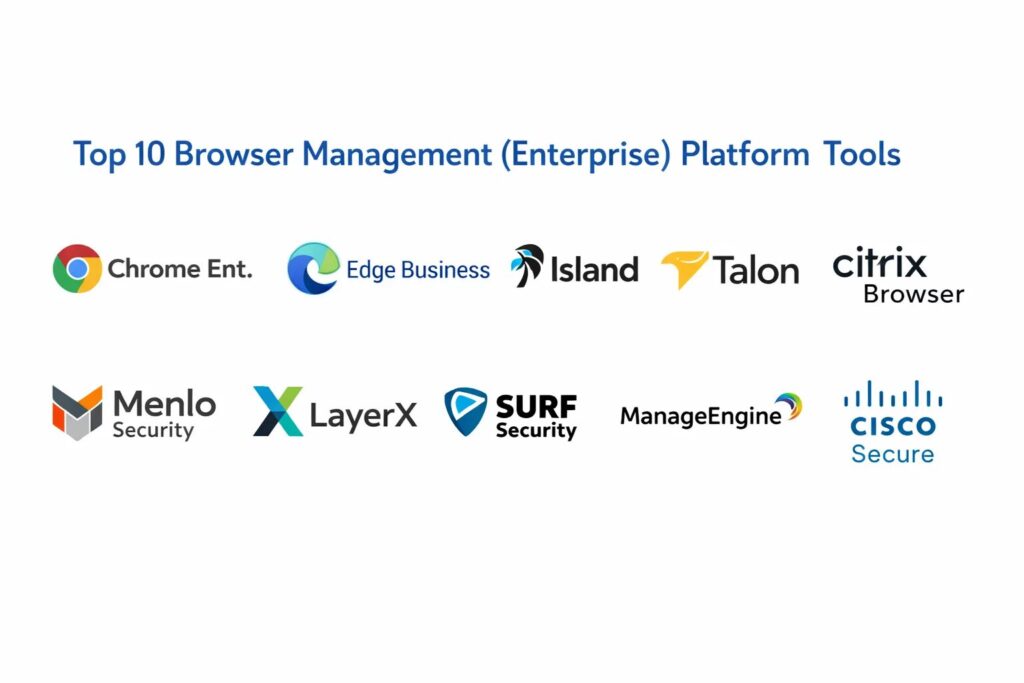
Introduction
In the modern enterprise landscape, the web browser has evolved from a simple navigation tool into the primary workspace for the global workforce. Browser management platforms provide the essential administrative layer that allows organizations to secure, govern, and optimize this “last mile” of data interaction. Unlike consumer-grade browsers, enterprise versions and their management suites allow IT departments to enforce thousands of granular policies—ranging from extension whitelisting and automated updates to advanced data loss prevention (DLP). This technology is fundamental to a Zero Trust architecture, as it provides a controlled environment where user identity, device health, and application access intersect.
The critical need for these tools arises from the proliferation of Software-as-a-Service (SaaS) applications and the shift toward hybrid and remote work models. Organizations now face significant risks from malicious extensions, browser-based phishing, and accidental data leakage through unmanaged personal devices. Browser management tools mitigate these threats by isolating corporate sessions from personal browsing and preventing sensitive information—such as financial records or proprietary code—from being copied, printed, or uploaded to unauthorized cloud storage. By centralizing control, enterprises can ensure compliance with global data regulations while maintaining a high-performance environment that supports employee productivity across diverse operating systems.
Best for: CISO offices, IT administrators in regulated industries (finance, healthcare, government), and organizations supporting large-scale BYOD or remote contractor workforces.
Not ideal for: Micro-businesses or hobbyists where standard browser sync and basic antivirus provide sufficient protection without the need for centralized policy orchestration.
Key Trends in Browser Management (Enterprise)
The most significant trend is the rise of the “Secure Enterprise Browser,” a purpose-built Chromium-based client designed specifically for corporate security rather than consumer convenience. These browsers move security from the network edge directly into the session, allowing for real-time inspection of encrypted traffic without the latency of traditional VPNs. Another major shift is the integration of Generative AI governance, where management platforms can now monitor and redact sensitive data before it is pasted into public AI models, protecting corporate intellectual property in real-time.
Browser isolation technology has also matured, with many platforms now using “Remote Browser Isolation” (RBI) to execute untrusted code in a disposable cloud container, delivering only a sanitized visual stream to the user’s device. We are also seeing a move toward “Identity-Aware” browsing, where the browser itself acts as an authentication factor, assessing the security posture of the device before allowing access to internal resources. Finally, unified endpoint management (UEM) is merging with browser security, providing a single pane of glass for managing both the underlying hardware and the web environment.
How We Selected These Tools
Our selection process focused on identifying platforms that offer the highest degree of administrative control and security efficacy. We prioritized “Enterprise-First” solutions that provide extensive policy templates and deep integration with existing identity providers like Okta, Entra ID, and Google Workspace. Market presence and proven deployment at scale were key factors, as larger ecosystems offer better community documentation and more frequent security patching.
We evaluated each tool based on its ability to handle complex security scenarios, such as preventing data exfiltration on unmanaged devices and managing legacy web application compatibility. Performance was a major consideration; we looked for tools that provide robust security without introducing significant “tab lag” or memory bloat. We also scrutinized the depth of auditing and reporting features, ensuring that compliance teams have the forensic data needed for regulatory audits. Finally, we assessed the ease of deployment, favoring tools that can be rolled out via standard MDM (Mobile Device Management) or simple browser extensions.
1. Google Chrome Enterprise
Google Chrome Enterprise is the industry benchmark for browser management, providing a robust suite of cloud-based controls for the world’s most popular browser. It offers a tiered approach, with “Core” providing centralized management and “Premium” adding advanced threat and data protection features like real-time URL scanning and DLP.
Key Features
The platform features a cloud-based management console that allows admins to push 100+ policies across Windows, Mac, and Linux from a single interface. It includes a managed extension web store where IT can curate an approved list of plugins and block all others. Advanced security features include deep malware scanning and the ability to block data transfers based on content sensitivity. It provides detailed reporting on browser versions, extension usage, and security events. The system also supports “Context-Aware Access,” which adjusts permissions based on the user’s location and device security status.
Pros
It offers the most familiar user interface for employees, resulting in zero learning curve. The integration with the broader Google Workspace and Android ecosystem is seamless and highly performant.
Cons
Advanced security features require a paid subscription per user. Privacy-conscious organizations may have concerns regarding Google’s overarching data collection policies.
Platforms and Deployment
Windows, macOS, Linux, ChromeOS, and mobile. Deployed via cloud management or MSI installers.
Security and Compliance
Fully compliant with global standards, featuring FIPS 140-2 validated encryption and comprehensive audit logging for GDPR and HIPAA.
Integrations and Ecosystem
Deeply integrated with Google Workspace and supports major identity providers and SIEM tools for security monitoring.
Support and Community
Backed by Google’s 24/7 enterprise support and an enormous global community of IT professionals.
2. Microsoft Edge for Business
Built on the same Chromium engine as Chrome, Edge for Business is the primary choice for organizations heavily invested in the Microsoft 365 ecosystem. it provides deep integration with Entra ID (formerly Azure AD) and offers unique legacy support features that are critical for long-standing enterprises.
Key Features
The platform includes “IE Mode,” which allows users to run legacy websites within a modern tab, eliminating the need for multiple browsers. It integrates directly with Microsoft Defender for real-time phishing and malware protection. Admins can manage policies through the Microsoft Intune or the Microsoft 365 Admin Center. It features a native “Work Profile” that keeps corporate data completely separate from personal browsing data. The “Copilot” sidebar provides AI-assisted productivity while maintaining enterprise-grade data protection.
Pros
Best-in-class integration for Microsoft-centric environments, requiring no additional management agents. It generally uses less RAM than Chrome due to advanced tab-sleeping technology.
Cons
Full feature set is only unlocked within a Microsoft 365 subscription. Some users find the interface cluttered with consumer-focused news and shopping features.
Platforms and Deployment
Windows, macOS, iOS, and Android. Native deployment via Windows Update and Intune.
Security and Compliance
Highly secure, leveraging Microsoft’s massive threat intelligence network and aligning with strict federal and financial security standards.
Integrations and Ecosystem
Seamlessly connects with Microsoft 365, Teams, and Defender, making it the default choice for Windows-heavy shops.
Support and Community
Excellent enterprise support through Microsoft’s standard support tiers and the extensive Microsoft Tech Community.
3. Island (The Enterprise Browser)
Island is a leader in the “Secure Enterprise Browser” category. It is a custom-built, Chromium-based browser designed exclusively for the enterprise, offering a level of visibility and control that standard browsers cannot match.
Key Features
Island provides granular DLP controls that can restrict printing, screen captures, and copy-pasting for specific applications. It features built-in robotic process automation (RPA) that can simplify workflows within the browser. The management console provides a full audit trail of every action taken within the browser, down to the specific data entered into forms. It includes integrated Zero Trust access, removing the need for a separate VPN for many users. The browser can also be fully branded with company logos and custom start pages.
Pros
It offers the highest level of data containment available, making it perfect for highly regulated industries. It replaces multiple security tools (DLP, VPN, RBI) with a single application.
Cons
Requires a full browser replacement, which can lead to some user resistance. The licensing cost is significantly higher than using free managed versions of Chrome or Edge.
Platforms and Deployment
Windows, macOS, Linux, and Mobile. Distributed as a standalone application.
Security and Compliance
Designed for the most demanding compliance needs, offering detailed forensic logging and session isolation.
Integrations and Ecosystem
Integrates with major IDPs and security analytics platforms to feed browser telemetry into broader security operations.
Support and Community
Provides high-touch, premium enterprise support and is rapidly gaining a dedicated community in the CISO space.
4. Talon (by Palo Alto Networks)
Talon, recently acquired by Palo Alto Networks, provides a secure enterprise browser that excels in securing unmanaged devices and BYOD workflows. It focuses on isolating the business workspace from the underlying host machine.
Key Features
The browser creates a hardened workspace that encrypts all business data locally on the endpoint. It features “File Protection” that automatically scans and encrypts any files downloaded through the browser. Its identity-centric approach ensures that security policies follow the user, regardless of what device they are using. It provides a native user experience that feels just like a standard browser while blocking malicious web threats. The platform also includes a comprehensive dashboard for monitoring “Shadow IT” and unsanctioned application usage.
Pros
Exceptional at enabling secure contractor and BYOD work without requiring invasive device management agents. Part of the robust Palo Alto Networks security ecosystem.
Cons
Like other standalone enterprise browsers, it requires users to switch from their preferred browser for work tasks. Management is specialized and may require training for IT teams.
Platforms and Deployment
Windows, macOS, and Mobile. Managed via a centralized cloud console.
Security and Compliance
Strong focus on data privacy and local encryption, making it ideal for organizations with strict data residency requirements.
Integrations and Ecosystem
Deeply integrated with Palo Alto Networks’ SASE and XDR platforms for unified security visibility.
Support and Community
Benefits from Palo Alto Networks’ global enterprise support infrastructure and technical expertise.
5. Citrix Enterprise Browser
Citrix Enterprise Browser is a Chromium-based browser designed to provide secure access to web and SaaS applications without the complexity of a full Virtual Desktop Infrastructure (VDI). It is a key component of the Citrix Secure Private Access solution.
Key Features
It provides VPN-less access to internal web applications, streamlining the remote work experience. The browser includes a “Watermarking” feature that can overlay user information on sensitive screens to deter data leaks. It features “App Protection” policies that defend against keyloggers and screen-grabbing malware. Admins can configure “Global App Configuration” to push settings to all managed browsers instantly. It also supports “Remote Browser Isolation” for navigating high-risk websites in a secure cloud environment.
Pros
Significantly reduces the cost and latency compared to traditional virtual desktops. It is an excellent “stepping stone” for Citrix customers moving from VDI to modern SaaS workflows.
Cons
Most effective when used within the broader Citrix ecosystem. The management interface can be complex for those not already familiar with Citrix products.
Platforms and Deployment
Windows, macOS, and Linux. Deployed as part of the Citrix Workspace app or a standalone browser.
Security and Compliance
Provides robust auditing and encryption, specifically designed to meet the needs of the financial and healthcare sectors.
Integrations and Ecosystem
Integrates perfectly with Citrix Virtual Apps and Desktops, as well as major identity and cloud providers.
Support and Community
Strong professional support and a well-established community of Citrix engineers and architects.
6. Menlo Security
Menlo Security takes a “Remote Browser Isolation” (RBI) first approach, ensuring that all active web content is executed in a secure cloud container far away from the endpoint. This “Elastic Cloud” architecture provides a 100% safety guarantee against web-based malware.
Key Features
The platform utilizes an “Agentless” deployment, meaning it can secure any browser (Chrome, Safari, Edge) without requiring a new installation. It provides deep visibility into encrypted traffic and can block phishing attacks by rendering sites in “read-only” mode. The system includes a “Safe Document” feature that converts potentially malicious PDFs and Office files into safe visual representations. It features a centralized policy engine that manages access to SaaS apps based on real-time risk scores. The isolation is transparent to the user, maintaining a native-feeling experience.
Pros
Provides the most effective protection against “Zero-Day” web threats by assuming all code is malicious. Since it works with existing browsers, there is no user friction from switching apps.
Cons
Can introduce a slight latency in highly interactive web applications due to the cloud-rendering process. Some legacy web apps may have compatibility issues with isolation.
Platforms and Deployment
Cloud-based service that works across all operating systems and browsers.
Security and Compliance
Highly rated for its “Air-Gap” style security, making it a favorite for government and defense agencies.
Integrations and Ecosystem
Connects with major SIEMs and secure web gateways to provide a comprehensive security posture.
Support and Community
Offers 24/7 global support and has a strong presence among high-security enterprise customers.
7. LayerX
LayerX is an enterprise browser security platform that operates as a high-performance extension, turning any standard browser into a managed workspace. It focuses on “Browser-Agnostic” security that doesn’t require a full browser replacement.
Key Features
The platform uses an AI-driven engine to monitor and block malicious browser activity in real-time. It provides deep visibility into the “Shadow AI” landscape, showing exactly which AI tools are being used and what data is being shared. It features a “Data Masking” tool that can hide sensitive information on a webpage based on user roles. The extension can be deployed in minutes via GPO or MDM. It also provides a “Policy Tester” that allows admins to see how new rules will affect the user experience before deployment.
Pros
Extremely lightweight and easy to deploy compared to standalone browsers. It allows users to stay in their browser of choice while layering on enterprise-grade security.
Cons
As an extension, it may have fewer OS-level controls compared to a “Thick” browser client. It relies on the underlying browser’s stability and update cycle.
Platforms and Deployment
Works as an extension on Chrome, Edge, and other Chromium browsers across all OSs.
Security and Compliance
Focuses on real-time behavioral analysis and aligns with SOC 2 and GDPR requirements.
Integrations and Ecosystem
Strong integration with modern IDPs and SaaS applications, providing a bridge between identity and the browser session.
Support and Community
Offers modern, responsive support with a focus on fast-growing tech companies and mid-market enterprises.
8. SURF Security
SURF Security provides a Zero Trust browser designed for the modern workforce, focusing on identity verification and data protection without sacrificing the speed of a native browsing experience.
Key Features
It features a “Zero-Trust” architecture where every browser session is verified against the user’s identity and device health. The platform includes an integrated password manager that is restricted to corporate-approved sites only. It provides “In-Browser DLP” that can redact sensitive information like credit card numbers from the screen in real-time. The management console offers a “Security Scorecard” for every user, highlighting risky behaviors. It also supports “Extension Governance,” allowing for granular permission control over every installed plugin.
Pros
The user interface is exceptionally clean and modern, feeling faster than many traditional enterprise tools. It offers very competitive pricing for mid-market organizations.
Cons
A newer player in the market, so the community and third-party integrations are still growing. Requires a full browser installation for the best experience.
Platforms and Deployment
Windows, macOS, and Mobile. Managed via a cloud dashboard.
Security and Compliance
Complies with standard enterprise security frameworks and offers robust encryption and auditing.
Integrations and Ecosystem
Integrates with popular SaaS tools and identity providers, with an expanding list of security partnerships.
Support and Community
Provides personalized, responsive support and is building a community of early adopters in the security space.
9. ManageEngine Browser Security Plus
ManageEngine provides a comprehensive browser management suite that focuses on “Hardening” standard browsers and managing the “Add-on” ecosystem across an entire network.
Key Features
The platform provides a “Browser Lockdown” mode, turning a standard browser into a kiosk-like environment for specific business tasks. It features a “Vulnerability Assessment” that scans all installed browsers on the network for outdated versions or risky settings. Admins can manage and distribute browser extensions centrally, preventing the installation of “adware” or malicious plugins. It provides a “Web Filter” to block inappropriate or dangerous categories of websites globally. The system also includes detailed “Compliance Reports” that highlight non-compliant machines.
Pros
Excellent for IT teams already using the ManageEngine suite, as it shares a familiar management logic. It is highly effective at managing a multi-browser environment (Chrome, Firefox, Edge).
Cons
Focuses more on management and hardening than on advanced session isolation or real-time cloud security. The interface can feel a bit complex for new users.
Platforms and Deployment
Windows-based management server with agents for all major desktop OSs.
Security and Compliance
Strong focus on configuration management and vulnerability patching, aligning with ITIL and ISO standards.
Integrations and Ecosystem
Integrates deeply with other ManageEngine products like Endpoint Central and ADManager Plus.
Support and Community
Backed by a massive global support network and one of the largest IT communities in the world.
10. Cisco Secure Browser (by Duo/Umbrella)
Cisco’s browser management strategy is integrated into its broader security portfolio, combining Duo’s identity verification with Umbrella’s cloud-delivered security to protect the browsing experience.
Key Features
It utilizes “Identity-Based” policy enforcement, ensuring that only verified users on healthy devices can access sensitive web applications. The system includes “Intelligent Proxying,” which routes only suspicious traffic to a secure cloud for deep inspection. It provides “Browser Exposure” reports, showing which extensions and plugins are introducing risk to the organization. Integration with Cisco Umbrella provides world-class DNS-layer protection and a secure web gateway. It also features a “Simplified Onboarding” process for remote employees using personal devices.
Pros
Offers unparalleled threat intelligence through Cisco Talos, one of the world’s largest non-state threat detection teams. It provides a unified security posture across the entire network.
Cons
Can be expensive and complex to set up if you are not already a Cisco customer. The management experience is spread across multiple Cisco dashboards.
Platforms and Deployment
Cross-platform support via agents and cloud-delivered security services.
Security and Compliance
Federal-grade security and compliance, used by some of the largest and most secure organizations in the world.
Integrations and Ecosystem
Part of the “Cisco Security Cloud,” offering deep links to Duo, Umbrella, and AnyConnect.
Support and Community
Extensive professional services and a global network of partners and certified engineers.
Comparison Table
| Tool Name | Best For | Platform(s) Supported | Deployment | Standout Feature | Public Rating |
| 1. Chrome Ent. | Google Workspace | Win, Mac, Linux, Mob | Cloud/MSI | Familiarity & Scale | 4.6/5 |
| 2. Edge Business | Microsoft 365 | Win, Mac, Mobile | Native | IE Mode & Copilot | 4.5/5 |
| 3. Island | High Security | Win, Mac, Mobile | App | Granular DLP & RPA | 4.9/5 |
| 4. Talon | BYOD & Remote | Win, Mac, Mobile | App | Hardened Local Enclave | 4.8/5 |
| 5. Citrix Browser | VDI Replacement | Win, Mac, Linux | Workspace | App Protection & Watermark | 4.4/5 |
| 6. Menlo Security | Zero-Day Threats | All (Agentless) | Cloud | 100% Isolation Guarantee | 4.5/5 |
| 7. LayerX | Fast Deployment | All (Extension) | Extension | Shadow AI Visibility | 4.8/5 |
| 8. SURF Security | Modern Hybrid | Win, Mac, Mobile | App | Identity-Zero Trust | 4.4/5 |
| 9. ManageEngine | Multi-Browser Mgmt | Windows, Mac, Linux | Agent | Vulnerability Hardening | 4.3/5 |
| 10. Cisco Secure | Cisco Ecosystem | All (Agent/Cloud) | SASE | Talos Threat Intel | 4.2/5 |
Evaluation & Scoring of Browser Management (Enterprise)
The scoring below is a comparative model intended to help shortlisting. Each criterion is scored from 1–10, then a weighted total from 0–10 is calculated using the weights listed. These are analyst estimates based on typical fit and common workflow requirements, not public ratings.
Weights:
- Core features – 25%
- Ease of use – 15%
- Integrations & ecosystem – 15%
- Security & compliance – 10%
- Performance & reliability – 10%
- Support & community – 10%
- Price / value – 15%
| Tool Name | Core (25%) | Ease (15%) | Integrations (15%) | Security (10%) | Performance (10%) | Support (10%) | Value (15%) | Weighted Total |
| 1. Chrome Ent. | 10 | 10 | 10 | 8 | 9 | 10 | 8 | 9.25 |
| 2. Edge Business | 10 | 9 | 10 | 8 | 10 | 10 | 9 | 9.35 |
| 3. Island | 9 | 6 | 8 | 10 | 9 | 9 | 6 | 8.15 |
| 4. Talon | 9 | 7 | 8 | 9 | 9 | 9 | 7 | 8.15 |
| 5. Citrix Browser | 8 | 6 | 9 | 9 | 8 | 9 | 7 | 7.90 |
| 6. Menlo Security | 9 | 9 | 8 | 10 | 7 | 8 | 7 | 8.35 |
| 7. LayerX | 8 | 10 | 9 | 8 | 10 | 8 | 9 | 8.75 |
| 8. SURF Security | 7 | 8 | 7 | 8 | 9 | 8 | 8 | 7.70 |
| 9. ManageEngine | 8 | 7 | 9 | 8 | 7 | 9 | 8 | 7.85 |
| 10. Cisco Secure | 9 | 6 | 10 | 10 | 8 | 9 | 6 | 8.15 |
How to interpret the scores:
- Use the weighted total to shortlist candidates, then validate with a pilot.
- A lower score can mean specialization, not weakness.
- Security and compliance scores reflect controllability and governance fit, because certifications are often not publicly stated.
- Actual outcomes vary with assembly size, team skills, templates, and process maturity.
Which Browser Management Tool Is Right for You?
Solo / Freelancer
For individuals, standard managed profiles in Chrome or Edge are sufficient. By creating a dedicated “Work Profile,” you can keep your passwords and bookmarks separate from your personal data without needing a complex enterprise suite.
SMB
Small businesses should leverage the free management capabilities of Google Chrome Enterprise Core or Microsoft Edge for Business. These tools provide enough control over extensions and updates to secure a small team without additional software costs.
Mid-Market
Mid-market companies often benefit from “Extension-Based” security like LayerX. It provides the visibility into Shadow AI and SaaS usage that growth-stage companies need, but without the high overhead and user disruption of a full browser replacement.
Enterprise
For large enterprises with high-security requirements, Island or Talon are the gold standard. They provide the deep forensics and data containment necessary to support a global, hybrid workforce while meeting strict regulatory compliance mandates.
Budget vs Premium
If the budget is the primary constraint, sticking with the native enterprise offerings from Google and Microsoft is the most cost-effective path. However, for organizations that can afford it, premium secure browsers offer a significant reduction in overall security risk and can even replace more expensive tools like VDI.
Feature Depth vs Ease of Use
ManageEngine offers immense management depth for IT “tinkerers,” but it has a steeper learning curve. Conversely, Chrome Enterprise is designed for ease of use, making it accessible even for smaller IT teams without specialized security training.
Integrations & Scalability
Scale is best handled by the major cloud providers (Google, Microsoft, Cisco). Their global infrastructures ensure that browser updates and policies are pushed instantly to thousands of users regardless of their location.
Security & Compliance Needs
For organizations with “zero-failure” requirements, Menlo Security’s isolation technology is unparalleled. It ensures that no malicious code ever touches the endpoint, providing a level of compliance that is essential for government and financial sectors.
Frequently Asked Questions (FAQs)
1. Does browser management slow down the internet for users?
Generally, no. Most modern browser management tools are highly optimized. In fact, features like “Sleeping Tabs” in Edge can actually improve performance. Only “Remote Browser Isolation” might introduce slight latency for very interactive sites.
2. Can an enterprise browser see my personal passwords?
If you use a managed “Work Profile,” the company only has visibility and control over that specific profile. Your personal profile remains private and isolated, meaning the company cannot see your personal passwords or history.
3. What is “Shadow AI” in the context of browser security?
Shadow AI refers to employees using unauthorized AI tools like ChatGPT or Gemini with corporate data. Browser management tools help IT detect these tools and prevent sensitive data from being uploaded to them.
4. How often should browser policies be updated?
Policies should be reviewed quarterly, but security updates and patch management should be automated and occur in real-time. This ensures that the organization is protected against newly discovered “Zero-Day” vulnerabilities.
5. Is a managed browser better than a VPN?
For SaaS and web applications, yes. A managed browser provides granular control over what a user does inside an application, whereas a VPN only secures the “tunnel” to the application without any visibility into the data itself.
6. Can I block all browser extensions?
Yes, most enterprise tools allow for a “Block All” policy by default. You can then selectively “Whitelist” only the specific extensions that are vetted and required for business tasks, which is a key security best practice.
7. How do these tools handle BYOD (Bring Your Own Device)?
They typically use session isolation or secure profiles. When an employee logs into their work account on a personal device, the enterprise browser applies the company’s security policies to that session only, without touching the user’s personal files.
8. What is “Watermarking” in a browser?
Digital watermarking overlays the user’s name or IP address on the browser screen. This is a psychological and forensic deterrent against employees taking photos of sensitive screens and leaking them externally.
9. Do enterprise browsers support old websites?
Yes, browsers like Microsoft Edge have a dedicated “IE Mode” specifically for legacy applications that require old Internet Explorer technology, allowing them to run securely within a modern browser.
10. Is an enterprise browser expensive?
The native management tools from Google and Microsoft are often included in your existing business subscriptions. Third-party secure browsers like Island or Talon are premium products that carry a separate per-user license fee.
Conclusion
The transition to a browser-centric workplace has made browser management an indispensable pillar of the modern security stack. The traditional boundaries between the corporate network and the open web have dissolved, leaving the browser as the primary gatekeeper of enterprise data. Success in this new environment requires a strategic shift—moving away from passive monitoring and toward active, session-level governance. Whether you choose the massive scale of Chromium-based giants or the targeted security of dedicated enterprise browsers, the objective remains the same: to create a workspace that is as secure as it is productive. By centralizing browser control, organizations can confidently embrace the flexibility of hybrid work and the innovation of new AI tools without compromising their fundamental security posture or regulatory compliance.