Introduction
Digital Employee Experience (DEX) platforms represent a critical evolution in the workplace technology stack, moving beyond simple intranets to become comprehensive hubs for engagement, productivity, and sentiment. In a landscape characterized by hybrid work models and distributed teams, a DEX platform acts as the “digital headquarters” where culture is maintained and operational friction is reduced. These systems are designed to unify disparate tools into a single, cohesive interface, ensuring that employees can access information, communicate with leadership, and complete essential tasks without the cognitive load of switching between dozens of fragmented applications. For the modern organization, investing in a DEX platform is a strategic move to improve retention and drive collective performance.
The current necessity for dedicated DEX solutions is driven by the realization that an employee’s digital environment is now synonymous with their overall workplace satisfaction. Friction in the digital workspace—such as difficult-to-find documentation, poor mobile accessibility, or lack of social connection—leads directly to burnout and disengagement. A robust DEX platform provides the infrastructure for “active listening,” allowing leadership to capture real-time feedback and respond to cultural shifts before they impact productivity. When evaluating these systems, decision-makers must consider the strength of the mobile experience, the depth of the integration ecosystem, the security of internal communications, and the platform’s ability to scale across diverse global departments.
Best for: Human Resources leaders, Internal Communications teams, and Chief Information Officers looking to unify the digital workspace and improve employee sentiment across hybrid or remote workforces.
Not ideal for: Small teams that only require a basic chat tool, or organizations that lack the resources to maintain a centralized internal content and engagement strategy.
Key Trends in Employee Experience Platforms
The integration of Artificial Intelligence has shifted DEX platforms from passive repositories to proactive assistants that can predict employee needs and automate routine HR inquiries. We are seeing a major trend toward “Hyper-Personalization,” where the platform’s interface and content feed automatically adjust based on an employee’s role, location, and interests. This ensures that a frontline worker in a warehouse sees entirely different, relevant information compared to a software engineer at corporate headquarters. Real-time sentiment analysis is also becoming a core requirement, with AI scanning internal communications to identify pockets of high stress or low engagement in real-time.
Mobile-first design has transitioned from an optional feature to a non-negotiable standard, specifically to reach “deskless” workers who have traditionally been excluded from the digital culture. There is also a significant move toward “Frictionless Integration,” where the DEX platform serves as a thin layer on top of tools like Microsoft 365 or Google Workspace, allowing employees to complete tasks without ever leaving the primary engagement hub. Furthermore, there is a heightened focus on digital wellness, with platforms now incorporating built-in focus timers, meditation resources, and automated “nudge” notifications that encourage employees to take breaks and disconnect after hours.
How We Selected These Tools
Our selection process involved a comprehensive assessment of market adoption and the ability of each platform to solve the “fragmentation” problem within large enterprises. We prioritized platforms that have demonstrated high daily active usage rates and positive feedback regarding user interface design and ease of navigation. A major criterion was “Integrative Depth,” evaluating how seamlessly each DEX tool connects with existing HRIS, payroll, and project management systems to create a true single source of truth. We looked for a balance between top-down communication features and bottom-up engagement tools like social recognition and peer-to-peer groups.
Scalability was a critical factor; we selected tools that can support organizations ranging from mid-market firms to global conglomerates with hundreds of thousands of users. We scrutinized the analytical capabilities of each platform, favoring those that provide actionable insights into employee behavior and content resonance. Security and compliance were non-negotiable, particularly for platforms handling sensitive internal data across international borders, requiring certifications like SOC 2 and GDPR. Finally, we assessed the total value proposition, including the level of implementation support and the strength of the vendor’s own community of experience professionals.
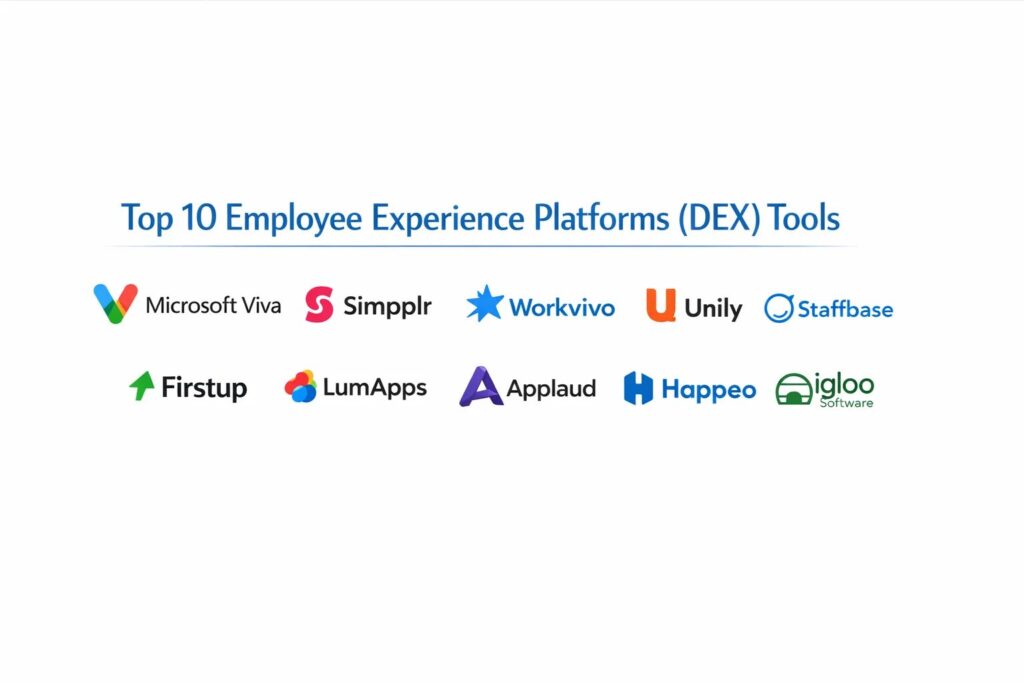
1. Microsoft Viva
Microsoft Viva is an integrated employee experience platform built within the Microsoft 365 ecosystem. It is designed to bring together communications, knowledge, learning, and insights directly into the flow of work, primarily through Microsoft Teams.
Key Features
The platform features “Viva Connections,” which provides a personalized dashboard for news and resources based on the user’s role. It includes “Viva Insights,” which uses data to provide personalized recommendations for improving productivity and wellbeing. The “Viva Topics” module uses AI to automatically organize content and expertise across the organization into related categories. It features a comprehensive learning module that aggregates content from LinkedIn Learning and other providers. Additionally, it offers “Viva Glint” for sophisticated employee pulse surveys and sentiment tracking.
Pros
It leverages the existing Microsoft 365 investment, making it highly cost-effective and easy to deploy for most enterprises. The integration with Teams means employees don’t have to learn a new interface.
Cons
The platform can feel overwhelming due to its many different modules and sub-brands. It is strictly limited to organizations already using the Microsoft ecosystem.
Platforms and Deployment
Web-based, Windows, macOS, iOS, and Android. It is a cloud-native SaaS deployment.
Security and Compliance
Adheres to the highest enterprise standards, including SOC 2, HIPAA, and GDPR, as part of the Microsoft 365 cloud.
Integrations and Ecosystem
Deeply integrated with the entire Microsoft stack and hundreds of third-party learning and HR providers.
Support and Community
Offers a massive network of certified partners and a vast library of “on-demand” training resources through Microsoft Learn.
2. Simpplr
Simpplr is a modern, AI-powered intranet and employee experience platform that focuses on simplicity and ease of use. It is designed to help organizations drive employee engagement through personalized communication and a streamlined user interface.
Key Features
The platform features “Auto-Governance,” which uses AI to flag and remove outdated content, ensuring the intranet stays relevant. It includes a robust “Social Features” suite for peer recognition, comments, and community groups. The system offers “Smart Search” that indexes content across the platform and integrated third-party apps like Google Drive. It features a personalized newsfeed that learns what content is most important to each individual user. It also provides advanced analytics to track engagement and identifies “content gaps” where employees are searching but not finding answers.
Pros
The user interface is exceptionally clean and requires almost no training for end-users. It is one of the fastest platforms to implement compared to traditional enterprise intranets.
Cons
While it integrates well with other tools, it may lack some of the deep “task-based” functionality found in more complex digital workspace platforms.
Platforms and Deployment
Web-based SaaS and mobile apps for iOS and Android.
Security and Compliance
SOC 2 Type II certified and fully compliant with global data privacy regulations like GDPR.
Integrations and Ecosystem
Strong native integrations with Salesforce, Slack, Microsoft 365, and various HRIS systems like Workday.
Support and Community
Known for having an excellent customer success team and a dedicated community for intranet managers.
3. Workvivo
Workvivo is an employee communication platform that prioritizes a “social-first” approach to the workplace. Now part of the Zoom ecosystem, it is designed to feel more like a social network than a traditional corporate database.
Key Features
The platform features a “Social Feed” where employees can post updates, photos, and videos to celebrate wins. It includes a centralized “Organization Chart” and directory that helps remote employees understand company structure. The system offers an integrated “Recognition” module that allows users to shout out colleagues for living company values. It features a “Global News” hub for top-down communication from leadership. It also provides a digital “Space” for interest-based groups, ranging from professional topics to social hobbies.
Pros
It has one of the highest engagement rates in the industry because it mimics familiar social media interactions. It is particularly effective for building culture in highly distributed or remote teams.
Cons
Organizations with a very formal or conservative culture may find the social-first approach too casual. Advanced document management is not as deep as specialized repositories.
Platforms and Deployment
Web-based SaaS and mobile companion apps.
Security and Compliance
Maintains standard enterprise security protocols and is GDPR compliant for global operations.
Integrations and Ecosystem
Integrates natively with Zoom, Slack, Microsoft Teams, and various cloud storage providers.
Support and Community
Provides a dedicated “Engagement Manager” to help organizations launch and maintain their digital culture.
4. Unily
Unily is a high-end enterprise employee experience platform designed for the world’s largest and most complex organizations. It offers unparalleled customization and the ability to create multi-brand digital workplaces.
Key Features
The platform features a “Experience Creator” that allows non-technical admins to build highly customized page layouts. It includes a robust “Targeting Engine” that can deliver specific content to users based on hundreds of different demographic attributes. The system offers “Multi-Language” support with automated translation for global workforces. It features an integrated “Rewards and Recognition” system to drive employee morale. It also provides a “Knowledge Hub” that uses AI to surfaces relevant documents and expert contacts across the company.
Pros
It provides the highest level of design flexibility, allowing a company to match the platform perfectly to its brand. It is incredibly scalable for organizations with over 100,000 employees.
Cons
The cost and complexity of the initial setup are high, usually requiring a significant internal project team. The interface can become cluttered if not managed carefully.
Platforms and Deployment
Web-based SaaS and native mobile apps.
Security and Compliance
ISO 27001 and SOC 2 Type II certified, with advanced data residency options for global compliance.
Integrations and Ecosystem
Offers a deep integration framework that connects with virtually any enterprise software via an open API.
Support and Community
Provides a premium support model with regular strategy reviews and access to an exclusive client community.
5. Staffbase
Staffbase is a DEX platform that was built from the ground up to solve the communication gap for frontline and deskless workers. It is the leading choice for manufacturing, retail, and hospitality industries.
Key Features
The platform features a “Mobile-First App” that does not require a corporate email address for employee login. It includes an “Employee Newsletter” tool that allows for professional, trackable internal emails. The system offers a “Frontline Assistant” that provides quick access to paystubs, shift schedules, and safety protocols. It features “Push Notifications” for urgent safety alerts or executive announcements. It also provides a centralized “Policy Hub” where employees can digitally sign off on mandatory training materials.
Pros
It is the gold standard for reaching employees who do not work at a computer. The analytics suite provides specific insights into “Reach” and “Read” rates across different locations.
Cons
While it has desktop capabilities, its feature set is noticeably optimized for mobile users. It may feel less “collaborative” than social-first platforms.
Platforms and Deployment
Primarily mobile-native (iOS/Android) with a supporting web interface.
Security and Compliance
High-security standards with ISO 27001 certification and GDPR compliance.
Integrations and Ecosystem
Integrates with SAP, Microsoft 365, and various payroll systems to centralize employee services.
Support and Community
Offers specialized consulting for internal communications and a large library of best-practice templates.
6. Firstup
Firstup is an “intelligent communication” platform that focuses on orchestrating the employee journey through automated workflows and targeted messaging. It is designed to reduce the “noise” of internal communications.
Key Features
The platform features an “Orchestration Engine” that determines the best channel and time to send a message to an individual. It includes “Lifecycle Journeys” that automate the communication process from onboarding to retirement. The system offers a “Single Sign-On” gateway that gives employees one-click access to all other company tools. It features “Audience Segmentation” that allows for incredibly precise targeting of internal campaigns. It also provides a “Unified Search” that scans all connected company data sources.
Pros
It is highly effective at ensuring critical information is actually seen and acted upon by employees. The automation features significantly reduce the workload for internal comms teams.
Cons
The setup of complex automated “journeys” requires significant strategic planning. The focus is more on communication than on social engagement or community building.
Platforms and Deployment
Web-based SaaS and mobile apps.
Security and Compliance
SOC 2 certified with advanced encryption and role-based access controls for internal data.
Integrations and Ecosystem
Integrates with major enterprise tools like Workday, ServiceNow, and Salesforce.
Support and Community
Known for a strong strategic support model that helps organizations define their internal “communication architecture.”
7. LumApps
LumApps is a social-collaborative intranet that is deeply integrated with both Google Workspace and Microsoft 365. It provides a bridge between corporate communications and the daily productivity tools employees use.
Key Features
The platform features “Employee Social Advocacy,” allowing users to easily share company news on their personal social media. It includes a “Video Hub” for hosting and streaming internal town halls and training videos. The system offers “Communities” that allow for project-based collaboration and knowledge sharing. It features an AI “Digital Assistant” that helps employees find answers to common HR questions. It also provides a “Global Directory” with advanced filtering to find experts within the company.
Pros
It provides a seamless experience for organizations that are transitioning between or using multiple cloud suites. The social features are robust and encourage active participation.
Cons
The interface can feel slightly more “traditional” than newer social-first entrants. Some advanced features require additional configuration and training for admins.
Platforms and Deployment
Web-based SaaS and mobile apps for iOS and Android.
Security and Compliance
Full GDPR compliance and SOC 2 Type II certification, with deep security ties to the underlying Google or Microsoft environment.
Integrations and Ecosystem
Offers the best-in-class integration for organizations that rely heavily on Google Workspace.
Support and Community
Provides a comprehensive documentation portal and a global network of implementation partners.
8. Applaud
Applaud is a “no-code” employee experience layer that sits on top of existing HRIS systems like Workday or Oracle. It is designed to provide a modern, consumer-grade interface for legacy backend systems.
Key Features
The platform features a “No-Code Builder” that allows HR teams to create custom digital experiences without IT help. It includes “Service Delivery” tools that automate common HR tasks like leave requests or expense tracking. The system offers a “Personalized Home Page” that changes based on where an employee is in their career journey. It features “Predictive Analytics” that identifies which employees might be at risk of leaving. It also provides a “Knowledge Base” that integrates with existing corporate wikis.
Pros
It allows organizations to modernize their employee experience without replacing their expensive backend HRIS. The mobile experience is consistently rated as one of the best in the market.
Cons
It is an “experience layer,” meaning it depends entirely on the quality of the data in your other HR systems. It is less focused on top-down news and communications.
Platforms and Deployment
Web-based SaaS and native mobile apps.
Security and Compliance
Maintains strict data privacy standards and acts as a secure proxy for backend enterprise data.
Integrations and Ecosystem
Designed specifically to integrate with Workday, SAP, Oracle, and other major HRIS providers.
Support and Community
Offers dedicated technical support and a library of pre-built “experience templates” for different industries.
9. Happeo
Happeo is a social intranet specifically optimized for organizations using Google Workspace. It combines static intranet pages with dynamic social feeds and deep file integration to create a unified digital home.
Key Features
The platform features “Native Google Drive Integration,” where folders and files are embedded directly into the intranet structure. It includes “Social Channels” that allow for team-wide or company-wide discussions. The system offers a “Search” function that indexes everything in Google Workspace, from emails to calendar events. It features “Page Templates” that make it easy for non-designers to create professional-looking internal pages. It also provides “Lifecycle Analytics” to track how employees are using the platform over time.
Pros
It is the fastest and most natural choice for companies that are “all-in” on the Google ecosystem. The platform is lightweight and very fast, even with large numbers of users.
Cons
The features are significantly more limited for organizations that do not use Google Workspace. It lacks some of the complex “journey automation” found in enterprise-only tools.
Platforms and Deployment
Web-based SaaS and mobile apps.
Security and Compliance
Adheres to Google Cloud’s security standards and is fully GDPR compliant.
Integrations and Ecosystem
Tightest possible integration with Google Workspace, including Gmail, Drive, and Calendar.
Support and Community
Provides a helpful online community and a focused customer success model for tech-forward companies.
10. Igloo Software
Igloo is a digital workplace platform that focuses on “structured collaboration” and knowledge management. It is designed to help organizations break down silos and ensure that information is easily accessible to everyone.
Key Features
The platform features “Digital Playbooks” that guide employees through specific company processes. It includes a robust “Wiki and Document Management” system for maintaining the official company source of truth. The system offers “Team Rooms” that provide a dedicated digital space for specific projects or departments. It features “Task Management” tools integrated directly into the social feed. It also provides a “Leadership Hub” for transparent communication between executives and the workforce.
Pros
It is excellent for organizations that prioritize knowledge sharing and formal documentation over casual social chat. The platform is highly structured and helps keep data organized as a company scales.
Cons
The structure can feel a bit rigid for teams that prefer a more fluid, social-media-style interaction. The mobile app is functional but not as modern as some competitors.
Platforms and Deployment
Web-based SaaS and mobile companion apps.
Security and Compliance
SOC 2 Type II compliant with a strong focus on data governance and audit logs.
Integrations and Ecosystem
Integrates with Microsoft 365, Salesforce, and various project management tools like Jira.
Support and Community
Offers a professional services team for digital workplace strategy and a detailed knowledge base for admins.
Comparison Table
| Tool Name | Best For | Platform(s) Supported | Deployment | Standout Feature | Public Rating |
| 1. Microsoft Viva | M365 Ecosystem | Web, Win, Mac, Mobile | Cloud SaaS | Teams Integration | 4.6/5 |
| 2. Simpplr | AI-Powered Simplicity | Web, iOS, Android | Cloud SaaS | Auto-Governance | 4.8/5 |
| 3. Workvivo | Social Culture | Web, iOS, Android | Cloud SaaS | Social Feed | 4.8/5 |
| 4. Unily | Enterprise Customization | Web, iOS, Android | Cloud SaaS | Experience Creator | 4.5/5 |
| 5. Staffbase | Frontline Workers | Mobile, Web | Cloud SaaS | Frontline App | 4.7/5 |
| 6. Firstup | Comms Orchestration | Web, iOS, Android | Cloud SaaS | Orchestration Engine | 4.5/5 |
| 7. LumApps | Collaborative Hub | Web, iOS, Android | Cloud SaaS | Google Integration | 4.3/5 |
| 8. Applaud | HRIS Experience Layer | Web, iOS, Android | Cloud SaaS | No-Code Builder | 4.7/5 |
| 9. Happeo | Google Workspace Orgs | Web, iOS, Android | Cloud SaaS | Native Drive Sync | 4.6/5 |
| 10. Igloo Software | Knowledge Sharing | Web, iOS, Android | Cloud SaaS | Digital Playbooks | 4.4/5 |
Evaluation & Scoring of Employee Experience Platforms
The scoring below is a comparative model intended to help shortlisting. Each criterion is scored from 1–10, then a weighted total from 0–10 is calculated using the weights listed. These are analyst estimates based on typical fit and common workflow requirements, not public ratings.
Weights:
- Core features – 25%
- Ease of use – 15%
- Integrations & ecosystem – 15%
- Security & compliance – 10%
- Performance & reliability – 10%
- Support & community – 10%
- Price / value – 15%
| Tool Name | Core (25%) | Ease (15%) | Integrations (15%) | Security (10%) | Performance (10%) | Support (10%) | Value (15%) | Weighted Total |
| 1. Microsoft Viva | 9 | 6 | 10 | 10 | 9 | 8 | 9 | 8.65 |
| 2. Simpplr | 8 | 10 | 8 | 9 | 9 | 9 | 8 | 8.60 |
| 3. Workvivo | 8 | 9 | 8 | 8 | 9 | 10 | 8 | 8.50 |
| 4. Unily | 10 | 6 | 9 | 9 | 8 | 9 | 6 | 8.10 |
| 5. Staffbase | 8 | 9 | 7 | 9 | 9 | 9 | 8 | 8.25 |
| 6. Firstup | 9 | 7 | 8 | 9 | 9 | 8 | 7 | 8.05 |
| 7. LumApps | 8 | 8 | 9 | 8 | 8 | 8 | 8 | 8.15 |
| 8. Applaud | 7 | 9 | 10 | 8 | 9 | 9 | 8 | 8.35 |
| 9. Happeo | 7 | 10 | 9 | 8 | 9 | 8 | 9 | 8.45 |
| 10. Igloo Software | 8 | 7 | 8 | 9 | 8 | 8 | 7 | 7.75 |
How to interpret the scores:
- Use the weighted total to shortlist candidates, then validate with a pilot.
- A lower score can mean specialization, not weakness.
- Security and compliance scores reflect controllability and governance fit, because certifications are often not publicly stated.
- Actual outcomes vary with assembly size, team skills, templates, and process maturity.
Which Employee Experience Platform Tool Is Right for You?
Solo / Freelancer
For very small teams or solo founders, a full DEX platform is usually unnecessary. You should focus on a simple communication tool like Slack or Microsoft Teams. Your goal at this stage is high-speed coordination rather than complex cultural management or knowledge hierarchy.
SMB
Nonprofits with small, mission-driven teams should prioritize tools that are free or low-cost, such as the basic versions of social-first platforms. Your goal is to maintain engagement and ensure everyone understands the mission, so a tool that emphasizes “Success Stories” and peer recognition is often the best fit.
Mid-Market
Mid-sized organizations should look for a platform that is easy to manage without a dedicated IT staff. An AI-powered tool that automates content governance will ensure that your intranet remains useful as the company scales. Prioritize a tool that bridges the gap between different departments to avoid cultural silos.
Enterprise
Large, global enterprises must prioritize security, multi-language support, and deep customization. You need a platform that can serve as a unified digital workspace while still allowing individual brands or regions to maintain their own unique identity. The ability to integrate with multiple HRIS and cloud storage systems is vital here.
Budget vs Premium
If budget is the primary concern, leveraging the platform built into your existing productivity suite (like Microsoft Viva) is the most logical choice. However, premium platforms often provide much higher engagement rates and specialized features for frontline workers that can justify the additional licensing cost through improved retention.
Feature Depth vs Ease of Use
A platform with infinite customization can become a burden if it requires a full-time team to manage. For most organizations, a slightly less flexible tool that is intuitive for employees and easy for HR admins to update is far more valuable than a complex system that remains underutilized.
Integrations & Scalability
Your DEX platform must act as the “connective tissue” between your other tools. Ensure the software can grow with you and doesn’t require a total rebuild when you add new HR systems or exceed a certain number of employees. Look for a robust API and a history of successful large-scale deployments.
Security & Compliance Needs
As the primary hub for internal communication, your DEX platform handles sensitive executive announcements and employee data. For organizations in regulated sectors like healthcare or government, selecting a platform with SOC 2 or HIPAA compliance is a legal necessity to ensure data integrity and privacy.
Frequently Asked Questions (FAQs)
1. What exactly is a Digital Employee Experience (DEX) platform?
A DEX platform is a unified software layer that brings together company news, social engagement, employee services, and knowledge management into a single interface. It is designed to replace traditional, static intranets with a dynamic and interactive digital workspace.
2. How does a DEX platform differ from Slack or Microsoft Teams?
While Slack and Teams are primarily for real-time chat and meetings, a DEX platform is for “asynchronous” communication, long-term knowledge storage, and cultural engagement. It provides a structured home for information that would otherwise get lost in a fast-moving chat feed.
3. Can these tools help with remote employee onboarding?
Yes, most DEX platforms allow you to build automated “onboarding journeys” that guide new hires through their first few weeks. This ensures every employee receives a consistent introduction to company culture and has easy access to necessary training materials.
4. Is it possible to reach employees who don’t have a desk?
Dedicated DEX tools for frontline workers use mobile apps that allow employees to sign in with their phone number or a QR code. This gives them access to company news and schedules without needing a corporate computer or email address.
5. How do these platforms measure employee sentiment?
Modern DEX platforms use pulse surveys and AI-driven sentiment analysis to track how employees are feeling. This allows leadership to see trends in engagement and identify potential issues like burnout before they lead to high turnover.
6. Do I need to replace my existing intranet?
In most cases, a DEX platform is a replacement for a legacy intranet. However, some platforms can act as a “modern layer” that sits on top of your existing systems to improve the user experience without requiring a full data migration.
7. Can employees customize their own experience?
Yes, most platforms allow employees to follow specific channels, join social groups, and customize their dashboard with the tools they use most frequently. This reduces information overload by showing them only what is relevant to their role.
8. How much work is it to maintain a DEX platform?
While initial setup requires effort, AI-powered tools now handle much of the content governance. However, an organization still needs a dedicated “Experience Owner” to manage the overall content strategy and ensure leadership remains active on the platform.
9. Are these tools secure for executive announcements?
Yes, enterprise DEX platforms use role-based access controls to ensure that sensitive information is only seen by the intended audience. They also provide audit logs to track who has viewed specific documents or announcements.
10. Do DEX platforms improve employee retention?
Research consistently shows that employees who feel connected to their company culture and have the tools to do their jobs effectively are less likely to leave. By reducing digital friction and increasing engagement, DEX platforms are a key driver of retention.
Conclusion
In the modern landscape of work, the digital employee experience is the primary engine of organizational health and cultural resilience. A well-implemented DEX platform transforms a fragmented digital workspace into a unified, high-performance community where information flows freely and every employee feels connected to the core mission. By selecting a system that balances sophisticated analytical depth with an intuitive, social-first interface, leadership can empower their workforce to navigate the complexities of hybrid work with greater agility. Ultimately, the best platform is the one that removes the barriers between employees and their potential, creating a workspace that is both productive and profoundly human.