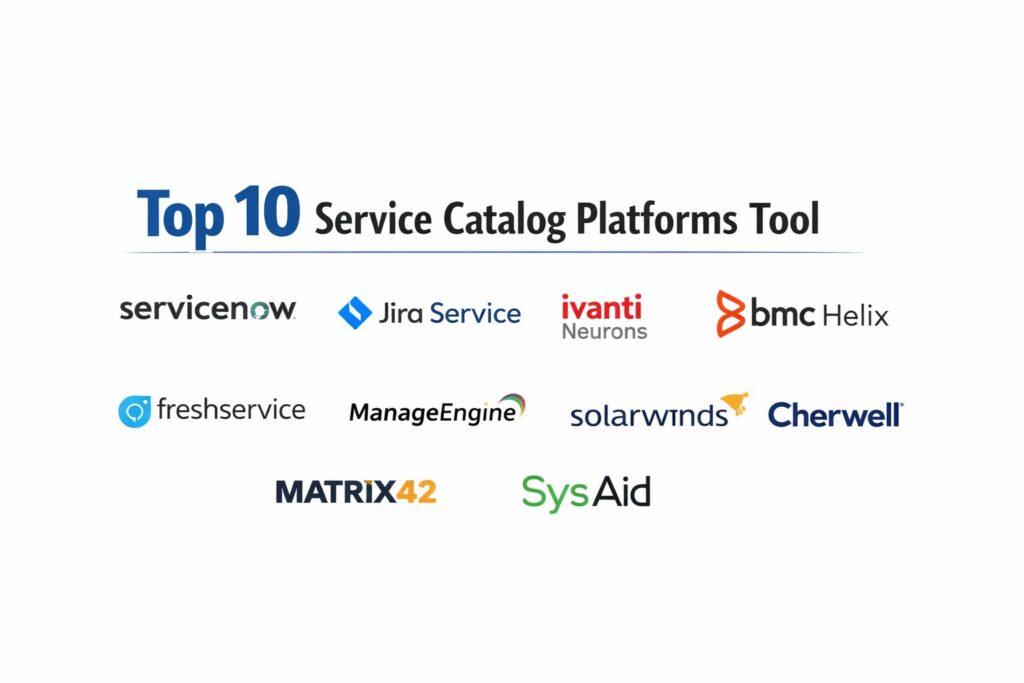
Introduction
Service catalog platforms serve as the centralized storefront for an organization’s internal and external service offerings, providing a structured menu of IT and business resources. In the modern enterprise, these platforms are the primary interface for “Service Management,” transforming complex back-end workflows into a simplified, user-friendly request experience. By standardizing how services—ranging from hardware procurement and software access to HR onboarding and legal reviews—are requested and fulfilled, these tools eliminate the friction of manual email chains and fragmented ticketing systems. For global organizations, the service catalog is the foundational layer for operational transparency, ensuring that every request is tracked, governed, and aligned with organizational policy.
The necessity of a sophisticated service catalog is driven by the rise of “Enterprise Service Management” (ESM), where departments beyond IT adopt service-oriented architectures to improve efficiency. Modern platforms leverage automated fulfillment engines and intelligent routing to reduce “Time-to-Value” for service delivery. As remote and hybrid work models become permanent, the ability to provide a “single pane of glass” for all employee needs has become a critical driver of internal productivity and satisfaction. When evaluating these platforms, decision-makers must consider the strength of the workflow automation engine, the ease of portal customization, the robustness of the service-level agreement (SLA) tracking, and the seamlessness of integration with existing asset management systems.
Best for: IT departments, HR teams, facilities management, and enterprise operations looking to standardize service delivery, automate request fulfillment, and provide a consumer-grade experience for internal employees or external clients.
Not ideal for: Very small teams with under ten employees who can manage requests through direct communication, or organizations looking only for a static document repository without interactive request and workflow capabilities.
Key Trends in Service Catalog Platforms
The integration of Artificial Intelligence and Natural Language Processing (NLP) has shifted the service catalog from a static menu to an “Intelligent Assistant” model, where users can request services through conversational interfaces. We are seeing a major trend toward “Zero-Touch Fulfillment,” where AI-driven workflows automatically provision software licenses, reset passwords, or trigger cloud infrastructure deployments without human intervention. This shift allows IT teams to move away from repetitive tasks and focus on high-value architectural projects. Real-time visibility into service costs is also becoming a standard feature, enabling departments to manage their consumption and budget through “FinOps” style dashboards integrated directly into the catalog.
Mobile-first design is no longer optional, as employees expect to request and approve services from any device with the same ease as a consumer shopping application. There is also a significant move toward “Cross-Departmental Catalogs,” where a single request—such as a new hire onboarding—can automatically trigger synchronized tasks across IT, HR, Legal, and Facilities. Furthermore, security-first service design is trending, with platforms incorporating automated risk assessments and compliance checks during the request phase. Finally, the “Productization of Services” is gaining momentum, where internal services are treated as products with defined lifecycles, versions, and internal “pricing” to drive accountability across the enterprise.
How We Selected These Tools
Our selection methodology involved a comprehensive assessment of platform maturity and the sophistication of the underlying workflow orchestration engines. We prioritized platforms that have demonstrated the ability to scale across massive global enterprises while maintaining high performance and reliability. A key criterion was the “User Experience Excellence,” evaluating how easily a non-technical employee can navigate the portal and track the status of their requests. We looked for a balance between highly customizable “Platform-as-a-Service” (PaaS) solutions and specialized, “out-of-the-box” service management tools.
Integration depth was a major factor; we selected platforms that offer robust APIs and native connectors to common enterprise systems like identity providers, cloud platforms, and financial software. We scrutinized the reporting and analytics capabilities of each tool, favoring those that provide clear insights into service bottlenecks and SLA compliance. Security and governance features were also heavily weighted, particularly for platforms supporting regulated industries that require strict audit logs and role-based access controls. Finally, we assessed the total cost of ownership, including the complexity of implementation and the long-term maintenance requirements for the service portal.
1. ServiceNow IT Service Management
ServiceNow is the undisputed leader in the enterprise service management space, offering a highly scalable and powerful platform that goes far beyond a simple service catalog. It provides an “App Engine” that allows organizations to build highly customized service workflows for any department.
Key Features
The platform features an “AI-Powered Service Portal” that uses machine learning to suggest relevant services and knowledge articles to users. It includes a robust “Service Builder” that allows non-technical users to create and publish new service offerings. The system offers a “Common Service Data Model” (CSDM) that ensures consistent data architecture across all IT and business services. It features advanced “SLA Management” tools that track fulfillment performance in real-time. It also provides deep integration with the ServiceNow “CMDB,” linking service requests directly to physical and virtual assets.
Pros
The level of workflow sophistication is unmatched, allowing for the automation of incredibly complex, multi-step global processes. It is the gold standard for enterprise-wide service consolidation.
Cons
The platform is highly complex and typically requires a dedicated team of certified developers for implementation and maintenance. Licensing costs are among the highest in the market.
Platforms and Deployment
Web-based SaaS with a dedicated mobile application for employees and fulfillers.
Security and Compliance
Industry-leading security with FedRAMP, SOC 1 & 2, ISO 27001, and HIPAA compliance.
Integrations and Ecosystem
Offers thousands of pre-built integrations through the ServiceNow Store and a robust “IntegrationHub” for custom API connections.
Support and Community
Provides the “Now Learning” platform and is supported by a massive global ecosystem of implementation partners and user groups.
2. Jira Service Management (Atlassian)
Jira Service Management has rapidly evolved into a top-tier enterprise contender, particularly favored for its seamless integration with development workflows. It is known for its agility and its ability to bridge the gap between IT operations and software engineering.
Key Features
The platform features a “No-Code Form Builder” that allows teams to create elegant, dynamic request forms with ease. It includes “Insight Asset Management,” providing a relational database for tracking all assets related to service requests. The system offers a “Unified Portal” where users can access services from IT, HR, and Legal in one place. It features advanced “Incident and Change Management” workflows that are tightly integrated with the service catalog. It also provides “Automation for Jira,” a powerful rule-based engine for triggering fulfillment tasks.
Pros
It offers an exceptional user interface that is easy for both admins and end-users to navigate. The pricing model is very competitive, offering high value for mid-market and enterprise teams.
Cons
While highly flexible, it may require more manual configuration for extremely complex, non-IT business processes compared to ServiceNow. Some advanced reporting features require third-party add-ons.
Platforms and Deployment
Cloud, Data Center, and mobile apps for iOS and Android.
Security and Compliance
Atlassian maintains high standards including SOC 2, ISO 27001, and GDPR compliance.
Integrations and Ecosystem
Part of the massive Atlassian Marketplace, offering thousands of apps and deep integrations with tools like Slack and Confluence.
Support and Community
Offers a vibrant “Atlassian Community” and a comprehensive “University” for training and certification.
3. Ivanti Neurons for ITSM
Ivanti Neurons is a modern service management platform that emphasizes “Self-Healing” and automated discovery. It is designed for organizations that want to reduce the volume of service requests through proactive automation and intelligent bots.
Key Features
The platform features “Neurons for Spend Intelligence,” providing real-time visibility into software and hardware costs directly from the service catalog. It includes a “Mobile-First Self-Service Portal” that allows employees to resolve issues and request services on the go. The system offers “Voice-Activated Service Requests” through integration with virtual assistants. It features a robust “Workflow Designer” with drag-and-drop capabilities for rapid service publishing. It also provides “Discovery Bots” that identify and fix device issues before a user needs to submit a request.
Pros
The “Self-Healing” capabilities significantly reduce the pressure on the service desk. It provides excellent visibility into asset data, helping organizations manage the full lifecycle of a service request.
Cons
The interface, while functional, may feel less “consumer-grade” than some of the newer cloud-native competitors. Implementation can be complex for organizations with fragmented legacy data.
Platforms and Deployment
Cloud, On-premises, and Hybrid deployment options.
Security and Compliance
Maintains rigorous security standards including SOC 2 and is designed to meet global data privacy requirements.
Integrations and Ecosystem
Strong integrations with endpoint management and security tools, providing a holistic view of the service environment.
Support and Community
Provides professional support services and an active online community for knowledge sharing and troubleshooting.
4. BMC Helix ITSM
BMC Helix is an enterprise-grade service management platform that was one of the first to incorporate AI and multi-cloud capabilities. It is built for large, complex organizations that require high levels of scalability and cognitive automation.
Key Features
The platform features “Cognitive Service Management,” which uses AI to categorize, route, and resolve service requests automatically. It includes “Helix Digital Workplace,” a modern, social-media-style interface for requesting business and IT services. The system offers “Multi-Cloud Service Management,” allowing for the orchestration of services across AWS, Azure, and private clouds. It features advanced “Predictive Analytics” to identify service trends and potential outages. It also provides a “Visual Workflow Designer” for building cross-functional business processes.
Pros
It is extremely scalable and capable of handling the requirements of the world’s largest government and corporate entities. The AI capabilities are deeply integrated and very mature.
Cons
The platform has a reputation for being complex to configure and requires specialized administrative skills. The cost and resource requirements for a full rollout are significant.
Platforms and Deployment
Cloud-native (SaaS) and Hybrid deployment models.
Security and Compliance
Offers high-level certifications including FedRAMP (High) and ISO 27001.
Integrations and Ecosystem
Strong API-led connectivity and a wide range of connectors for enterprise applications and infrastructure.
Support and Community
Provides comprehensive “BMC Education” services and a long-standing global community of enterprise users.
5. Freshservice (Freshworks)
Freshservice is a cloud-native service management solution known for its simplicity and “Right-Sized” approach. It is designed for mid-market and enterprise organizations that want powerful automation without the bloat of traditional legacy platforms.
Key Features
The platform features “Freddy AI,” an intelligent bot that handles common service requests and provides instant answers to employee questions. It includes a “Drag-and-Drop Service Catalog Builder” that makes it easy to create beautiful, branded portals. The system offers “Workload Management” tools to help service teams balance their tasks and meet SLAs. It features an integrated “Asset Management” module that tracks the hardware and software used across the organization. It also provides “Gamification” features to improve service desk agent engagement and performance.
Pros
It is remarkably easy to set up and go live compared to enterprise giants like BMC or ServiceNow. The user interface is clean, modern, and requires very little training for end-users.
Cons
While powerful, it may lack some of the extreme customization and “Platform-as-a-Service” capabilities required by organizations with highly unique edge cases.
Platforms and Deployment
100% Cloud-native SaaS with mobile applications for both agents and users.
Security and Compliance
SOC 2, ISO 27001, and HIPAA compliant, with data hosted in global data centers.
Integrations and Ecosystem
Offers a wide range of integrations through the “Freshworks Marketplace,” including Slack, Microsoft Teams, and various CRM tools.
Support and Community
Known for excellent customer support and a helpful “Freshservice Academy” for user onboarding and training.
6. ManageEngine ServiceDesk Plus
ManageEngine ServiceDesk Plus is a comprehensive service management suite that offers a strong balance of features and affordability. It is a favorite among IT directors who want an “all-in-one” tool that integrates service catalog, asset management, and project tracking.
Key Features
The platform features a “Visual Service Catalog” with multi-stage approval workflows for complex requests. It includes “Built-in Asset Management” with auto-discovery for hardware and software across the network. The system offers “Incident, Problem, and Change Management” in a single, unified interface. It features “Customizable Request Templates” with dynamic fields that change based on user input. It also provides “Zia,” an AI assistant that helps categorize tickets and predict potential service delays.
Pros
It provides exceptional value for the price, offering features that are often found in much more expensive tools. The integration between the service desk and asset management is seamless.
Cons
The interface can feel a bit traditional compared to modern cloud-native tools. Some users find the configuration of advanced workflows to be less intuitive than competitors.
Platforms and Deployment
Cloud, On-premises, and Hybrid deployment options.
Security and Compliance
Follows industry-standard security practices and provides tools for GDPR and HIPAA compliance.
Integrations and Ecosystem
Deeply integrated with other ManageEngine and Zoho products, providing a broad operational footprint.
Support and Community
Offers extensive documentation, regular training webinars, and a large global user community.
7. SolarWinds Service Desk
SolarWinds Service Desk is a cloud-based ITSM solution that focuses on simplicity and rapid incident resolution. It is designed to provide IT teams with the data they need to fulfill requests quickly and accurately.
Key Features
The platform features a “Unified Service Portal” that serves as the single point of entry for all employee needs. It includes “Automated Ticket Routing” based on the category and priority of the request. The system offers “Risk Detection” tools that identify potential issues with assets or service configurations. It features “Customizable Service Catalog Items” with simple, logic-based fulfillment paths. It also provides “CSAT Surveys” that are automatically sent after a service request is closed to measure employee satisfaction.
Pros
The platform is very straightforward to implement and manage, making it ideal for teams with limited administrative resources. It provides a clean, focused environment for request fulfillment.
Cons
It may lack the deep “Enterprise Service Management” breadth found in tools that are designed for HR or Facilities. The reporting can be less flexible than top-tier enterprise suites.
Platforms and Deployment
100% Cloud-native SaaS.
Security and Compliance
Maintains standard security certifications and focuses on providing a secure environment for enterprise service data.
Integrations and Ecosystem
Integrates well with other SolarWinds monitoring products and common business tools like Jira and Slack.
Support and Community
Backed by the “THWACK” community, one of the largest and most active online forums for IT professionals.
8. Cherwell Service Management (by Ivanti)
Cherwell, now part of Ivanti, is famous for its “Codeless” architecture, allowing organizations to build highly complex service management applications without writing a single line of code. It is a preferred choice for organizations that need deep customization with long-term flexibility.
Key Features
The platform features a “Codeless Design Engine” that allows for the creation of unique business objects and workflows. It includes a “Personalized Service Portal” that can be tailored to the specific needs of different departments or user groups. The system offers “One-Step Actions” that allow users to automate multi-stage tasks with a single click. It features “Visual Dashboards” that provide real-time visibility into service trends and agent performance. It also provides a “Mergeable Applications” (mApps) system for sharing and implementing pre-built solutions.
Pros
The ability to customize the platform without code ensures that upgrades are smooth and do not break custom functionality. It is highly flexible for non-IT service use cases.
Cons
The platform can be overwhelming for small teams due to the sheer number of configuration options. Its future development path is currently being integrated into the broader Ivanti Neurons ecosystem.
Platforms and Deployment
Cloud, On-premises, and Hybrid.
Security and Compliance
Adheres to strict enterprise security standards and provides tools for managing global compliance requirements.
Integrations and Ecosystem
Strong API capabilities and a library of pre-built integrations for common enterprise applications.
Support and Community
Provides a dedicated user community and professional training through the Ivanti/Cherwell learning portal.
9. Matrix42 Enterprise Service Management
Matrix42 is a European-based leader in service management, known for its strong focus on “Digital Workspace Management.” It combines ITSM, Software Asset Management (SAM), and Unified Endpoint Management (UEM) into a single service catalog.
Key Features
The platform features an “Integrated Service and Asset Catalog” where users can request hardware, software, and services in one place. It includes “Automated Software Provisioning,” where a software request is automatically fulfilled by the endpoint management system. The system offers “Cost Transparency” for every service item, helping departments manage their budgets. It features “Dynamic Request Forms” that adapt based on the user’s role and location. It also provides “GDPR Compliance Tools” designed specifically for the European market.
Pros
It is one of the best tools for organizations that want to tightly link their service catalog with their device and software management. It is highly optimized for European data privacy laws.
Cons
The platform has a smaller market presence in North America compared to its European dominance. The interface is powerful but can be complex for first-time administrators.
Platforms and Deployment
Cloud and On-premises.
Security and Compliance
Excellence in GDPR compliance and holds standard security certifications like ISO 27001.
Integrations and Ecosystem
Deeply integrated with Windows and mobile management tools, as well as common European enterprise systems.
Support and Community
Provides professional support and a strong network of partners and users across the EMEA region.
10. SysAid
SysAid is a service management platform that has recently pivoted toward an “AI-First” approach, focusing on helping small to mid-sized enterprises automate their service desks through generative AI.
Key Features
The platform features “SysAid Copilot,” a generative AI assistant that drafts responses to users and summarizes complex tickets for agents. It includes an “AI-Powered Service Catalog” that learns from past requests to suggest the most efficient fulfillment paths. The system offers “Integrated Asset Management” with a built-in remote control tool for troubleshooting. It features a “Workflow Designer” for automating business processes beyond the IT department. It also provides “Automated Password Resets” that integrate directly with Active Directory.
Pros
The recent focus on generative AI provides a significant productivity boost for small teams. It is a very comprehensive “all-in-one” tool that is easy to deploy and use.
Cons
The AI features are powerful but still evolving, and some users may prefer more traditional “rule-based” automation. It is less suited for massive, multi-national enterprise deployments.
Platforms and Deployment
Cloud and On-premises.
Security and Compliance
Maintains SOC 2 compliance and follows industry-standard data protection protocols.
Integrations and Ecosystem
Provides a wide array of connectors for business and IT applications, including a strong Slack and Teams integration.
Support and Community
Known for being very responsive to customer feedback and offering a wealth of practical training resources.
Comparison Table
| Tool Name | Best For | Platform(s) Supported | Deployment | Standout Feature | Public Rating |
| 1. ServiceNow | Global Enterprise | Web, iOS, Android | Cloud-Native | AI App Engine | 4.8/5 |
| 2. Jira Service | Agile / Mid-Market | Web, iOS, Android | Cloud / DC | Asset Relationship Mapping | 4.7/5 |
| 3. Ivanti Neurons | Self-Healing Ops | Web-Based | Hybrid | Proactive Discovery Bots | 4.4/5 |
| 4. BMC Helix | Complex Multi-Cloud | Web-Based | Cloud / Hybrid | Cognitive Automation | 4.3/5 |
| 5. Freshservice | Ease of Use / SMB | Web, iOS, Android | Cloud SaaS | Freddy AI Bot | 4.6/5 |
| 6. ManageEngine | Value / All-in-One | Web, iOS, Android | Hybrid | Zia AI Assistant | 4.5/5 |
| 7. SolarWinds | Rapid Resolution | Web-Based | Cloud SaaS | Smart Ticket Routing | 4.3/5 |
| 8. Cherwell | Codeless Customization | Web-Based | Hybrid | mApp Exchange | 4.2/5 |
| 9. Matrix42 | Workspace / EU | Web-Based | Hybrid | Unified Endpoint Link | 4.4/5 |
| 10. SysAid | Generative AI Help | Web-Based | Hybrid | SysAid Copilot | 4.5/5 |
Evaluation & Scoring of Service Catalog Platforms
The scoring below is a comparative model intended to help shortlisting. Each criterion is scored from 1–10, then a weighted total from 0–10 is calculated using the weights listed. These are analyst estimates based on typical fit and common workflow requirements, not public ratings.
Weights:
- Core features – 25%
- Ease of use – 15%
- Integrations & ecosystem – 15%
- Security & compliance – 10%
- Performance & reliability – 10%
- Support & community – 10%
- Price / value – 15%
| Tool Name | Core (25%) | Ease (15%) | Integrations (15%) | Security (10%) | Performance (10%) | Support (10%) | Value (15%) | Weighted Total |
| 1. ServiceNow | 10 | 3 | 10 | 10 | 10 | 9 | 5 | 8.30 |
| 2. Jira Service | 9 | 9 | 9 | 9 | 9 | 9 | 8 | 8.85 |
| 3. Ivanti Neurons | 8 | 7 | 8 | 8 | 8 | 8 | 7 | 7.75 |
| 4. BMC Helix | 9 | 4 | 9 | 10 | 9 | 8 | 6 | 7.80 |
| 5. Freshservice | 8 | 10 | 8 | 8 | 8 | 9 | 9 | 8.45 |
| 6. ManageEngine | 7 | 8 | 7 | 8 | 8 | 8 | 10 | 7.80 |
| 7. SolarWinds | 7 | 9 | 7 | 8 | 8 | 8 | 8 | 7.75 |
| 8. Cherwell | 8 | 6 | 8 | 8 | 7 | 7 | 7 | 7.25 |
| 9. Matrix42 | 8 | 7 | 8 | 9 | 8 | 8 | 7 | 7.75 |
| 10. SysAid | 7 | 8 | 7 | 8 | 8 | 8 | 8 | 7.50 |
How to interpret the scores:
- Use the weighted total to shortlist candidates, then validate with a pilot.
- A lower score can mean specialization, not weakness.
- Security and compliance scores reflect controllability and governance fit, because certifications are often not publicly stated.
- Actual outcomes vary with assembly size, team skills, templates, and process maturity.
Which Service Catalog Platform Tool Is Right for You?
Solo / Freelancer
Small initiatives or newly formed startups should look for a tool that offers a “free-forever” tier or very low entry price. Your priority is to establish a basic request process without getting bogged down in complex configuration. A simple, cloud-native platform with pre-built templates will allow you to scale your operations as you add your first ten employees.
SMB
Organizations with limited technical resources should prioritize ease of use and automated “self-help.” Look for a platform that includes a robust knowledge base and an AI bot that can resolve common issues like password resets. This allows your small team to focus their energy on mission-critical work rather than repetitive administrative tasks.
Mid-Market
Mid-sized organizations need to balance professional features with total cost of ownership. You should look for a “Right-Sized” platform that offers deep automation and asset management but can be managed by a small IT team. A tool that provides a unified portal for IT, HR, and Facilities will provide the best internal return on investment.
Enterprise
For large, global organizations, the service catalog is a strategic platform for digital transformation. You require a system that offers massive scalability, enterprise-grade security, and the ability to automate complex cross-departmental workflows. The ability to build custom service applications and manage thousands of assets is a non-negotiable requirement for this segment.
Budget vs Premium
If budget is the primary constraint, “all-in-one” suites often provide the best value by including asset management and project tracking in the base price. Premium platforms, while expensive, provide specialized AI capabilities and “codeless” customization that can significantly reduce long-term development costs for complex organizations.
Feature Depth vs Ease of Use
Highly deep platforms offer infinite possibilities but require specialized staff to maintain. Often, a more intuitive tool that is adopted by every department in the company provides more value than a sophisticated platform that is only used by the IT team because it is too difficult for others to configure.
Integrations & Scalability
Your service catalog must act as the “glue” between your various business systems. Ensure the platform you choose can scale with your organization and has a proven track record of integrating with major identity providers and cloud platforms. A platform with a strong API and a wide marketplace of apps is vital for long-term flexibility.
Security & Compliance Needs
If you operate in a regulated sector such as healthcare, finance, or government, security is your first priority. You must select a platform that holds the specific certifications required for your industry and provides the audit logs necessary to prove compliance during a security review.
Frequently Asked Questions (FAQs)
1. What is the difference between a service catalog and a service portal?
The service catalog is the structured database of service offerings, including their descriptions, costs, and fulfillment paths. The service portal is the “front-end” user interface where employees interact with that catalog to submit requests.
2. Can I use a service catalog for non-IT services?
Yes, modern platforms are designed for “Enterprise Service Management.” You can create catalogs for HR (onboarding), Facilities (desk repairs), Legal (contract reviews), and Marketing (creative requests), providing a single point of entry for all internal services.
3. How does a service catalog help with IT budgeting?
By associating internal “costs” with different service items, organizations can track which departments are consuming the most resources. This transparency helps IT leaders justify their budget and identify areas where they can optimize service delivery.
4. What is a “Self-Service” catalog?
A self-service catalog allows users to solve their own problems through an integrated knowledge base or automated tools. For example, a user might request a password reset which is fulfilled instantly by an automated script without a technician.
5. How do I decide which services to put in the catalog first?
Start with the “highest volume” requests—those that take up the most time for your support team. Usually, these are things like software access, hardware requests, and password resets. Once those are automated, you can move to more complex services.
6. Does a service catalog require a CMDB?
While not strictly required for a basic catalog, a Configuration Management Database (CMDB) makes the catalog much more powerful. It allows you to link service requests to specific assets, making it easier to track the lifecycle of a device or software license.
7. Can service requests be approved through email?
Most modern service catalog platforms offer “Email-to-Approval” features. This allows managers to approve or reject a service request directly from their mobile device without having to log into the service portal.
8. What is the typical implementation time for a service catalog?
A basic, “out-of-the-box” catalog can be launched in a few weeks. However, a full enterprise rollout with complex cross-departmental workflows and deep integrations typically takes three to six months to complete.
9. How do I measure the success of my service catalog?
Key metrics include “Time to Fulfillment,” “Self-Service Deflection Rate,” and “Customer Satisfaction (CSAT) Scores.” Tracking these metrics allows you to identify service bottlenecks and improve the user experience.
10. Do these platforms support mobile devices?
Yes, all the platforms on this list provide either a mobile-responsive web portal or a dedicated mobile application. This is essential for modern workforces where approvals and requests often happen on the go.
Conclusion
In an era defined by digital acceleration and the consumerization of the workplace, a professional service catalog platform is the engine of enterprise efficiency. These systems have transformed from simple internal lists into sophisticated automation hubs that coordinate activities across IT, HR, and operations. By centralizing request fulfillment and leveraging AI-driven workflows, organizations can provide a seamless, transparent experience that matches the speed of modern business. The ideal platform is one that not only automates current tasks but also provides the scalable, secure infrastructure needed to support the ever-evolving service needs of a global workforce.