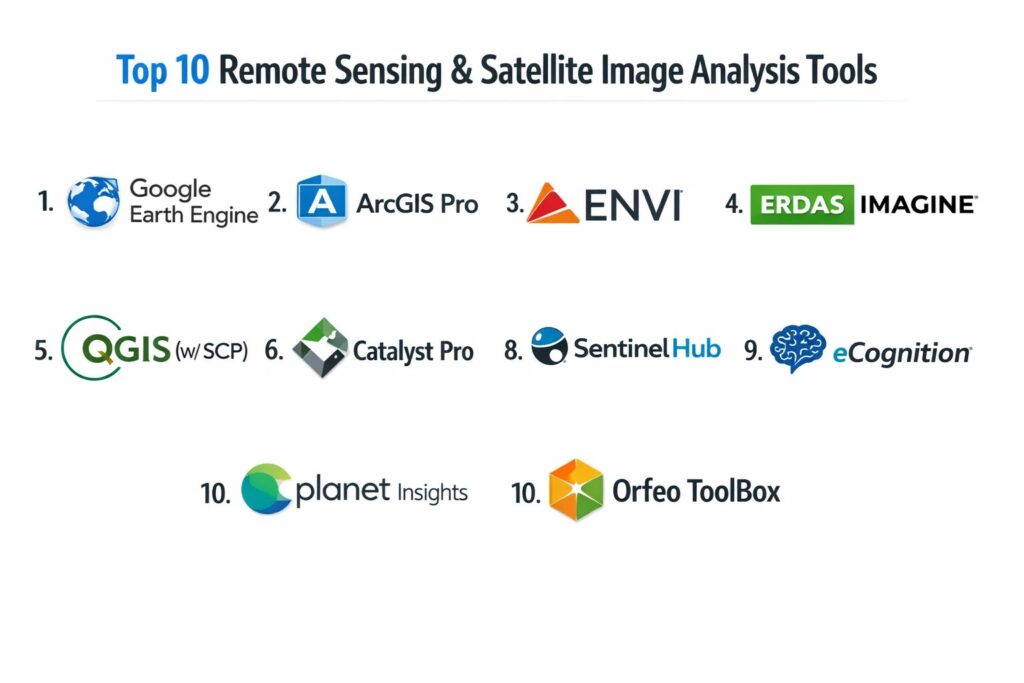
Introduction
Remote sensing and satellite image analysis have evolved into the primary sensory organs for global-scale decision-making. In the modern technical landscape, this field represents the intersection of aerospace engineering, computer vision, and big data. By capturing and interpreting electromagnetic radiation reflected or emitted from the Earth’s surface, these tools allow us to monitor environmental changes, manage infrastructure, and predict agricultural yields without physical presence. The discipline has shifted from simple visual interpretation to automated, high-frequency analysis powered by Synthetic Aperture Radar (SAR), hyperspectral sensors, and thermal imaging. As the volume of data from constellations of small satellites continues to grow exponentially, the ability to extract actionable insights from raw pixels has become a non-negotiable skill for geospatial professionals.
The strategic importance of these platforms lies in their capacity to turn unstructured raster data into structured, time-sensitive intelligence. Modern remote sensing tools are no longer isolated desktop applications; they are cloud-native ecosystems that facilitate planetary-scale computation. Whether it is detecting millimeter-level ground subsidence or mapping global deforestation in real-time, the right analysis platform provides a transparent, verifiable source of truth. As we navigate challenges like climate change and rapid urbanization, these tools provide the “digital twin” of our planet, enabling a more resilient and informed society. Choosing the correct tool requires a deep understanding of spectral resolution, temporal revisit rates, and the specific analytical workflows—ranging from traditional pixel-based classification to advanced object-based image analysis (OBIA).
Best for: Environmental scientists, urban planners, defense analysts, agricultural consultants, and disaster response teams who require precise, data-driven insights into Earth’s surface dynamics.
Not ideal for: Purely localized surveying where high-precision ground-based GPS or terrestrial laser scanning provides sub-centimeter accuracy that satellites cannot yet match at a domestic scale.
Key Trends in Remote Sensing & Satellite Image Analysis
The most significant trend is the democratization of “Analysis-Ready Data” (ARD). Traditionally, remote sensing required hours of manual preprocessing, including atmospheric correction and orthorectification. Today, platforms are delivering data that is pre-cleansed and ready for immediate analysis. Artificial Intelligence is also becoming the default engine for feature extraction; machine learning models now automatically identify building footprints, ship movements, and crop health anomalies across millions of square kilometers, reducing the need for manual digitization.
We are also seeing a surge in “Fusion Analytics,” where data from multiple sensors—such as optical imagery, SAR, and LiDAR—are combined into a single multidimensional view. This allows for persistent monitoring regardless of cloud cover or lighting conditions. Furthermore, the rise of “Satellite Edge Computing” is starting to allow for real-time processing directly on the satellite itself, sending only the relevant alerts or data subsets back to Earth. This shift toward “on-the-fly” processing is significantly reducing the latency between data capture and decision-making in critical scenarios like wildfire tracking or maritime surveillance.
How We Selected These Tools
Our selection process focused on tools that demonstrate high operational reliability and provide a comprehensive feature set for professional-grade analysis. We prioritized platforms that support a wide range of sensor types, including multispectral, hyperspectral, and radar data. Market stability was a key factor; the tools included are those that have successfully transitioned into the cloud-native era, offering robust APIs and integration capabilities with modern Python-based data science stacks.
Technical performance was measured by the software’s ability to handle massive raster datasets (terabytes to petabytes) without significant latency. We also looked for platforms that offer a balance between “low-code” visual modeling for rapid prototyping and “high-code” scripting environments for complex automation. Security and compliance were non-negotiable, particularly for enterprise and government use cases where data sovereignty and secure access controls are paramount. Finally, we considered the strength of the user community and the availability of professional-grade documentation, as these are critical for long-term troubleshooting and skill development.
1. Google Earth Engine (GEE)
Google Earth Engine is a cloud-based platform for planetary-scale environmental data analysis. It provides access to a multi-petabyte catalog of satellite imagery and geospatial datasets, including the entire Landsat and Sentinel archives. Unlike traditional software, GEE utilizes Google’s massive computational infrastructure to process global-scale data in seconds rather than weeks.
Key Features
The platform features an interactive JavaScript and Python API for developing custom analysis scripts. It includes built-in machine learning algorithms for land-cover classification and change detection. The “MapReduce” architecture allows for parallel processing of enormous datasets. Users can access a vast library of pre-processed data, including climate models, terrain data, and socio-economic datasets. It also supports the creation of interactive web applications to share results with non-technical stakeholders.
Pros
Unrivaled processing power for global and regional scale analysis. It is free for research and education, making it the gold standard for academic and scientific projects.
Cons
Requires proficiency in coding (JavaScript or Python). The “black box” nature of cloud processing can sometimes make debugging complex algorithms difficult.
Platforms and Deployment
Cloud-native web interface with API access.
Security and Compliance
Leverages Google’s enterprise security infrastructure with robust data encryption and access controls.
Integrations and Ecosystem
Deep integration with Google Cloud Platform, BigQuery, and TensorFlow for advanced machine learning workflows.
Support and Community
Massive global community of researchers and developers with extensive forums and open-source script repositories.
2. ArcGIS Pro (with Image Analyst)
ArcGIS Pro is the industry-standard desktop GIS from Esri, and its Image Analyst extension transforms it into a specialized powerhouse for remote sensing. It offers a seamless bridge between traditional vector-based GIS and advanced raster-based image processing.
Key Features
The platform includes an extensive suite of tools for “stereo mapping,” oblique imagery analysis, and 3D visualization. It features an integrated “Deep Learning” toolset that allows users to train and run object detection models directly within the GIS environment. The “Raster Functions” capability enables on-the-fly processing of large image collections without creating intermediate files. It supports advanced SAR processing and hyperspectral analysis. The software also provides high-end cartographic tools for creating professional-grade imagery products and reports.
Pros
The most comprehensive integration of GIS and remote sensing in a single package. Exceptional documentation and professional support for enterprise users.
Cons
High licensing costs and significant hardware requirements. The interface is complex and has a steep learning curve for new users.
Platforms and Deployment
Windows desktop application with strong cloud connectivity via ArcGIS Online.
Security and Compliance
FedRAMP authorized, FIPS 140-2 compatible, and supports SSO and advanced role-based access controls.
Integrations and Ecosystem
Seamlessly integrates with the entire Esri ecosystem and provides a robust Python API (ArcPy) for automation.
Support and Community
World-class technical support and a massive global user community through the Esri Community forums.
3. ENVI (by NV5 Geospatial)
ENVI is a highly specialized remote sensing platform renowned for its spectral analysis capabilities. It is the preferred tool for scientists and analysts who need to perform deep scientific analysis on multispectral and hyperspectral imagery.
Key Features
The platform features the “ENVI Modeler,” a visual programming tool that allows users to create complex workflows without writing code. It offers industry-leading tools for atmospheric correction, topographic normalization, and pan-sharpening. The software includes specialized modules for SAR analysis, precision agriculture, and target detection. It provides deep integration with ArcGIS, allowing ENVI tools to be run directly inside the ArcGIS environment. The system is highly optimized for scientific accuracy, providing verifiable results for rigorous research.
Pros
Unmatched precision in hyperspectral and spectral analysis. The visual modeler makes complex automation accessible to non-programmers.
Cons
The user interface can feel dated compared to more modern web-native platforms. It is a premium-priced tool targeted at specialized professionals.
Platforms and Deployment
Desktop software (Windows/Linux) with server-side processing capabilities.
Security and Compliance
Adheres to strict government and defense standards for data integrity and secure processing environments.
Integrations and Ecosystem
Excellent integration with ArcGIS and a comprehensive IDL (Interactive Data Language) API for custom development.
Support and Community
Strong academic presence and professional support services, including regular technical workshops.
4. ERDAS IMAGINE (by Hexagon)
ERDAS IMAGINE is a veteran in the remote sensing space, known for its ability to handle virtually any type of geospatial data. It is a workhorse for photogrammetry, large-scale mapping, and complex raster processing.
Key Features
The platform is built around a powerful “Spatial Modeler” that supports over 600 operators for building custom geoprocessing workflows. It features high-end photogrammetry tools for creating orthomosaics and digital elevation models from aerial and satellite data. The software includes advanced radar processing capabilities and support for LiDAR point cloud analysis. It uses a 64-bit architecture optimized for processing massive “Big Data” raster files. The interface supports multi-view environments for comparing time-series imagery side-by-side.
Pros
Extremely stable and capable of handling massive datasets that crash other software. The spatial modeler is incredibly flexible for creating bespoke analysis tools.
Cons
The modular pricing structure can become very expensive as you add specialized capabilities. The learning curve is substantial.
Platforms and Deployment
Windows desktop application.
Security and Compliance
Widely used in defense and intelligence sectors with a track record of meeting high-security requirements.
Integrations and Ecosystem
Integrates with the Hexagon Smart M.App portfolio and supports a wide range of industry-standard data formats.
Support and Community
Extensive documentation and a dedicated professional support network.
5. QGIS (with Semi-Automatic Classification Plugin)
QGIS is the leading open-source GIS, and when paired with the Semi-Automatic Classification Plugin (SCP), it becomes a free and powerful alternative to commercial remote sensing software. It is the first choice for budget-conscious researchers and organizations.
Key Features
The SCP plugin provides a complete set of tools for the entire remote sensing workflow, from downloading satellite data (Sentinel, Landsat) to supervised classification. It supports various algorithms like Random Forest, Support Vector Machines, and Maximum Likelihood. The platform features an extensive library of user-contributed plugins for terrain analysis, hydrology, and spectral signatures. It integrates with other open-source libraries like GRASS GIS and SAGA GIS. The interface is highly customizable and supports multi-lingual workflows.
Pros
Completely free and open-source with no licensing fees. The plugin ecosystem allows for infinite extensibility and rapid adoption of new research methods.
Cons
Performance can lag on extremely large datasets compared to high-end commercial tools. The user interface can be inconsistent due to the community-driven nature of plugins.
Platforms and Deployment
Cross-platform (Windows, macOS, Linux).
Security and Compliance
Being open-source, the code is auditable, though organizations must manage their own security patches and deployment environments.
Integrations and Ecosystem
Excellent integration with Python and GDAL, and can be used as a front-end for various cloud-based processing engines.
Support and Community
Massive, vibrant community with endless free tutorials, forums, and community-led documentation.
6. Planet Insights Platform
Planet is a data-first company that operates the world’s largest constellation of Earth-imaging satellites. Their Insights Platform is a cloud-native tool designed for high-frequency monitoring and automated change detection.
Key Features
The platform provides daily global imagery at 3-meter resolution (PlanetScope) and sub-meter tasking (SkySat). It features automated “Planetary Variables” that track changes in soil moisture, land surface temperature, and crop biomass. The “Planet Explorer” web tool allows for rapid visualization and filtering of massive time-series archives. It offers an API-first architecture for building custom applications and automated alerts. The system includes built-in spectral normalization to ensure consistency across different satellite sensors and dates.
Pros
The highest revisit frequency in the industry, enabling “near-real-time” monitoring of the entire planet. Extremely modern, developer-friendly cloud interface.
Cons
Access to high-resolution data requires a significant subscription investment. It is primarily focused on its own data ecosystem rather than general-purpose processing.
Platforms and Deployment
Web-based platform with robust API and SDK support.
Security and Compliance
SOC 2 Type II compliant with enterprise-grade data security and privacy protections.
Integrations and Ecosystem
Native plugins for ArcGIS Pro and QGIS, plus deep integrations with Google Cloud and AWS.
Support and Community
Excellent developer documentation and dedicated account management for commercial clients.
7. Catalyst Professional (formerly PCI Geomatica)
Catalyst, a PCI Geomatics brand, is renowned for its world-class photogrammetry and Synthetic Aperture Radar (SAR) processing capabilities. It is a high-performance tool built for speed and precision.
Key Features
The platform features an automated “Ortho Suite” for generating high-accuracy mosaics from thousands of images. It provides industry-leading InSAR (Interferometric SAR) tools for measuring ground deformation with millimeter precision. The software includes “Object-Based Image Analysis” (OBIA) tools that group pixels into meaningful shapes for more accurate classification. It features a Python-based API for large-scale automation and cloud deployment. The system is designed to exploit the full potential of over 100 satellite and aerial sensors.
Pros
The absolute leader in SAR processing and high-speed orthorectification. Excellent performance for large-scale production environments.
Cons
Targeted at a highly technical audience; not particularly beginner-friendly. Licensing is expensive and focused on professional tiers.
Platforms and Deployment
Windows and Linux desktop/server environments.
Security and Compliance
Meets rigorous standards for defense and engineering sectors, ensuring high data fidelity.
Integrations and Ecosystem
Strong focus on automation through Python and integration with cloud-based workflows.
Support and Community
Professional-grade support with a focus on technical consulting and training.
8. Sentinel Hub (by Sinergise/Planet)
Sentinel Hub is an API-first cloud engine that specializes in the on-the-fly processing of satellite data. It allows users to browse, visualize, and analyze data from the Copernicus Sentinel satellites without downloading massive files.
Key Features
The platform uses “multi-spectral scripting” (Custom Scripts) to process pixels in the cloud and return only the calculated results (e.g., NDVI) to the user’s browser or application. It supports “Statistical API” for time-series analysis over specific areas of interest. The “EO Browser” tool provides a free, user-friendly interface for exploring global satellite data. It integrates data from Sentinel-1, 2, 3, 5P, Landsat, and MODIS into a single unified API. The system is highly scalable, handling millions of requests per day.
Pros
Eliminates the need for local data storage and heavy processing hardware. The most efficient way to integrate satellite imagery into web and mobile applications.
Cons
Complex custom analysis requires knowledge of JavaScript for the scripting engine. Some advanced data layers require a paid subscription.
Platforms and Deployment
Cloud-based API and web interface.
Security and Compliance
GDPR compliant and hosted on secure, high-availability cloud infrastructure.
Integrations and Ecosystem
Deeply integrated with QGIS, ArcGIS, and various agricultural and environmental management software.
Support and Community
Extremely active community through the STEP (Science Toolbox Exploitation Platform) forums and extensive open-source script libraries.
9. Trimble eCognition
eCognition is the pioneer of Object-Based Image Analysis (OBIA). Instead of analyzing individual pixels, it groups them into “objects” based on color, shape, and texture, much like the human eye does.
Key Features
The platform features a “Developer” environment for creating complex rule sets for automated feature extraction. It excels at identifying complex features like individual tree crowns, urban building types, or specific geological formations. The software includes “eCognition Architect,” which allows non-technical users to run pre-built models through a simplified interface. It supports the fusion of raster imagery with LiDAR point clouds for 3D object detection. The system can be scaled using “eCognition Server” for high-volume batch processing.
Pros
The most advanced tool for “intelligent” feature extraction that goes beyond simple spectral classification. Unrivaled for high-resolution urban and forestry mapping.
Cons
One of the steepest learning curves in the industry. The cost of entry is very high, making it an enterprise-only solution.
Platforms and Deployment
Windows desktop and server environments.
Security and Compliance
Built to meet the stringent data integrity needs of environmental agencies and engineering firms.
Integrations and Ecosystem
Works well within the Trimble ecosystem and provides tools for exporting results to all major GIS formats.
Support and Community
Dedicated training programs and a strong niche community of professional analysts.
10. Orfeo ToolBox (OTB)
Orfeo ToolBox is a high-performance open-source library for remote sensing, developed by the French Space Agency (CNES). It is designed to process massive images that exceed a computer’s RAM capacity.
Key Features
The platform is written in C++ and includes over 100 specialized algorithms for image manipulation, segmentation, and classification. It features a “Large-Scale Mean-Shift” (LSMS) algorithm for object-based segmentation of multi-gigabyte images. OTB integrates seamlessly as a plugin for QGIS, providing it with high-end processing power. It includes tools for SAR processing, pan-sharpening, and radiometric correction. The library is highly modular, making it a favorite for developers building custom remote sensing software.
Pros
Extremely fast and memory-efficient, capable of processing “Big Data” on standard hardware. Completely free and open-source.
Cons
The standalone GUI is basic; it is best used as a plugin for QGIS or through the command line. Requires a higher level of technical knowledge to use effectively.
Platforms and Deployment
Windows, macOS, and Linux.
Security and Compliance
Transparent open-source code base; used extensively by space agencies and research institutions.
Integrations and Ecosystem
Provides Python and C++ APIs, and is a core component of many academic and governmental remote sensing pipelines.
Support and Community
Strong backing from the European space community and an active developer mailing list.
Comparison Table
| Tool Name | Best For | Platform(s) Supported | Deployment | Standout Feature | Public Rating |
| 1. Google Earth Engine | Global Analysis | Web, API | Cloud | Planetary-Scale Compute | 4.8/5 |
| 2. ArcGIS Pro | Enterprise GIS | Windows | Hybrid | 2D/3D/AI Integration | 4.7/5 |
| 3. ENVI | Spectral Science | Win, Linux | Desktop | Hyperspectral Precision | 4.6/5 |
| 4. ERDAS IMAGINE | Big Data Processing | Windows | Desktop | Spatial Modeler | 4.5/5 |
| 5. QGIS (w/ SCP) | Budget Research | Win, Mac, Linux | Desktop | Open Source Ecosystem | 4.6/5 |
| 6. Planet Insights | High-Freq Monitoring | Web, API | Cloud | Daily Global Revisit | 4.7/5 |
| 7. Catalyst Pro | SAR/Photogrammetry | Win, Linux | Hybrid | Millimeter SAR Accuracy | 4.5/5 |
| 8. Sentinel Hub | On-the-fly API | Web, API | Cloud | No-download Analysis | 4.6/5 |
| 9. eCognition | Object Extraction | Windows | Desktop | Advanced OBIA Engine | 4.4/5 |
| 10. Orfeo ToolBox | Large Scale Raster | Win, Mac, Linux | Desktop | Memory-efficient C++ | 4.3/5 |
Evaluation & Scoring of Remote Sensing Tools
The scoring below is a comparative model intended to help shortlisting. Each criterion is scored from 1–10, then a weighted total from 0–10 is calculated using the weights listed. These are analyst estimates based on typical fit and common workflow requirements, not public ratings.
Weights:
- Core features – 25%
- Ease of use – 15%
- Integrations & ecosystem – 15%
- Security & compliance – 10%
- Performance & reliability – 10%
- Support & community – 10%
- Price / value – 15%
| Tool Name | Core (25%) | Ease (15%) | Integrations (15%) | Security (10%) | Performance (10%) | Support (10%) | Value (15%) | Weighted Total |
| 1. Google Earth Engine | 10 | 6 | 9 | 10 | 10 | 9 | 10 | 9.15 |
| 2. ArcGIS Pro | 10 | 5 | 10 | 10 | 8 | 10 | 6 | 8.45 |
| 3. ENVI | 10 | 6 | 9 | 9 | 9 | 9 | 7 | 8.60 |
| 4. ERDAS IMAGINE | 9 | 5 | 8 | 9 | 10 | 8 | 7 | 8.05 |
| 5. QGIS (w/ SCP) | 8 | 7 | 10 | 8 | 7 | 10 | 10 | 8.55 |
| 6. Planet Insights | 8 | 9 | 9 | 9 | 9 | 9 | 7 | 8.40 |
| 7. Catalyst Pro | 10 | 5 | 8 | 9 | 10 | 8 | 7 | 8.30 |
| 8. Sentinel Hub | 9 | 8 | 10 | 9 | 9 | 9 | 9 | 9.05 |
| 9. eCognition | 10 | 4 | 7 | 9 | 9 | 8 | 6 | 7.70 |
| 10. Orfeo ToolBox | 8 | 4 | 8 | 8 | 10 | 7 | 10 | 7.70 |
How to interpret the scores:
- Use the weighted total to shortlist candidates, then validate with a pilot.
- A lower score can mean specialization, not weakness.
- Security and compliance scores reflect controllability and governance fit, because certifications are often not publicly stated.
- Actual outcomes vary with assembly size, team skills, templates, and process maturity.
Which Remote Sensing Tool Is Right for You?
Solo / Freelancer
For those starting out or working with limited budgets, the combination of QGIS and Google Earth Engine is unbeatable. QGIS provides a robust desktop environment for localized tasks, while GEE offers the computational muscle for large-scale time-series analysis without the need for expensive hardware.
SBM
Commercial startups or consulting firms should look toward Sentinel Hub or Planet Insights. These platforms offer API-first architectures that allow for the rapid development of client-facing products and automated monitoring services without the overhead of managing local imagery archives.
Enterprise
Large organizations with complex, multi-departmental workflows will find the most value in ArcGIS Pro. Its ability to integrate remote sensing data directly into enterprise databases and its robust security certifications make it the safest and most versatile choice for mission-critical operations.
Scientific & Specialized Analysis
If your work revolves around identifying specific minerals, measuring precise plant stress, or working with hyperspectral data, ENVI remains the gold standard. For those specializing in radar or ground deformation monitoring, Catalyst Professional is the specialized tool of choice.
Production-Scale Mapping
Organizations tasked with creating country-wide mosaics or processing thousands of aerial images daily should prioritize ERDAS IMAGINE or Orfeo ToolBox. These tools are engineered for the stability and performance required in high-volume production environments.
Advanced Feature Extraction
When standard pixel-based classification isn’t enough—such as in complex urban environments or high-resolution forestry—eCognition is the premier choice. Its object-based approach provides a level of intelligence and accuracy that is difficult to replicate with traditional spectral methods.
Frequently Asked Questions (FAQs)
1. What is the difference between multispectral and hyperspectral imagery?
Multispectral imagery typically captures 3 to 15 broad bands of light (like Red, Green, Blue, and Near-Infrared). Hyperspectral imagery captures hundreds of very narrow, contiguous bands, allowing for the identification of specific chemical compositions and materials on the ground.
2. Why is Synthetic Aperture Radar (SAR) important?
SAR is an active sensor that sends out its own energy pulses. Unlike optical sensors, it can “see” through clouds, smoke, and even in total darkness, making it essential for all-weather monitoring and emergency response.
3. Can I do remote sensing on a standard laptop?
While you can run software like QGIS or ArcGIS Pro on a standard laptop, processing large satellite images is resource-intensive. For heavy analysis, cloud-native platforms like Google Earth Engine or Sentinel Hub are much more efficient as they do the “heavy lifting” on remote servers.
4. What does “Spatial Resolution” mean?
Spatial resolution refers to the size of one pixel on the ground. A 30m resolution (like Landsat) means one pixel covers a 30×30 meter area, while a 30cm resolution (like Maxar) allows you to see individual cars or small structures.
5. How often can I get a new image of the same location?
This is known as “Temporal Resolution” or “Revisit Time.” While some government satellites like Sentinel-2 revisit every 5 days, commercial constellations like Planet can provide a new image of every location on Earth every single day.
6. Is remote sensing data free?
Much of the data from government agencies, like NASA’s Landsat and the EU’s Sentinel, is completely free to the public. High-resolution imagery (sub-meter) is usually commercial and requires a paid subscription or a per-image purchase.
7. What is NDVI and why is it used?
The Normalized Difference Vegetation Index (NDVI) is a numerical indicator calculated from red and near-infrared light. it is the most common way to measure “greenness” or vegetation health from space.
8. Do I need to learn coding for remote sensing?
While many desktop tools have graphical interfaces, learning Python or JavaScript is increasingly important. It allows you to automate repetitive tasks and leverage powerful cloud-based processing engines like Google Earth Engine.
9. What is atmospheric correction?
Atmospheric correction is the process of removing the “haze” caused by particles and gases in the atmosphere. This ensures that the data represents the actual reflectance of the Earth’s surface, which is critical for accurate time-series comparisons.
10. Can satellites see through buildings or underground?
Generally, no. Most satellite sensors capture surface information. However, specialized radar (SAR) can detect subtle ground movements caused by underground mining or water depletion, and thermal sensors can detect heat signatures from within industrial facilities.
Conclusion
The transition of remote sensing from a specialized scientific niche to a foundational pillar of global business intelligence is now complete. The competitive advantage belongs to those who can master the flow of data from orbit to the boardroom. Choosing the right analysis tool is no longer just about software features; it is about selecting an ecosystem that can scale with the increasing frequency and resolution of satellite constellations. Whether you prioritize the open-source flexibility of QGIS, the scientific depth of ENVI, or the planetary processing power of Google Earth Engine, these platforms empower us to see the world not as a static map, but as a living, breathing system. As these tools continue to integrate AI and real-time fusion, our ability to anticipate environmental shifts and manage global resources will only become more precise, transparent, and impactful.