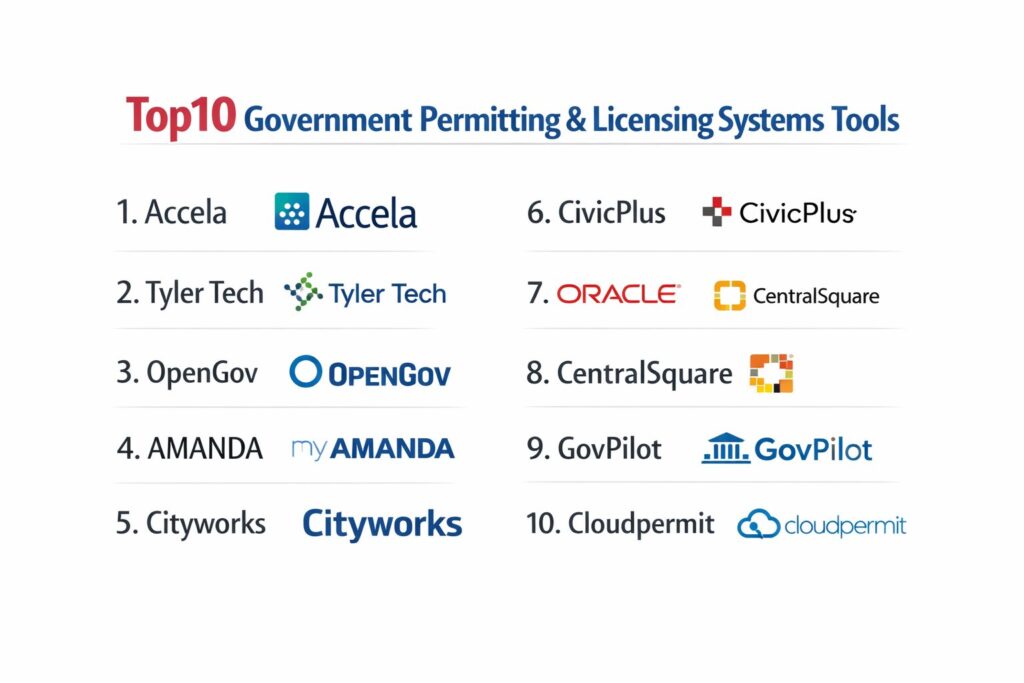
Introduction
Government permitting and licensing (P&L) systems represent a critical vertical in “GovTech” designed to modernize how public agencies interact with residents, developers, and businesses. These enterprise-level solutions replace manual, paper-based workflows with digital engines that manage the entire lifecycle of a permit—from initial submission and fee collection to plan review, inspections, and final issuance. At a technical level, these systems act as a unified data repository that bridges the gap between various municipal departments, such as planning, building, fire, and public works. By centralizing this data, agencies can eliminate information silos, ensuring that a building permit is not issued if there are outstanding code enforcement violations or unpaid taxes on the property.
The necessity for high-performance P&L systems has grown as citizens increasingly demand “Amazon-like” convenience from their local governments. Organizations now prioritize platforms that offer robust mobile capabilities for field inspectors, integrated GIS mapping for spatial context, and secure cloud-based portals that allow 24/7 access for applicants. Beyond simple convenience, these tools serve as an essential audit trail, providing a transparent record of all regulatory decisions and communications. When evaluating these platforms, buyers must consider the software’s scalability, its ability to integrate with existing financial systems (ERPs), the flexibility of its no-code or low-code workflow builders, and its compliance with security standards like SOC 2 or FedRAMP.
Best for: Municipalities, counties, and state agencies looking to automate land management, community development, and professional licensing while improving transparency and revenue collection.
Not ideal for: Organizations looking for a simple generic contact form or those without a need for specialized regulatory workflows. If the goal is purely internal task management without a public-facing regulatory component, general project management software might suffice.
Key Trends in Government Permitting Systems
One of the most significant shifts is the transition from legacy on-premises servers to cloud-native platforms that allow for rapid deployment and seamless updates. We are seeing a massive move toward “GIS-centric” workflows, where the geographic map is the primary interface for both staff and citizens rather than a traditional list or spreadsheet view. AI and machine learning are also entering the space, with automated plan review tools that can pre-screen blueprints for common code violations before a human reviewer even sees them.
Interoperability through open APIs has become a standard requirement, allowing P&L systems to talk to third-party digital plan markup tools, payment processors, and electronic document management systems. There is also a renewed focus on “total experience,” which aims to improve the user interface not just for the applicant but also for the government staff who spend their entire day in the system. Finally, sustainability and disaster recovery have influenced the trend toward mobile-first field applications that function offline, ensuring inspectors can document damage or progress in areas with limited connectivity.
How We Selected These Tools
Our selection process focused on platforms that have demonstrated proven stability within the public sector and high levels of user satisfaction among municipal staff. We prioritized “Enterprise” solutions that go beyond basic form-filling to offer deep workflow automation and multi-departmental coordination. Market share was a key indicator, as the most widely used platforms often benefit from extensive user groups and a wealth of shared best practices and pre-built templates.
Technical reliability was scrutinized, specifically looking at cloud uptime, security certifications (such as SOC 2 Type II), and the robustness of the developer’s API documentation. We also looked for platforms that offer “future-proof” technology, such as no-code configuration engines that allow non-technical staff to update city ordinances or fee schedules without needing expensive consultants. Finally, the ability to support the full “Community Development” lifecycle—including planning, zoning, code enforcement, and licensing—was a critical factor in determining the final 10.
1. Accela Civic Platform
Accela is widely recognized as the most established and flexible cloud platform for large-scale government agencies. It provides a comprehensive suite for land management, licensing, and public health, used by major cities like San Francisco and New York. Its node-based architecture allows for extreme customization of complex regulatory workflows.
Key Features
The platform features a highly configurable workflow engine that can adapt to any complex city charter or state law. It offers a “Rapid Damage Assessment” package for emergency response and integrated geographic data visualization. The citizen portal supports multiple languages and 24/7 application tracking. It also includes professional licensing modules for doctors, nurses, and contractors. Its extensive API allows for deep integration with third-party software like Bluebeam for plan review.
Pros
It is the most powerful and scalable solution on the market, capable of handling the massive volumes of a major metropolitan area. It has a huge ecosystem of certified partners and third-party integrations.
Cons
The extreme flexibility comes with a steep learning curve and high implementation costs. The interface can feel dated compared to newer, cloud-native competitors.
Platforms and Deployment
Cloud-based SaaS accessible via any modern browser, with dedicated mobile apps for iOS and Android.
Security and Compliance
SOC 2 Type II compliant and offers specialized FedRAMP-authorized environments for state and federal clients.
Integrations and Ecosystem
Seamlessly connects with Esri GIS, Microsoft Office 365, and all major government ERPs and payment gateways.
Support and Community
Offers a global user community and “Accela University” for staff training and certification.
2. Tyler Technologies (Enterprise Permitting & Licensing)
Formerly known as EnerGov, Tyler’s solution is a cornerstone of the “Connected Communities” vision. It is specifically designed to integrate with Tyler’s broader suite of municipal software, including finance and property tax systems, creating a “single source of truth” for parcel data.
Key Features
The system is built around a centralized parcel record, ensuring all departments see the same property history. It features a drag-and-drop workflow designer and a robust mobile inspector app that works offline. The “Citizen Self Service” portal allows for online payments and document uploads. It also includes an integrated GIS viewer that allows staff to query data directly from the map. The platform supports sophisticated fee calculations based on complex municipal tables.
Pros
If an agency already uses Tyler’s financial software (Munis), the integration is unmatched. It has one of the best field inspection apps in the industry.
Cons
Implementation can be lengthy due to the sheer size of the system. Some users find the configuration interface complex for non-technical administrators.
Platforms and Deployment
Available as both a cloud-hosted SaaS and a managed on-premises installation.
Security and Compliance
Maintains high-level security standards including SOC 2 and PCI compliance for all financial transactions.
Integrations and Ecosystem
Deep native integration with the Tyler “Hub” and external providers like Esri and various plan review tools.
Support and Community
Provides extensive documentation and an active “Tyler Community” forum for peer-to-peer troubleshooting.
3. OpenGov Permitting & Licensing
OpenGov is the leading “modern” alternative, known for its sleek, cloud-native design. It focuses on rapid deployment and a “no-code” philosophy, allowing government staff to build and launch new permit types in days rather than months.
Key Features
It features a 100% no-code workflow builder that empowers department heads to make changes without IT assistance. The “Virtual Front Desk” facilitates real-time chat between staff and applicants. It includes automated reminders for permit renewals and a modern, mobile-responsive citizen portal. The platform provides real-time reporting dashboards that track processing times and revenue. It also includes a specialized “Short-Term Rental” module to help cities manage platforms like Airbnb.
Pros
The user interface is widely considered the most modern and intuitive in the space. Deployment times are significantly faster than legacy enterprise competitors.
Cons
While growing rapidly, it may not yet have the niche legacy features required by extremely complex state-level professional licensing boards.
Platforms and Deployment
Cloud-native SaaS that works on any device without needing a local installation.
Security and Compliance
SOC 2 Type II compliant with data encryption at rest and in transit.
Integrations and Ecosystem
Integrates with Esri, DocuSign, and major financial systems like Workday and Tyler Munis.
Support and Community
Offers responsive account management and an active online knowledge base and user group.
4. Granicus (AMANDA)
The AMANDA platform by Granicus is a high-volume enterprise solution favored by large counties and state agencies. It is built for massive record scalability and complex professional licensing where “rules engines” must handle intricate legal requirements.
Key Features
The software utilizes a high-performance rules engine to manage complex regulatory logic. It features integrated case management for code enforcement and legal proceedings. The platform provides a “one-stop-shop” for citizens to manage all their government interactions. It includes advanced document management with version control and redaction tools. It also features a “Mobile Government” suite for field workers that supports full tablet functionality.
Pros
It is exceptionally stable and reliable for high-transaction environments. The ability to handle complex professional licensing (e.g., medical or legal) is a standout strength.
Cons
The interface can be less intuitive for the average citizen compared to newer consumer-facing platforms. It often requires more technical expertise to manage the backend.
Platforms and Deployment
Available as a cloud SaaS or on-premises deployment.
Security and Compliance
FedRAMP authorized, SOC 2 compliant, and HIPAA ready for health-related licensing.
Integrations and Ecosystem
Part of the broader Granicus “Civic Engagement” suite, integrating with digital outreach and website tools.
Support and Community
Enterprise-grade support with dedicated technical account managers for large jurisdictions.
5. Trimble Cityworks (PLL)
Cityworks PLL (Permits, Licensing, and Land) is unique because it is built “GIS-centrically.” It is the preferred choice for public works and land-use departments that already rely heavily on Esri’s ArcGIS platform.
Key Features
The “map” is the primary interface, not an add-on; every permit or license is natively tied to a geographic coordinate. It allows public works teams to link a building permit directly to an infrastructure asset (like a water main). The system includes a mobile-first field app for inspections and work orders. It features a template-based workflow builder and a robust public portal. It also provides advanced spatial analytics to help city planners visualize development trends.
Pros
It offers the best GIS integration in the market, making it invaluable for land-use planning. It seamlessly bridges the gap between permitting and asset management.
Cons
Users who are not comfortable with map-based interfaces may find the learning curve steeper. It requires an existing investment in Esri technology to reach its full potential.
Platforms and Deployment
Web-based platform with a dedicated “Cityworks Mobile” app.
Security and Compliance
Adheres to standard enterprise security protocols and is SOC 2 compliant.
Integrations and Ecosystem
Built directly on top of Esri ArcGIS and integrates with major financial and document management systems.
Support and Community
Has a very loyal community of public works professionals and an extensive network of regional user groups.
6. CivicPlus (Community Development)
CivicPlus is known for its dominance in municipal websites and has expanded into a community development suite that prioritizes the “resident experience.” It is designed for small to midsize cities that want a unified digital presence.
Key Features
The platform features a drag-and-drop form builder that allows staff to create digital versions of any paper form. It includes integrated payment processing that is PCI compliant. The software offers a “Citizen Dashboard” where residents can see all their permits and interactions with the city in one place. It features automated internal notifications to keep reviews moving through different departments. The system also includes a mobile-ready inspection tool for code enforcement officers.
Pros
The integration between the city website and the permitting portal is seamless, providing a consistent brand experience. It is very user-friendly for non-technical administrative staff.
Cons
It may lack some of the deeper “enterprise” features required for complex multi-agency professional licensing.
Platforms and Deployment
Pure cloud-based SaaS.
Security and Compliance
SOC 2 Type II compliant and utilizes SSL/TLS encryption for all citizen data.
Integrations and Ecosystem
Integrates with the full CivicPlus suite (Websites, Agenda Management, Mass Notification) and major financial ERPs.
Support and Community
Offers 24/7 technical support and a “CivicPlus Help Center” with thousands of articles.
7. Oracle Public Sector Permitting and Licensing
Oracle entered the GovTech space with a modern, cloud-native application built on their robust enterprise infrastructure. It leverages AI and automation to guide both citizens and staff through complex regulatory processes.
Key Features
The system uses “Guided Navigation” to help citizens find and apply for the correct permit types. It features an AI-powered chatbot that can answer common licensing questions 24/7. The platform provides a “single-pane-of-glass” dashboard for staff to manage their entire workload. It includes integrated “Public Hearing” management that automates meeting scheduling and notifications. It also features a modern mobile app for inspectors that supports voice-to-text notes.
Pros
It is built on the same secure infrastructure used by global financial institutions. The AI-driven user experience is among the most advanced in the sector.
Cons
As a newer entrant in the GovTech-specific market, its community of “long-term” municipal users is still growing compared to Accela or Tyler.
Platforms and Deployment
Oracle Cloud Infrastructure (SaaS).
Security and Compliance
High-level federal security certifications including FedRAMP High and SOC 2.
Integrations and Ecosystem
Naturally integrates with Oracle Finance and HR, as well as Esri and other third-party GovTech tools.
Support and Community
Backed by Oracle’s massive global support network and specialized public sector consulting teams.
8. CentralSquare Community Development
CentralSquare provides a robust suite of tools that are particularly popular with public safety and utilities departments. Their community development platform is designed to link permitting with fire safety and public infrastructure planning.
Key Features
The platform features a unique integration that allows a permit to trigger an automatic fire inspection or utility hookup request. It includes a comprehensive land-management system with zoning and subdivision tracking. The “Enterprise Pro” portal allows large developers to manage multiple projects across different city departments. It features a robust mobile app for field staff and advanced reporting for budget forecasting. The system also includes a specialized module for “Citizen Request Management” (CRM).
Pros
The link between community development and public safety systems (like CAD/RMS) is a major benefit for city-wide coordination. It is highly reliable for mid-market cities and counties.
Cons
The user interface can feel more like a traditional enterprise software than a modern web application in some modules.
Platforms and Deployment
Available as cloud SaaS, hosted, or on-premises.
Security and Compliance
Standard SOC 2 compliance and high-level encryption for all public records.
Integrations and Ecosystem
Strongest within the CentralSquare “Public Sector” ecosystem, with additional support for major third-party vendors.
Support and Community
Offers a dedicated customer success portal and regional “CentralSquare Connect” training events.
9. GovPilot
GovPilot is a “workflow-driven” platform that offers over 100 pre-built “templated” modules. This makes it a popular choice for rapid digitization in smaller municipalities that don’t have the resources for a custom implementation.
Key Features
It features a unique “Digital Map” interface that allows residents to see active permits and code enforcement cases in their own neighborhood. The system includes pre-built modules for everything from dog licenses to vacant property registrations. It offers a 100% cloud-based environment that can be deployed in weeks. The platform includes a “GovPilot University” portal for self-paced staff training. It also features automated “Letter Generation” for code enforcement notifications.
Pros
The pre-built templates significantly reduce the complexity of the initial setup. The map-centric citizen interface promotes high levels of transparency.
Cons
While highly flexible, it may lack the extreme depth required for “Tier 1” major metropolitan land-use charters.
Platforms and Deployment
Pure cloud-based SaaS hosted on Microsoft Azure.
Security and Compliance
SOC 2 compliant with secure, redundant data backups.
Integrations and Ecosystem
Integrates with Esri, DocuSign, and various local government payment processors and financial systems.
Support and Community
Known for very responsive account managers and a “client-first” approach to software updates.
10. Cloudpermit
Cloudpermit is a modern, cloud-based platform specifically designed to simplify building permits and code enforcement. It has gained rapid adoption in North America for its user-friendly design and focus on “Community Development.”
Key Features
The platform features a highly intuitive “Applicant Portal” that guides users through the entire building permit process. It includes a specialized land-use permitting module for zoning and planning approvals. The software allows for real-time collaboration between applicants and city staff through an integrated messaging system. It features a mobile-first inspection tool that works on any smartphone or tablet. It also includes an automated fee calculation engine and integrated digital plan review.
Pros
It is widely considered the easiest system to learn for both staff and citizens. The focus on a “sports car” (fast and modern) experience makes it a favorite for digital transformation projects.
Cons
Its primary focus is on building and planning; organizations needing complex professional licensing (like medical boards) might find it too focused on land management.
Platforms and Deployment
Cloud-native SaaS.
Security and Compliance
SOC 2 compliant with TLS 1.2+ encryption and automatic data backups.
Integrations and Ecosystem
Integrates with major plan review tools like Bluebeam and DigEplan, as well as municipal financial systems.
Support and Community
Provides excellent training resources and has a fast-growing community of municipal clerks and building officials.
Comparison Table
| Tool Name | Best For | Platform(s) Supported | Deployment | Standout Feature | Public Rating |
| 1. Accela | Major Metropolitan Cities | Web, iOS, Android | Cloud/Hybrid | Multi-Agency Scale | 4.5/5 |
| 2. Tyler Technologies | Unified Municipal ERP | Web, iOS, Android | Cloud/On-Prem | Financial Integration | 4.3/5 |
| 3. OpenGov | Modernization/Speed | Web-based | Cloud-native | No-code Workflow Builder | 4.8/5 |
| 4. Granicus (AMANDA) | State/County Licensing | Web, Mobile | Cloud/On-Prem | High-Volume Rules Engine | 4.4/5 |
| 5. Cityworks (PLL) | GIS-Centric Departments | Web, Mobile App | Hybrid | Native ArcGIS Integration | 4.6/5 |
| 6. CivicPlus | Small/Midsize Cities | Web-based | Cloud-native | Website + Permit Synergy | 4.5/5 |
| 7. Oracle Public Sector | AI-Driven Efficiency | Web-based | Cloud (OCI) | Guided Navigation/AI | 4.4/5 |
| 8. CentralSquare | Public Safety/Utilities | Web, Mobile | Cloud/On-Prem | Fire/Permit Integration | 4.2/5 |
| 9. GovPilot | Rapid Digitization | Web-based | Cloud | 100+ Templated Modules | 4.7/5 |
| 10. Cloudpermit | Building/Planning | Web-based | Cloud-native | User Experience Design | 4.8/5 |
Evaluation & Scoring of Government Permitting Systems
The scoring below is a comparative model intended to help shortlisting. Each criterion is scored from 1–10, then a weighted total from 0–10 is calculated using the weights listed. These are analyst estimates based on typical fit and common workflow requirements, not public ratings.
Weights:
- Core features – 25%
- Ease of use – 15%
- Integrations & ecosystem – 15%
- Security & compliance – 10%
- Performance & reliability – 10%
- Support & community – 10%
- Price / value – 15%
| Tool Name | Core (25%) | Ease (15%) | Integrations (15%) | Security (10%) | Performance (10%) | Support (10%) | Value (15%) | Weighted Total |
| 1. Accela | 10 | 4 | 10 | 10 | 9 | 10 | 6 | 8.60 |
| 2. Tyler Tech | 10 | 6 | 10 | 9 | 8 | 9 | 7 | 8.55 |
| 3. OpenGov | 8 | 10 | 9 | 9 | 10 | 9 | 9 | 8.95 |
| 4. AMANDA | 10 | 5 | 8 | 10 | 10 | 8 | 7 | 8.50 |
| 5. Cityworks | 9 | 7 | 10 | 9 | 9 | 9 | 8 | 8.85 |
| 6. CivicPlus | 7 | 9 | 8 | 9 | 8 | 10 | 9 | 8.35 |
| 7. Oracle | 9 | 8 | 9 | 10 | 10 | 9 | 7 | 8.85 |
| 8. CentralSquare | 9 | 6 | 9 | 9 | 8 | 8 | 8 | 8.15 |
| 9. GovPilot | 7 | 9 | 8 | 9 | 9 | 9 | 10 | 8.45 |
| 10. Cloudpermit | 8 | 10 | 8 | 9 | 9 | 9 | 9 | 8.75 |
How to interpret the scores:
- Use the weighted total to shortlist candidates, then validate with a pilot.
- A lower score can mean specialization, not weakness.
- Security and compliance scores reflect controllability and governance fit, because certifications are often not publicly stated.
- Actual outcomes vary with assembly size, team skills, templates, and process maturity.
Which Government Permitting & Licensing Tool Is Right for You?
Solo / Freelancer
For small jurisdictions with limited IT resources, GovPilot or Cloudpermit are the standouts. Their “out-of-the-box” approach allows for a faster digital transition without the need for complex custom coding.
SMB
OpenGov and CivicPlus are highly effective for midsize cities that prioritize a modern citizen experience and rapid updates. These platforms provide the balance of sophisticated features and administrative simplicity.
Mid-Market
Tyler Technologies and CentralSquare are strong contenders here, offering the depth required to manage growing development pipelines while integrating with existing municipal enterprise software.
Enterprise
For Tier 1 cities with complex legal charters and massive transaction volumes, Accela remains the primary standard. Its ability to manage dozens of different agencies within a single platform is unmatched at the enterprise level.
Budget vs Premium
Budget-conscious agencies should look toward GovPilot or Cloudpermit, where the simplified deployment reduces the “total cost of ownership.” Premium enterprise platforms like Accela and Oracle involve higher upfront costs but offer deep specialized capabilities.
Feature Depth vs Ease of Use
If you need complex professional licensing logic, AMANDA or Accela are the clear choices. If you prioritize ease of use for citizens and building officials, Cloudpermit and OpenGov are the leaders.
Integrations & Scalability
If your organization is “GIS-first,” Cityworks is the only logical choice. For organizations looking for a broad “Civic Engagement” suite, CivicPlus and Granicus provide the most unified ecosystem.
Security & Compliance Needs
State-level agencies or those handling highly sensitive data should prioritize Oracle, Accela, or Granicus (AMANDA) due to their extensive federal security certifications and FedRAMP status.
Frequently Asked Questions (FAQs)
1. What is the typical implementation timeline for these systems?
Implementation can vary from 3 months for a “templated” cloud solution like GovPilot to 18-24 months for a full-scale enterprise deployment like Accela for a major city.
2. Can these systems handle both planning and code enforcement?
Yes, most enterprise-level platforms on this list offer integrated modules that allow data to flow from a planning application to a building permit and eventually into a code enforcement case for that same parcel.
3. Do citizens have to pay a fee to use the online portal?
The software itself is usually free for citizens to access, though they will still be responsible for the permit fees and any convenience fees charged by the third-party payment processor.
4. Is a mobile app really necessary for inspectors?
It is highly recommended. Mobile apps with offline capabilities allow inspectors to enter data directly in the field, reducing the risk of errors from transcription and speeding up the approval process for contractors.
5. How do these systems integrate with GIS maps?
Most systems use a “Live Link” or native integration with Esri ArcGIS. This allows staff to see the “spatial layer” of a property, such as flood zones or historic districts, directly on the permit application.
6. Can we use our own digital payment provider?
Most platforms support integrations with major payment processors like PayPal, Stripe, and specialized GovTech payment systems like PayIt or LexisNexis.
7. Do these tools support electronic plan review (EPR)?
Yes, many of the top systems have built-in EPR tools or integrate natively with professional markup software like Bluebeam, allowing for a completely paperless review process.
8. Is the data stored in the cloud or on city servers?
While some legacy systems offer on-premises options, the industry is moving toward “Cloud-First” or “Cloud-Only” models where the data is stored in secure environments like Microsoft Azure or AWS.
9. Can we migrate our existing parcel data into the new system?
Yes, data migration is a standard part of the implementation process. Vendors usually have tools to import historical data from older databases or spreadsheets into the new system.
10. How do these systems help with public transparency?
Most systems offer a “Public View” portal where anyone can see active development projects in their area, which reduces the number of public information requests (FOIA) that city staff have to handle.
Conclusion
The modernization of government permitting and licensing is no longer a luxury but a fundamental requirement for efficient public administration. The transition from fragmented, paper-heavy processes to unified digital platforms represents a critical evolution in how governments serve their constituents. The right platform serves as a force multiplier—it doesn’t just digitize forms; it automates the complex regulatory logic that keeps communities safe and development moving. Selecting the appropriate tool requires a deep understanding of your agency’s specific workload, the technical literacy of your staff, and your long-term vision for community growth. By investing in a system that prioritizes interoperability, user experience, and data integrity, public sector leaders can rebuild trust with their citizens while creating a more resilient and responsive government infrastructure.