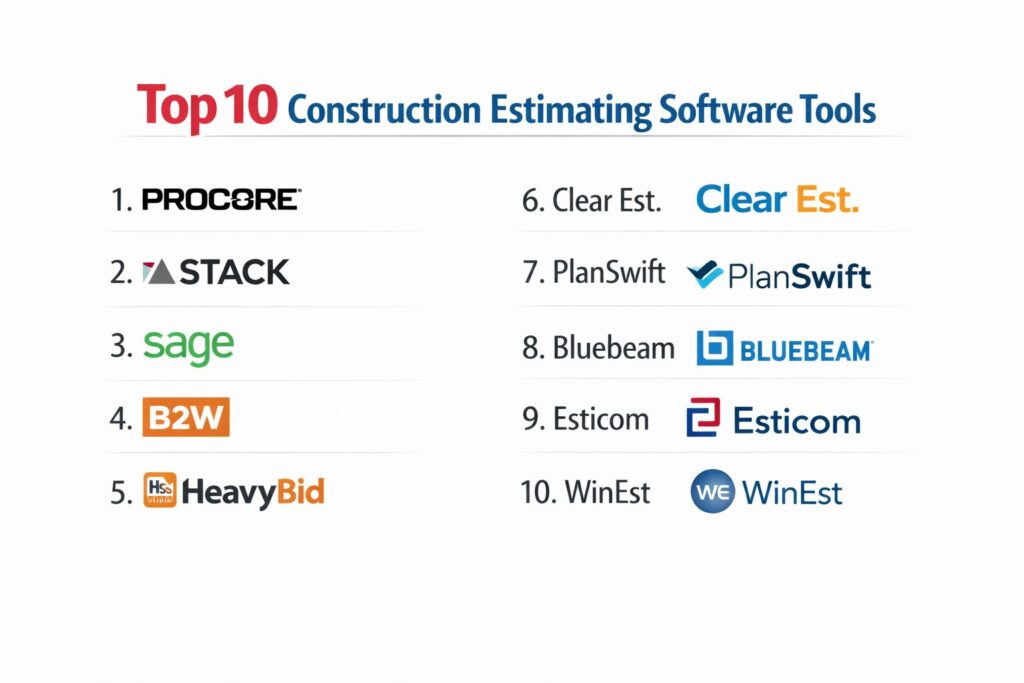
Introduction
Construction estimating software has moved beyond simple digital spreadsheets to become the central nervous system of pre-construction workflows. In an industry where a 2% error in material takeoff can eliminate a project’s entire profit margin, these platforms provide the precision required to survive in a high-stakes environment. Modern estimating technology integrates sophisticated 2D and 3D takeoff tools with live cost databases, allowing contractors to transform complex blueprints into defensible, line-item bids in a fraction of the time it once took manually. For the modern contractor, these tools are not just calculators; they are risk-management engines that ensure every nail, hour of labor, and piece of heavy equipment is accounted for before a single shovel hits the ground.
The shift toward cloud-based collaboration has further revolutionized how estimating teams operate. No longer tethered to local servers, estimators can now collaborate in real-time with field supervisors and project managers to ensure that “bid-day” assumptions align with “build-day” realities. As material prices fluctuate and labor shortages persist, the ability to rapidly update an estimate with hyper-localized cost data has become a critical competitive advantage. When evaluating these solutions, firms must look past basic features to consider the platform’s ability to handle complex assemblies, its integration with accounting systems, and the quality of its historical data analysis.
Best for: General contractors, specialty subcontractors, civil engineers, and remodelers who need to produce accurate, professional bids and manage quantity takeoffs efficiently.
Not ideal for: Individual homeowners looking for a simple DIY project calculator or small handymen who do not require formalized bidding, document management, or professional proposals.
Key Trends in Construction Estimating Platforms
The most significant trend is the rise of automated quantity takeoffs driven by artificial intelligence. Modern platforms are increasingly capable of “reading” blueprints and automatically identifying symbols for electrical outlets, linear feet of piping, or square footage of drywall, reducing manual click-time by up to 80%. We are also seeing a major push toward BIM (Building Information Modeling) integration, where estimators can pull data directly from 3D models rather than relying solely on 2D PDFs. This shift ensures that the estimate is a living document that evolves alongside the architectural design.
Hyper-localization of data is another major advancement. Many platforms now feature live API connections to local material suppliers and labor market indices, allowing for “real-time” pricing that reflects the specific economic conditions of a project’s zip code. Furthermore, the “connected jobsite” philosophy has led to tighter integrations between estimating and field tracking. This allows companies to perform “post-mortem” analyses by comparing estimated costs against actual field expenditures, creating a continuous feedback loop that makes every subsequent bid more accurate than the last.
How We Selected These Tools
Our evaluation process focused on the reliability of takeoff accuracy and the robustness of the underlying cost databases. We prioritized software that offers a seamless transition from drawing measurements to final bid totals, looking for tools that minimize manual data entry. A key criterion was “database flexibility,” assessing how easily a firm can import its own historical pricing or utilize industry-standard cost libraries. We also looked for platforms that offer specialized workflows for different trades, from heavy civil earthworks to intricate electrical systems.
Scalability was a vital factor; we selected tools that cater to everyone from solo remodelers to global enterprise firms with dozens of estimators. We scrutinized the depth of the reporting suites, favoring those that provide clear, professional-looking proposals that build client trust. Security was non-negotiable, particularly for cloud-based systems storing proprietary bidding strategies and sensitive contract data. Finally, we assessed the quality of customer support and training resources, as construction estimating software often carries a learning curve that requires expert guidance to master.
1. Procore Estimating
Procore is an industry giant that offers a dedicated estimating module fully integrated into its massive construction management ecosystem. It is designed for contractors who want their pre-construction data to flow seamlessly into project management and financial tracking without switching platforms.
Key Features
The platform features a centralized “Cost Catalog” that allows firms to maintain consistent pricing across material, labor, and equipment. It includes powerful “Auto-Takeoff” tools that use AI to identify and measure quantities from digital blueprints quickly. The system offers a robust “Bid Management” suite that allows users to invite subcontractors and compare their quotes side-by-side. It features integrated “Change Order Management” to track how scope shifts impact the initial budget. Additionally, the platform provides a mobile app that allows field teams to view the original estimate and drawings on-site.
Pros
The deep integration with Procore’s broader management suite eliminates duplicate data entry across the project lifecycle. It provides enterprise-grade security and governance for large-scale operations.
Cons
The pricing is high and typically based on the company’s annual construction volume. The software can be overwhelming for smaller firms that only need simple estimating features.
Platforms and Deployment
Cloud-based SaaS accessible via web and high-performance mobile apps.
Security and Compliance
Industry-leading security including SOC 2 Type II, ISO 27001, and FedRAMP compliance.
Integrations and Ecosystem
Seamlessly integrates with Sage, Viewpoint, and hundreds of other apps in the Procore Marketplace.
Support and Community
Offers the “Procore Certification” program and 24/7 technical support for all users.
2. STACK Takeoff & Estimating
STACK is a cloud-native platform known for its speed and user-friendly interface. It is a favorite among subcontractors and general contractors who need to move from a PDF drawing to a finished estimate with maximum efficiency.
Key Features
The platform features “Auto-Naming” and “Auto-Scaling” for drawings, which significantly reduces the time spent organizing project files. It includes a comprehensive library of “Pre-built Assemblies” for various trades like roofing, plumbing, and electrical. The system offers real-time collaboration, allowing multiple estimators to work on the same project simultaneously. It features a “Proposal Generator” that creates branded, professional bids directly from takeoff data. It also provides a “Marketplace” where users can access localized material pricing from national suppliers.
Pros
Being 100% cloud-based means there is no software to install or update manually. The interface is exceptionally clean, making it one of the easiest professional tools to learn.
Cons
It requires a stable internet connection for all work, which can be a limitation for some field offices. Some advanced reporting features require higher-tier subscriptions.
Platforms and Deployment
Pure SaaS platform accessible through any modern web browser.
Security and Compliance
Utilizes advanced encryption and regular data backups to ensure project information remains secure.
Integrations and Ecosystem
Integrates with popular tools like Buildertrend, Excel, and various CRM systems.
Support and Community
Provides extensive video tutorials, webinars, and a responsive chat-based support team.
3. Sage Estimating
Sage is a long-standing leader in construction finance and estimating, offering a “best-of-breed” solution for firms that require high-precision, database-driven estimates. It is particularly strong for teams that prioritize standardized estimating methods.
Key Features
The platform features “Keyboard-Driven Workflows” designed for speed, allowing power users to fly through line items without a mouse. It includes a “Multiple-WBS” (Work Breakdown Structure) feature that allows for deep analysis of costs by phase, location, or system. The system offers “eTakeoff” integration for seamless quantity extraction directly into the estimate. It features a robust “Database Management” tool for maintaining thousands of item prices. It also provides specialized “Buyout” features to help manage the transition from a winning bid to purchasing materials.
Pros
Offers the most sophisticated “logic-based” estimating tools in the market for complex projects. Its reliability and history make it a trusted choice for large-scale commercial and industrial firms.
Cons
The interface can feel a bit dated compared to modern cloud-only startups. The initial setup and database configuration require a significant time investment.
Platforms and Deployment
Traditionally desktop-based with modern cloud-hosting options available.
Security and Compliance
Maintains strict data integrity standards and is widely used in highly regulated government contracting.
Integrations and Ecosystem
Unrivaled integration with Sage 100 Contractor and Sage 300 Construction and Real Estate.
Support and Community
Backed by a massive network of certified consultants and the “Sage City” user community.
4. B2W Estimate
B2W is a specialized platform built specifically for the heavy civil construction industry. It excels in managing the complex variables of earthwork, paving, and infrastructure projects where crew production rates are the primary cost driver.
Key Features
The platform features a “Centralized Database” of crews, equipment, and labor rates tailored for heavy civil work. It includes “DOT Bidding” features that allow for easy submission of bids to state and local transportation departments. The system offers “Automated Error Checking” to catch missing prices or mathematical inconsistencies before a bid is submitted. It features a “Synchronized Mobile” mode for estimators working in the field. It also provides “RFQ Management” to streamline the process of getting quotes from material vendors and subcontractors.
Pros
It is the gold standard for heavy civil work, understanding the nuances of “production-based” estimating. The integration between estimating and B2W’s field tracking modules is exceptional.
Cons
It is highly specialized and not well-suited for residential remodeling or vertical commercial construction. The setup process for the cost database is extensive.
Platforms and Deployment
Windows-based software with cloud-hosted data options and mobile components.
Security and Compliance
Offers robust user-access controls and is designed to meet the rigorous audit standards of public works projects.
Integrations and Ecosystem
Integrates deeply with Spectrum, Vista, and other ERP systems used in heavy construction.
Support and Community
Known for its “B2W User Conference” and high-touch professional implementation services.
5. HeavyBid by HCSS
HeavyBid is another powerhouse in the heavy civil and infrastructure space, used by the majority of the largest contractors in North America. It is designed to handle multi-billion dollar bids with extreme accuracy and speed.
Key Features
The platform features “Spreadsheet-Style” data entry that feels familiar to veteran estimators while adding powerful automation. It includes “Bid History” analysis to help users understand how they’ve priced similar work in the past. The system offers “What-If” analysis, allowing users to instantly see how changing a crew size or material price affects the total bid. It features a “Global Change” tool to update prices across thousands of line items simultaneously. It also provides a robust “Quote Management” system for managing complex subcontractor bids.
Pros
It is built for the most complex infrastructure projects on earth, offering unparalleled depth in crew and equipment modeling. Its 24/7 technical support is legendary in the industry.
Cons
The software is expensive and has a steep learning curve for new users. The visual interface is functional but lacks the modern aesthetic of newer SaaS tools.
Platforms and Deployment
Desktop software with enterprise server and cloud-hosting capabilities.
Security and Compliance
Maintains top-tier security protocols suitable for large-scale infrastructure and government work.
Integrations and Ecosystem
Designed to work perfectly with HCSS HeavyJob and HCSS Safety for a total project solution.
Support and Community
Offers 24/7/365 instant phone support and an extensive “HCSS Academy” for training.
6. Clear Estimates
Clear Estimates is the premier choice for residential remodelers and small general contractors. It focuses on providing a fast, simple way to produce professional-looking proposals using pre-loaded localized cost data.
Key Features
The platform features a “RemodelMax” database with over 12,000 line items for residential work, updated quarterly. It includes “Pre-built Templates” for common projects like kitchens, bathrooms, and decks. The system offers “Localized Pricing” for over 400 regions in the United States. It features a “Proposal Generator” that includes pre-written contract language and company branding. It also provides a simple “Change Order” tool to keep projects on track when the scope shifts mid-build.
Pros
It is extremely affordable and provides immediate value through its built-in cost database. It produces some of the most professional-looking proposals for residential clients.
Cons
It lacks the advanced “Takeoff” features (measuring drawings) found in other tools. It is not suitable for large-scale commercial or heavy civil projects.
Platforms and Deployment
Cloud-based SaaS accessible via web browser.
Security and Compliance
Standard web security and data encryption to protect customer and project information.
Integrations and Ecosystem
Integrates with QuickBooks and Buildertrend to manage the transition to accounting and project management.
Support and Community
Provides excellent email and chat support along with a library of helpful “How-to” guides.
7. PlanSwift
PlanSwift is primarily a “takeoff” tool that has become an industry standard for its versatility and ease of use. It allows users to measure anything on a digital blueprint with just a few clicks.
Key Features
The platform features a “Point-and-Click” interface for measuring areas, linear lengths, and item counts. It includes “Drag-and-Drop” assemblies that allow users to apply a group of materials to a measurement instantly. The system offers “Excel Integration,” allowing users to live-link their measurements to a custom spreadsheet. It features “Overlay” tools to compare two different versions of a blueprint and see changes. It also provides a “Plugin Store” where users can buy specialized tools for different trades.
Pros
It is arguably the fastest tool for digital takeoff on the market today. It is highly customizable, allowing users to build their own parts and assemblies to match their unique workflow.
Cons
While it is an elite takeoff tool, its built-in estimating features (for pricing) are not as robust as dedicated estimating platforms. It is still primarily a desktop-based application.
Platforms and Deployment
Windows-based desktop software.
Security and Compliance
Standard local-data security with typical Windows software licensing.
Integrations and Ecosystem
Integrates with nearly any estimating or accounting software that can import Excel data.
Support and Community
Offers a wide range of training videos and a strong community of users who share custom plugins.
8. Bluebeam Revu
Bluebeam is ubiquitous in the construction world as a PDF markup tool, but its specialized “Estimating” features make it a powerful ally for quantity takeoffs and document collaboration.
Key Features
The platform features “Visual Search,” which can automatically find and count every instance of a symbol (like an outlet or a sink) across an entire set of plans. It includes “Custom Columns” in the markups list to perform mathematical calculations directly on the drawing. The system offers “Studio Sessions” for real-time collaboration on a single PDF file with multiple team members. It features “Tool Chests” where users can save their custom measurement tools for reuse. It also provides “Quantity Link” to automatically push measurement data into Microsoft Excel.
Pros
Almost every contractor already has Bluebeam, making it a very cost-effective way to start digital takeoffs. It is the best tool in the industry for general PDF management and communication.
Cons
It is not a dedicated estimating system; it does not have a built-in cost database for pricing. Large, complex files can sometimes cause the software to lag on older computers.
Platforms and Deployment
Windows-based desktop software with cloud-based collaboration through Bluebeam Cloud.
Security and Compliance
Robust document-level security and SOC 2 compliant cloud storage for its Studio platform.
Integrations and Ecosystem
Deeply integrated with almost every major construction management and ERP platform.
Support and Community
Massive global user base with extensive local “User Groups” and online training resources.
9. Esticom (by Procore)
Esticom is a modern, cloud-based takeoff and estimating tool that was recently acquired by Procore. It focuses on the needs of specialty subcontractors who need to produce fast, accurate bids for trade-specific work.
Key Features
The platform features trade-specific “Material Libraries” for electrical, plumbing, HVAC, and low-voltage contractors. It includes “Auto-Count” AI that identifies components on a plan automatically. The system offers “Cloud-Based Takeoff” that works in any browser without needing to download large PDF files. It features a “Bid Dashboard” to track the status of all outgoing proposals. It also provides “Workforce Planning” tools to help estimate the labor hours required for a specific project.
Pros
It is one of the most streamlined and modern interfaces in the market, focusing on user experience. Its recent integration into the Procore family makes it a top choice for Procore users.
Cons
Since the acquisition, it is increasingly being positioned as a Procore-only tool. Some users find the advanced customization options a bit limited compared to older desktop tools.
Platforms and Deployment
Cloud-based SaaS.
Security and Compliance
Benefit from Procore’s enterprise-grade security infrastructure and data privacy standards.
Integrations and Ecosystem
Designed for a perfect workflow with Procore, but also supports Excel exports for other systems.
Support and Community
Offers comprehensive onboarding and a dedicated support team within the Procore ecosystem.
10. WinEst
WinEst is a highly flexible, database-driven estimating solution that allows for deep customization. It is favored by estimators who want the power of a spreadsheet combined with the integrity of a structured database.
Key Features
The platform features “Custom Views” that allow different users (e.g., an estimator vs. a project manager) to see the data in the way that makes the most sense for them. It includes “Conceptual Estimating” tools for creating quick budgets before full plans are available. The system offers a massive “Cost Database” that can be organized by CSI MasterFormat or any custom structure. It features “Audit Trails” to track every change made to an estimate. It also provides “Multi-User Access” so an entire team can contribute to a single large bid.
Pros
The level of customization available for reports and views is almost limitless. It is exceptionally strong for “conceptual” work during the early design-build phases of a project.
Cons
It has a significant learning curve and requires a dedicated administrator to get the most out of the database features. The interface is more “technical” than “intuitive.”
Platforms and Deployment
Desktop software with cloud-hosted options for enterprise teams.
Security and Compliance
Standard enterprise-grade security with robust user permissions and data logging.
Integrations and Ecosystem
Strong integrations with Trimble’s broader suite of design and construction software.
Support and Community
Backed by Trimble’s global support network and specialized training consultants.
Comparison Table
| Tool Name | Best For | Platform(s) Supported | Deployment | Standout Feature | Public Rating |
| 1. Procore | Enterprise Teams | Web, iOS, Android | Cloud SaaS | Full Project Integration | 4.6/5 |
| 2. STACK | Fast Cloud Takeoff | Web-Based | Cloud SaaS | Ease of Use / Speed | 4.7/5 |
| 3. Sage | Standardized Bidding | Windows Desktop | Hybrid | Logic-Based Assemblies | 4.4/5 |
| 4. B2W | Heavy Civil / Infra | Windows Desktop | Hybrid | DOT Bidding / Crews | 4.5/5 |
| 5. HeavyBid | Massive Civil Projects | Windows Desktop | Enterprise | Production Modeling | 4.6/5 |
| 6. Clear Est. | Residential Remodel | Web-Based | Cloud SaaS | Built-in Local Pricing | 4.5/5 |
| 7. PlanSwift | Fast 2D Takeoff | Windows Desktop | On-Premise | Drag-and-Drop Takeoff | 4.3/5 |
| 8. Bluebeam | PDF Collab / Takeoff | Windows Desktop | Hybrid | Visual Search / Counts | 4.7/5 |
| 9. Esticom | Specialty Trades | Web-Based | Cloud SaaS | Trade-Specific Libraries | 4.6/5 |
| 10. WinEst | Conceptual Budgets | Windows Desktop | Hybrid | Customizable Data Views | 4.3/5 |
Evaluation & Scoring of Construction Estimating Software
The scoring below is a comparative model intended to help shortlisting. Each criterion is scored from 1–10, then a weighted total from 0–10 is calculated using the weights listed. These are analyst estimates based on typical fit and common workflow requirements, not public ratings.
Weights:
- Core features – 25%
- Ease of use – 15%
- Integrations & ecosystem – 15%
- Security & compliance – 10%
- Performance & reliability – 10%
- Support & community – 10%
- Price / value – 15%
| Tool Name | Core (25%) | Ease (15%) | Integrations (15%) | Security (10%) | Performance (10%) | Support (10%) | Value (15%) | Weighted Total |
| 1. Procore | 10 | 6 | 10 | 10 | 9 | 9 | 6 | 8.45 |
| 2. STACK | 8 | 10 | 8 | 9 | 9 | 9 | 9 | 8.80 |
| 3. Sage | 10 | 5 | 9 | 9 | 8 | 8 | 7 | 8.10 |
| 4. B2W | 10 | 6 | 8 | 9 | 9 | 9 | 7 | 8.30 |
| 5. HeavyBid | 10 | 5 | 8 | 9 | 9 | 10 | 6 | 8.10 |
| 6. Clear Est. | 6 | 10 | 7 | 8 | 9 | 8 | 10 | 7.90 |
| 7. PlanSwift | 8 | 8 | 8 | 8 | 9 | 7 | 9 | 8.05 |
| 8. Bluebeam | 7 | 9 | 9 | 9 | 8 | 9 | 10 | 8.55 |
| 9. Esticom | 8 | 9 | 9 | 9 | 9 | 8 | 8 | 8.55 |
| 10. WinEst | 9 | 5 | 8 | 9 | 8 | 8 | 7 | 7.75 |
How to interpret the scores:
- Use the weighted total to shortlist candidates, then validate with a pilot.
- A lower score can mean specialization, not weakness.
- Security and compliance scores reflect controllability and governance fit, because certifications are often not publicly stated.
- Actual outcomes vary with assembly size, team skills, templates, and process maturity.
Which Construction Estimating Tool Is Right for You?
Solo / Freelancer
For a solo contractor or a small founder-led team, the primary bottleneck is time. You need a platform that comes pre-loaded with localized pricing and professional templates so you can spend your evenings finishing bids rather than researching material costs. A tool that creates high-quality proposals with your logo will help you compete with larger firms by projecting a level of professionalism that builds immediate client confidence.
SMB
Nonprofits involved in community building or social housing should prioritize ease of use and secondary research data. Often working with fixed budgets and volunteer labor, these organizations benefit from tools that offer clear “What-If” scenarios to see how different material choices impact the total project cost. Cloud-based platforms are ideal here as they allow board members or external consultants to review and approve estimates from anywhere.
Mid-Market
Mid-sized firms are in the “growth phase” where standardized processes become critical. You should look for a tool that allows for “Assembly-based” estimating, ensuring that if you have three different estimators, they are all pricing a “typical wall” the same way. This consistency is the only way to accurately track profitability across multiple simultaneous projects and refine your bidding strategy over time.
Enterprise
For enterprise-level firms, the software is as much about data governance and security as it is about estimating. You need a system that offers deep audit trails, multi-user permissions, and the ability to handle massive, multi-phase projects. Integration with your ERP (Enterprise Resource Planning) and accounting systems is non-negotiable to ensure that the estimate you used to win the work becomes the actual budget used to manage it.
Budget vs Premium
Budget-conscious teams should look at specialized PDF markup tools or pay-as-you-go cloud platforms. While they may lack advanced features like 3D takeoff or live vendor APIs, they provide a massive step up from manual spreadsheets. Premium platforms, while expensive, often pay for themselves by catching a single missed “scope item” that would have cost the firm thousands of dollars in profit.
Feature Depth vs Ease of Use
If your team is composed of career estimators who love “getting into the weeds,” a feature-rich desktop tool with complex database capabilities is a powerful asset. However, if you are asking project managers or field staff to perform takeoffs, prioritize a modern, visual interface that doesn’t require weeks of training to navigate successfully.
Integrations & Scalability
A tool that can’t “talk” to your accounting or project management software will eventually create a data bottleneck. Ensure the platform you choose has a clear path for data export and a robust API. You want a system that can grow with you, moving from simple quantity counts to complex, production-based modeling as your company takes on larger projects.
Security & Compliance Needs
If you are bidding on government, healthcare, or high-security industrial projects, your software must meet specific data residency and encryption standards. Look for platforms that offer SOC 2 or ISO certifications and provide granular controls over who can view and edit sensitive bid data. Protecting your “secret sauce”—your proprietary bidding margins—is vital for long-term competitiveness.
Frequently Asked Questions (FAQs)
1. What is a “takeoff” in construction estimating?
A takeoff is the process of identifying and measuring the physical materials required for a project based on blueprints. This includes counting items (like doors), measuring linear lengths (like pipes), and calculating areas (like flooring) to determine the total quantity of materials needed.
2. Is cloud-based software better than desktop software?
Cloud-based software is better for collaboration, as it allows multiple users to access data from anywhere. Desktop software often offers more “raw power” and speed for very large datasets and can work without an internet connection, though the industry is moving rapidly toward the cloud.
3. Can estimating software help with material price fluctuations?
Yes, many professional tools link to live cost databases that update quarterly or even monthly. Some allow you to apply “inflation factors” or “market indices” to your bids to account for the time gap between your estimate and the actual purchase of materials.
4. What is “Assembly-based” estimating?
An assembly is a group of items that are always installed together. For example, a “wall assembly” might include studs, drywall, tape, mud, and paint. Instead of counting each item individually, you simply measure the square footage of the wall, and the software calculates all the sub-components automatically.
5. How do I know if my estimate is accurate?
The most accurate estimates are those checked against “actuals.” Modern platforms allow you to import data from completed projects to see where your estimates were too high or too low, helping you refine your production rates for the next bid.
6. Can I use these tools for 3D/BIM estimating?
Higher-tier platforms can import 3D models (like Revit files) and extract quantities directly from the digital objects. This is much faster and more accurate than 2D takeoff but requires that the original architectural model be built with high precision.
7. Do I need to buy a cost database separately?
Some platforms include a cost database (like RSMeans or RemodelMax) as part of the subscription, while others require you to build your own or pay for a separate integration. Always check what data is included before purchasing.
8. What is “Bid-Day” management?
Bid-day is the deadline for submitting a quote. Managing it involves juggling last-minute quotes from dozens of subcontractors. Estimating software helps by allowing you to quickly plug in these numbers and see how they affect your final total and margin in real-time.
9. Is training usually included with the software?
Basic video tutorials are almost always free, but enterprise-grade software often requires “Professional Implementation,” which is a separate cost. This ensures the software is set up correctly for your specific company workflows and cost codes.
10. Can I use estimating software on a Mac?
While the industry has historically been Windows-heavy, modern cloud-based (SaaS) platforms work perfectly on Macs through a web browser. However, traditional desktop-only tools like PlanSwift or HeavyBid usually require a Windows environment.
Conclusion
Navigating the complexities of the modern construction landscape requires more than just industry expertise; it demands a technological foundation that ensures precision and speed. The transition from manual estimating to a centralized, digital platform represents a fundamental shift in how construction firms manage risk and profitability. By leveraging automated takeoffs, real-time cost data, and collaborative cloud environments, contractors can move from reactive bidding to a proactive strategy that secures more work at higher margins. Selecting the right platform is a strategic investment that not only streamlines current workflows but provides the historical data needed to drive long-term organizational growth.
A nicely written post with a clear focus. The information is presented in a logical way, and the tone remains neutral and professional. This makes the article enjoyable and trustworthy.
I find that this detailed comparison of Construction Estimating Software highlights a critical shift from manual data entry to cloud-native risk management. As a Pre-Construction Manager looking to master these digital workflows, I learned from this blog that integrating tools like Procore or STACK isn’t just about speed; it’s about leveraging automated takeoffs and real-time cost data to protect profit margins in an volatile market. In the real world, this transition helps me eliminate the “bid-day” stress by ensuring every assembly is backed by hyper-localized pricing. For others in the industry, this guide serves as a roadmap to move beyond spreadsheets and adopt a “connected jobsite” philosophy where pre-construction data flows directly into field operations. My advice for those learning these platforms is to prioritize mastering BIM (Building Information Modeling) integration early, as the ability to pull data directly from 3D models is quickly becoming the industry standard. I’m curious to know if you think the human intuition of a veteran estimator can ever be fully replaced by the AI-driven “Auto-Takeoff” features these platforms are now promoting?