Introduction
Intranet platforms have undergone a radical transformation from static file repositories into dynamic “employee experience platforms” (EXP) that serve as the central nervous system of modern organizations. The intranet is no longer just a place to find a holiday policy; it is a unified digital headquarters where internal communications, social engagement, and complex business workflows converge. These platforms are designed to bridge the gap between desk-based and frontline workers, ensuring that every employee—regardless of location—has a single source of truth and a voice within the company. For leadership, a modern intranet is a critical tool for cultural alignment, while for employees, it is the primary gateway to the tools and information they need to be productive.
The current landscape is defined by “AI-first” architectures where generative assistants summarize long documents, draft announcements, and provide conversational search results. As organizations face the challenges of hybrid work and digital friction, the intranet has become the primary site for “human-centric” technology integration. Evaluating these platforms requires looking beyond simple content management to examine how they handle multi-channel delivery, role-based personalization, and enterprise-grade security. Today’s intranet solutions are tasked with reducing “toggle tax”—the time lost switching between disparate apps—by bringing HR, IT, and project management tasks directly into the employee’s daily flow of work.
Best for: Internal communications directors, HR leaders, and IT executives who need to centralize information, boost employee engagement, and streamline cross-departmental workflows.
Not ideal for: Very small teams that can function entirely within a basic chat app like Slack or WhatsApp, or organizations that only require simple external-facing websites without any internal collaboration needs.
Key Trends in Intranet Platforms
The most significant trend is the full integration of Generative AI into the intranet core, moving beyond simple chatbots to “Company Agents” that can execute tasks. These agents now handle everything from answering complex HR benefit questions to automatically tagging and organizing thousands of legacy documents to ensure findability. We are also seeing a “social-first” shift, where the traditional top-down news feed is being replaced by interactive, community-driven walls that mirror consumer social media. This trend is particularly vital for frontline inclusion, allowing employees in retail or manufacturing to participate in company culture via mobile-native apps.
Another major shift is toward “Journey-based” intranets, where the platform identifies an employee’s stage—such as onboarding, a promotion, or a leave of absence—and dynamically surfaces the specific tools and content relevant to that phase. Data privacy and “sovereign AI” have also become top priorities, with platforms offering local data residency and private LLM integrations to satisfy strict global regulations. Furthermore, the “headless” intranet concept is gaining traction, where the intranet serves as a centralized content hub that pushes information out to other work tools like Microsoft Teams, Slack, or even digital signage in physical offices, ensuring a consistent message across all endpoints.
How We Selected These Tools
Our selection process focused on platforms that demonstrate a balance between technical robustness and user-centric design. We prioritized “turnkey” solutions that offer fast deployment times over legacy systems that require years of custom development. A critical criterion was “frontline parity,” ensuring that the mobile experience is not just a secondary thought but a full-featured environment capable of reaching non-desk workers. We evaluated each platform’s AI capabilities, looking for native features that genuinely enhance productivity rather than superficial “add-ons.”
Integrations were a major factor; we selected platforms that play well within the dominant ecosystems of Microsoft 365 and Google Workspace while maintaining their own unique value. We also scrutinized the depth of analytics suites, favoring platforms that provide actionable insights into employee sentiment and content performance rather than just raw page views. Security and compliance certifications, such as SOC 2 Type II and GDPR readiness, were mandatory for inclusion. Finally, we considered the total cost of ownership, including implementation fees and the internal resources required to maintain a fresh and engaging digital workplace over the long term.
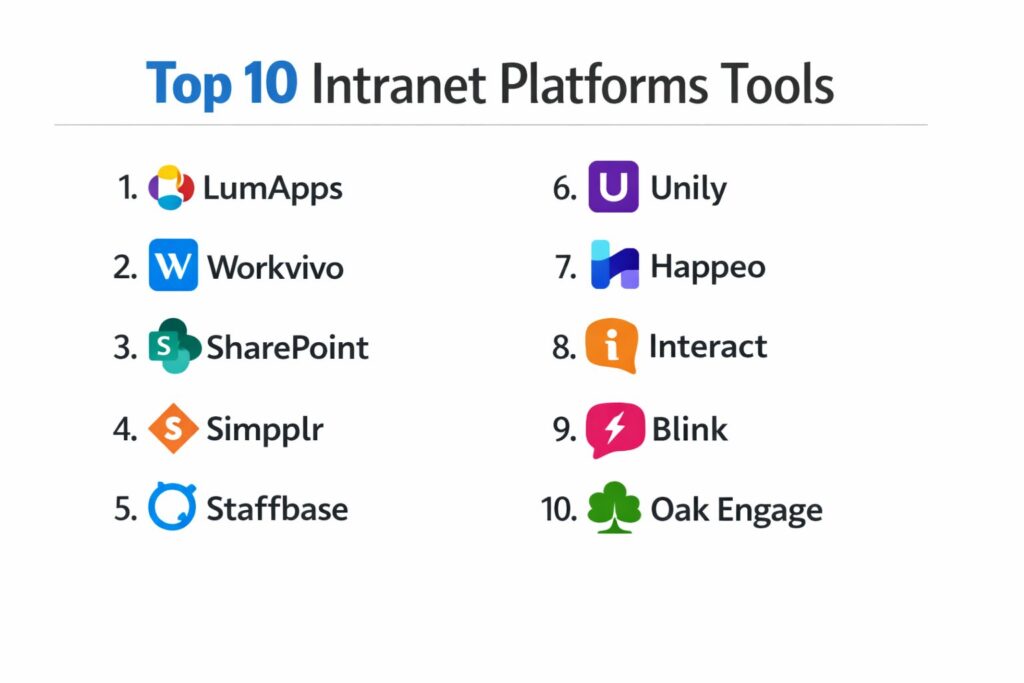
1. LumApps
LumApps is an enterprise-grade connected employee hub that unifies internal communications, social communities, and business applications. It is recognized for its ability to support global organizations with complex, multi-lingual requirements while maintaining a highly personalized user experience.
Key Features
The platform features a native “AI Agent Hub” that automates employee services for HR and IT requests. It includes sophisticated “Employee Journeys” that guide staff through lifecycle events like onboarding or leadership training. The system offers a robust “Global Communication” suite that allows for targeted messaging by region, role, and department. It features deep, bi-directional integration with both Microsoft 365 and Google Workspace, allowing users to search across all cloud files. Additionally, its “Social Communities” encourage peer-to-peer knowledge sharing and employee recognition.
Pros
It provides exceptional governance controls for large-scale, multi-site organizations. The platform is highly flexible, allowing for extensive branding and custom layouts without heavy coding.
Cons
The depth of features can be overwhelming for smaller companies with limited administrative resources. Initial configuration of complex global journeys requires significant strategic planning.
Platforms and Deployment
Web-based SaaS with high-performance mobile apps for iOS and Android.
Security and Compliance
SOC 2 Type II, ISO 27001, and GDPR compliant with advanced data residency options.
Integrations and Ecosystem
Seamlessly integrates with Google Workspace, Microsoft 365, Slack, Salesforce, and major HRIS systems.
Support and Community
Offers a comprehensive “LumApps Community” portal and dedicated customer success managers for enterprise tiers.
2. Workvivo (by Zoom)
Workvivo is a social-first intranet platform designed to feel more like a community than a corporate portal. Recently acquired by Zoom, it focuses heavily on employee engagement, culture, and simplified communication for distributed workforces.
Key Features
The platform features a “Social Newsfeed” that allows employees to post updates, photos, and videos with interactive likes and comments. It includes a built-in “Employee Recognition” system for public shout-outs and peer-to-peer awards. The system offers “Global Pages” for structured content like policies and handbooks, organized intuitively. It features a “Podcasting and Video” module that allows leadership to share updates in engaging modern formats. It also includes “Pulse Surveys” to capture real-time employee sentiment across the organization.
Pros
It has one of the highest adoption rates in the industry due to its familiar, social-media-style interface. It is exceptionally easy to roll out to frontline workers who may not have a corporate email.
Cons
It lacks the deep document management and complex workflow automation found in more technical intranets. Some organizations may find the social focus too casual for high-compliance environments.
Platforms and Deployment
Cloud-native SaaS with a highly-rated mobile app experience.
Security and Compliance
Maintains enterprise-grade security standards with SOC 2 compliance and robust data encryption.
Integrations and Ecosystem
Integrates deeply with Zoom, Microsoft 365, Slack, and various HR tools like Workday.
Support and Community
Known for excellent customer support and a library of engagement “playbooks” for internal communicators.
3. Microsoft SharePoint Online
SharePoint remains the most widely used intranet platform globally, primarily due to its inclusion in Microsoft 365. It is the powerhouse for document management and complex site architecture for organizations already standardized on the Microsoft ecosystem.
Key Features
The platform features “Communication Sites” for broadcasting news and information with a modern, responsive design. It includes the “Viva Connections” integration, which brings the intranet directly into the Microsoft Teams interface. The system offers industry-leading “Document Management” with advanced versioning, co-authoring, and permissions. It features “Microsoft Search,” which uses AI to find content across all 365 apps and external data sources. It also provides “Power Platform” integration, allowing for the creation of custom low-code apps and automated workflows directly on the intranet.
Pros
It is often “free” for organizations already paying for Microsoft 365 licenses. Its security and compliance features are unmatched, making it the default choice for regulated industries.
Cons
The user interface can feel rigid and complex compared to “turnkey” competitors. It often requires dedicated IT expertise or external consultants to design an engaging and user-friendly experience.
Platforms and Deployment
Web-based and integrated into the Microsoft 365 desktop and mobile apps.
Security and Compliance
World-class compliance including FedRAMP, HIPAA, SOC 2, and global ISO standards.
Integrations and Ecosystem
Native integration with the entire Microsoft 365 suite, including Teams, Outlook, and OneDrive.
Support and Community
Backed by the massive Microsoft partner network and an endless library of community tutorials.
4. Simpplr
Simpplr is an AI-powered intranet platform that prioritizes simplicity and “prescriptive” design. It is built to be managed by internal communications and HR teams without needing constant intervention from the IT department.
Key Features
The platform features “Auto-Governance,” an AI engine that flags outdated content and reminds owners to update or archive it. It includes a “Personalized Home Dashboard” that uses AI to show only the news and tasks relevant to that specific user. The system offers “Employee Listening” tools that track sentiment and identify trending topics of concern within the workforce. It features “Smart Search” that understands natural language queries to find people and documents quickly. It also provides a “Mobile-First” experience designed for high engagement on the go.
Pros
It is one of the fastest platforms to deploy, with many organizations going live in just a few weeks. The clean, uncluttered interface leads to very high levels of self-service.
Cons
The platform offers less customization than some competitors, as it adheres to a specific “best practice” layout. It may not support the most complex, highly-nested site structures.
Platforms and Deployment
Cloud-based SaaS.
Security and Compliance
SOC 2 Type II certified with strong data privacy protections and single sign-on (SSO) support.
Integrations and Ecosystem
Strong integrations with Salesforce, Box, Google Drive, and Microsoft 365.
Support and Community
Provides a dedicated “Success Manager” and a community of “Simpplr Experts” for sharing best practices.
5. Staffbase
Staffbase is a leading internal communications platform that specializes in reaching the “entire workforce,” including deskless and frontline employees. It excels at large-scale enterprise communications and multi-channel publishing.
Key Features
The platform features a “Multi-Channel Publishing” engine that allows news to be sent simultaneously to the mobile app, email, and digital signage. It includes an “Employee App” that can be fully branded and distributed via public app stores. The system offers “Targeted News Feeds” that ensure local news only reaches the relevant plant or office. It features “Advanced Analytics” that provide heatmaps of engagement across different shifts and regions. It also includes an “Employee Email” tool that integrates seamlessly with the intranet content.
Pros
It is widely considered the best solution for manufacturing, retail, and healthcare sectors with large frontline populations. The platform offers a highly professional and secure mobile experience.
Cons
The focus is more on communication and news than on deep collaborative document management. Pricing can be high for very large, global workforces.
Platforms and Deployment
Web-based and native mobile apps for iOS and Android.
Security and Compliance
ISO 27001 certified and GDPR compliant with a focus on high-security enterprise environments.
Integrations and Ecosystem
Excellent integration with Microsoft 365, allowing SharePoint content to be surfaced in the Staffbase app.
Support and Community
Offers a “Staffbase Academy” for internal comms professionals and extensive localized support.
6. Unily
Unily is a premium, highly customizable enterprise intranet platform designed for large, complex organizations that want a bespoke digital workplace. It combines deep technical capabilities with a polished, high-end user experience.
Key Features
The platform features “Universe,” a highly flexible design engine for creating unique, branded homepages and landing pages. It includes “Smart Targeting” that allows for incredibly granular content delivery based on dozens of user profile attributes. The system offers “Engagement Analytics” that go deep into user behavior to identify “influencers” within the company. It features a “Unified Search” that crawls external databases and cloud storage. It also provides specialized “Crisis Communication” tools for urgent, company-wide broadcasts.
Pros
Offers the most advanced design and branding flexibility of any “out-of-the-box” platform. It is capable of acting as a true “single pane of glass” for dozens of enterprise applications.
Cons
The implementation process is more intensive and expensive than simpler platforms. It requires a clear internal strategy to manage the wide range of features effectively.
Platforms and Deployment
Cloud SaaS with a robust, custom-branded mobile application.
Security and Compliance
Maintains the highest tier of enterprise security including SOC 2 and ISO 27001 certifications.
Integrations and Ecosystem
Extensive pre-built integrations for the Microsoft 365 stack and other major enterprise SaaS tools.
Support and Community
Provides a high-touch “Customer Success” model and an active global user community.
7. Happeo
Happeo is a social intranet platform built specifically for organizations using Google Workspace. It focuses on turning a static intranet into a collaborative workspace by bringing Google Drive and Calendar directly into the portal.
Key Features
The platform features “Channels,” social spaces for team collaboration and project-specific discussion. It includes a “Dynamic People Directory” that visualizes the organizational chart based on Google profile data. The system offers “Page Analytics” that show which departments are engaging with specific policies. It features native “Google Drive Integration,” allowing users to edit documents directly within the intranet interface. It also provides “Advanced Search” that indexes all Google files, emails, and intranet posts in one view.
Pros
It provides the most seamless experience for Google Workspace users, feeling like a natural extension of their existing tools. It is very user-friendly and requires almost zero training for employees.
Cons
It is not a good fit for organizations primarily using Microsoft 365. The feature set is slightly leaner than the massive enterprise platforms like Unily or LumApps.
Platforms and Deployment
Cloud SaaS.
Security and Compliance
Built on Google Cloud with ISO 27001 certification and GDPR compliance.
Integrations and Ecosystem
Exclusive and deep focus on the Google Workspace ecosystem.
Support and Community
Offers a dedicated “Success Portal” and responsive online support for administrators.
8. Interact
Interact is a long-standing intranet provider that focuses on “intelligent” internal communications and ease of administration. It is designed to help organizations improve their internal reach and influence without adding to the IT workload.
Key Features
The platform features “Interact Intelligence,” an AI that suggests the best time to post news based on user activity. It includes “Mandatory Read” features that ensure employees acknowledge critical policy updates. The system offers “Broadcasts” for multi-channel alerts via SMS, email, and mobile push notifications. It features “Enterprise Search” that uses semantic technology to understand user intent. It also includes “Analytics Dashboards” that provide a “Health Score” for the intranet based on engagement metrics.
Pros
The platform is exceptionally stable and reliable, with a focus on getting the “basics” of communication exactly right. It offers excellent value for mid-to-large organizations.
Cons
The user interface, while functional, can feel slightly more traditional than the high-social apps like Workvivo. The mobile app experience is solid but less “modern” than some competitors.
Platforms and Deployment
Cloud-based SaaS.
Security and Compliance
ISO 27001 certified with a strong track record of enterprise security and reliability.
Integrations and Ecosystem
Good support for Microsoft 365, Google Workspace, and major HR software.
Support and Community
Provides a very active “Interact Community” and extensive training documentation for new admins.
9. Blink
Blink is a specialized “frontline” intranet platform that focuses on mobile-first communication and operational workflows. It is designed for industries like logistics, construction, and transit where employees rarely sit at a desk.
Key Features
The platform features a “Micro-App” hub that allows employees to complete tasks like viewing paystubs or requesting leave within the app. It includes “Instant Messaging” for secure, encrypted chat between field teams and the home office. The system offers “Frontline Feed” for broadcasting safety updates and shift information in real-time. It features a “Digital Wallet” for storing essential documents like training certificates or ID cards. It also includes “Anonymous Feedback” tools to encourage open communication from the field.
Pros
It is remarkably lightweight and fast, performing well even on older mobile devices or low-bandwidth networks. It prioritizes operational efficiency over corporate news.
Cons
It is not designed to be a comprehensive document management system like SharePoint. It lacks some of the deep “social” features found in culture-focused platforms.
Platforms and Deployment
Native mobile apps (iOS/Android) and a simplified web interface.
Security and Compliance
High-level encryption for all messages and data, with SOC 2 compliance.
Integrations and Ecosystem
Focused on operational tools like shift scheduling and payroll systems.
Support and Community
Offers specialized implementation support for industries with complex frontline workforces.
10. Oak Engage
Oak Engage is a modern intranet platform that positions itself as an “engagement-first” solution for the digital workplace. It focuses on reducing digital noise and ensuring that the right people get the right information at the right time.
Key Features
The platform features “Smart Delivery,” which uses AI to personalize the news feed for every individual. It includes “Engagement Tools” like polls, surveys, and employee recognition badges. The system offers “Seamless SharePoint Integration,” allowing it to act as a more user-friendly “skin” for Microsoft content. It features “Curated Hubs” for specific departments or interest groups. It also includes a “Mobile App” that supports push notifications and offline reading for critical updates.
Pros
It strikes an excellent balance between a polished user experience and the technical requirements of an enterprise. Its “Search” functionality is frequently cited as a top-tier feature.
Cons
As a newer player in the global market, its brand recognition is lower than legacy platforms. Some advanced features may require higher-tier pricing.
Platforms and Deployment
Cloud SaaS.
Security and Compliance
ISO 27001 certified and fully GDPR compliant.
Integrations and Ecosystem
Strong focus on the Microsoft 365 ecosystem with support for other standard SaaS tools.
Support and Community
Known for a personalized “partnership” approach to customer success and implementation.
Comparison Table
| Tool Name | Best For | Platform(s) Supported | Deployment | Standout Feature | Public Rating |
| 1. LumApps | Global Enterprise | Web, iOS, Android | Cloud SaaS | AI Agent Hub | 4.8/5 |
| 2. Workvivo | Culture & Social | Web, iOS, Android | Cloud SaaS | Social Newsfeed | 4.9/5 |
| 3. SharePoint | Document Power | Web, Desktop, Mobile | M365 Cloud | MS Viva Integration | 4.2/5 |
| 4. Simpplr | Speed & Simplicity | Web-Based | Cloud SaaS | AI Auto-Governance | 4.7/5 |
| 5. Staffbase | Frontline Comms | Web, iOS, Android | Cloud SaaS | Multi-Channel Publish | 4.8/5 |
| 6. Unily | Custom Digital HQ | Web, iOS, Android | Cloud SaaS | Universe Design Engine | 4.6/5 |
| 7. Happeo | Google Workspace | Web-Based | Cloud SaaS | Native Google Drive | 4.5/5 |
| 8. Interact | Internal Comms | Web, iOS, Android | Cloud SaaS | Broadcast Alerts | 4.4/5 |
| 9. Blink | Deskless Workers | iOS, Android, Web | Mobile-First | Work Micro-Apps | 4.7/5 |
| 10. Oak Engage | High Engagement | Web-Based | Cloud SaaS | Smart Delivery AI | 4.6/5 |
Evaluation & Scoring of Intranet Platforms
The scoring below is a comparative model intended to help shortlisting. Each criterion is scored from 1–10, then a weighted total from 0–10 is calculated using the weights listed. These are analyst estimates based on typical fit and common workflow requirements, not public ratings.
Weights:
- Core features – 25%
- Ease of use – 15%
- Integrations & ecosystem – 15%
- Security & compliance – 10%
- Performance & reliability – 10%
- Support & community – 10%
- Price / value – 15%
| Tool Name | Core (25%) | Ease (15%) | Integrations (15%) | Security (10%) | Performance (10%) | Support (10%) | Value (15%) | Weighted Total |
| 1. LumApps | 10 | 7 | 9 | 10 | 9 | 9 | 7 | 8.80 |
| 2. Workvivo | 8 | 10 | 8 | 9 | 9 | 10 | 9 | 8.95 |
| 3. SharePoint | 10 | 4 | 10 | 10 | 8 | 8 | 10 | 8.70 |
| 4. Simpplr | 8 | 9 | 8 | 9 | 9 | 9 | 8 | 8.45 |
| 5. Staffbase | 9 | 8 | 8 | 10 | 10 | 9 | 7 | 8.65 |
| 6. Unily | 10 | 6 | 9 | 10 | 9 | 9 | 6 | 8.35 |
| 7. Happeo | 7 | 9 | 10 | 9 | 9 | 8 | 8 | 8.40 |
| 8. Interact | 8 | 8 | 7 | 9 | 8 | 9 | 8 | 8.05 |
| 9. Blink | 7 | 9 | 7 | 9 | 10 | 8 | 9 | 8.20 |
| 10. Oak Engage | 8 | 8 | 8 | 9 | 9 | 8 | 8 | 8.20 |
How to interpret the scores:
- Use the weighted total to shortlist candidates, then validate with a pilot.
- A lower score can mean specialization, not weakness.
- Security and compliance scores reflect controllability and governance fit, because certifications are often not publicly stated.
- Actual outcomes vary with assembly size, team skills, templates, and process maturity.
Which Intranet Platform Is Right for You?
Solo / Freelancer
For very small teams or solo founders, a full-scale intranet is usually unnecessary. At this stage, your priority should be simple documentation and communication. Using a basic wiki tool or even a shared folder in Google Drive or OneDrive is more than enough. However, if you are planning for rapid growth, starting with a lightweight, user-friendly tool like Happeo or a simple SharePoint site will set the foundation without requiring a dedicated administrator.
SMB
Nonprofits often operate with diverse volunteer bases and limited budgets. The best choice is a platform that offers a high degree of “frontline” accessibility and low licensing costs. Platforms that integrate deeply with tools you already use—like Google Workspace for Nonprofits—will reduce training time. Focus on tools that excel at storytelling and volunteer recognition to keep your mission-driven workforce engaged and informed.
Mid-Market
For companies with 500 to 2,500 employees, the intranet should focus on breaking down silos and establishing a strong company culture. You likely need a “turnkey” solution that is easy to manage but offers professional features like automated onboarding and departmental news feeds. Look for a platform that balances social engagement with structured policy management to ensure everyone is moving in the same direction.
Enterprise
At the enterprise level, the intranet is a strategic infrastructure project. You require a platform that can handle complex governance, hundreds of thousands of users, and diverse languages. The priority shifts toward “Experience Management,” where the intranet acts as a central hub for multiple global offices and frontline divisions. Security, scalability, and deep AI-driven personalization are non-negotiable requirements for this tier.
Budget vs Premium
Budget-conscious organizations should look to maximize their existing Microsoft or Google investments. SharePoint, while complex, is highly cost-effective for teams already in the 365 ecosystem. Premium solutions, on the other hand, charge more for their polished user interface and “white-glove” support. These are worth the investment if you lack internal IT resources to build a custom solution or if your primary goal is high-level cultural transformation.
Feature Depth vs Ease of Use
If your primary goal is document governance and complex workflows, you need the technical depth of a platform like SharePoint or Unily. However, if your main challenge is “ghosting” or low engagement, you should prioritize a platform with a 10/10 ease-of-use score. A tool is only effective if your employees actually log in and use it daily.
Integrations & Scalability
A modern intranet must be the “central operating system” for your employee journey. Ensure the platform you choose has native connectors for your HRIS (like Workday or BambooHR) and your primary communication tools. Scalability isn’t just about user count; it’s about the platform’s ability to handle an increasing volume of content and AI requests without slowing down or becoming disorganized.
Security & Compliance Needs
In industries like finance, legal, or healthcare, security is the primary filter. You must select a platform that offers multi-factor authentication (MFA), detailed audit logs, and clear data residency policies. For global companies, the ability to comply with GDPR and local privacy laws is a fundamental legal requirement that should be verified early in the selection process.
Frequently Asked Questions (FAQs)
1. Is an intranet different from a digital workplace?
Yes, an intranet is a component of a digital workplace. While an intranet is the central hub for news, policies, and culture, the “digital workplace” encompasses all the tools an employee uses, including email, chat apps, video conferencing, and specialized business software.
2. Can we use Microsoft Teams as our only intranet?
Teams is excellent for collaboration but lacks the structured information architecture of a traditional intranet. Most successful organizations use “Viva Connections” to pull their intranet content directly into Teams, giving employees the best of both worlds.
3. How do we reach frontline employees who don’t have computers?
The most effective way is through a “mobile-first” intranet app. These apps often allow employees to log in using their personal phone numbers or QR codes, ensuring they can access company news, schedules, and paystubs on the go.
4. Does AI on an intranet pose a security risk?
Enterprise-grade platforms use “Private AI” models that do not share your company’s data with public systems. As long as you choose a platform with SOC 2 compliance and local data residency, the risks are strictly managed.
5. How often should intranet content be updated?
Static content like policies should be reviewed every 6–12 months. However, dynamic content like news and social posts should be updated daily or weekly to keep the platform feeling fresh and to encourage high adoption rates.
6. What is the average implementation time for a modern intranet?
A “turnkey” or SaaS intranet can be launched in 4 to 12 weeks. A highly customized enterprise digital workplace can take 6 months or more, depending on the complexity of integrations and content migration.
7. Can an intranet help with employee onboarding?
Absolutely. Modern intranets offer “Onboarding Journeys” that automatically guide new hires through their first 90 days, surfacing checklists, training videos, and team introductions at the exact moment they are needed.
8. What are “Pulse Surveys” in an intranet context?
Pulse surveys are short, frequent surveys (often just one or two questions) used to measure employee sentiment in real-time. They are much more effective than once-a-year surveys for identifying issues before they become major problems.
9. Why is “Search” so important for an intranet?
The “toggle tax”—the time employees spend looking for information—is a massive productivity drain. AI-powered search allows employees to find the right document or person in seconds, drastically improving daily efficiency.
10. Do we need an internal team to manage the intranet?
Yes. Even the best platform requires a “Product Owner” and a small team of content contributors from HR, IT, and Communications to ensure the information stays accurate, relevant, and engaging.
Conclusion
The intranet has emerged as the definitive bridge between organizational strategy and individual employee experience. As work continues to become more distributed and digital noise increases, the value of a centralized, AI-enabled hub cannot be overstated. These platforms are no longer optional “nice-to-haves” but are critical infrastructure for driving productivity, maintaining culture, and ensuring operational compliance. By selecting a platform that aligns with your specific workforce needs—whether desk-based, frontline, or hybrid—you are investing in the long-term resilience and engagement of your most valuable asset: your people.