Introduction
Email encryption has shifted from a niche requirement for government agencies to a fundamental necessity for every modern business operating in a digital-first landscape. As cyber threats become more sophisticated, the standard protocols that once governed digital communication are no longer sufficient to protect sensitive intellectual property, financial records, and personal identifier information. Encryption tools provide a vital layer of security by ensuring that even if a message is intercepted during transit or accessed on a compromised server, the content remains unreadable to anyone without the specific cryptographic key. This process effectively neutralizes the risk of data breaches, industrial espionage, and accidental data exposure, transforming a vulnerable communication channel into a secure, private tunnel.
In the current regulatory environment, the adoption of encryption is often a legal mandate rather than a strategic choice. Regulations such as HIPAA in healthcare, GDPR in Europe, and various financial services acts require organizations to demonstrate that they are taking proactive steps to protect client data. Modern encryption platforms have evolved to meet these demands by reducing the “friction” traditionally associated with secure messaging. No longer do users need to manually manage complex PGP keys or exchange passwords over separate channels; today’s leading tools automate the encryption process, integrating directly into familiar interfaces like Gmail and Outlook. For the enterprise, these tools are about more than just privacy—they are about maintaining trust and ensuring operational continuity in an era of constant digital surveillance.
Best for: Legal professionals, healthcare providers, financial institutions, and enterprise IT teams who must protect sensitive data while maintaining compliance with international privacy standards.
Not ideal for: Casual personal communication where data sensitivity is low and the recipient may be frustrated by any additional steps required to open a message.
Key Trends in Email Encryption Tools
The primary trend is the movement toward “Invisible Encryption,” where the complex mathematics of cryptography are handled entirely in the background. AI-driven policy engines are now capable of scanning outbound emails in real-time, automatically applying encryption if they detect sensitive patterns like social security numbers, medical codes, or bank details. This removes the “human error” factor, ensuring that employees do not accidentally send unencrypted sensitive data. We are also seeing a significant rise in Client-Side Encryption (CSE), which ensures that even the service provider—whether it be Google, Microsoft, or a specialized host—cannot access the unencrypted content of the messages.
Interoperability is another major focus, as platforms strive to make it easier for recipients to read encrypted mail without needing to install new software or create a dozen different portal accounts. “Ephemeral Messaging” features are also becoming standard, allowing senders to set expiration dates on emails or revoke access even after the recipient has opened the message. Furthermore, the integration of encryption with broader Data Loss Prevention (DLP) suites is becoming the norm, allowing security teams to track the entire lifecycle of a sensitive document from the moment it is attached to an email to the moment it is downloaded by a verified recipient.
How We Selected These Tools
Our selection process focused on identifying tools that balance rigorous security with high usability. We prioritized platforms that offer true end-to-end encryption (E2EE), meaning the data is encrypted on the sender’s device and only decrypted on the recipient’s device. A key criterion was “Recipient Friction,” evaluating how easy it is for an external party to view a secure message. We looked for solutions that offer multiple ways to access data, such as secure portals, one-time passwords, or industry-standard S/MIME and PGP support for advanced users.
We also heavily weighted the quality of integration with existing workflows. The best tools are those that live inside the applications people already use every day. Reliability and uptime were scrutinized, especially for platforms that host their own secure infrastructure. We analyzed the compliance certifications of each vendor, ensuring they meet the stringent requirements of SOC 2, HIPAA, and GDPR. Finally, we considered the administrative experience, favoring tools that provide granular logging, audit trails, and the ability to manage encryption keys at an organizational level, providing IT directors with the visibility they need for modern security audits.
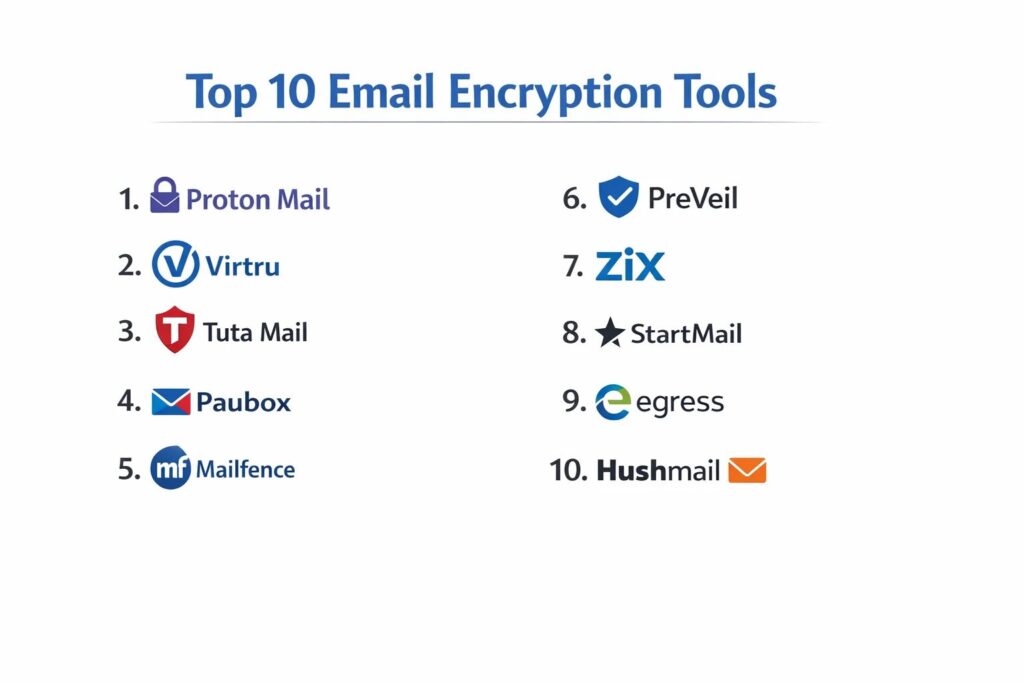
1. Proton Mail
Proton Mail is a Switzerland-based service that has become the gold standard for privacy-conscious individuals and businesses. It operates under strict Swiss privacy laws and utilizes an “OpenPGP” architecture that ensures even Proton itself cannot read your messages.
Key Features
The platform features “Zero-Access Encryption,” where all data stored on their servers is encrypted with a key derived from your password. It includes an automated end-to-end encryption system for messages sent between Proton users. The system offers “Password-Protected Emails” for recipients who do not use Proton, allowing them to view messages via a secure web portal. It features a robust “Encrypted Calendar” and “Proton Drive” for secure file storage. Additionally, it provides “Hide-my-email” aliases through its integration with SimpleLogin to prevent tracking.
Pros
Offers the highest level of default privacy available for a hosted email service. The interface is clean and modern, making high-level security accessible to non-technical users.
Cons
Requires users to switch to a new email address or migrate their domain entirely. Integration with standard desktop clients like Outlook requires a specialized “Bridge” application.
Platforms and Deployment
Web-based SaaS with dedicated, high-security mobile apps for iOS and Android.
Security and Compliance
Swiss Privacy Law protection, GDPR compliant, and utilizes open-source, audited cryptography.
Integrations and Ecosystem
Seamlessly integrates with the broader Proton ecosystem, including Proton VPN and Proton Drive.
Support and Community
Offers a deep knowledge base and tiered support, with priority assistance for Business and Visionary plans.
2. Virtru
Virtru is an enterprise-focused encryption layer that integrates directly into Google Workspace and Microsoft 365. It is designed for organizations that want to keep their existing email provider while adding a powerful, military-grade security layer.
Key Features
The platform features the “Trusted Data Format” (TDF), which wraps each email and attachment in its own secure envelope. It includes “Granular Access Controls,” allowing senders to disable forwarding, set expiration dates, or revoke access at any time. The system offers “Watermarking” for sensitive attachments to deter unauthorized sharing. It features an “Audit Trail” that shows exactly who has opened an encrypted file and when. Additionally, it provides a seamless Chrome extension that adds an “Encryption Toggle” directly into the Gmail compose window.
Pros
Requires zero change to the user’s current email address or provider. It provides exceptional control over data even after it has left the organization’s network.
Cons
Recipient experience often involves a secure portal which can be a minor point of friction. The full enterprise feature set can be expensive for small teams.
Platforms and Deployment
Browser extensions for Chrome and Edge, plus native integrations for Outlook and Gmail.
Security and Compliance
HIPAA, CJIS, and FERPA compliant, with support for customer-managed encryption keys.
Integrations and Ecosystem
Deeply integrated with Google Workspace, Microsoft 365, and various SaaS apps like Salesforce.
Support and Community
Provides dedicated customer success managers for enterprise clients and an extensive technical support library.
3. Tuta Mail
Tuta (formerly Tutanota) is a German-based secure email provider known for its “encryption by default” philosophy. It distinguishes itself by encrypting not just the message body, but also the subject line and the entire contact list.
Key Features
The platform features a “Zero-Knowledge” architecture where everything is encrypted end-to-end. It includes an “Encrypted Calendar” where even the notification reminders are encrypted before being sent. The system offers “Whitelabel” options for businesses, allowing them to use their own domain and branding. It features a “Secure Connect” contact form that can be embedded on websites for encrypted communication with the public. Additionally, it uses a proprietary encryption protocol that is faster and more flexible than traditional PGP.
Pros
One of the most affordable professional-grade secure email services on the market. It offers a unique level of metadata protection that most other providers ignore.
Cons
Does not support IMAP/POP3, meaning you must use their official apps rather than third-party clients like Apple Mail. The proprietary nature of the encryption makes PGP interoperability more complex.
Platforms and Deployment
Web-based SaaS, native desktop apps for Windows/Mac/Linux, and mobile apps.
Security and Compliance
GDPR compliant and based in Germany, offering strong legal protections for data privacy.
Integrations and Ecosystem
Focuses on a self-contained ecosystem to maintain the integrity of the “Zero-Knowledge” model.
Support and Community
Strong community-driven development with a transparent roadmap and responsive email support for paid users.
4. Paubox
Paubox is a specialized email encryption tool built specifically for the healthcare industry. It is unique because it provides “Zero-Friction” encryption, requiring no portals or passwords for the recipient to read the message.
Key Features
The platform features “Seamless Encryption,” which automatically encrypts all outbound mail at the server level without any user interaction. It includes “HITRUST CSF” certification, the highest standard for healthcare data security. The system offers “Inbound Security” that protects against phishing and malware. It features “Secure Search” which allows users to search their encrypted mail without decrypting it on the server. Additionally, it provides a “Marketing API” for sending HIPAA-compliant mass emails to patients.
Pros
The easiest possible experience for the recipient, as messages appear directly in their inbox. It eliminates the risk of staff forgetting to “click the encrypt button.”
Cons
Strictly focused on the healthcare market and HIPAA compliance. It is generally more expensive than general-purpose encryption tools.
Platforms and Deployment
Cloud-based gateway that works with Google Workspace, Microsoft 365, and Exchange.
Security and Compliance
HIPAA and HITRUST certified, focusing specifically on US healthcare regulations.
Integrations and Ecosystem
Integrates silently with all major enterprise email platforms via API or smart host.
Support and Community
Offers expert-level support familiar with the specific regulatory challenges of medical practices.
5. Mailfence
Mailfence is a Belgium-based secure email suite that emphasizes the use of open standards. It is designed for professionals who want a complete productivity suite—email, calendar, and documents—without sacrificing privacy.
Key Features
The platform features integrated “Digital Signatures,” allowing users to prove the authenticity of their emails. It includes a built-in “PGP Key Manager” for creating and managing encryption keys directly in the browser. The system offers “Secure Document Storage” that is fully integrated with the email interface. It features a “No-Tracking” policy, ensuring that no third-party scripts or cookies are used. Additionally, it supports “Keystore” synchronization, allowing you to use your PGP keys across multiple devices easily.
Pros
Uses standard OpenPGP, making it highly interoperable with other secure email users. It offers a very balanced feature set for a professional office environment.
Cons
The user interface can feel slightly dated compared to modern competitors like Proton. Advanced PGP features require some technical understanding to use effectively.
Platforms and Deployment
Web-based SaaS with mobile-optimized browser access and support for standard email clients.
Security and Compliance
Belgian privacy laws, which are among the strongest in the EU, and fully GDPR compliant.
Integrations and Ecosystem
Supports POP, IMAP, and SMTP, allowing it to work with almost any third-party email client.
Support and Community
Offers detailed technical documentation and email support, with a strong focus on digital rights advocacy.
6. PreVeil
PreVeil is a “Zero-Trust” security platform that adds end-to-end encryption to Outlook, Gmail, and Apple Mail. It is particularly popular with defense contractors and organizations needing to meet CMMC or ITAR requirements.
Key Features
The platform features “Zero-Trust Encryption,” meaning the server never sees the unencrypted data or the keys. It includes a “Drive” feature for secure file sharing that mirrors the folder structure of your computer. The system offers “Approval Groups” for key recovery, ensuring that a single administrator cannot access data alone. It features “Seamless Integration” as a plugin that looks like a second inbox within your existing mail app. Additionally, it provides “Compliance Reports” that help organizations prove they are meeting specific security standards.
Pros
Extremely high security that satisfies the most demanding government and defense requirements. It is free for individual use, making it easy to test.
Cons
Recipients must also use PreVeil (or its web portal) to read and reply to messages. It can be more complex to manage for non-technical administrative teams.
Platforms and Deployment
Desktop plugins for Outlook and Mac, plus mobile apps for iOS and Android.
Security and Compliance
CMMC, ITAR, HIPAA, and GDPR compliant, utilizing FIPS 140-2 validated encryption.
Integrations and Ecosystem
Designed to sit alongside Microsoft 365 and Google Workspace as a dedicated “Secure Enclave.”
Support and Community
Highly specialized support for defense industrial base (DIB) compliance and technical implementation.
7. Zix (OpenText)
Zix, now part of OpenText, is a veteran in the email encryption space, known for its “Best Method of Delivery” system. It is a preferred choice for large financial institutions and insurance companies.
Key Features
The platform features the “ZixDirectory,” a massive global network that allows Zix users to email each other with automatic encryption. It includes “Policy-Based Encryption” that scans for sensitive data and encrypts automatically based on company rules. The system offers a “Secure Message Center” for recipients to read and reply to encrypted mail via a branded portal. It features “Email Content Filtering” to prevent data leaks before they happen. Additionally, it provides “ZixArchive” for secure, long-term storage of encrypted communications.
Pros
The ZixDirectory makes secure communication between financial partners completely invisible and automatic. It offers some of the most robust policy management tools for large-scale deployments.
Cons
The portal-based recipient experience is functional but can feel corporate and rigid. It is primarily built for large-scale enterprise rather than small teams.
Platforms and Deployment
Cloud-based gateway, hosted service, or on-premises appliance.
Security and Compliance
SOC 2, HIPAA, and GLBA compliant, with extensive audit and reporting tools.
Integrations and Ecosystem
Deeply integrated with the OpenText security portfolio and major enterprise mail servers.
Support and Community
Enterprise-grade support with dedicated technical account managers and 24/7 assistance.
8. StartMail
StartMail is a privacy-focused email service created by the founders of Startpage, the private search engine. It is designed for people who want to avoid big-tech surveillance without needing to understand the complexities of PGP.
Key Features
The platform features “Disposable Email Addresses,” allowing you to create temporary aliases to keep your main address private. It includes “One-Click PGP,” making it easy to send encrypted mail to other PGP users. The system offers “Password-Protected Messaging” for sending secure mail to anyone, regardless of their provider. It features a “Malicious Link Protection” system that warns you before clicking on suspicious URLs. Additionally, it offers “Large File Support” for sending encrypted attachments up to 250MB.
Pros
Extremely user-friendly for those transitioning away from Gmail or Outlook. The alias system is one of the best in the industry for reducing spam and tracking.
Cons
There is no free tier, which may deter casual users. It does not have native mobile apps, relying instead on mobile-optimized web or third-party client setup.
Platforms and Deployment
Web-based SaaS with support for IMAP/SMTP for third-party clients.
Security and Compliance
Based in the Netherlands with strong EU privacy protection and GDPR compliance.
Integrations and Ecosystem
Works well with all standard email clients like Thunderbird, Outlook, and Apple Mail.
Support and Community
Provides a very personal level of support and a clear, easy-to-navigate help center.
9. Egress
Egress is an “Intelligent Email Security” platform that uses human layer risk management to prevent data breaches. It is widely used in legal, government, and corporate environments where human error is a major concern.
Key Features
The platform features “Egress Prevent,” which uses AI to analyze past behavior and warn users if they are about to send an email to the wrong person. It includes “Egress Protect,” providing flexible encryption levels based on the sensitivity of the content. The system offers “Message Revocation,” allowing you to pull back an email even after it’s been read. It features “Desktop and Mobile Integration” that adds security controls directly into the user’s workflow. Additionally, it provides detailed “Analytics and Reporting” on organizational security posture.
Pros
Goes beyond simple encryption to tackle the root cause of many data breaches—human error. The AI “nudge” features are highly effective at preventing accidental misdirection of mail.
Cons
The AI can occasionally produce “false positives,” flagging legitimate emails as risky. The platform is complex and requires active management by an IT team.
Platforms and Deployment
Cloud SaaS with plugins for Microsoft Outlook and mobile apps.
Security and Compliance
ISO 27001 certified and compliant with GDPR, HIPAA, and other major standards.
Integrations and Ecosystem
Strong focus on the Microsoft 365 ecosystem and professional service workflows.
Support and Community
Offers comprehensive training programs and a dedicated success team for enterprise rollouts.
10. Hushmail
Hushmail is one of the original pioneers in secure email, focusing on simplicity and specialized features for professionals in healthcare, law, and non-profits. It is particularly valued for its integrated secure web forms.
Key Features
The platform features “Hushmail for Healthcare,” which includes a signed BAA for HIPAA compliance. It includes “Secure Web Forms” that allow clients to submit sensitive information directly to your inbox with encryption. The system offers “Unlimited Email Aliases” to protect your primary identity. It features “Two-Step Verification” for enhanced account security. Additionally, it provides a “Managed Domain” service where they handle the technical setup of your secure business email.
Pros
The integrated secure forms make it a complete solution for small practices needing to collect patient or client data. It is remarkably simple to set up and use on a daily basis.
Cons
The interface, while functional, lacks some of the advanced productivity features found in larger suites. It has historically been less focused on “Zero-Knowledge” than competitors like Proton.
Platforms and Deployment
Web-based SaaS and a dedicated iOS app.
Security and Compliance
HIPAA compliant (with BAA), GDPR compliant, and adheres to strict Canadian privacy standards.
Integrations and Ecosystem
Supports IMAP/POP, making it compatible with most desktop and mobile email applications.
Support and Community
Known for having excellent, human-led customer support that is very helpful for small business owners.
Comparison Table
| Tool Name | Best For | Platform(s) Supported | Deployment | Standout Feature | Public Rating |
| 1. Proton Mail | Privacy Enthusiasts | Web, iOS, Android | Hosted SaaS | Zero-Access Storage | 4.8/5 |
| 2. Virtru | Workspace/M365 | Browser, Desktop | Extension/Layer | Granular Access Control | 4.6/5 |
| 3. Tuta Mail | Absolute Privacy | Web, Desktop, Mobile | Hosted SaaS | Encrypted Metadata | 4.7/5 |
| 4. Paubox | Healthcare (HIPAA) | Web-Based | API Gateway | Zero-Friction Delivery | 4.9/5 |
| 5. Mailfence | Open Standards | Web-Based | Hosted SaaS | Digital Signatures | 4.4/5 |
| 6. PreVeil | Defense/ITAR | Desktop, Mobile | Secure Enclave | Zero-Trust Keys | 4.5/5 |
| 7. Zix | Finance/Insurance | Web, On-Prem | Gateway/Cloud | Global ZixDirectory | 4.3/5 |
| 8. StartMail | Individual Privacy | Web-Based | Hosted SaaS | Disposable Aliases | 4.5/5 |
| 9. Egress | Human Error Prev. | Outlook, Mobile | Cloud SaaS | AI-Driven Mis-send Prev | 4.6/5 |
| 10. Hushmail | Small Practices | Web, iOS | Hosted SaaS | Integrated Secure Forms | 4.5/5 |
Evaluation & Scoring of Email Encryption Tools
The scoring below is a comparative model intended to help shortlisting. Each criterion is scored from 1–10, then a weighted total from 0–10 is calculated using the weights listed. These are analyst estimates based on typical fit and common workflow requirements, not public ratings.
Weights:
- Core features – 25%
- Ease of use – 15%
- Integrations & ecosystem – 15%
- Security & compliance – 10%
- Performance & reliability – 10%
- Support & community – 10%
- Price / value – 15%
| Tool Name | Core (25%) | Ease (15%) | Integrations (15%) | Security (10%) | Performance (10%) | Support (10%) | Value (15%) | Weighted Total |
| 1. Proton Mail | 10 | 9 | 7 | 10 | 9 | 8 | 9 | 9.00 |
| 2. Virtru | 9 | 8 | 10 | 9 | 9 | 9 | 7 | 8.65 |
| 3. Tuta Mail | 9 | 8 | 5 | 10 | 9 | 8 | 10 | 8.35 |
| 4. Paubox | 8 | 10 | 9 | 8 | 10 | 10 | 7 | 8.65 |
| 5. Mailfence | 8 | 7 | 8 | 9 | 8 | 8 | 9 | 8.10 |
| 6. PreVeil | 10 | 6 | 8 | 10 | 8 | 8 | 7 | 8.30 |
| 7. Zix | 8 | 7 | 9 | 8 | 9 | 9 | 6 | 7.85 |
| 8. StartMail | 7 | 9 | 8 | 8 | 9 | 8 | 8 | 8.05 |
| 9. Egress | 9 | 7 | 9 | 9 | 8 | 9 | 7 | 8.35 |
| 10. Hushmail | 7 | 9 | 8 | 8 | 8 | 10 | 8 | 8.15 |
How to interpret the scores:
- Use the weighted total to shortlist candidates, then validate with a pilot.
- A lower score can mean specialization, not weakness.
- Security and compliance scores reflect controllability and governance fit, because certifications are often not publicly stated.
- Actual outcomes vary with assembly size, team skills, templates, and process maturity.
Which Email Encryption Tool Is Right for You?
Solo / Founder-Led
For solo practitioners or new founders, the priority is a tool that offers immediate professional credibility without a complex setup. StartMail or Proton Mail are excellent choices because they provide a complete secure inbox and a polished interface that signals to your clients that you take their privacy seriously. If you are already deeply embedded in Gmail, the free version of Virtru can provide the necessary security layer with minimal disruption.
Small Healthcare Practice
In the medical field, compliance is non-negotiable. Paubox is the clear leader for small practices because it automates the encryption process, ensuring you never accidentally violate HIPAA. If you also need to collect patient intake forms or sensitive medical histories, Hushmail’s integrated secure forms provide a one-stop-shop that is both compliant and easy for patients to use.
Mid-Market Legal or Finance
Professional services firms handling high-value transactions need both encryption and control. Egress is highly recommended for this group because its AI-driven “mis-send” prevention can stop the catastrophic mistake of sending a contract to the wrong party. These firms also benefit from the audit trails and revocation features found in Virtru, which help in managing the lifecycle of sensitive legal documents.
Enterprise
For large corporations, scalability and administrative control are paramount. Zix and Virtru offer the robust policy engines required to manage thousands of users across global regions. The ability to integrate with existing Active Directory systems and provide unified reporting for compliance audits makes these platforms indispensable for the modern CISO.
Budget vs Premium
If budget is the primary constraint, Tuta Mail offers an incredible level of security at a very low price point. However, “premium” options like Proton Business or Egress justify their cost through advanced features like AI threat detection, custom domain support, and dedicated human support teams that can assist with complex deployments.
Feature Depth vs Ease of Use
If your team is highly technical, the OpenPGP flexibility of Mailfence or the Zero-Trust model of PreVeil will be highly appreciated. For teams that just want things to “work,” the invisible automation of Paubox or the intuitive toggle of Virtru is a much better fit, as it reduces the likelihood of employees bypassing security features because they are “too difficult.”
Integrations & Scalability
Before choosing, audit your current software stack. If you are a 100% Microsoft 365 or Google Workspace house, look for a tool like Virtru or Egress that enhances your existing environment. If you want a clean break from the “Big Tech” ecosystem for your most sensitive communications, moving to a standalone platform like Proton or Tuta is a stronger strategic move.
Security & Compliance Needs
Always match the tool’s certifications to your specific regulatory requirements. A tool that is “secure” is not always “compliant.” Ensure the vendor will sign a BAA for healthcare or meets the specific ITAR/CMMC standards required for government contracting. The peace of mind provided by a fully certified vendor is worth the potential additional investment.
Frequently Asked Questions (FAQs)
1. Is “TLS” the same thing as email encryption?
No. TLS (Transport Layer Security) encrypts the “pipe” through which the email travels, but the email itself remains unencrypted once it reaches the destination server. True email encryption tools encrypt the “content” of the message, ensuring it stays private even when sitting on a server.
2. Can I send encrypted emails to people who don’t have an encryption tool?
Yes. Most modern tools use a “Secure Portal” or “Password-Protected” method. The recipient receives a notification with a link; they then enter a password or receive a one-time code to view and reply to the message securely in their browser.
3. What is the difference between PGP and S/MIME?
PGP (Pretty Good Privacy) is a decentralized system where users manage their own keys. S/MIME (Secure/Multipurpose Internet Mail Extensions) relies on a centralized “Certificate Authority.” S/MIME is more common in large corporate environments, while PGP is favored by privacy advocates.
4. Will encrypting my emails affect my ability to search through them?
In a “Zero-Knowledge” system like Proton or Tuta, the server cannot read your mail, which makes server-side searching difficult. However, these platforms have developed “Secure Indexing” where your messages are indexed locally on your device, allowing you to search while maintaining privacy.
5. Can I use my own domain name with these secure email services?
Yes, all of the professional and business-tier plans for the tools listed—such as Proton, Tuta, and StartMail—allow you to connect your own custom domain (e.g., name@yourcompany.com).
6. Does email encryption also protect attachments?
Yes. Professional encryption tools treat attachments with the same level of security as the message body. Some tools, like Virtru and PreVeil, even allow you to set specific permissions on attachments, such as “view only” or “no download.”
7. Can I revoke an email after I have sent it?
Some enterprise-grade tools like Virtru and Egress offer this feature. Because they control the “key” to the encrypted message, they can simply disable that key, making the email unreadable to the recipient even if it is already in their inbox.
8. What happens if I lose my encryption password?
In a true end-to-end encrypted system, the provider cannot reset your password for you. Most tools provide a “Recovery Phrase” or “Recovery File” when you sign up. If you lose both your password and your recovery phrase, your data will be permanently inaccessible.
9. Are free encrypted email services safe to use for business?
While the encryption itself is safe, free tiers often lack the compliance certifications (like HIPAA), custom domain support, and administrative controls required for professional use. They are great for testing, but business should generally use paid tiers.
10. Do I need to install software to receive an encrypted email?
Generally, no. Most modern systems are designed so the recipient can view the message in a standard web browser. Only a few high-security platforms like PreVeil require the recipient to have an account or app for the most secure end-to-end experience.
Conclusion
Implementing a professional email encryption tool is no longer just a technical upgrade; it is a foundational pillar of modern organizational integrity. As the landscape of digital communication continues to face threats from both individual bad actors and large-scale systemic vulnerabilities, the ability to guarantee the confidentiality of sensitive information is a primary competitive advantage. By selecting a tool that aligns with your specific regulatory needs and team workflows, you can eliminate the “security vs. convenience” trade-off. Ultimately, the best encryption is the one that your team actually uses, providing invisible yet impenetrable protection for your most valuable digital assets.