Introduction
Media player software serves as the essential interface between digital data and human perception, translating complex binary streams into fluid video and high-fidelity audio. In a professional landscape where high-definition formats like 4K, 8K, and HDR are becoming standard, the choice of a playback engine is no longer trivial. These platforms must manage a diverse ecosystem of codecs, handle hardware acceleration to offload processing from the CPU, and ensure precise synchronization between visual and auditory components. For organizations and individuals alike, a robust media player is a productivity tool that ensures content—whether it be internal training videos, architectural visualizations, or cinematic projects—is viewed exactly as the creator intended.
The necessity of sophisticated media playback has grown alongside the rise of remote collaboration and high-bitrate streaming. Modern software must now bridge the gap between local storage and network-attached resources, providing seamless access to massive libraries across different operating systems. When evaluating these tools, users should look beyond basic play buttons; they must consider the software’s ability to render complex subtitle formats, its support for spatial audio, and its efficiency in managing system resources. A high-quality player preserves the integrity of the source material while offering the flexibility to adapt to varying display environments, from mobile screens to multi-monitor professional workstations.
Best for: Content creators, media enthusiasts, IT administrators managing corporate video training assets, and home theater specialists requiring high-end codec support.
Not ideal for: Professional non-linear video editing (which requires tools like Premiere or DaVinci) or basic file management where no visual playback is required.
Key Trends in Media Player Software
The most significant trend is the shift toward universal compatibility without the need for manual codec installation. Modern players are increasingly “all-in-one” solutions that include internal decoders for advanced formats like AV1 and HEVC. Real-time upscaling is another major development, where AI-driven algorithms improve the clarity of lower-resolution content on high-definition displays. We are also seeing a deeper integration of spatial audio and Dolby Atmos support, bringing theater-quality sound to standard desktop and mobile environments.
Another growing trend is the convergence of local playback with cloud-based synchronization. Users now expect their playback progress and library metadata to sync across their desktop, smartphone, and smart TV. Furthermore, there is a renewed focus on privacy and lightweight architecture; as users become more wary of data-tracking, open-source and ad-free players are seeing a surge in popularity. Finally, the inclusion of 360-degree and VR playback capabilities has moved from a niche feature to a standard requirement for many leading platforms.
How We Selected These Tools
Our selection process prioritized technical reliability and the breadth of format support. We looked for software that consistently handles “difficult” files that cause other players to stutter or crash. A primary criterion was the efficiency of the playback engine, specifically how well the software utilizes GPU hardware acceleration to ensure smooth performance on high-bitrate 4K and 8K files. We also evaluated the user interface, seeking a balance between a clean, modern aesthetic and the deep, granular settings required by power users.
Platform availability was another critical factor; we ensured that our list includes options for Windows, macOS, Linux, and mobile ecosystems to cover all professional use cases. We also scrutinized the security and development history of each tool, favoring those with active update cycles and transparent privacy policies. Finally, we considered specialized features such as subtitle management, network streaming protocols, and library organization tools to provide a well-rounded list that serves both casual viewers and technical professionals.
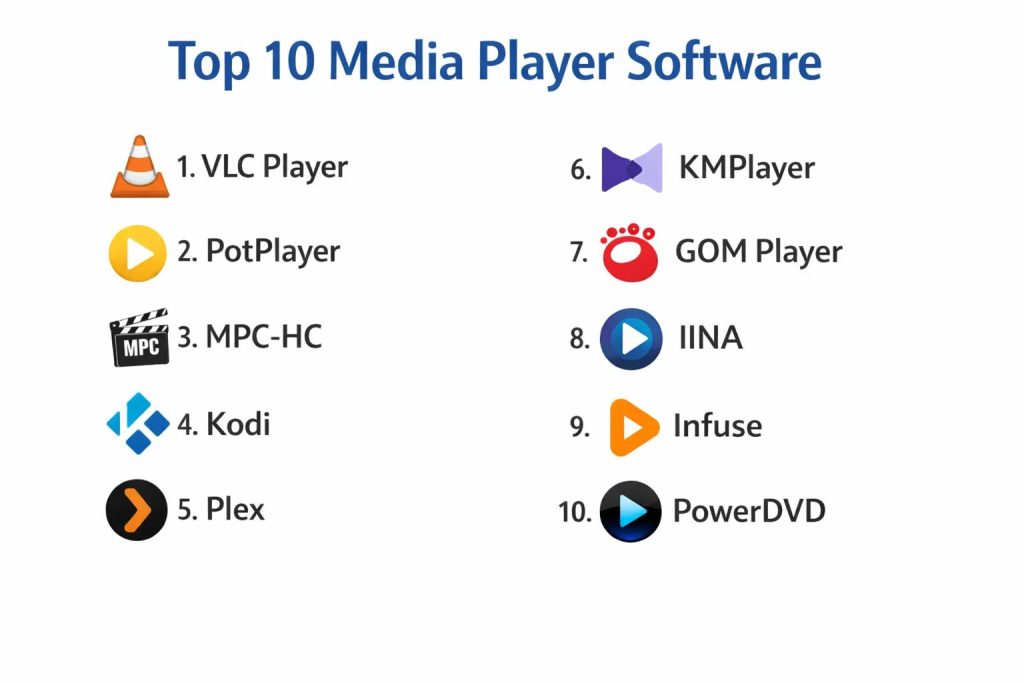
1. VLC Media Player
VLC remains the industry standard for open-source media playback. It is a highly versatile tool that can play virtually any media file, disc, or streaming protocol without requiring external codecs. Its modular design allows it to be incredibly lightweight while still packing a vast array of advanced features for audio and video manipulation.
Key Features
It supports almost every video and audio format including MKV, MP4, and FLAC. The software features built-in hardware decoding which allows for smooth 4K playback. It includes a comprehensive set of filters for real-time video and audio adjustments. Users can also utilize it to stream media over local networks or convert files between different formats. Its extension system allows for additional functionality like subtitle searching and interface skins.
Pros
It is completely free, open-source, and contains no advertisements or tracking. It works flawlessly across every major operating system, providing a consistent experience.
Cons
The user interface can feel slightly outdated compared to more modern, design-focused players. Some of the advanced technical settings are hidden deep within menus and can be intimidating for casual users.
Platforms and Deployment
Windows, macOS, Linux, Android, and iOS. It is deployed as a local application.
Security and Compliance
Being open-source, its code is regularly audited by the community. It offers safe playback without bundled spyware.
Integrations and Ecosystem
Integrates with various web browsers and supports casting to Chromecast and DLNA-compatible devices.
Support and Community
Extensive documentation and a massive global community providing forums, tutorials, and third-party plugins.
2. PotPlayer
PotPlayer is a high-performance media player designed for Windows power users. Developed by Kakao, it offers an extreme level of customization and support for high-end hardware, making it a favorite for those who want to squeeze every bit of quality out of their media files.
Key Features
It utilizes advanced hardware acceleration technologies like DXVA and CUDA to ensure lag-free playback. The software supports 3D and 360-degree VR videos with a highly immersive interface. It features a sophisticated subtitle management system that allows for precise timing and styling. Users can also bookmark specific scenes or capture frames as high-quality images. It includes its own set of internal codecs but allows for easy integration of external filters like OpenCodec.
Pros
It is exceptionally lightweight and starts up almost instantly. The level of granular control over playback and interface customization is among the best in the industry.
Cons
It is only available for the Windows platform, which limits its utility in multi-OS environments. The sheer number of settings can be overwhelming for beginners.
Platforms and Deployment
Windows only. Local installation.
Security and Compliance
Regular updates ensure security patches are applied. License management is standard for free proprietary software.
Integrations and Ecosystem
Strong support for external decoders and specialized audio hardware like DACs.
Support and Community
A dedicated user base provides custom skins and configurations, though official documentation is primarily in Korean and English.
3. MPC-HC (Media Player Classic – Home Cinema)
MPC-HC is a lightweight, open-source player that retains the classic look of the original Windows Media Player but with modern internal architecture. It is designed for efficiency, making it the perfect choice for older hardware or users who prefer a no-nonsense, distraction-free interface.
Key Features
The software is remarkably small and uses very little system memory or CPU power. It supports all common video and audio formats through its integrated LAV Filters. It features an option for a portable version that can be run directly from a USB drive without installation. Users can customize the toolbar and keyboard shortcuts to fit their specific workflow. It also includes support for DVB playback and recording for users with TV tuner cards.
Pros
It is completely ad-free and contains no bloatware. Its simplicity makes it one of the fastest players available for Windows users.
Cons
The interface is very utilitarian and lacks the visual polish of modern applications. Official development was once paused, though it is currently maintained by a community of developers on GitHub.
Platforms and Deployment
Windows only. Local and portable versions available.
Security and Compliance
Open-source transparency ensures no malicious code is present. It respects user privacy with zero data collection.
Integrations and Ecosystem
Pairs well with high-end external renderers like madVR for enhanced image processing.
Support and Community
Active community support via GitHub and various tech forums for troubleshooting and updates.
4. Kodi
Kodi is much more than a simple media player; it is a full-featured media center application designed for the “10-foot UI” experience. It excels at organizing large local libraries and can be customized through an extensive system of add-ons to stream content from across the internet.
Key Features
The software features a powerful library management system that automatically fetches metadata, posters, and cast information. It supports a massive range of add-ons for weather, news, and streaming services. The interface is specifically designed for use with remote controls or gamepads on large screens. It includes PVR functionality for watching and recording live TV. It also supports highly customizable skins that can completely transform the look of the application.
Pros
It turns any computer or specialized hardware like a Raspberry Pi into a high-end home theater hub. The extensibility through add-ons is unmatched by any other player.
Cons
The initial setup and configuration can be complex and time-consuming. It may be “overkill” for users who just want to play a single video file occasionally.
Platforms and Deployment
Windows, macOS, Linux, Android, and Raspberry Pi. Local installation.
Security and Compliance
The core software is secure, but users must exercise caution when installing third-party add-ons from unofficial repositories.
Integrations and Ecosystem
Integrates with various NAS devices and supports UPnP/DLNA for streaming across the home network.
Support and Community
One of the largest and most active communities in the media space, with exhaustive wikis and forums.
5. Plex
Plex is the premier solution for users who want to access their personal media library from any device, anywhere in the world. It operates on a client-server model, where one machine hosts the files and others stream them with a polished, Netflix-like interface.
Key Features
The software automatically transcodes media in real-time to match the bandwidth and capabilities of the client device. It organizes media into beautiful categories with trailers, ratings, and even theme music. It offers a “Remote Access” feature that allows for secure streaming outside the home network. Users can also access a library of free ad-supported movies and live TV directly within the app. It includes parental controls and user profiles for shared households.
Pros
The user experience is incredibly polished and easy for non-technical family members to use. It virtually eliminates the “file not supported” errors by handling the conversion on the server-side.
Cons
The most advanced features, like hardware-accelerated transcoding and offline mobile syncing, require a paid subscription. Setting up a dedicated server can be an investment in hardware.
Platforms and Deployment
Server: Windows, Mac, Linux, NAS. Clients: iOS, Android, Smart TVs, Web. Hybrid deployment.
Security and Compliance
Uses encrypted connections for remote streaming and offers robust user account management.
Integrations and Ecosystem
Deeply integrated with a wide range of smart home devices and streaming hardware.
Support and Community
Professional support for paid users and a highly active forum for the free community.
6. KMPlayer
KMPlayer is a versatile media player known for its ability to handle high-resolution 4K, 8K, and UHD content with ease. It is popular among enthusiasts who consume high-quality video and 3D content, offering a sleek interface and a wide array of built-in codecs.
Key Features
The player includes its own internal codec system, which simplifies the process of playing rare or complex file types. it features a specialized “Virtual Reality” mode that allows for an immersive 360-degree viewing experience. The software includes a built-in video capture tool that can save snippets in various formats, including GIFs. It also offers advanced controls for subtitle syncing and audio equalization. A modern “64X” version is specifically optimized for high-end PCs to maximize performance.
Pros
It provides high-quality playback for 3D and high-resolution files without requiring a high-performance computer. The interface is modern and supports customizable skins.
Cons
The standard version has historically included advertisements in the interface, though the “64X” version is cleaner. The installer sometimes tries to bundle additional software.
Platforms and Deployment
Windows, macOS, Android, and iOS. Local installation.
Security and Compliance
Standard proprietary software security. Users should be careful during the installation process to opt-out of bundled extras.
Integrations and Ecosystem
Supports streaming via URLs and integrates with cloud storage services for mobile playback.
Support and Community
Strong global presence with support available in multiple languages and a dedicated user forum.
7. GOM Player
GOM Player is a popular choice for users who frequently encounter broken or incomplete video files. Its standout feature is a “Codec Finder” service that helps users locate the exact driver needed for files that won’t play in other applications.
Key Features
The software can play damaged or partially downloaded AVI files by skipping the broken frames. Its Codec Finder automatically searches for and directs users to download missing codecs. It supports 360-degree VR video playback with a simple mouse-drag interface for navigation. The player also includes a robust subtitle library that can automatically search for and sync subtitles for popular movies. It features a remote control app that allows users to control playback from their smartphone.
Pros
It is excellent for beginners who don’t want to learn the technicalities of video encoding. The mobile remote feature adds a layer of convenience for casual viewing.
Cons
Like some other free players, the installer can be cluttered with “recommended” software. The free version contains ads that some users may find distracting.
Platforms and Deployment
Windows and macOS. Local installation.
Security and Compliance
Reliable software from a long-standing developer, though users should pay attention during the setup process.
Integrations and Ecosystem
Integrates with GOM Remote for mobile control and supports various cloud storage links.
Support and Community
Professional help center and a large user base that contributes to its massive subtitle database.
8. IINA
IINA is a modern media player built specifically for the macOS ecosystem. It is designed to feel like a native Apple application, utilizing the latest system frameworks to provide a smooth, energy-efficient, and visually stunning playback experience.
Key Features
It is powered by the highly efficient mpv engine but hidden behind a beautiful, “Apple-style” interface. The software supports all modern macOS features like Force Touch, Touch Bar, and Picture-in-Picture. It includes a dark mode that matches the system settings perfectly. Users can easily manage playlists and chapters through a clean sidebar. It also allows for the streaming of online videos through browser extensions and supports complex anime subtitles out of the box.
Pros
It is arguably the most beautiful media player for Mac users, offering a truly premium feel for free. It is highly optimized for Apple Silicon (M1/M2/M3) chips, ensuring long battery life.
Cons
It is strictly limited to macOS, meaning it cannot be part of a cross-platform workflow. It is less suited for heavy library management than tools like Kodi or Plex.
Platforms and Deployment
macOS only. Local installation.
Security and Compliance
Open-source and respects macOS security protocols like Gatekeeper and Sandboxing.
Integrations and Ecosystem
Integrates deeply with the macOS operating system and offers browser extensions for Safari and Chrome.
Support and Community
Active development on GitHub with a growing community of Mac enthusiasts.
9. Infuse
Infuse is a premium media player focused on the Apple ecosystem, including iPhone, iPad, Apple TV, and Mac. It is renowned for its elegant design and its ability to stream high-quality content directly from network-attached storage (NAS) or cloud services without needing a separate server app like Plex.
Key Features
The software automatically organizes your media with high-resolution posters and metadata from the web. It supports a wide range of professional formats including 4K HDR and Dolby Vision. It features a unique “Direct Play” capability that allows it to pull files from a NAS, Google Drive, or Dropbox and play them instantly. Users can sync their “watched” status across all their Apple devices via iCloud. It also includes world-class support for various subtitle formats and languages.
Pros
It is incredibly easy to set up; you simply point it to your files and it does the rest. The playback quality on Apple TV is considered the best in its class.
Cons
While there is a free version, many of the best features and codec support require a subscription or a one-time purchase. It is not available for Windows or Android.
Platforms and Deployment
iOS, iPadOS, macOS, tvOS, and VisionOS. Local and network-based playback.
Security and Compliance
Highly secure, utilizing Apple’s iCloud for syncing and adhering to App Store privacy standards.
Integrations and Ecosystem
Integrates perfectly with Apple’s hardware ecosystem and popular cloud storage providers.
Support and Community
Top-tier professional support from the developers and a very helpful community forum.
10. CyberLink PowerDVD
PowerDVD is a premium, commercial media player that serves as the ultimate solution for high-end home theater PCs. It is one of the few players that officially supports licensed Blu-ray and Ultra HD Blu-ray playback, making it essential for physical media collectors.
Key Features
It is the only software on this list that provides full, licensed support for Blu-ray discs with original menus. The player features proprietary “TrueTheater” technology that enhances the color, lighting, and audio of videos in real-time. It supports 8K video playback and high-end audio formats like DTS-HD and Dolby TrueHD. Users can cast media to their TV with “PowerTV” mode, which optimizes the interface for large screens. It also includes a private cloud for streaming your personal collection to mobile devices.
Pros
It offers the most professional and “official” experience for high-fidelity physical media. The AI-driven visual enhancements can significantly improve the look of older DVD content.
Cons
It is a expensive commercial product with a high price tag. It can be resource-heavy due to its massive feature set and anti-piracy requirements.
Platforms and Deployment
Windows (Primary), with companion apps for mobile. Local and hybrid deployment.
Security and Compliance
Compliant with strict Blu-ray Disc Association security standards and offers encrypted cloud storage.
Integrations and Ecosystem
Designed to be the centerpiece of a home theater setup, integrating with high-end audio systems and smart TVs.
Support and Community
Full professional corporate support and extensive online help resources.
Comparison Table
| Tool Name | Best For | Platform(s) Supported | Deployment | Standout Feature | Public Rating |
| 1. VLC Player | Universal Playback | Win, Mac, Lin, Mob | Local | Internal Codec Suite | 4.8/5 |
| 2. PotPlayer | Windows Power Users | Windows | Local | Deep Customization | 4.7/5 |
| 3. MPC-HC | Lightweight Playback | Windows | Local | Low Resource Usage | 4.6/5 |
| 4. Kodi | Home Theater Hub | Win, Mac, Lin, Mob | Local | Add-on Ecosystem | 4.7/5 |
| 5. Plex | Remote Streaming | Win, Mac, Lin, Mob | Hybrid | Client-Server Sync | 4.6/5 |
| 6. KMPlayer | 3D & 8K Content | Win, Mac, Mob | Local | VR Playback Mode | 4.5/5 |
| 7. GOM Player | Broken/Missing Files | Win, Mac | Local | AI Codec Finder | 4.2/5 |
| 8. IINA | Mac Enthusiasts | macOS | Local | Native macOS UX | 4.9/5 |
| 9. Infuse | Apple/NAS Users | Apple Ecosystem | Local/Cloud | Elegant Library UI | 4.8/5 |
| 10. PowerDVD | Blu-ray/HTPC | Windows | Hybrid | Licensed Disc Support | 4.3/5 |
Evaluation & Scoring of Media Player Software
The scoring below is a comparative model intended to help shortlisting. Each criterion is scored from 1–10, then a weighted total from 0–10 is calculated using the weights listed. These are analyst estimates based on typical fit and common workflow requirements, not public ratings.
Weights:
- Core features – 25%
- Ease of use – 15%
- Integrations & ecosystem – 15%
- Security & compliance – 10%
- Performance & reliability – 10%
- Support & community – 10%
- Price / value – 15%
| Tool Name | Core (25%) | Ease (15%) | Integrations (15%) | Security (10%) | Performance (10%) | Support (10%) | Value (15%) | Weighted Total |
| 1. VLC Player | 10 | 7 | 8 | 9 | 9 | 10 | 10 | 9.00 |
| 2. PotPlayer | 10 | 5 | 7 | 8 | 10 | 7 | 9 | 8.10 |
| 3. MPC-HC | 8 | 9 | 7 | 9 | 10 | 8 | 10 | 8.55 |
| 4. Kodi | 9 | 4 | 10 | 7 | 8 | 10 | 10 | 8.45 |
| 5. Plex | 9 | 9 | 10 | 8 | 8 | 9 | 7 | 8.70 |
| 6. KMPlayer | 9 | 7 | 7 | 7 | 9 | 7 | 8 | 8.00 |
| 7. GOM Player | 7 | 8 | 6 | 7 | 8 | 8 | 8 | 7.30 |
| 8. IINA | 9 | 10 | 7 | 9 | 10 | 8 | 10 | 9.15 |
| 9. Infuse | 10 | 10 | 9 | 9 | 9 | 9 | 7 | 9.05 |
| 10. PowerDVD | 10 | 8 | 8 | 9 | 7 | 9 | 5 | 8.05 |
How to interpret the scores:
- Use the weighted total to shortlist candidates, then validate with a pilot.
- A lower score can mean specialization, not weakness.
- Security and compliance scores reflect controllability and governance fit, because certifications are often not publicly stated.
- Actual outcomes vary with assembly size, team skills, templates, and process maturity.
Which Media Player Software Tool Is Right for You?
Solo / Freelancer
For individuals working alone, a player that handles every file type without a hassle is key. A tool that is fast and reliable allows you to check your work quickly without worrying about technical glitches or complex setups.
SMB
Small businesses often need a standardized player that can be easily deployed across all company computers. Choosing an open-source option ensures that the organization isn’t tied to expensive recurring licenses while still getting professional-grade results.
Mid-Market
At this level, the ability to organize and stream training videos or marketing assets becomes more important. A solution that offers basic library management and easy network access allows teams to share resources more effectively.
Enterprise
Large corporations require tools that are secure and compliant with internal IT policies. Software with a long history of stability and clear security practices is essential for protecting sensitive internal communications and assets.
Budget vs Premium
The “Budget” choice in 3D media is almost always an open-source tool, as they offer the most features for no cost. “Premium” options are only worth the investment if you specifically need features like licensed Blu-ray playback or high-end AI visual enhancement.
Feature Depth vs Ease of Use
If you are a technical person who loves to tweak every setting, go for a power player with deep menus. If you just want to double-click a file and see it play perfectly every time, a design-focused, native application is the better choice.
Integrations & Scalability
Consider where your files are stored. If your media lives on a central server or NAS, you need a player with strong network protocols. If you only play files from your local hard drive, a simple, lightweight standalone player will be much faster.
Security & Compliance Needs
For high-security environments, avoid players that bundle third-party software or collect telemetry data. Open-source players are the gold standard here because their “zero-tracking” claims can be verified by the community.
Frequently Asked Questions (FAQs)
1. Why do some videos lag even on a fast computer?
Lag is often caused by a lack of proper hardware acceleration. If the media player is trying to use the CPU to decode a complex 4K file instead of the GPU, even a powerful machine can struggle.
2. Is VLC still the best media player?
VLC is still the most compatible and widely supported. However, for specific platforms like macOS or for users who want advanced library management, there are now specialized alternatives that may offer a better experience.
3. What is a codec and why do I need them?
A codec is a piece of software that “compresses” and “decompresses” digital video and audio. Without the right codec, a media player cannot understand the data in a file and will be unable to play it.
4. Can I play 4K videos on an old monitor?
Yes, you can play the file, but you won’t see the 4K resolution. The media player will “downsample” the video to fit your screen’s resolution, though the file will still require a lot of processing power to run.
5. How do I fix out-of-sync audio and subtitles?
Most professional players include hotkeys (like ‘J’ and ‘K’ in VLC) that allow you to shift the audio or subtitle timing forward or backward by milliseconds until they match the video.
6. Is it safe to use third-party codecs?
It is generally safer to use a media player that has internal codecs. Downloading “codec packs” from the internet can sometimes lead to system instability or security risks if they are not from a trusted source.
7. What is the benefit of a 64-bit media player?
A 64-bit player can access more of your system’s RAM, which is crucial when playing extremely large high-resolution files or managing massive media libraries.
8. Can media players play content directly from the web?
Yes, many modern players allow you to paste a URL (like from YouTube or a direct stream) and play it inside the player’s interface, often with better control and fewer ads than a web browser.
9. Why won’t my player play a DVD or Blu-ray?
Modern physical media uses encryption for copy protection. Only players with the proper licenses (like PowerDVD) or specific open-source libraries can bypass this encryption to play the disc.
10. Do I need a dedicated graphics card for 8K playback?
Yes, 8K video contains four times as much data as 4K. To play it smoothly, you need a modern GPU that has a dedicated hardware decoder for the specific format, such as AV1 or HEVC.
Conclusion
Selecting the ideal media player is a balance between your hardware capabilities and the specific demands of your media library. While the market offers a wide range of solutions, the most effective tools are those that prioritize efficient decoding and a clean user experience. For the vast majority of users, open-source platforms provide a level of versatility and security that is difficult to beat, especially when dealing with the ever-evolving landscape of digital codecs. However, for those with specialized needs—such as home theater enthusiasts or Apple power users—investing in a premium or native solution can provide a significant boost in both visual quality and overall convenience. Ultimately, the best player is the one that disappears into the background, allowing the content to take center stage without technical interruption.