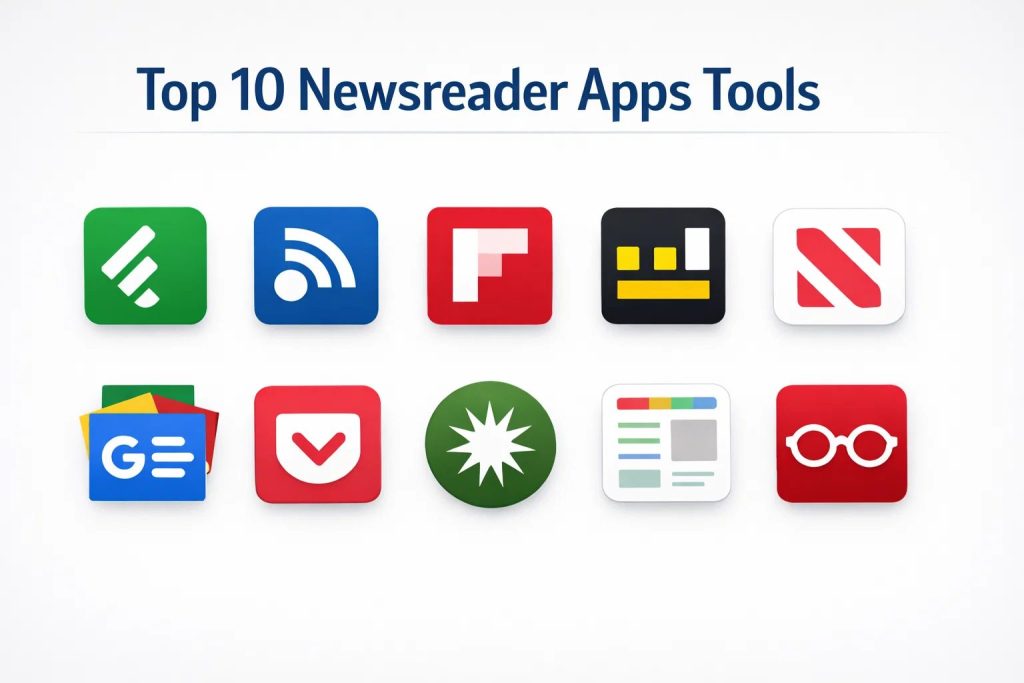
Introduction
In the modern professional landscape, the ability to filter through the relentless noise of global information is a critical skill for decision-makers and technical leaders. Newsreader apps have evolved from simple list-based aggregators into sophisticated intelligence platforms that utilize various synchronization protocols and filtering algorithms to deliver curated content. These tools allow users to consolidate thousands of disparate sources—including traditional news outlets, specialized technical blogs, and corporate newsletters—into a single, unified interface. This consolidation is not merely a matter of convenience; it is a strategic requirement for maintaining situational awareness in fast-moving industries like technology, finance, and cybersecurity.
The strategic value of a high-quality newsreader lies in its capacity for precision. Professionals use these platforms to build personalized “early warning systems” that alert them to market shifts, emerging vulnerabilities, or competitor movements before they become mainstream headlines. By utilizing features such as keyword monitoring, source blacklisting, and cross-device synchronization, users can transform a chaotic stream of data into a structured knowledge base. Selecting the right platform requires an evaluation of several technical factors, including the robustness of the underlying RSS engine, the availability of secure application programming interfaces for automation, and the sophistication of the built-in content deduplication logic.
Best for: Journalists, market researchers, software engineers, and executive leaders who need to manage high volumes of information and require advanced filtering to avoid cognitive overload.
Not ideal for: Users seeking a social-media-style infinite scroll of entertainment content or those who do not have a specific set of sources they wish to monitor. If the goal is purely recreational browsing without structure, general search engines are often sufficient.
Key Trends in Newsreader Apps
The most significant trend currently shaping the industry is the integration of machine learning layers that assist in content prioritization. These systems analyze a user’s reading patterns to highlight the most relevant articles while automatically hiding repetitive or low-value stories. Another major development is the shift toward media literacy tools, with several platforms now including metadata regarding the political leanings and factual reliability of various news sources. This transparency helps professionals identify their own information blind spots and ensures a more balanced perspective on global events.
Privacy-centric design has also become a priority, with many modern readers moving toward on-device processing to ensure that a user’s reading habits are not tracked or sold to third-party advertisers. We are also seeing the rise of “save-for-later” integrations that allow for a seamless transition between quick headline scanning and deep-dive reading in distraction-free environments. Finally, the industry is moving back toward open standards like OPML and RSS, providing users with the portability to move their entire library of sources between different applications without being locked into a single ecosystem.
How We Selected These Tools
Our selection process focused on identifying tools that offer professional-grade reliability and deep customization options. We prioritized platforms that have demonstrated long-term stability in their synchronization services, ensuring that users do not experience data loss or delayed updates. Market reputation was a key factor, as was the availability of cross-platform applications that provide a consistent experience across mobile, tablet, and desktop environments. We specifically sought out tools that offer varied approaches to content consumption, from traditional RSS readers to visual magazine-style aggregators.
Security and data integrity were also heavily weighted in our evaluation. We looked for platforms that offer secure authentication methods and maintain clear privacy policies regarding user data. The extensibility of each tool was examined to see how well it integrates into broader professional workflows, such as exporting highlights to knowledge management systems or sharing insights with teams. Finally, we assessed the value proposition of each tool’s free and premium tiers to ensure that they provide a scalable solution for both individual practitioners and larger organizations.
1. Feedly
Feedly is often considered the industry standard for professional news monitoring and research. It has transitioned from a simple reader into a sophisticated AI-powered intelligence platform that helps teams track specific topics, companies, and trends. Its clean, minimalist interface is designed for high-speed scanning and efficient information management.
Key Features
The platform features an advanced AI assistant that can be trained to filter out noise and prioritize specific industry signals. It supports a wide range of content types, including RSS feeds, Twitter accounts, and newsletters. Users can organize sources into structured folders and use “boards” to save and share key insights with colleagues. The enterprise version offers deep integrations with security and market intelligence tools. It also provides a distraction-free “power search” that allows users to find specific information across millions of indexed articles.
Pros
It offers the most robust set of professional features and integrations on the market. The AI filtering significantly reduces the time spent on manual curation.
Cons
The most powerful features are locked behind a relatively high subscription cost. The interface can feel overly complex for casual users who only want to read a few sites.
Platforms and Deployment
Web, iOS, and Android. It is a cloud-based service with local caching for mobile use.
Security and Compliance
Offers SSO for enterprise users and maintains high standards for data encryption and privacy. It is compliant with modern global data protection regulations.
Integrations and Ecosystem
Integrates seamlessly with tools like Slack, Microsoft Teams, Evernote, and Zapier. It serves as a central hub for many professional research pipelines.
Support and Community
Provides extensive documentation and high-tier professional support for enterprise clients, backed by a large user community.
2. Inoreader
Inoreader is frequently the choice for power users who demand total control over their information flow. It is known for its incredible speed and its suite of automation tools that allow users to create complex rules for how content is handled.
Key Features
The software allows users to create custom rules that trigger actions, such as sending an email or moving an article, based on specific keywords. It includes a powerful global search that can find articles even if you are not subscribed to the source. Users can subscribe to email newsletters directly within the app, keeping their primary inbox clean. It also offers a built-in podcast player and the ability to save web pages for offline reading. The platform’s archiving feature ensures that you have a permanent record of important articles.
Pros
It offers the best free tier for power users and the most advanced automation features in the category. The search functionality is exceptionally deep and fast.
Cons
The interface can be intimidating for beginners due to the sheer number of visible options. Some of the most advanced features require a learning period to set up correctly.
Platforms and Deployment
Web, iOS, and Android. It functions as a cloud-synchronized service.
Security and Compliance
Includes two-factor authentication and secure data transmission. It follows industry-standard protocols for user data protection.
Integrations and Ecosystem
Supports a wide variety of third-party services through direct integrations and automation platforms. It is highly compatible with the open RSS ecosystem.
Support and Community
Maintains a very active user forum and a comprehensive help center with detailed tutorials.
3. Flipboard
Flipboard provides a highly visual, magazine-style experience that is centered around discovery and curation. It is designed for those who prefer a more relaxed and aesthetically pleasing way to browse through high-quality photography and long-form articles.
Key Features
The platform uses a unique “flipping” animation that makes digital reading feel more tactile and engaging. Users can create their own “smart magazines” by combining specific topics and sources into a custom publication. It features high-quality editorial curation alongside algorithmic recommendations. The app integrates social media feeds directly into the reading experience. It also provides a “For You” section that learns from your interests over time to surface new and relevant content.
Pros
It offers the most beautiful and intuitive user interface for tablet and mobile reading. It is excellent for discovering new sources and diverse perspectives.
Cons
It provides less technical control over individual RSS feeds than specialized readers. The visual-heavy layout can sometimes be slower to load on older devices.
Platforms and Deployment
Web, iOS, and Android. Primarily a mobile-first cloud platform.
Security and Compliance
Adheres to standard consumer privacy protections and provides transparent data usage policies.
Integrations and Ecosystem
Strongest in its social media integrations, allowing users to share and curate content within its own internal network and external social platforms.
Support and Community
Boasts a massive global community of curators and provides standard help desk support and an active company blog.
4. Ground News
Ground News is a specialized tool focused on media literacy and transparency. It does not just aggregate stories; it analyzes the media landscape to show users how different outlets across the political spectrum are covering the same event.
Key Features
The app includes a “bias bar” for every story, showing the distribution of left, center, and right-leaning coverage. It features a “Blindspot” tool that identifies stories that are only being covered by one side of the political spectrum. Users can compare headlines and opening paragraphs from multiple sources side-by-side. It also provides data on the ownership and factual reliability of thousands of news outlets. The platform’s goal is to help users escape their echo chambers by making information transparent.
Pros
It is an essential tool for anyone wanting to understand media bias and see a balanced view of world events. The data-driven approach is unique in the news aggregator space.
Cons
It is more of a media analysis tool than a traditional high-volume RSS reader. Some users may find the focus on political bias distracting for technical news.
Platforms and Deployment
Web, iOS, and Android. A cloud-based platform focused on real-time data analysis.
Security and Compliance
Focuses heavily on data transparency and follows standard GDPR privacy requirements.
Integrations and Ecosystem
Works well as a secondary tool alongside a primary reader, with easy sharing features for social media and messaging apps.
Support and Community
Very responsive on social media and provides detailed documentation on its bias-rating methodology.
5. Apple News
Apple News is a highly polished, curated aggregator that is deeply integrated into the Apple ecosystem. It provides a seamless transition between free headlines and high-quality premium journalism from major global publishers.
Key Features
The platform combines algorithmic suggestions with human editorial picks to ensure a high-quality feed. It offers a “News+” subscription that provides access to hundreds of premium magazines and newspapers behind paywalls. The interface is clean, consistent, and optimized for high-resolution displays. It features a specialized “Today” view that summarizes the most important stories for your region. The app also includes audio versions of long-form articles for listening on the go.
Pros
It offers a top-tier reading experience with access to premium content that would otherwise require multiple separate subscriptions. The privacy protections are industry-leading.
Cons
The service is strictly limited to the Apple hardware ecosystem. Users have very little control over the underlying RSS feeds or source management.
Platforms and Deployment
iOS, macOS, and Apple Watch. It is a native cloud-integrated service.
Security and Compliance
Uses Apple’s robust hardware-level security and offers best-in-class privacy, ensuring that reading habits are not linked to advertising profiles.
Integrations and Ecosystem
Integrates perfectly with other Apple services and device features like widgets and the share sheet.
Support and Community
Support is provided through Apple’s global infrastructure, with extensive help documentation available.
6. Google News
Google News leverages the company’s vast search capabilities to provide a comprehensive and highly personalized news feed. It is particularly effective at surfacing local news and providing “full coverage” of developing stories.
Key Features
The “Full Coverage” feature allows users to see an entire timeline of a story, including videos, local reporting, and opinion pieces. It uses advanced AI to understand user interests based on their search history and location. The app is incredibly fast and offers a “standby” mode that pre-loads stories for offline reading. It provides a simple “For You” section that highlights the five most important stories every morning. The interface is utilitarian and designed for quick information retrieval.
Pros
It is completely free and requires zero setup to start seeing relevant content. Its local news aggregation is arguably the best in the industry.
Cons
It relies heavily on black-box algorithms, which can sometimes lead to a “filter bubble.” It offers very little manual control over feed structure.
Platforms and Deployment
Web, iOS, and Android. A cloud-based service integrated with Google accounts.
Security and Compliance
Backed by Google’s enterprise security infrastructure and compliant with global privacy standards like GDPR and CCPA.
Integrations and Ecosystem
Deeply integrated with the Google Assistant and Chrome, making it a natural part of the search ecosystem.
Support and Community
Offers a massive help center and community forums, with updates managed directly by Google’s core engineering teams.
7. Pocket
Pocket is primarily a “read-it-later” service that has expanded to include a high-quality discovery engine. It focuses on long-form content and provides the best environment for focused, distraction-free immersion.
Key Features
The app allows users to save articles, videos, and links from any application or browser with a single tap. It strips away ads and clutter to provide a clean, text-focused reading view. It includes a text-to-speech feature that can read articles aloud. The “Discover” section provides high-quality recommendations based on what is being saved across the entire platform. Users can tag and organize their saved content for permanent reference.
Pros
It provides the most comfortable and customizable reading interface for long-form immersion. Its offline capabilities are flawless, making it perfect for travel.
Cons
It is not a real-time “news” app; it is a repository for content you have already found. The free version contains sponsored content in the recommendation feed.
Platforms and Deployment
Web, iOS, and Android. It functions as a cross-platform synchronization service.
Security and Compliance
Follows standard professional privacy practices and allows users to export their data at any time.
Integrations and Ecosystem
Integrates with over 1,500 apps, including almost all major newsreaders and browsers. It is an essential component of most digital reading workflows.
Support and Community
Provides a helpful blog, a comprehensive knowledge base, and reliable email support.
8. NewsBlur
NewsBlur is an open-source, user-centric reader that focuses on community and “training.” It allows users to actively teach the software which stories they like and which they don’t, resulting in a highly refined feed.
Key Features
The “Intelligence Trainer” allows users to highlight or hide stories based on specific authors, tags, or keywords. It features a “social” mode where you can see what your friends are reading and share your own highlights. It offers multiple viewing modes, including the original website view and a clean text view. The software is open-source, meaning it is highly transparent and can be self-hosted by technical users. It also features full keyboard shortcuts for rapid desktop navigation.
Pros
The training system is highly effective once established, and the open-source nature ensures user privacy and transparency. It has a very loyal and helpful community.
Cons
The user interface can feel a bit dated and industrial compared to more modern competitors. Setting up the training system requires an initial investment of time.
Platforms and Deployment
Web, iOS, Android, and macOS. Available as a cloud service or a self-hosted installation.
Security and Compliance
Because the code is auditable, it is a favorite for privacy advocates. The cloud service uses standard encryption.
Integrations and Ecosystem
Supports standard RSS/OPML workflows and has an open API for custom development and automation.
Support and Community
Features a very active GitHub repository and a dedicated community forum where the developer frequently interacts with users.
9. SmartNews
SmartNews is designed for speed and local relevance. It uses a specialized algorithm to identify trending stories and optimizes them for nearly instantaneous loading on mobile devices.
Key Features
The app features a “SmartView” mode that loads articles much faster than a standard mobile browser. It focuses heavily on local news, providing specialized tabs for thousands of cities. Users can customize their “channels” based on specific interests like technology, sports, or finance. It includes a “breaking news” alert system that is highly regarded for its accuracy. The app also features an offline mode that pre-downloads the top stories while you are on a stable connection.
Pros
It is probably the fastest app for scanning headlines and staying informed on local events. It is completely free and requires minimal configuration.
Cons
It is more of a mass-market aggregator and lacks the professional monitoring tools of Feedly or Inoreader. The advertisements can sometimes be intrusive.
Platforms and Deployment
iOS and Android. It is a mobile-centric cloud application.
Security and Compliance
Maintains standard consumer security protocols and is SOC 2 compliant for its corporate partnerships.
Integrations and Ecosystem
Focused on its own ecosystem, though it supports standard mobile sharing features for moving content to other apps.
Support and Community
Provides a robust FAQ section and standard support channels for its large global user base.
10. The Old Reader
The Old Reader is a minimalist RSS platform that aims to recreate the simple, community-focused experience of early news aggregators. It focuses on the basics of reading and sharing without unnecessary technical bloat.
Key Features
The platform is centered around “social discovery,” allowing you to follow friends and see what they are recommending. It provides a clean, folder-based organization for all your RSS feeds. The interface is deliberately simple and distraction-free. It supports full OPML import and export, making it easy to move your sources in and out. It also includes a “pocket” integration for saving long articles for later reading.
Pros
It is incredibly simple to use and perfect for those who want a classic, no-nonsense RSS experience. The social features add a layer of human curation that algorithms often miss.
Cons
It lacks advanced AI filtering and automation tools found in larger platforms. The free version is limited in the number of feeds it can support.
Platforms and Deployment
Web-based platform. It is a cloud service designed for browser use and mobile web.
Security and Compliance
Adheres to standard encryption and privacy policies, focusing on a clean and safe user experience.
Integrations and Ecosystem
Integrates with popular read-it-later services and supports the standard RSS ecosystem perfectly.
Support and Community
Has a friendly, tight-knit community and provides reliable email-based support for its users.
Comparison Table
| Tool Name | Best For | Platform(s) Supported | Deployment | Standout Feature | Public Rating |
| 1. Feedly | Prof. Research | Web, iOS, Android | Cloud | AI “Leo” Assistant | 4.7/5 |
| 2. Inoreader | Power Users | Web, iOS, Android | Cloud | Automation Rules | 4.8/5 |
| 3. Flipboard | Visual Discovery | Web, iOS, Android | Cloud | Magazine Layout | 4.6/5 |
| 4. Ground News | Bias Tracking | Web, iOS, Android | Cloud | Bias Distribution | 4.7/5 |
| 5. Apple News | Apple Ecosystem | iOS, macOS | Cloud | News+ Library | 4.5/5 |
| 6. Google News | Casual/Local | Web, iOS, Android | Cloud | Full Coverage Mode | 4.4/5 |
| 7. Pocket | Deep Reading | Web, iOS, Android | Cloud | Offline Read View | 4.8/5 |
| 8. NewsBlur | Training/Open Source | Web, iOS, Android | Hybrid | Intelligence Trainer | 4.5/5 |
| 9. SmartNews | Local/Fast News | iOS, Android | Cloud | SmartView Speed | 4.3/5 |
| 10. The Old Reader | Classic RSS | Web | Cloud | Social Feed Sharing | 4.2/5 |
Evaluation & Scoring of Newsreader Apps
The scoring below is a comparative model intended to help shortlisting. Each criterion is scored from 1–10, then a weighted total from 0–10 is calculated using the weights listed. These are analyst estimates based on typical fit and common workflow requirements, not public ratings.
Weights:
- Core features – 25%
- Ease of use – 15%
- Integrations & ecosystem – 15%
- Security & compliance – 10%
- Performance & reliability – 10%
- Support & community – 10%
- Price / value – 15%
| Tool Name | Core (25%) | Ease (15%) | Integrations (15%) | Security (10%) | Performance (10%) | Support (10%) | Value (15%) | Weighted Total |
| 1. Feedly | 10 | 7 | 10 | 9 | 9 | 9 | 7 | 8.85 |
| 2. Inoreader | 10 | 6 | 9 | 8 | 10 | 8 | 9 | 8.70 |
| 3. Flipboard | 7 | 10 | 6 | 7 | 8 | 7 | 8 | 7.60 |
| 4. Ground News | 8 | 8 | 6 | 8 | 8 | 9 | 8 | 7.90 |
| 5. Apple News | 7 | 9 | 5 | 10 | 9 | 9 | 7 | 7.85 |
| 6. Google News | 7 | 10 | 5 | 9 | 10 | 8 | 10 | 8.15 |
| 7. Pocket | 9 | 9 | 10 | 8 | 9 | 8 | 8 | 8.90 |
| 8. NewsBlur | 9 | 5 | 8 | 9 | 8 | 9 | 9 | 8.20 |
| 9. SmartNews | 6 | 9 | 5 | 7 | 10 | 7 | 9 | 7.40 |
| 10. The Old Reader | 7 | 9 | 7 | 7 | 8 | 8 | 9 | 7.80 |
How to interpret the scores:
- Use the weighted total to shortlist candidates, then validate with a pilot.
- A lower score can mean specialization, not weakness.
- Security and compliance scores reflect controllability and governance fit, because certifications are often not publicly stated.
- Actual outcomes vary with assembly size, team skills, templates, and process maturity.
Which Newsreader App Is Right for You?
Solo / Freelancer
For independent professionals, a tool that balances power with cost is key. A platform that offers strong search and categorization without requiring an enterprise budget allows a single user to stay as informed as a much larger organization.
SMB
Small teams often benefit from tools that allow for shared folders or boards. This enables team members to curate specific industry intelligence collectively, ensuring that everyone is aligned on market shifts and emerging opportunities.
Mid-Market
For mid-sized companies, the focus moves toward automation and workflow integration. Tools that can automatically push filtered news into Slack or other collaboration platforms help maintain high-level awareness without individual employees spending hours on manual reading.
Enterprise
Large organizations require top-tier security and administrative controls. Enterprise solutions must offer single sign-on, audit logs, and the ability to manage access for hundreds or thousands of employees across different departments.
Budget vs Premium
Users on a budget will find that several platforms offer extremely generous free tiers that include all the essential RSS features. Premium services are worth the investment for those who need AI-driven filtering or access to high-value publications that are otherwise behind paywalls.
Feature Depth vs Ease of Use
The most powerful readers often have a higher learning curve but offer long-term efficiency through automation. Conversely, curated aggregators provide immediate value but offer limited control for those with very specific monitoring needs.
Integrations & Scalability
A newsreader’s ability to act as part of a larger knowledge ecosystem is vital. If your workflow involves taking notes or building a research database, choosing a tool with strong links to productivity suites will save a significant amount of time.
Security & Compliance Needs
Professionals working in regulated industries must prioritize platforms with a clear commitment to data privacy and security. Native tools or those with established enterprise track records are generally the safest choices for sensitive environments.
Frequently Asked Questions (FAQs)
1. Is RSS still a relevant technology?
Yes, RSS remains the most reliable and efficient way for professionals to monitor specific sources without relying on biased social media algorithms. It provides a direct, chronological line from the publisher to the reader.
2. Can these apps replace my traditional newspaper subscriptions?
Some apps, like Apple News, include the cost of multiple premium subscriptions in their service. However, for most other readers, you will still need to manage your individual subscriptions to access paywalled content within the app.
3. How do these apps handle information overload?
The best tools use a combination of user-defined folders, keyword filters, and AI prioritization. This allows you to quickly scan headlines in your secondary folders while ensuring you never miss a post from your most critical sources.
4. Can I use these apps on multiple devices?
Almost all the professional tools on this list offer seamless cloud synchronization. This means you can start reading on your desktop in the morning and pick up exactly where you left off on your mobile device during a commute.
5. Do these tools allow for offline reading?
Yes, most mobile versions of these apps feature an offline mode that pre-caches articles while you are on a stable internet connection, making them ideal for use on airplanes or in areas with poor connectivity.
6. Is it possible to share my news feed with a team?
Professional and enterprise tiers of apps like Feedly and Inoreader are specifically designed for this. They allow you to build shared boards or folders where the entire team can contribute and view curated content.
7. How do these apps protect my privacy?
Privacy varies by platform. Some focus on on-device processing and minimize tracking, while others use reading data to improve their recommendation algorithms. It is important to review the privacy policy of each tool before committing to it.
8. Can I import my existing list of sites into a new app?
Most newsreaders support the OPML standard, which is a universal file format for sharing lists of feeds. You can export your list from one app and import it into another in seconds.
9. Do these apps support newsletters?
Several modern readers now provide a unique email address that you can use to subscribe to newsletters. This allows you to read your favorite email content within your newsreader instead of cluttering your inbox.
10. What is the difference between an aggregator and a reader?
An aggregator generally uses algorithms to pick stories for you based on broad topics, while a reader (like an RSS app) gives you complete control over every specific source that appears in your feed.
Conclusion
In an era of information fragmentation, the choice of a newsreader app is a strategic decision that directly impacts your professional efficiency. The right platform serves as more than just a reading list; it acts as a customized intelligence engine that allows you to manage the velocity and volume of modern data with precision. Whether you prioritize the visual elegance of a curated magazine or the technical depth of an automated RSS engine, the goal is to create a sustainable workflow that informs without overwhelming. By leveraging the advanced filtering and synchronization features of these top-tier tools, you can ensure that you remain ahead of the curve in your industry while maintaining total control over your digital attention.
I find that this breakdown of the Top 10 Newsreader Apps is an essential resource from my perspective as a Content Strategy Lead. I learned that modern newsreaders like Feedly and Inoreader have evolved into powerful professional tools that allow me to filter through massive amounts of data to find high-value industry insights.
In my professional life, these apps are lifesavers for staying ahead of trends without getting sucked into the “noise” of social media or scattered browsing. By moving from a passive reader to an active curator—using features like trainable AI assistants and cross-platform syncing—I can maintain a consistent flow of fresh ideas for my team. For others in fast-moving industries, this blog highlights how a well-chosen reader can save hours of manual research while providing a structured, archive-ready record of information. My advice for anyone looking to master these tools is to start by testing out a native “read-it-later” feature like Pocket alongside an RSS power-tool; seeing how easily you can capture and retrieve knowledge will completely change your daily workflow. Do you think the shift toward these “intelligent” readers will eventually replace traditional news discovery, or is there still value in the old-school way of manually visiting your favorite sites?
Gemini said
I find that this analysis of the Top 10 Newsreader Apps perfectly captures the shift from passive browsing to active intelligence gathering from my perspective as a Market Research Analyst. I learned from this comparison that for professionals who need to manage high volumes of industry data, tools like Feedly or Inoreader are no longer just “apps”—they are sophisticated engines for filtering out the noise of the internet